
jenkins 安装配置: centos-master windows/linux-slave + nginx代理 + node + job
centos install jenkins:
1.sudo vi /etc/yum.repos.d/jenkins.repo
[jenkins]

name=Jenkins

baseurl=http://pkg.jenkins-ci.org/redhat

gpgcheck=1
2.下载
cd /tmp

wget http://ftp.yz.yamagata-u.ac.jp/pub/misc/jenkins/redhat/jenkins-2.1-1.1.noarch.rpm
3.安装
rpm --import http://pkg.jenkins-ci.org/redhat/jenkins-ci.org.key

rpm -ivh jenkins-2.1-1.1.noarch.rpm

service jenkins start
4.访问 http://localhost:8080
note: jenkins配置文件 /etc/sysconfig/jenkins
修改端口号: vim /etc/sysconfig/jenkins JENKINS_PORT="8082"
5.升级 可以在http://localhost:8080的系统管理页直接下载升级文件
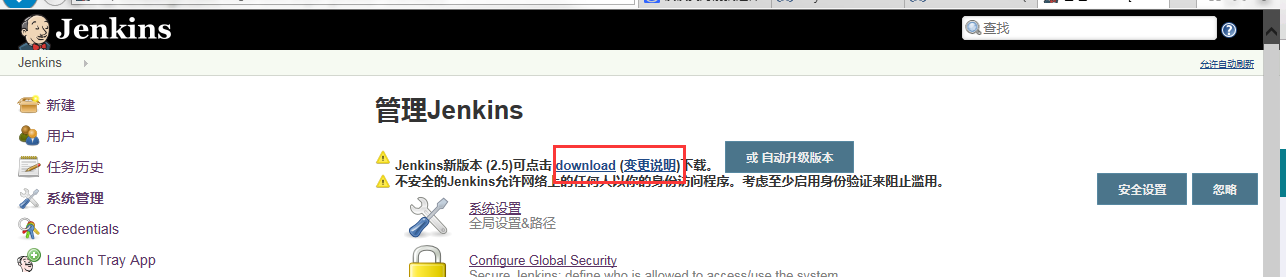
替换/usr/lib/jenkins/下的jenkins.war文件就可以升级了
service jenkins stop

cp -a jenkins.war /usr/lib/jenkins/jenkins.war

service jenkins start
设置nginx:
1. 安装nginx
2. 配置
a. vi /etc/nginx/nginx.conf
查找 # include /etc/nginx/conf.d/*.conf;
去掉前面的 # 符号
b. sudo vim /etc/nginx/conf.d/jenkins.conf
#/etc/nginx/conf.d/jenkins.conf

server {

    listen       ;

    server_name  jenkins.jobstreet.com;

    #access_log /var/log/jenkins_access_log main;

    #error_log  /var/log/jenkins_error_log  debug_http;

    client_max_body_size 60M;

    client_body_buffer_size 512k;

    location / {

        port_in_redirect on;

        proxy_pass      http://localhost:8080;

        proxy_redirect  off;

        proxy_set_header Host $host;

        proxy_set_header X-Real-IP $remote_addr;

        proxy_set_header X-Forwarded-For $proxy_add_x_forwarded_for;

    }

}
c. sudo vi /etc/hosts
加入 127.0.0.1 jenkins.jobstreet.com
如果是其他机子访问的话也需要加入到host文件
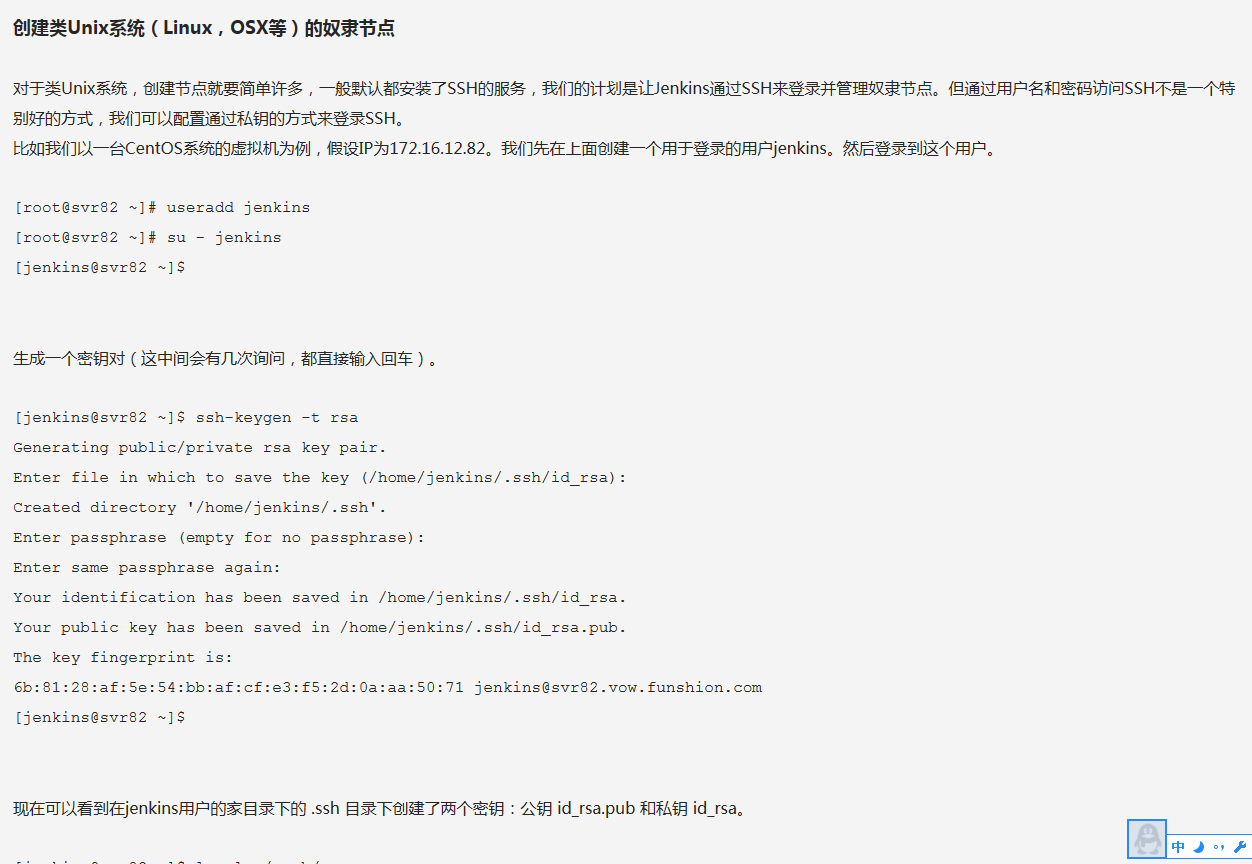
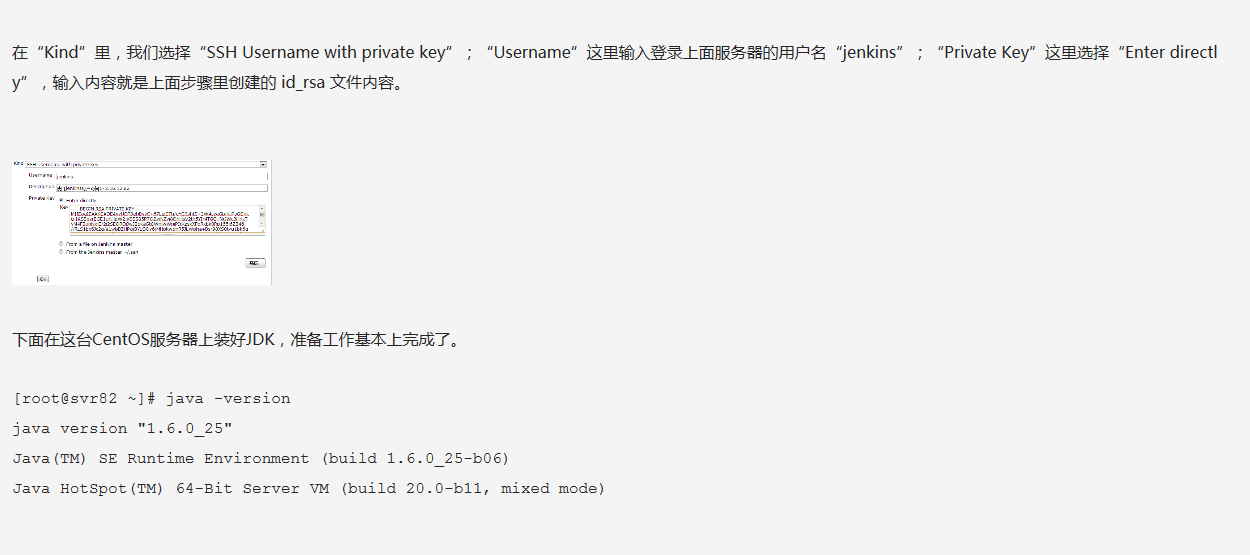
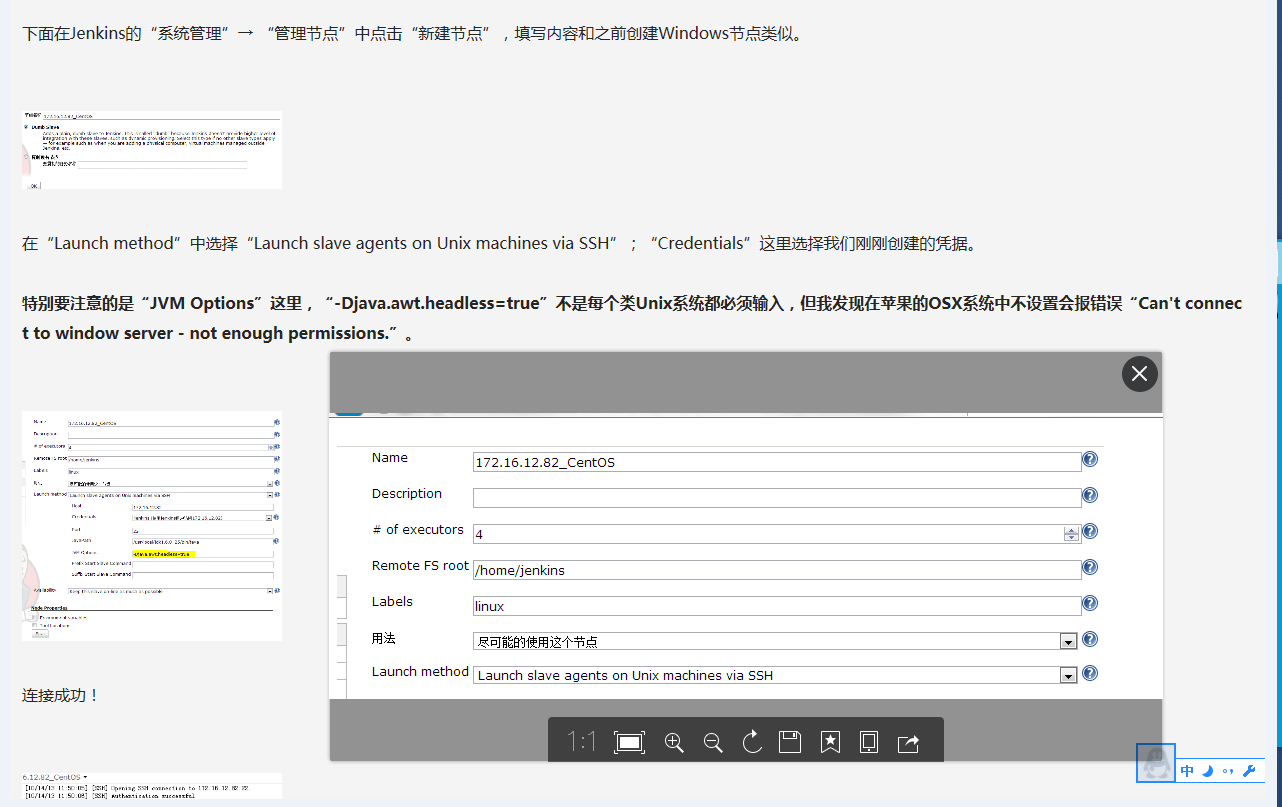
jenkins 设置linux 节点


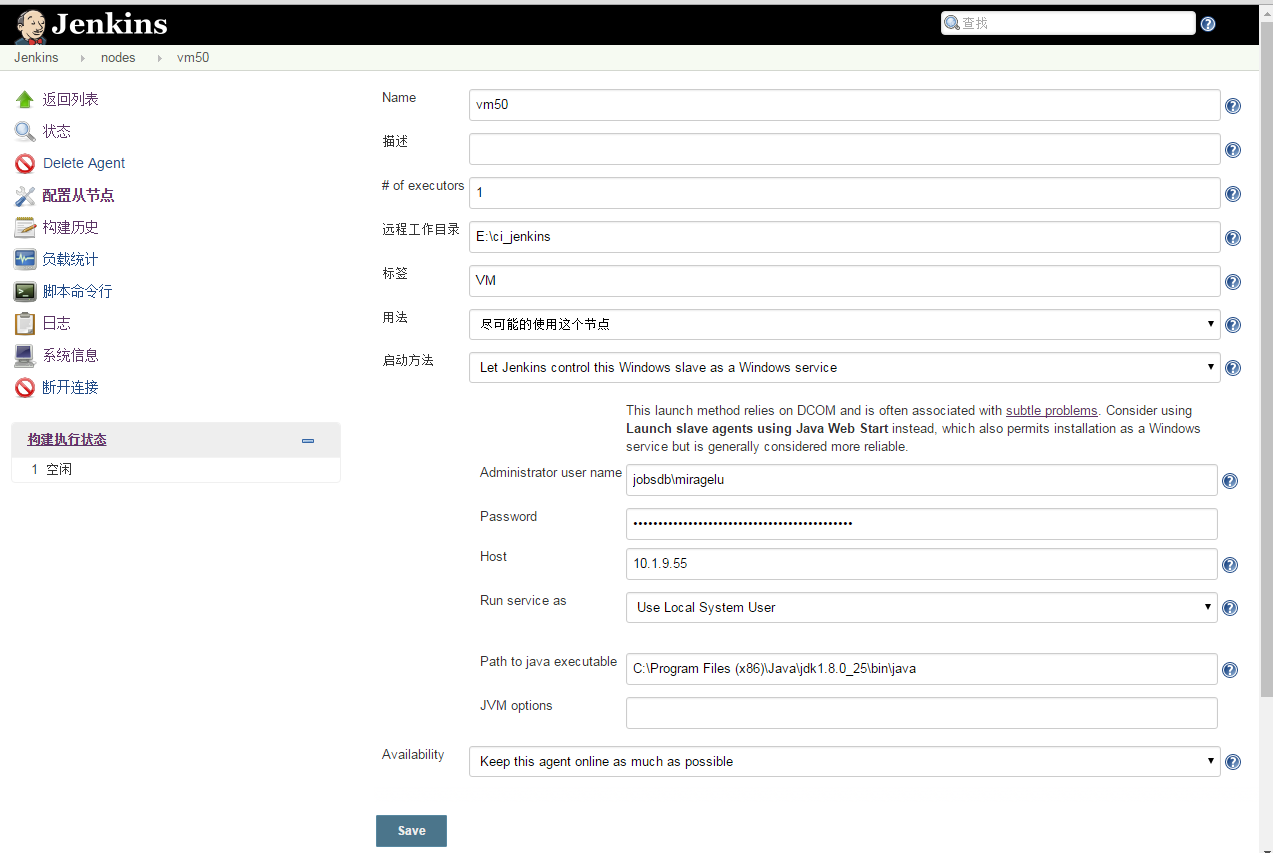
jenkins 设置windows 节点
修改windows设置
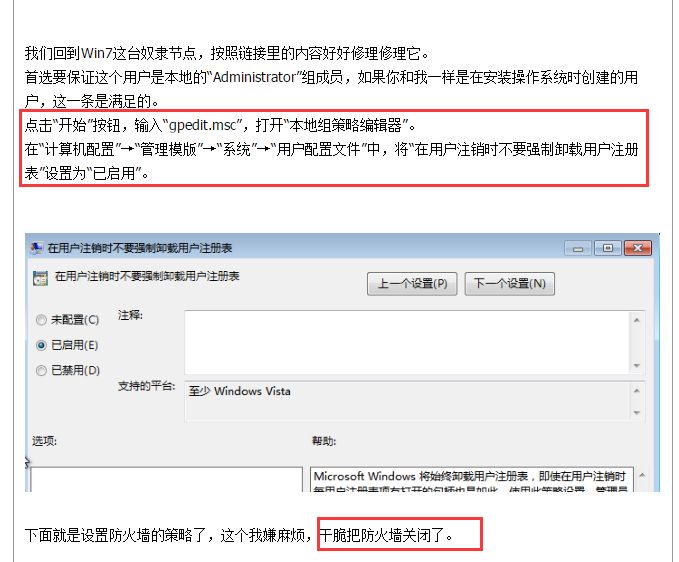
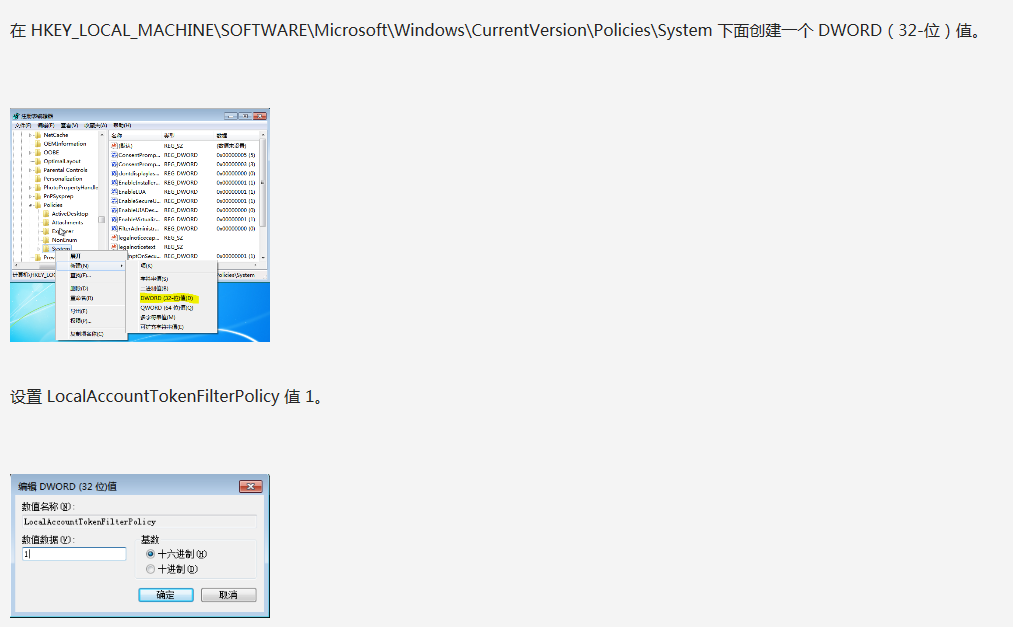
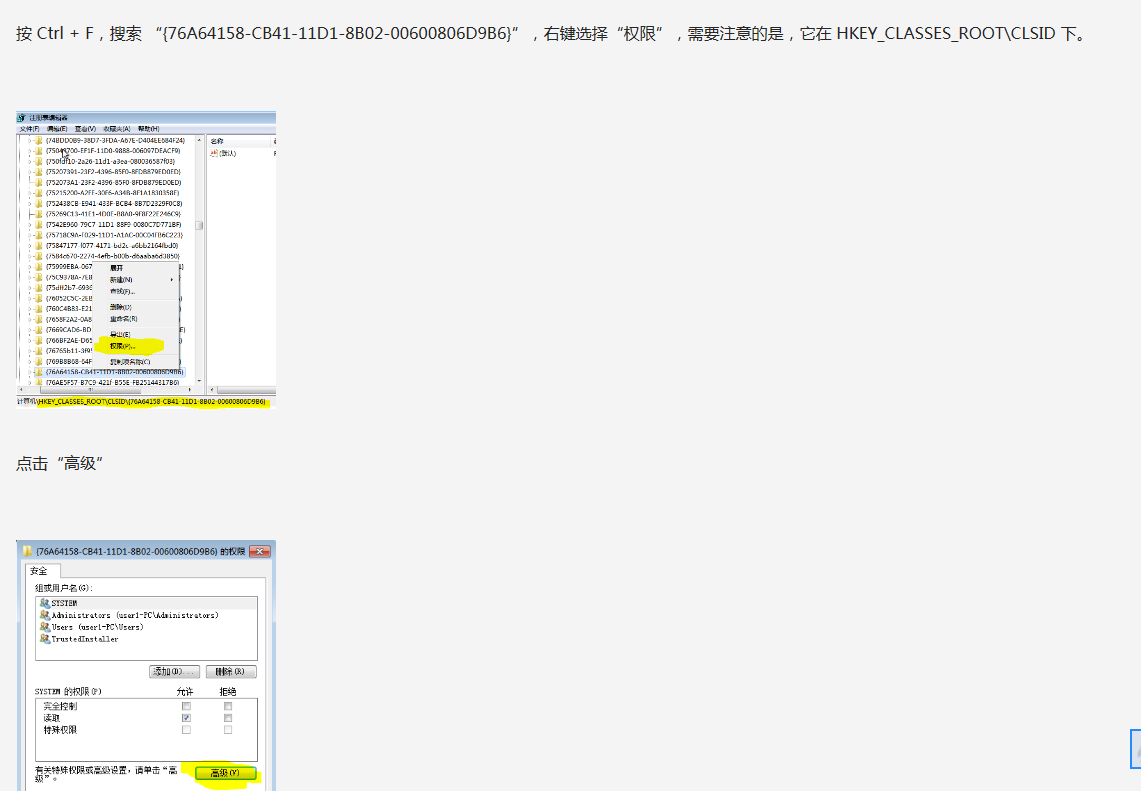

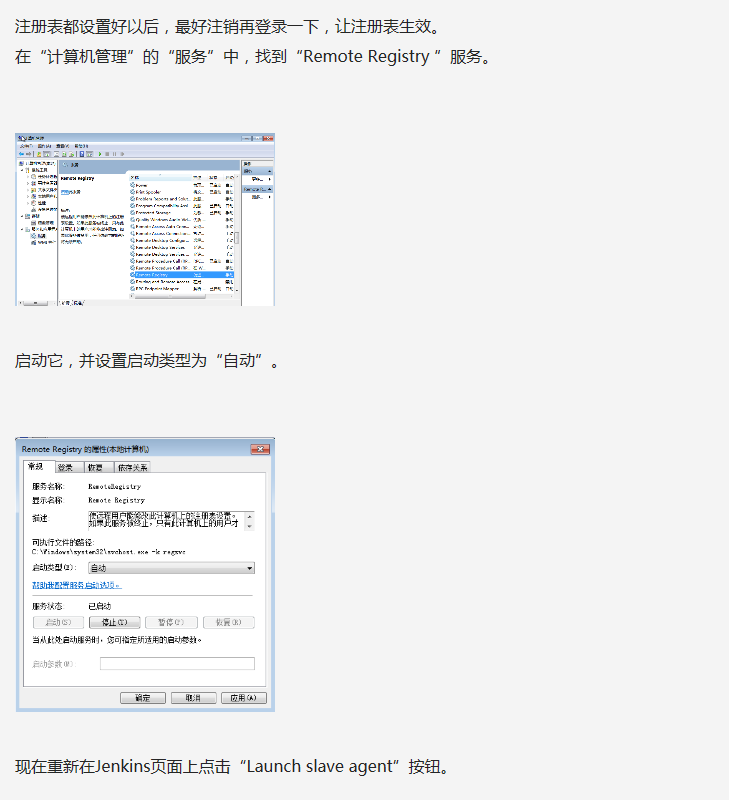
jenkins上新建windows的node
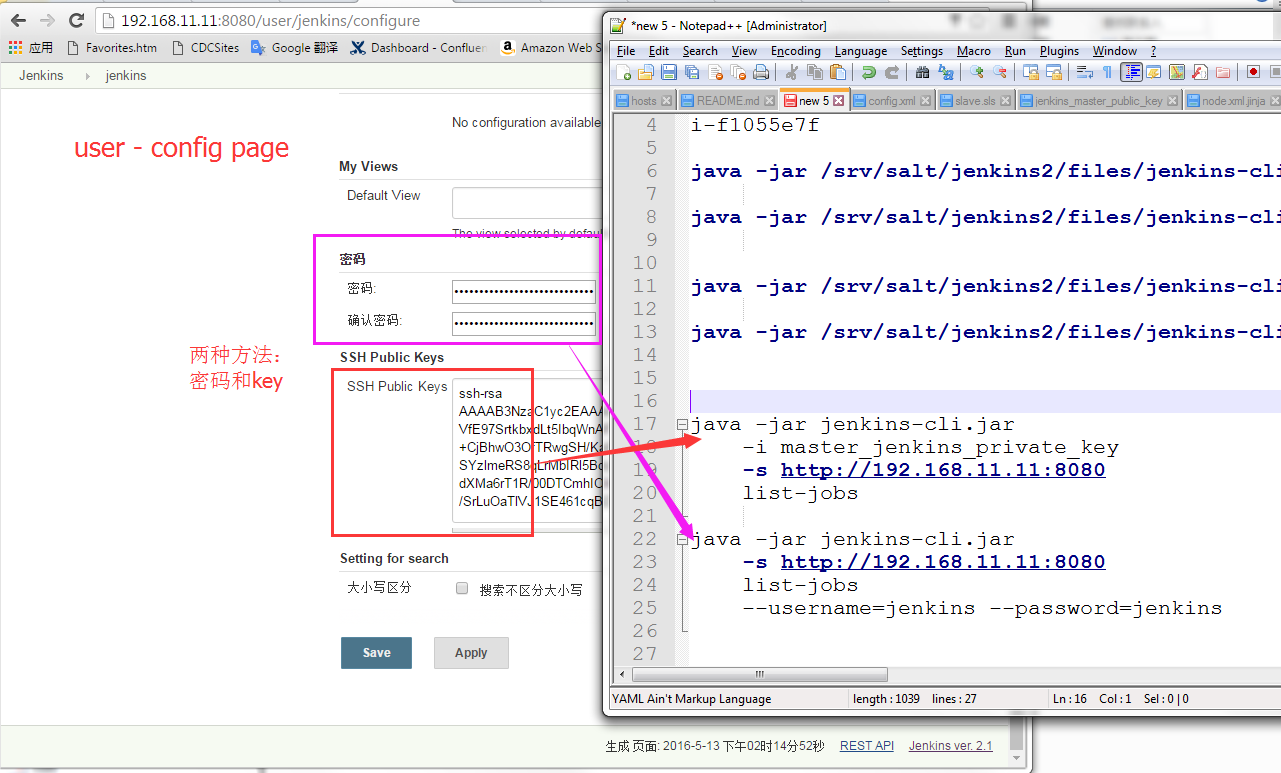
jenkins 用jenkins-cli.jar

jenkins 设置jobs
略
note:
slave:
如果是windows, 并且用到了MSBuild,
1.那么需要在windows中配置msbuild的路径到PATH。eg: C:\WINDOWS\Microsoft.NET\Framework\v4.0.30319\
配置完Slave以后需要重启master的jenkins
2.或者安装msbuild 插件, 并在系统管理 --》 Global Tool Configuration 中设置好msbuild的路径等
jenkins 安装配置: centos-master windows/linux-slave + nginx代理 + node + job的更多相关文章
- jenkins安装-配置
jenkins安装-配置 注意: jenkins访问 用chrome浏览器 安装包下载:http://pkg.jenkins-ci.org/redhat/ (使用2.92版本的) 安装jdk: 1.8 ...
- saltstack安装配置(master&minion)
操作系统centos6.3,centos6.4,windows server2008R2,windows7. 文中的下载链接可能会随着saltstack官网上版本的更新,而出现变动或错误,请以你需要安 ...
- jenkins安装配置[二]
标签(linux): jenkins 笔者Q:972581034 交流群:605799367.有任何疑问可与笔者或加群交流 安装依赖,如果本机已有java环境可跳过 yum install java- ...
- Maven的安装文字版(Windows/Linux/Mac)
以下内容引用自https://ayayui.gitbooks.io/tutorialspoint-maven/content/book/maven_environment_setup.html,安装信 ...
- nginx php-fpm安装配置 CentOS编译安装php7.2
CentOS编译安装php7.2 介绍: 久闻php7的速度以及性能那可是比php5系列的任何一版本都要快,具体性能有多好,建议还是先尝试下再说.如果你是升级或新安装,那你首先需要考虑php7和程序是 ...
- Jenkins安装配置 远程发布SpringBoot项目
环境要求: Java : 1.8.0_161. Maven :http://maven.apache.org/download.cgi 3.6.1 下载完解压,配置环境变量:vim /etc/prof ...
- jenkins安装配置-白痴教程
1. Maven安装 下载maven安装包,放置在usr/maven目录下:apache-maven-3.2.5-bin.tar.gz tar zxvf apache-maven-3.2.5-bin. ...
- sublime text3安装配置c++环境(windows+ubuntu)
1.下载sublime text3 官网地址:http://www.sublimetext.com/3 ubuntu直接在Ubuntu Software中搜索sublime安装 2.配置环境变量(wi ...
- Docker容器安装配置SQLServer服务(Linux)
一:前言 随着不断的对Docker容器的实践和学习,越来越觉得容器的强大,把 SQL Server 数据库服务放在docker容器中,比你自己在宿主服务器上面安装配置一个SQL Server服务器是要 ...
随机推荐
- ACdream 1099——瑶瑶的第K大——————【快排舍半,输入外挂】
瑶瑶的第K大 Time Limit:2000MS Memory Limit:128000KB 64bit IO Format:%lld & %llu Submit Status ...
- web.config节点
1.clientCache 源码: <system.webServer> <staticContent> <clientCache cacheControlMode=&q ...
- SQL使用bcp方式导入,导出数据2
select * from A_Account EXEC sp_configure 'allow_updates' GO EXEC sp_configure 'allow_updates',0; ...
- Zepto结合Swiper的选项卡
我们昨天说了关于Angular的选项卡,那今天就说一下Swiper的选项卡吧! 今天的选项卡是Zepto结合Swiper的选项卡,咱么明天再说纯纯的Swiper的吧! 既然是关于Zepto和Swipe ...
- 如何在web.config文件中配置Session变量的生命周期
实例说明:在网上购物商城中,为了维护在线购物环境,一般只有注册会员才可以购买商品.实现购物功能时,先通过Session变量记录会员的登录名,然后在购买商品页面通过判断会员是否登录确定其能否购买商品. ...
- RDMA in CloudComputing
https://blog.csdn.net/qq_21125183/article/details/80563463
- ubuntu14.04安装rabbitmq
ubuntu14.04安装rabbitmq及配置 1.修改/etc/apt/sources.list文件 命令:vi /etc/apt/sources.list 在最后一行加上:deb http: ...
- 一個新的面試題目,leetcode上面可以找到shortest palindrome
記錄一下新的面試題目,其實題目是舊的,只是我才見到.以前研究過,只不過以前的解法不容易理解,現在有了新的遞歸解法.記錄一下. public String shortestPalindrome(Stri ...
- Struts2学习-横切关注点
1.建空项目 2.建包 3.建类 4.编写 package com.nf.action; import com.opensymphony.xwork2.ActionInvocation; import ...
- day6-基础 模块详解
1.定义: 1)模块:本质上就是一个python程序,封装成一个"模块",可以调用里面的方法,用来实现一个功能.逻辑上用来组织python代码. 2)包:本质上是一个目录(必须带有 ...