
Prometheus 整合 AlertManager
简介
Alertmanager 主要用于接收 Prometheus 发送的告警信息,它很容易做到告警信息的去重,降噪,分组,策略路由,是一款前卫的告警通知系统。它支持丰富的告警通知渠道,可以将告警信息转发到邮箱、企业微信、钉钉等。这一节讲解利用AlertManager,把接受到的告警信息,转发到邮箱。
实验
准备
启动 http-simulator 度量模拟器:
docker run --name http-simulator -d -p 8080:8080 pierrevincent/prom-http-simulator:0.1
启动 Prometheus,为了方便更新配置,使用挂载配置文件的方式:
docker run --name prometheus -d -p 9090:9090 -v /Users/huanchu/Documents/prometheus-data:/prometheus-data \

       prom/prometheus --web.enable-lifecycle --config.file=/prometheus-data/prometheus.yml
启动添加了参数 --web.enable-lifecycle,让Prometheus支持通过web端点动态更新配置。
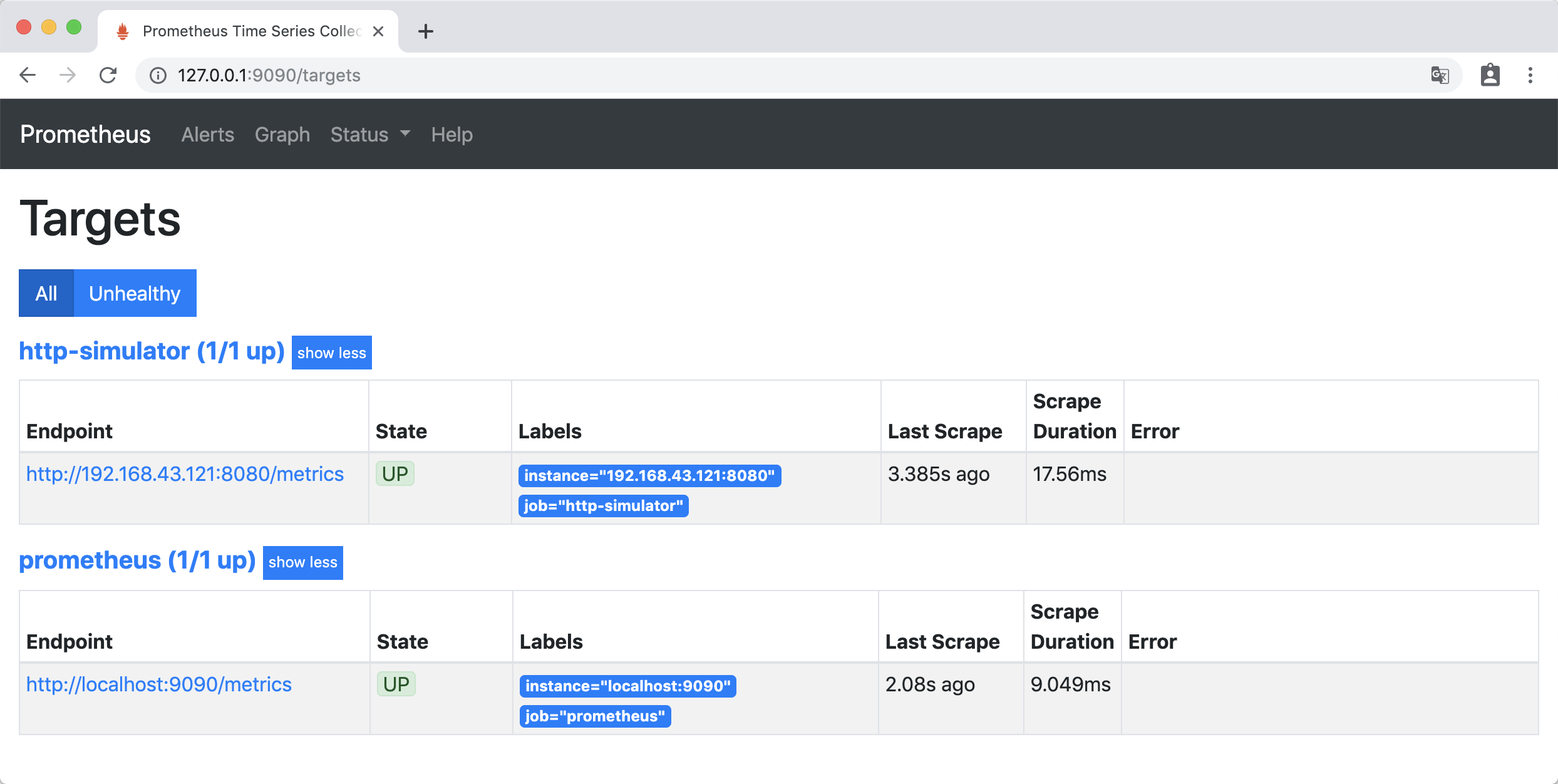
访问http://127.0.0.1:9090/targets ,Prometheus 自身的 metrics 和 http-simulator 的 metrics 处于up 状态 ,那么准备工作就做好了。
实验
实验1
告警配置
在prometheus-data文件夹下,创建告警配置文件 simulator_alert_rules.yml:
groups:

- name: simulator-alert-rule

  rules:

  - alert: HttpSimulatorDown

    expr: sum(up{job="http-simulator"}) == 0

    for: 1m

    labels:

      severity: critical
配置文件的意思是 http-simulator 服务up状态为 0 ,并且持续1分钟时,产生告警 ,级别为 “严重的”。
修改prometheus.yml,引用simulator_alert_rules.yml文件,prometheus.yml 内容如下:
global:

  scrape_interval: 5s

  evaluation_interval: 5s

  scrape_timeout: 5s

rule_files:

  - "simulator_alert_rules.yml"

scrape_configs:

  - job_name: 'prometheus'

    static_configs:

    - targets: ['localhost:9090']

  - job_name: 'http-simulator'

    metrics_path: /metrics

    static_configs:

    - targets: ['192.168.43.121:8080']
更新Prometheus配置:
curl -X POST http://localhost:9090/-/reload
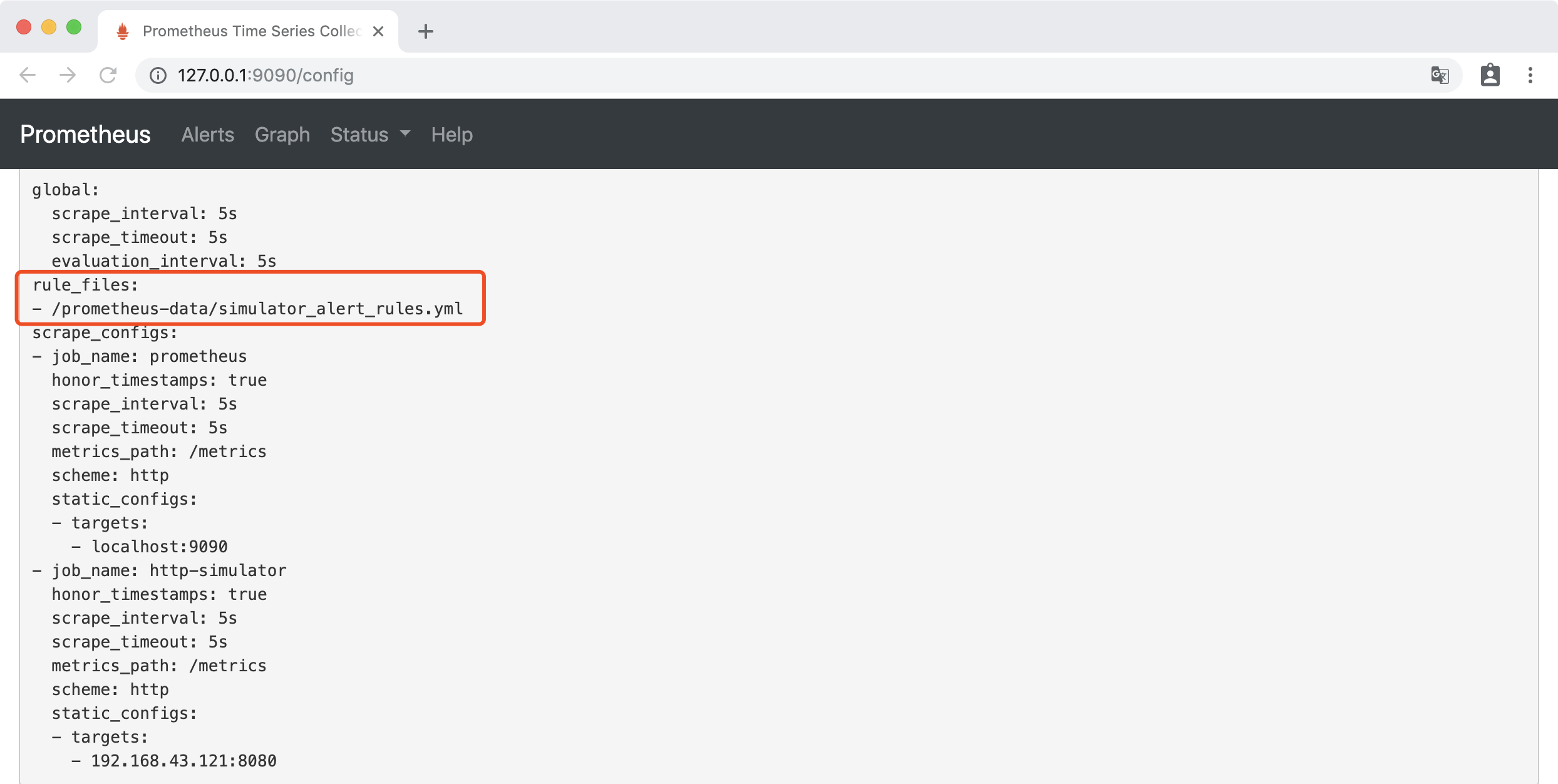
访问http://127.0.0.1:9090/config,可以看到已经为更新了配置:
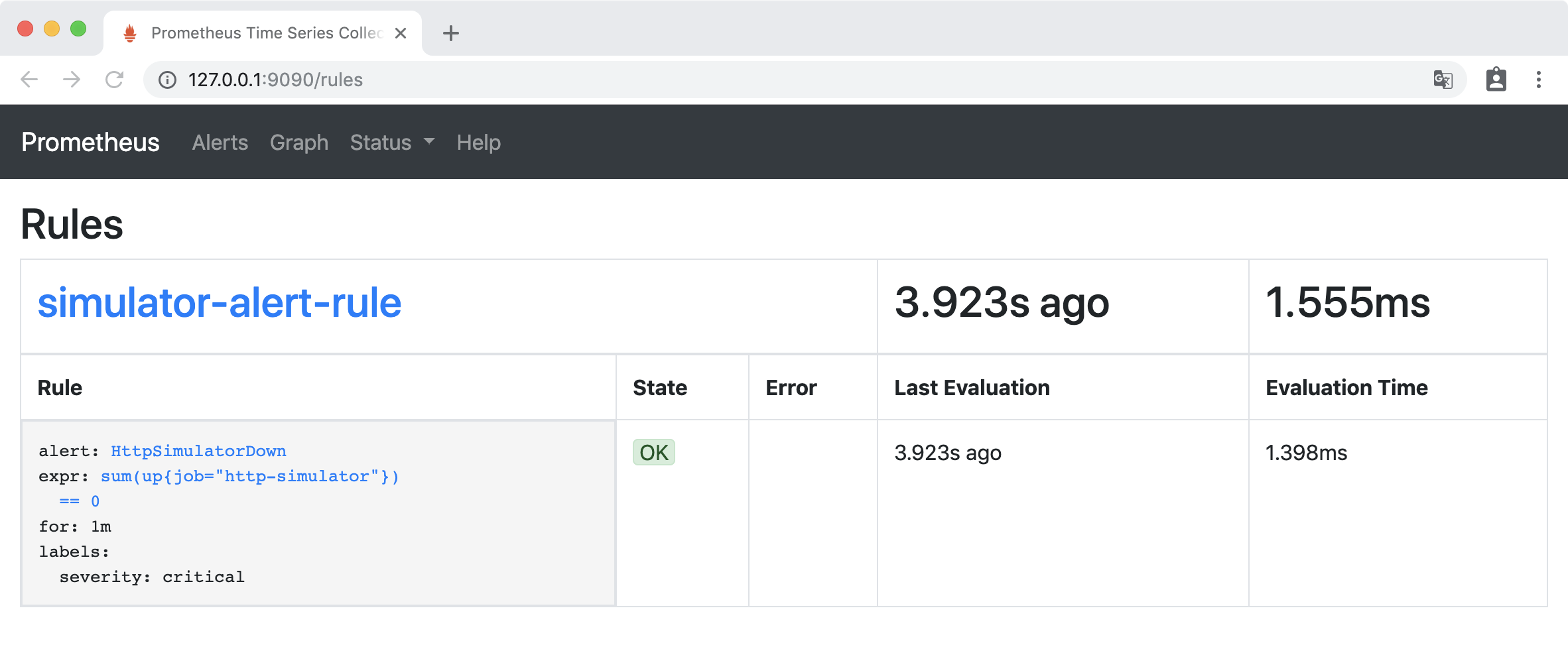
访问http://127.0.0.1:9090/rules,Rules 下出现了新添加的告警规则:
验证
访问http://127.0.0.1:9090/alerts ,Alerts 下 HttpSimulatorDown 为绿色,处于INACTIVE 状态,表示什么都没有发生。

关闭 http-simulator 服务:
docker stop http-simulator
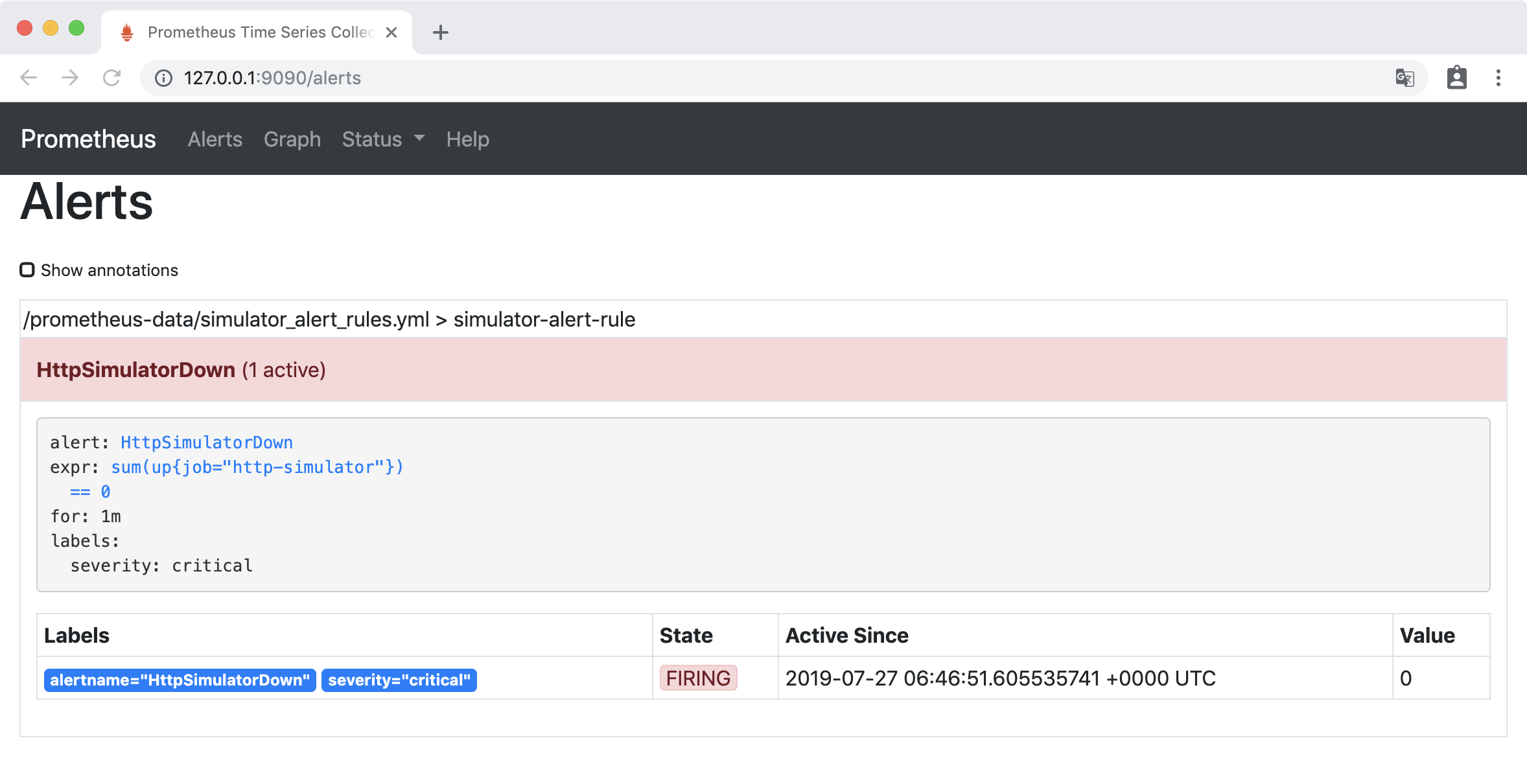
访问http://127.0.0.1:9090/alerts,HttpSimulatorDown 变成黄色,处于 PENDING 状态,表示报警即将被激活。
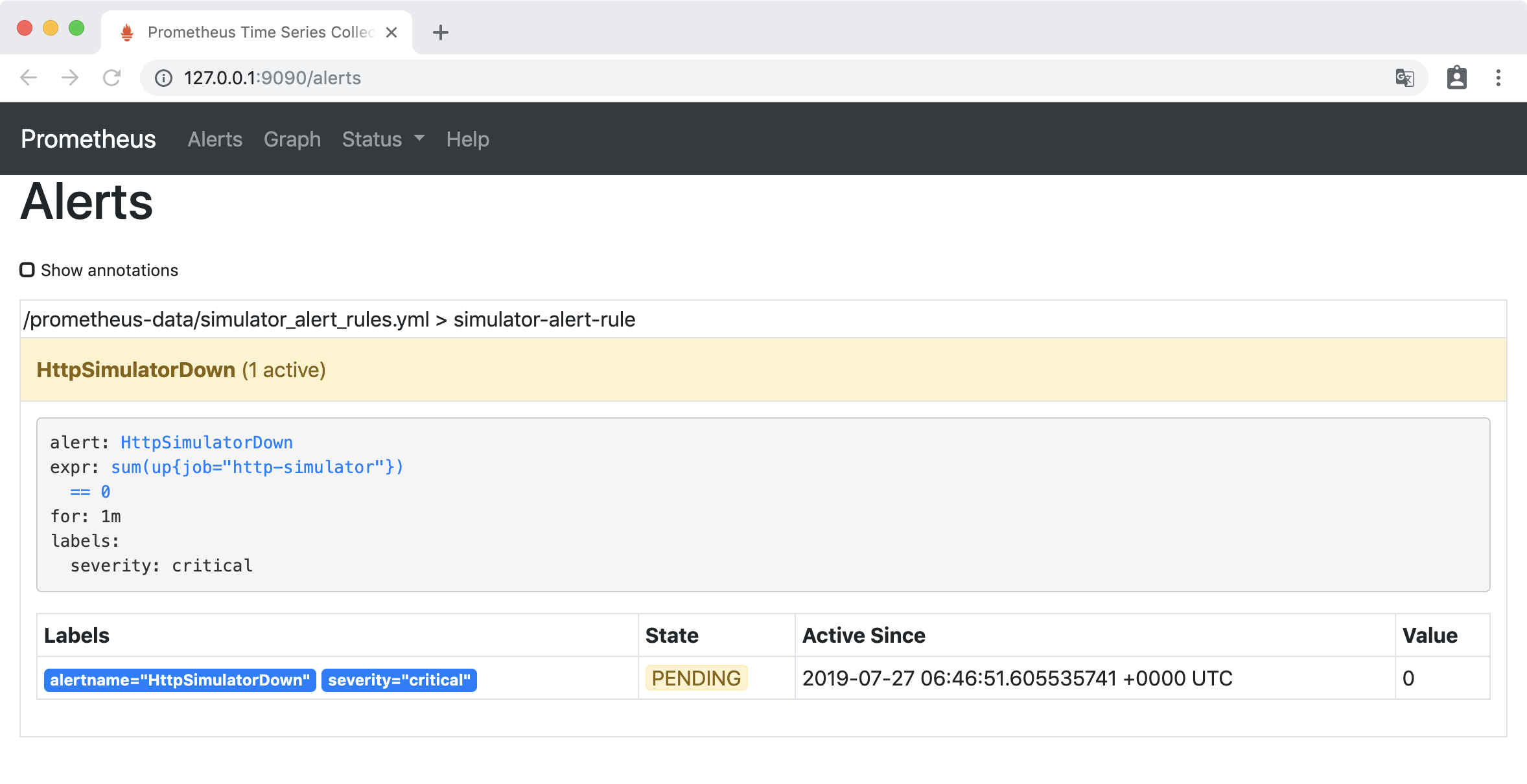
一分钟后,HttpSimulatorDown 变成红色,处于 FIRING 状态,表示报警已经被激活了。
实验2
告警配置
在simulator_alert_rules.yml文件中增加告警配置:
- alert: ErrorRateHigh

    expr: sum(rate(http_requests_total{job="http-simulator", status="500"}[5m])) / sum(rate(http_requests_total{job="http-simulator"}[5m])) > 0.02

    for: 1m

    labels:

      severity: major

    annotations:

      summary: "High Error Rate detected"

      description: "Error Rate is above 2% (current value is: {{ $value }}"
配置文件的意思是 http-simulator 请求的错误率对2% ,并且持续1分钟时,产生告警 ,级别为 “非常严重的”
更新Prometheus配置:
curl -X POST http://localhost:9090/-/reload
验证
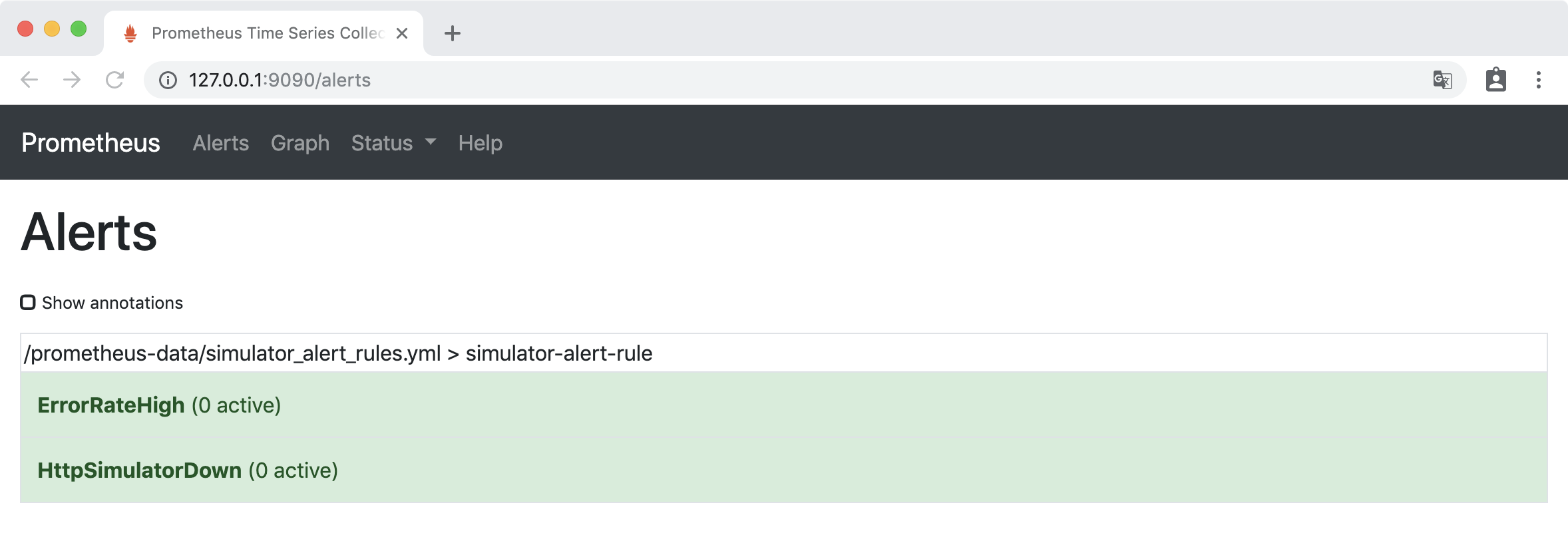
访问http://127.0.0.1:9090/alerts,ErrorRateHigh 为绿色的 INACTIVE 状态。
把 http-simulator 的错误率调到 10%
curl -H 'Content-Type: application/json' -X PUT -d '{"error_rate": 10}' http://localhost:8080/error_rate
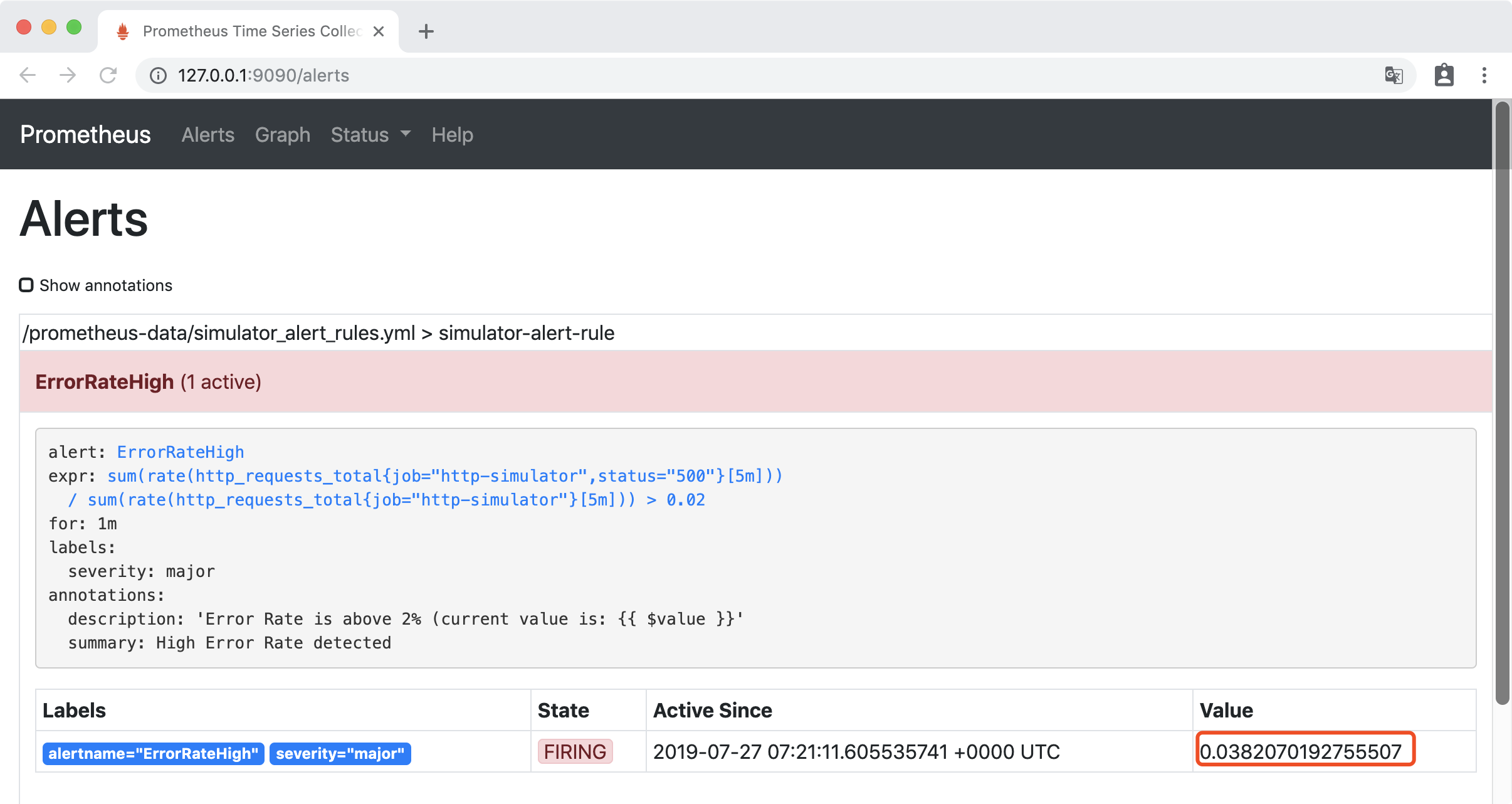
稍等一会后,访问http://127.0.0.1:9090/alerts, 可以看到错误率已经大2%,ErrorRateHigh 为红色的 FIRING 状态,报警已经被激活了。
安装和配置AlertManager
通过docker 挂载文件的方式安装AlertManager,在本地创建文件夹 alertmanager-data 文件夹,在其中创建 alertmanager.yml,内容如下:
global:

  smtp_smarthost: 'smtp.163.com:25'

  smtp_from: 'xxxxx@163.com'

  smtp_auth_username: 'xxxxx@163.com'

  smtp_auth_password: 'xxxxx'

route:

  group_interval: 1m   #当第一个报警发送后,等待'group_interval'时间来发送新的一组报警信息

  repeat_interval: 1m   # 如果一个报警信息已经发送成功了,等待'repeat_interval'时间来重新发送他们

  receiver: 'mail-receiver'

receivers:

- name: 'mail-receiver'

  email_configs:

    - to: 'xxxxxx@163.com'
启动 AlertManager:
docker run --name alertmanager -d -p 9093:9093 -v /Users/huanchu/Documents/alertmanager-data:/alertmanager-data \

       prom/alertmanager --config.file=/alertmanager-data/alertmanager.yml
在Prometheus目录下,修改prometheus.yml配置Alertmanager地址:
# Alertmanager configuration

alerting:

  alertmanagers:

  - static_configs:

    - targets:

      - 192.168.43.121:9093
更新Prometheus配置:
curl -X POST http://localhost:9090/-/reload
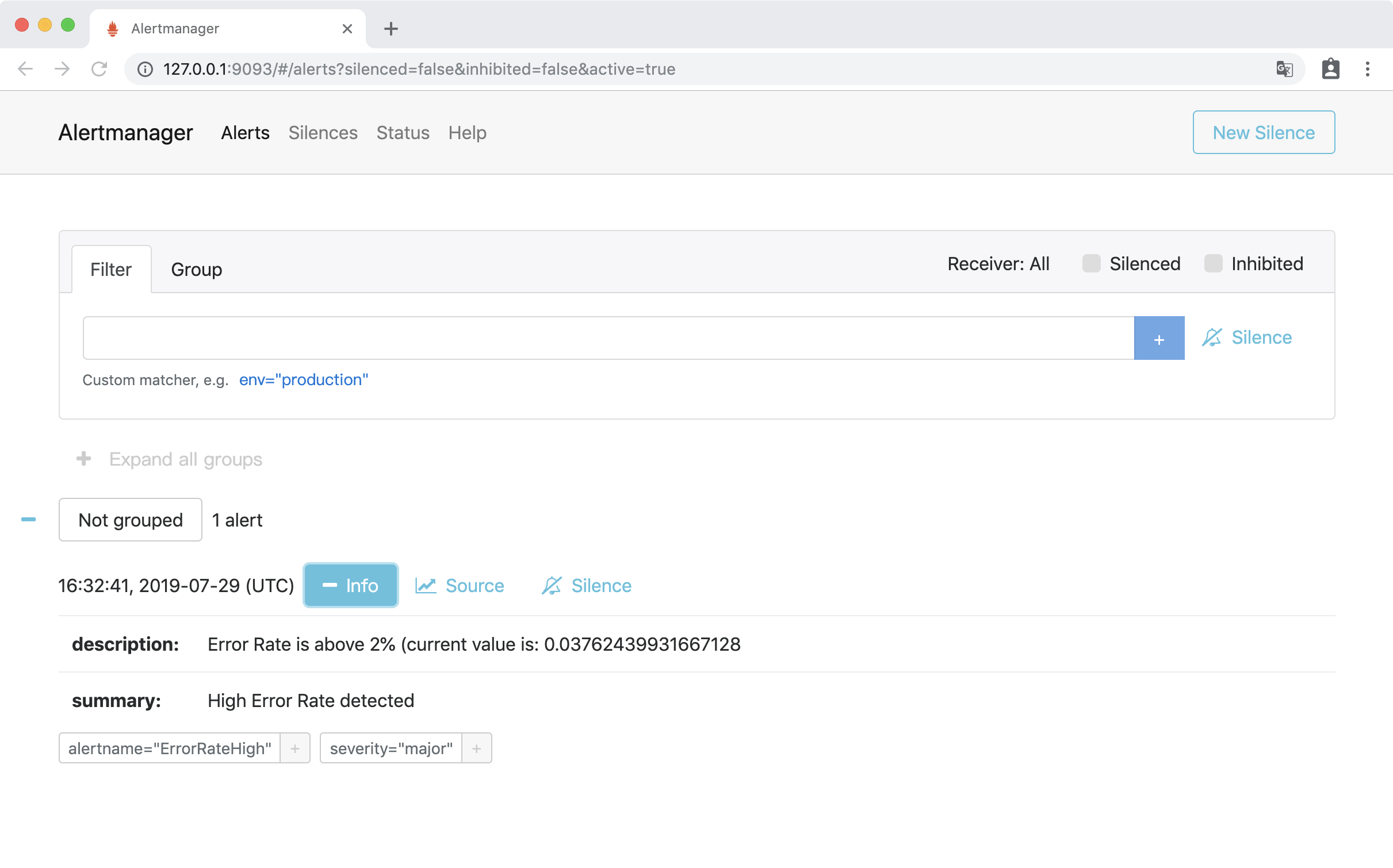
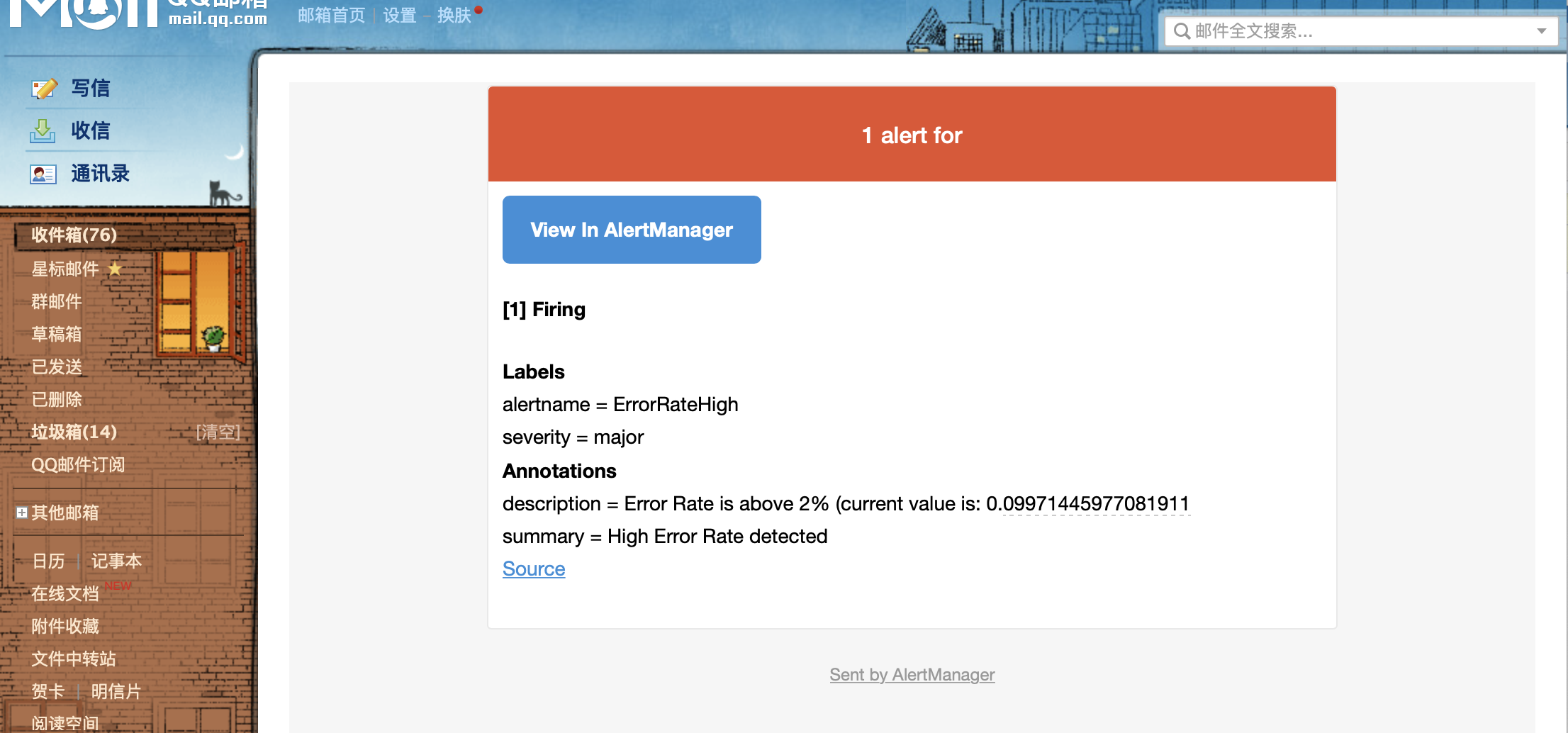
访问http://127.0.0.1:9093,访问Alertmanager UI界面,可以看到接收到ErrorRateHigh告警:
邮箱会收到告警信息:
欢迎扫码或微信搜索公众号《程序员果果》关注我,关注有惊喜~

Prometheus 整合 AlertManager的更多相关文章
- Prometheus 与 Alertmanager 通信
Prometheus 与 Alertmanager 通信 1.编辑Prometheus配置文件配置连接地址:vim prometheus.yml # Alertmanager configuratio ...
- Prometheus 安装Alertmanager集成
Prometheus 安装Alertmanager集成 # 下载地址 地址1:https://prometheus.io/download/ 地址2:https://github.com/promet ...
- prometheus学习系列十一: Prometheus和AlertManager的高可用
前面的系列中, prometheus和alertmanager都是单机部署的,会有单机宕机导致系统不可用情况发生.本文主要介绍下prometheus和alertmanager的高可用方案. 服务的高可 ...
- Prometheus 和 Alertmanager实战配置
Prometheus时序数据库 一.Prometheus 1.Prometheus安装 1)源码安装 prometheus安装包最新版本下载地址:https://prometheus.io/downl ...
- linux(centos8):prometheus使用alertmanager发送报警邮件(prometheus 2.18.1/alertmanager 0.20.0)
一,alertmanager的用途 1,Alertmanager的作用: Alertmanager是一个独立的报警模块, 它接收Prometheus等客户端发来的警报,并通过分组.删除重复等处理, 通 ...
- Prometheus+Grafana+Alertmanager实现告警推送教程 ----- 图文详解
前言 本文主要介绍的是Prometheus采集数据,通过Grafana加上PromQL语句实现数据可视化以及通过Alertmanage实现告警推送功能.温馨提示,本篇文章特长,2w多的文字加上几十张图 ...
- prometheus,alertmanager 报警配置详解
vim prometheus.yml global: scrape_interval: 15s external_labels: monitor: 'codelab-monitor' scrape_c ...
- 基于Prometheus+Grafana+AlertManager的监控系统
一.Prometheus 1.1 简介 Prometheus是一套开源的监控&报警&时间序列数据库的组合,基于应用的metrics来进行监控的开源工具 . 1.2 下载&安装 ...
- prometheus+grafana+Alertmanager邮箱告警
环境 系统:CentOS 7 软件:alertmanager-0.18.0.linux-amd64.tar.gz 安装 下载二进制包 地址:https://prometheus.io/download ...
随机推荐
- You can't specify target table 'tbl_students' for update in FROM clause错误
此问题只出现在mysql中 oracle中无此问题 在同一语句中,当你在select某表的数据后,不能update这个表,如: DELETE FROM tbl_students WHERE id NO ...
- 【练习题】proj2 字符串压缩
输入一个字符串,输出简单的压缩 1)单字符串压缩 : 输入:ABBBCCD , 输出AB3C2D 2)多字符串压缩 输入:AABCABCD,输出A(ABC)2D 1)压缩单个字符 #include & ...
- 第二章: Identifiers, Keywords and Types
一:方法的定义和方法的调用 方法的定义:修饰符 方法的返回值 方法名(参数列表){ 方法体 } 如果没有方法的返回值就写成:void 参数列表:参数类型 参数名 方法的调用:方法名(参数值) 第二天: ...
- laravel中的构造函数依赖注入理解
laravel中的自动依赖注入是非常强大的,刚开始会疑惑为什么只要在构造函数中传入一个强制类型的变量(就是参数有类型限制)过去就行了? 通过查看源码即查阅资料发现其实这其中有一个php技术,就是反射技 ...
- SSM(二)MyBatis多表联查
这篇文章写了以下几个简单的例子,用来说明MyBatis多标联查基本语法 1.sql片段的用法 2.一对多查询 3.多条sql的一对多查询 4.多对一查询 5.多条sql一对多查询 6.多对多查询 这里 ...
- tomcat源码分析(一)- tomcat源码导入IDEA并正常启动
项目导入 代码下载 打开GitHub网站:https://github.com/apache/tomcat 下载对应的zip包 解压对应的压缩包(当然你也可以用工具对其进行解压) unzip tomc ...
- 【HDU - 2102】A计划(bfs)
-->A计划 Descriptions: 可怜的公主在一次次被魔王掳走一次次被骑士们救回来之后,而今,不幸的她再一次面临生命的考验.魔王已经发出消息说将在T时刻吃掉公主,因为他听信谣言说吃公主的 ...
- Flutter学习笔记(3)--Dart变量与基本数据类型
一.变量 在Dart里面,变量的声明使用var.Object或Dynamic关键字,如下所示: var name = ‘张三’: 在Dart语言里一切皆为对象,所以如果没有将变量初始化,那么它的默认值 ...
- 源码解读·RT-Thread操作系统从开机到关机
本篇内容比较简单,但却很繁琐,篇幅也很长,毕竟是囊括了整个操作系统的生命周期.这篇文章的目的是作为后续设计多任务开发的铺垫,后续会单独再抽出一篇分析任务的相关知识.另外本篇文章以单核MCU为背景,并且 ...
- BZOJ 1086:[SCOI2005]王室联邦(DFS树分块)
http://www.lydsy.com/JudgeOnline/problem.php?id=1086 题意:给出n个点的树,让你对树进行分块,每块的大小范围在[b, 3b]之间. 思路:一开始想着 ...