
winform学习之----重新绘制边框方法延伸
方法1、
Pen pen1 = new Pen(Color.FromArgb(233, 149, 87));
e.Graphics.DrawRectangle(pen1, new Rectangle(0, 0, this.Width - 1, this.Height - 1));
方法2、
Rectangle myRectangle = new Rectangle(0, 0, this.Width, this.Height);
ControlPaint.DrawBorder(e.Graphics, myRectangle,
Color.FromArgb(0, 0, 0), 2, ButtonBorderStyle.Solid,
Color.FromArgb(0, 0, 0), 2, ButtonBorderStyle.Solid,
Color.FromArgb(0, 0, 0), 2, ButtonBorderStyle.Solid,
Color.FromArgb(0, 0, 0), 2, ButtonBorderStyle.Solid
);
对比:
一、Winform Panel边框方法一:每边能设置不同的颜色、宽度和样式
1、拖一个 Panel控件到主窗体中,保持默认名称 panel1,BorderStyle 选择 Fixed3D。
2、双击 Panel1,打开后台代码文件,在 panel1_Paint(object sender, PaintEventArgs e) 方法中添加如下代码:
private void panel1_Paint(object sender, PaintEventArgs e)
{
ControlPaint.DrawBorder(e.Graphics, panel1.ClientRectangle,
Color.White, 1, ButtonBorderStyle.Solid, //左边
Color.White, 1, ButtonBorderStyle.Solid, //上边
Color.DimGray, 1, ButtonBorderStyle.Solid, //右边
Color.DimGray, 1, ButtonBorderStyle.Solid);//底边
}
每边共有三个参数,分别为:边框颜色、宽度和样式;如果把 1 改为 0,则覆盖原来的边框,否则颜色搭配得当将出现凹凸边框效果,示例运行效果如图1所示:
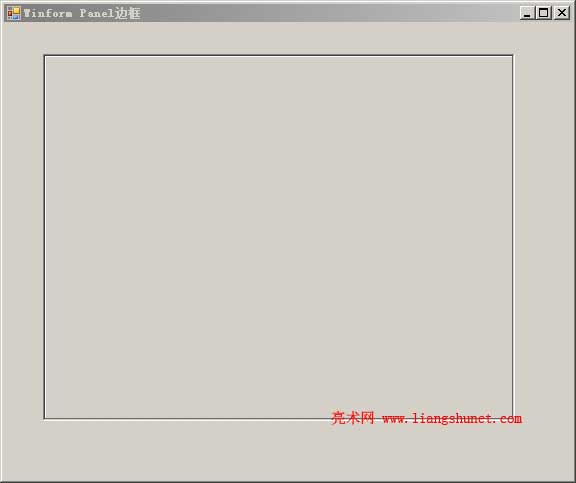
图1
如果 BorderStyle 选择 None,则又是另外一种效果(边框内突起)。
二、Winform Panel边框方法二:每边样式一样
步骤跟方法一一样,只是在 panel1_Paint(object sender, PaintEventArgs e) 方法中添加如下代码:
private void panel1_Paint(object sender, PaintEventArgs e)
{
ControlPaint.DrawBorder(e.Graphics, ClientRectangle, Color.Ivory, ButtonBorderStyle.Solid);
}
每边都设置为同一风格,即相同的颜色、宽度和样式。
三、推荐重绘边框的方法
private void panelAll_Paint(object sender, PaintEventArgs e)
{
Rectangle myRectangle = new Rectangle(0, 0, this.panelAll.Width, this.panelAll.Height);
ControlPaint.DrawBorder(e.Graphics, myRectangle,
System.Drawing.Color.FromArgb(((int)(((byte)(245)))), ((int)(((byte)(145)))), ((int)(((byte)(28))))), 2, ButtonBorderStyle.Solid,
System.Drawing.Color.FromArgb(((int)(((byte)(245)))), ((int)(((byte)(145)))), ((int)(((byte)(28))))), 2, ButtonBorderStyle.Solid,
System.Drawing.Color.FromArgb(((int)(((byte)(245)))), ((int)(((byte)(145)))), ((int)(((byte)(28))))), 2, ButtonBorderStyle.Solid,
System.Drawing.Color.FromArgb(((int)(((byte)(245)))), ((int)(((byte)(145)))), ((int)(((byte)(28))))), 2, ButtonBorderStyle.Solid
);
}此方法可以避免一些重绘时发生的错误。
winform学习之----重新绘制边框方法延伸的更多相关文章
- iOS学习——Quartz2D学习之UIKit绘制
iOS学习——Quartz2D学习之UIKit绘制 1.总述 在IOS中绘图技术主要包括:UIKit.Quartz 2D.Core Animation和OpenGL ES.其中Core Animati ...
- HTML5学习总结——canvas绘制象棋(canvas绘图)
一.HTML5学习总结——canvas绘制象棋 1.第一次:canvas绘制象棋(笨方法)示例代码: <!DOCTYPE html> <html> <head> & ...
- Winform学习手册(目录)
一.基础: WINFORM学习笔记——创建Winform项目 WINFORM学习手册——TextBox.Lable.Button WINFORM学习笔记——窗体生命周期 WINFORM学习手册——对话 ...
- OpenGL入门学习 课程 (三) 绘制几何图形的一些细节问题
http://oulehui.blog.163.com/blog/static/79614698201191832753312/ 先回顾一下我们都学习了些什么: 第一课,编写第一个OpenGL程序第二 ...
- winform重绘控件边框
首先添加一个用户控件 对于重绘边框有三个需要考虑的东西 1:是否显示边框 2:边框颜色 3:边框宽度 所以定义三个私有变量 /// <summary>/// 是否显示边框/// </ ...
- 转载:WinForm中播放声音的三种方法
转载:WinForm中播放声音的三种方法 金刚 winForm 播放声音 本文是转载的文章.原文出处:http://blog.csdn.net/jijunwu/article/details/4753 ...
- C# Winform中DataGridView的DataGridViewCheckBoxColumn使用方法
下面介绍Winform中DataGridView的DataGridViewCheckBoxColumn使用方法: DataGridViewCheckBoxColumn CheckBox是否选中 在判断 ...
- WPF2D绘制图形方法
我们先看看效果如何: xaml文件: <Window x:Class="WPF2D绘制图形方法.MainWindow" xmlns="http://schemas. ...
- WPF3D学习,立方体的绘制
原文:WPF3D学习,立方体的绘制 以此为一个好的开始吧!一直都太懒,坚持写文章是个不错的开始!碰巧最近在研究WPF3D这块的知识,也为了练练自己的写作水平,整理这篇文章.新手上路,多多关照! 本文先 ...
随机推荐
- 【转】tomcat下部署 solr 5.3.1
本文转自:http://blog.csdn.net/lianghyan/article/details/49467207 solr下载: http://lucene.apache.org/solr/d ...
- UVALive 7261 Xiongnu's Land (扫描线)
Wei Qing (died 106 BC) was a military general of the Western Han dynasty whose campaigns against the ...
- google maps js v3 api教程(1) -- 创建一个地图
原文地址 google maps javascript官方文档:https://developers.google.com/maps/documentation/javascript/ 在创建地图之前 ...
- C++调用Object-C界面
在C++代码中想调用显示一个IOS界面,使用NSNotificationCenter 1.在界面中注册消息 [[NSNotificationCenter defaultCenter] addObse ...
- makefile_2
我们的工程有 8 个 C 文件,和 3 个头文件,我们要写一个 Makefile 来告诉 make 命令如何编译和链接这几个文件.我们的规则是:1)如果这个工程没有编译过,那么我们的所有 C 文件都要 ...
- 用php输入表格内容
<body> <table width="100%" border="1" cellpadding="0" cellspa ...
- java中值类型和引用类型的区别
[定义] 引用类型表示你操作的数据是同一个,也就是说当你传一个参数给另一个方法时,你在另一个方法中改变这个变量的值,那么调用这个方法是传入的变量的值也将改变. 值类型表示复制一个当前变量传给方法,当你 ...
- OpenStack Swift集群部署流程与简单使用
之前介绍了<OpenStack Swift All In One安装部署流程与简单使用>,那么接下来就说一说Swift集群部署吧. 1. 简介 本文档详细描述了使用两台PC部署一个小型Sw ...
- ytu 2463:给小鼠补充代码(DFS 深度优先搜索)
2463: 给小鼠补充代码 Time Limit: 2 Sec Memory Limit: 64 MBSubmit: 5 Solved: 2[Submit][Status][Web Board] ...
- 关于Qt的事件循环以及QEventLoop的简单使用
1.一般我们的事件循环都是由exec()来开启的,例如下面的例子: 1 QCoreApplicaton::exec() 2 QApplication::exec() 3 QDialog::exec() ...