
VS Code – Keyboard Shortcuts
前言
记入一些自己常用到的 Keyboard Shortcuts 和 Extensions。
Keyboard Shortcuts
undo redo 鼠标坐标:shift + left/right
它可以控制鼠标坐标回到上一次的位置 (即便是不同的 file)
在看源码的时候非常好用,比如你跑到千里之外后,突然想回到刚才某个看过的段落,就可以通过 shift + left 一直跳回去找,
看好了以后又可以 shift + right 前进回到刚才的地方。
缩略 展开:ctrl + k + 0 and ctrl + k + j
ctrl + k + 0 是缩略所有代码片段。
ctrl + k + j 是展开所有代码片段。
当我们打开一个 file 时,代码太多太乱了,所以通常第一步就是 ctrl + k + 0。
缩略 展开:ctrl + k + [ and ctrl + k + ]
ctrl + k + 0 effect 整个 file 的代码。范围太大。
如果我们只想要缩略当前一行,可以用 ctrl + k + [
这样就只有一行被缩略。
ctrl + k + ] 则是展开某一行。
注意:只能一行,不能是 selection。不够方便
open search file:ctrl + p
找 folder
open search text:ctrl + f
找字
open cmd (command):ctrl + `
cmd.exe
open VS Code / Extensions command:ctrl + shift + p
想 search VS Code 或 Extendsion 的 command 就用 ctrl + shift + p
rename:f2
close tab:ctrl + w
关闭当前的 file tab。
undo close tab:ctrl + shift + t
不小心关掉 tab 可以 undo 开回来。
注释:ctrl + /
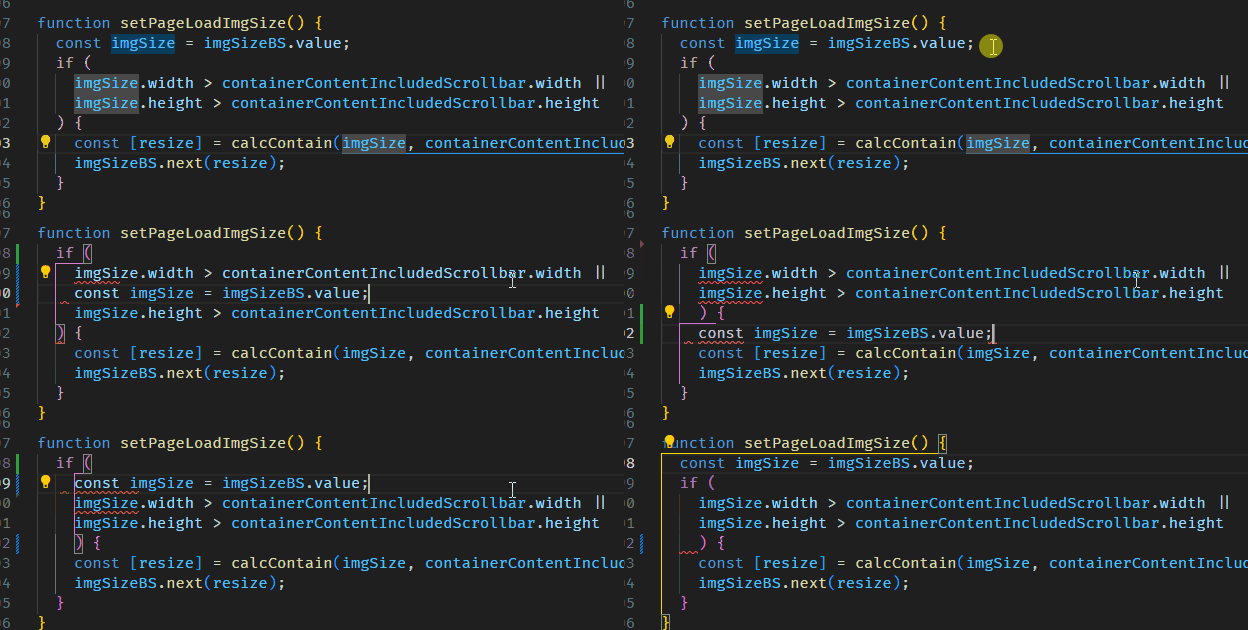
代码行上下移位:alt + up/down
TODO...
VS Code – Keyboard Shortcuts的更多相关文章
- [No0000113]Keyboard shortcuts for Windows Visual Studio Code
General 常用Ctrl+Shift+P, F1 Show Command Palette 显示命令行Ctrl+P Quick Open, Go to File… 快速打开Ctrl+Shift+N ...
- Mousetrap - Keyboard shortcuts in Javascript
Mousetrap is a simple library for handling keyboard shortcuts in Javascript. It is around 2kb minifi ...
- OS X: Keyboard shortcuts
Using keyboard shortcuts To use a keyboard shortcut, press a modifier key at the same time as a char ...
- keyboard shortcuts & Xcode 10
keyboard shortcuts & Xcode 10 Xcode Keyboard Shortcuts https://swifteducation.github.io/assets/p ...
- MBP 2018 & Mac keyboard shortcuts
MBP 2018 & Mac keyboard shortcuts https://support.apple.com/en-us/HT201236 delete key === Contro ...
- [转]UiPath Keyboard Shortcuts
本文转自:https://docs.uipath.com/studio/docs/keyboard-shortcuts The complete list of keyboard shortcuts ...
- VS code key shortcuts for windows
mac上的快捷键,尽量是选择像我用vs studio上靠近. ctrl+K+S: 显示快捷键列 ctrl+shift+p: 系统配置命令行 ctrl+p:项目中文件列表,选择文件 Alt+M:当前文件 ...
- Google Chrome Keyboard Shortcuts
Navigation To do this Press this Open a new window Ctrl + N Open a new tab Ctrl + T Open a new windo ...
- RStudio Keyboard Shortcuts
Console Description Windows & Linux Mac Move cursor to Console Ctrl+2 Ctrl+2 Clear console Ctrl+ ...
- [转]33 useful Keyboard Shortcuts for Run commond
原文: http://www.shortcutworld.com/en/win/Run-command.html 1. Calling Run CommandWin + r ...
随机推荐
- 完美卸载Docker
1,删除docker所在目录 rm -rf /etc/docker rm -rf /run/docker rm -rf /var/lib/dockershim rm -rf /var/lib/dock ...
- Django __init__ 方法用于初始化
使用面向对象的方法来创建一个栈板信息的模型,比如使用 Python 的类来表示栈板信息.以下是一个简单的示例: class Pallet: def __init__(self, number, nam ...
- let 和 const 是 JavaScript 中用于声明变量的关键字
let 和 const 是 JavaScript 中用于声明变量的关键字. let 关键字用于声明可变(可重新赋值)的变量.通过使用 let 关键字声明的变量可以在其作用域内被重新赋值.例如: let ...
- 如何通过minIO在后端实现断点续传
首先是黑马的媒资管理模块流程图:前端负责计算媒资文件的MD5值,同时对媒资文件进行分块. 后端需要以下几个接口: 1.检查分块是否存在(传入参数为视频唯一标识信息与块信息):检查当前分块是否已经上传至 ...
- hive导入mysql
hive测试--HIVE数据分析02 题目: 4.处理结果入库:(在虚拟机安装mysql) 将上述统计分析的结果数据保存到mySQL数据库中. #text3_1入库 #1.添加驱动,在hive的 ...
- 我的编程经历,从天桥地摊Basic到西藏阿里的.Net AOT。(一,从井到Sharp)
撇清一层歧义:标题中的阿里不是指阿里巴巴集团,喜马拉雅也不是指那个做音频频道的公司,文中所及内容以及我本人都与他们没有任何关联.依照地理正式名称:阿里指的是西藏西部阿里地区,喜马拉雅指的是青藏高原地球 ...
- 【IDEA】找不到类资源
报错问题描述: 找不到这个实例调用的方法或者方法缺失重载 找不到这个声明的类资源 解决情况一 import声明缺失,IDEA智能导包提示可以解决 注意,如果存在了重名的类资源,导入了错误的资源,实例引 ...
- Ubuntu-20.04.6-server安装MySQL实现远程连接
Ubuntu-20.04.6-server安装MySQL,修改密码 安装MySQL 一.查看是否安装数据库 mysql --version 二.更新系统中的所有软件包和存储库 sudo apt upd ...
- window系统多用户登录软件——ASTER——终端共享器——网络终端机
Windows系统除了Server版其他的都是单用户系统,但是其实Windows系统都是内置支持多用户的,只不过除了Server版本以外的系统版本都是将多用户登录功能屏蔽掉了,如果我们可以解除掉win ...
- ApacheCon Asia 2022 精彩回顾 | 如何让更多人从大数据中获益?
点亮 ️ Star · 照亮开源之路 GitHub:https://github.com/apache/dolphinscheduler 在 ApacheCon Asia 2022 Meetup上,有 ...