
解决k8s出现pod服务一直处于ContainerCreating状态的问题的过程
参考于:
https://blog.csdn.net/learner198461/article/details/78036854
https://liyang.pro/solve-k8s-pod-containercreating/
根据实际情况稍微做了修改和说明。
在创建Dashborad时,查看状态总是ContainerCreating
[root@MyCentos7 k8s]# kubectl get pod --namespace=kube-system

NAME                                    READY     STATUS              RESTARTS   AGE

kubernetes-dashboard-2094756401-kzhnx   0/1       ContainerCreating   0          10m
通过kubectl describe命令查看具体信息(或查看日志/var/log/message)
[root@MyCentos7 k8s]# kubectl describe pod kubernetes-dashboard-2094756401-kzhnx --namespace=kube-system

Name:        kubernetes-dashboard-2094756401-kzhnx

Namespace:    kube-system

Node:        mycentos7-1/192.168.126.131

Start Time:    Tue, 05 Jun 2018 19:28:25 +0800

Labels:        app=kubernetes-dashboard

        pod-template-hash=2094756401

Status:        Pending

IP:

Controllers:    ReplicaSet/kubernetes-dashboard-2094756401

Containers:

  kubernetes-dashboard:

    Container ID:

    Image:        daocloud.io/megvii/kubernetes-dashboard-amd64:v1.8.0

    Image ID:

    Port:        9090/TCP

    Args:

      --apiserver-host=http://192.168.126.130:8080

    State:            Waiting

      Reason:            ContainerCreating

    Ready:            False

    Restart Count:        0

    Liveness:            http-get http://:9090/ delay=30s timeout=30s period=10s #success=1 #failure=3

    Volume Mounts:        <none>

    Environment Variables:    <none>

Conditions:

  Type        Status

  Initialized     True

  Ready     False

  PodScheduled     True

No volumes.

QoS Class:    BestEffort

Tolerations:    <none>

Events:

  FirstSeen    LastSeen    Count    From            SubObjectPath    Type        Reason        Message

  ---------    --------    -----    ----            -------------    --------    ------        -------

  11m        11m        1    {default-scheduler }            Normal        Scheduled    Successfully assigned kubernetes-dashboard-2094756401-kzhnx to mycentos7-1

  11m        49s        7    {kubelet mycentos7-1}            Warning        FailedSync    Error syncing pod, skipping: failed to "StartContainer" for "POD" with ErrImagePull: "image pull failede:latest, this may be because there are no credentials on this request.  details: (open /etc/docker/certs.d/registry.access.redhat.com/redhat-ca.crt: no such file or directory)"

  11m    11s    47    {kubelet mycentos7-1}        Warning    FailedSync    Error syncing pod, skipping: failed to "StartContainer" for "POD" with ImagePullBackOff: "Back-off pulling image \"registry.access.redh
在工作节点(node)上执行
发现此时会pull一个镜像registry.access.redhat.com/rhel7/pod-infrastructure:latest,当我手动pull时,提示如下错误:
[root@MyCentos7-1 k8s]# docker pull registry.access.redhat.com/rhel7/pod-infrastructure:latest
Trying to pull repository registry.access.redhat.com/rhel7/pod-infrastructure ...
open /etc/docker/certs.d/registry.access.redhat.com/redhat-ca.crt: no such file or directory
通过提示的路径查找该文件,是个软连接,链接目标是/etc/rhsm,查看没有rhsm
[root@MyCentos7-1 ca]# cd /etc/docker/certs.d/registry.access.redhat.com/

[root@MyCentos7-1 registry.access.redhat.com]# ll

总用量 0

lrwxrwxrwx. 1 root root 27 5月  11 14:30 redhat-ca.crt -> /etc/rhsm/ca/redhat-uep.pem
[root@MyCentos7-1 ca]# cd /etc/rhsm
-bash: cd: /etc/rhsm: 没有那个文件或目录
安装rhsm(node上):
yum install *rhsm*

已加载插件:fastestmirror, langpacks

Loading mirror speeds from cached hostfile

 * base: mirror.lzu.edu.cn

 * extras: mirror.lzu.edu.cn

 * updates: ftp.sjtu.edu.cn

base                                                                                                                                                                                  | 3.6 kB  00:00:00

extras                                                                                                                                                                                | 3.4 kB  00:00:00

updates                                                                                                                                                                               | 3.4 kB  00:00:00

软件包 python-rhsm-1.19.10-1.el7_4.x86_64 被已安装的 subscription-manager-rhsm-1.20.11-1.el7.centos.x86_64 取代

软件包 subscription-manager-rhsm-1.20.11-1.el7.centos.x86_64 已安装并且是最新版本

软件包 python-rhsm-certificates-1.19.10-1.el7_4.x86_64 被已安装的 subscription-manager-rhsm-certificates-1.20.11-1.el7.centos.x86_64 取代

软件包 subscription-manager-rhsm-certificates-1.20.11-1.el7.centos.x86_64 已安装并且是最新版本
但是在/etc/rhsm/ca/目录下依旧没有证书文件,于是反复卸载与安装都不靠谱,后来发现大家所谓yum install *rhsm*其实安装的的是python-rhsm-1.19.10-1.el7_4.x86_64和python-rhsm-certificates-1.19.10-1.el7_4.x86_64,但是在实际安装过程中会有如下提示:
软件包 python-rhsm-1.19.10-1.el7_4.x86_64 被已安装的 subscription-manager-rhsm-1.20.11-1.el7.centos.x86_64 取代

软件包 subscription-manager-rhsm-1.20.11-1.el7.centos.x86_64 已安装并且是最新版本

软件包 python-rhsm-certificates-1.19.10-1.el7_4.x86_64 被已安装的 subscription-manager-rhsm-certificates-1.20.11-1.el7.centos.x86_64 取代

软件包 subscription-manager-rhsm-certificates-1.20.11-1.el7.centos.x86_64 已安装并且是最新版本
罪魁祸首在这里。原来我们想要安装的rpm包被取代了。而取代后的rpm包在安装完成后之创建了目录,并没有证书文件redhat-uep.pem。于是乎,手动下载以上两个包
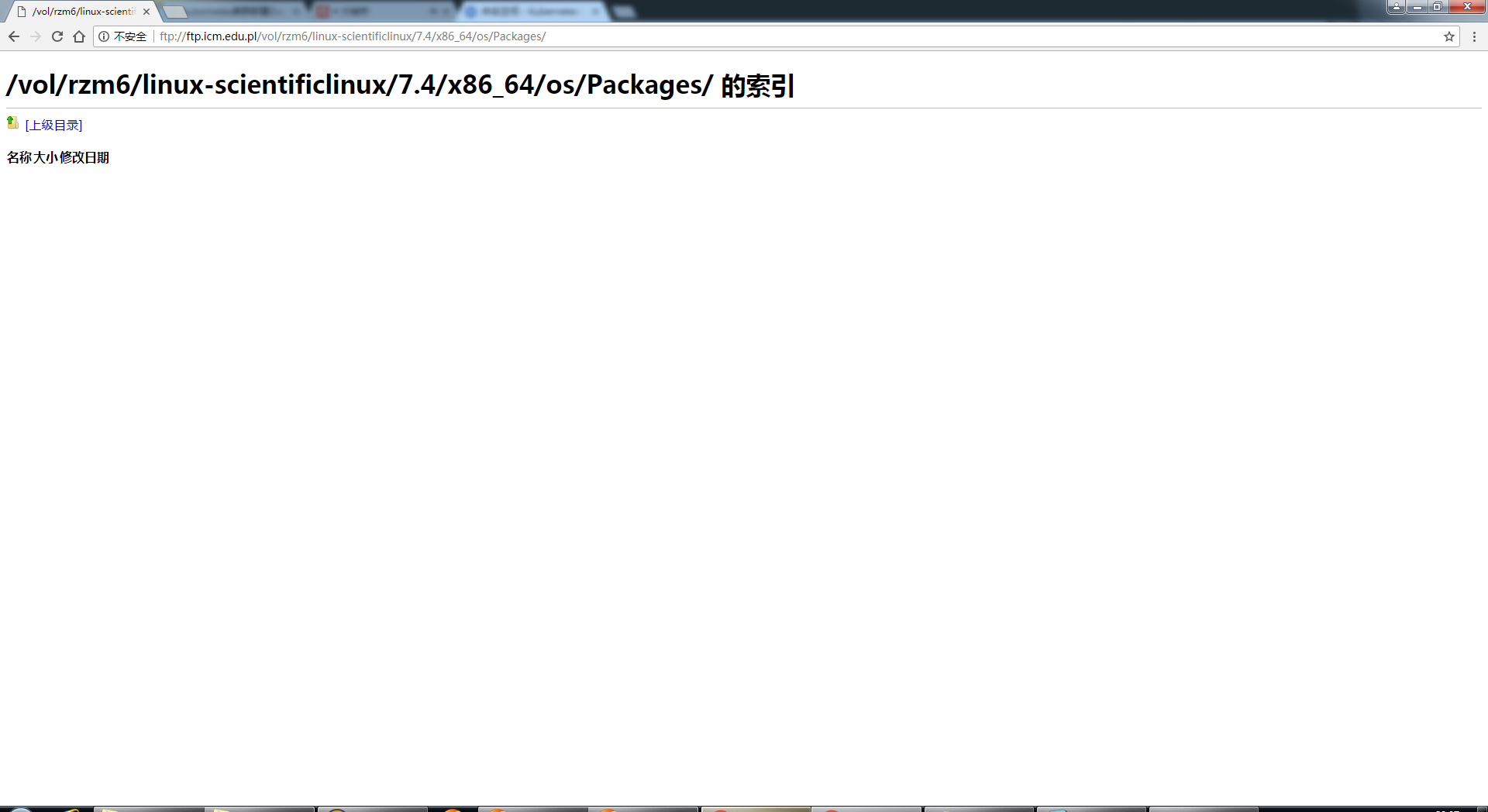
wget ftp://ftp.icm.edu.pl/vol/rzm6/linux-scientificlinux/7.4/x86_64/os/Packages/python-rhsm-certificates-1.19.9-1.el7.x86_64.rpm

wget ftp://ftp.icm.edu.pl/vol/rzm6/linux-scientificlinux/7.4/x86_64/os/Packages/python-rhsm-1.19.9-1.el7.x86_64.rpm
注:在此处有时会报错,提示找不到这两个rpm文件,此时需要手动登录到此FTP进行下载,文件要稍等会才会加载出来,然后下载所需的这两个rpm(可能是网络原因,有时不稳定)
注意版本要匹配,卸载安装错的包
yum remove *rhsm*
然后执行安装命令
rpm -ivh *.rpm
rpm -ivh *.rpm

警告:python-rhsm-1.19.9-1.el7.x86_64.rpm: 头V4 DSA/SHA1 Signature, 密钥 ID 192a7d7d: NOKEY

准备中...                          ################################# [100%]

正在升级/安装...

   1:python-rhsm-certificates-1.19.9-1################################# [ 50%]

   2:python-rhsm-1.19.9-1.el7         ################################# [100%]
接着验证手动pull镜像
docker pull registry.access.redhat.com/rhel7/pod-infrastructure:latest

Trying to pull repository registry.access.redhat.com/rhel7/pod-infrastructure ...

latest: Pulling from registry.access.redhat.com/rhel7/pod-infrastructure

26e5ed6899db: Pull complete

66dbe984a319: Pull complete

9138e7863e08: Pull complete

Digest: sha256:92d43c37297da3ab187fc2b9e9ebfb243c1110d446c783ae1b989088495db931

Status: Downloaded newer image for registry.access.redhat.com/rhel7/pod-infrastructure:latest
问题解决。
我的系统信息:
[root@MyCentos7 ~]# uname -a

Linux MyCentos7 3.10.0-693.el7.x86_64 #1 SMP Tue Aug 22 21:09:27 UTC 2017 x86_64 x86_64 x86_64 GNU/Linux

[root@MyCentos7 ~]# cat /etc/redhat-release

CentOS Linux release 7.4.1708 (Core)
解决k8s出现pod服务一直处于ContainerCreating状态的问题的过程的更多相关文章
- kubernetes创建yaml,pod服务一直处于 ContainerCreating状态的原因查找与解决
最近刚刚入手研究kubernetes,运行容器的时候,发现一直处于ContainerCreating状态,悲了个催,刚入手就遇到了点麻烦,下面来讲讲如何查找问题及解决的 运行容器命令: kubectl ...
- 使用kubernetes创建容器一直处于ContainerCreating状态的原因查找与解决
运行容器的时候,发现一直处于ContainerCreating状态,悲了个催,刚入手就遇到了点麻烦,下面来讲讲如何查找问题及解决的 运行容器命令: [root@master- ~]# kubectl ...
- CentOS 7 yum安装 k8s 创建Pod一直处于ContainerCreating状态 问题解决
问题描述 使用CentOS7的 yum 包管理器安装了 Kubernetes 集群,使用 kubectl 创建服务成功后,执行 kubectl get pods,发现AGE虽然在不断增加,但状态始终不 ...
- 使用k8s创建容器一直处于ContainerCreating状态
容器报错信息为(两种): FailedSynError syncing pod, skipping: failed to {kubelet 127.0.0.1} Warning FailedSync ...
- k8s 启动pod的问题
版本: k8s 1.5 docker 1.3 CentOS 7.6 使用命令 kubectl get pods输出no resources.解决方法是修改 apiserver 的配置文件 vim /e ...
- k8s的pod的资源调度
1.常用的预选策略 2.优选函数 3.节点亲和调度 3.1.节点硬亲和性 3.2.节点软亲和性 4.Pod资源亲和调度 4.1.Pod硬亲和度 4.2.Pod软亲和度 4.3.Pod反亲和度 5.污点 ...
- 容器编排系统K8s之Pod Affinity
前文我们了解了k8s上的NetworkPolicy资源的使用和工作逻辑,回顾请参考:https://www.cnblogs.com/qiuhom-1874/p/14227660.html:今天我们来聊 ...
- kubernetes删除pod一直处于terminating状态的解决方法
kubernetes删除pod一直处理 Terminating状态 # kubectl get po -n mon NAME READY STATUS RESTARTS AGE alertmanage ...
- k8s的Pod状态和生命周期管理
Pod状态和生命周期管理 一.什么是Pod? 二.Pod中如何管理多个容器? 三.使用Pod 四.Pod的持久性和终止 五.Pause容器 六.init容器 七.Pod的生命周期 (1)Pod p ...
随机推荐
- dotnet core入门
dotnet 命令 C:\Users\yshuangj\Desktop\dotnet>dotnet Usage: dotnet [options]Usage: dotnet [path-to-a ...
- luogu P2709 小B的询问
嘟嘟嘟 莫队板子. 记住:删除是先删除再移动,添加是先移动在添加! #include<cstdio> #include<iostream> #include<cmath& ...
- js 操作字典
有时候我们进行ajax请求的时候,列表并不满足我们需求,有时候需要 key :value形式. 如果还按照python的定义: var data={}; data[tag_id][tag_ch_id] ...
- 澄清以及半AOer的日常
我是不是应该澄清什么事情-- 首先--我这个傻狗退役了--指的是退本赛季而不是本奥赛-- 其次--我喜欢天文是真的喜欢--但是至于为什么又滚回来OI了--大概是因为本校只对所谓"五大学科奥赛 ...
- 个性化 UIAlertController
系统的 UIAlertController 封装的很漂亮,用block代替之前 UIAlertView 的代理,用起来更方便的,但是其曝露出来的接口也不多如果要个性化一些东西,比如字体大小.颜色就不是 ...
- jQuery 基础与运用
1. jquery引入以及入口函数 引入方式 <!--方式一:下载到本地,引入路径--> <script src="jquery-3.1.1.min.js"&g ...
- AWVS使用手册
目录: 0×00.什么是Acunetix Web Vulnarability Scanner ( What is AWVS?) 0×01.AWVS安装过程.主要文件介绍.界面简介.主要操作区域简介(I ...
- json keyname map
var obj = { fname:'zhao', lname:'yao', parents:{ father:'zhao' }, children:[ { dname:'zhaoyiyi' } ] ...
- spring-data-jpa快速入门(二)——简单查询
一.方法名解析 1.引言 回顾HelloWorld项目中的dao接口 public interface GirlRepository extends JpaRepository<Girl, In ...
- msfconsole 无法启动,解决办法
今天突然碰上kali msfconsole 无法启动,经过查找资料,现已成功解决该问题,现将解决办法整理如下: service postgresql start # 启动数据库服务 msfdb ini ...