
测试SDWebImage淡入淡出效果在UITableView中的重用显示问题
测试SDWebImage淡入淡出效果在UITableView中的重用显示问题
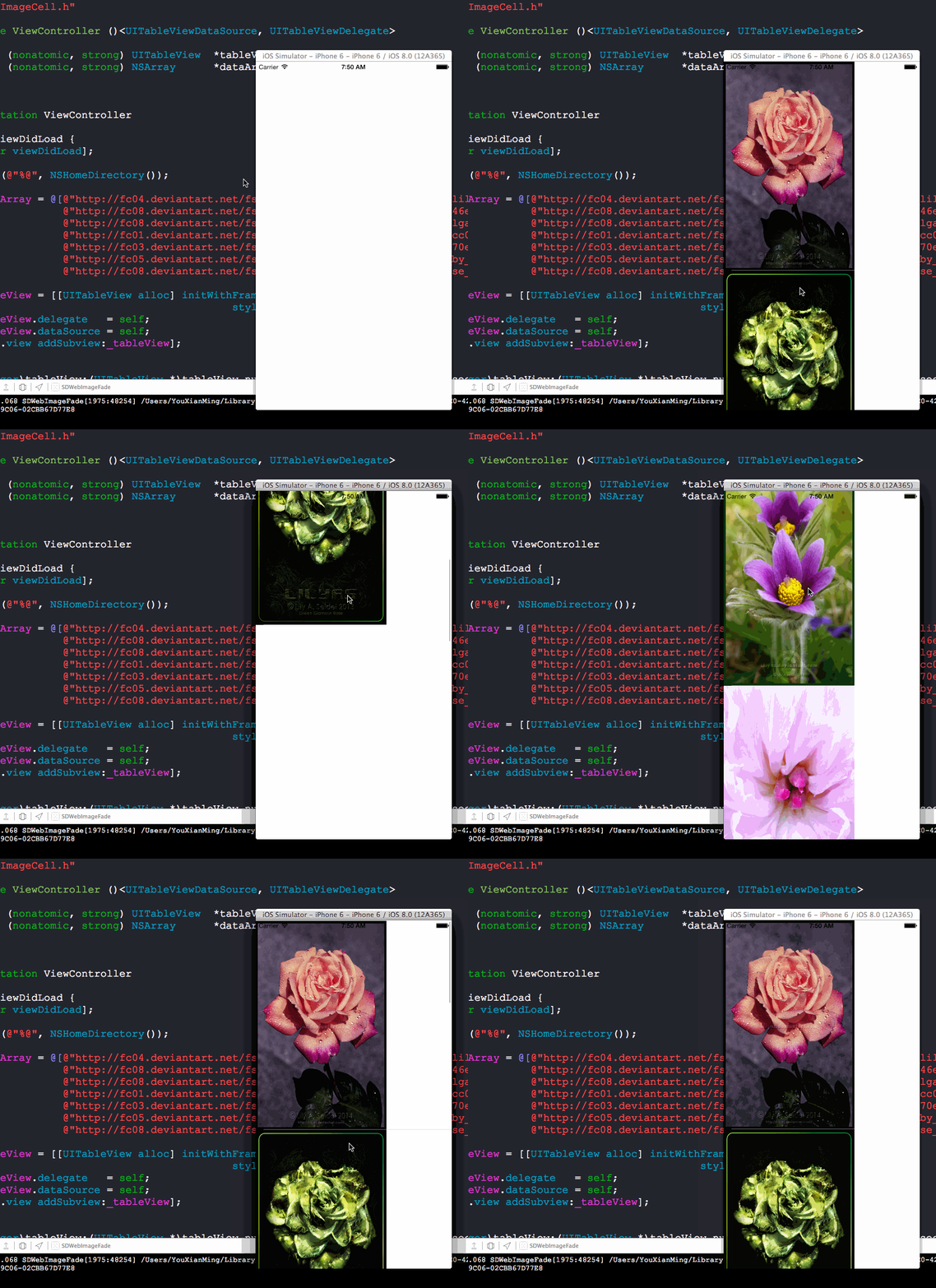
这个是在上一篇教程的基础上所添加的测试环节!
效果图(从效果图中看是没有任何重用问题的):
源码:
ImageCell.h 与 ImageCell.m
//

//  ImageCell.h

//  SDWebImageFade

//

//  Created by YouXianMing on 14-10-5.

//  Copyright (c) 2014年 YouXianMing. All rights reserved.

//

#import <UIKit/UIKit.h>

@interface ImageCell : UITableViewCell

@property (nonatomic, strong) UIImageView *bigImageView;

@end
//

//  ImageCell.m

//  SDWebImageFade

//

//  Created by YouXianMing on 14-10-5.

//  Copyright (c) 2014年 YouXianMing. All rights reserved.

//

#import "ImageCell.h"

@implementation ImageCell

- (instancetype)initWithStyle:(UITableViewCellStyle)style reuseIdentifier:(NSString *)reuseIdentifier

{

    self = [super initWithStyle:style reuseIdentifier:reuseIdentifier];

    if (self) {

        _bigImageView = [[UIImageView alloc] initWithFrame:CGRectMake(, , , )];

        [self addSubview:_bigImageView];

    }

    return self;

}

- (void)setSelected:(BOOL)selected animated:(BOOL)animated {

    [super setSelected:selected animated:animated];

    // Configure the view for the selected state

}

@end
使用源码:
//

//  ViewController.m

//  SDWebImageFade

//

//  Created by YouXianMing on 14-10-5.

//  Copyright (c) 2014年 YouXianMing. All rights reserved.

//

#import "ViewController.h"

#import "UIImageView+WebCache.h"

#import "ImageCell.h"

@interface ViewController ()<UITableViewDataSource, UITableViewDelegate>

@property (nonatomic, strong) UITableView  *tableView;

@property (nonatomic, strong) NSArray      *dataArray;

@end

@implementation ViewController

- (void)viewDidLoad {

    [super viewDidLoad];

    NSLog(@"%@", NSHomeDirectory());

    _dataArray = @[@"http://fc04.deviantart.net/fs70/f/2014/277/d/d/swan_song_by_lilyas-d81jjz1.jpg",

                   @"http://fc08.deviantart.net/fs71/f/2013/103/8/d/8ddafeb73b9e146eef84cc0d45b4fe32-d61mj0f.jpg",

                   @"http://fc08.deviantart.net/fs70/f/2013/120/8/1/pulsatilla_vulgaris_600_by_lilyas-d63la7p.jpg",

                   @"http://fc01.deviantart.net/fs71/f/2012/160/c/0/c0690c165b549cc08b006943fcbcb542-d52u5nk.jpg",

                   @"http://fc03.deviantart.net/fs71/f/2012/199/5/9/5978d4f115b1a70ed0cf6da4dc0cd164-d57qdzg.jpg",

                   @"http://fc05.deviantart.net/fs70/f/2013/292/c/e/evening_star_by_lilyas-d6r3698.png",

                   @"http://fc08.deviantart.net/fs70/i/2014/112/6/b/late_night_rose_by_lilyas-d63iu9y.jpg"];

    _tableView = [[UITableView alloc] initWithFrame:self.view.bounds

                                              style:UITableViewStylePlain];

    _tableView.delegate   = self;

    _tableView.dataSource = self;

    [self.view addSubview:_tableView];

}

- (NSInteger)tableView:(UITableView *)tableView numberOfRowsInSection:(NSInteger)section

{

    return [_dataArray count];

}

- (UITableViewCell *)tableView:(UITableView *)tableView cellForRowAtIndexPath:(NSIndexPath *)indexPath

{

    static NSString *flag = @"YouXianMing";

    ImageCell *cell = [tableView dequeueReusableCellWithIdentifier:flag];

    if (cell == nil) {

        cell = [[ImageCell alloc] initWithStyle:UITableViewCellStyleDefault reuseIdentifier:flag];

        cell.selectionStyle = UITableViewCellSelectionStyleNone;

    }

    NSString *urlStr = _dataArray[indexPath.row];

    [cell.bigImageView setImageWithURL:[NSURL URLWithString:urlStr]

                      placeholderImage:nil

                               options:SDWebImageCacheMemoryOnly];

    return cell;

}

- (CGFloat)tableView:(UITableView *)tableView heightForRowAtIndexPath:(NSIndexPath *)indexPath

{

    return ;

}

@end
核心源码地方:
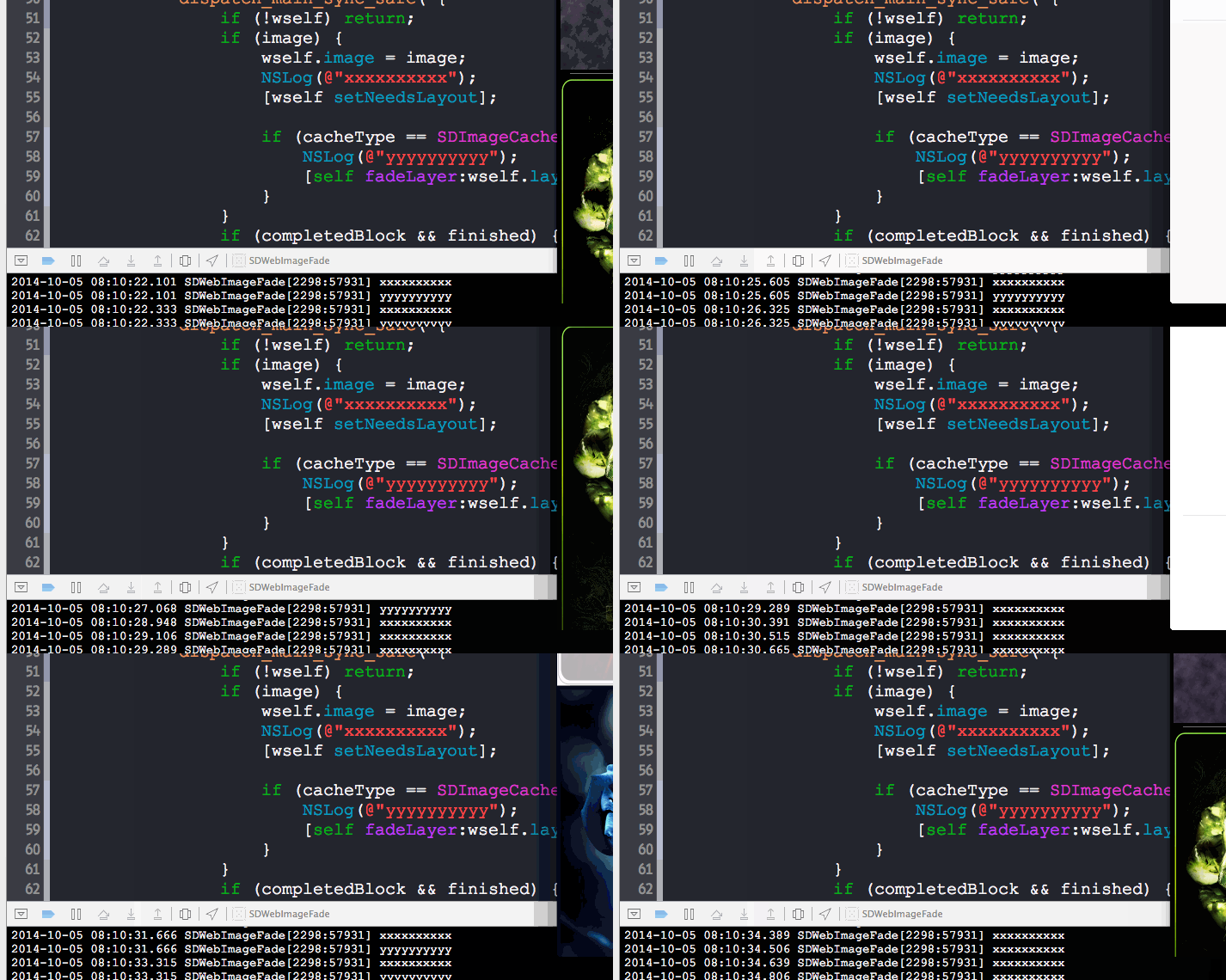
以下是测试的地方:

结论:
不会引起重用问题:)
测试SDWebImage淡入淡出效果在UITableView中的重用显示问题的更多相关文章
- jQuery-4.动画篇---淡入淡出效果
jQuery中淡出动画fadeOut 让元素在页面不可见,常用的办法就是通过设置样式的display:none.除此之外还可以一些类似的办法可以达到这个目的.这里要提一个透明度的方法,设置元素透明度为 ...
- 淡入淡出效果的js原生实现
淡入淡出效果,在日常项目中经常用到,可惜原生JS没有类似的方法,而有时小的页面并不值得引入一个jQuery库,所以就自己写了一个,已封装, 有用得着的朋友, 可以直接使用. 代码中另附有一个设置元素透 ...
- Jquery小例子:全选按钮、加事件、挂事件;parent()语法;slideToggle()语法;animate()语法;元素的淡入淡出效果:fadeIn() 、fadeOut()、fadeToggle() 、fadeTo();function(e):e包括事件源和时间数据;append() 方法
function(e): 事件包括事件源和事件数据,事件源是指是谁触发的这个事件,谁就是事件源(div,按钮,span都可以是事件源),时间数据是指比如点击鼠标的事件中,事件数据就是指点击鼠标的左建或 ...
- [转]Android UI:看看Google官方自定义带旋转动画的ImageView-----RotateImageView怎么写(附 图片淡入淡出效果)
http://blog.csdn.net/yanzi1225627/article/details/22439119 众所周知,想要让ImageView旋转的话,可以用setRotation()让其围 ...
- javascript 单个图片的淡入淡出效果和多张图片的淡入淡出效果
最近刚好在看之前妙趣网站的javascript 初级运动教程,教程里说设置图片的透明度使用了一个变量.这种方法确实不错,但是燕姐喜欢麻烦.就用自己的理解方法写了一遍.其中也是各种坑.现在先把一个图片的 ...
- 【jQuery】使用JQ来编写面板的淡入淡出效果
本文与上一篇的<[jQuery]使用JQ来编写最主要的淡入淡出效果>(点击打开链接)为姊妹篇. 但上一篇仅仅是对文本的基本控制,本篇则是对面板元素进行控制. 尽管功能上很类似,可是所用到的 ...
- 【Android Developers Training】 69. 视图切换的淡入淡出效果
注:本文翻译自Google官方的Android Developers Training文档,译者技术一般,由于喜爱安卓而产生了翻译的念头,纯属个人兴趣爱好. 原文链接:http://developer ...
- Axure实现淡入淡出效果
小伙伴们有可能在各大网站看到淡入淡出效果的动画,比如淘宝.京东,淘宝每天会把各种打折促销.今日推荐.限时抢购等做成淡入淡入或者向右活动等类似翻页的效果放在首页,吸引顾客的眼球,那么如何使用Axure来 ...
- 使用SDWebImage淡入淡出的方式加载图片
使用SDWebImage淡入淡出的方式加载图片 效果: 请通过以下方式下载源码: 找到它修改文件的地方: 以下是使用源码: // // ViewController.m // SDWebImageFa ...
随机推荐
- 桌面程序开发入门(WinForm with C#)
1.使用Visual Studio 2013创建新项目 2.创建一个主窗体和4个子窗体 3.创建一个数据库.一个表.一个存储过程 4.在配置文件里添加数据库连接字符串 5.真正的编码工作. 第一步:创 ...
- java面试⑤前端部分
2.4.1 简单说一下HTML,CSS,javaScript在网页开发中的定位? 2.4.2简单介绍一下AJAX 2.4.3 JS和JQuery的关系 2.4.4 JQuery的常用选择器 2.4.5 ...
- SpringMVC源码阅读:异常解析器
1.前言 SpringMVC是目前J2EE平台的主流Web框架,不熟悉的园友可以看SpringMVC源码阅读入门,它交代了SpringMVC的基础知识和源码阅读的技巧 本文将通过源码(基于Spring ...
- HTML5的拖放事件
1.给标签添加属性draggable=ture即可允许拖放,有些标签可以不加,例如img有图片.a有url,默认拥有拖放功能 2.事件在被拖动元素上触发 ondragstart ondrag ondr ...
- POJ 1062 昂贵的聘礼(枚举限制条件——Dijkstra算法)
题目: 年轻的探险家来到了一个印第安部落里.在那里他和酋长的女儿相爱了,于是便向酋长去求亲.酋长要他用10000个金币作为聘礼才答应把女儿嫁给他.探险家拿不出这么多金币,便请求酋长降低要求.酋长说:& ...
- DOM-添加元素、节点
createElement()方法能够根据参数指定的标签名称创建一个新元素,并返回新建元素的引用,用法如下 var element=document.createElement("tagNa ...
- 最长公共子序列(DP)
Description 一个给定序列的子序列是在该序列中删去若干元素后得到的序列.确切地说,若给定序列 X = { x1,x2,…,xm },则另一序列Z ={ z1,z2,…,zk },X 的子序列 ...
- 利用CEF山寨一个翻译器
起因 在某些情况下,有将从某种类型的语言翻译成另一种类型语言的需求.比如在生成实体时,可能需要将中文名称转换成英文.于是利用CEFSharp山寨了一个翻译器.效果图如下: CEF简介 CEF全称为Ch ...
- MVC 导出Execl 的总结几种方式 (三)
第三种方式呢,就是借用第三方插件 NPOI 来实现Execl 导出 第一步:在NuGut包中下载NPOI 组件 第二步:编辑控制器代码 public FileResult ExcelNewKeyPro ...
- CassiniDev源码学习 - 可替代IIS的单机Web Form解决方案
最近一个项目是将web版的程序,改为单机版.话说这个web版号称当年十几个人用了至少3个月的时间开发,后来三年还不断有修改,而现在要在1个月内由一个人完成,这简直是不可能完成的任务!直觉告诉我,重写肯 ...