
测试SDWebImage淡入淡出效果在UITableView中的重用显示问题
测试SDWebImage淡入淡出效果在UITableView中的重用显示问题
这个是在上一篇教程的基础上所添加的测试环节!
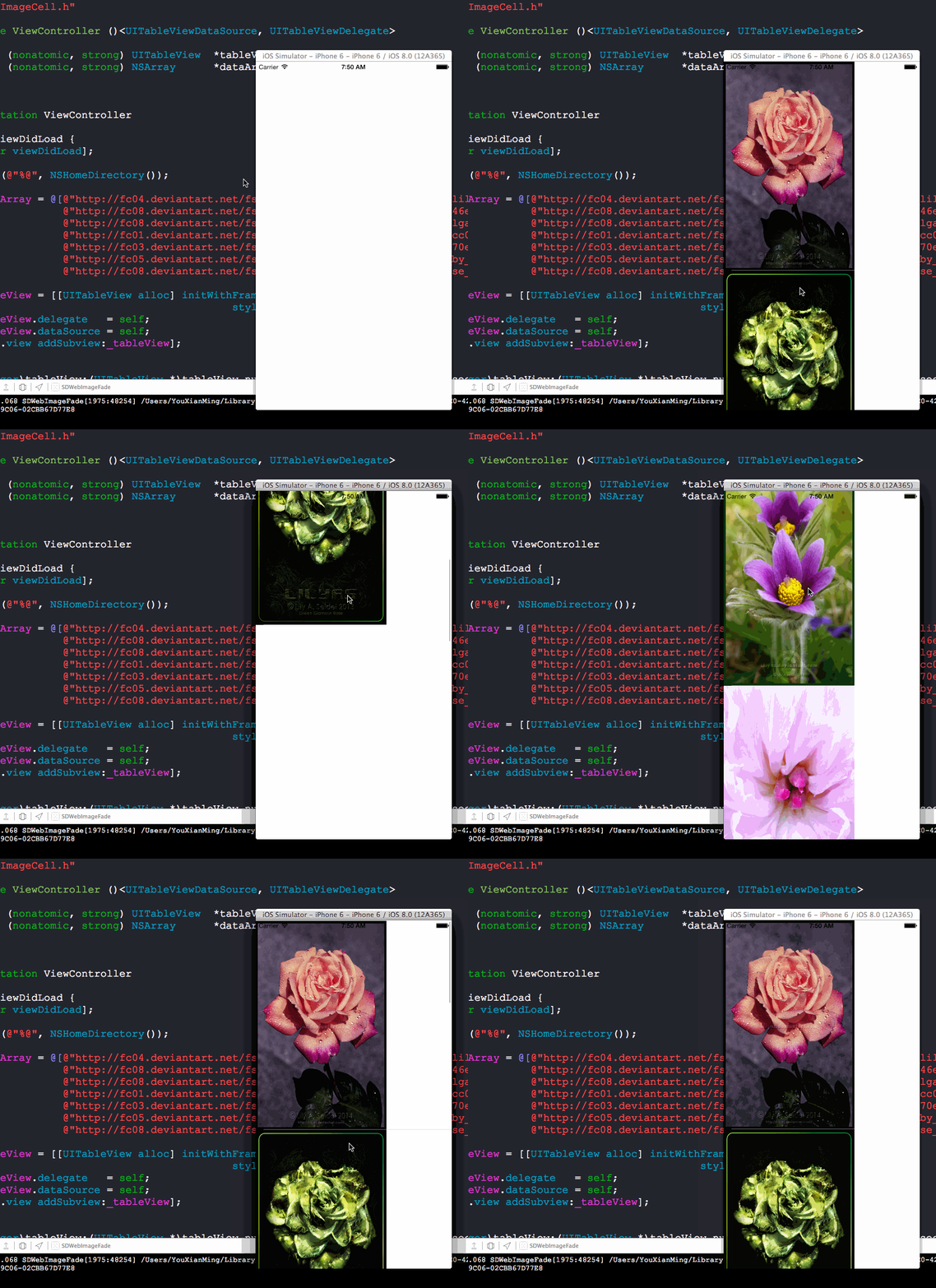
效果图(从效果图中看是没有任何重用问题的):
源码:
ImageCell.h 与 ImageCell.m
//

//  ImageCell.h

//  SDWebImageFade

//

//  Created by YouXianMing on 14-10-5.

//  Copyright (c) 2014年 YouXianMing. All rights reserved.

//

#import <UIKit/UIKit.h>

@interface ImageCell : UITableViewCell

@property (nonatomic, strong) UIImageView *bigImageView;

@end
//

//  ImageCell.m

//  SDWebImageFade

//

//  Created by YouXianMing on 14-10-5.

//  Copyright (c) 2014年 YouXianMing. All rights reserved.

//

#import "ImageCell.h"

@implementation ImageCell

- (instancetype)initWithStyle:(UITableViewCellStyle)style reuseIdentifier:(NSString *)reuseIdentifier

{

    self = [super initWithStyle:style reuseIdentifier:reuseIdentifier];

    if (self) {

        _bigImageView = [[UIImageView alloc] initWithFrame:CGRectMake(, , , )];

        [self addSubview:_bigImageView];

    }

    return self;

}

- (void)setSelected:(BOOL)selected animated:(BOOL)animated {

    [super setSelected:selected animated:animated];

    // Configure the view for the selected state

}

@end
使用源码:
//

//  ViewController.m

//  SDWebImageFade

//

//  Created by YouXianMing on 14-10-5.

//  Copyright (c) 2014年 YouXianMing. All rights reserved.

//

#import "ViewController.h"

#import "UIImageView+WebCache.h"

#import "ImageCell.h"

@interface ViewController ()<UITableViewDataSource, UITableViewDelegate>

@property (nonatomic, strong) UITableView  *tableView;

@property (nonatomic, strong) NSArray      *dataArray;

@end

@implementation ViewController

- (void)viewDidLoad {

    [super viewDidLoad];

    NSLog(@"%@", NSHomeDirectory());

    _dataArray = @[@"http://fc04.deviantart.net/fs70/f/2014/277/d/d/swan_song_by_lilyas-d81jjz1.jpg",

                   @"http://fc08.deviantart.net/fs71/f/2013/103/8/d/8ddafeb73b9e146eef84cc0d45b4fe32-d61mj0f.jpg",

                   @"http://fc08.deviantart.net/fs70/f/2013/120/8/1/pulsatilla_vulgaris_600_by_lilyas-d63la7p.jpg",

                   @"http://fc01.deviantart.net/fs71/f/2012/160/c/0/c0690c165b549cc08b006943fcbcb542-d52u5nk.jpg",

                   @"http://fc03.deviantart.net/fs71/f/2012/199/5/9/5978d4f115b1a70ed0cf6da4dc0cd164-d57qdzg.jpg",

                   @"http://fc05.deviantart.net/fs70/f/2013/292/c/e/evening_star_by_lilyas-d6r3698.png",

                   @"http://fc08.deviantart.net/fs70/i/2014/112/6/b/late_night_rose_by_lilyas-d63iu9y.jpg"];

    _tableView = [[UITableView alloc] initWithFrame:self.view.bounds

                                              style:UITableViewStylePlain];

    _tableView.delegate   = self;

    _tableView.dataSource = self;

    [self.view addSubview:_tableView];

}

- (NSInteger)tableView:(UITableView *)tableView numberOfRowsInSection:(NSInteger)section

{

    return [_dataArray count];

}

- (UITableViewCell *)tableView:(UITableView *)tableView cellForRowAtIndexPath:(NSIndexPath *)indexPath

{

    static NSString *flag = @"YouXianMing";

    ImageCell *cell = [tableView dequeueReusableCellWithIdentifier:flag];

    if (cell == nil) {

        cell = [[ImageCell alloc] initWithStyle:UITableViewCellStyleDefault reuseIdentifier:flag];

        cell.selectionStyle = UITableViewCellSelectionStyleNone;

    }

    NSString *urlStr = _dataArray[indexPath.row];

    [cell.bigImageView setImageWithURL:[NSURL URLWithString:urlStr]

                      placeholderImage:nil

                               options:SDWebImageCacheMemoryOnly];

    return cell;

}

- (CGFloat)tableView:(UITableView *)tableView heightForRowAtIndexPath:(NSIndexPath *)indexPath

{

    return ;

}

@end
核心源码地方:
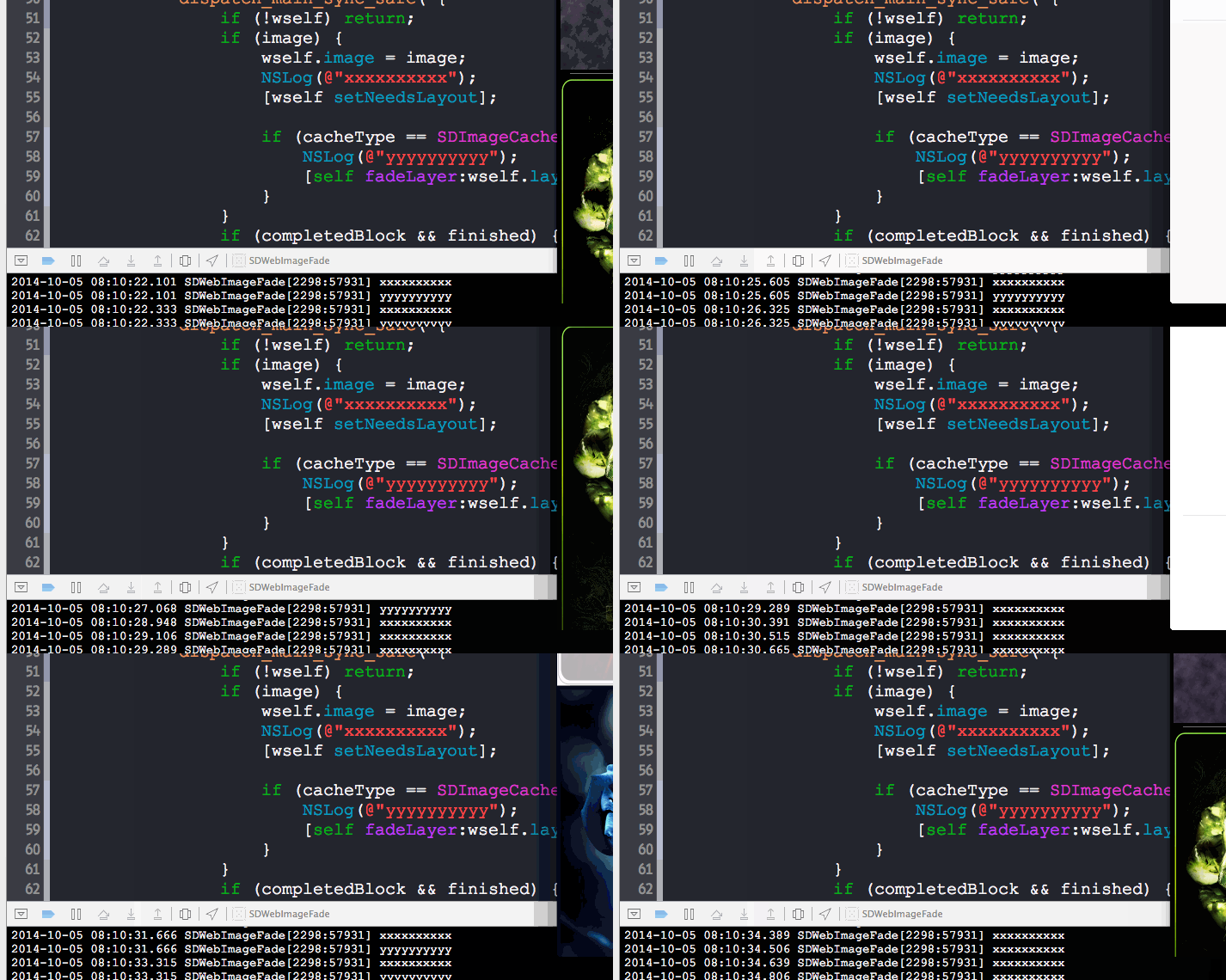
以下是测试的地方:

结论:
不会引起重用问题:)
测试SDWebImage淡入淡出效果在UITableView中的重用显示问题的更多相关文章
- jQuery-4.动画篇---淡入淡出效果
jQuery中淡出动画fadeOut 让元素在页面不可见,常用的办法就是通过设置样式的display:none.除此之外还可以一些类似的办法可以达到这个目的.这里要提一个透明度的方法,设置元素透明度为 ...
- 淡入淡出效果的js原生实现
淡入淡出效果,在日常项目中经常用到,可惜原生JS没有类似的方法,而有时小的页面并不值得引入一个jQuery库,所以就自己写了一个,已封装, 有用得着的朋友, 可以直接使用. 代码中另附有一个设置元素透 ...
- Jquery小例子:全选按钮、加事件、挂事件;parent()语法;slideToggle()语法;animate()语法;元素的淡入淡出效果:fadeIn() 、fadeOut()、fadeToggle() 、fadeTo();function(e):e包括事件源和时间数据;append() 方法
function(e): 事件包括事件源和事件数据,事件源是指是谁触发的这个事件,谁就是事件源(div,按钮,span都可以是事件源),时间数据是指比如点击鼠标的事件中,事件数据就是指点击鼠标的左建或 ...
- [转]Android UI:看看Google官方自定义带旋转动画的ImageView-----RotateImageView怎么写(附 图片淡入淡出效果)
http://blog.csdn.net/yanzi1225627/article/details/22439119 众所周知,想要让ImageView旋转的话,可以用setRotation()让其围 ...
- javascript 单个图片的淡入淡出效果和多张图片的淡入淡出效果
最近刚好在看之前妙趣网站的javascript 初级运动教程,教程里说设置图片的透明度使用了一个变量.这种方法确实不错,但是燕姐喜欢麻烦.就用自己的理解方法写了一遍.其中也是各种坑.现在先把一个图片的 ...
- 【jQuery】使用JQ来编写面板的淡入淡出效果
本文与上一篇的<[jQuery]使用JQ来编写最主要的淡入淡出效果>(点击打开链接)为姊妹篇. 但上一篇仅仅是对文本的基本控制,本篇则是对面板元素进行控制. 尽管功能上很类似,可是所用到的 ...
- 【Android Developers Training】 69. 视图切换的淡入淡出效果
注:本文翻译自Google官方的Android Developers Training文档,译者技术一般,由于喜爱安卓而产生了翻译的念头,纯属个人兴趣爱好. 原文链接:http://developer ...
- Axure实现淡入淡出效果
小伙伴们有可能在各大网站看到淡入淡出效果的动画,比如淘宝.京东,淘宝每天会把各种打折促销.今日推荐.限时抢购等做成淡入淡入或者向右活动等类似翻页的效果放在首页,吸引顾客的眼球,那么如何使用Axure来 ...
- 使用SDWebImage淡入淡出的方式加载图片
使用SDWebImage淡入淡出的方式加载图片 效果: 请通过以下方式下载源码: 找到它修改文件的地方: 以下是使用源码: // // ViewController.m // SDWebImageFa ...
随机推荐
- SqlDataReader的关闭问题,报错:“阅读器关闭时尝试调用 Read 无效”
SqlDataReader dr = cmd.ExecuteReader(CommandBehavior.CloseConnection);//关闭SqlDataReader 会自动关闭Sqlconn ...
- Ionic3 UI组件之 ImageViewer
组件特性: 轻触图片可全屏查看 手势上下滑动可关闭全屏查看 点击导航箭头可关闭视图 双击查看全图,并可放大 参考地址:https://github.com/Riron/ionic-img-viewer ...
- Angular建立待办事项应用
建立路由 接前一小节,在src/app/app.component.html把login组件去掉 第一步: 在src/index.html指定基准路径 浏览器会根据这个路径下载css,图像,js文件, ...
- C# 学习笔记(二) 时间格式化字符串
1. 以下4种时间格式化符号输出的固定时间格式在各个区域设置中都应是相同的: 标准格式字符串 由 DateTimeFormatInfo.InvariantInfo 属性定义 自定义格式字符串 “O”或 ...
- 热更新--动态加载framework
1.准备工作:先自己封装一个framework:http://www.cnblogs.com/sunjianfei/p/5781863.html 2.把封装好的framework压缩成zip,放到本地 ...
- Kafka、RabbitMQ、RocketMQ消息中间件的对比
引言 分布式系统中,我们广泛运用消息中间件进行系统间的数据交换,便于异步解耦.现在开源的消息中间件有很多,目前对Kafka.RabbitMQ.RocketMQ这三个消息中间件做下对比分析. - - k ...
- 撩课-Web大前端每天5道面试题-Day19
1.实现一个函数clone,可以对JavaScript中的5种主要的数据类型(包括Number.String.Object.Array.Boolean)进行值复制 考察点1:对于基本数据类型和引用数据 ...
- mybatis-plus的集成与使用
Mybatis-Plus: Mybatis-Plus(简称MP)是一个 Mybatis 的增强工具,在 Mybatis 的基础上只做增强不做改变,为简化开发.提高效率而生. 官方网站:http://m ...
- mysql information_schema介绍
mysql information_schema介绍 一.information_schema是什么 information_schema是MySQL自带的一个信息数据库,其保存着关于MySQL服务器 ...
- 让AutoMapper在你的项目里飞一会儿
先说说DTO DTO是个什么东东? DTO(Data Transfer Object)就是数据传输对象,说白了就是一个对象,只不过里边全是数据而已. 为什么要用DTO? 1.DTO更注重数据,对领域对 ...