
搭建LAMP环境部署opensns微博网站
搭建LAMP环境部署opensns微博网站
实验环境
centos7

ip: 192.168.121.17
一、关闭防火墙和selinux
[root@localhost ~]# systemctl stop firewalld

[root@localhost ~]# sed -i 's/SELINUX=enforcing/SELINUX=disabled/' /etc/selinux/config

[root@localhost ~]# setenforce 0

[root@localhost ~]# iptables -F
二、搭建 LAMP 环境
[root@localhost ~]# yum install -y httpd mariadb-server mariadb php php-mysql php-gd php-mbstring
注释:

httpd              #web服务器←

mariadb-server     #MariaDB数据库

mariadb            #MariaDB服务器Linux下客户端

php                #php相关文件

php-mysql          #php程序连接MySQL使用的模块

php-gd             #php图像处理函数

php-mbstring       #php语言扩展编码
三、启动服务
[root@localhost ~]# systemctl enable --now httpd

Created symlink from /etc/systemd/system/multi-user.target.wants/httpd.service to /usr/lib/systemd/system/httpd.service.

[root@localhost ~]# systemctl enable --now mariadb

Created symlink from /etc/systemd/system/multi-user.target.wants/mariadb.service to /usr/lib/systemd/system/mariadb.service.
四、配置数据库排除安全隐患
[root@localhost ~]# mysql_secure_installation

NOTE: RUNNING ALL PARTS OF THIS SCRIPT IS RECOMMENDED FOR ALL MariaDB

      SERVERS IN PRODUCTION USE!  PLEASE READ EACH STEP CAREFULLY!

In order to log into MariaDB to secure it, we'll need the current

password for the root user.  If you've just installed MariaDB, and

you haven't set the root password yet, the password will be blank,

so you should just press enter here.

Enter current password for root (enter for none):

OK, successfully used password, moving on...

Setting the root password ensures that nobody can log into the MariaDB

root user without the proper authorisation.

Set root password? [Y/n] y

New password:

Re-enter new password:

Password updated successfully!

Reloading privilege tables..

 ... Success!

By default, a MariaDB installation has an anonymous user, allowing anyone

to log into MariaDB without having to have a user account created for

them.  This is intended only for testing, and to make the installation

go a bit smoother.  You should remove them before moving into a

production environment.

Remove anonymous users? [Y/n] y

 ... Success!

Normally, root should only be allowed to connect from 'localhost'.  This

ensures that someone cannot guess at the root password from the network.

Disallow root login remotely? [Y/n] y

 ... Success!

By default, MariaDB comes with a database named 'test' that anyone can

access.  This is also intended only for testing, and should be removed

before moving into a production environment.

Remove test database and access to it? [Y/n] y

 - Dropping test database...

 ... Success!

 - Removing privileges on test database...

 ... Success!

Reloading the privilege tables will ensure that all changes made so far

will take effect immediately.

Reload privilege tables now? [Y/n] y

 ... Success!

Cleaning up...

All done!  If you've completed all of the above steps, your MariaDB

installation should now be secure.

Thanks for using MariaDB!
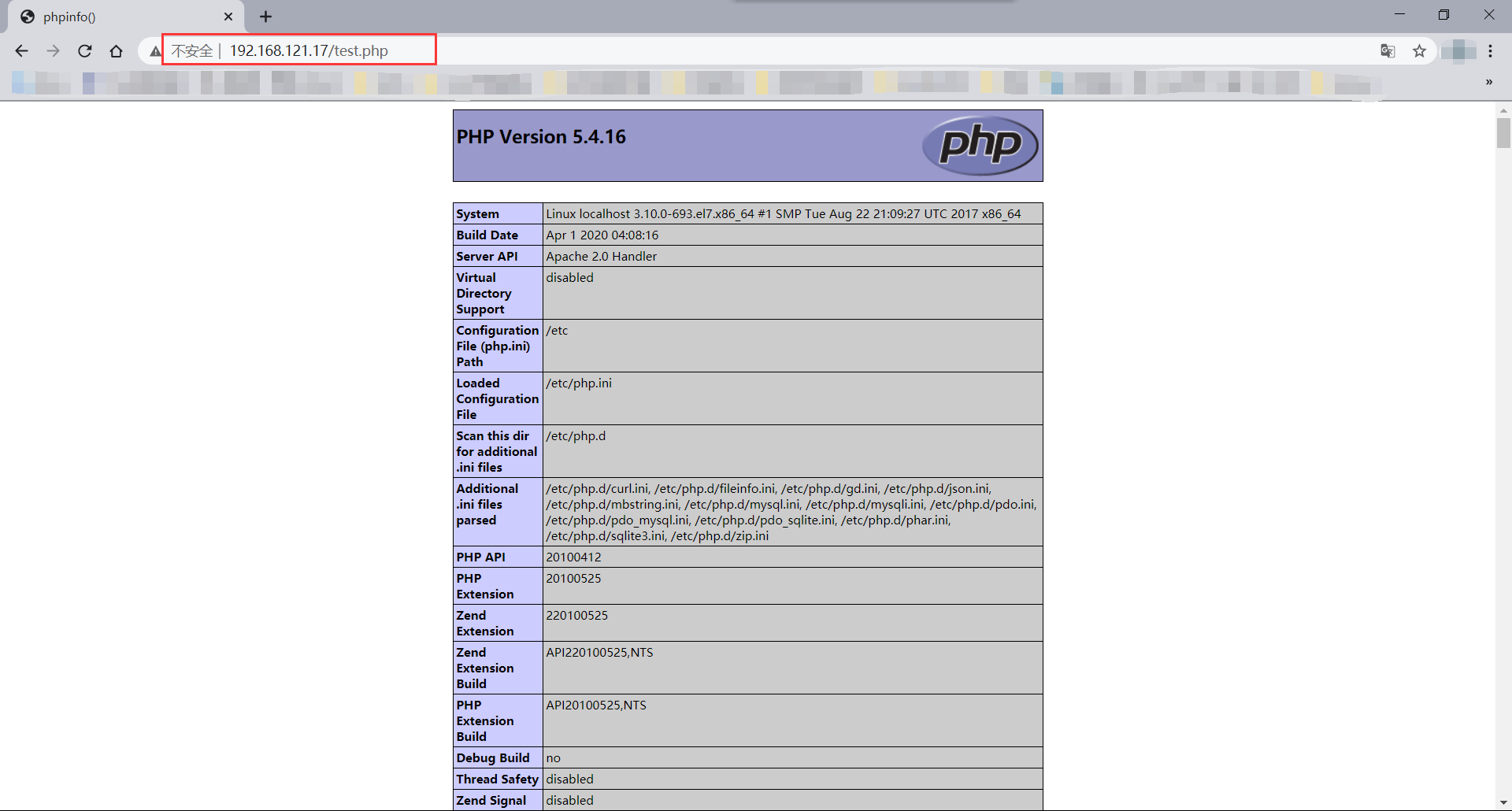
五、测试Apache是否支持PHP解析
- 在 httpd 工作目录下写测试首页
[root@localhost ~]# vi /var/www/html/test.php

[root@localhost ~]# cat /var/www/html/test.php

<?php

	phpinfo();

?>
- 测试浏览器是否可以访问 PHP 测试页面
六、上传opensns微博网站
- 将opensns微博网站上传到服务器
[root@localhost ~]# ls

anaconda-ks.cfg  opensnsfree.zip
- 将 opensnsfree.zip 解压到 /var/ww/html/ 目录下
[root@localhost ~]# unzip opensnsfree.zip -d /var/www/html/

[root@localhost ~]# ls /var/www/html/

opensns_free  test.php
七、授权
[root@localhost ~]# chown -R apache.apache /var/www/html/*

[root@localhost ~]# chmod 755 /var/www/html/*
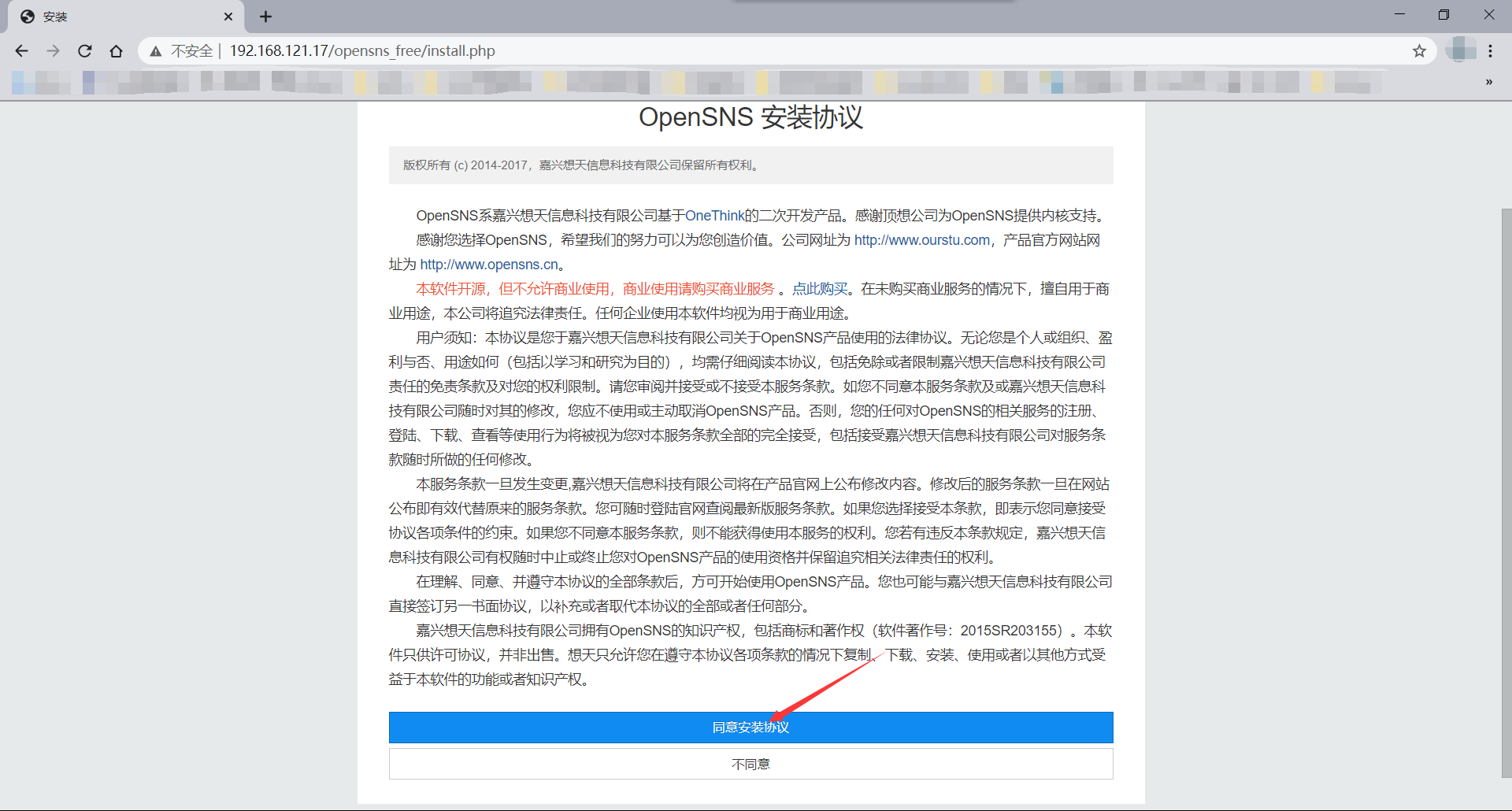
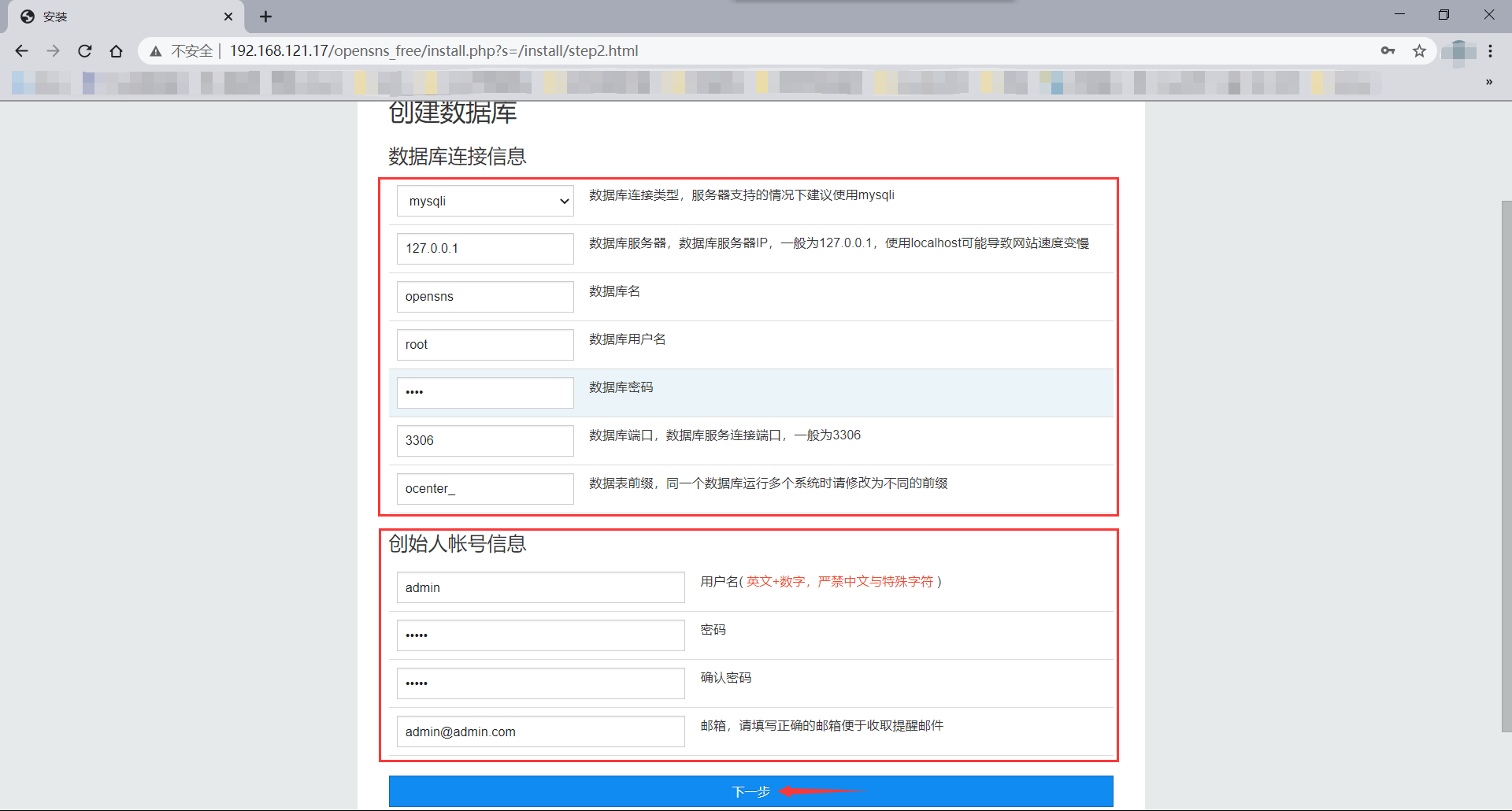
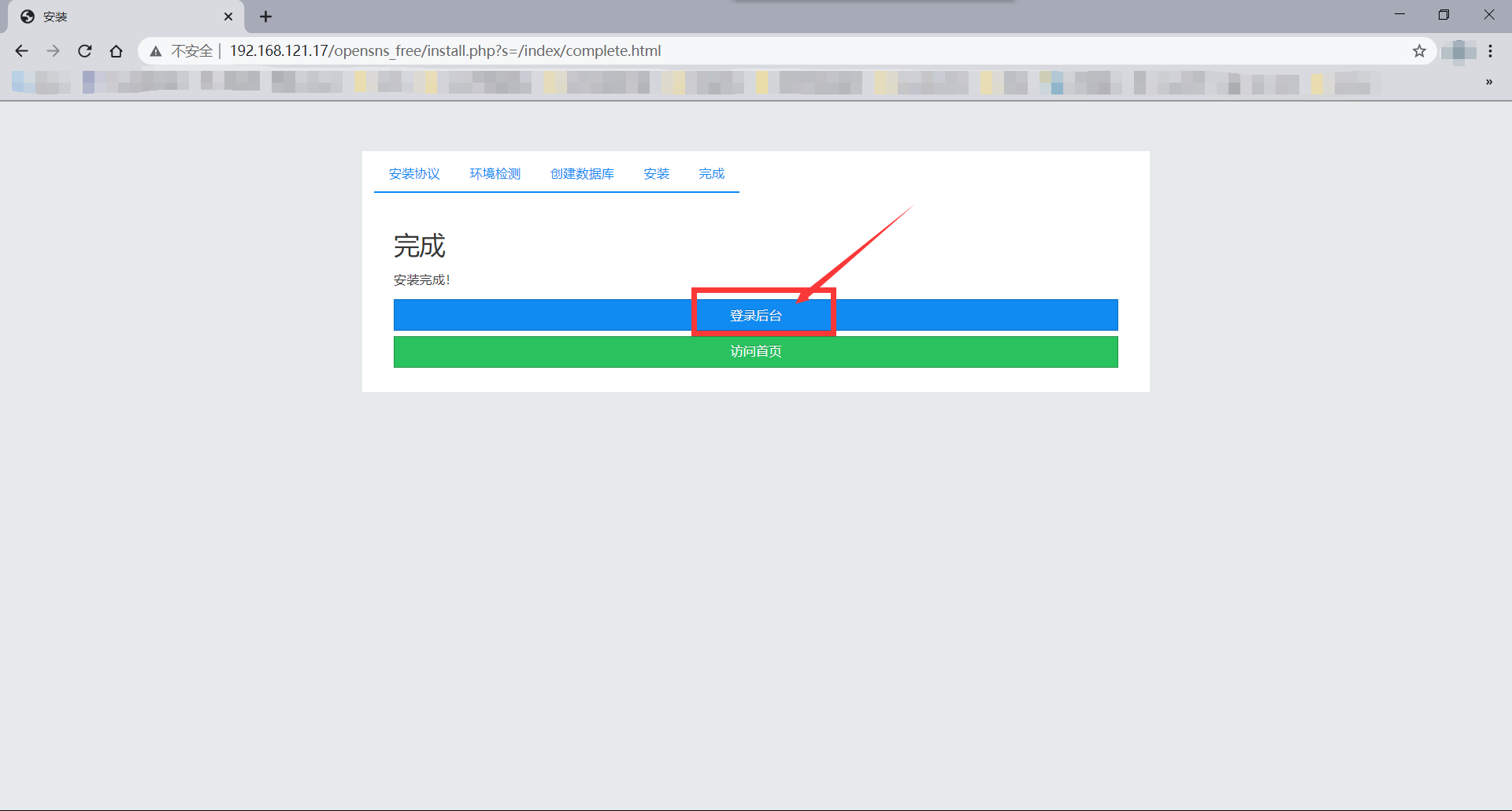
八、浏览器访问页面并初始化设置



搭建LAMP环境部署opensns微博网站的更多相关文章
- 搭建LAMP环境部署GLPI资源管理系统
搭建LAMP环境部署GLPI资源管理系统 一.关闭防火墙和Selinux [root@localhost ~]# systemctl disable --now firewalld [root@loc ...
- 搭建LAMP环境部署Nextcloud私人网盘
搭建 LAMP 环境部署 Nextcloud 私人网盘 前言 Nextcloudd 是一个开源的.基于本地的文件共享和协作平台,它允许您保存文件并通过多个设备(如PC.智能手机和平板电脑)访问它们. ...
- 搭建LAMP环境部署Ecshop电商网站
实战-部署Ecshop电商网站 实验环境 Centos7 ip:192.168.121.17 一.关闭防火墙和selinux [root@localhost ~]# systemctl stop fi ...
- 搭建LAMP环境部署discuz论坛
!!!什么是LAMP: LAMP是指一组通常一起使用来运行动态网站或者服务器的自由软件名称首字母缩写: Linux,操作系统 Apache,网页服务器 MariaDB或MySQL,数据库管理系统(或者 ...
- •搭建LAMP环境及快速部署双网站并实现基于域名的虚拟主机
本节所讲内容: 实战:搭建LAMP环境及快速部署双网站并实现基于域名的虚拟主机 LAMP架构:??? Linux+Apache+Mysql+PHP Linux+Apache+Mysql/MariaDB ...
- 在ubuntu上搭建开发环境4---ubuntu简单的搭建LAMP环境和配置
最近重新安装了Ubuntu,但是之前的LAMP环境自然也就没有了,实在是不想再去编译搭建LAMP环境(这种方法实在是太费时间,而且太容易遇到各种不知道为什么的错误),所以,就去查查有没有什么简单的搭建 ...
- Centos7+Apache2.4+php5.6+mysql5.5搭建Lamp环境——为了wordPress
最近想搭建个人博客玩玩,挑来挑去发现口碑不错的博客程序是wordpress,简称wp.虽然是学java路线的程序员,但因入行时间太短,至今没有发现较为称手开源的博客程序,如果各位大神有好的推荐,也希望 ...
- Linux手动搭建LAMP环境
当你看到标题里的“手动搭建”,你是不是会想,难不成还有“自动搭建”?当然......不是,这里的“手动搭建”是指按部就班的搭建Apache.MySQL.PHP环境,是相对于集成软件包而言的.所以你是不 ...
- 在CentOS 上搭建nginx来部署静态页面网站
在centOs 上搭建nginx来部署静态页面网站 一.部署服务器环境 nginx:轻量级.高性能的HTTP及反向代理服务器,占用内存少,并发能力强,相比老牌的apache作为web服务器,性能更加卓 ...
随机推荐
- Dynamics CRM使用JS隐藏自定义按钮
在我们平时客制化开发的时候会经常遇到要制作自定义按钮的情况,而这个自定义按钮的功能又经常会有一些隐藏逻辑需要实现,所以每次通过获取控件查找这个按钮再隐藏比较麻烦,而且偶尔会出现代码没起作用的效果.下面 ...
- 【Java】流、IO(初步)
(这部分比较抽象且写的不是很好,可能还要再编辑) [概述] 流:流是一系列数据,包括输入流和输出流.你可以想象成黑客帝国的"代码雨",只要我们输入指令,这些数据就像水一样流进流出了 ...
- C# WebView2 在你的应用中使用Chromium内核
什么是WebView2? Win10上对标Edge浏览器 Chromium内核 简单的可视为WebBrowser组件的升级版 如何使用WebView2? 官网下载 WebView2 RunTime V ...
- JavaFX获取屏幕尺寸
1 awt Dimension screenSize = Toolkit.getDefaultToolkit().getScreenSize(); double width = screenSize. ...
- 5. linux 中“~”,“/”,“#”,”$“ 含义
"~" ~ 是用户的home目录(又叫"用户家目录")linux存储是以挂载的方式,相当于是树状的,源头就是"/",也就是根目录.而每个用户 ...
- Day15_86_通过反射机制获取所有方法(method)
通过反射机制获取所有方法(method) import java.lang.reflect.Field; import java.lang.reflect.Method; import java.la ...
- Day09_43_Set集合_HashSet_02(HashCode方法 与 equals方法 )
HashSet - 向Hash表中添加元素的过程? 1. 先调用将要被存储的值key的HashCode方法得出Hash值,如果该Hash值在现有Hash表中不存在,那么直接加入元素. 2. 如果该Ha ...
- 原创:纯CSS美化单复选框(checkbox、radio)
最重要的一点,隐藏选择框本身.不多说了,上代码: <!doctype html> <html> <head> <meta charset="utf- ...
- 1070 Mooncake
Mooncake is a Chinese bakery product traditionally eaten during the Mid-Autumn Festival. Many types ...
- 数据分析处理之PCA OLSR PCR PLSR(NIPALS)及其Matlab代码实现
传统的OLS(普通最小二乘)方法无法解决样本数据的共线性(multicollinearity)问题,如果你的数据样本中每个特征变量具有共线性,那么使用基于PCA的PCR和PLSR方法对数据样本进行回归 ...