
SpringBoot快速开始Hello World
介绍
Spring Boot跟Spring MVC不太一样,Spring MVC建新项目的时候是要配置很多东西的,而Spring Boot讲究的是快速,提供了很多默认配置,所以新建一个项目不需要手动配置任何东西,并且个性化配置也比Spring MVC简单很多。
创建新项目
- 创建一个新项目,Maven
- 输入GroupId和ArtifactId
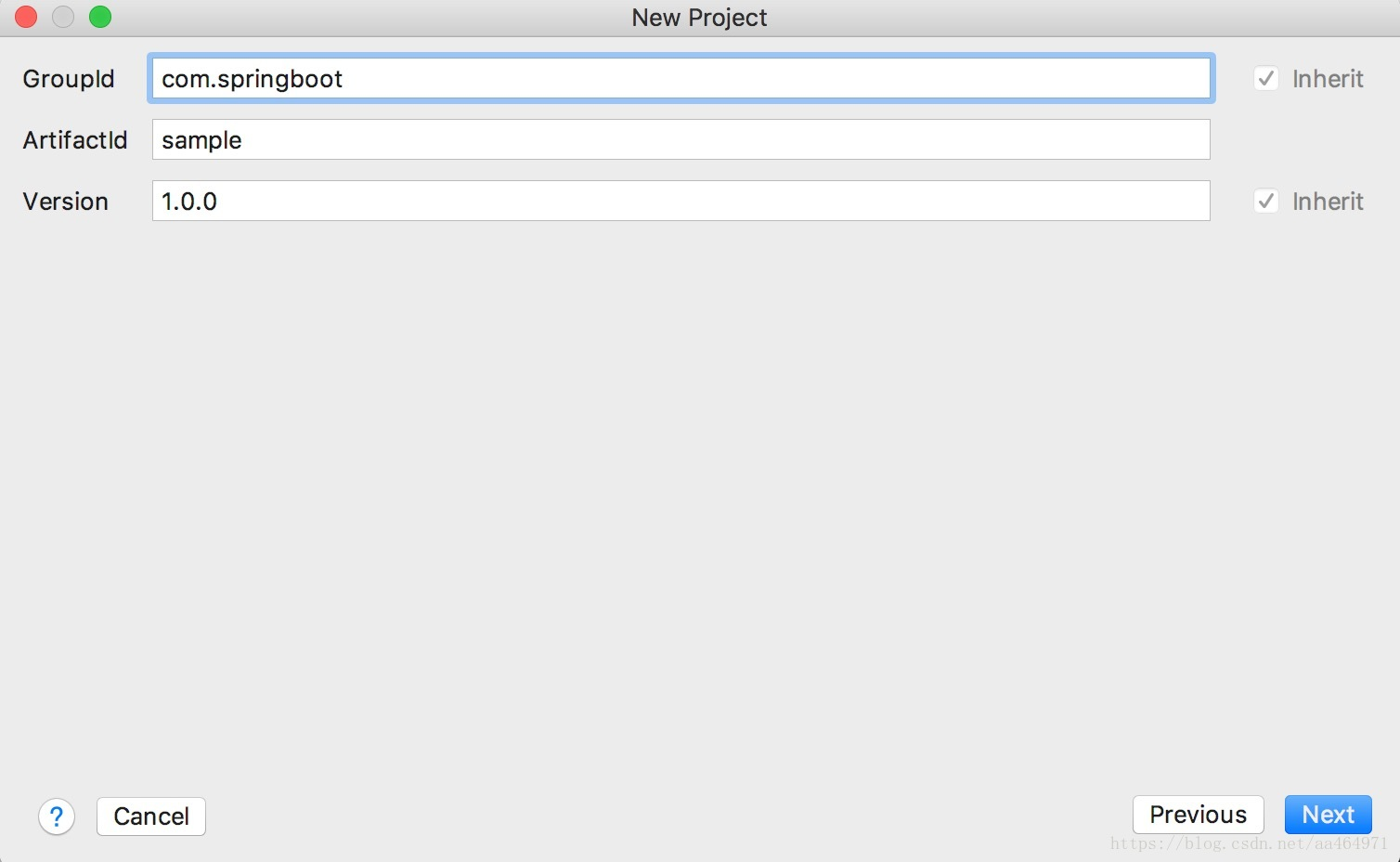
- 输入项目名称并指定项目存放的路径

- 引入SpringBoot
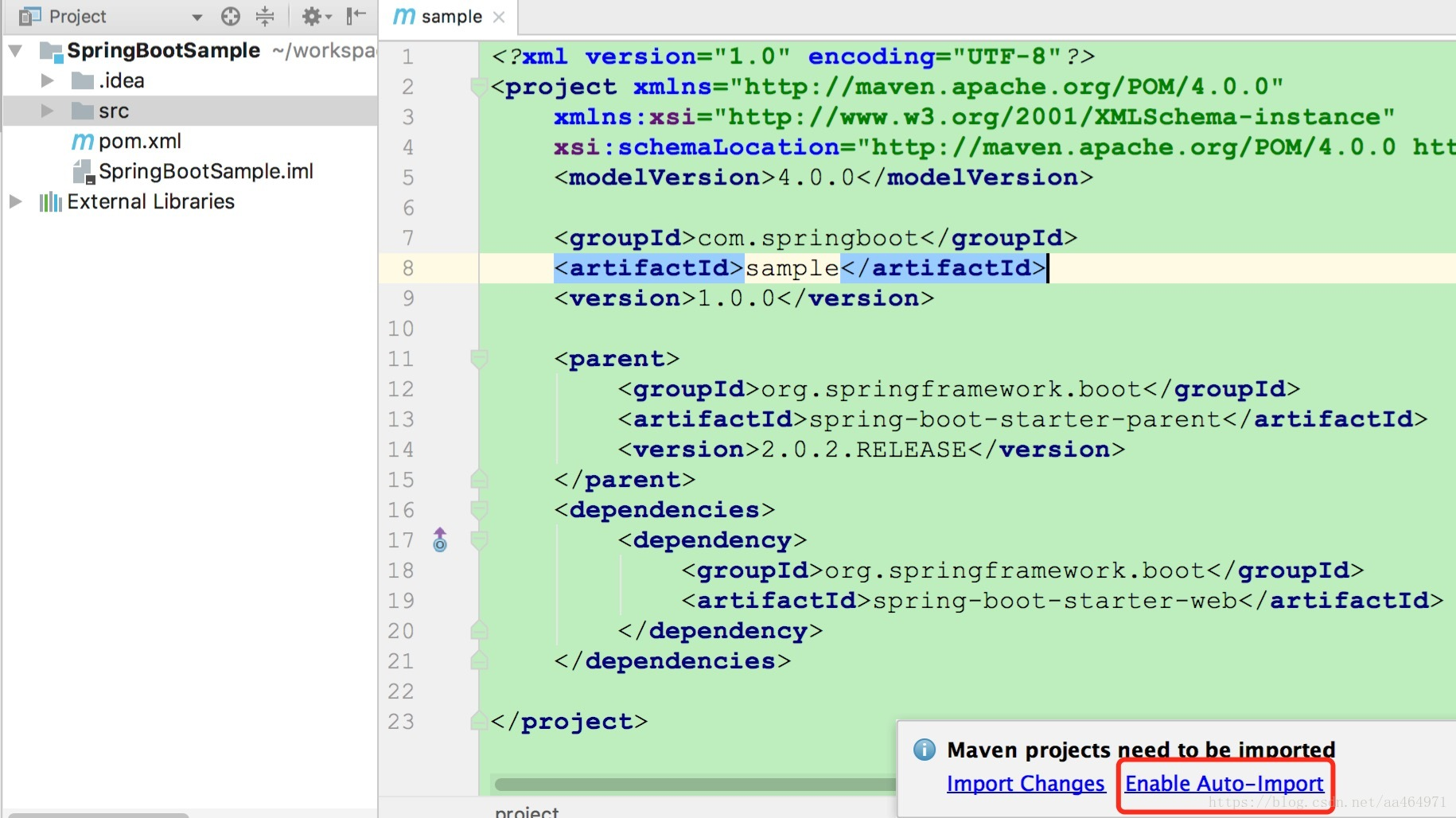
打开pom.xml,引入SpringBoot
 <parent>

     <groupId>org.springframework.boot</groupId>

     <artifactId>spring-boot-starter-parent</artifactId>

     <version>2.0.2.RELEASE</version>

 </parent>

 <dependencies>

     <dependency>

         <groupId>org.springframework.boot</groupId>

         <artifactId>spring-boot-starter-web</artifactId>

     </dependency>

 </dependencies>
如果提示是否需要开启自动导入,选择Enable Auto-Import,否则更改了pom.xml不会自动更新
- 创建Application
创建SampleApplication,加上注解@SpringBootApplication,这个类的main方法就会成为整个程序的入口,@EnableAutoConfiguration开启自动配置,如果有需要,可以通过@ComponentScan再指定自动扫描的包
 package com.springboot.sample;

 import org.springframework.boot.SpringApplication;

 import org.springframework.boot.autoconfigure.EnableAutoConfiguration;

 import org.springframework.boot.autoconfigure.SpringBootApplication;

 @EnableAutoConfiguration

 @SpringBootApplication

 public class SampleApplication {

     public static void main(String[] args) throws Exception {

         SpringApplication.run(SampleApplication.class, args);

     }

 }
- 创建Controller
- 创建SampleController,并注解@Controller,加上访问路径的注解
- 在SampleController内创建一个home方法,在方法上注解@RequestMapping("/"),这样就根目录的访问路径注册到这个方法上,当访问http://localhost:8080的时候,就会执行这个方法
- 这里还注解了@ResponseBody,表示输出Hello World!字符串
 package com.springboot.sample.controller;

 import org.springframework.stereotype.Controller;

 import org.springframework.web.bind.annotation.RequestMapping;

 import org.springframework.web.bind.annotation.ResponseBody;

 @Controller

 public class SampleController {

     /**

      * ResponseBody样例

      * @return

      */

     @RequestMapping("/")

     @ResponseBody

     String home() {

         return "Hello World!";

     }

 }
- 运行配置
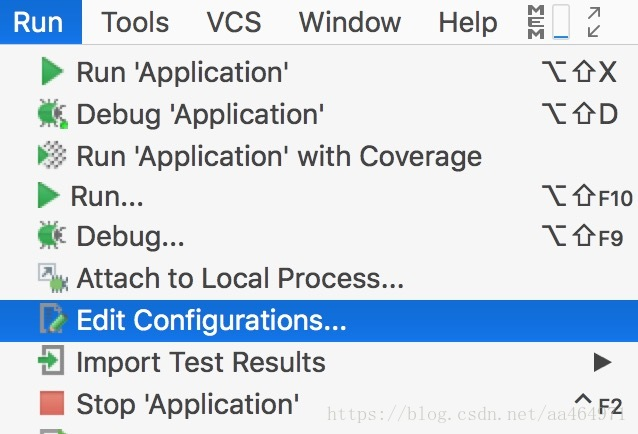
Run - Run Configurations
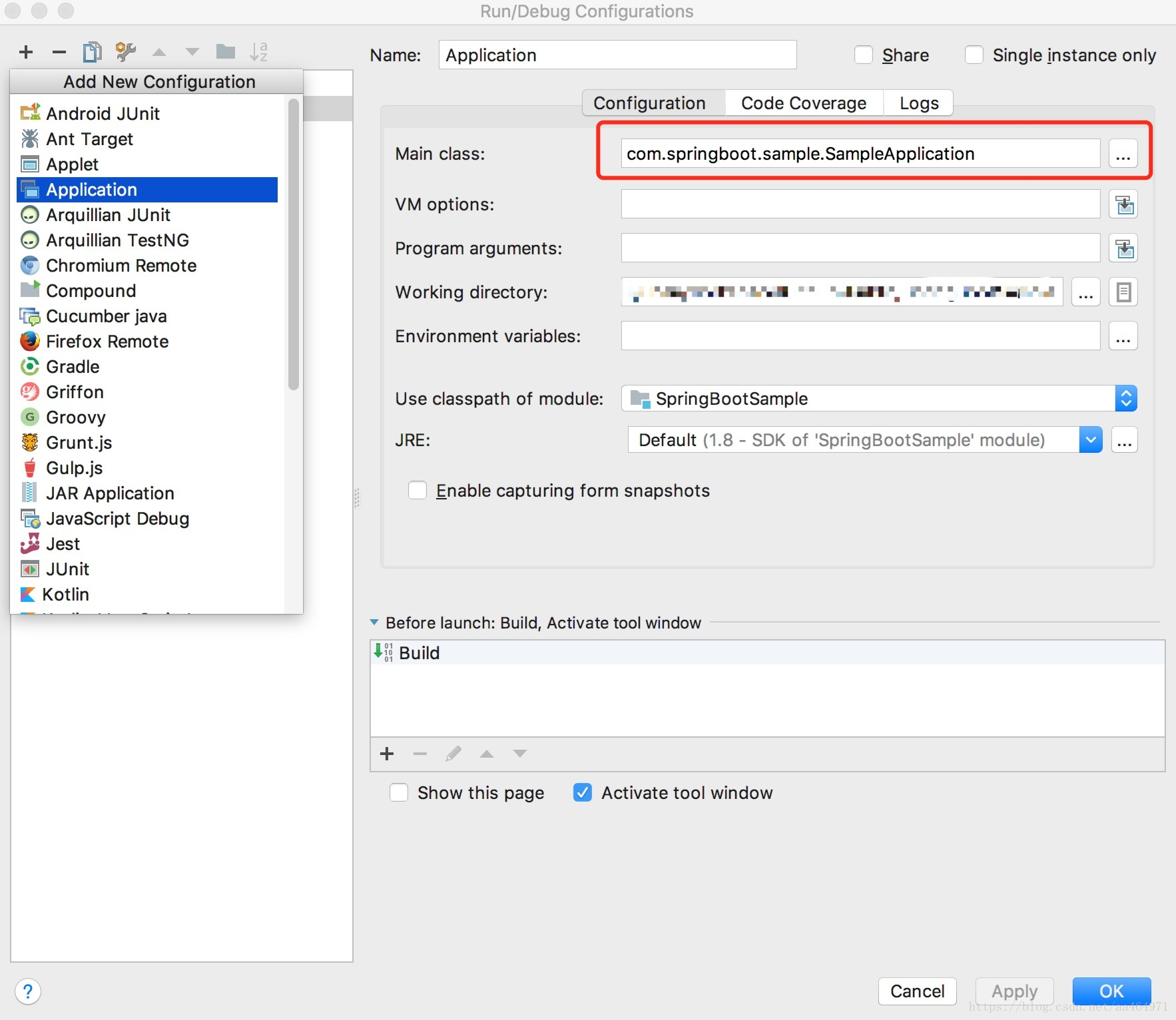
+ - Applicaltion,Main-Class选择最开始创建的SampleApplication
Spring Boot是不需要发布到外部Tomcat的,所以确定后直接运行即可
- 测试
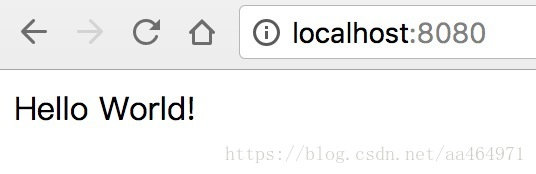
运行完成后,在浏览器访问http://localhost:8080,就可以看到SampleController的home方法返回的Hello World!了
thymeleaf支持
在Spring Boot中,官方是不推荐使用JSP的,所以我们需要用thymeleaf模板
- 引入thymeleaf
pom.xml加入依赖
<!--thymeleaf-->

<dependency>

    <groupId>org.springframework.boot</groupId>

    <artifactId>spring-boot-starter-thymeleaf</artifactId>

</dependency>
- 创建模板html
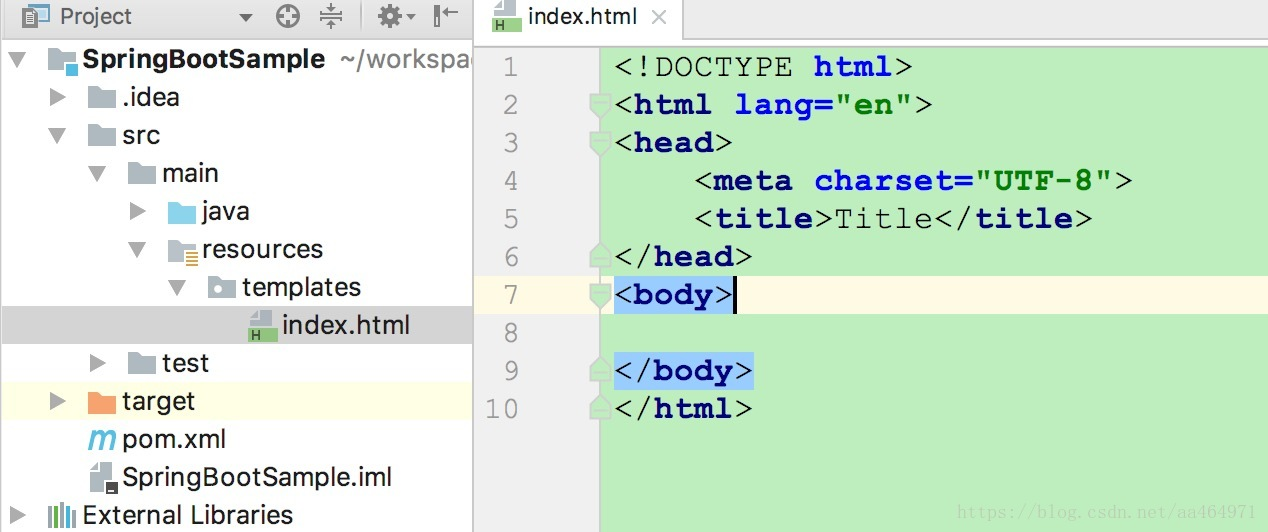
在resources文件夹下创建templates文件夹,再创建一个index.html
- 配置访问路径
在之前创建的SampleController增加了一个index方法,路径配置到/index,这里加入一个message参数传到页面,再return "index",这样当访问http://localhost:8080/index的时候,就会跳转到resources/templates文件夹下面的index.html
/**

 * thymeleaf样例

 * @return

 */

@RequestMapping("/index")

String index(Model model) {

    model.addAttribute("message","Hello Thymeleaf");

    return "index";

}
- 在模板html获取参数
在index.html中,用thymeleaf语法获取SampleController添加的message参数。
<p th:text="${message}"></p>
注意还要在html标签上加上命名空间
xmlns:th="http://www.w3.org/1999/xhtml"
如果你用的是Vue,还需要在script标签上加上th:inline
<script th:inline="javascript">

- 测试
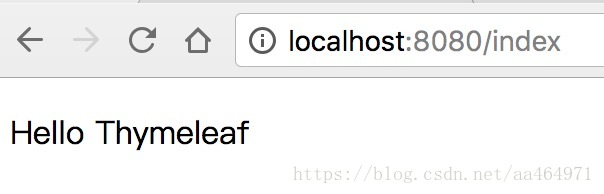
在浏览器访问http://localhost:8080/index
导出可执行jar
在pom.xml指定包类型并添加插件
<packaging>jar</packaging>
<build>

    <plugins>

        <plugin>

            <groupId>org.springframework.boot</groupId>

            <artifactId>spring-boot-maven-plugin</artifactId>

        </plugin>

    </plugins>

</build>
执行package命令
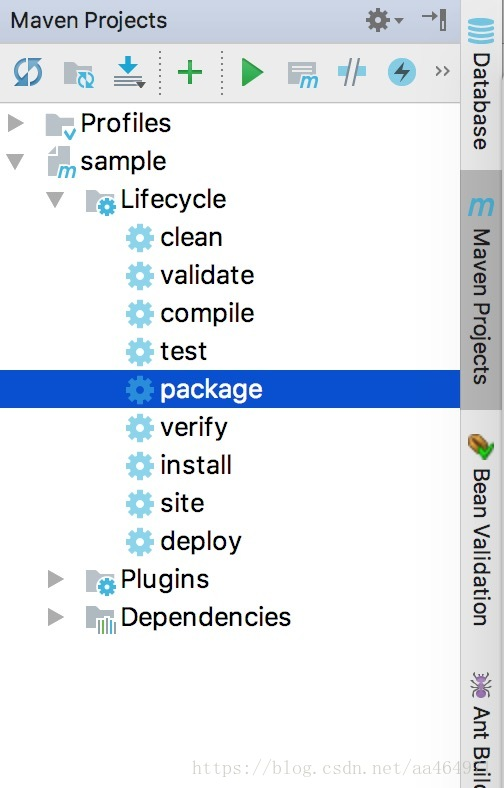
等待编译成功,会在工程目录的target文件夹下生成一个jar
- 运行jar
命令行cd到target目录
java -jar sample-1.0.0.jar
SpringBoot快速开始Hello World的更多相关文章
- SpringData 基于SpringBoot快速入门
SpringData 基于SpringBoot快速入门 本章通过学习SpringData 和SpringBoot 相关知识将面向服务架构(SOA)的单点登录系统(SSO)需要的代码实现.这样可以从实战 ...
- springboot快速使用
1.编写SpringConfig 用于实例化Spring容器 @Configuration //通过该注解来表明该类是一个Spring的配置,相当于一个xml文件 @Bean // 通过该注解来表明是 ...
- 使用Springboot快速搭建SSM框架
Spring Boot设计目的是用来简化Spring应用的初始搭建以及开发过程.该框架使用了特定的方式来进行配置,从而使开发人员不再需要定义样板化的配置. 一.环境准备 Idea 2017 或 201 ...
- SPRING-BOOT系列之SpringBoot快速入门
今天 , 正式来介绍SpringBoot快速入门 : 可以去如类似 https://docs.spring.io/spring-boot/docs/2.1.0.BUILD-SNAPSHOT/refer ...
- SpringBoot快速入门01--环境搭建
SpringBoot快速入门--环境搭建 1.创建web工程 1.1 创建新的工程. 1.2 选择maven工程,点击下一步. 1.3 填写groupid(maven的项目名称)和artifacti ...
- springboot 快速开发的定制补充
增强 SpringBoot 快速开发工具 项目地址:https://gitee.com/sanri/web-ui 优点:这是一个 web 通用配置的组件,即插即用,可用于新项目或私活.是对 Sprin ...
- SpringBoot 快速构建微服务体系 知识点总结
可以通过http://start.spring.io/构建一个SpringBoot的脚手架项目 一.微服务 1.SpringBoot是一个可使用Java构建微服务的微框架. 2.微服务就是要倡导大家尽 ...
- SpringBoot基础篇-SpringBoot快速入门
SpringBoot基础 学习目标: 能够理解Spring的优缺点 能够理解SpringBoot的特点 能够理解SpringBoot的核心功能 能够搭建SpringBoot的环境 能够完成applic ...
- Springboot快速入门篇,图文并茂
Springboot快速入门篇,图文并茂 文章已托管到GitHub,大家可以去GitHub查看阅读,欢迎老板们前来Star!搜索关注微信公众号 [码出Offer] 领取各种学习资料! image-20 ...
- SpringBoot快速入门(实战篇一)
SpringBoot快速入门(一) 一SpringBoot简介 1.spring开发经历的阶段 Spring 诞生时是 Java 企业版(Java Enterprise Edition,JEE,也称 ...
随机推荐
- hive 添加和删除分区
命令如下: 增加分区 ', p_loctype='MHA'); 删除分区 ALTER TABLE my_partition_test_table DROP IF EXISTS PARTITION (p ...
- spring 框架学习网站
spring 框架学习网站 NO1 http://www.mkyong.com NO2 https://spring.io/docs/reference
- Java 并发编程:核心理论
并发编程是Java程序员最重要的技能之一,也是最难掌握的一种技能.它要求编程者对计算机最底层的运作原理有深刻的理解,同时要求编程者逻辑清晰.思维缜密,这样才能写出高效.安全.可靠的多线程并发程序.本系 ...
- 【每日一点】1. Java如何实现导出Excel单表头或多表头
一.背景 在后台项目中,经常会遇到将呈现的内容导出到Excel的需求,通过都是导出单个表头的Excel文件,如果存在级联关系的情况下,也就需要导出多表头的场景.今天这篇文章就是分享导出Excel单表头 ...
- Hadoop Partition函数应用(归档)
一.实例描述 在这个实例里我们使用简单的数据集,里面包含多条数据,每条数据由姓名.年龄.性别和成绩组成.实例要求是按照如下规则归档用户. 1.找出年龄小于20岁中男生和女生的最大分数 2.找出20岁到 ...
- Java学习笔记二:数据类型II
GitHub代码练习地址:https://github.com/Neo-ML/JavaPractice/blob/master/Intpractice3.java 一 Java中的数据类型 Java ...
- Python BeautifulSoup 使用
BS4库简单使用: 1.最好配合LXML库,下载:pip install lxml 2.最好配合Requests库,下载:pip install requests 3.下载bs4:pip instal ...
- shell 中的单行注释和多行注释
1. 单行注释 众所周知,# 比如想要注释:echo “ni” # echo "ni" 2. 多行注释: 法一: : << ! 语句1 语句2 语句3 语句4 ! 例 ...
- Python中的注释和解注释
注释 目标 注释的作用 单行注释(行注释) 多行注释(块注释) 01. 注释的作用 使用用自己熟悉的语言,在程序中对某些代码进行标注说明,增强程序的可读性 02. 单行注释(行注释) 以 # 开头,# ...
- 利用 DynamicLinq 实现简单的动态表达式构建查询
平时使用 LINQ 进行一些简单的条件拼接查询一般都会这样操作: public class SearchInputDto { public string ConditionA { get; set; ...