
Webapi--Webapi 跨域链接
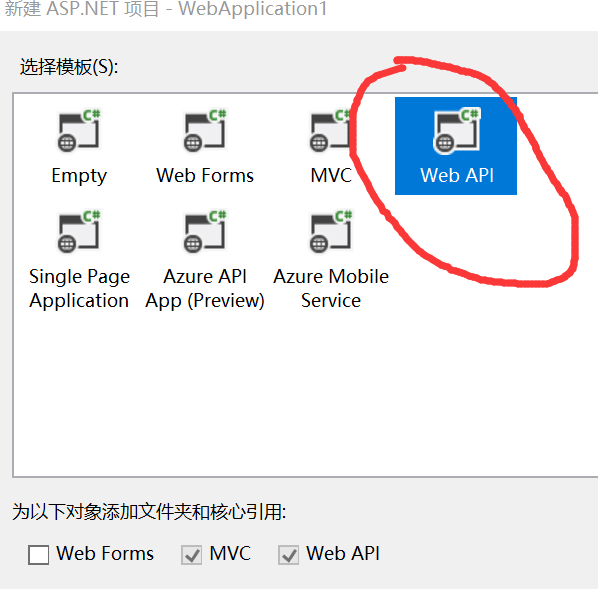
1】创建 WebAPIWebAPI WebAPI,新建 ,新建 ->项目 ->ASP.NET Web >ASP.NET Web >ASP.NET Web >ASP.NET Web 应用程序 应用程序 应用程序 ->Web API>Web API>Web API >
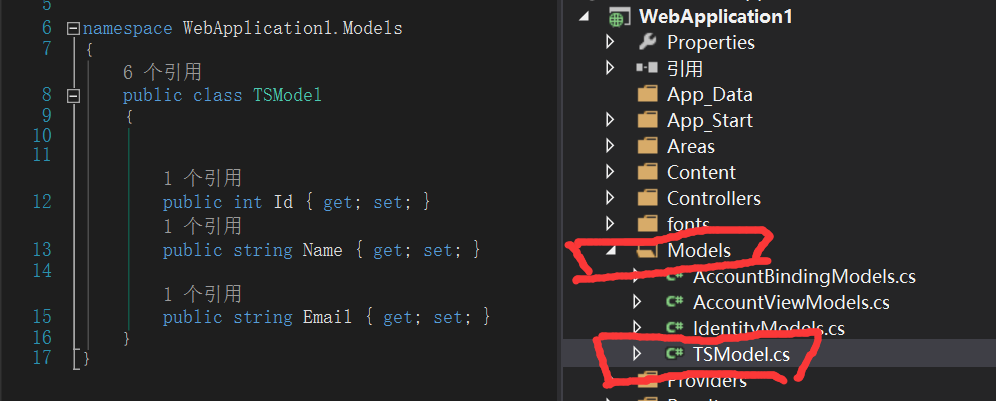
2】:在Models文件夹中创建一个模型【TSModel.cs】先定义几个测试模型
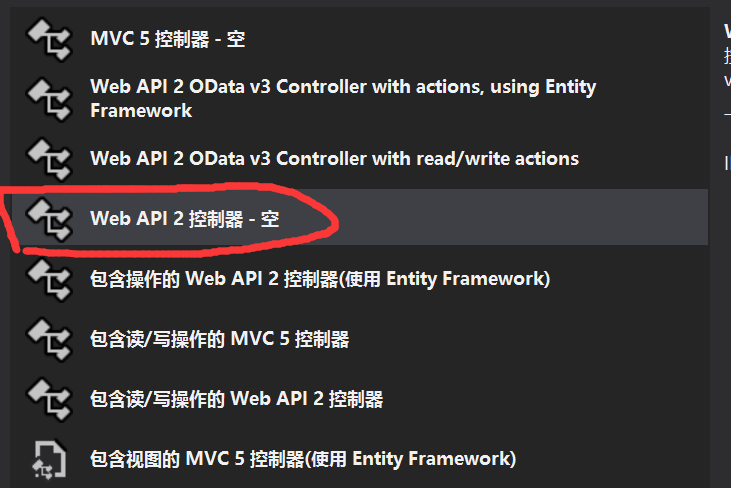
3】:然后创建一个webapi控制器,民命【Main】
然后在控制器中写下【代码自行打开】
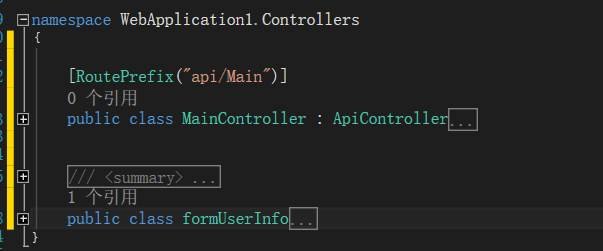
     [RoutePrefix("api/Main")]

     public class MainController : ApiController

     {

         [Route("GetUserInfo")]

         [HttpPost]

         public HttpResponseMessage GetUserInfo([FromBody]formUserInfo obj)

         {

             //[FromBody]int page, [FromBody]int rows, [FromBody]string email

             List<TSModel> listStudent = new List<TSModel>();

             for (int i = ; i < ; i++)

             {

                 TSModel student = new Models.TSModel();

                 Random ran = new Random();

                 student.Email = i.ToString() + ran.Next(, ).ToString() + "TS@qq.com";

                 student.Id = i;

                 student.Name = "TS-Name" + i.ToString() + ran.Next(, ).ToString();

                 listStudent.Add(student);

             }

             int page = obj.page;

             int rows = obj.rows;

             List<TSModel> ts = new List<TSModel>();

             for (int i = (page - ) * rows; i < (page * rows > listStudent.Count ? listStudent.Count : page * rows); i++)

             {

                 ts.Add(listStudent[i]);

             }

             string json = Newtonsoft.Json.JsonConvert.SerializeObject(new { rows = ts, total = listStudent.Count, success = true });

             return new HttpResponseMessage { Content = new StringContent(json, System.Text.Encoding.UTF8, "text/plain") };

         }

     }

     /// <summary>

     /// form提交数据

     /// </summary>

     public class formUserInfo

     {

         public int page { get; set; }

         public int rows { get; set; }

         public string email { get; set; }

     }
4】然后运行一下程序【由于这个创建之初系统会有自带程序,实际开发中可以删除这些】,运行的主要目的是为了看端口号;实际开发中这个发布之后由直自己设置。
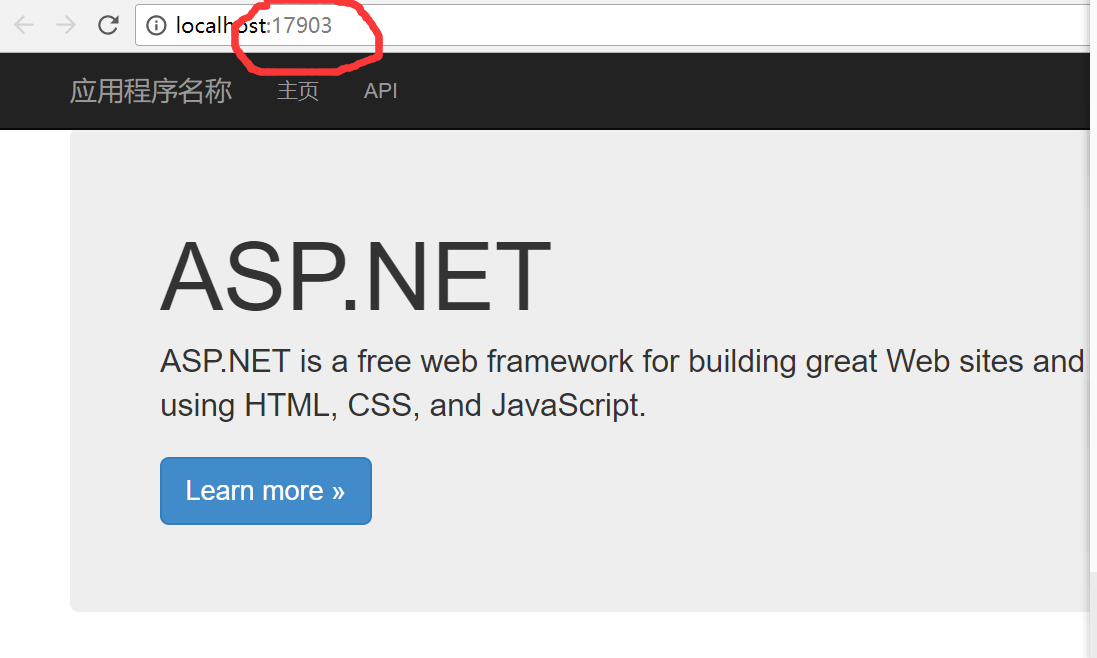
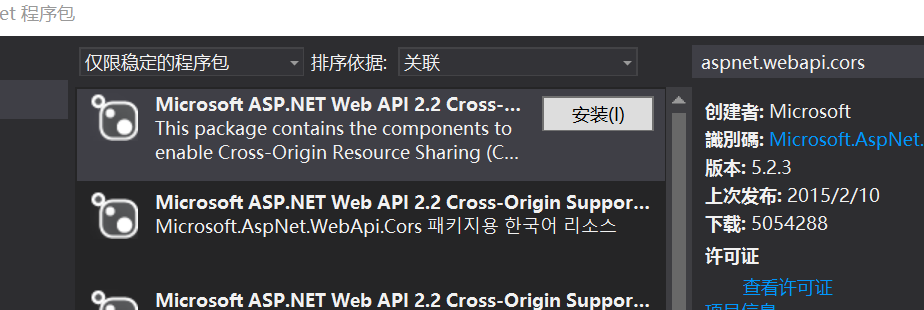
5】:安装【aspnet.webapi.cors】这个在NuGet中设置
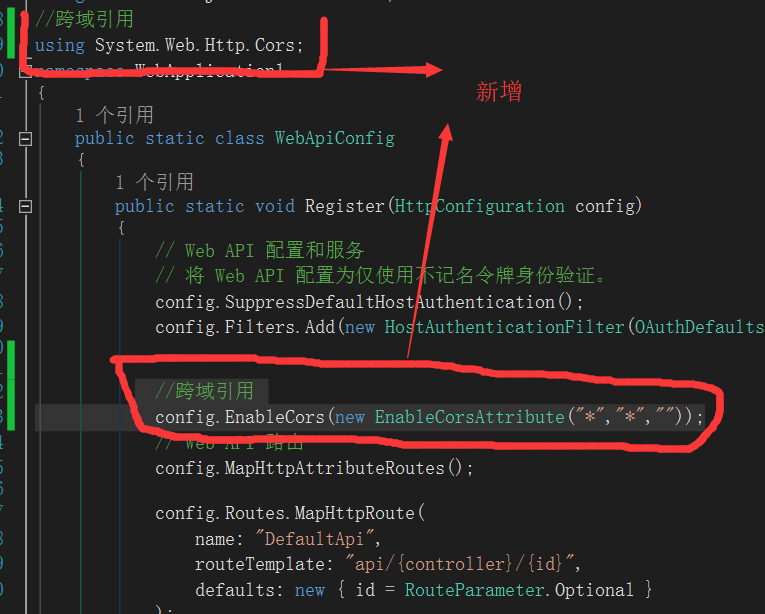
6】在App_Start/WebApiConfig.cs 添加设置
//跨域引用

using System.Web.Http.Cors;
//跨域引用

          config.EnableCors(new EnableCorsAttribute("*","*",""));

api到此结束,然后看看效果。先写一个html
<!DOCTYPE html>
<html>
<head>
<title>Ems SA</title>
<link rel="stylesheet" type="text/css" href="JqueryEasyui/themes/bootstrap/easyui.css" />
<link rel="stylesheet" type="text/css" href="JqueryEasyui/themes/icon.css" />
<link rel="stylesheet" type="text/css" href="JqueryEasyui/demo/demo.css" />
<script type="text/javascript" src="JqueryEasyui/jquery.min.js"></script>
<script type="text/javascript" src="JqueryEasyui/jquery.easyui.min.js"></script>
<script type="text/javascript">
function doSearch() { }
</script>
</head>
<body>
<div>
<table id="dg" class="easyui-datagrid" style="width: 100%; height: auto; min-height: 400px"
data-options="
iconCls: 'icon-edit',
singleSelect: true,
url: 'http://localhost:17903/api/Main/GetUserInfo',
method: 'post',
pagination:true,
pageSize:15,
pageList: [5, 10, 15],
queryParams: {'email': ''} ">
<thead>
<tr>
<th data-options="field:'ck',checkbox:true">
</th>
<th data-options="field:'Id'">
Id
</th>
<th data-options="field:'Name'">
Name
</th> <th data-options="field:'Email'">
</th>
</tr>
</thead>
</table>
</div>
</body>
</html>
然后运行看看效果

【ps:本人在网络上看见这个Demo,所需学习之后在这里作为分享。记得当时下载这个例子需要积分,但是忘记是哪一个网址,所不提供Demo下载。按照上面步骤就可获取一个完整Demo】
Webapi--Webapi 跨域链接的更多相关文章
- asp.net core webapi之跨域(Cors)访问
这里说的跨域是指通过js在不同的域之间进行数据传输或通信,比如用ajax向一个不同的域请求数据,或者通过js获取页面中不同域的框架中(iframe)的数据.只要协议.域名.端口有任何一个不同,都被当作 ...
- 简析ASP.NET WebApi的跨域签名
之前的文章写了关于WebApi的跨域问题,当中的方法只是解决了简单请求的跨域问题而非简单请求的跨域问题则没有解决. 要弄清楚 CORS规范将哪些类型的跨域资源请求划分为简单请求的范畴,需要额外了解几个 ...
- 关于WebService、WebApi的跨域问题
随着移动互联网的发展, 传统营销模式往网站以及移动客户端转移已经成为一种趋势.接触过互联网开发的开发者肯定会很熟悉两种网络服务WebApi.WebService.在使用JavaScript进行数据交互 ...
- .NET压缩图片保存 .NET CORE WebApi Post跨域提交 C# Debug和release判断用法 tofixed方法 四舍五入 (function($){})(jQuery); 使用VUE+iView+.Net Core上传图片
.NET压缩图片保存 需求: 需要将用户后买的图片批量下载打包压缩,并且分不同的文件夹(因:购买了多个用户的图片情况) 文章中用到了一个第三方的类库,Nuget下载 SharpZipLib 目前用 ...
- ASP.NET WebAPI解决跨域问题
跨域是个很蛋疼的问题...随笔记录一下... 一.安装nuget包:Microsoft.AspNet.WebApi.Core 二.在Application_Start方法中启用跨域 1 protect ...
- webapi支持跨域访问
写在前面 在实际应用中,跨域请求还是比较常见的,如何上接口直接支持跨域的访问呢? demo 场景项目A有个接口用来获取用户列表,现在项目b也有个功能需要加载用户列表.这两个项目在两个域名下,至少端口好 ...
- webapi+ajax跨域问题及cookie设置
最近小玩了点东西,发现简单的东西总能遇到点问题 1.webapi跨域设置 [EnableCors(origins: "*", headers: "*", met ...
- .net core webapi+vue 跨域访问
最近在做一个前后端分离的示例,以下代码完美解决跨域的问题 一.后端服务 1.首先我们建一个.net core webapi的项目 2.项目引用Microsoft.AspNetCore.Cors 包 3 ...
- WebAPI的跨域访问CORS三种方法
跨域访问: JSONP的原理利用<script>没有跨域访问的限制,利用<script>的src跨域访问api,api会根据数据把json包装在一个js里面,这样跨域的客户端拿 ...
- C# WebAPI设置跨域
设置前端跨域请求很简单,只需要两个步骤 1.安装package Install-Package Microsoft.AspNet.WebApi.Cors 2.WebApiConfig类中,Regist ...
随机推荐
- JAVA课程设计---学生基本信息管理系统
1.团队课程设计博客链接 http://www.cnblogs.com/zyjjj/p/7061880.html 2.个人负责模块或任务说明 函数 功能说明 Search 查找学生信息,分为两种查找方 ...
- openvpn搭建和使用
一.openvpn原理 openvpn通过使用公开密钥(非对称密钥,加密解密使用不同的key,一个称为Publice key,另外一个是Private key)对数据进行加密的.这种方式称为TLS加密 ...
- 3-Fiddler修改请求或响应内容
1.修改请求内容 方法一:设置请求前断点,修改请求后发送 1)设置断点 2)选中请求,在inspectors下修改请求内容 3)修改请求后,点击Break on Response按钮,进行请求的发送 ...
- Redis-05.主从复制与Sentinel
主从复制(master/slave) 主机(master)数据更新后根据配置和策略,自动同步到备机(slave).通过主从复制,能够实现读写分离.容灾恢复. 实现主从复制非常简单,只需要在从(slav ...
- [转]Virtio balloon
http://rwmj.wordpress.com/2010/07/17/virtio-balloon/ After someone asked me a question about “balloo ...
- 在MFC中支持sqlite3
在vc环境下支持sqlite3的方法有很多,sqlite官网也有推荐sqlitewrappers列表,我选用的是CppSqlite 建立MFC工程的步骤我就不赘述了,以下操作均假设你已经创建好了一个M ...
- JVM之虚拟机类加载机制
有兴趣可以先参考前面的几篇JVM总结: JVM自动内存管理机制-Java内存区域(上) JVM自动内存管理机制-Java内存区域(下) JVM垃圾收集器与内存分配策略(一) 我们知道,在编写一 ...
- IEDA的程序调试debug
以前只是浅层面的使用dubug来查看程序运行顺序,排查一些异常的原因, 今天由于要学习一些源码,所以系统的记录一下(借鉴网上资料总结而来) 主要涉及到的功能区为如下: A::重启项目 快捷键 Ctrl ...
- Java开发瓶颈,Dubbo架构学习整理
作者:butterfly100 一. Dubbo诞生背景 随着互联网的发展和网站规模的扩大,系统架构也从单点的垂直结构往分布式服务架构演进,如下图所示: 单一应用架构:一个应用部署所有功能,此时简化C ...
- shell脚本执行错误 $'\r':command not found
shell脚本执行错误 $'\r':command not found Linux下有命令dos2unix 可以用一下命令测试 vi -b filename 我们只要输入dos2unix *.sh就可 ...