
Spark Streaming 例子
NetworkWordCount.scala
/*

 * Licensed to the Apache Software Foundation (ASF) under one or more

 * contributor license agreements.  See the NOTICE file distributed with

 * this work for additional information regarding copyright ownership.

 * The ASF licenses this file to You under the Apache License, Version 2.0

 * (the "License"); you may not use this file except in compliance with

 * the License.  You may obtain a copy of the License at

 *

 *    http://www.apache.org/licenses/LICENSE-2.0

 *

 * Unless required by applicable law or agreed to in writing, software

 * distributed under the License is distributed on an "AS IS" BASIS,

 * WITHOUT WARRANTIES OR CONDITIONS OF ANY KIND, either express or implied.

 * See the License for the specific language governing permissions and

 * limitations under the License.

 */

// scalastyle:off println

package com.gong.spark161.streaming

import org.apache.spark.SparkConf

import org.apache.spark.storage.StorageLevel

import org.apache.spark.streaming.{Seconds, StreamingContext}

/**

 * Counts words in UTF8 encoded, '\n' delimited text received from the network every second.

 *

 * Usage: NetworkWordCount <hostname> <port>

 * <hostname> and <port> describe the TCP server that Spark Streaming would connect to receive data.

 *

 * To run this on your local machine, you need to first run a Netcat server

 *    `$ nc -lk 9999`

 * and then run the example

 *    `$ bin/run-example org.apache.spark.examples.streaming.NetworkWordCount localhost 9999`

 */

object NetworkWordCount {

  def main(args: Array[String]) {

    if (args.length < ) {

      System.err.println("Usage: NetworkWordCount <hostname> <port>")

      System.exit()

    }

    StreamingExamples.setStreamingLogLevels()

    // Create the context with a 1 second batch size

    val sparkConf = new SparkConf().setAppName("NetworkWordCount")

    val ssc = new StreamingContext(sparkConf, Seconds())

    // Create a socket stream on target ip:port and count the

    // words in input stream of \n delimited text (eg. generated by 'nc')

    // Note that no duplication in storage level only for running locally.

    // Replication necessary in distributed scenario for fault tolerance.

      //socket监听网络请求创建stream   args(0)机器   args(1)端口号    StorageLevel存储级别

    val lines = ssc.socketTextStream(args(), args().toInt, StorageLevel.MEMORY_AND_DISK_SER)

    val words = lines.flatMap(_.split(" "))

    val wordCounts = words.map(x => (x, )).reduceByKey(_ + _)

    wordCounts.print()

    ssc.start()

    ssc.awaitTermination()

  }

}

// scalastyle:on println
下在集群跑一下
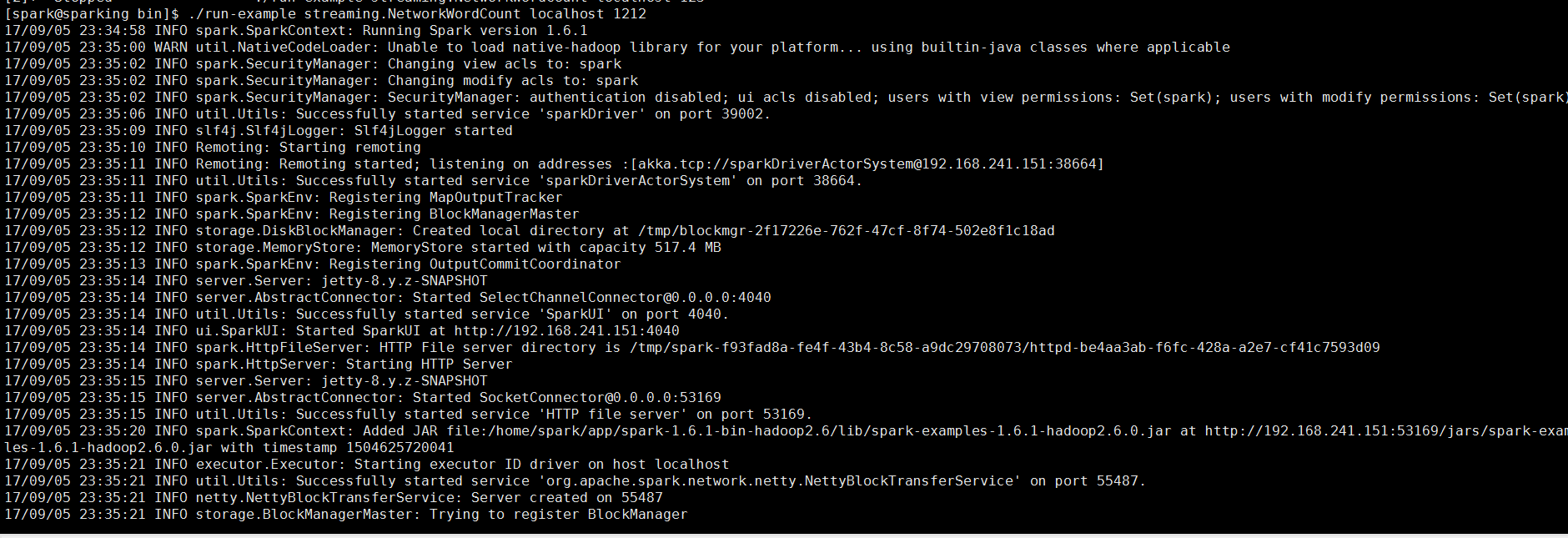
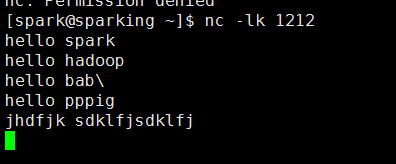
监听1212端口(端口可以自己随便取)
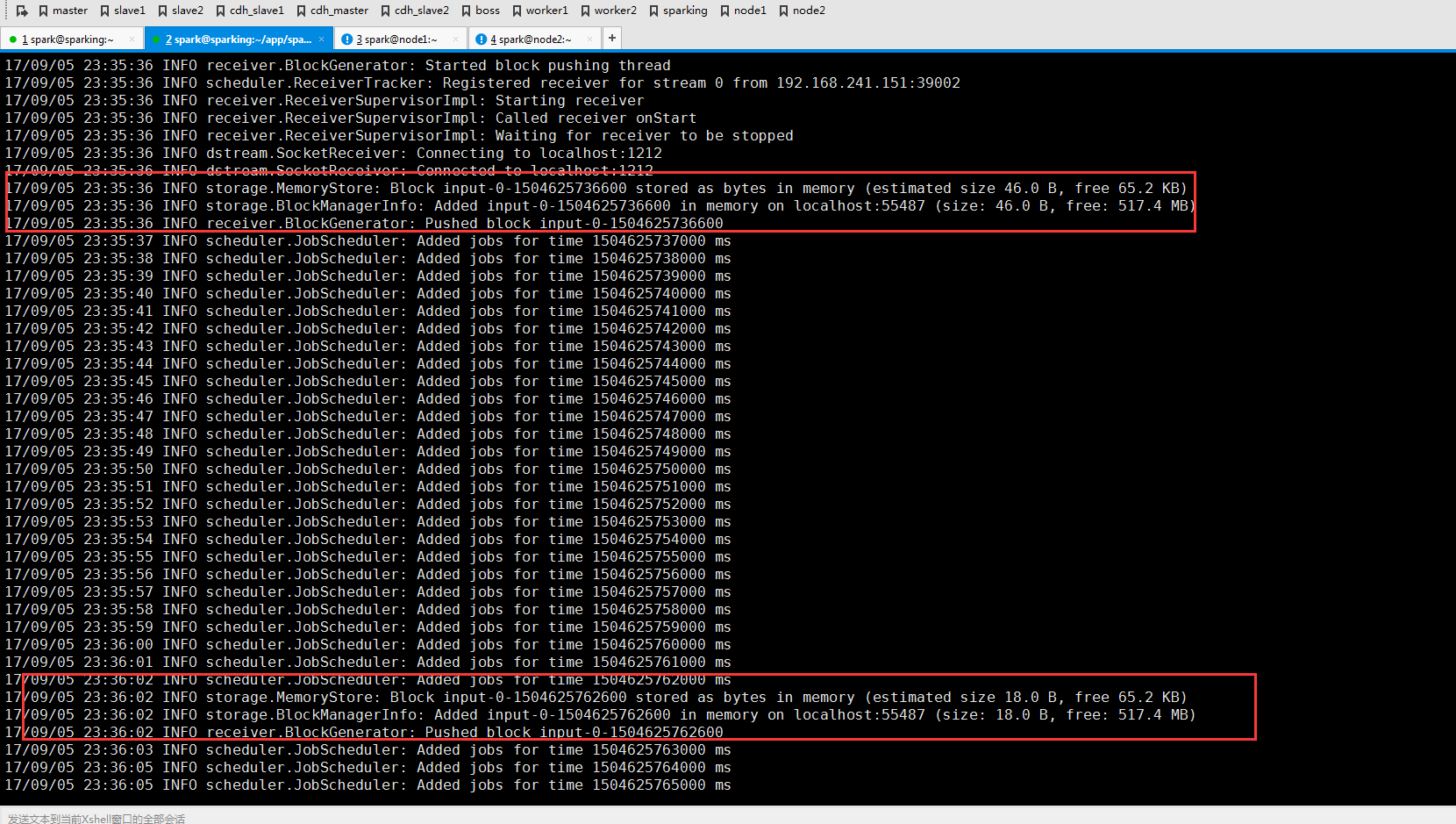
可以看到反馈信息
Spark Streaming 例子的更多相关文章
- Spark Streaming 入门指南
这篇博客帮你开始使用Apache Spark Streaming和HBase.Spark Streaming是核心Spark API的一个扩展,它能够处理连续数据流. Spark Streaming是 ...
- [Spark][Streaming]Spark读取网络输入的例子
Spark读取网络输入的例子: 参考如下的URL进行试验 https://stackoverflow.com/questions/46739081/how-to-get-record-in-strin ...
- spark streaming 入门例子
spark streaming 入门例子: spark shell import org.apache.spark._ import org.apache.spark.streaming._ sc.g ...
- 基于Spark Streaming预测股票走势的例子(一)
最近学习Spark Streaming,不知道是不是我搜索的姿势不对,总找不到具体的.完整的例子,一怒之下就决定自己写一个出来.下面以预测股票走势为例,总结了用Spark Streaming开发的具体 ...
- Spark Streaming 002 统计单词的例子
1.准备 事先在hdfs上创建两个目录: 保存上传数据的目录:hdfs://alamps:9000/library/SparkStreaming/data checkpoint的目录:hdfs://a ...
- spark streaming的有状态例子
import org.apache.spark._ import org.apache.spark.streaming._ /** * Created by code-pc on 16/3/14. * ...
- 一个spark streaming的黑名单过滤小例子
> nc -lk 9999 20190912,sz 20190913,lin package com.lin.spark.streaming import org.apache.spark.Sp ...
- Storm介绍及与Spark Streaming对比
Storm介绍 Storm是由Twitter开源的分布式.高容错的实时处理系统,它的出现令持续不断的流计算变得容易,弥补了Hadoop批处理所不能满足的实时要求.Storm常用于在实时分析.在线机器学 ...
- Spark入门实战系列--7.Spark Streaming(上)--实时流计算Spark Streaming原理介绍
[注]该系列文章以及使用到安装包/测试数据 可以在<倾情大奉送--Spark入门实战系列>获取 .Spark Streaming简介 1.1 概述 Spark Streaming 是Spa ...
随机推荐
- 如何设置鼠标右键单击返回ppt上一页
点击“powerpoint选项”,选择“高级” 将“幻灯片放映”选项下“鼠标右键单击时显示菜单(E)”前面的钩去掉.图为处理过的.
- C#对文件I/O的一些基本操作
System.IO命名空间包含允许在数据流和文件上进行同步,异步及写入的类型,下面是关于c#文件的I/O基本操作讲解,需要的朋友可以参考下 文件是一些永久存储及具有特定顺序的字节组成的一个有序的,具有 ...
- (转)函数库调用 VS 系统调用
Linux下对文件操作有两种方式:系统调用(system call)和库函数调用(Library functions).可以参考<Linux程序设计>(英文原版为<Beginning ...
- test20181006 石头剪刀布
题意 分析 考场做法同题解一样. std代码. #include<bits/stdc++.h> using namespace std; template <typename T&g ...
- 剑指offer-int类型负数补码中1的个数-位操作
在java中Interger类型表示的最大数是 System.out.println(Integer.MAX_VALUE);//打印最大整数:2147483647 这个最大整数的二进制表示,头部少了一 ...
- MySQL Transaction--RC和RR区别
在MySQL中,事务隔离级别RC(read commit)和RR(repeatable read)两种事务隔离级别基于多版本并发控制MVCC(multi-version concurrency con ...
- 树莓派上搭建NAS
首先可以参考看看 搭建家庭 NAS 服务器有什么好方案?下载做NAS的系统也比较多,如FreeNAS.Openfiler等免费系统,或购买其它收费NAS系统.根据自己的需要从硬件到软件的搭建过程.参 ...
- TFTP error: 'Only absolute filenames allowed' (2)
hisilicon # tftp 0x82000000 u-boot-hi3518ev200.bin Hisilicon ETH net controler MAC: ----- eth0 : phy ...
- vue-cli 引入阿里巴巴字体图标:注意点
vue-cli 引入阿里巴巴字体图标:注意点 下载的 iconfont.css 文件中: .iconfont { font-family:"iconfont" !important ...
- php实现cookie加密解密
1.加密解密类 class Mcrypt { /** * 解密 * * @param string $encryptedText 已加密字符串 * @param string $key 密钥 * @r ...