
Spark Streaming 例子
NetworkWordCount.scala
/*

 * Licensed to the Apache Software Foundation (ASF) under one or more

 * contributor license agreements.  See the NOTICE file distributed with

 * this work for additional information regarding copyright ownership.

 * The ASF licenses this file to You under the Apache License, Version 2.0

 * (the "License"); you may not use this file except in compliance with

 * the License.  You may obtain a copy of the License at

 *

 *    http://www.apache.org/licenses/LICENSE-2.0

 *

 * Unless required by applicable law or agreed to in writing, software

 * distributed under the License is distributed on an "AS IS" BASIS,

 * WITHOUT WARRANTIES OR CONDITIONS OF ANY KIND, either express or implied.

 * See the License for the specific language governing permissions and

 * limitations under the License.

 */

// scalastyle:off println

package com.gong.spark161.streaming

import org.apache.spark.SparkConf

import org.apache.spark.storage.StorageLevel

import org.apache.spark.streaming.{Seconds, StreamingContext}

/**

 * Counts words in UTF8 encoded, '\n' delimited text received from the network every second.

 *

 * Usage: NetworkWordCount <hostname> <port>

 * <hostname> and <port> describe the TCP server that Spark Streaming would connect to receive data.

 *

 * To run this on your local machine, you need to first run a Netcat server

 *    `$ nc -lk 9999`

 * and then run the example

 *    `$ bin/run-example org.apache.spark.examples.streaming.NetworkWordCount localhost 9999`

 */

object NetworkWordCount {

  def main(args: Array[String]) {

    if (args.length < ) {

      System.err.println("Usage: NetworkWordCount <hostname> <port>")

      System.exit()

    }

    StreamingExamples.setStreamingLogLevels()

    // Create the context with a 1 second batch size

    val sparkConf = new SparkConf().setAppName("NetworkWordCount")

    val ssc = new StreamingContext(sparkConf, Seconds())

    // Create a socket stream on target ip:port and count the

    // words in input stream of \n delimited text (eg. generated by 'nc')

    // Note that no duplication in storage level only for running locally.

    // Replication necessary in distributed scenario for fault tolerance.

      //socket监听网络请求创建stream   args(0)机器   args(1)端口号    StorageLevel存储级别

    val lines = ssc.socketTextStream(args(), args().toInt, StorageLevel.MEMORY_AND_DISK_SER)

    val words = lines.flatMap(_.split(" "))

    val wordCounts = words.map(x => (x, )).reduceByKey(_ + _)

    wordCounts.print()

    ssc.start()

    ssc.awaitTermination()

  }

}

// scalastyle:on println
下在集群跑一下
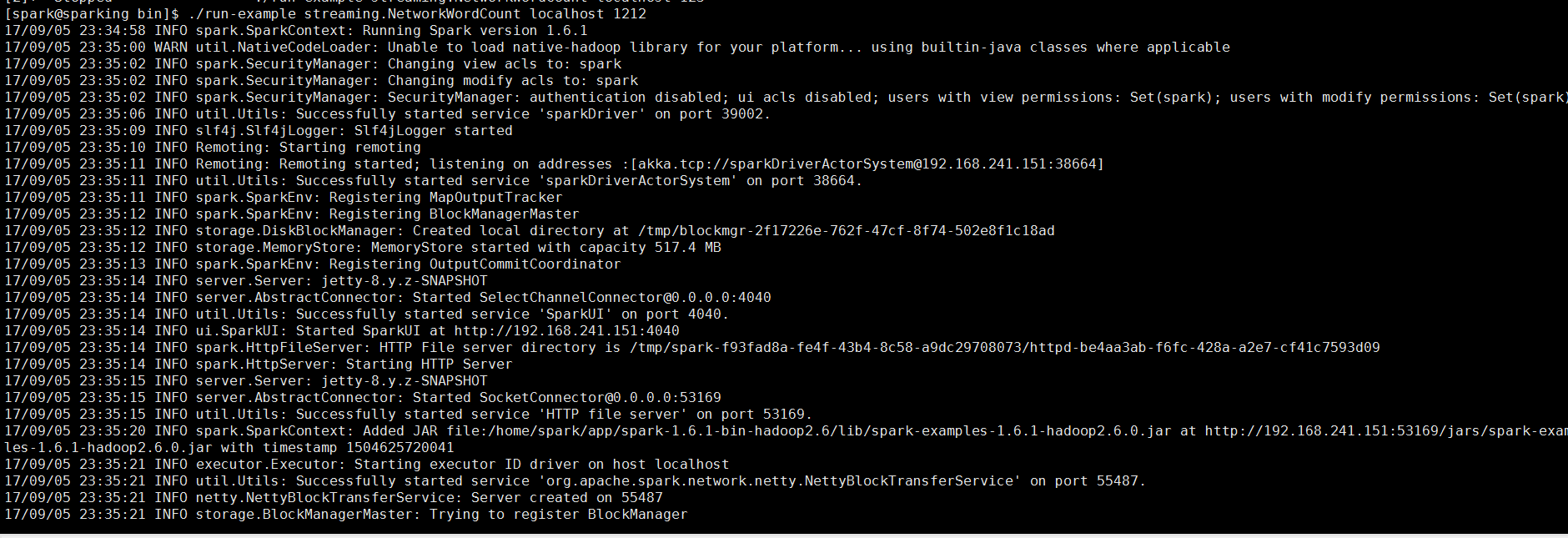
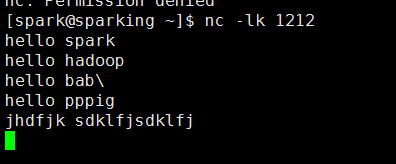
监听1212端口(端口可以自己随便取)
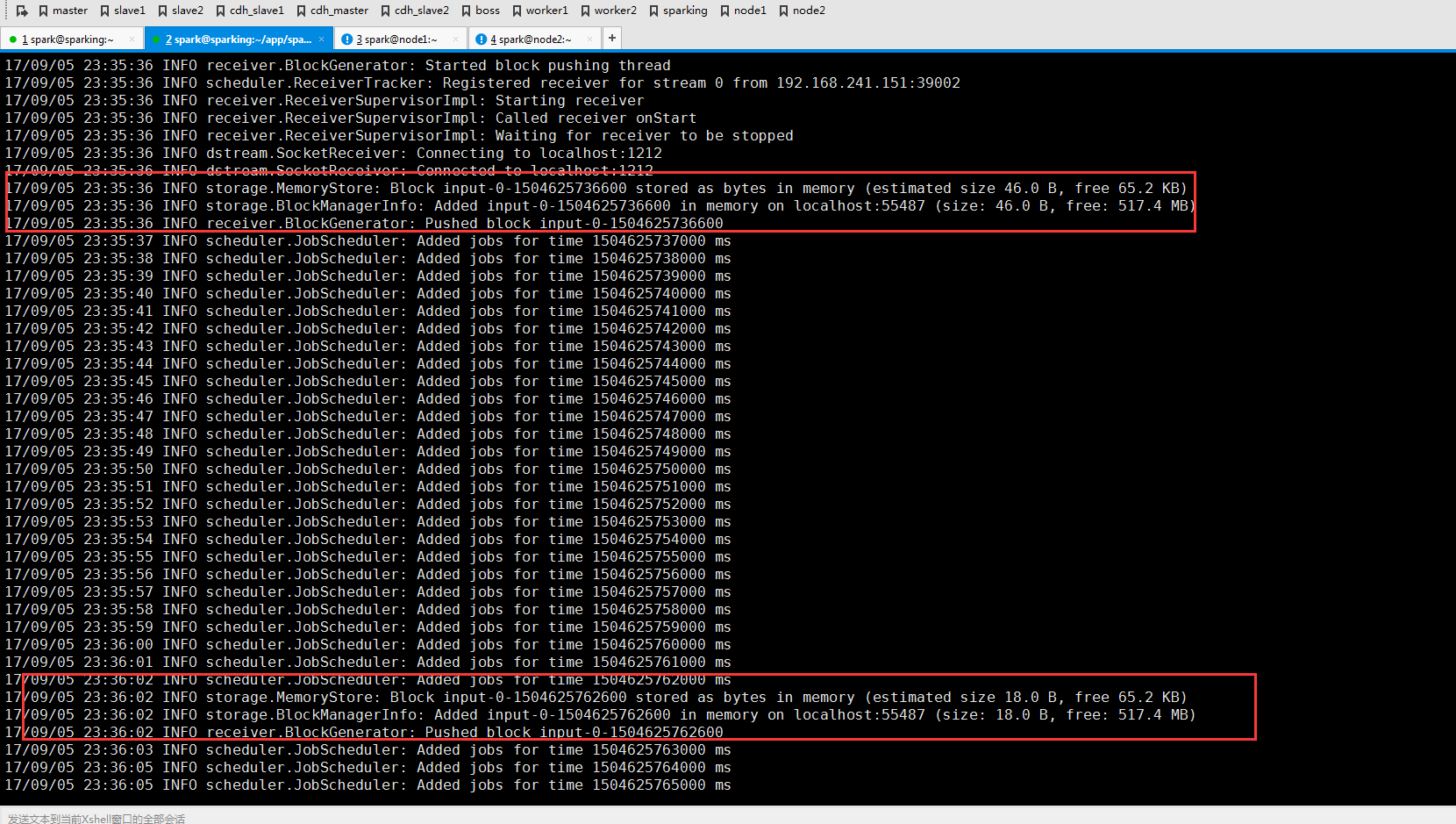
可以看到反馈信息
Spark Streaming 例子的更多相关文章
- Spark Streaming 入门指南
这篇博客帮你开始使用Apache Spark Streaming和HBase.Spark Streaming是核心Spark API的一个扩展,它能够处理连续数据流. Spark Streaming是 ...
- [Spark][Streaming]Spark读取网络输入的例子
Spark读取网络输入的例子: 参考如下的URL进行试验 https://stackoverflow.com/questions/46739081/how-to-get-record-in-strin ...
- spark streaming 入门例子
spark streaming 入门例子: spark shell import org.apache.spark._ import org.apache.spark.streaming._ sc.g ...
- 基于Spark Streaming预测股票走势的例子(一)
最近学习Spark Streaming,不知道是不是我搜索的姿势不对,总找不到具体的.完整的例子,一怒之下就决定自己写一个出来.下面以预测股票走势为例,总结了用Spark Streaming开发的具体 ...
- Spark Streaming 002 统计单词的例子
1.准备 事先在hdfs上创建两个目录: 保存上传数据的目录:hdfs://alamps:9000/library/SparkStreaming/data checkpoint的目录:hdfs://a ...
- spark streaming的有状态例子
import org.apache.spark._ import org.apache.spark.streaming._ /** * Created by code-pc on 16/3/14. * ...
- 一个spark streaming的黑名单过滤小例子
> nc -lk 9999 20190912,sz 20190913,lin package com.lin.spark.streaming import org.apache.spark.Sp ...
- Storm介绍及与Spark Streaming对比
Storm介绍 Storm是由Twitter开源的分布式.高容错的实时处理系统,它的出现令持续不断的流计算变得容易,弥补了Hadoop批处理所不能满足的实时要求.Storm常用于在实时分析.在线机器学 ...
- Spark入门实战系列--7.Spark Streaming(上)--实时流计算Spark Streaming原理介绍
[注]该系列文章以及使用到安装包/测试数据 可以在<倾情大奉送--Spark入门实战系列>获取 .Spark Streaming简介 1.1 概述 Spark Streaming 是Spa ...
随机推荐
- file.replace
一.简介 salt file.replace 文件内容处理函数,类似于ansible的lineinfile模块 二.参数介绍 name 被编辑文件的绝对路径,支持软链接 pattern 常规表达式,使 ...
- spark 与 Hadoop 融合后启动 slf4j提示Class path contains multiple SLF4J bindings
相关参考文献: https://www.oschina.net/question/93435_174549 警告信息如下: 看起来明明就是一个文件,怎么还提示multiple bindings呢,sl ...
- opencv-python教程学习系列6-用滑动条做调色板
前言 opencv-python教程学习系列记录学习python-opencv过程的点滴,本文主要介绍opencv-python用滑动条做调色板,坚持学习,共同进步. 系列教程参照OpenCV-Pyt ...
- NeighboringCellInfo.aidl
在src下先建立包名为android.telephony(右键src > new > package,create package-info.java打钩),然后右键刚建的android. ...
- 结构体内的函数与bfs的情景变量
关于结构体内的函数,太难的尚且不会用,下面是一个简单一点的结构体内函数的代码 定义这样一个结构体函数之后就能像如下这样使用了 以上为结构体内的简单函数,下面重点来了,关于bfs找最短路由于需要避免走回 ...
- SQLyog Enterprise常用快捷键
1. SQL格式化 F12 格式化当前行所在的SQL Ctrl+F12 格式化选中的SQL Shift+F12 格式化所有SQL 2. 窗口操作 Ctrl+T 打开一个新的查询窗口 Alt+ ...
- WebSocket(二)-WebSocket、Socket、TCP、HTTP区别
原文地址:Socket 与 WebSocket 1. 概述 WebSocket 是为了满足基于 Web 的日益增长的实时通信需求而产生的.在传统的 Web 中,要实现实时通信,通用的方式是采用 HTT ...
- 将string str中的str转换成字符数组
#include <iostream> #include <map> #include <string.h> using namespace std; int ma ...
- /proc/sys/vm/drop_caches 清理缓存
1. 使用方法 /proc/sys/vm/drop_caches默认是0 # echo 1 > /proc/sys/vm/drop_caches; free pagecache, use# ec ...
- 【python】if&&for&&while语句
if语法: 类型一: if expression : if_suit else: else_suit 例如: adic={"name":"paulwinflo" ...