
Android将view保存为图片并放在相册中
在Android中,可以将view保存为图片并放在相册中,步骤为 view->bitmap->file,即先将view转化为bitmap,再将bitmap保存到相册中。

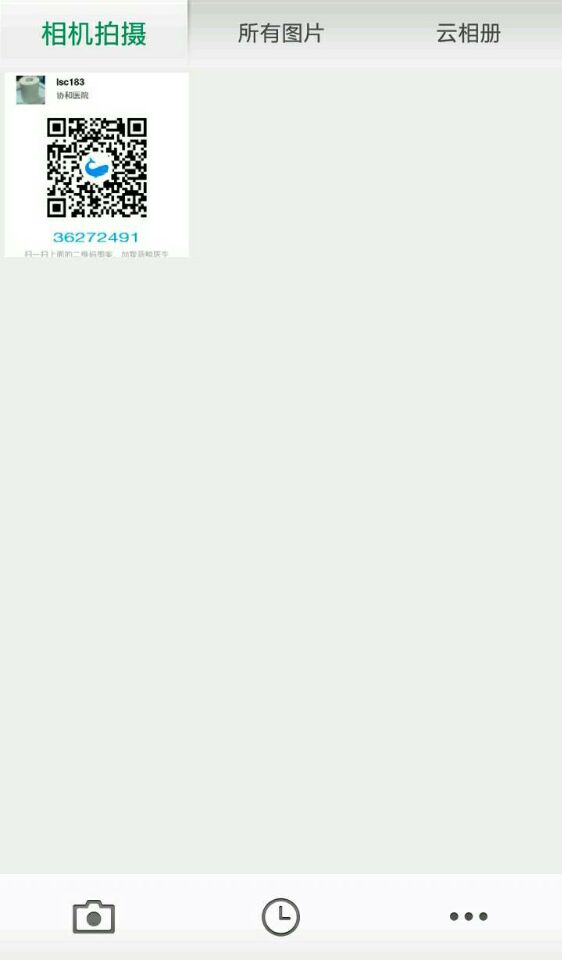
需要将红框标注的view转化为图片并保持到相册中。view的XML代码为
<RelativeLayout

                android:id="@+id/lanjing_code_rl"   //要保存的view id

                android:layout_width="match_parent"

                android:layout_height="0dp"

                android:layout_margin="20dp"

                android:paddingBottom="10dp"

                android:layout_weight="1"

                android:background="@drawable/round_main_bg" >

                <RelativeLayout

                    android:id="@+id/lanjing_code_info"

                    android:layout_width="wrap_content"

                    android:layout_height="wrap_content"

                    android:layout_alignParentTop="true"

                    android:layout_marginLeft="20dp" >

                    <ImageView

                        android:id="@+id/self_head"

                        android:layout_width="50dp"

                        android:layout_height="50dp"

                        android:layout_alignParentLeft="true"

                        android:layout_alignParentTop="true"

                        android:layout_marginTop="20dp"

                        android:background="@drawable/defaultuser" />

                    <TextView

                        android:id="@+id/self_name"

                        android:layout_width="wrap_content"

                        android:layout_height="wrap_content"

                        android:layout_alignParentTop="true"

                        android:layout_marginLeft="20dp"

                        android:layout_marginTop="20dp"

                        android:layout_toRightOf="@+id/self_head"

                        android:gravity="center"

                        android:maxLines="2"

                        android:textColor="@color/article_black"

                        android:textSize="16sp"

                        android:textStyle="bold" />

                    <TextView

                        android:id="@+id/self_hospital"

                        android:layout_width="wrap_content"

                        android:layout_height="wrap_content"

                        android:layout_below="@+id/self_name"

                        android:layout_gravity="center_horizontal"

                        android:layout_marginLeft="20dp"

                        android:layout_marginTop="3dp"

                        android:layout_toRightOf="@+id/self_head"

                        android:textColor="@color/article_gray"

                        android:textSize="14sp" />

                </RelativeLayout>

                <ImageView

                    android:id="@+id/lanjing_code_img"

                    android:layout_width="200dp"

                    android:layout_height="200dp"

                    android:layout_below="@+id/lanjing_code_info"

                    android:layout_centerHorizontal="true"

                    android:layout_marginTop="10dp"

                    android:scaleType="fitCenter" />

                <TextView

                    android:id="@+id/lanjing_code_txt"

                    android:layout_width="wrap_content"

                    android:layout_height="wrap_content"

                    android:layout_below="@+id/lanjing_code_img"

                    android:layout_centerHorizontal="true"

                    android:layout_marginTop="5dp"

                    android:gravity="center"

                    android:textColor="@color/number_blue"

                    android:textScaleX="1.5"

                    android:textSize="23sp" />

                <TextView

                    android:id="@+id/lanjing_tishi"

                    android:layout_width="wrap_content"

                    android:layout_height="wrap_content"

                    android:layout_below="@+id/lanjing_code_txt"

                    android:layout_centerHorizontal="true"

                    android:layout_marginTop="5dp"

                    android:text="扫一扫上面的二维码图案,加我蓝鲸医生"

                    android:textColor="@color/solid_gray"

                    android:textSize="14sp" />

            </RelativeLayout>
保存方法
private void saveErweima() {
     File erweimaImg = FileUtilss.getErweimaImgFile(MyLanJingCode.this);
        if (erweimaImg == null) {

            return;

        }

        //lanjing_code_rl.setBackgroundColor(getResources().getColor(R.color.solid_white));

        if (false == lanjing_code_rl.isDrawingCacheEnabled()) {

            lanjing_code_rl.setDrawingCacheEnabled(true);

        }

        lanjing_code_rl.buildDrawingCache();

        Bitmap bitmap = lanjing_code_rl.getDrawingCache();


     String path = erweimaImg.getAbsolutePath();

        FileOutputStream out = new FileOutputStream(path);

        bmp.compress(Bitmap.CompressFormat.PNG, 100, out);

        out.flush();

        out.close();

     lanjing_code_rl.setDrawingCacheEnabled(false);

        MediaScannerConnection.scanFile(MyLanJingCode.this, new String[] { Environment.getExternalStoragePublicDirectory(Environment.DIRECTORY_DCIM).getPath() + "/" + path }, null, null);

        saveImgToGallery(path);

    }
public boolean saveImgToGallery(String fileName) {

        boolean sdCardExist = Environment.getExternalStorageState().equals(android.os.Environment.MEDIA_MOUNTED); // 判断sd卡是否存在

        if (!sdCardExist)

            return false;

        try {

            ContentValues values = new ContentValues();

            values.put("datetaken", new Date().toString());

            values.put("mime_type", "image/jpg");

            values.put("_data", fileName);

            Application app = DoctorApplication.getInstance();

            ContentResolver cr = app.getContentResolver();

            cr.insert(MediaStore.Images.Media.EXTERNAL_CONTENT_URI, values);

        } catch (Exception e) {

            e.printStackTrace();

        }

        return true;

    }
这样,就能在相册中看到保持的图片了。
Android将view保存为图片并放在相册中的更多相关文章
- BitmapUtil【缩放bitmap以及将bitmap保存成图片到SD卡中】
版权声明:本文为HaiyuKing原创文章,转载请注明出处! 前言 用于缩放bitmap以及将bitmap保存成图片到SD卡中 效果图 代码分析 bitmapZoomByHeight(Bitmap s ...
- view保存为图片
一.概述 简书.微博.便签等都有将文章保存为图片的功能.笔者臆测,此功能的实现原理如下. 二.实现 2.1将View保存成Bitmap对象 方法1(亲测有效) private Bitmap makin ...
- Android 自定义View消除锯齿实现图片旋转,添加边框及文字说明
先看看图片的效果,左边是原图,右边是旋转之后的图: 之所以把这个写出来是因为在一个项目中需要用到这样的效果,我试过用FrameLayout布局如上的画面,然后旋转FrameLayout,随之而来也 ...
- android 开发 View _13 绘制图片与BitmapShader位图的图像渲染器
BitmapShader位图的图像渲染器 TileMode 模式 Shader.TileMode.CLAMP 边缘拉伸. Shader.TileMode.MIRROR 在水平方向和垂直方向交替景象, ...
- android 开发 View _8_ 动态图片自定义View
转载地址:https://blog.csdn.net/mengks1987/article/details/77770922 先来看下效果: 是不是有一种熟悉感,其实这种效果使用序列帧动画也是可以实现 ...
- h5页面使用js实现保存当前图片到手机相册
很可惜,这个鬼东西微信内置浏览器不适用 页面: <!doctype html> <html> <head> <meta charset="UTF-8 ...
- iOS开发中,获取图片之后保存或下载到本地相册中
#pragma mark 先获取本地图片或者网络图片 - (void)saveHeaderImageWith:(NSString *)path { UIImage *img = [UIImage im ...
- Android 自定义View及其在布局文件中的使用示例(三):结合Android 4.4.2_r1源码分析onMeasure过程
转载请注明出处 http://www.cnblogs.com/crashmaker/p/3549365.html From crash_coder linguowu linguowu0622@gami ...
- android 开发 View _1_ View的子类们 和 视图坐标系图
目录: android 开发 View _2_ View的属性动画ObjectAnimator ,动画效果一览 android 开发 View _3_ View的属性动画ValueAnimator a ...
随机推荐
- Python Web学习笔记之面试TCP的15个问题
网络协议那么多,为什么面试喜欢问TCP?原因无外乎两个:1.TCP协议直接与进程打交道,写网络程序要用:2.TCP协议设计十分精巧,在一个不可靠的IP网络上实现了可靠传输,因为精巧,掌握TCP的原理自 ...
- 04: Dom
目录: 参考W3school 1.1 获取标签:直接选择器和间接选择器 1.2 操作标签 1.3 DOM其他操作 1.4 DOM绑定事件的三种方法 1.5 DOM可以绑定的事件 1.1 获取标签:直接 ...
- Linux中tomcat日志按日期自动分割
Linux中tomcat日志分割需要用到cronolog 附上cronolog-1.6.2.tar.gz 1. 安装cronolog tar –zxvf cronolog-1.6.2.tar.gz . ...
- 20145332卢鑫 WEB安全基础实验
20145332 WEB安全基础实验 实验过程 ·SQL字符串注入 ·Database Backdoors step1 ·Database Backdoors step2 ·Phishing with ...
- android 实践项目三
android 实践项目三 本周我主要完成的任务是将代码进行整合,然后实现百度地图的定位与搜索功能.在这次实现的 图形界面如下: 在本周的工作中主要的实现出来定位与收索的功能,在地图中能实现了定位,显 ...
- Duilib初级控件扩展一例: 具有鼠标滚动消息的OptionUI
转载:http://www.cnblogs.com/memset/p/Duilib_MouseWheelOptionUI_Deprecated.html
- ubuntu下交叉编译lftp
一.背景: lftp依赖于ncurses,readline和gnutls 二.准备工作 2.1交叉编译ncurses 2.1.1获取ncurses源码 wget ftp://ftp.invisible ...
- Mysql相关问题收集
1.查询每个班级的前三名 DROP TABLE IF EXISTS `sc`; CREATE TABLE `sc` ( `id` ) NOT NULL AUTO_INCREMENT, `name` v ...
- swift设计模式学习 - 模板方法模式
移动端访问不佳,请访问我的个人博客 设计模式学习的demo地址,欢迎大家学习交流 模板方法模式 模板方法模式,定义一个操作中算法的骨架,而将一些步骤延迟到子类中.模板方法使得子类可以不改变一个算法的结 ...
- The way to Go(7): 常量
Reference: Github: Go Github: The way to Go 常量 常量使用关键字 const 定义,用于存储不会改变的数据. const identifier [type] ...