
【源码】Word转PDF V1.0.1 小软件,供新手参考
昨天有一朋友让我帮忙找一款Word转PDF的软件,今天自己捣鼓出点成果封装个Helper供大家使用~
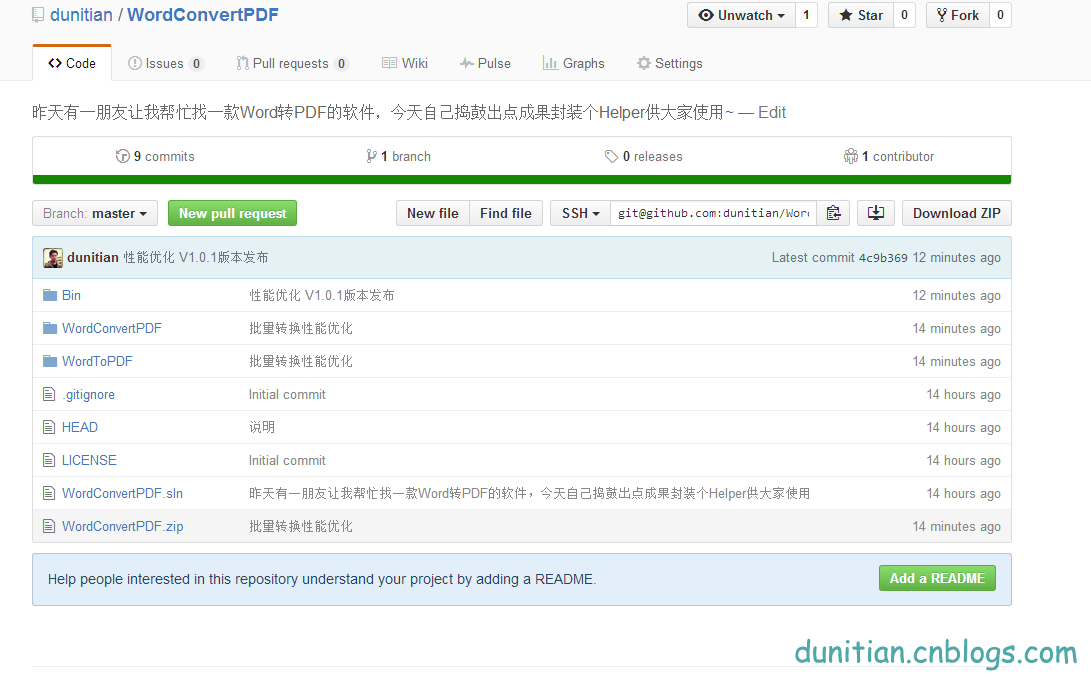
开源地址:https://github.com/dunitian/WordConvertPDF
软件下载:https://github.com/dunitian/WordConvertPDF/tree/master/Bin

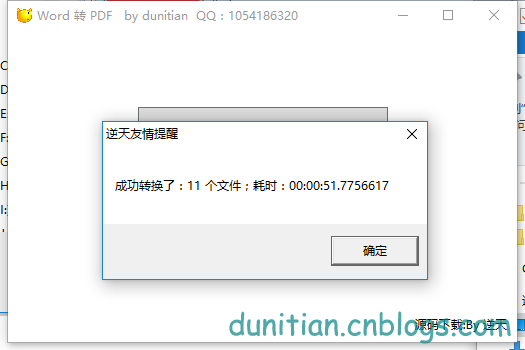
封装了一个Helper类,供大家调用:
using System;

using System.Collections.Generic;

using System.Linq;

using System.Text;

using System.Threading.Tasks;

using Microsoft.Office.Interop.Word;

using System.IO;

namespace WordConvertPDF

{

    public static class WordToPDFHelper

    {

        /// <summary>

        /// Word转换成PDF(单个文件转换推荐使用)

        /// </summary>

        /// <param name="inputPath">载入完整路径</param>

        /// <param name="outputPath">保存完整路径</param>

        /// <param name="startPage">初始页码(默认为第一页[0])</param>

        /// <param name="endPage">结束页码(默认为最后一页)</param>

        public static bool WordToPDF(string inputPath, string outputPath, int startPage = 0, int endPage = 0)

        {

            bool b = true;

            #region 初始化

            //初始化一个application

            Application wordApplication = new Application();

            //初始化一个document

            Document wordDocument = null;

            #endregion

            #region 参数设置~~我去累死宝宝了~~(所谓的参数都是根据这个方法来的:ExportAsFixedFormat)

            //word路径

            object wordPath = Path.GetFullPath(inputPath);

            //输出路径

            string pdfPath = Path.GetFullPath(outputPath);

            //导出格式为PDF

            WdExportFormat wdExportFormat = WdExportFormat.wdExportFormatPDF;

            //导出大文件

            WdExportOptimizeFor wdExportOptimizeFor = WdExportOptimizeFor.wdExportOptimizeForPrint;

            //导出整个文档

            WdExportRange wdExportRange = WdExportRange.wdExportAllDocument;

            //开始页码

            int startIndex = startPage;

            //结束页码

            int endIndex = endPage;

            //导出不带标记的文档(这个可以改)

            WdExportItem wdExportItem = WdExportItem.wdExportDocumentContent;

            //包含word属性

            bool includeDocProps = true;

            //导出书签

            WdExportCreateBookmarks paramCreateBookmarks = WdExportCreateBookmarks.wdExportCreateWordBookmarks;

            //默认值

            object paramMissing = Type.Missing;

            #endregion

            #region 转换

            try

            {

                //打开word

                wordDocument = wordApplication.Documents.Open(ref wordPath, ref paramMissing, ref paramMissing, ref paramMissing, ref paramMissing, ref paramMissing, ref paramMissing, ref paramMissing, ref paramMissing, ref paramMissing, ref paramMissing, ref paramMissing, ref paramMissing, ref paramMissing, ref paramMissing, ref paramMissing);

                //转换成指定格式

                if (wordDocument != null)

                {

                    wordDocument.ExportAsFixedFormat(pdfPath, wdExportFormat, false, wdExportOptimizeFor, wdExportRange, startIndex, endIndex, wdExportItem, includeDocProps, true, paramCreateBookmarks, true, true, false, ref paramMissing);

                }

            }

            catch (Exception ex)

            {

                b = false;

            }

            finally

            {

                //关闭

                if (wordDocument != null)

                {

                    wordDocument.Close(ref paramMissing, ref paramMissing, ref paramMissing);

                    wordDocument = null;

                }

                //退出

                if (wordApplication != null)

                {

                    wordApplication.Quit(ref paramMissing, ref paramMissing, ref paramMissing);

                    wordApplication = null;

                }

            }

            return b;

            #endregion

        }

        /// <summary>

        /// Word转换成PDF(批量文件转换推荐使用)

        /// </summary>

        /// <param name="inputPath">文件完整路径</param>

        /// <param name="outputPath">保存路径</param>

        public  static int WordsToPDFs(string[] inputPaths, string outputPath)

        {

            int count = 0;

            #region 初始化

            //初始化一个application

            Application wordApplication = new Application();

            //初始化一个document

            Document wordDocument = null;

            #endregion

            //默认值

            object paramMissing = Type.Missing;

            for (int i = 0; i < inputPaths.Length; i++)

            {

                #region 参数设置~~我去累死宝宝了~~(所谓的参数都是根据这个方法来的:ExportAsFixedFormat)

                //word路径

                object wordPath = Path.GetFullPath(inputPaths[i]);

                //获取文件名

                string outputName = Path.GetFileNameWithoutExtension(inputPaths[i]);

                //输出路径

                string pdfPath = Path.GetFullPath(outputPath + @"\" + outputName + ".pdf");

                //导出格式为PDF

                WdExportFormat wdExportFormat = WdExportFormat.wdExportFormatPDF;

                //导出大文件

                WdExportOptimizeFor wdExportOptimizeFor = WdExportOptimizeFor.wdExportOptimizeForPrint;

                //导出整个文档

                WdExportRange wdExportRange = WdExportRange.wdExportAllDocument;

                //开始页码

                int startIndex = 0;

                //结束页码

                int endIndex = 0;

                //导出不带标记的文档(这个可以改)

                WdExportItem wdExportItem = WdExportItem.wdExportDocumentContent;

                //包含word属性

                bool includeDocProps = true;

                //导出书签

                WdExportCreateBookmarks paramCreateBookmarks = WdExportCreateBookmarks.wdExportCreateWordBookmarks;

                #endregion

                #region 转换

                try

                {

                    //打开word

                    wordDocument = wordApplication.Documents.Open(ref wordPath, ref paramMissing, ref paramMissing, ref paramMissing, ref paramMissing, ref paramMissing, ref paramMissing, ref paramMissing, ref paramMissing, ref paramMissing, ref paramMissing, ref paramMissing, ref paramMissing, ref paramMissing, ref paramMissing, ref paramMissing);

                    //转换成指定格式

                    if (wordDocument != null)

                    {

                        wordDocument.ExportAsFixedFormat(pdfPath, wdExportFormat, false, wdExportOptimizeFor, wdExportRange, startIndex, endIndex, wdExportItem, includeDocProps, true, paramCreateBookmarks, true, true, false, ref paramMissing);

                    }

                    count++;

                }

                catch (Exception ex)

                {

                }

                finally

                {

                    //关闭

                    if (wordDocument != null)

                    {

                        wordDocument.Close(ref paramMissing, ref paramMissing, ref paramMissing);

                        wordDocument = null;

                    }

                }

            }

            //退出

            if (wordApplication != null)

            {

                wordApplication.Quit(ref paramMissing, ref paramMissing, ref paramMissing);

                wordApplication = null;

            }

            return count;

                #endregion

        }

        #region 其他

        /// <summary>

        /// Word转换成PDF(带日记)

        /// </summary>

        /// <param name="inputPath">载入完整路径</param>

        /// <param name="outputPath">保存完整路径</param>

        /// <param name="log">转换日记</param>

        /// <param name="startPage">初始页码(默认为第一页[0])</param>

        /// <param name="endPage">结束页码(默认为最后一页)</param>

        public static void WordToPDFCreateLog(string inputPath, string outputPath, out string log, int startPage = 0, int endPage = 0)

        {

            log = "success";

            #region 初始化

            //初始化一个application

            Application wordApplication = new Application();

            //初始化一个document

            Document wordDocument = null;

            #endregion

            #region 参数设置~~我去累死宝宝了~~

            //word路径

            object wordPath = Path.GetFullPath(inputPath);

            //输出路径

            string pdfPath = Path.GetFullPath(outputPath);

            //导出格式为PDF

            WdExportFormat wdExportFormat = WdExportFormat.wdExportFormatPDF;

            //导出大文件

            WdExportOptimizeFor wdExportOptimizeFor = WdExportOptimizeFor.wdExportOptimizeForPrint;

            //导出整个文档

            WdExportRange wdExportRange = WdExportRange.wdExportAllDocument;

            //开始页码

            int startIndex = startPage;

            //结束页码

            int endIndex = endPage;

            //导出不带标记的文档(这个可以改)

            WdExportItem wdExportItem = WdExportItem.wdExportDocumentContent;

            //包含word属性

            bool includeDocProps = true;

            //导出书签

            WdExportCreateBookmarks paramCreateBookmarks = WdExportCreateBookmarks.wdExportCreateWordBookmarks;

            //默认值

            object paramMissing = Type.Missing;

            #endregion

            #region 转换

            try

            {

                //打开word

                wordDocument = wordApplication.Documents.Open(ref wordPath, ref paramMissing, ref paramMissing, ref paramMissing, ref paramMissing, ref paramMissing, ref paramMissing, ref paramMissing, ref paramMissing, ref paramMissing, ref paramMissing, ref paramMissing, ref paramMissing, ref paramMissing, ref paramMissing, ref paramMissing);

                //转换成指定格式

                if (wordDocument != null)

                {

                    wordDocument.ExportAsFixedFormat(pdfPath, wdExportFormat, false, wdExportOptimizeFor, wdExportRange, startIndex, endIndex, wdExportItem, includeDocProps, true, paramCreateBookmarks, true, true, false, ref paramMissing);

                }

            }

            catch (Exception ex)

            {

                if (ex != null) { log = ex.ToString(); }

            }

            finally

            {

                //关闭

                if (wordDocument != null)

                {

                    wordDocument.Close(ref paramMissing, ref paramMissing, ref paramMissing);

                    wordDocument = null;

                }

                //退出

                if (wordApplication != null)

                {

                    wordApplication.Quit(ref paramMissing, ref paramMissing, ref paramMissing);

                    wordApplication = null;

                }

                GC.Collect();

                GC.WaitForPendingFinalizers();

                GC.Collect();

                GC.WaitForPendingFinalizers();

            }

            #endregion

        }

        #endregion

    }

}
【源码】Word转PDF V1.0.1 小软件,供新手参考的更多相关文章
- 保姆级教程——Ubuntu16.04 Server下深度学习环境搭建:安装CUDA8.0,cuDNN6.0,Bazel0.5.4,源码编译安装TensorFlow1.4.0(GPU版)
写在前面 本文叙述了在Ubuntu16.04 Server下安装CUDA8.0,cuDNN6.0以及源码编译安装TensorFlow1.4.0(GPU版)的亲身经历,包括遇到的问题及解决办法,也有一些 ...
- [笔记] Ubuntu 18.04源码编译安装OpenCV 4.0流程
标准常规安装方法安装的OpenCV版本比较低,想尝鲜使用4.0版本,只好源码安装. 安装环境 OS:Ubuntu 18.04 64 bit 显卡:NVidia GTX 1080 CUDA:10.0 c ...
- Android音乐播放器源码(歌词.均衡器.收藏.qq5.0菜单.通知)
一款Android音乐播放器源码,基本功能都实现了 qq5.0菜单(歌词.均衡器.收藏.qq5.0菜单.通知) 只有向右滑动出现,菜单键和指定按钮都还没有添加. 源码下载:http://code.66 ...
- springmvc工作原理以及源码分析(基于spring3.1.0)
springmvc是一个基于spring的web框架.本篇文章对它的工作原理以及源码进行深入分析. 一.springmvc请求处理流程 二.springmvc的工作机制 三.springmvc核心源码 ...
- CentOS 6.4 64位 源码编译hadoop 2.2.0
搭建环境:Centos 6.4 64bit 1.安装JDK 参考这里2.安装mavenmaven官方下载地址,可以选择源码编码安装,这里就直接下载编译好的wget http://mirror.bit. ...
- 源码编译安装 PHP5.5.0,解决curl_exec访问HTTPS返回502错误的问题(修改PATH路径)
最近碰到一个奇怪的问题, PHP使用 curl_exec 访问 HTTPS 网页时, 返回502错误, 访问HTTP网页时没有问题, 用 echo phpinfo() ; 查看, 支持op ...
- Android -- 从源码带你从EventBus2.0飚到EventBus3.0(一)
1,最近看了不少的面试题,不管是百度.网易.阿里的面试题,都会问到EventBus源码和RxJava源码,而自己只是在项目中使用过,却没有去用心的了解它底层是怎么实现的,所以今天就和大家一起来学习学习 ...
- 源码阅读之mongoengine(0)
最近工作上用到了mongodb,之前只是草草了解了一下.对于NoSQL的了解也不是太多.所以想趁机多学习一下. 工作的项目直接用了pymongo来操作直接操作mongodb.对于用惯了Djongo O ...
- 【 js 基础 】【 源码学习 】 setTimeout(fn, 0) 的作用
在 zepto 源码中,$.fn 对象 有个 ready 函数,其中有这样一句 setTimeout(fn,0); $.fn = { ready: function(callback){ // don ...
随机推荐
- C++-数据库【1】-C++连接MSSQL数据库
测试环境—— 系统:Win7 64bit 编译器:VC++ 2015 数据库:MSSQL 2008 R2 #include <Windows.h> #include <stdio.h ...
- log4j使用--http://www.cnblogs.com/eflylab/archive/2007/01/11/618001.html
package log4jTest.com; import java.io.FileReader; import org.apache.log4j.BasicConfigurator; import ...
- android事件处理之基于监听
Android提供了了两种事件处理方式:基于回调和基于监听. 基于监听: 监听涉及事件源,事件,事件监听器.用注册监听器的方法将某个监听器注册到事件源上,就可以对发生在事件源上的时间进行监听. 最简单 ...
- 半吊子学习Swift--天气预报程序-获取天气信息
昨天申请的彩云天气Api开发者今天上午已审核通过  饭后运动过后就马不停蹄的来测试接口,接口是采用经纬度的方式来获取天气信息,接口地址如下 https://api.caiyunapp.com/v2/ ...
- bzoj3110树套树
wa一片,最后一个T,终于心碎了... 为什么没人告诉我要开longlong 为什么所有人都说没有负数 #include<cstdio> #include<algorithm> ...
- CSS中"!important"的使用
本篇文章使用最新的IE10以及firefox与chrome测试(截止2013年5月27日22:23:22) CSS的原理: 我们知道,CSS写在不同的地方有不同的优先级, .css文件中的定义 < ...
- Python之路【第一篇】python基础
一.python开发 1.开发: 1)高级语言:python .Java .PHP. C# Go ruby c++ ===>字节码 2)低级语言:c .汇编 2.语言之间的对比: 1)py ...
- 关于IOS浏览器:document,body的click事件触发规则
今天做了个手机页面,点击某个按钮->弹出菜单,再点击菜单以外的任意位置->关闭菜单,在其他浏览器里面没有问题,但是在IOS浏览器中并不会关闭. 网上解决这个bug的帖子很多,这篇帖子主要是 ...
- EditPlus快捷键
Editplus 选中一行: ctrl+rEditplus 复制一行: ctrl+r选择行,然后ctrl+c复制.复制一行到下一行中:Editplus有:Ctrl+j 复制上一行的一个字符到当前行Ed ...
- SQL Server 汉字转拼音
IF OBJECT_ID('Fn_GetQuanPin','Fn') IS NOT NULL DROP FUNCTION fn_GetQuanPin go )) ) as begin ),) decl ...