
NPM Error:gyp: No Xcode or CLT version detected!
问题
最近在macOS Catalina中使用npm安装模块,经常会出现如下错误:
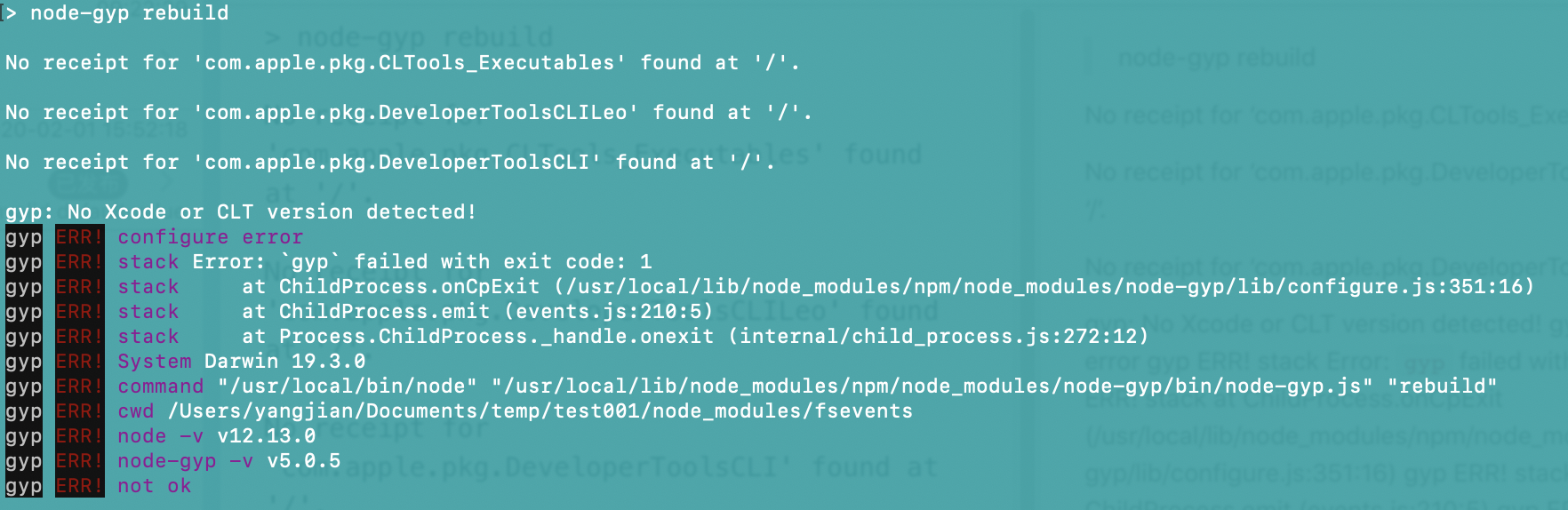
> node-gyp rebuild

No receipt for 'com.apple.pkg.CLTools_Executables' found at '/'.

No receipt for 'com.apple.pkg.DeveloperToolsCLILeo' found at '/'.

No receipt for 'com.apple.pkg.DeveloperToolsCLI' found at '/'.

gyp: No Xcode or CLT version detected!

gyp ERR! configure error

gyp ERR! stack Error: `gyp` failed with exit code: 1

gyp ERR! stack     at ChildProcess.onCpExit (/usr/local/lib/node_modules/npm/node_modules/node-gyp/lib/configure.js:351:16)

gyp ERR! stack     at ChildProcess.emit (events.js:210:5)

gyp ERR! stack     at Process.ChildProcess._handle.onexit (internal/child_process.js:272:12)

gyp ERR! System Darwin 19.3.0

gyp ERR! command "/usr/local/bin/node" "/usr/local/lib/node_modules/npm/node_modules/node-gyp/bin/node-gyp.js" "rebuild"

gyp ERR! cwd /Users/yangjian/Documents/temp/test001/node_modules/fsevents

gyp ERR! node -v v12.13.0

gyp ERR! node-gyp -v v5.0.5

gyp ERR! not ok
- 截图如下
解决方案
1. 尝试用如下命令进行修复
$ xcode-select --install
系统提示如下信息:
xcode-select: error: command line tools are already installed, use "Software Update" to install updates
而事实上并没有所谓的"Software Update"可以更新
2. 正确姿势
一筹莫展之际,找到如下解决方案:
$ sudo rm -rf $(xcode-select -print-path)

$ xcode-select --install
请参见:
NPM Error:gyp: No Xcode or CLT version detected!的更多相关文章
- npm install 提示 `gyp: No Xcode or CLT version detected!` MacOS 10.15
https://github.com/nodejs/node-gyp/issues/569 https://github.com/nodejs/node-gyp/issues/1927 解决链接:ht ...
- System Error:/usr/lib64/libstdc++.so.6: version `GLIBCXX_3.4.15' not found
System Error:/usr/lib64/libstdc++.so.6: version `GLIBCXX_3.4.15' not found 1.运行程序是,系统报错库文件libstdc++. ...
- Mac下idea启动H5报错:xcode-select: error: tool 'xcodebuild' requires Xcode, but active developer directory '/Library/Deve
1. 执行“ xcodebuild -showsdks ”,报错如下“xcode-select: error: tool 'xcodebuild' requires Xcode, but active ...
- 使用bootstrap的dropdown部件时报错:error:Bootstrap dropdown require Popper.js
前言:前端小白一枚,刚注册博客,先发个学习过程中新碰到小问题试试水吧~ 摘要:最近在学习bootstrap,偶然碰到了一个小问题,bootstrap网站也没有做过多的解释,今天分享给大家. 问题描述: ...
- ios 自动化构建 code-select: error: tool 'xcodebuild' requires Xcode, but active developer directory.....
问题描述: Pod installation complete! There are 2 dependencies from the Podfile and 3 total pods installe ...
- 关于error:Cannot assign to 'self' outside of a method in the init family
有时候我们重写父类的init方法时不注意将init后面的第一个字母写成了小写,在这个方法里面又调用父类的初始化方法(self = [super init];)时会报错,错误信息如下:error:Can ...
- Xcode - xcode-select: error: tool 'xcodebuild' requires Xcode报错解决方案
用mac 自带的终端执行的命令,安装安装Vapor和toolbox 安装指令: macdeMacBook-Pro:~ mac$ curl -sL check.vapor.sh| bash 结果报这个错 ...
- stderr: xcode-select: error: tool 'xcodebuild' requires Xcode, but active developer directory '/Library/Developer/CommandLineTools' is a command line tools instance
错误提示: (1). stderr: xcode-select: error: tool 'xcodebuild' requires Xcode, but active developer direc ...
- Mac Angular打包报错xcode-select: error: tool 'xcodebuild' requires Xcode
Mac Angular打包报错: Error: xcode-select: error: tool 'xcodebuild' requires Xcode, but active developer ...
随机推荐
- Java中JSONArray转换成int[]的办法
今天写项目的时候要做一个MyBatis的带IN子句的删除,于是用一个整型数组来保存待删除数据的ID 从前端将JSON字符串搞过来之后如何将JSONArray转换成int类型数组就成了个问题 下面是我的 ...
- phpshe xml注入
*php商城系统 xml注入* **页面样式* *Xml原理参考:* https://www.cnblogs.com/20175211lyz/p/11413335.html *漏洞函数simplexm ...
- c++对c的拓展_常量引用
常量引用:不能通过引用去修改引用所指向的内容 const int &ref =val; // const int *const ref =&val; 注意:可引用常量 (普通引用无法 ...
- 面试官:说一说Zookeeper中Leader选举机制
哈喽!大家好,我是小奇,一位不靠谱的程序员 小奇打算以轻松幽默的对话方式来分享一些技术,如果你觉得通过小奇的文章学到了东西,那就给小奇一个赞吧 文章持续更新 一.前言 今天又是一个阳光明媚的一天,我又 ...
- Sentinel基础应用
Sentinel 是什么? 随着微服务的流行,服务和服务之间的稳定性变得越来越重要.Sentinel 以流量为切入点,从流量控制.熔断降级.系统负载保护等多个维度保护服务的稳定性. Sentinel ...
- mosquitto服务器的安装以及mqtt.fx软件的使用
一.MQTT描述 MQTT 全称为 Message Queuing Telemetry Transport(消息队列遥测传输)是一种基于发布/订阅范式的"轻量级"消息协议,由 IB ...
- 攻防世界-MISC:Erik-Baleog-and-Olaf
这是攻防世界MISC高手进阶区的题目,题目如下 点击下载附件一,解压后得到一个文件,不知道是什么格式,用010editor打开,发现其为png文件,就把它的后缀改为png,然后用stegslove打开 ...
- vue 设置动态标题
在 router/index.js 文件中设置 meta:{title:'标题'} 和 router.beforeEach,即可实现功能, 代码如下: import { createRouter, c ...
- Django/SQL server 配置实现(附下载安装)
连接方案1: conn = pymssql.connect(host='127.0.0.1', port=1433, user='sa', password='password', database= ...
- Lab1:练习四——分析bootloader加载ELF格式的OS的过程
练习四:分析bootloader加载ELF格式的OS的过程. 1.题目要求 通过阅读bootmain.c,了解bootloader如何加载ELF文件.通过分析源代码和通过qemu来运行并调试bootl ...