
使用TensorFlow v2.0构建卷积神经网络
使用TensorFlow v2.0构建卷积神经网络。
这个例子使用低级方法来更好地理解构建卷积神经网络和训练过程背后的所有机制。
CNN 概述

MNIST 数据集概述
此示例使用手写数字的MNIST数据集。该数据集包含60,000个用于训练的示例和10,000个用于测试的示例。这些数字已经过尺寸标准化并位于图像中心,图像是固定大小(28x28像素),值为0到255。
在此示例中,每个图像将转换为float32并归一化为[0,1]。
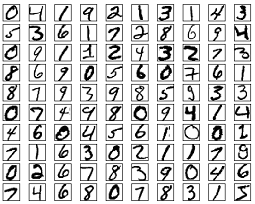
更多信息请查看链接: http://yann.lecun.com/exdb/mnist/
from __future__ import absolute_import, division, print_function

import tensorflow as tf

import numpy as np
# MNIST 数据集参数

num_classes = 10 # 所有类别(数字 0-9)

# 训练参数

learning_rate = 0.001

training_steps = 200

batch_size = 128

display_step = 10

# 网络参数

conv1_filters = 32 # 第一层卷积层卷积核的数目

conv2_filters = 64 # 第二层卷积层卷积核的数目

fc1_units = 1024 # 第一层全连接层神经元的数目
# 准备MNIST数据

from tensorflow.keras.datasets import mnist

(x_train, y_train), (x_test, y_test) = mnist.load_data()

# 转化为float32

x_train, x_test = np.array(x_train, np.float32), np.array(x_test, np.float32)

# 将图像值从[0,255]归一化到[0,1]

x_train, x_test = x_train / 255., x_test / 255.
# 使用tf.data API对数据进行随机排序和批处理

train_data = tf.data.Dataset.from_tensor_slices((x_train, y_train))

train_data = train_data.repeat().shuffle(5000).batch(batch_size).prefetch(1)
# 为简单起见创建一些包装器

def conv2d(x, W, b, strides=1):

    # Conv2D包装器, 带有偏置和relu激活

    x = tf.nn.conv2d(x, W, strides=[1, strides, strides, 1], padding='SAME')

    x = tf.nn.bias_add(x, b)

    return tf.nn.relu(x)

def maxpool2d(x, k=2):

    # MaxPool2D包装器

    return tf.nn.max_pool(x, ksize=[1, k, k, 1], strides=[1, k, k, 1], padding='SAME')
# 存储层的权重和偏置

# 随机值生成器初始化权重

random_normal = tf.initializers.RandomNormal()

weights = {

    # 第一层卷积层: 5 * 5卷积,1个输入, 32个卷积核(MNIST只有一个颜色通道)

    'wc1': tf.Variable(random_normal([5, 5, 1, conv1_filters])),

    # 第二层卷积层: 5 * 5卷积,32个输入, 64个卷积核

    'wc2': tf.Variable(random_normal([5, 5, conv1_filters, conv2_filters])),

    # 全连接层: 7*7*64 个输入, 1024个神经元

    'wd1': tf.Variable(random_normal([7*7*64, fc1_units])),

    # 全连接层输出层: 1024个输入, 10个神经元(所有类别数目)

    'out': tf.Variable(random_normal([fc1_units, num_classes]))

}

biases = {

    'bc1': tf.Variable(tf.zeros([conv1_filters])),

    'bc2': tf.Variable(tf.zeros([conv2_filters])),

    'bd1': tf.Variable(tf.zeros([fc1_units])),

    'out': tf.Variable(tf.zeros([num_classes]))

}
# 创建模型

def conv_net(x):

    # 输入形状:[-1, 28, 28, 1]。一批28*28*1(灰度)图像

    x = tf.reshape(x, [-1, 28, 28, 1])

    # 卷积层, 输出形状:[ -1, 28, 28 ,32]

    conv1 = conv2d(x, weights['wc1'], biases['bc1'])

    # 最大池化层(下采样) 输出形状:[ -1, 14, 14, 32]

    conv1 = maxpool2d(conv1, k=2)

    # 卷积层, 输出形状:[ -1, 14, 14, 64]

    conv2 = conv2d(conv1, weights['wc2'], biases['bc2'])

    # 最大池化层(下采样) 输出形状:[ -1, 7, 7, 64]

    conv2 = maxpool2d(conv2, k=2)

    # 修改conv2的输出以适应完全连接层的输入, 输出形状:[-1, 7*7*64]

    fc1 = tf.reshape(conv2, [-1, weights['wd1'].get_shape().as_list()[0]])

    # 全连接层, 输出形状: [-1, 1024]

    fc1 = tf.add(tf.matmul(fc1, weights['wd1']), biases['bd1'])

     # 将ReLU应用于fc1输出以获得非线性

    fc1 = tf.nn.relu(fc1)

    # 全连接层,输出形状 [ -1, 10]

    out = tf.add(tf.matmul(fc1, weights['out']), biases['out'])

    # 应用softmax将输出标准化为概率分布

    return tf.nn.softmax(out)
# 交叉熵损失函数

def cross_entropy(y_pred, y_true):

    # 将标签编码为独热向量

    y_true = tf.one_hot(y_true, depth=num_classes)

    # 将预测值限制在一个范围之内以避免log(0)错误

    y_pred = tf.clip_by_value(y_pred, 1e-9, 1.)

    # 计算交叉熵

    return tf.reduce_mean(-tf.reduce_sum(y_true * tf.math.log(y_pred)))

#  准确率评估

def accuracy(y_pred, y_true):

    # 预测类是预测向量中最高分的索引(即argmax)

    correct_prediction = tf.equal(tf.argmax(y_pred, 1), tf.cast(y_true, tf.int64))

    return tf.reduce_mean(tf.cast(correct_prediction, tf.float32), axis=-1)

# ADAM 优化器

optimizer = tf.optimizers.Adam(learning_rate)
# 优化过程

def run_optimization(x, y):

    # 将计算封装在GradientTape中以实现自动微分

    with tf.GradientTape() as g:

        pred = conv_net(x)

        loss = cross_entropy(pred, y)

    # 要更新的变量,即可训练的变量

    trainable_variables = weights.values()   biases.values()

    # 计算梯度

    gradients = g.gradient(loss, trainable_variables)

    # 按gradients更新 W 和 b

    optimizer.apply_gradients(zip(gradients, trainable_variables))
# 针对给定步骤数进行训练

for step, (batch_x, batch_y) in enumerate(train_data.take(training_steps), 1):

    # 运行优化以更新W和b值

    run_optimization(batch_x, batch_y)

    if step % display_step == 0:

        pred = conv_net(batch_x)

        loss = cross_entropy(pred, batch_y)

        acc = accuracy(pred, batch_y)

        print("step: %i, loss: %f, accuracy: %f" % (step, loss, acc))
output:
step: 10, loss: 72.370056, accuracy: 0.851562

step: 20, loss: 53.936745, accuracy: 0.882812

step: 30, loss: 29.929554, accuracy: 0.921875

step: 40, loss: 28.075102, accuracy: 0.953125

step: 50, loss: 19.366310, accuracy: 0.960938

step: 60, loss: 20.398090, accuracy: 0.945312

step: 70, loss: 29.320951, accuracy: 0.960938

step: 80, loss: 9.121045, accuracy: 0.984375

step: 90, loss: 11.680668, accuracy: 0.976562

step: 100, loss: 12.413654, accuracy: 0.976562

step: 110, loss: 6.675493, accuracy: 0.984375

step: 120, loss: 8.730624, accuracy: 0.984375

step: 130, loss: 13.608270, accuracy: 0.960938

step: 140, loss: 12.859011, accuracy: 0.968750

step: 150, loss: 9.110849, accuracy: 0.976562

step: 160, loss: 5.832032, accuracy: 0.984375

step: 170, loss: 6.996647, accuracy: 0.968750

step: 180, loss: 5.325038, accuracy: 0.992188

step: 190, loss: 8.866342, accuracy: 0.984375

step: 200, loss: 2.626245, accuracy: 1.000000
# 在验证集上测试模型

pred = conv_net(x_test)

print("Test Accuracy: %f" % accuracy(pred, y_test))
output:
Test Accuracy: 0.980000
# 可视化预测

import matplotlib.pyplot as plt
# 从验证集中预测5张图像

n_images = 5

test_images = x_test[:n_images]

predictions = conv_net(test_images)

# 显示图片和模型预测结果

for i in range(n_images):

    plt.imshow(np.reshape(test_images[i], [28, 28]), cmap='gray')

    plt.show()

    print("Model prediction: %i" % np.argmax(predictions.numpy()[i]))
output:
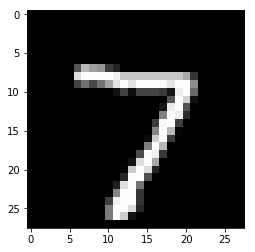
Model prediction: 7
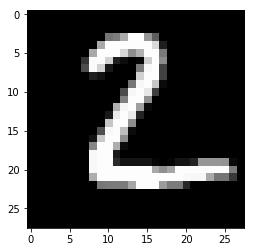
Model prediction:2
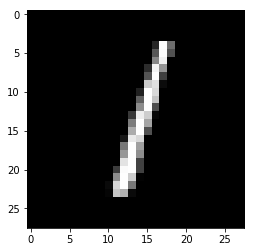
Model prediction: 1
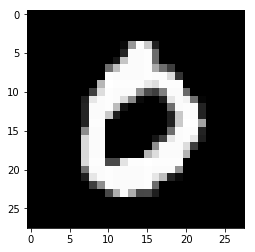
Model prediction: 0
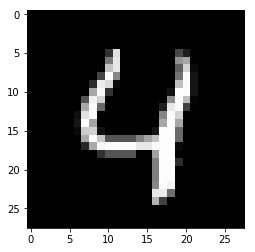
Model prediction: 4
欢迎关注磐创博客资源汇总站:
http://docs.panchuang.net/
欢迎关注PyTorch官方中文教程站:
http://pytorch.panchuang.net/
使用TensorFlow v2.0构建卷积神经网络的更多相关文章
- 使用TensorFlow v2.0构建多层感知器
使用TensorFlow v2.0构建一个两层隐藏层完全连接的神经网络(多层感知器). 这个例子使用低级方法来更好地理解构建神经网络和训练过程背后的所有机制. 神经网络概述 MNIST 数据集概述 此 ...
- 【深度学习与TensorFlow 2.0】卷积神经网络(CNN)
注:在很长一段时间,MNIST数据集都是机器学习界很多分类算法的benchmark.初学深度学习,在这个数据集上训练一个有效的卷积神经网络就相当于学习编程的时候打印出一行“Hello World!”. ...
- tensorflow1.0 构建卷积神经网络
import tensorflow as tf from tensorflow.examples.tutorials.mnist import input_data import os os.envi ...
- TensorFlow v2.0实现Word2Vec算法
使用TensorFlow v2.0实现Word2Vec算法计算单词的向量表示,这个例子是使用一小部分维基百科文章来训练的. 更多信息请查看论文: Mikolov, Tomas et al. " ...
- TensorFlow v2.0实现逻辑斯谛回归
使用TensorFlow v2.0实现逻辑斯谛回归 此示例使用简单方法来更好地理解训练过程背后的所有机制 MNIST数据集概览 此示例使用MNIST手写数字.该数据集包含60,000个用于训练的样本和 ...
- TensorFlow v2.0的基本张量操作
使用TensorFlow v2.0的基本张量操作 from __future__ import print_function import tensorflow as tf # 定义张量常量 a = ...
- TensorFlow构建卷积神经网络/模型保存与加载/正则化
TensorFlow 官方文档:https://www.tensorflow.org/api_guides/python/math_ops # Arithmetic Operators import ...
- TensorFlow 实战之实现卷积神经网络
本文根据最近学习TensorFlow书籍网络文章的情况,特将一些学习心得做了总结,详情如下.如有不当之处,请各位大拿多多指点,在此谢过. 一.相关性概念 1.卷积神经网络(ConvolutionNeu ...
- 使用 Estimator 构建卷积神经网络
来源于:https://tensorflow.google.cn/tutorials/estimators/cnn 强烈建议前往学习 tf.layers 模块提供一个可用于轻松构建神经网络的高级 AP ...
随机推荐
- 原创:Python爬虫实战之爬取美女照片
这个素材是出自小甲鱼的python教程,但源码全部是我原创的,所以,猥琐的不是我 注:没有用header(总会报错),暂时不会正则表达式(马上要学了),以下代码可能些许混乱,不过效果还是可以的. 爬虫 ...
- Azure Devops测试管理(上)
因为最近测试人员合并到我这边开发组,对于如何能更好管理测试流程和测试与开发能更高效的完成任务,通俗的说如何能更敏捷,深入思考,然后就开始琢磨起TFS(也称之为VSTS/Azure Devops,因为我 ...
- Java基础--冒泡排序算法
冒泡排序算法的运作如下:(从后往前) 比较相邻的元素,如果第一个比第二个大,就交换他们两个. 对每一对相邻元素做同样的工作,从开始第一对到结尾的最后一对.在这一点,最后的元素应该会是最大的元素. 针对 ...
- 斐讯k2
降级方法 https://jingyan.baidu.com/article/ab69b27080990d2ca7189f0b.html 刷第三方固件方法 https://blog.csdn.net/ ...
- 数据结构 4 时间复杂度、B-树 B+树 具体应用与理解
前言 面试中,经常会问到有关于MYSQL 索引的相关概念,我们之前也都学过有关树的概念.以及二叉树.二叉查找树.红黑树等.这一节,来关注经常是数据库索引中使用的B-树 在说这些之前,我们需要了解时间复 ...
- 使用java短信验证
package cn.geekss.util; import java.io.BufferedReader;import java.io.InputStreamReader;import java.i ...
- http2 技术整理 nginx 搭建 http2 wireshark 抓包分析 server push 服务端推送
使用 nginx 搭建一个 http2 的站点,准备所需: 1,域名 .com .net 均可(国内域名需要 icp 备案) 2,云主机一个,可以自由的安装配置软件的服务器 3,https 证书 ht ...
- ADO.NET连接数据库DBHelper工具类
using System; using System.Collections.Generic; using System.Linq; using System.Text; using System.T ...
- 3分钟入门lambda表达式
本节是lambda表达式的一个入门课,讲解的同时配有练习demo 前言什么是lambda表达式?基础语法函数式接口自己实现一个函数式接口jdk提供的函数式接口Consumersupplierfunct ...
- python code practice(二):KMP算法、二分搜索的实现、哈希表
1.替换空格 题目描述:请实现一个函数,将一个字符串中的每个空格替换成“%20”.例如,当字符串为We Are Happy.则经过替换之后的字符串为We%20Are%20Happy. 分析: 将长度为 ...