
windowsService 程序
using System;

using System.Collections.Generic;

using System.ComponentModel;

using System.Data;

using System.Diagnostics;

using System.IO;

using System.Linq;

using System.ServiceProcess;

using System.Text;

using System.Threading.Tasks;

namespace WindowsServiceTest

{

    public partial class Service1 : ServiceBase

    {

        public Service1()

        {

            InitializeComponent();

        }

        protected override void OnStart(string[] args)

        {

            Console.WriteLine("ss");

            WriteLog("service启动了。");

        }

        protected override void OnStop()

        {

            WriteLog("service停止了。");

        }

        public void WriteLog(string str)

        {

            using (StreamWriter sw = File.AppendText(@"d:\service.txt"))

            {

                sw.WriteLine(str);

                sw.Flush();

            }

        }

    }

}
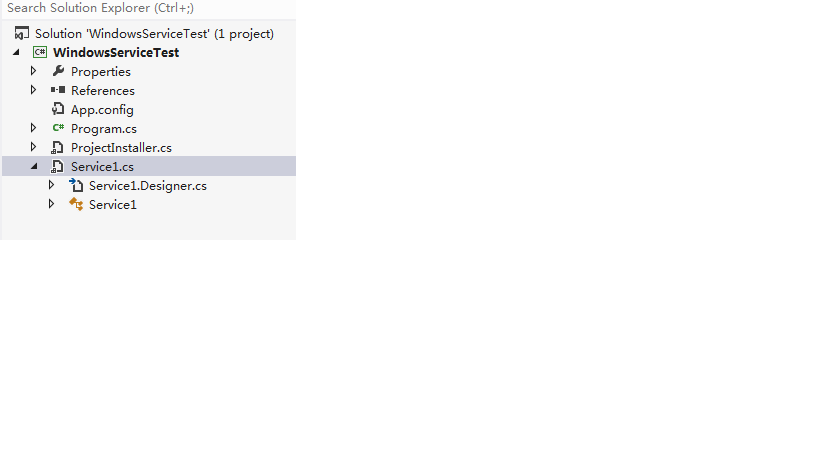
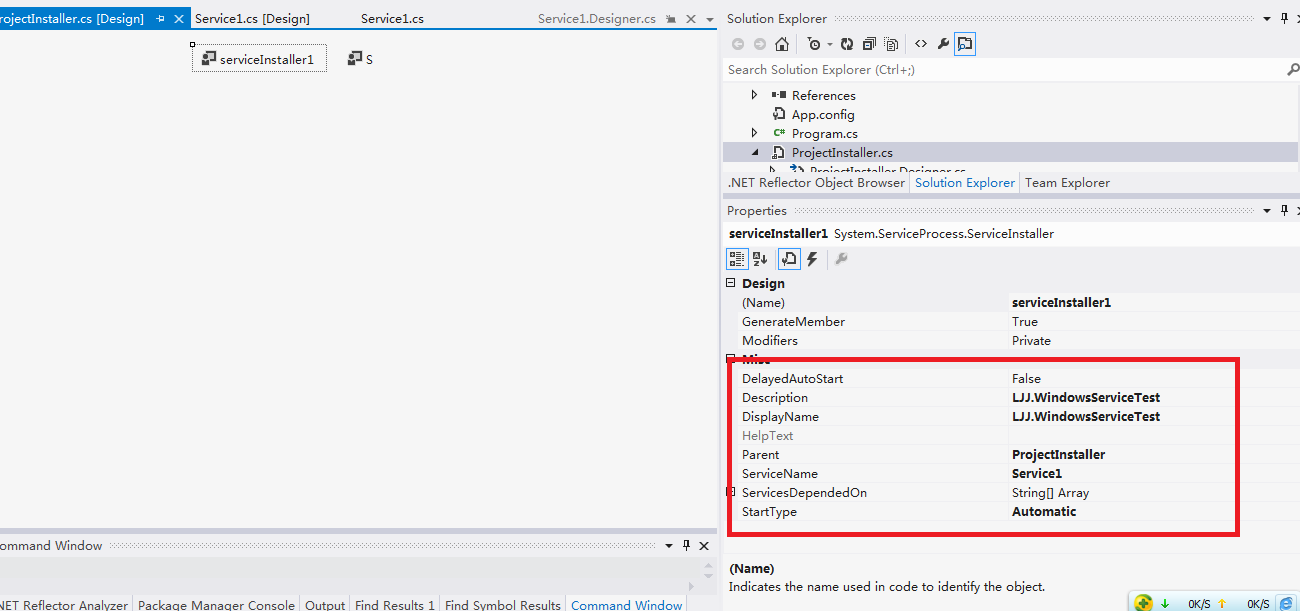
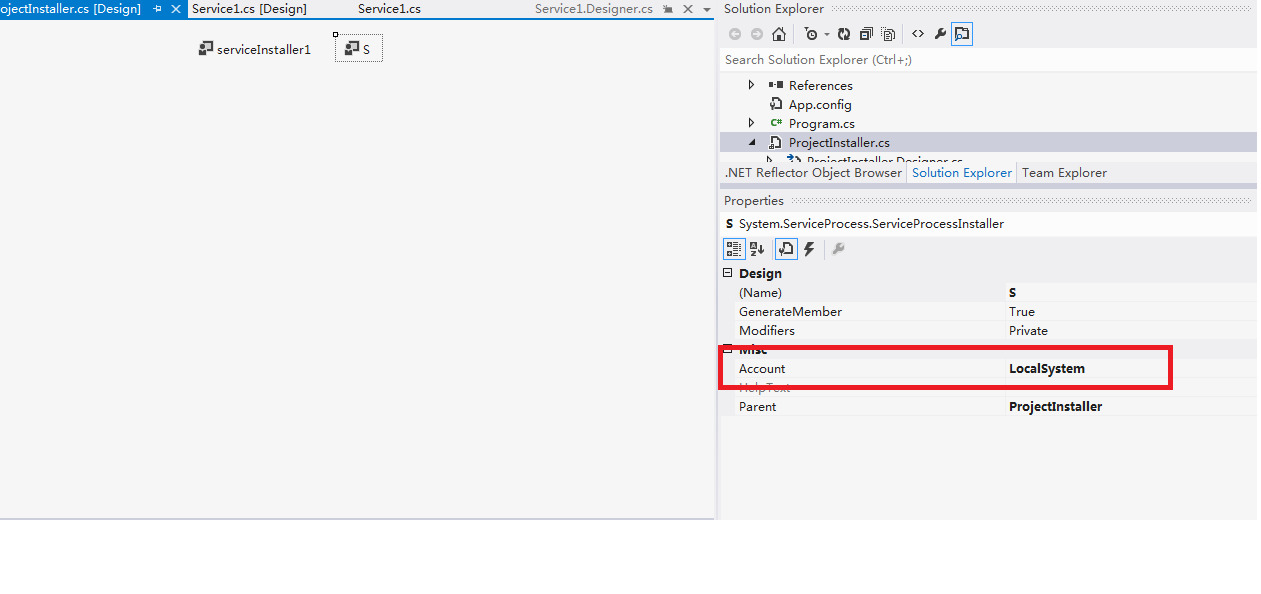
六:安装卸载服务
选择 VS组件 “Visual Studio命令提示(2010)” 工具,并以“管理员身份运行"(win7、win8系统下)。
注意:这里必须选择“以管理员身份运行”,否则会报错。


从命令行运行 Installutil.exe 目录 命令,以项目中的已编译可执行文件所在的目录作为参数,安装服务:
1. 方法 1
因为Installutil.exe程序在 C:\Windows\Microsoft.NET\Framework64\v4.0.30319\ 目录下,需要通过cmd命令 "cd" 切换目录。
从命令行运行 Installutil.exe /u 目录 命令来卸载服务:
安装服务: installutil.exe E:\XTestDemo\X_15_WindowsService\bin\Debug\X_15_WindowsService.exe
卸载服务: installutil.exe /u E:\XTestDemo\X_15_WindowsService\bin\Debug\X_15_WindowsService.exe
1. 方法 2
找到 Installutil.exe 文件,并把它复制到 E:\XTestDemo\X_15_WindowsService\bin\Debug\ 目录
现在 Installutil.exe 程序在 E:\XTestDemo\X_15_WindowsService\bin\Debug\ 目录下,需要通过cmd命令 "cd" 切换目录。
安装服务: installutil.exe X_15_WindowsService.exe
卸载服务: installutil.exe X_15_WindowsService.exe
七:查看服务状态
在“计算机管理”中,服务 下可以看到刚刚安装的Service服务(cmd命令:services.msc---本地服务设置):

默认是停止状态。右击,选择“启动”,即可开启服务。
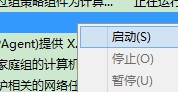
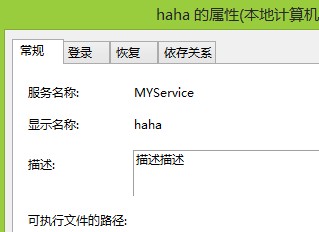
通过“属性”,可以查看到更详细的信息。
原文地址:https://www.cnblogs.com/james641/p/6307027.html
windowsService 程序的更多相关文章
- HttpContext.Current 的缺陷
了解ASP.NET的开发人员都知道它有个非常强大的对象 HttpContext,而且为了方便,ASP.NET还为它提供了一个静态属性HttpContext.Current来访问它,今天的博客打算就从H ...
- HttpContext.Current并非无处不在
阅读目录 开始 无处不在的HttpContext HttpContext.Current到底保存在哪里? HttpContext并非无处不在! 如何获取文件绝对路径? 异步调用中如何访问HttpCon ...
- VS2010关于WindowsService 制作安装程序包,无法自动install的问题解决方法
当添加了 安装项目后,需要做2个步骤的操作,第一是 右键点击 “视图”---“文件系统”,添加“项目输出“,好了后,再右键点击 “视图”---“自定义操作” 在安装中添加自定义操作,将刚才的”项目输出 ...
- WindowsService(Windows服务)开发步骤附Demo
1.打开VS,新建项目,选择Windows服务,然后设置目录及项目名称后点击确定. 2.展开Service1服务文件,编写service1.cs类文件,不是Service1[设计].然后修改OnSta ...
- WindowsService 安装后报错: 无法启动计算机“.”上的服务 解决方案
问题 : 根据客户的需求做了一个小程序,需要有对WindowsService 安装,卸载,启动,停止的操作. 编译好之后在我的工程内直接Run 没问题.直接在\bin\Debug 点小程序运行,任何操 ...
- 如何在VS2013中新建WindowsService定时任务
http://jingyan.baidu.com/article/cd4c2979e9330d756f6e6070.html 很多人都想做定时任务,但是没有不知道如何下手,现在就用WindowsSer ...
- WindowsService(Windows服务)开发步骤附Demo 【转】
转http://www.cnblogs.com/moretry/p/4149489.html 1.打开VS,新建项目,选择Windows服务,然后设置目录及项目名称后点击确定. 2.展开Service ...
- WindowsService的调试方法
本人转载:http://www.cnblogs.com/xiebin1986/archive/2011/12/15/2288893.html 调试WindowsService,以前用过一个附加到进程的 ...
- WindowsService服务的C#实现
WindowsService(简称服务,下同)是目前做客户端软件后台运行功能的非常好的选择,本文基本解决了服务的创建和编写,代码控制服务的安装.卸载.启动.停止等,为服务传递参数,其他注意事项等 1. ...
随机推荐
- XC1263 签到题(哇 ,写得我怀疑人生啊!!!@!@)
1263: 签到题 时间限制: 1 Sec 内存限制: 128 MB提交: 174 解决: 17 标签提交统计讨论版 题目描述 大家刚过完寒假,肯定还没有进入状态,特意出了一道签到题给各位dala ...
- 临时解决执行 Composer Install 返回 Killed 的问题
昨天在 Linux 服务器上部署 PHP 项目时遇到了一个问题,系统为 Centos 7 ,1 核 1G 的配置.通过 Git 拉取代码后,由于是基于 Laravel 框架的项目,所以需要使用 Com ...
- 【PAT甲级】1048 Find Coins (25 分)(二分)
题意: 输入两个正整数N和M(N<=10000,M<=1000),然后输入N个正整数(<=500),输出两个数字和恰好等于M的两个数(小的数字尽可能小且输出在前),如果没有输出&qu ...
- [原]用SQL比较两张结构完全相同的表数据
前几天面试遇到一个比较有意思的问题,就是有两张结构完全相同的表A和B,但是这两张表属于不同的业务流程,经过一段时间后发现两张表的数据不能完全匹配,有可能A比B多,也可能B比A多,或者两种可能同时存在, ...
- JAVA GUI窗体及控件
Swing基本操作: JAVA显示一个带按钮的窗口: import java.awt.*; import javax.swing.*; import javax.swing.border.EmptyB ...
- 「JLOI2012」树
「JLOI2012」树 传送门 不得不说这题的数据是真的水... 我们可以想到很明确的一条思路:枚举每一个点向根节点跳,知道路径和不小于 \(s\),恰好等于 \(s\) 就直接加答案. 跳的过程可以 ...
- CURL_模拟登录
<?php $curl = curl_init(); $url = "http://www.imooc.com/user/login"; //$url = "htt ...
- Oracle忘记密码怎么办?
1.打开cmd,输入sqlplus /nolog,回车:输入“conn / as sysdba”;输入“alter user sys identified by 新密码”,注意:新密码最好以字母开头, ...
- postman使用get请求的url地址传参中文乱码问题
编码之后
- Zenefits CodeSprint:Knight or Knave
题意是一堆人,从1到n编号,每个人i说一句话,x.x是正数表示i说x君是个好人,x是负数表示i说x君是坏人.问这个群体中最多能有多少好人,把这种情况用字典序的方式输出(好人用A表示,坏人用B表示),希 ...