
Python并发(二)
并发是指一次处理多件事,而并行是指一次做多件事。二者不同,但互相有联系。打个比方:像Python的多线程,就是并发,因为Python的解释器GIL是线程不安全的,一次只允许执行一个线程的Python字节码,我们在使用多线程时,看上去像很多个任务同时进行,但实际上但一个线程在执行的时候,其他线程是处于休眠状态的。而在多CPU的服务器上,Java或Go的多线程,则是并行,因为他们的多线程会利用到服务器上的每个CPU,如果一个服务器上只有一个CPU,那么Java或者Go的多线程依旧是并发,而不是并行。
在上个章节,我们讨论了Python的多线程,在这个章节,我们将通过asyncio包来实现并发,这个包使用事件循环驱动的协程来实现并发
下面,我们看一下asyncio包的简单使用
import asyncio

from time import strftime

@asyncio.coroutine

def hello():

    print(strftime('[%H:%M:%S]'), "Hello world!")

    r = yield from asyncio.sleep(1)

    print(strftime('[%H:%M:%S]'), "Hello again!")

loop = asyncio.get_event_loop()

loop.run_until_complete(hello())

loop.close()
运行结果:
[17:01:59] Hello world!

[17:02:00] Hello again!
@asyncio.coroutine把一个生成器标记为协程类型,然后,我们就把这个协程扔到EventLoop中执行
现在,我们封装两个协程扔进EventLoop中执行
import threading

import asyncio

from time import strftime

@asyncio.coroutine

def hello(id):

    print(strftime('[%H:%M:%S]'), 'coroutine_id:%s thread_id:%s' % (id, threading.currentThread()))

    yield from asyncio.sleep(1)

    print(strftime('[%H:%M:%S]'), 'coroutine_id:%s thread_id:%s' % (id, threading.currentThread()))

loop = asyncio.get_event_loop()

tasks = [hello(1), hello(2)]

loop.run_until_complete(asyncio.wait(tasks))

loop.close()
运行结果:
[17:10:51] coroutine_id:1 thread_id:<_MainThread(MainThread, started 5100)>

[17:10:51] coroutine_id:2 thread_id:<_MainThread(MainThread, started 5100)>

[17:10:52] coroutine_id:1 thread_id:<_MainThread(MainThread, started 5100)>

[17:10:52] coroutine_id:2 thread_id:<_MainThread(MainThread, started 5100)>
由打印的当前线程名称可以看出,两个协程是由同一个线程并发执行的。
如果把asyncio.sleep()换成真正的IO操作,则多个协程就可以由一个线程并发执行。
async/await
我们可以用asyncio提供的@asyncio.coroutine可以把一个生成器标记为协程类型,然后在协程内部用yield from调用另一个协程实现异步操作。为了简化并更好地标识异步IO,从Python3.5开始引入了新的语法async和await,可以让协程的代码更简洁易读。async和await是针对协程的新语法,要使用新的语法,只需要做两步简单的替换:
import asyncio

from time import strftime

async def hello():

    print(strftime('[%H:%M:%S]'), "Hello world!")

    r = await asyncio.sleep(1)

    print(strftime('[%H:%M:%S]'), "Hello again!")

loop = asyncio.get_event_loop()

loop.run_until_complete(hello())

loop.close()
运行结果:
[17:19:55] Hello world!

[17:19:56] Hello again!
下面,让我们用协程并发下载多张图片,这里需要用到aiohttp包,asyncio包只支持TCP和UDP,如果想要使用HTTP协议,需要使用第三方的包,而aiohttp包,则是支持HTTP协议的
import asyncio

import time

import aiohttp

import sys

import os

from time import strftime, sleep

POP20_CC = ["pms_1508850965.67096774", "pms_1509723338.05097112", "pms_1508125822.19716710",

            "pms_1512614327.2483640", "pms_1525853341.8312102", "pms_1511228654.33099308"]

BASE_URL = 'https://i1.mifile.cn/a1'

DEST_DIR = 'downloads/'

async def get_flag(cc):  # <1>

    url = '{}/{cc}.jpg'.format(BASE_URL, cc=cc.lower())

    async with aiohttp.ClientSession() as session:

        async with session.get(url) as resp:

            image = await resp.read()

    return image

def save_flag(img, filename):

    path = os.path.join(DEST_DIR, filename)

    with open(path, 'wb') as fp:

        fp.write(img)

async def download_one(cc):  # <2>

    image = await get_flag(cc)

    sys.stdout.flush()

    save_flag(image, cc.lower() + '.jpg')

    return cc

def download_many(cc_list):  # <3>

    loop = asyncio.get_event_loop()

    to_do = [download_one(cc) for cc in sorted(cc_list)]

    wait_coro = asyncio.wait(to_do)

    res, _ = loop.run_until_complete(wait_coro)

    loop.close()

    return len(res)

def main(download_many):

    path = os.path.join(DEST_DIR)

    if not os.path.exists(path):

        os.mkdir(path)

    t0 = time.time()

    count = download_many(POP20_CC)

    elapsed = time.time() - t0

    msg = '\n{} flags downloaded in {:.2f}s'

    print(msg.format(count, elapsed))

if __name__ == '__main__':

    main(download_many)
运行结果:
6 flags downloaded in 0.25s
<1>处,我们通过async/await将这个生成器声明为协程类型,我们用aiohttp获取远程的图片资源,当发生网络请求的时候,主线程会切换到其他的协程执行
<2>处,当<1>处的网络请求发回响应时,将返回的图片存入本地
<3>处,我们在这个方法里生成多个协程,并提交到EventLoop中运行
上面的程序,还有几处值的修改的地方:
第一处是IO问题,程序员往往忽略一个事实,就是访问本地文件系统会阻塞,想当然的认为这种操作不会受网络访问高延迟的影响,而在上述示例中,save_flag()函数会阻塞客户端代码和asyncio事件循环共用的唯一线程,因此保存图片时,整个应用程序都会被冻结,而一旦受到I/O阻塞,则会浪费掉几百万个CPU周期,所以,就算是本地文件系统的访问,我们也应该把他提到另一个线程去执行,避免造成CPU周期的浪费。
第二处是管理协程的并发数,假设我们这里抓取的不再是仅仅几张图片,而是成千上百,可能我们的链接会断掉,甚至对方的网络因为我们的频繁访问禁止了我们的IP。
所以,我们还要对我们的图片下载代码进行修改
import asyncio

import collections

import contextlib

import time

import aiohttp

from aiohttp import web

import os

from collections import namedtuple

from enum import Enum

POP20_CC = ["pms_1508850965.67096774", "pms_1509723338.05097112", "pms_1508125822.19716710",

            "pms_1512614327.2483640", "pms_1525853341.8312102", "pms_1511228654.33099308", "error"]

BASE_URL = 'https://i1.mifile.cn/a1'

DEST_DIR = 'downloads/'

DEFAULT_CONCUR_REQ = 3

VERBOSE = True

Result = namedtuple('Result', 'status data')

HTTPStatus = Enum('Status', 'ok not_found error')

class FetchError(Exception):

    def __init__(self, country_code):

        self.country_code = country_code

def save_flag(img, filename):

    path = os.path.join(DEST_DIR, filename)

    with open(path, 'wb') as fp:

        fp.write(img)

async def get_flag(base_url, cc):

    url = '{}/{cc}.jpg'.format(base_url, cc=cc.lower())

    async with aiohttp.ClientSession() as session:

        async with session.get(url) as resp:

            with contextlib.closing(resp):  # <1>

                if resp.status == 200:

                    image = await resp.read()

                    return image

                elif resp.status == 404:

                    raise web.HTTPNotFound()

                else:

                    raise aiohttp.HttpProcessingError(

                        code=resp.status, message=resp.reason,

                        headers=resp.headers)

async def download_one(cc, base_url, semaphore, verbose):

    try:

        with (await semaphore):  # <2>

            image = await get_flag(base_url, cc)

    except web.HTTPNotFound:

        status = HTTPStatus.not_found

        msg = 'is not found'

    except Exception as exc:

        raise FetchError(cc) from exc

    else:

        loop = asyncio.get_event_loop()

        loop.run_in_executor(None, save_flag, image, cc.lower() + '.jpg')  # <3>

        status = HTTPStatus.ok

        msg = 'is OK'

    if verbose and msg:

        print(cc, msg)

    return Result(status, cc)

async def downloader_coro(cc_list, base_url, verbose, concur_req):

    counter = collections.Counter()

    semaphore = asyncio.Semaphore(concur_req)

    to_do = [download_one(cc, base_url, semaphore, verbose)

             for cc in sorted(cc_list)]

    to_do_iter = asyncio.as_completed(to_do)

    for future in to_do_iter:

        try:

            res = await future

        except FetchError as exc:

            country_code = exc.country_code

            try:

                error_msg = exc.__cause__.args[0]

            except IndexError:

                error_msg = exc.__cause__.__class__.__name__

            if verbose and error_msg:

                msg = '*** Error for {}: {}'

                print(msg.format(country_code, error_msg))

            status = HTTPStatus.error

        else:

            status = res.status

        counter[status] += 1

    return counter

def download_many(cc_list, base_url, verbose, concur_req):

    loop = asyncio.get_event_loop()

    coro = downloader_coro(cc_list, base_url, verbose, concur_req)

    counts = loop.run_until_complete(coro)

    return counts

def main(download_many):

    path = os.path.join(DEST_DIR)

    if not os.path.exists(path):

        os.mkdir(path)

    t0 = time.time()

    counter = download_many(POP20_CC, BASE_URL, VERBOSE, DEFAULT_CONCUR_REQ)

    elapsed = time.time() - t0

    msg = '\n{} flags downloaded in {:.2f}s'

    print(msg.format(counter, elapsed))

if __name__ == '__main__':

    main(download_many)
运行结果:
error is not found

pms_1511228654.33099308 is OK

pms_1512614327.2483640 is OK

pms_1509723338.05097112 is OK

pms_1525853341.8312102 is OK

pms_1508125822.19716710 is OK

pms_1508850965.67096774 is OK

Counter({<Status.ok: 1>: 6, <Status.not_found: 2>: 1}) flags downloaded in 0.41s
<1>处,在网络请求完毕,我们要关闭网络,避免因为网络请求过多最后造成链接中断
<2>处,我们用asyncio.Semaphore(concur_req)设置协程最大并发数,这里我们设置是3,然后再用with (await semaphore)执行协程
<3>处,loop.run_in_executor()方法是用来传入需要执行的对象,以及执行参数,这个方法会维护一个ThreadPoolExecutor()线程池,如果我们第一个参数是None,run_in_executor()就会把我们的执行对象和参数提交给背后维护的ThreadPoolExecutor()执行,如果我们传入自己定义的一个线程池,则把执行对象和参数传给我们定义的线程池执行
使用aiohttp编写web服务器
asyncio可以实现单线程并发IO操作,但asyncio只实现了TCP、UDP、SSL等协议,而aiohttp则是基于asyncio上实现了HTTP协议,所以,我们可以基于这asyncio和aiohttp两个框架实现自己的一个web服务器,代码如下:
import asyncio

from aiohttp import web, web_runner

CONTENT_TYPE = "text/html;"

async def index(request):

    await asyncio.sleep(0.5)

    return web.Response(body=b"<h1>Index</h1>", content_type=CONTENT_TYPE)

async def hello(request):

    await asyncio.sleep(0.5)

    text = "<h1>hello, %s!</h1>" % request.match_info["name"]

    return web.Response(body=text, content_type=CONTENT_TYPE)

async def init(loop):

    app = web.Application(loop=loop)

    app = web_runner.AppRunner(app=app).app()

    app.router.add_route("GET", "/", index)

    app.router.add_route("GET", "/hello/{name}", hello)

    srv = await loop.create_server(app.make_handler(), "127.0.0.1", 8000)

    print("Server started at http://127.0.0.1:8000...")

    return srv

loop = asyncio.get_event_loop()

loop.run_until_complete(init(loop))

loop.run_forever()
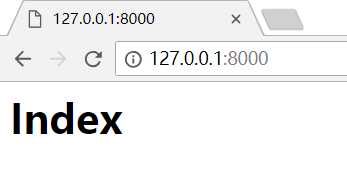
运行脚本后,在浏览器输入:
http://127.0.0.1:8000/
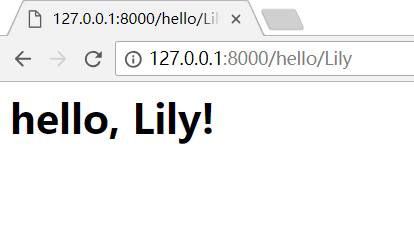
如果输入:http://127.0.0.1:8000/hello/Lily,就可以看见如下页面,/hello/后面的name可以替换
Python并发(二)的更多相关文章
- Python并发编程二(多线程、协程、IO模型)
1.python并发编程之多线程(理论) 1.1线程概念 在传统操作系统中,每个进程有一个地址空间,而且默认就有一个控制线程 线程顾名思义,就是一条流水线工作的过程(流水线的工作需要电源,电源就相当于 ...
- python并发编程之multiprocessing进程(二)
python的multiprocessing模块是用来创建多进程的,下面对multiprocessing总结一下使用记录. 系列文章 python并发编程之threading线程(一) python并 ...
- python并发模块之concurrent.futures(二)
python并发模块之concurrent.futures(二) 上次我们简单的了解下,模块的一些基本方法和用法,这里我们进一步对concurrent.futures做一个了解和拓展.上次的内容点这. ...
- python并发编程&多线程(二)
前导理论知识见:python并发编程&多线程(一) 一 threading模块介绍 multiprocess模块的完全模仿了threading模块的接口,二者在使用层面,有很大的相似性 官网链 ...
- python并发编程&多进程(二)
前导理论知识见:python并发编程&多进程(一) 一 multiprocessing模块介绍 python中的多线程无法利用多核优势,如果想要充分地使用多核CPU的资源(os.cpu_cou ...
- Python并发复习1 - 多线程
一.基本概念 程序: 指令集,静态, 进程: 当程序运行时,会创建进程,是操作系统资源分配的基本单位 线程: 进程的基本执行单元,每个进程至少包含一个线程,是任务调度和执行的基本单位 > 进程和 ...
- Python并发编程一(多进程)
1.背景知识(进程.多道技术) 顾名思义,进程即正在执行的一个过程.进程是对正在运行程序的一个抽象. 进程的概念起源于操作系统,是操作系统最核心的概念,也是操作系统提供的最古老也是最重要的抽象概念之一 ...
- 《转载》Python并发编程之线程池/进程池--concurrent.futures模块
本文转载自Python并发编程之线程池/进程池--concurrent.futures模块 一.关于concurrent.futures模块 Python标准库为我们提供了threading和mult ...
- python并发编程之Queue线程、进程、协程通信(五)
单线程.多线程之间.进程之间.协程之间很多时候需要协同完成工作,这个时候它们需要进行通讯.或者说为了解耦,普遍采用Queue,生产消费模式. 系列文章 python并发编程之threading线程(一 ...
- python并发编程之进程、线程、协程的调度原理(六)
进程.线程和协程的调度和运行原理总结. 系列文章 python并发编程之threading线程(一) python并发编程之multiprocessing进程(二) python并发编程之asynci ...
随机推荐
- POJA Star not a Tree?(模拟退火)
题意 题目链接 给出$n$个点,求出一个点使得到各个点的距离之和最小,距离为欧几里得距离 Sol 模拟退火真是玄学,我退了一上午,最后把exp函数去了就A了. 后来改了改,发现是大小符号的问题.. 但 ...
- JS和jquery获取各种屏幕的宽度和高度的代码
Javascript: 网页可见区域宽: document.body.clientWidth 网页可见区域高: document.body.clientHeight 网页可见区域宽: document ...
- 超图supermap sdx数据库用sql实现空间查询
在此介绍用sql对超图的空间数据库(sdx)进行空间查询,优点如下: 1.超图推荐的方式是用iobject,此方法要引入iobject 2.超图另一个推荐的方式是用iserver的REST接口,但we ...
- ERROR 2013 (HY000): Lost connection to MySQL server at 'reading authorization packet', system error: 0
最近遇到一个MySQL连接的问题,远程连接MySQL时遇到"ERROR 2013 (HY000): Lost connection to MySQL server at 'reading a ...
- 【Python图像特征的音乐序列生成】使用Python生成简单的MIDI文件
这个全新的Python音乐创作系列,将会不定期更新.写作这个系列的初衷,是为了做一个项目<基于图像特征的音乐序列生成模型>,实时地提取照片特征,进行神经网络处理,生成一段音乐. 千里之行, ...
- BZOJ 2725: [Violet 6]故乡的梦 最短路+线段树
2725: [Violet 6]故乡的梦 Time Limit: 20 Sec Memory Limit: 128 MBSubmit: 678 Solved: 204[Submit][Status ...
- 使用工具Source Monitor测量您Java代码的环复杂度
代码的环复杂度(Cyclomatic complexity,有时也翻译成圈复杂度)是一种代码复杂度的衡量标准,在1976年由Thomas J. McCabe, Sr. 提出. 来看看计算公式. 代码环 ...
- SAP OData编程指南
OData(Open Data Protocol)协议是一个开放的工业标准,用于定义RESTFul API的设计和使用.我的文章标题前加上SAP的前缀,只是为了表明这篇文章介绍的是Jerry在SAP项 ...
- 『jQuery』.html(),.text()和.val()的概述及使用--2015-08-11
如何使用jQuery中的.html(),.text()和.val()三种方法,用于读取,修改元素的html结构,元素的文本内容,以及表单元素的value值的方法 本节内容主要介绍的是如何使用jQu ...
- Android读书笔记二
本章讲到需要Android应用程序以及Android NDK程序来测试Linux驱动,所以所需要的工具都必须配备好.而且对工具的版本也是有一些要求,JDK,Eclipse,ADT,CDT,Androi ...