
解决display none到display block 渲染时间过长的问题,以及bootstrap模态框导致其他框中input不能获得焦点问题的解决
在做定制页面的时候,遇到这么一个问题,因为弹出框用的是bootstrap的自带的弹出框,控制显示和隐藏也是用自带的属性控制
控制显示,在触发的地方 例如botton上面加上
data-toggle="modal" data-target="#myModal"
控制关闭,在取消或者确定的地方加上
<button type="button" class="btn btn-primary">Save changes</button>
这样一来就可以关联控制显示和隐藏目标 #myModal 的模态框,但是问题在于
如果模态框中加载的内容过多,因为以上的属性控制底层其实是控制display none或者block,我们知道从none改成block的时候,是会重新渲染整个元素的,所以在再次点击弹出模态框的时候又执行显示的js
就又会加载一次,重复的加载慢,导致不好的用户体验
解决办法:
第一次加载慢,是数据的问题我们这里不讨论,在隐藏之后我们可以不用 display:none,(bootstrap中当然用的是$(el).closest(".modal").modal('hide');)这样显示的时候只能用show()解决不了问题,
我们在隐藏的时候不用hide,修改其z-index,将z-index改成一个负数,在body的下面,这样他就视觉不显示了,
$(el).closest(".modal").css("z-index",-2);
显示的时候
$('#'+id).closest(".modal").css("z-index",1050);
这样一来,只有第一次加载的时候慢,其余来回点击的时候会速度快
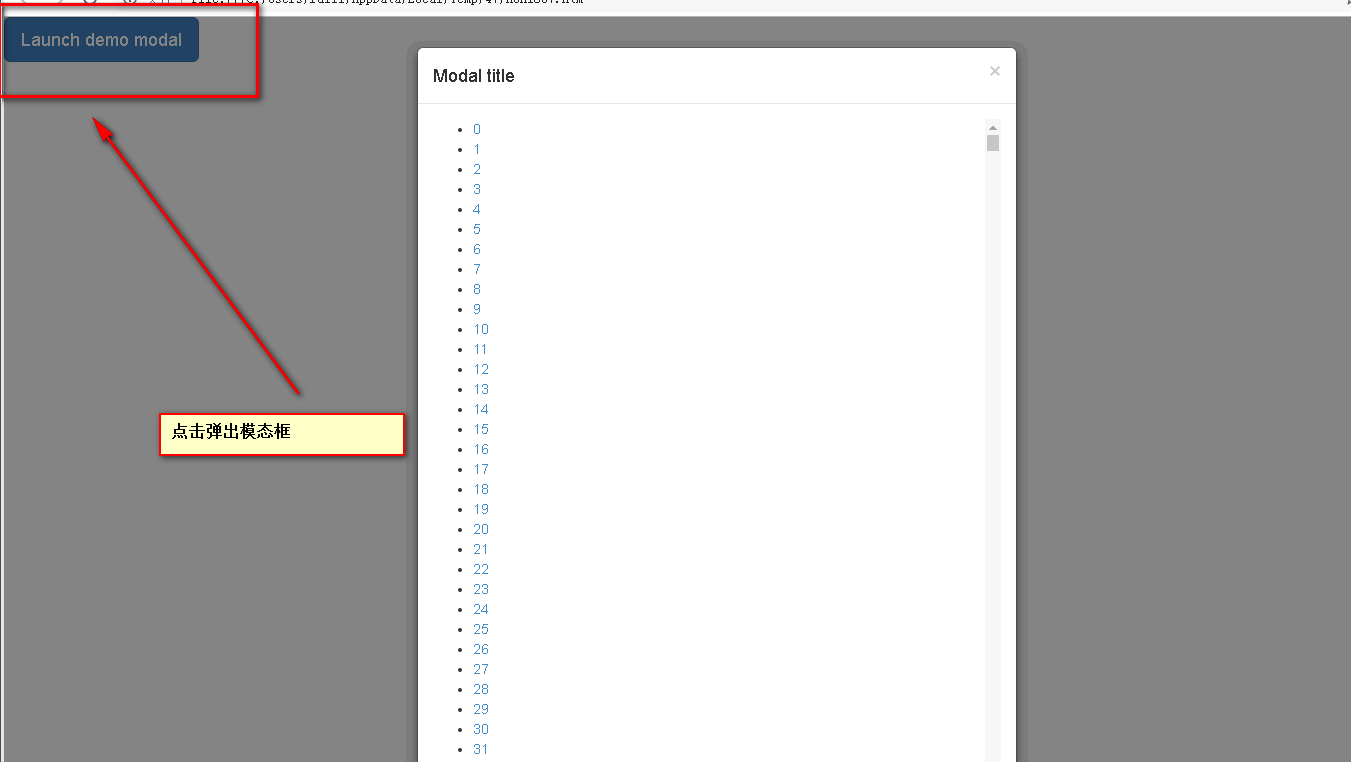
步骤:
1、去掉关联
  点击关联时:data-toggle="modal" data-target="#myModal"
  关闭关联时:btn-primary

2、js控制显示和隐藏直接上代码:

直接上代码
<!DOCTYPE html>
<html>
<head lang="en">
<meta charset="UTF-8">
<title>解决display渲染时间过长的问题</title>
<!-- 设置 viewport -->
<meta name="viewport" content="width=device-width, initial-scale=1">
<!-- IE -->
<meta http-equiv="X-UA-Compatible" content="IE=edge">
<!-- 兼容国产浏览器的高速模式 -->
<meta name="renderer" content="webkit">
<link rel="stylesheet" href="http://cdn.bootcss.com/bootstrap/3.3.0/css/bootstrap.min.css">
<style>
/*添加一个背景,辅助 z-index显示或者隐藏用*/
body::before{
content:'';
position:absolute;
top:0;
left:0;
right:0;
bottom:0;
background-color:#fff;
z-index:-1;
}
</style>
</head>
<body>
<button type="button" class="btn btn-primary btn-lg add-button" data-class="myModal" >Launch demo modal</button> <!-- Modal -->
<div class="modal fade" id="myModal" tabindex="-1" role="dialog" aria-labelledby="myModalLabel" >
<div class="modal-dialog" role="document">
<div class="modal-content">
<div class="modal-header">
<button type="button" class="close" data-dismiss="modal" aria-label="Close"><span aria-hidden="true">×</span></button>
<h4 class="modal-title" id="myModalLabel">Modal title</h4>
</div>
<div class="modal-body">
<ul id="UL" style="max-height:700px;overflow:auto;">
<li></li>
</ul>
</div>
<div class="modal-footer">
<button type="button" class="btn btn-default" onclick="initModel.hide(this)">Close</button>
<button type="button" class="btn btn-primary">Save changes</button>
</div>
</div>
</div>
</div>
<script src="http://code.jquery.com/jquery-1.11.3.min.js"></script>
<!-- 引入 Bootstrap 的 JS 文件 -->
<script src="http://cdn.bootcss.com/bootstrap/3.3.0/js/bootstrap.min.js"></script> <script>
var str="";
for(var i=0;i<80000;i++){
str+="<li><a>"+i+"</a></li>"
}
$("#UL").html(str);
$(function(){
$("body").on("click",".add-button",function(e){
initModel.show($(e.target).attr("data-class"));//motai
})
})
window.initModel={
show:function (id){
//显示摸态框
$('#'+id).modal('show')
$('#'+id).closest(".modal").css("z-index",1050);
$(".modal-backdrop").show();
},
hide:function(el){
//$(el).closest(".modal").modal('hide');
$(el).closest(".modal").css("z-index",-2);//如果用上面句的代码渲染时间会很长,造成不好的用户体验
$(".modal-backdrop").hide();//隐藏bootstrap自带的遮罩层
}
}
</script>
</body>
</html>
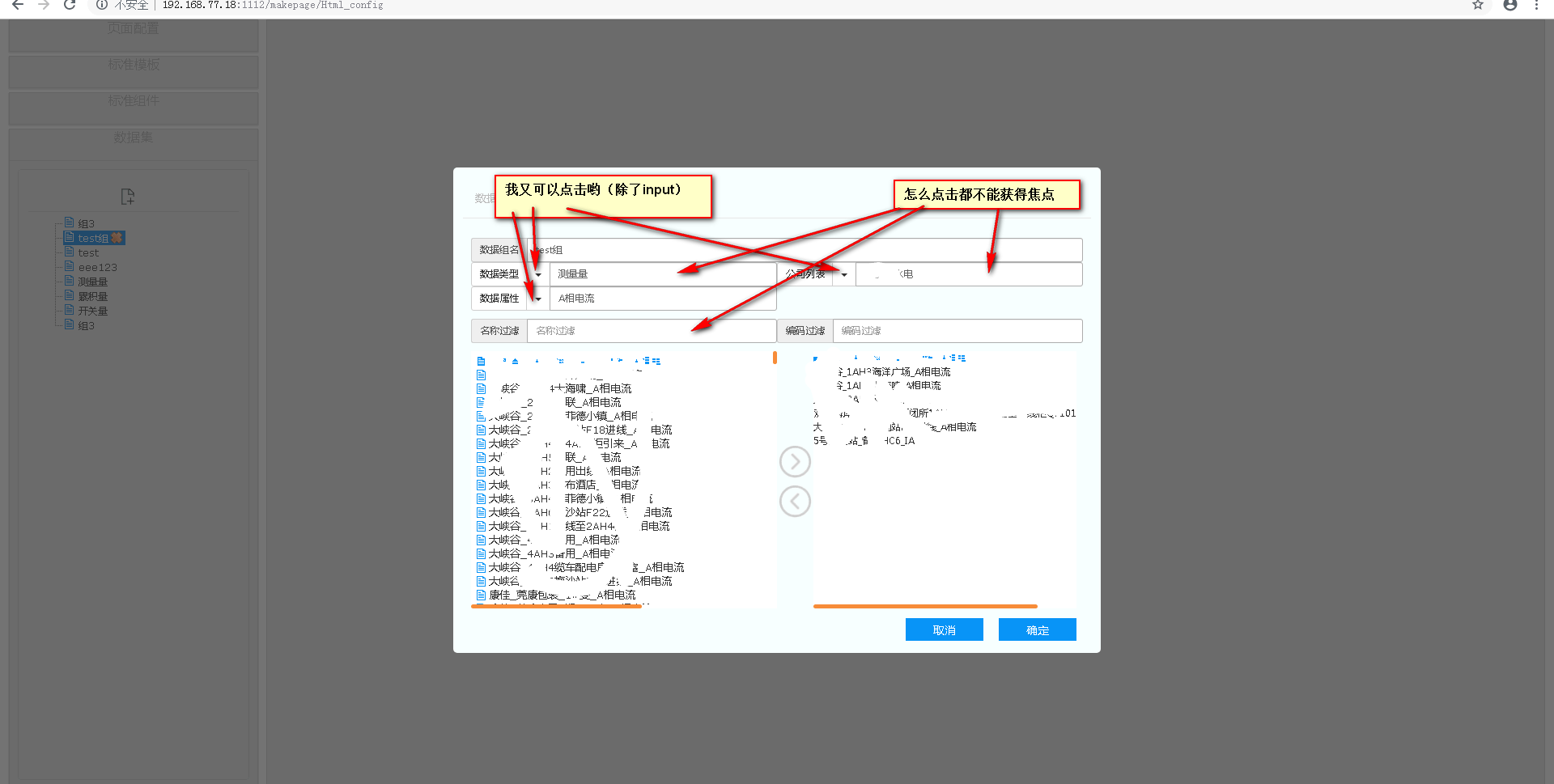
重要:页面中只能存在一个bootstrap模态框,如果还存在其他弹框,会导致其他弹出框的input不能获得焦点,因为bootstrap里面定义了tabindex作用
tabIndex属性可以设置键盘中的TAB键在控件中的移动顺序,即焦点的顺序。tabIndex的值可为0至32767之间的任意数字。
如果使用-1值时,onfocus与onblur事件仍被启动。tabIndex的值可为0至32767之间的任意数字
所以在设置显示和隐藏的时候将tabindex=“-1”的属性去掉既可
/**

 * 页面定制

 *

 * @author hpf

 * @since 2019-01

 *

 */

(function($){

    /**

     * 控制dialog的显示和隐藏

     */

    $.fn.showorhideModel={

        show:function(id){

            //显示dialog(改z-index)

            $('#'+id).modal('show')

            $("#"+id).css("z-index",1050)

            //显示模态框

            $(".modal-backdrop").show();

            $('#'+id).removeAttr("tabindex");

        },

        hide:function(el){

            //隐藏dialog(改z-index)

            var $el=$(el).closest(".modal");

            $el.css("z-index",-1);

            //将模态框的tabindex去掉,因为会导致其他的弹出层中input不能获得焦点

            $el.removeAttr("tabindex")

            //隐藏模态框

            $(".modal-backdrop").hide();

        }

    }

})(jQuery)
解决display none到display block 渲染时间过长的问题,以及bootstrap模态框导致其他框中input不能获得焦点问题的解决的更多相关文章
- Bootstrap 模态对话框只加载一次 remote 数据的解决办法 转载
http://my.oschina.net/qczhang/blog/190215 摘要 前端框架 Bootstrap 的模态对话框,可以使用 remote 选项指定一个 URL,这样对话框在第一次弹 ...
- Bootstrap 模态对话框只加载一次 remote 数据的解决办法
原文: https://my.oschina.net/qczhang/blog/190215?p=1
- display:inline 和display:inline-block和display:block的区别
之前讲过块级元素使用display:block 行内元素使用display:inline 那么今天我们就来区分一下display:inline,display:inline-block和display ...
- CSS中的display属性(none,block,inline,inline-block,inherit)
css中的display属性(none,block,inline,inline-block,inherit) display属性是我们在前端开发中常常使用的一个属性,其中,最常见的有: none bl ...
- display:block、display:inline与displayinline:block的概念和区别
总体概念 block和inline这两个概念是简略的说法,完整确切的说应该是 block-level elements (块级元素) 和 inline elements (内联元素).block元素通 ...
- display:box和display:inline-box的区别
display:box我想大家很熟悉,那么display:inline-box呢,今天在项目中需要设置这样的属性box-align:center,那么就想到用 display:box;如果设置BOX, ...
- 关于Django ModelForm渲染时间格式问题
关于Django ModelForm渲染时间格式问题 直接定义DateTimeInput或者DateTimeFile是不行的,渲染在html页面中的仍然是Input text类型 解决办法:自定义小部 ...
- js style.display = "" 和style.display="none" 区别
style.display = "":是清除display样式,display将使用默认值(块元素会变成block,内联元素会变成inline)style.display=&quo ...
- 从解析HTML开始,破解页面渲染时间长难题
摘要:在本文中,将重点关注网页的初始渲染,即它从解析 HTML 开始. 我将探索可能导致高渲染时间的问题,以及如何解决它们. 本文分享自华为云社区<页面首屏渲染性能指南>,作者:Ocean ...
随机推荐
- Windows store app[Part 4]:深入WinRT的异步机制
接上篇Windows store app[Part 3]:认识WinRT的异步机制 WinRT异步机制回顾: IAsyncInfo接口:WinRT下异步功能的核心,该接口提供所有异步操作的基本功能,如 ...
- C语言编程学习:使用函数必须知道的3点注意事项
C语言是面向过程的,而C++是面向对象的 C和C++的区别: C是一个结构化语言,它的重点在于算法和数据结构.C程序的设计首要考虑的是如何通过一个过程,对输入(或环境条件)进行运算处理得到输出(或实现 ...
- 基于GOJS绘制流程图
基于GOJS封装的流程图设计(展示)工具类,主要分为两个工具类: 工具库依赖于go.js.jquery以及layer.js http://gojs.net/ http://jquery.com/ ht ...
- opencv+opencv_contrib 人脸识别和检测 python开发环境快速搭建(30分钟)图文教程
很多朋友为了学习python.ML(机器学习).DL(深度学习).opencv等花费了大量时间配置安装环境(一个朋友花了4天时间才配置好)各种搜索.下载.安装配置,出问题等. 市面上的配置资料很多,选 ...
- Elasticsearch学习(3) spring boot整合Elasticsearch的原生方式
前面我们已经介绍了spring boot整合Elasticsearch的jpa方式,这种方式虽然简便,但是依旧无法解决我们较为复杂的业务,所以原生的实现方式学习能够解决这些问题,而原生的学习方式也是E ...
- 洛谷P2495 [SDOI2011]消耗战(虚树)
题面 传送门 题解 为啥一直莫名其妙\(90\)分啊--重构了一下代码才\(A\)掉-- 先考虑直接\(dp\)怎么做 树形\(dp\)的时候,记一下断开某个节点的最小值,就是从根节点到它的路径上最短 ...
- BZOJ3510 首都
题目描述 在X星球上有N个国家,每个国家占据着X星球的一座城市.由于国家之间是敌对关系,所以不同国家的两个城市是不会有公路相连的. X星球上战乱频发,如果A国打败了B国,那么B国将永远从这个星球消失, ...
- PL/SQL那点事-->SqlSession operation; SQL []; ORA-01722: 无效数字
PL/SQL那点事-->SqlSession operation;SQL []; ORA-01722: 无效数字 出现这种情况,在网上查了很多方法:大致主要有两种方法帮助我们解决这个问题: 1. ...
- Unity---解决重新调整游戏分辨率后,再运行游戏还是和之前分辨率一样的问题
经历 上次在Unity做了个小游戏,发布的时候忘了取消默认全屏了. 于是在Unity重新发布了一下,可是出来后分辨率还是默认全屏. 当时百思不得其解 原因 主要是因为当用Unity发布一个新游戏的时候 ...
- 用IDA辅助分析grub的小技巧
IDA可以辅助我们分析grub的代码,但是bootloader本身只是bin文件,为了让IDA能正确识别分析,我们还需要提供一些基本的参数,比如文件加载到内存的地址等. 图中MBR是加载到0x7C00 ...