
2019.1.2 Spring管理事务的方式
Spring管理事务的方式
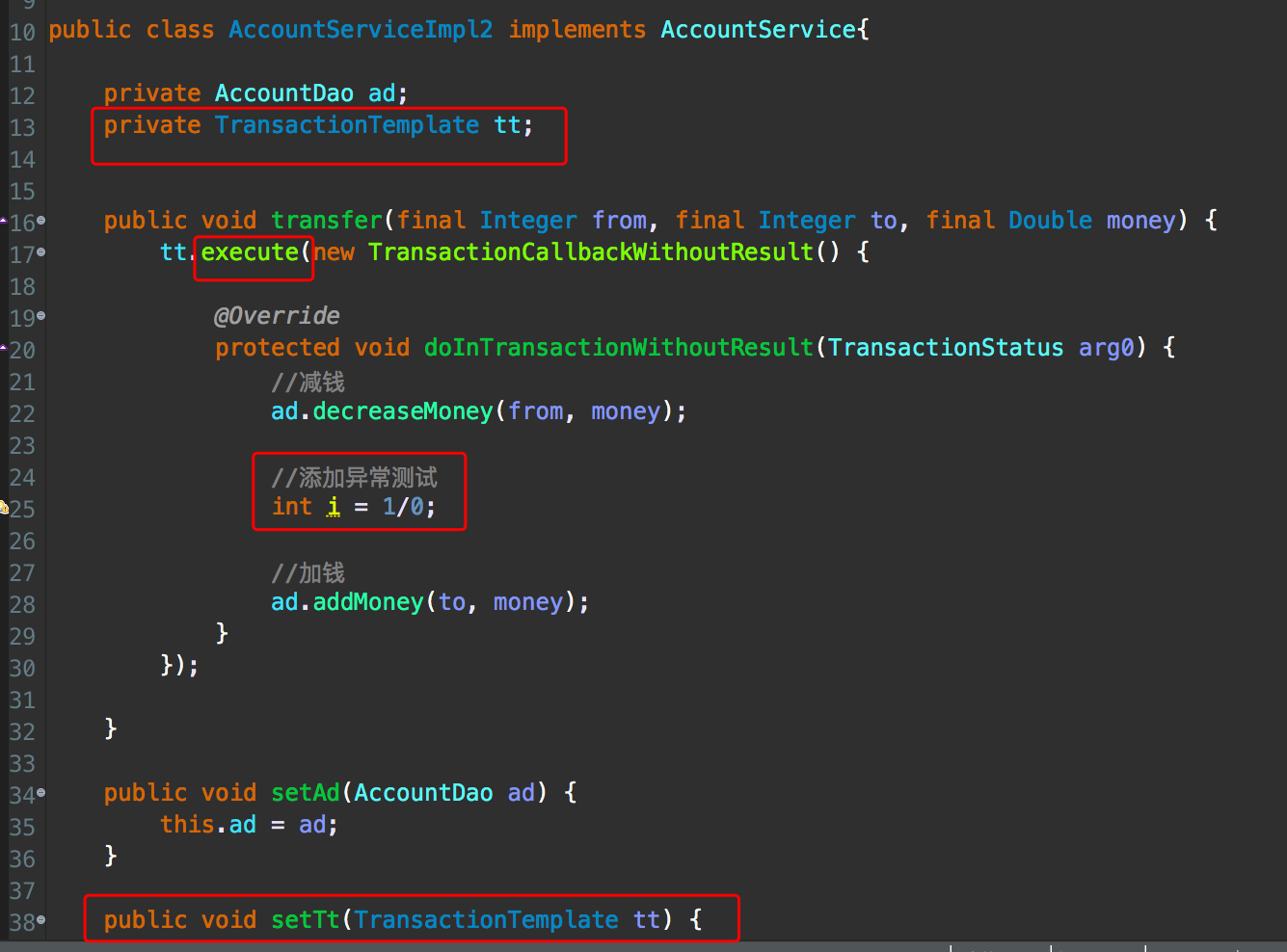
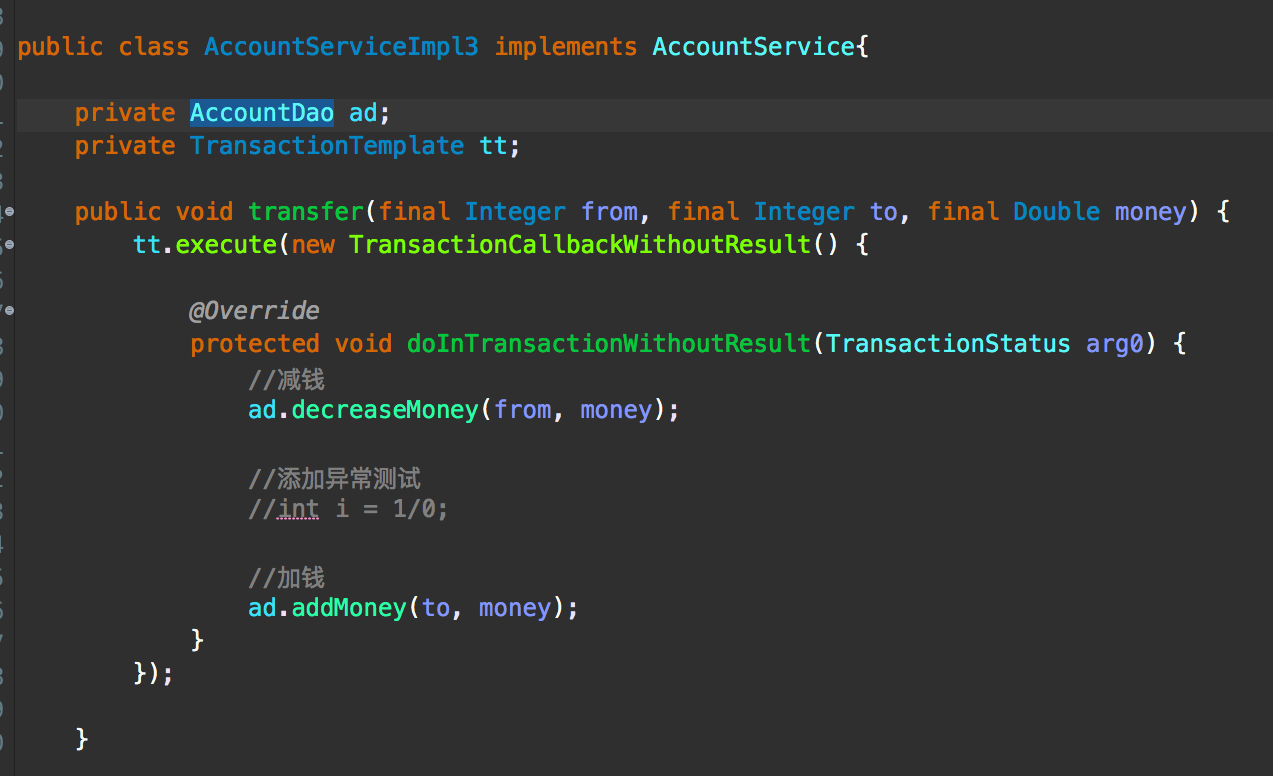
1.编码式
1.将核心事务管理器配置到Spring容器

2.配置TransactionTemplate模版

3.将事务模版注入service

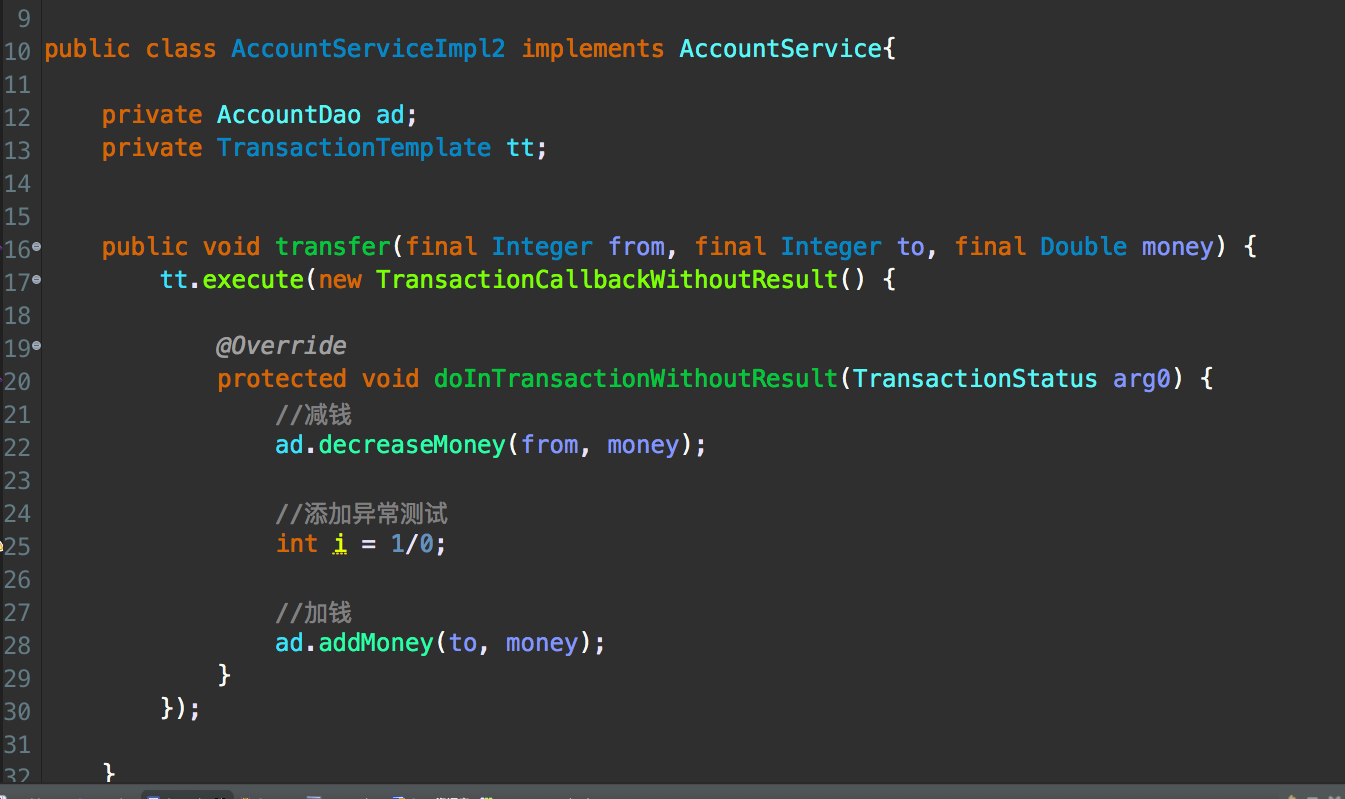
4.在Service中调用模版
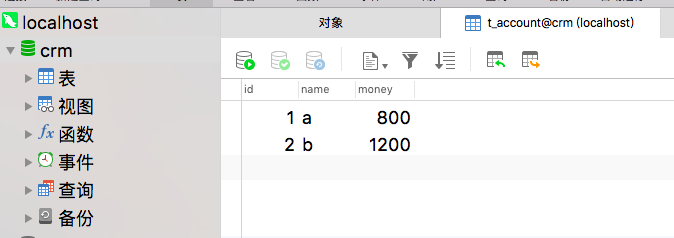
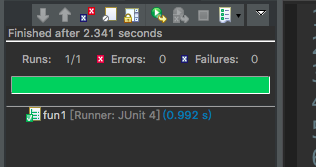
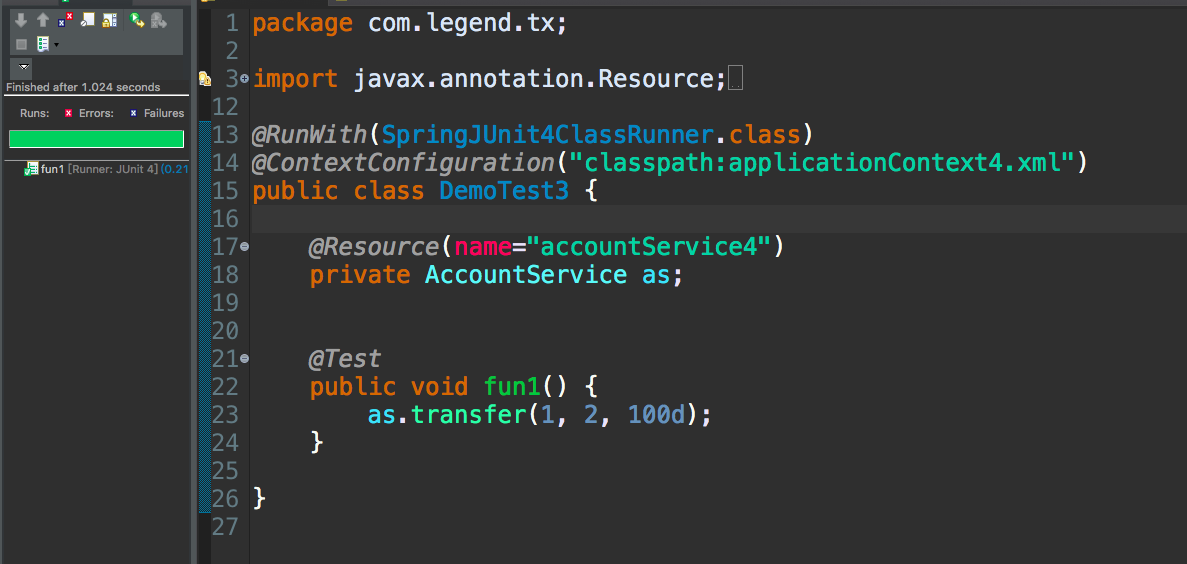
测试
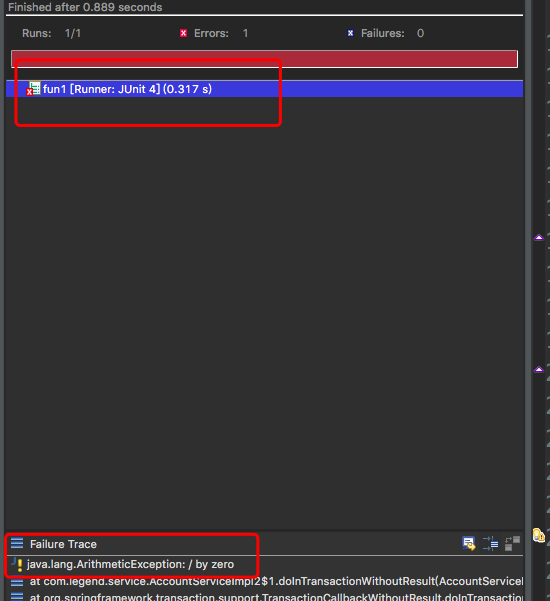
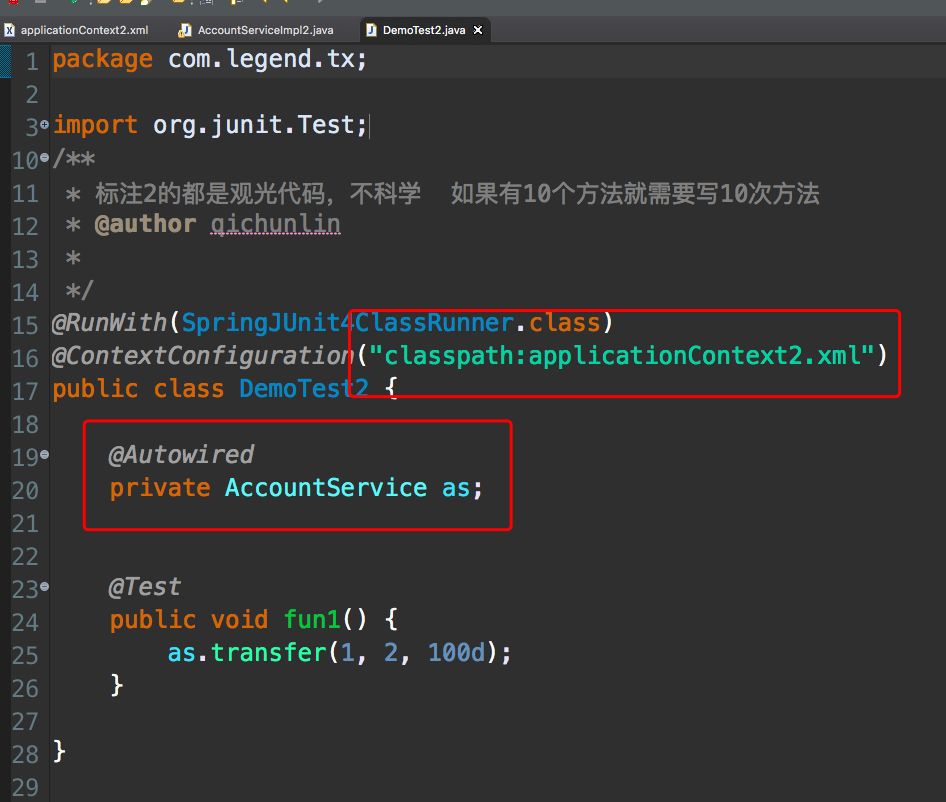
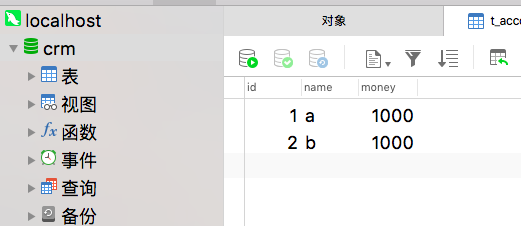
执行了两次
<?xml version="1.0" encoding="UTF-8"?>

<beans xmlns:xsi="http://www.w3.org/2001/XMLSchema-instance"

	xmlns="http://www.springframework.org/schema/beans"

	xmlns:context="http://www.springframework.org/schema/context"

	xsi:schemaLocation="http://www.springframework.org/schema/beans http://www.springframework.org/schema/beans/spring-beans-4.2.xsd http://www.springframework.org/schema/context http://www.springframework.org/schema/context/spring-context-4.2.xsd ">

	<context:property-placeholder

		location="classpath:db.properties" />

	<bean name="dataSource"

		class="com.mchange.v2.c3p0.ComboPooledDataSource">

		<property name="jdbcUrl" value="${jdbc.jdbcUrl}"></property>

		<property name="driverClass" value="${jdbc.driverClass}"></property>

		<property name="user" value="${jdbc.user}"></property>

		<property name="password" value="${jdbc.password}"></property>

	</bean>

	<bean name="accountDao" class="com.legend.dao.impl.AccountDaoImpl">

		<property name="dataSource" ref="dataSource"></property>

	</bean>

	<bean name="accountService"

		class="com.legend.service.AccountServiceImpl">

		<property name="ad" ref="accountDao"></property>

	</bean>

</beans>

<?xml version="1.0" encoding="UTF-8"?>

<beans xmlns:xsi="http://www.w3.org/2001/XMLSchema-instance" xmlns="http://www.springframework.org/schema/beans" xmlns:context="http://www.springframework.org/schema/context" xsi:schemaLocation="http://www.springframework.org/schema/beans http://www.springframework.org/schema/beans/spring-beans-4.2.xsd http://www.springframework.org/schema/context http://www.springframework.org/schema/context/spring-context-4.2.xsd ">

<context:property-placeholder location="classpath:db.properties"/>

<!-- 事务核心管理器,封装了所有事务操作,依赖于连接池 -->

<bean name="transactionManager" class="org.springframework.jdbc.datasource.DataSourceTransactionManager">

	<property name="dataSource" ref="dataSource"></property>

</bean>

<!-- 事务模版对象 -->

<bean name="transactionTemplate" class="org.springframework.transaction.support.TransactionTemplate">

	<property name="transactionManager" ref="transactionManager"></property>

</bean>

<bean name="dataSource" class="com.mchange.v2.c3p0.ComboPooledDataSource" >

	<property name="jdbcUrl" value="${jdbc.jdbcUrl}" ></property>

	<property name="driverClass" value="${jdbc.driverClass}" ></property>

	<property name="user" value="${jdbc.user}" ></property>

	<property name="password" value="${jdbc.password}" ></property>

</bean>

<bean name="accountDao" class="com.legend.dao.impl.AccountDaoImpl">

	<property name="dataSource" ref="dataSource"></property>

</bean>

<bean name="accountService2" class="com.legend.service.AccountServiceImpl2">

	<property name="ad" ref="accountDao"></property>

	<property name="tt" ref="transactionTemplate"></property>

</bean>

</beans>
2.xml配置(aop)
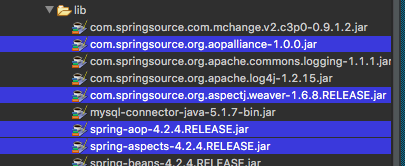
1.导包
2.导入新的约束(tx)
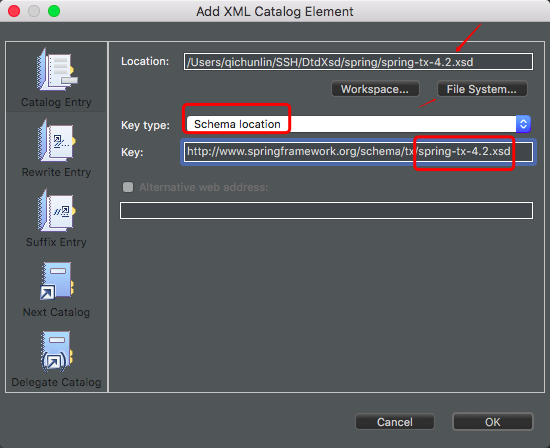

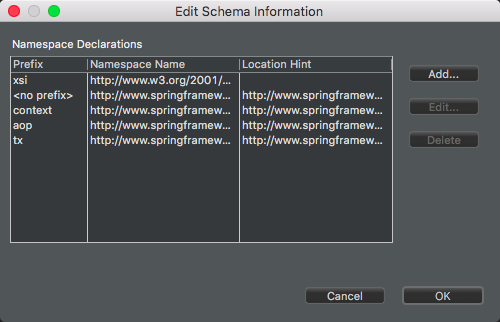
命名空间的作用
beans:最基本
context:读取properties配置
aop:配置aop
tx:配置事务通知
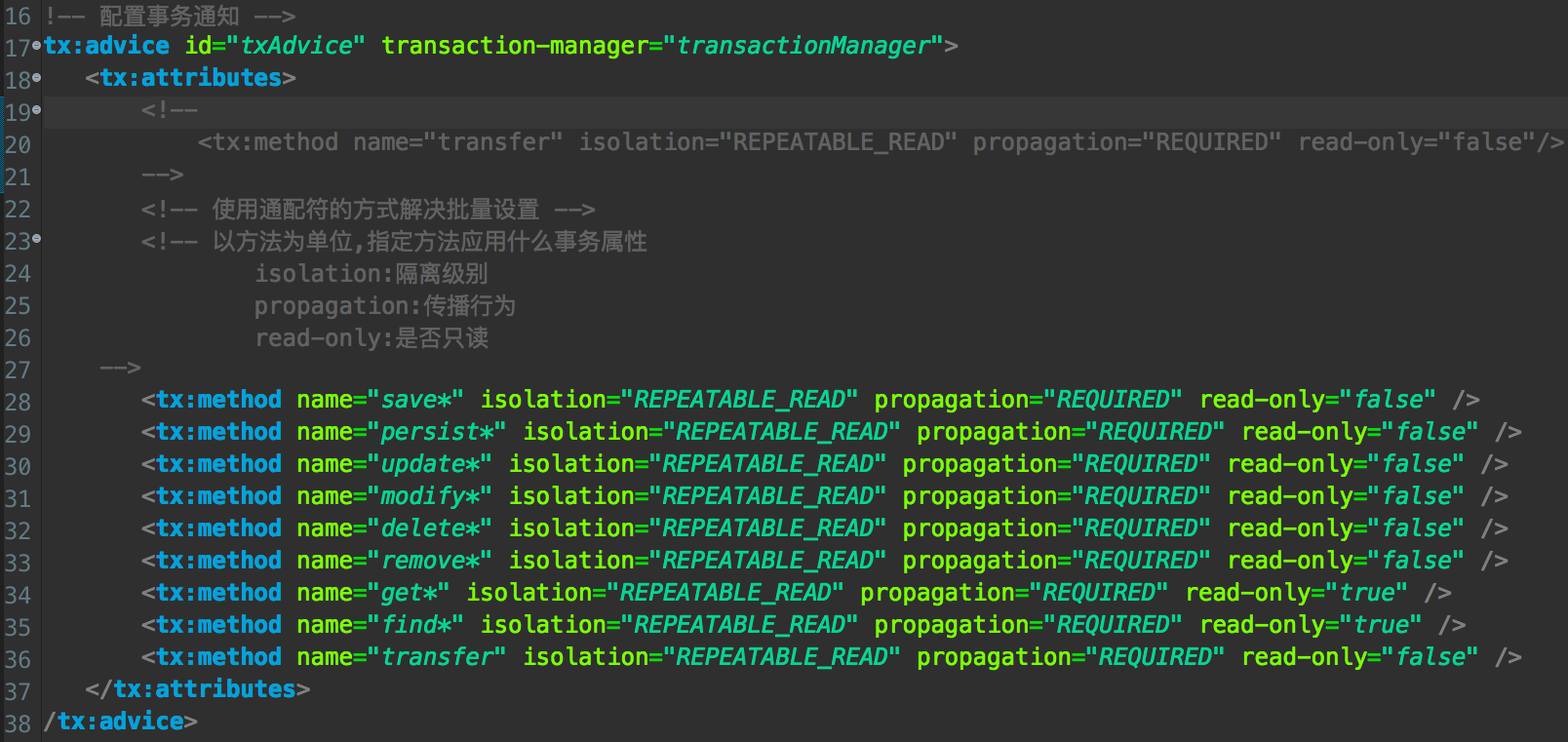
3.配置通知
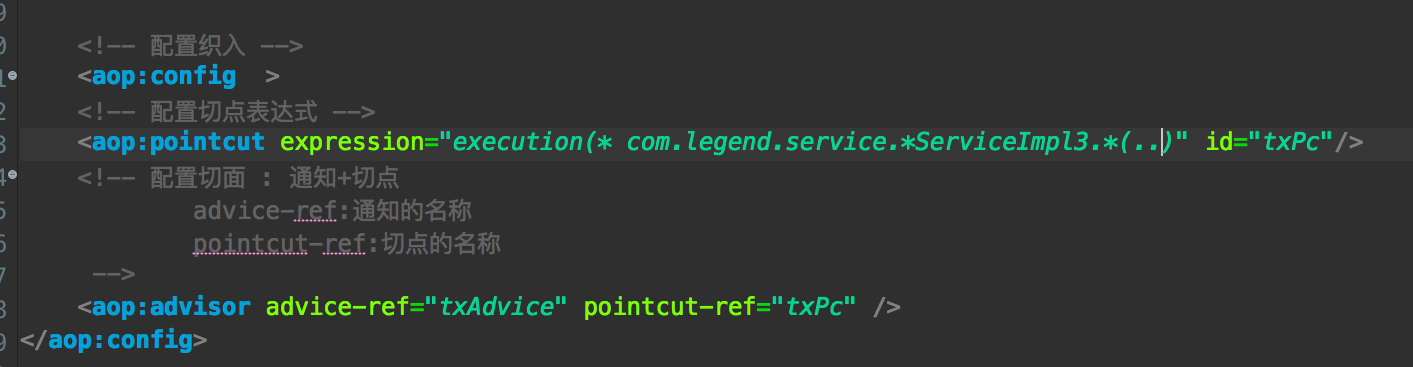
4.配置将通知织入目标
配置文件
<?xml version="1.0" encoding="UTF-8"?>

<beans xmlns:xsi="http://www.w3.org/2001/XMLSchema-instance" xmlns="http://www.springframework.org/schema/beans" xmlns:context="http://www.springframework.org/schema/context" xmlns:aop="http://www.springframework.org/schema/aop" xmlns:tx="http://www.springframework.org/schema/tx" xsi:schemaLocation="http://www.springframework.org/schema/beans http://www.springframework.org/schema/beans/spring-beans-4.2.xsd http://www.springframework.org/schema/context http://www.springframework.org/schema/context/spring-context-4.2.xsd http://www.springframework.org/schema/aop http://www.springframework.org/schema/aop/spring-aop-4.2.xsd http://www.springframework.org/schema/tx http://www.springframework.org/schema/tx/spring-tx-4.2.xsd ">

	<context:property-placeholder location="classpath:db.properties"/>

	<!-- 事务核心管理器,封装了所有事务操作,依赖于连接池 -->

	<bean name="transactionManager" class="org.springframework.jdbc.datasource.DataSourceTransactionManager">

		<property name="dataSource" ref="dataSource"></property>

	</bean>

	<!-- 事务模版对象 -->

	<bean name="transactionTemplate" class="org.springframework.transaction.support.TransactionTemplate">

		<property name="transactionManager" ref="transactionManager"></property>

	</bean>

	<!-- 配置事务通知 -->

	<tx:advice id="txAdvice" transaction-manager="transactionManager">

		<tx:attributes>

			<!--

				<tx:method name="transfer" isolation="REPEATABLE_READ" propagation="REQUIRED" read-only="false"/>

			-->

			<!-- 使用通配符的方式解决批量设置 -->

			<!-- 以方法为单位,指定方法应用什么事务属性

					isolation:隔离级别

					propagation:传播行为

					read-only:是否只读

		 -->

			<tx:method name="save*" isolation="REPEATABLE_READ" propagation="REQUIRED" read-only="false" />

			<tx:method name="persist*" isolation="REPEATABLE_READ" propagation="REQUIRED" read-only="false" />

			<tx:method name="update*" isolation="REPEATABLE_READ" propagation="REQUIRED" read-only="false" />

			<tx:method name="modify*" isolation="REPEATABLE_READ" propagation="REQUIRED" read-only="false" />

			<tx:method name="delete*" isolation="REPEATABLE_READ" propagation="REQUIRED" read-only="false" />

			<tx:method name="remove*" isolation="REPEATABLE_READ" propagation="REQUIRED" read-only="false" />

			<tx:method name="get*" isolation="REPEATABLE_READ" propagation="REQUIRED" read-only="true" />

			<tx:method name="find*" isolation="REPEATABLE_READ" propagation="REQUIRED" read-only="true" />

			<tx:method name="transfer" isolation="REPEATABLE_READ" propagation="REQUIRED" read-only="false" />

		</tx:attributes>

	</tx:advice>

	<!-- 配置织入 -->

	<aop:config  >

	<!-- 配置切点表达式 -->

	<aop:pointcut expression="execution(* com.legend.service.*ServiceImpl3.*(..))" id="txPc"/>

	<!-- 配置切面 : 通知+切点

		 	advice-ref:通知的名称

		 	pointcut-ref:切点的名称

	 -->

	<aop:advisor advice-ref="txAdvice" pointcut-ref="txPc" />

</aop:config>

	<bean name="dataSource" class="com.mchange.v2.c3p0.ComboPooledDataSource" >

		<property name="jdbcUrl" value="${jdbc.jdbcUrl}" ></property>

		<property name="driverClass" value="${jdbc.driverClass}" ></property>

		<property name="user" value="${jdbc.user}" ></property>

		<property name="password" value="${jdbc.password}" ></property>

	</bean>

	<bean name="accountDao" class="com.legend.dao.impl.AccountDaoImpl">

		<property name="dataSource" ref="dataSource"></property>

	</bean>

	<bean name="accountService3" class="com.legend.service.AccountServiceImpl3">

		<property name="ad" ref="accountDao"></property>

		<property name="tt" ref="transactionTemplate"></property>

	</bean>

</beans>

3.注解配置
1.导包
2.导入新的约束(tx)
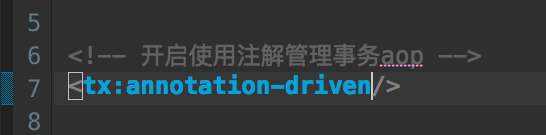
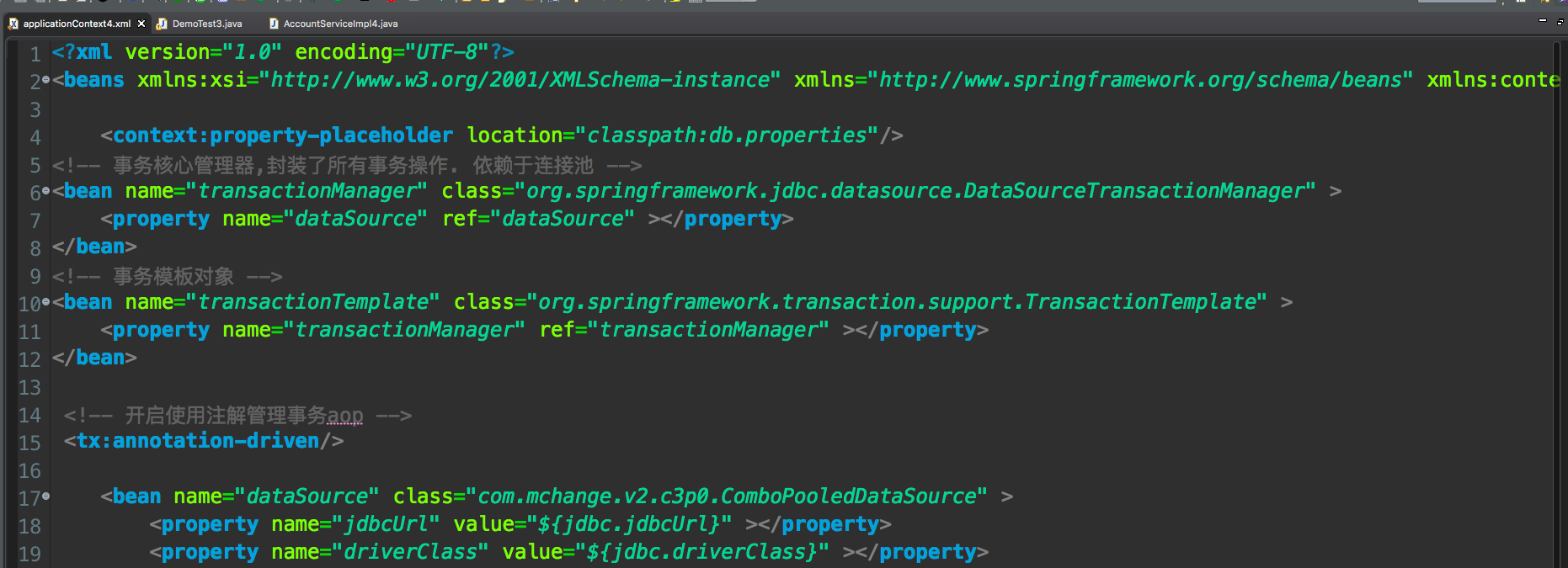
3.开启注解事务配置
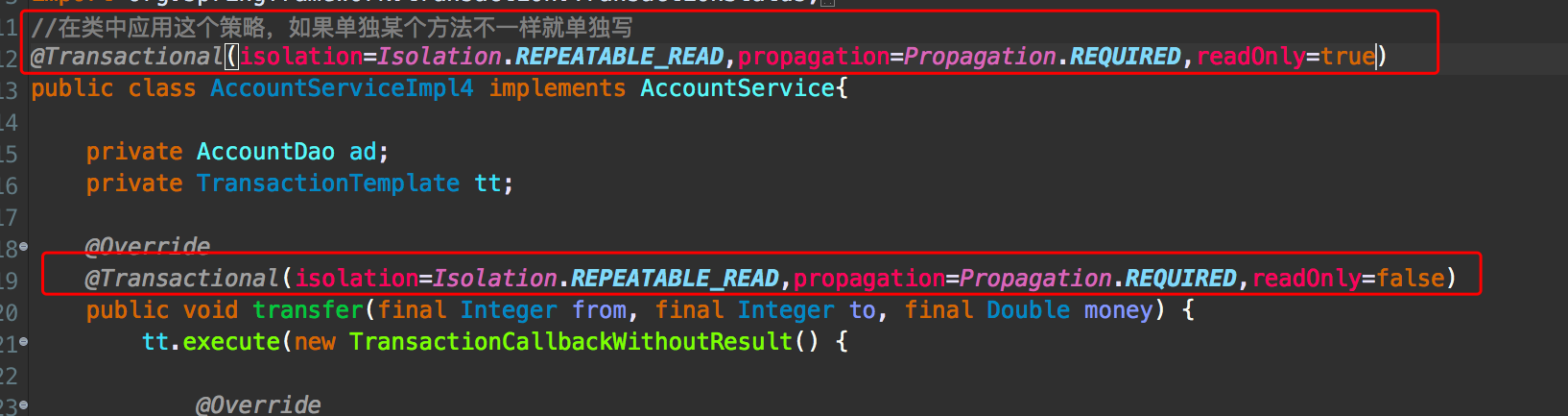
4.使用注解

<?xml version="1.0" encoding="UTF-8"?>

<beans xmlns:xsi="http://www.w3.org/2001/XMLSchema-instance" xmlns="http://www.springframework.org/schema/beans" xmlns:context="http://www.springframework.org/schema/context" xmlns:aop="http://www.springframework.org/schema/aop" xmlns:tx="http://www.springframework.org/schema/tx" xsi:schemaLocation="http://www.springframework.org/schema/beans http://www.springframework.org/schema/beans/spring-beans-4.2.xsd http://www.springframework.org/schema/context http://www.springframework.org/schema/context/spring-context-4.2.xsd http://www.springframework.org/schema/aop http://www.springframework.org/schema/aop/spring-aop-4.2.xsd http://www.springframework.org/schema/tx http://www.springframework.org/schema/tx/spring-tx-4.2.xsd ">

	<context:property-placeholder location="classpath:db.properties"/>

<!-- 事务核心管理器,封装了所有事务操作. 依赖于连接池 -->

<bean name="transactionManager" class="org.springframework.jdbc.datasource.DataSourceTransactionManager" >

	<property name="dataSource" ref="dataSource" ></property>

</bean>

<!-- 事务模板对象 -->

<bean name="transactionTemplate" class="org.springframework.transaction.support.TransactionTemplate" >

	<property name="transactionManager" ref="transactionManager" ></property>

</bean>

 <!-- 开启使用注解管理事务aop -->

 <tx:annotation-driven/>

	<bean name="dataSource" class="com.mchange.v2.c3p0.ComboPooledDataSource" >

		<property name="jdbcUrl" value="${jdbc.jdbcUrl}" ></property>

		<property name="driverClass" value="${jdbc.driverClass}" ></property>

		<property name="user" value="${jdbc.user}" ></property>

		<property name="password" value="${jdbc.password}" ></property>

	</bean>

	<bean name="accountDao" class="com.legend.dao.impl.AccountDaoImpl">

		<property name="dataSource" ref="dataSource"></property>

	</bean>

	<bean name="accountService4" class="com.legend.service.AccountServiceImpl4">

		<property name="ad" ref="accountDao"></property>

		<property name="tt" ref="transactionTemplate"></property>

	</bean>

</beans>
2019.1.2 Spring管理事务的方式的更多相关文章
- spring框架学习(六)AOP事务及spring管理事务方式之Template模板
概念 1.事务 1)事务特性:ACID 原子性 :强调事务的不可分割. 一致性 :事务的执行的前后数据的完整性保持一致. 隔离性 :一个事务执行的过程中,不应该受到其他事务的干扰. 持久性 :事务一旦 ...
- 通过案例掌握Spring 管理事务的步骤及配置
案例描述 通过完成生成订单业务,掌握事务处理. 需要d_order表和d_item表 订单生成时的业务逻辑:向d_order插入1条数据的同时,向t_item中插入若干条数据 这就是一个独立的 ...
- Spring管理事务默认回滚的异常
一.默认方式 Spring的事务管理默认只对出现运行期异常(java.lang.RuntimeException及其子类),Error进行回滚. 如果一个方法抛出Exception或者Checked异 ...
- spring 管理事务配置时,结果 报错: No Hibernate Session bound to thread, and configuration does not allow creation of non-transactional one here这个异常
java.lang.IllegalStateException: No Hibernate Session bound to thread, and configuration does not al ...
- spring管理事务
2.1 事务管理器 Spring并不直接管理事务,而是提供了多种事务管理器,他们将事务管理的职责委托给Hibernate或者JTA等持久化机制所提供的相关平台框架的事务来实现. Spring事务管理器 ...
- spring管理事务回滚
spring 事务回滚 1.遇到的问题 当我们一个方法里面有多个数据库保存操作的时候,中间的数据库操作发生的错误.伪代码如下: ? 1 2 3 4 5 6 7 public method() { ...
- spring框架学习(八)spring管理事务方式之注解配置
1.DAO AccountDao.java package cn.mf.dao; public interface AccountDao { //加钱 void increaseMoney(Integ ...
- spring框架学习(七)spring管理事务方式之xml配置
1.DAO AccountDao.java package cn.mf.dao; public interface AccountDao { //加钱 void increaseMoney(Integ ...
- spring管理事务需要注意的
org.springframework.transaction.NoTransactionException: No transaction aspect-managed TransactionSta ...
随机推荐
- SailingEase .NET Resources Tool (.NET 多语言资源编辑器)转
转自:http://www.cnblogs.com/sheng_chao/p/5958846.html 软件下载链接 痛点: 通常我们为了让软件支持多语言,会使用 .NET 自带的资源文件来存储不同的 ...
- 企业为什么需要实施BPM?
背景:众所周知,近几年企业信息化发展迅速,业务管理系统从大到小,数量众多,如ERP,SCM,PLM,CRM,EHR,OA,BI…… 等,企业的管理人员进行管理的主要手段是通过各个业务系统获得各种管理报 ...
- The Struts dispatcher cannot be found. This is usually caused by using Struts tags without the associated filter.
The Struts dispatcher cannot be found. This is usually caused by using Struts tags without the assoc ...
- Python基础学习总结(六)
8.函数 函数是带名字的代码块,用于完成具体的工作.def函数定义,指出函数名.定义函数的时候,我们把参数的名字和位置确定下来,函数的接口定义就完成了.对于函数的调用者来说,只需要知道如何传递正确的参 ...
- IntelliJ IDEA常用配置
1:IDEA同时打开多个项目: 选择菜单File–Setting-General--->右侧Project Opening选择第一个Open project in new window: 接下来 ...
- Ajax实现页面跳转与结果返回
ajax实现页面局部跳转与结果返回 1.带有结果返回的提交过程 这里用一个提交按钮来演示,HTML代码为: <input type="button" class=" ...
- 通过mysql自动同步redis
在服务端开发过程中,一般会使用MySQL等关系型数据库作为最终的存储引擎,Redis其实也可以作为一种键值对型的数据库,但在一些实际场景中,特别是关系型结构并不适合使用Redis直接作为数据库.这俩家 ...
- ThreadLocal 理解
主要方法 public void set(T value); public T get(); private T setInitialValue(); public void set(T value) ...
- centos install redis
1. 下载 [logan@localhost java]$ wget http://download.redis.io/releases/redis-3.2.8.tar.gz2. 解压 [log ...
- 解决Win7远程连接灰色无法选中的问题
内网开发最常用的莫过于Windows的远程连接服务了.但是有时候这个远程连接是灰色的,无法勾选.折腾了各种办法.最后在这里找到了答案.https://answers.microsoft.com/en- ...