
spring配置redis(xml+java方式)(最底层)
条件:引用好架包
 <dependency>

            <groupId>org.springframework.data</groupId>

            <artifactId>spring-data-redis</artifactId>

            <version>2.1.3.RELEASE</version>

        </dependency>

        <dependency>

            <groupId>redis.clients</groupId>

            <artifactId>jedis</artifactId>

            <version>2.9.0</version>

        </dependency>
一、使用xml进行配置
1、xml进行配置JedisPoolConfig、JedisConnectionFactory、Spring RedisTemplate-
<?xml version="1.0" encoding="UTF-8"?>

<beans xmlns="http://www.springframework.org/schema/beans"

       xmlns:xsi="http://www.w3.org/2001/XMLSchema-instance"

       xsi:schemaLocation="http://www.springframework.org/schema/beans http://www.springframework.org/schema/beans/spring-beans.xsd">

    <!-- 配置JedisPoolConfig-->

    <bean id="poolConfig" class="redis.clients.jedis.JedisPoolConfig">

        <property name="maxIdle" value="50"/>

        <property name="maxTotal" value="100"/>

        <property name="maxWaitMillis" value="20000"/>

    </bean>

    <!--配置JedisConnectionFactory-->

    <bean id="connectionFactory" class="org.springframework.data.redis.connection.jedis.JedisConnectionFactory">

        <property name="hostName" value="localhost"/>

        <property name="port" value="6379"/>

        <property name="poolConfig" ref="poolConfig"/>

    </bean>

    <!--使用字符串进行序列化-->

    <bean id="stringReadisSerializer" class="org.springframework.data.redis.serializer.StringRedisSerializer"/>

    <!--使用JDK的序列化器进行转化-->

    <bean id="jdkSerializationRedisSerializer" class="org.springframework.data.redis.serializer.JdkSerializationRedisSerializer"/>

    <!--配置Spring RedisTemplate-->

    <bean id="redisTemplate" class="org.springframework.data.redis.core.RedisTemplate">

        <property name="connectionFactory" ref="connectionFactory"/>

        <property name="keySerializer" ref="stringReadisSerializer"/>

        <property name="valueSerializer" ref="stringReadisSerializer"/>

    </bean>

</beans>
2、使用:
   ApplicationContext applicationContext = new ClassPathXmlApplicationContext("application.xml");

        RedisTemplate redisTemplate = applicationContext.getBean(RedisTemplate.class);

        redisTemplate.opsForValue().set("key1","value1");

        redisTemplate.opsForValue().set("key2","value2");

        String value1 = (String) redisTemplate.opsForValue().get("key1");

        System.out.println(value1);
二、使用java方式
1、创建RedisConfg配置类
package com.wbg.mr.spring;

import org.springframework.context.annotation.Bean;

import org.springframework.context.annotation.Configuration;

import org.springframework.data.redis.connection.jedis.JedisConnectionFactory;

import org.springframework.data.redis.core.RedisTemplate;

import org.springframework.data.redis.serializer.StringRedisSerializer;

@Configuration

public class RedisConfig {

    @Bean

    public JedisConnectionFactory jedisConnectionFactory(){

        JedisConnectionFactory jcf = new JedisConnectionFactory();

        jcf.setHostName("localhost");

        return jcf;

    }

    @Bean

    public RedisTemplate redisTemplate(){

        RedisTemplate rt = new RedisTemplate();

        rt.setConnectionFactory(jedisConnectionFactory());

        rt.setKeySerializer(new StringRedisSerializer());

        rt.setValueSerializer(new StringRedisSerializer());

        return rt;

    }

}
2、使用
  ApplicationContext applicationContext = new AnnotationConfigApplicationContext(RedisConfig.class);

        RedisConfig redisConfig = applicationContext.getBean(RedisConfig.class);

        RedisTemplate redisTemplate = redisConfig.redisTemplate();

        redisTemplate.opsForValue().set("key11","value11");

        redisTemplate.opsForValue().set("key12","value12");

        String value11 = (String) redisTemplate.opsForValue().get("key11");

        System.out.println(value11);
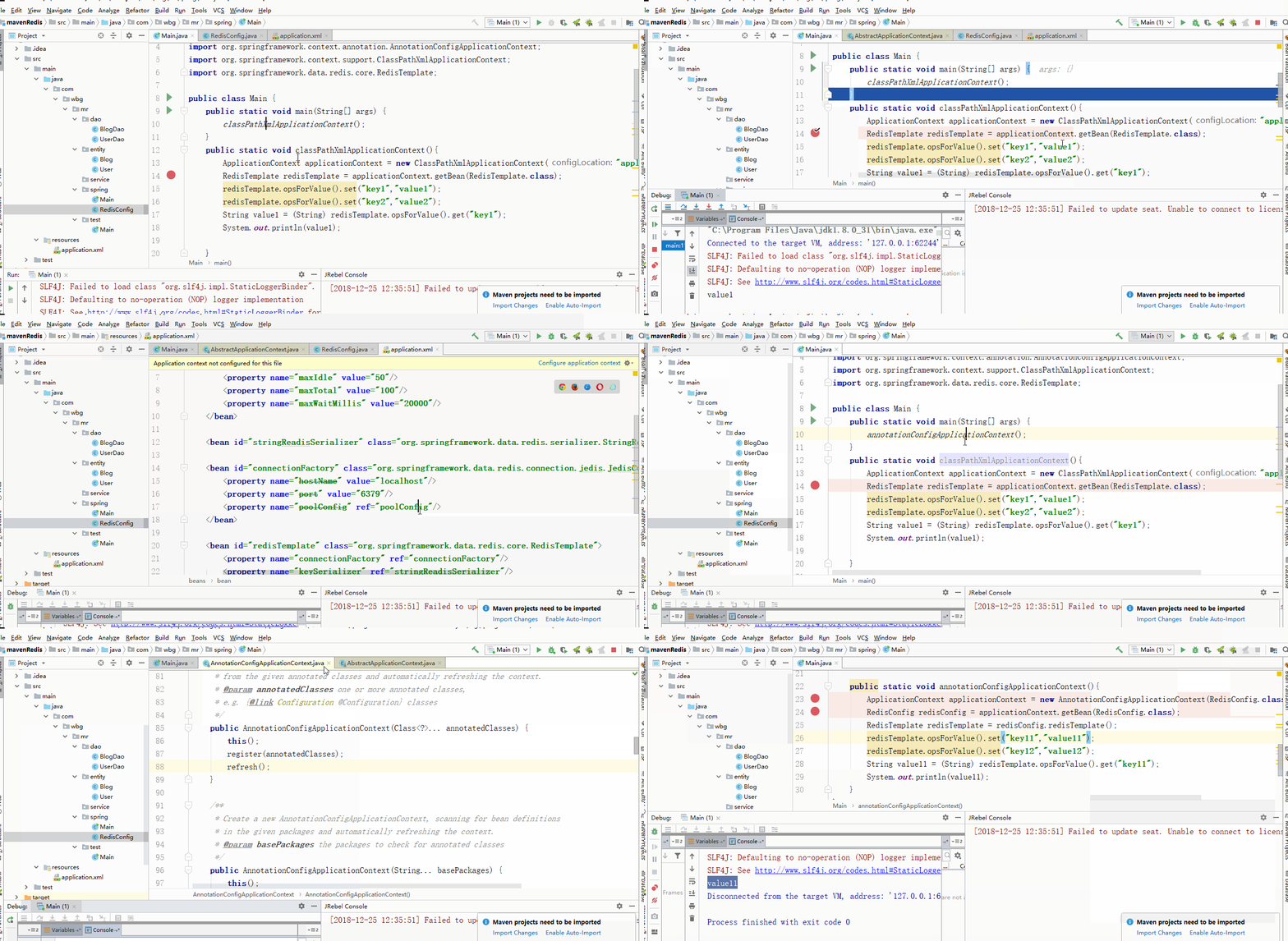
测试:
package com.wbg.mr.spring;

import org.springframework.context.ApplicationContext;

import org.springframework.context.annotation.AnnotationConfigApplicationContext;

import org.springframework.context.support.ClassPathXmlApplicationContext;

import org.springframework.data.redis.core.RedisTemplate;

public class Main {

    public static void main(String[] args) {

        annotationConfigApplicationContext();

    }

    public static void classPathXmlApplicationContext(){

        ApplicationContext applicationContext = new ClassPathXmlApplicationContext("application.xml");

        RedisTemplate redisTemplate = applicationContext.getBean(RedisTemplate.class);

        redisTemplate.opsForValue().set("key1","value1");

        redisTemplate.opsForValue().set("key2","value2");

        String value1 = (String) redisTemplate.opsForValue().get("key1");

        System.out.println(value1);

    }

    public static void annotationConfigApplicationContext(){

        ApplicationContext applicationContext = new AnnotationConfigApplicationContext(RedisConfig.class);

        RedisConfig redisConfig = applicationContext.getBean(RedisConfig.class);

        RedisTemplate redisTemplate = redisConfig.redisTemplate();

        redisTemplate.opsForValue().set("key11","value11");

        redisTemplate.opsForValue().set("key12","value12");

        String value11 = (String) redisTemplate.opsForValue().get("key11");

        System.out.println(value11);

    }

}
spring配置redis(xml+java方式)(最底层)的更多相关文章
- web.xml中配置Spring中applicationContext.xml的方式
2011-11-08 16:29 web.xml中配置Spring中applicationContext.xml的方式 使用web.xml方式加载Spring时,获取Spring applicatio ...
- spring配置datasource三种方式
详见:http://blog.yemou.net/article/query/info/tytfjhfascvhzxcytp34 spring配置datasource三种方式 1.使用org.spri ...
- Spring配置redis及使用
一.redis简介 Redis 是完全开源免费的,遵守BSD协议,是一个高性能的key-value数据库 Redis支持数据的持久化,可以将内存中的数据保存在磁盘中,重启的时候可以再次加载进行使用. ...
- 配置RedisTemplate、JedisPoolConfig、JedisConnectionFactory+自定义序列化 (xml+java方式)+使用
java方式配置RedisTemplate //spring注入ben //@Bean(name = "redisTemplate") public RedisTemplate i ...
- spring配置redis注解缓存
前几天在spring整合Redis的时候使用了手动的方式,也就是可以手动的向redis添加缓存与清除缓存,参考:http://www.cnblogs.com/qlqwjy/p/8562703.html ...
- spring配置datasource三种方式 数据库连接池
尊重原创(原文链接):http://blog.csdn.net/kunkun378263/article/details/8506355 1.使用org.springframework.jdbc.da ...
- spring配置datasource三种方式及具体信息
1.使用org.springframework.jdbc.datasource.DriverManagerDataSource说明:DriverManagerDataSource建立连接是只要有连接就 ...
- spring 配置 redis
1.maven相关pom.xml <dependencies> <!--spring redis--> <dependency> <groupId>or ...
- spring配置JNDI(Java Naming and Directory Interface,Java命名和目录接口)数据源
1.在tomcat下的server.xml的 <GlobalNamingResources> </GlobalNamingResources>添加下面代码 <Resour ...
随机推荐
- explode 把字符串打散为数组
// 显示的字段列表 $smarty->assign('field_show', explode(',',$list_name)); explode(separator,string,limit ...
- 分布式事务概述--2pc的概念
转载自一个大拿:http://www.cnblogs.com/LBSer/p/4715395.html 前阵子从支付宝转账1万块钱到余额宝,这是日常生活的一件普通小事,但作为互联网研发人员的职业病,我 ...
- Filter内容
1.利用Filter来过滤的时候大都是Http请求和Http响应,在doFilter()方法中,参数类是ServletRequest和ServletResponse ,使用的时候一般需要强制转换为H ...
- mysql 查询近几天的结果 按每天的粒度查询
),DATE_FORMAT(FROM_UNIXTIME(createtime), '%Y-%m-%d') as time from bskuser group by time
- Js的核心:找到DOM
掌握 JavaScript 的核心之一:DOM,能够熟悉DOM相关操作,了解JavaScript事件机制 一.使用getElementById().getElementsByTagName().chi ...
- 软件项目技术点(6)——结合鼠标操作绘制动态canvas画布
AxeSlide软件项目梳理 canvas绘图系列知识点整理 我们创建一个类封装了所有鼠标需要处理的事件. export class MouseEventInfo { el: HTMLElemen ...
- iview table数据排序不正确
在使用iview的table组件时,要做排序 代码: sortable: true,sortMethod: (a, b, type) => { if (type === 'desc') { re ...
- 【Machine Learning】监督学习、非监督学习及强化学习对比
Supervised Learning Unsupervised Learning Reinforced Learning Goal: How to apply these methods How t ...
- spfa 的算法实现之一
问题描述:给定一个n个顶点,m条边的有向图(其中某些边权可能为负,但保证没有负环).请你计算从1号点到其他点的最短路(顶点从1到n编号). 输入格式:第一行两个整数n, m.接下来的m行,每行有三个整 ...
- 仿照jQuery进行一些简单的框架封装(欢迎指教~)
(function(window,undefined){ var arr = [], push = arr.push, slice = arr.slice; //首先要做的就是封装一个parseHtm ...