
jquery ui中 accordion的问题及我的解决方法
原文:jquery ui中 accordion的问题及我的解决方法
jquery有一套所谓的ui组件,很不错的。如果有兴趣的朋友,可以参考http://jqueryui.com/
但其中的accordion,我使用的时候发现一些问题。如果按照demo那样,写一些静态内容,倒也正常。但如果每个面板里面的内容是动态绑定的,则会发生高度变小,然后出现滚动条的诡异现象
<%@ Page Language="C#" %>

<%@ Import Namespace="System.Linq" %>

<%@ Import Namespace="System.Xml.Linq" %>

<script runat="server">

    protected override void OnPreInit(EventArgs e)

    {

        rp.ItemDataBound += new RepeaterItemEventHandler(rp_ItemDataBound);

    }

    void rp_ItemDataBound(object sender, RepeaterItemEventArgs e)

    {

        Label lb = e.Item.FindControl("categoryId") as Label;

        if (lb != null)

        {

            string id = lb.Text;

            var forms = from x in config.Root.Descendants("Form")

                        where x.Attribute("CategoryId").Value == id

                        select new

                        {

                            FormTitle = x.Attribute("Title").Value,

                            FormDescription = x.Attribute("Description").Value,

                            Url = x.Attribute("Url").Value,

                            Icon = "Forms/Icons/" + x.Attribute("Icon").Value

                        };

            Repeater temp = e.Item.FindControl("rp_forms") as Repeater;

            temp.DataSource = forms;

            temp.DataBind();

        }

    }

    protected override void OnLoad(EventArgs e)

    {

        if (!IsPostBack)

            DataBind();

    }

    private XDocument config = null;

    public override void DataBind()

    {

        //先读取分类数据

        config = XDocument.Load(Server.MapPath("Forms/Forms.xml"));

        var categories = from x in config.Root.Descendants("Category")

                         orderby x.Attribute("Id").Value

                         select new

                         {

                             Title = x.Attribute("Title").Value,

                             Id = x.Attribute("Id").Value,

                             Description = x.Attribute("Description").Value

                         };

        rp.DataSource = categories;

        rp.DataBind();

    }

</script>

<html>

<head runat="server">

    <script src="jquery-1.3.2-vsdoc.js" type="text/javascript"></script>

    <script src="ui/ui.core.js" type="text/javascript"></script>

    <script src="ui/ui.accordion.js" type="text/javascript"></script>

    <link href="themes/cupertino/ui.all.css" rel="stylesheet" type="text/css" />

    <script type="text/javascript">

        $(function() {

            $("#formscontainer").accordion();

        });

    </script>

    <style type="text/css">

        li.formli

        {

            list-style-type: none;

            width: 300px;

            float: left;

        }

        li.formli img

        {

            border: none;

        }

    </style>

</head>

<body>

    <h2>

        表单中心</h2>

    <p>

        这里将列出了所有的表单,您可以通过这里进行表单填写</p>

    <div id="formscontainer">

        <asp:Repeater ID="rp" runat="server">

            <ItemTemplate>

                <h3>

                    <a href="#" title='<%# Eval("Description") %>'>

                        <%# Eval("Title") %></a>

                    <asp:Label ID="categoryId" runat="server" Text='<%# Eval("Id") %>' Visible="false"></asp:Label>

                </h3>

                <div class="details">

                    <asp:Repeater ID="rp_forms" runat="server">

                        <HeaderTemplate>

                            <ul>

                        </HeaderTemplate>

                        <ItemTemplate>

                            <li class="formli">

                                <img src='<%# Eval("Icon") %>' />

                                <a href='<%# Eval("Url") %>'>

                                    <%# Eval("FormTitle") %>

                                </a>

                                <div style="padding-left: 40px">

                                    <%# Eval("FormDescription") %>

                                </div>

                            </li>

                        </ItemTemplate>

                        <FooterTemplate>

                            </ul></FooterTemplate>

                    </asp:Repeater>

                </div>

            </ItemTemplate>

        </asp:Repeater>

    </div>

</body>

</html>
开始的时候,看起来不错
.csharpcode, .csharpcode pre
{
font-size: small;
color: black;
font-family: consolas, "Courier New", courier, monospace;
background-color: #ffffff;
/*white-space: pre;*/
}
.csharpcode pre { margin: 0em; }
.csharpcode .rem { color: #008000; }
.csharpcode .kwrd { color: #0000ff; }
.csharpcode .str { color: #006080; }
.csharpcode .op { color: #0000c0; }
.csharpcode .preproc { color: #cc6633; }
.csharpcode .asp { background-color: #ffff00; }
.csharpcode .html { color: #800000; }
.csharpcode .attr { color: #ff0000; }
.csharpcode .alt
{
background-color: #f4f4f4;
width: 100%;
margin: 0em;
}
.csharpcode .lnum { color: #606060; }

但只要缩放几次,就会出现下面这样的情况
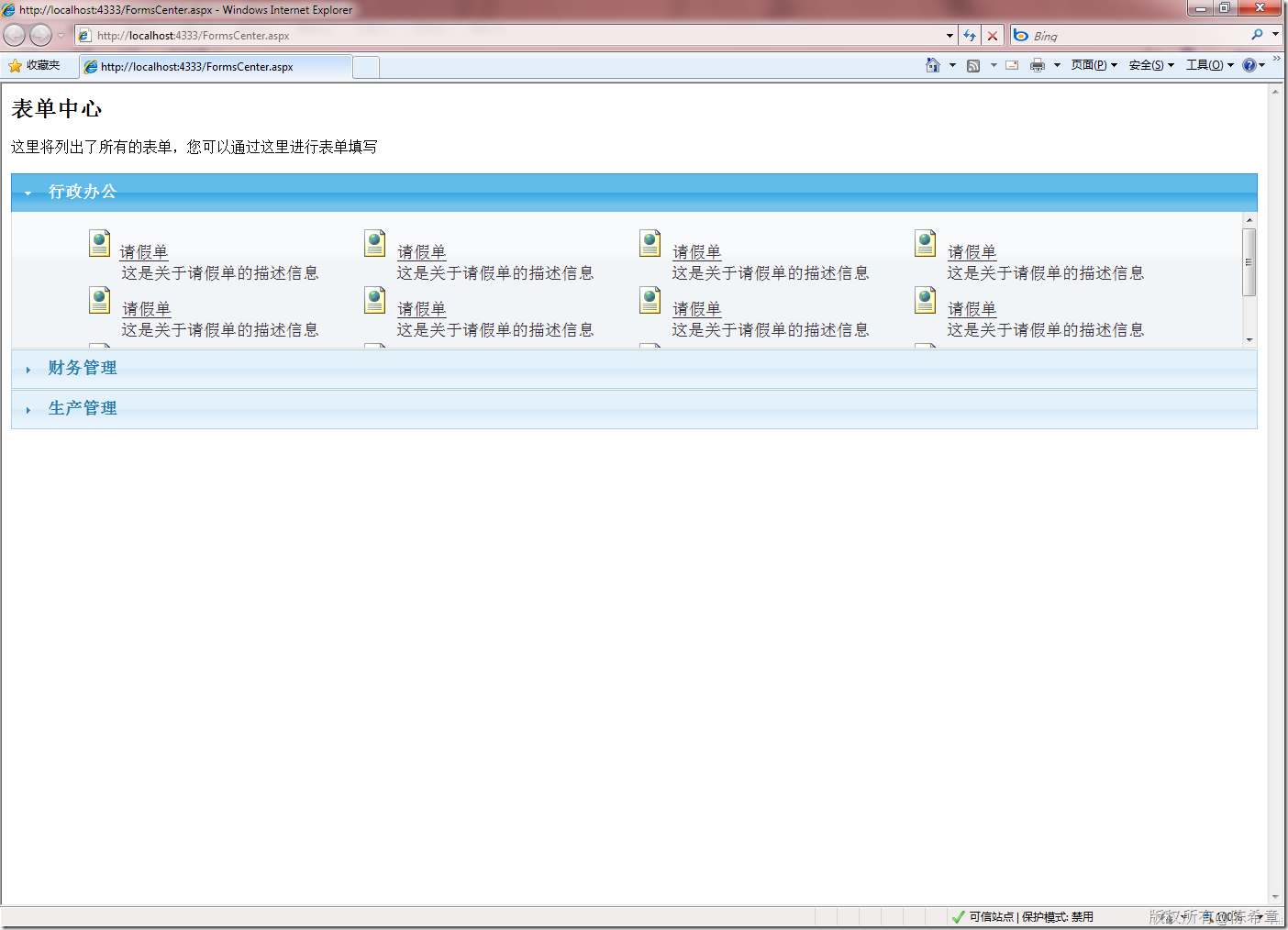
发现了吗,div的高度会缩小,然后出现滚动条。而且更加神奇的是,它会逐渐变小,小到一定程度之后,又会还原。
尝试过他所有的参数,也没有找到很好的方法,实在也是不解,难道这么明显的问题别人就没有遇到过。
我的解决方法倒也干脆,既然不好用,那就自己动手写一个,其实也没有什么大不了的。当然,我写的这个和accordion不完全一样,但更符合我自己的需要,而且简便易行
脚本代码
/// 这个脚本用来处理所有的widget行为。

/// 作者:陈希章

$(function() {

    $("div.widget").each(function() {

        var w = $(this);

        var d = w.find("div.details");

        var h = parseInt(d.attr("offsetHeight")) + 10;

        d.css("height", h);

        var autoOpen = w.attr("autoOpen");

        if (autoOpen != null && autoOpen == "false") {

            d.fadeOut("fast");

            //只有明确地设置了不自动打开,才隐藏起来

        }

        else {

            //如果设置了一个action,表示要异步加载

            var a = d.attr("action");

            if (a != null) {

                d.empty();

                $("<img src='images/loading.gif' />").appendTo(d);

                d.load(a);

            }

        }

    });

    $("div.widget>div.title").click(function() {

        var t = $(this);

        var d = t.next("div.details");

        t.children(".icon").toggleClass("icon2");

        var display = d.css("display");

        if (display == "none") {

            d.fadeIn("slow", function() {

                var a = d.attr("action");

                if (a != null) {

                    d.empty();

                    $("<img src='images/loading.gif' />").appendTo(d);

                    d.load(a);

                }

            });

        }

        else

            d.fadeOut("fast");

    });

});
页面代码
<%@ Page Language="C#" %>

<%@ Import Namespace="System.Linq" %>

<%@ Import Namespace="System.Xml.Linq" %>

<script runat="server">

    protected override void OnPreInit(EventArgs e)

    {

        rp.ItemDataBound += new RepeaterItemEventHandler(rp_ItemDataBound);

    }

    void rp_ItemDataBound(object sender, RepeaterItemEventArgs e)

    {

        Label lb = e.Item.FindControl("categoryId") as Label;

        if (lb != null)

        {

            string id = lb.Text;

            var forms = from x in config.Root.Descendants("Form")

                        where x.Attribute("CategoryId").Value == id

                        select new

                        {

                            FormTitle = x.Attribute("Title").Value,

                            FormDescription = x.Attribute("Description").Value,

                            Url = x.Attribute("Url").Value,

                            Icon = "Forms/Icons/" + x.Attribute("Icon").Value

                        };

            Repeater temp = e.Item.FindControl("rp_forms") as Repeater;

            temp.DataSource = forms;

            temp.DataBind();

        }

    }

    protected override void OnLoad(EventArgs e)

    {

        if (!IsPostBack)

            DataBind();

    }

    private XDocument config = null;

    public override void DataBind()

    {

        //先读取分类数据

        config = XDocument.Load(Server.MapPath("Forms/Forms.xml"));

        var categories = from x in config.Root.Descendants("Category")

                         orderby x.Attribute("Id").Value

                         select new

                         {

                             Title = x.Attribute("Title").Value,

                             Id = x.Attribute("Id").Value,

                             Description = x.Attribute("Description").Value

                         };

        rp.DataSource = categories;

        rp.DataBind();

    }

</script>

<html>

<head id="Head1" runat="server">

    <script src="jquery-1.3.2-vsdoc.js" type="text/javascript"></script>

    <script src="widget.js" type="text/javascript"></script>

    <link href="Style/Widget.css" rel="stylesheet" type="text/css" />

    <style type="text/css">

        li.formli

        {

            list-style-type: none;

            width: 300px;

            float: left;

        }

        li.formli img

        {

            border: none;

        }

    </style>

</head>

<body>

    <h2>

        表单中心</h2>

    <p>

        这里将列出了所有的表单,您可以通过这里进行表单填写</p>

    <div id="formscontainer">

        <asp:Repeater ID="rp" runat="server">

            <ItemTemplate>

                <div class="widget">

                    <div class="title">

                        <div class="icon">

                        </div>

                        <h3>

                            <%# Eval("Title") %>

                            <asp:Label ID="categoryId" runat="server" Text='<%# Eval("Id") %>' Visible="false"></asp:Label>

                        </h3>

                    </div>

                    <div class="details">

                        <asp:Repeater ID="rp_forms" runat="server">

                            <HeaderTemplate>

                                <ul>

                            </HeaderTemplate>

                            <ItemTemplate>

                                <li class="formli">

                                    <img src='<%# Eval("Icon") %>' />

                                    <a href='<%# Eval("Url") %>'>

                                        <%# Eval("FormTitle") %>

                                    </a>

                                    <div style="padding-left:40px">

                                        <%# Eval("FormDescription") %>

                                    </div>

                                </li>

                            </ItemTemplate>

                            <FooterTemplate>

                                </ul></FooterTemplate>

                        </asp:Repeater>

                    </div>

                </div>

            </ItemTemplate>

        </asp:Repeater>

    </div>

    <div class="widget" autoOpen="false">

        <div class="title">

            <div class="icon">

            </div>

            <h3>

            异步加载的内容

            </h3>

        </div>

        <div class="details" action="AsyncDataPage.aspx">

        </div>

    </div>

</body>

</html>
.csharpcode, .csharpcode pre
{
font-size: small;
color: black;
font-family: consolas, "Courier New", courier, monospace;
background-color: #ffffff;
/*white-space: pre;*/
}
.csharpcode pre { margin: 0em; }
.csharpcode .rem { color: #008000; }
.csharpcode .kwrd { color: #0000ff; }
.csharpcode .str { color: #006080; }
.csharpcode .op { color: #0000c0; }
.csharpcode .preproc { color: #cc6633; }
.csharpcode .asp { background-color: #ffff00; }
.csharpcode .html { color: #800000; }
.csharpcode .attr { color: #ff0000; }
.csharpcode .alt
{
background-color: #f4f4f4;
width: 100%;
margin: 0em;
}
.csharpcode .lnum { color: #606060; }
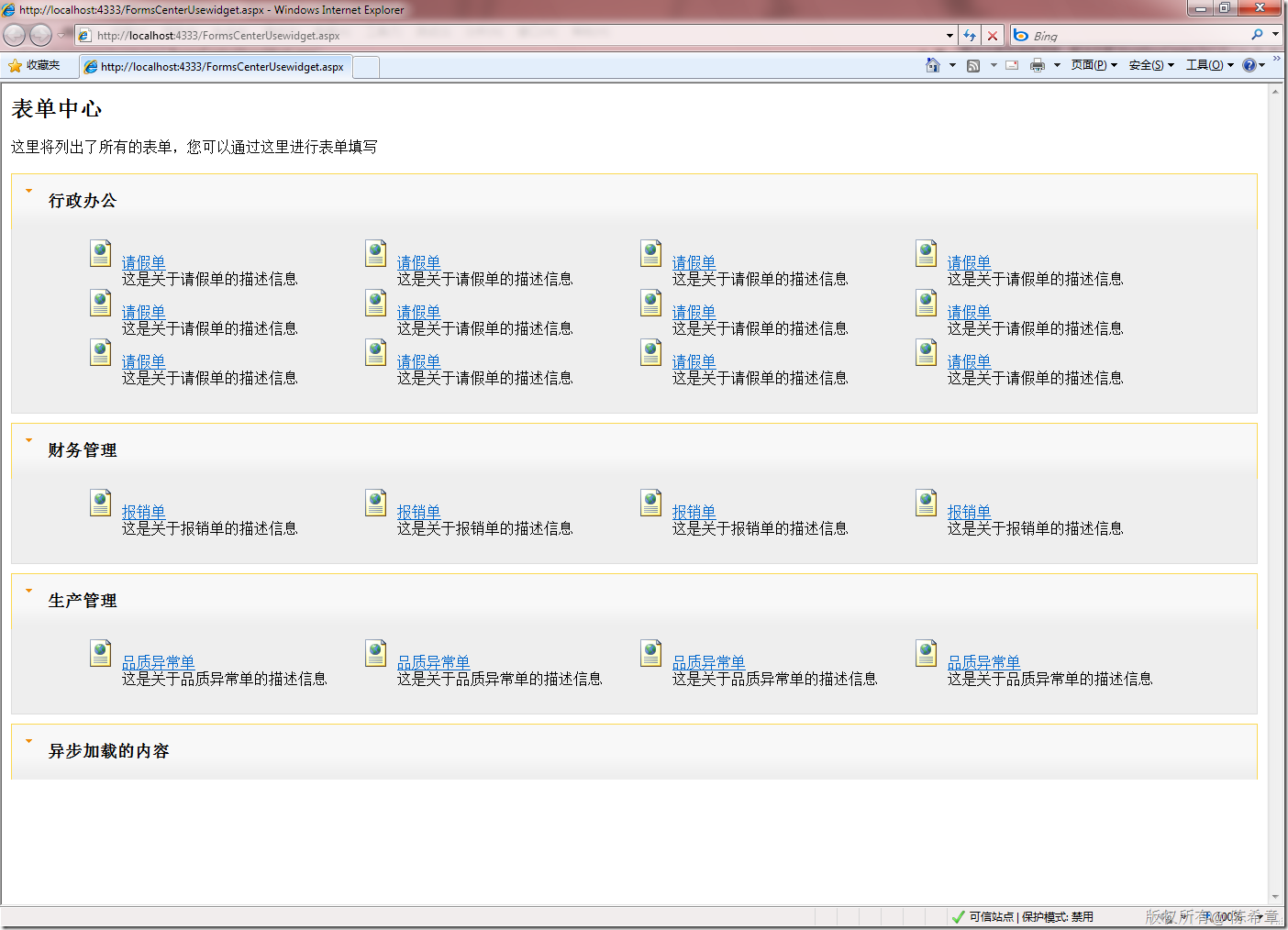
页面效果
.csharpcode, .csharpcode pre
{
font-size: small;
color: black;
font-family: consolas, "Courier New", courier, monospace;
background-color: #ffffff;
/*white-space: pre;*/
}
.csharpcode pre { margin: 0em; }
.csharpcode .rem { color: #008000; }
.csharpcode .kwrd { color: #0000ff; }
.csharpcode .str { color: #006080; }
.csharpcode .op { color: #0000c0; }
.csharpcode .preproc { color: #cc6633; }
.csharpcode .asp { background-color: #ffff00; }
.csharpcode .html { color: #800000; }
.csharpcode .attr { color: #ff0000; }
.csharpcode .alt
{
background-color: #f4f4f4;
width: 100%;
margin: 0em;
}
.csharpcode .lnum { color: #606060; }
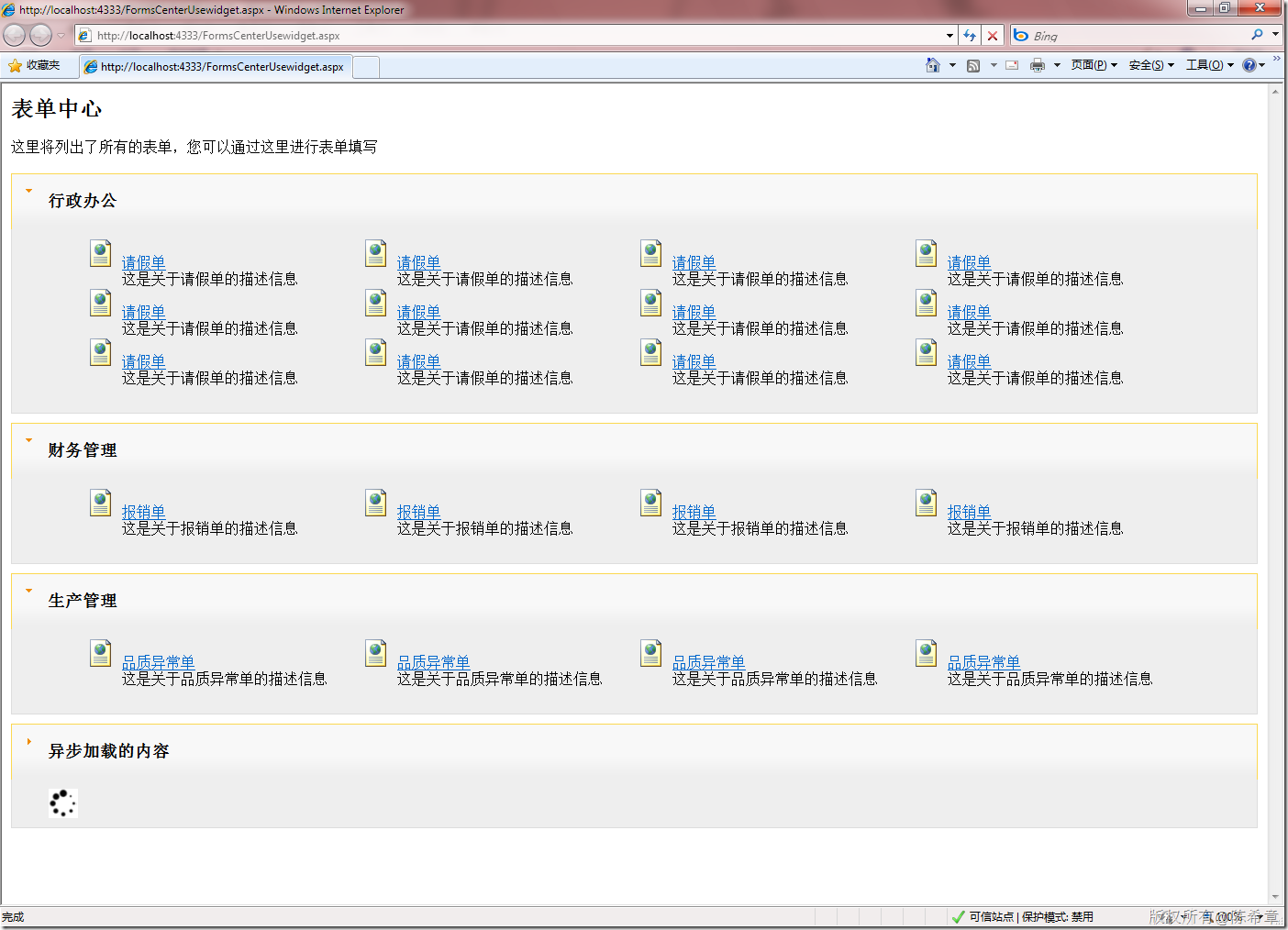
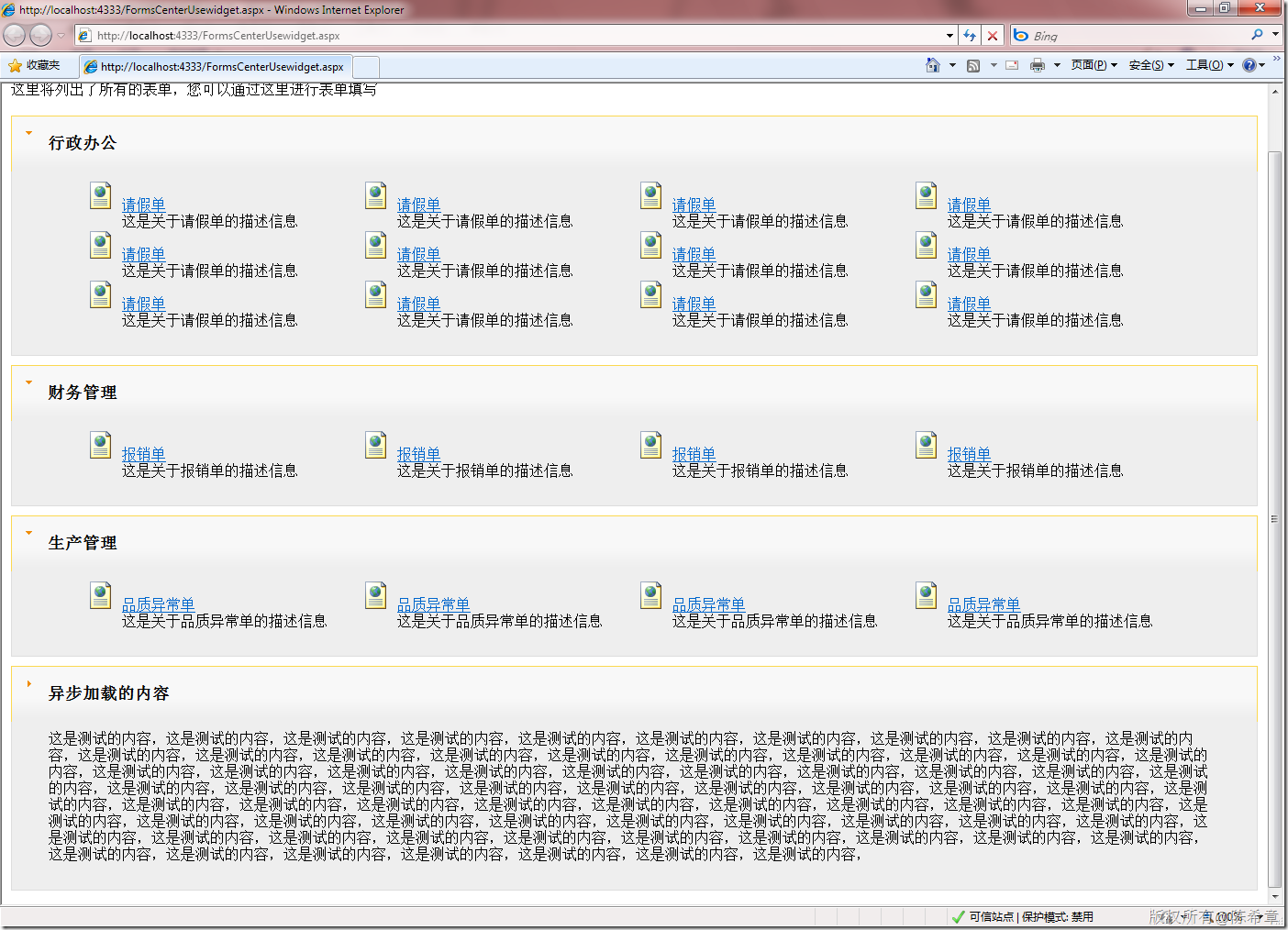
点击“异步加载的内容”
jquery ui中 accordion的问题及我的解决方法的更多相关文章
- jquery ui中的dialog,官网上经典的例子
jquery ui中的dialog,官网上经典的例子 jquery ui中dialog和easy ui中的dialog很像,但是最近用到的时候全然没有印象,一段时间不用就忘记了,这篇随笔介绍一下这 ...
- JQuery UI中的Tabs与base元素摩擦的BUG
JQuery UI中的Tabs与base元素冲突的BUG 以前一直使用jquery-ui-1.8,最近打算试一下目前最新的版本1.11.但对于Tabs,页面是乱的,怎么也不正常.折腾了好几个小时,最后 ...
- ASP.NET MVC中对Model进行分步验证的解决方法
原文:ASP.NET MVC中对Model进行分步验证的解决方法 在我之前的文章:ASP.NET MVC2.0结合WF4.0实现用户多步注册流程中将一个用户的注册分成了四步,而这四个步骤都是在完善一个 ...
- 如何自定义JSTL标签与SpringMVC 标签的属性中套JSTL标签报错的解决方法
如何自定义JSTL标签 1.创建一个类,从SimpleTagSupport继承 A) 通过继承可以获得当前JSP页面上的对象,如JspContext I) 实际上可以强转为PageContext II ...
- WAMP中phpMyAdmin登陆不了问题的解决方法
WAMP中phpMyAdmin登陆不了问题的解决方法
- [转载][jQuery] Cannot read property ‘msie’ of undefined错误的解决方法
参考 [jQuery] Cannot read property ‘msie’ of undefined错误的解决方法 ---------------------------------------- ...
- 问题-[Access]“无法打开工作组信息文件中的表 'MSysAccounts'”的问题的解决方法
问题现象:ado.net oledb方式访问Access数据库文件时报错“无法打开工作组信息文件中的表 'MSysAccounts'”的问题的解决方法 问题处理:1.数据库名称不能命名为:Syste ...
- [jQuery] Cannot read property ‘msie’ of undefined错误的解决方法
最近把一个项目的jQuery升级到最新版,发现有些页面报错Cannot read property ‘msie’ of undefined.上jQuery网站上搜了一下,原因是$.browser这个a ...
- jquery升级到新版本报错[jQuery] Cannot read property ‘msie’ of undefined错误的解决方法(转)
最近把一个项目的jQuery升级到最新版,发现有些页面报错Cannot read property 'msie' of undefined.上jQuery网站上搜了一下,原因是$.browser这个a ...
随机推荐
- 把VS2010的智能代码提示和注解从英文变成中文
最近安装了个高级点的VS2010,起初还没留意.今天无意发现提示信息只能提示英文.....头大oooo. 我以为是个别现象,于是GG了下,发现有很多盆友都有这种. 记录下来了,以后省事儿: 访问MS的 ...
- EasyUI - DateBox组件
效果: html代码: <input type ="text" id ="box" /> JS代码: $(function () { //设置返回格 ...
- MFC 窗口重绘问题
在客户区画直线等图形时, 发现当其最小化或者其他窗口遮挡时,出现窗口重绘,而将原来绘制的图形删除,上网上搜索知道,绘制图形的代码必须放置在Ondraw函数中,才能避免重绘时图形消失(因为一直在响应WM ...
- javascript 中对this关键字的一些理解
var self = this 可能会觉得奇怪为什么我会定义一个_self的变量, 因为在js里,this不用对于其他的对象语言,他的解析过程与运行过程中this会改变的.这里简单说说js里this的 ...
- error -27257: Pending web_reg_save_param/reg_find/create_html_param[_ex] request(s) detected and reset at the end of iteration number 1
检查点函数 web_reg_find("Search=body", "savecount=num", "Text=test1&quo ...
- JavaScript编程:javaScript核心基础语法
1.javaScript核心基础语法: javaScript技术体系包含了5个内容: 1.核心语言定义: 2.原生对象和雷子对象: 3.浏览器对象 ...
- web攻击方式和防御方法
在http请求报文中载入攻击代码,就能发起对web应用的攻击.通过url查询字段或者表单.http首部.cookie等途径吧攻击代码传入,若这时web应用存在安全漏洞,那内部信息就会遭到窃取! 对we ...
- NetBeans + Xdebug 调试WordPress
用NetBeans进行WordPress的相关开发和定制很顺手,配合Xdebug后调试起来也很方便. 详细配置过程如下(本例中Xampp安装目录为D:\xampp): 1: 下载xdebug(版本需匹 ...
- 【状态DP】 HDU 1074 Doing Homework
原题直通车:HDU 1074 Doing Homework 题意:有n门功课需要完成,每一门功课都有时间期限t.完成需要的时间d,如果完成的时间走出时间限制,就会被减 (d-t)个学分.问:按怎样 ...
- Swift - 歌曲播放样例(附带播放时间和播放进度)
使用MPMoviePlayerController我们可以是进行音乐播放,下面是一个播放器样例.同时,播放时还可以显示播放时间和播放进度. 1 2 3 4 5 6 7 8 9 10 11 12 13 ...