
git cli all in one
git cli all in one
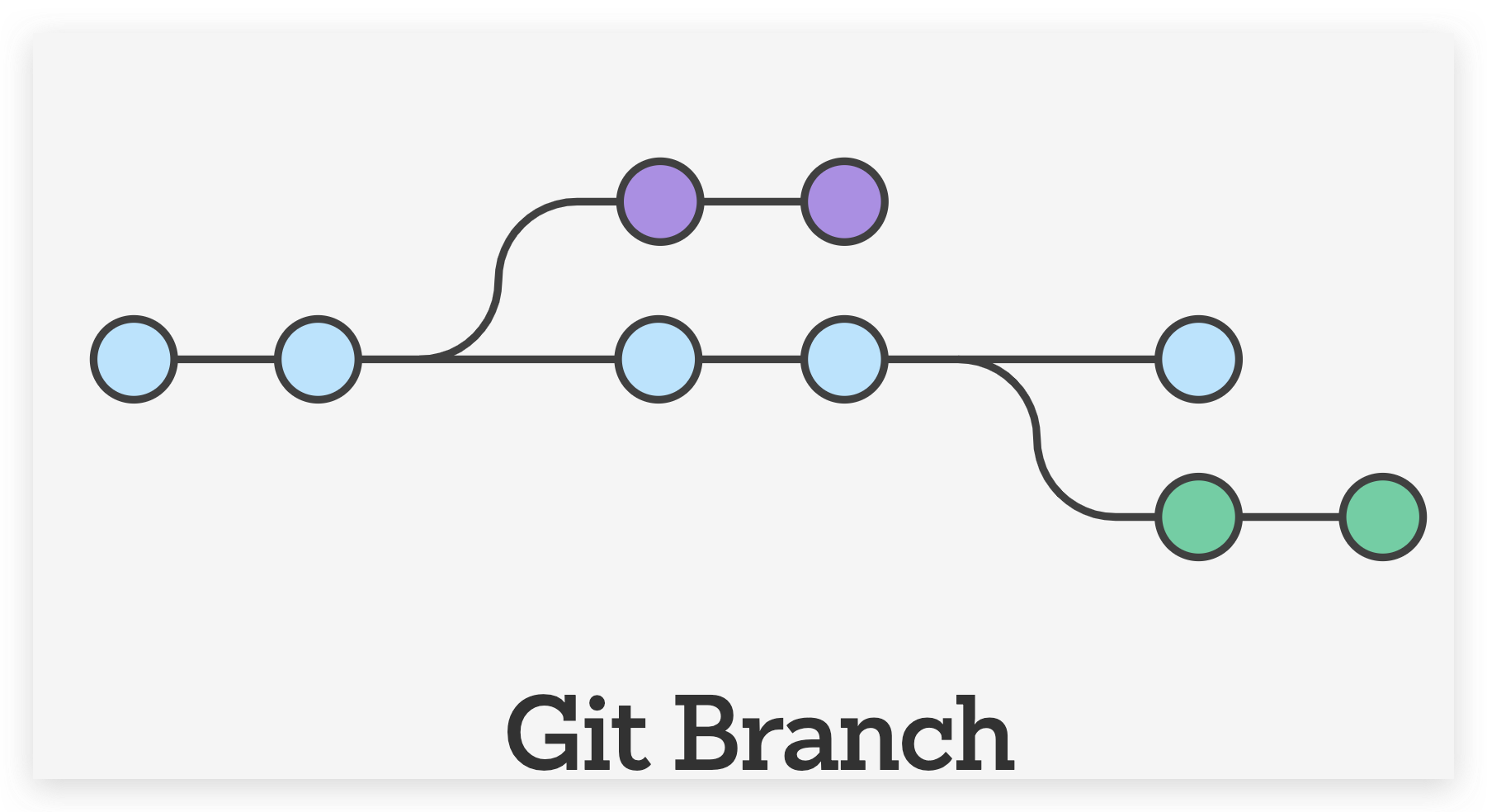
https://www.atlassian.com/git/tutorials/learn-git-with-bitbucket-cloud
git create remote branch
# Create a new branch and check it out

$ git checkout -b <branch-name>

# The remote branch is automatically created when you push it to the remote server.

# <remote-name> is typically origin

$ git push <remote-name> <branch-name>

$ git push <remote-name> <local-branch-name>:<remote-branch-name>

$ git push --set-upstream <remote-name> <local-branch-name>
# create a new branch & check it out

$ git checkout -b test

# local & remote  with the same name

$ git push origin test

# local & remote with a different name

$ git push origin test:dev

#  delete remote brach bug, if only `:<remote-branch-name>`

$ git push origin :dev

# delete remote branch

$ git push origin --delete test

# OR

$ git push origin :test
https://tecadmin.net/how-to-create-a-branch-in-remote-git-repository/
https://stackoverflow.com/questions/1519006/how-do-you-create-a-remote-git-branch
git
# list all branch(local)

$ git branch --list

$ git branch -l

# OR

$ git branch

# list all remote branches

$ git branch -a

# Q === quit

# create branch

# $ git checkout -b <branch_name>

$ git checkout -b test

# OR

# $ git branch <branch_name>

$ git branch test

# delete branch

# -d safe delete

# $ git branch -d <branch_name>

$ git branch -d test

# Deleted branch test (was 686c96b).

# -D force delete

# $ git branch -D <branch_name>

$ git branch -D test

# rename the current branch

# $ git branch -m <branch>

$ git branch -m test

# change branch

$ git checkout branch flutter-app
# creating remote branch

# Add remote repo to local repo config

# $ git remote add new-remote-repo https://github.com/user/repo.git

$ git remote add new-remote-repo https://github.com/xgqfrms/test.git

# push the test branch to new-remote-repo

$ git push <new-remote-repo> test
https://www.atlassian.com/git/tutorials/using-branches
  flutter-app

  test

* master
  flutter-app

  test

* master

  remotes/origin/HEAD -> origin/master

  remotes/origin/gh-pages

  remotes/origin/master
xgqfrms 2012-2020
www.cnblogs.com 发布文章使用:只允许注册用户才可以访问!
git cli all in one的更多相关文章
- 在Linux上用自己编译出来的coreclr与donet cli运行asp.net core程序
先在 github 上签出 coreclr 的源代码,运行 ./build.sh 命令进行编译,编译结果在 coreclr/bin/Product/Linux.x64.Debug/ 文件夹中. 接着签 ...
- how to remove git commit history
how to remove git commit history 如何删除 GitHub 仓库的历史数据 git filter-branch remove GitHub git commit hist ...
- git in depth
git in depth git delete remote branch # Deleting remote branches in Git $ git push origin --delete f ...
- git config all in one
git config git global config # git global config $ git config $ git config --list --show-origin $ gi ...
- 图解 git 流程
图解 git 流程 Github 开源项目 1 动画 2 web repl 3 online git cli & create remote branch # Create a new bra ...
- 流程自动化RPA,Power Automate Desktop系列 - 批量备份Git仓库做好灾备
一.背景 打个比如,你在Github上的代码库需要批量的定时备案到本地的Gitlab上,以便Github不能访问时,可以继续编写,这时候我们可以基于Power Automate Desktop来实现一 ...
- Visual Studio 2015 和 Apache Cordova 跨平台开发入门(一)
基于 Windows 10 的 Visual Studio 2015 跨平台的应用开发主要分为基于Visual Studio 安装 Xamarin 扩展的跨Android.iOS 和 Windows的 ...
- Visual Studio创建跨平台移动应用_02.Cordova Extension
1简介 本章节是关于Visual Studio Tools for Apache Cordova的,目前此产品只发布了预览版.Visual Studio for Apache Cordova帮助熟悉V ...
- 使用 Cordova+Visual Studio 创建跨平台移动应用(1)
1简介 本章节是关于Visual Studio Tools for Apache Cordova的,目前此产品只发布了预览版.Visual Studio for Apache Cordova帮助熟悉V ...
随机推荐
- list中map 的value值时间排序
public static void main(String[] args) { String sys=DateUtil.getTime().substring(0,5); System.out.pr ...
- 长连接开发踩坑之netty OOM问题排查实践
https://mp.weixin.qq.com/s/jbXs7spUCbseMX-Vf43lPw 原创: 林健 51NB技术 2018-07-13
- python3 自动部署MariaDB主从复制
master import configparser import os def config_mariadb_yum(): exists = os.path.exists('/etc/yum.rep ...
- C语言之数据在内存中的存储
C语言之数据在内存中的存储 在我们学习此之前,我们先来回忆一下C语言中都有哪些数据类型呢? 首先我们来看看C语言中的基本的内置类型: char //字符数据类型 short //短整型 int //整 ...
- 闲聊CAP、BASE与XA
CAP理论与BASE理论 首先要和大家说的就是大名鼎鼎的CAP理论与BASE理论了,这两个理论与解决分布式事务问题是密切相关的. 其实网上有很多关于CAP与BASE相关的文章,一写就写了一大堆,篇幅很 ...
- 将jekyll博客主页的超链接变为新标签页打开
将jekyll博客主页的超链接变为新标签页打开 最近发现在打开博文查看时往往不想关闭当前页面,想新建一个页面打开,查了HTML资料以后进行修改 在根目录找到index.html,打开编辑,找到图示&l ...
- AtCoder Beginner Contest 177
比赛链接:https://atcoder.jp/contests/abc177/tasks A - Don't be late #include <bits/stdc++.h> using ...
- div 水平居中 内容居左
<div style="margin:0 auto;width:500px;text-align:left"> </div> https://zhidao. ...
- windows创建p12格式的ios开发证书的流程
现在做ios开发,原生的开发已经不是第一选择,现在有很多不同的H5开发框架,在性能上都不输原生开发,而UI方便却能做得比原生更炫,比如CSS得灵活度肯定是比原生开发出来得应用更灵活的. 我们在开发IO ...
- spark mllib als 参数
在一定范围内按照排列组合方式对rank,iterations,lambda进行交叉评估(根据均方根误差),找到最小误差的组合,用于建立矩阵分解模型.Signature: ALS.train( rati ...