
vue文本滚动组件
看了好多网上的文本组件,发现好多都有这样那样的问题;特别是滚动的时候失真的感觉,今天整合了文本滚动的方式用CSS的
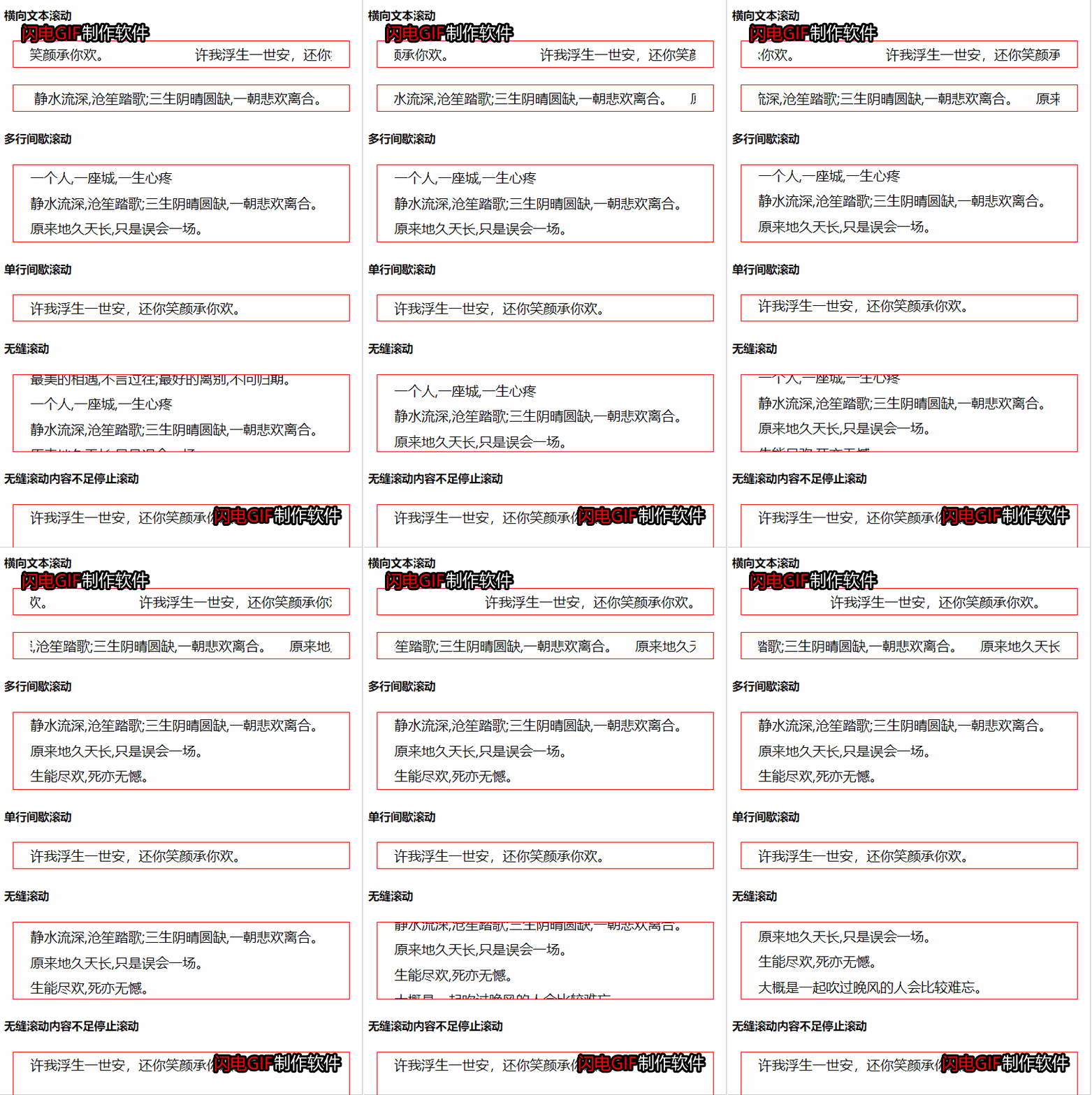
1. 横向文本滚动
/* 横向文本滚动 */

<template>

  <div class="scroll-inner" ref="scrollInner">

    <div class="scroll-wrap" ref="scrollWrap" :style="wrapStyle">

      <slot></slot>

    </div>

    <div class="scroll-wrap">

      <slot></slot>

    </div>

    <!-- <ul class="scroll-wrap">

      <li v-for="item in runArr" :key="item">

        {{item}}

      </li>

    </ul> -->

  </div>

</template>

<script>

/**

 * speed               1           速度

 *

 * 格式要求类名scroll、ul、li格式勿变,li内排版可自定义

 * <horizontal-text-scroll>

      <ul class="scroll">

        <li v-for="item in arr2" :key="item">

          {{item}}

        </li>

      </ul>

    </horizontal-text-scroll>

 */

export default {

  data () {

    return {

      runArr: [],

      wrapWidth: 0,

      innerWidth: 0,

      retry: 0,

      tim: Math.floor(Math.random() * (99999 - 10000) + 10000)

    }

  },

  props: {

    // 滚动速度

    speed: {

      type: Number,

      default: 1

    }

  },

  computed: {

    wrapStyle () {

      const s = this.wrapWidth / (30 + this.speed * 5)

      return {

        animationDuration: `${s}s`,

        animationIterationCount: 'infinite',

        animationName: `move${this.tim}`,

        animationTimingFunction: 'linear'

      }

    }

  },

  mounted () {

    this.getWrapWidth()

  },

  methods: {

    getWrapWidth () {

      this.$nextTick(() => {

        this.wrapWidth = this.$refs.scrollWrap.clientWidth

        this.innerWidth = this.$refs.scrollInner.clientWidth

        console.log(this.wrapWidth)

        console.log(this.innerWidth)

        if (!this.wrapWidth && this.retry < 3) {

          this.getWrapWidth()

          this.retry++

          return

        } else if (!this.wrapWidth && this.retry === 3){

          console.error('获取元素高度失败或高度为0')

          return

        }

        this.createStyle()

      })

    },

    createStyle () {

      const style = `

        @keyframes move${this.tim} {

          from {margin-left: 0;}

          to {margin-left: -${this.wrapWidth}px;}

        }

      `

      let el = document.createElement('style')

      el.innerHTML = style

      document.head.appendChild(el)

    }

  }

}

</script>

<style scoped>

*{

  padding: 0;

  margin: 0;

}

.scroll-inner {

  width: 100%;

  white-space: nowrap;

  overflow: hidden;

  height: 100%;

}

.scroll-wrap {

  box-sizing: border-box;

  min-width: 100%;

  height: 100%;

  font-size: 0;

  white-space: nowrap;

  display: inline-block;

}

.scroll-wrap li {

  height: 30px;

  line-height: 30px;

  list-style: none;

  display: inline-block;

  font-size: 16px;

  margin-right: 20px;

}

.scroll {

  display: inline-block;

}

</style>
2. 断点滚动
/* 间歇滚动 */

<template>

  <div class="scroll-inner">

    <ul class="scroll-wrap" :style="scrollWrapClass" v-bind="$attrs">

      <li v-for="(item, index) in runArr" :key="index">

        {{item}}

      </li>

    </ul>

  </div>

</template>

<script>

/**

 * 根据inner标签的高度可控制单行多行

 *

 * scrollArr                       滚动数组

 * time                 2000       滚动间隔

 * animationTime        500        滚动动画时间

 * distance             30         滚动距离

 *

 */

export default {

  data () {

    return {

      isRun: false,

      runArr: []

    }

  },

  computed: {

    scrollWrapClass () {

      let c

      if (this.isRun) {

        c = {

          transition: `margin ${this.animationTime / 1000}s`,

          marginTop: `-${this.distance}`

        }

      } else {

        c = {

          transition: '',

          marginTop: ''

        }

      }

      return c

    }

  },

  props: {

    // 滚动数组

    scrollArr: {

      required: true

    },

    // 滚动间隔

    time: {

      type: Number,

      default: 2000

    },

    // 滚动动画时间

    animationTime: {

      type: Number,

      default: 500

    },

    // 滚动距离

    distance: {

      type: String,

      default: '30px'

    }

  },

  mounted() {

    this.runArr = JSON.parse(JSON.stringify(this.scrollArr ))

    document.addEventListener('visibilitychange', this.handleVisiable)

    this.startScroll()

  },

  methods: {

    startScroll () {

      this.interval = setInterval (() => {

        this.isRun = true

        this.runArr.push(this.runArr[0])

        this.timeOut = setTimeout (() => {

          this.runArr.shift()

          this.isRun = false

        }, this.animationTime)

      }, this.time)

    },

    handleVisiable (e) {

      if (e.target.visibilityState === 'visible') {

        // 要执行的方法

        this.startScroll()

      } else {

        this.interval && clearInterval(this.interval)

      }

    }

  },

  destroyed () {

    this.interval && clearInterval(this.interval)

    this.timeOut && clearTimeout(this.timeOut)

  }

}

</script>

<style scoped>

*{

  padding: 0;

  margin: 0;

}

.scroll-wrap {

  box-sizing: border-box;

}

.scroll-wrap li {

  height: 30px;

  line-height: 30px;

  list-style: none;

}

.scroll-inner {

  overflow: hidden;

}

.scroll-wrap.active {

  transition: margin 0.5s;

  margin-top: -30px;

}

</style>
3. 无缝滚动
/* 无缝滚动 */

<template>

  <div class="scroll-inner" ref="scrollInner">

    <ul class="scroll-wrap" v-bind="$attrs" :class="{canPause: canPause}" :style="wrapStyle" ref="scrollWrap">

      <li v-for="item in runArr" :key="item">

        {{item}}

      </li>

    </ul>

    <ul class="scroll-wrap" v-if="canRun">

      <li v-for="item in runArr" :key="item">

        {{item}}

      </li>

    </ul>

  </div>

</template>

<script>

/**

 * scrollArr              滚动数组

 * speed          1       滚动速度

 * canPause       false    鼠标划过停止

 */

export default {

  data () {

    return {

      runArr: [],

      wrapHeight: 0,

      innerHeight: 0,

      retry: 0,

      canRun: true,

      tim: Math.floor(Math.random() * (99999 - 10000) + 10000)

    }

  },

  props: {

    // 滚动数组

    scrollArr: {

      required: true

    },

    // 滚动速度

    speed: {

      type: Number,

      default: 1

    },

    // 鼠标划过停止

    canPause: {

      type: Boolean,

      default: false

    }

  },

  computed: {

    wrapStyle () {

      const s = this.wrapHeight / (20 + this.speed * 5)

      return {

        animationDuration: `${s}s`,

        animationIterationCount: 'infinite',

        animationName: `move${this.tim}`,

        animationTimingFunction: 'linear'

      }

    }

  },

  mounted () {

    this.runArr = JSON.parse(JSON.stringify(this.scrollArr))

    this.getWrapHeight()

  },

  methods: {

    getWrapHeight () {

      this.$nextTick(() => {

        this.wrapHeight = this.$refs.scrollWrap.clientHeight

        this.innerHeight = this.$refs.scrollInner.clientHeight

        if (!this.wrapHeight && this.retry < 3) {

          this.getWrapHeight()

          this.retry++

          return

        } else if (!this.wrapHeight && this.retry === 3){

          console.error('获取元素高度失败或高度为0')

          return

        }

        if (this.innerHeight >= this.wrapHeight) {

          this.canRun = false

          return

        }

        this.createStyle()

      })

    },

    createStyle () {

      const style = `

        @keyframes move${this.tim} {

          from {margin-top: 0;}

          to {margin-top: -${this.wrapHeight}px;}

        }

      `

      let el = document.createElement('style')

      el.innerHTML = style

      document.head.appendChild(el)

    }

  }

}

</script>

<style lang="less" scoped>

*{

  padding: 0;

  margin: 0;

}

.scroll-wrap {

  box-sizing: border-box;

}

.canPause {

  &:hover{

    animation-play-state: paused;

  }

}

.scroll-wrap li {

  height: 30px;

  line-height: 30px;

  list-style: none;

}

.scroll-inner {

  overflow: hidden;

  position: relative;

  height: 100%;

}

</style>
vue文本滚动组件的更多相关文章
- vue无线滚动组件封装
<template> <div class="scroll-wapper" :style="{height: scrollHeight + 'px'}& ...
- vue.js国际化vue-i18n插件的使用问题,在模版文本、组件方法、jsf方法里的使用
vue.js国际化vue-i18n插件的使用问题,在模版文本.组件方法.jsf方法里的使用 1.在文本里使用{{$t("xxx")}} <span>{{$t(" ...
- 基于vue的无缝滚动组件
vue-seamless-scroll A simple, Seamless scrolling for Vue.js 在awesome上一直没有发现vue的无缝滚动组件,在工作之余写了个组件,分享出 ...
- Vue 2.0 组件库总结
UI组件 element - 饿了么出品的Vue2的web UI工具套件 Vux - 基于Vue和WeUI的组件库 mint-ui - Vue 2的移动UI元素 iview - 基于 Vuejs 的开 ...
- VUE常用UI组件插件及框架
UI组件及框架 element - 饿了么出品的Vue2的web UI工具套件 mint-ui - Vue 2的移动UI元素 iview - 基于 Vuejs 的开源 UI 组件库 Keen-UI - ...
- vue的常用组件方法应用
项目技术: webpack + vue + element + axois (vue-resource) + less-loader+ ... vue的操作的方法案例: 1.数组数据还未获取到,做出预 ...
- 【Vue课堂】Vue.js 父子组件之间通信的十种方式
这篇文章介绍了Vue.js 父子组件之间通信的十种方式,不管是初学者还是已经在用 Vue 的开发者都会有所收获.无可否认,现在无论大厂还是小厂都已经用上了 Vue.js 框架,简单易上手不说,教程详尽 ...
- 【Vue.js实战案例】- Vue.js递归组件实现组织架构树和选人功能
大家好!先上图看看本次案例的整体效果. 浪奔,浪流,万里涛涛江水永不休.如果在jq时代来实这个功能简直有些噩梦了,但是自从前端思想发展到现在的以MVVM为主流的大背景下,来实现一个这样繁杂的功能简直不 ...
- 使用vue与element组件
1.安装element npm i element-ui -S 2.引入 在main.js写入一下内容 import Vue from 'vue'; import ElementUI from 'el ...
随机推荐
- 虚拟环境之间批量pip安装包"迁移"
在某个虚拟环境中通过 pip freeze > requirements.txt 将该环境下所有的包写入文档, 然后切换至另一虚拟环境, pip install -r requirements. ...
- Linux Schedule Cron All In One
Linux Schedule Cron All In One 定时任务 / 定时器 GitHub Actions Scheduled events Cron syntax has five field ...
- HaiYaaaa & 嗨呀
HaiYaaaa & 嗨呀 海呀... 嗨呀... refs Uncle Roger https://www.youtube.com/results?search_query=uncle+Ro ...
- computer network layers architecture (TCP/IP)
computer network layers architecture (TCP/IP) 计算机网络分层架构 TCP/IP 协议簇 OSI 模型(7 层) TCP/IP (4 层) Applicat ...
- Online analog video interview
Online analog video interview 在线模拟视频面试 English 口语 https://www.pramp.com/#/ https://www.pramp.com/faq ...
- npm & package.json & directories & files
npm & package.json & directories & files package.json https://docs.npmjs.com/files/packa ...
- taro weapp
taro weapp 开发指南 https://nervjs.github.io/taro/docs/GETTING-STARTED.html#微信小程序 taro # build $ taro bu ...
- nodejs 创建tcp/udp服务器和客户端
TCP server // https://nodejs.org/api/net.html const net = require("net"); // https://nodej ...
- git设置、查看、取消代理
设置代理: git config --global http.proxy 'socks5://127.0.0.1:1080' git config --global https.proxy 'sock ...
- IHttpClientFactory 踩过的坑
public class BasicUsageModel : PageModel { private readonly IHttpClientFactory _clientFactory; publi ...