
nignx部署django
操作系统:Linux wiki 2.6.32-131.0.15.el6.x86_64
nginx版本: nginx-1.5.7
uwsgi版本:uwsgi-2.0.8
大致流程参考:http://www.linuxyw.com/353.html
(官方文档:http://uwsgi-docs.readthedocs.org/en/latest/tutorials/Django_and_nginx.html)
下面主要介绍安装过程中出现的几个问题
1. uwsgi安装中,由于openssl 源码升级过导致的问题
ssl.c:(.text+0x4a4): undefined reference to `EC_KEY_new_by_curve_name'

ssl.c:(.text+0x4e6): undefined reference to `EC_KEY_free'

collect2: error: ld returned  exit status

*** error linking uWSGI ***

make: *** [all] Error
常叔说是由于找到了头文件,但是没有找到头文件的函数的定义导致的,google一把,果然如此:
From the error shown it looks like you have new openssl headers but still old libssl.so library in the library path. Make sure to remove old openssl library (and install new library if there are no new libssl.so available). http://trac.nginx.org/nginx/ticket/169
下面问题似乎明朗了,由于我之前给openssl升级过,升级命令如下:
./config --prefix=/usr/ --openssldir=/usr/local/openssl

make

make test

make install
再看下系统现在rpm包的安装情况和调用的动态链接库的情况:
root@192.168.100.252:/data/installs/uwsgi-2.0.# rpm -qa | grep openssl

openssl-1.0.-.el6.x86_64

openssl-devel-1.0.-.el6.x86_64

openssl098e-0.9.8e-.el6.x86_64

root@192.168.100.252:/data/installs/uwsgi-2.0.# ll /usr/lib64/ | grep ssl

lrwxrwxrwx.   root root        Aug  : libnss_compat_ossl.so. -> libnss_compat_ossl.so.0.0.

-rwxr-xr-x.   root root     Mar    libnss_compat_ossl.so.0.0.

-rwxr-xr-x.   root root    Apr    libssl3.so

-rw-r--r--    root root    Jan  : libssl.a

lrwxrwxrwx.   root root        Aug  : libsslcommon.so. -> libsslcommon.so.5.0.

-rwxr-xr-x.   root root    Apr     libsslcommon.so.5.0.

lrwxrwxrwx.   root root        Aug  : libssl.so -> libssl.so.1.0.

-rwxr-xr-x.   root root    Apr    libssl.so.0.9.8e

lrwxrwxrwx.   root root        Aug  : libssl.so. -> libssl.so.1.0.

-rwxr-xr-x.   root root    Feb    libssl.so.1.0.

lrwxrwxrwx.   root root        Aug  : libssl.so. -> libssl.so.0.9.8e

drwxr-xr-x.   root root      Aug  : openssl

drwxr-xr-x.   root root      Aug  : openssl098e
稍等,那个1098e的rpm包应该可以先删掉了。。rpm -e openssl098e-0.9.8e-17.el6.x86_64
不行啊,这样还是找不到问题的根源,先找出我的虚拟机244,在上面装一把看看,内网服务器别搞崩溃了
244的小机器也是一样的openssl升级方法,安装uwsgi完全没报错,这下真迷惑了,继续google
http://www.111cn.net/sys/CentOS/61326.htm 大牛说需要加一个参数 shared zlib-dynamic
再次make clean ; ./config --prefix=/usr/ --openssldir=/usr/local/openssl shared zlib-dynamic ; make 还是报错
root@192.168.100.252:/data/installs/openssl-1.0.0m# ./config --prefix=/usr/ --openssldir=/usr/local/openssl shared zlib-dynamic
root@192.168.100.252:/data/installs/openssl-1.0.0m# make
/usr/bin/ranlib ../../libcrypto.a || echo Never mind.

make[]: Leaving directory `/data/installs/openssl-1.0.0m/crypto/ts'

if [ -n "libcrypto.so.1.0.0 libssl.so.1.0.0" ]; then \

                (cd ..; make libcrypto.so.1.0.); \

        fi

make[]: Entering directory `/data/installs/openssl-1.0.0m'

make[]: Entering directory `/data/installs/openssl-1.0.0m'

make[]: Entering directory `/data/installs/openssl-1.0.0m'

/usr/bin/ld: libcrypto.a(e_4758cca.o): relocation R_X86_64_32 against `.data' can not be used when making a shared object; recompile with -fPIC

libcrypto.a(e_4758cca.o): could not read symbols: Bad value

collect2: error: ld returned  exit status

make[]: *** [link_a.gnu] Error

make[]: Leaving directory `/data/installs/openssl-1.0.0m'

make[]: *** [do_linux-shared] Error

make[]: Leaving directory `/data/installs/openssl-1.0.0m'

make[]: *** [libcrypto.so.1.0.] Error

make[]: Leaving directory `/data/installs/openssl-1.0.0m'

make[]: *** [shared] Error

make[]: Leaving directory `/data/installs/openssl-1.0.0m/crypto'

make: *** [build_crypto] Error
好熟悉的感觉,可能是源码被污染了,删掉重来。。
################# uWSGI configuration #################

pcre = True

kernel = Linux

malloc = libc

execinfo = False

ifaddrs = True

ssl = True

zlib = True

locking = pthread_mutex

plugin_dir = .

timer = timerfd

yaml = embedded

json = False

filemonitor = inotify

routing = True

debug = False

capabilities = False

xml = libxml2

event = epoll

############## end of uWSGI configuration #############

total build time:  seconds

*** uWSGI is ready, launch it with ./uwsgi ***
done
2. nginx安装,这个比较简单,就不介绍了
cd /data/var/nginx-1.5.

./configure --prefix=/usr/local/nginx --with-http_ssl_module --with-pcre=/data/var/pcre-8.11 --with-openssl=/data/installs/openssl-1.0.0m/

make

make install
3. uwsgi配置
3.1 参照官方文档,先写一个test.py测试一下uwsgi运行情况
root@192.168.100.252:/usr/local/nginx# cat /data/forilen/Kikyou/Kikyou_web/test.py

def application(env, start_response):

    start_response('200 OK', [('Content-Type','text/html')])

    #return [b"Hello World"] # python3

    return ["Hello World"] # python2
启动uwsgi
root@192.168.100.252:/data/forilen/Kikyou/Kikyou_web# uwsgi --http : --wsgi-file test.py

*** Starting uWSGI 2.0. (64bit) on [Thu Jan  :: ] ***

compiled with version: 4.8. on  January  ::

os: Linux-2.6.-131.0..el6.x86_64 # SMP Tue May  :: EDT

nodename: wiki

machine: x86_64

clock source: unix

pcre jit disabled

detected number of CPU cores:

current working directory: /data/forilen/Kikyou/Kikyou_web

detected binary path: /usr/bin/uwsgi

uWSGI running as root, you can use --uid/--gid/--chroot options

*** WARNING: you are running uWSGI as root !!! (use the --uid flag) ***

*** WARNING: you are running uWSGI without its master process manager ***

your processes number limit is

your memory page size is  bytes

detected max file descriptor number:

lock engine: pthread robust mutexes

thunder lock: disabled (you can enable it with --thunder-lock)

uWSGI http bound on : fd

spawned uWSGI http  (pid: )

uwsgi socket  bound to TCP address 127.0.0.1: (port auto-assigned) fd

Python version: 2.6. (r266:, Apr  , ::)  [GCC 4.4.  (Red Hat 4.4.-)]

*** Python threads support is disabled. You can enable it with --enable-threads ***

Python main interpreter initialized at 0x1aad390

your server socket listen backlog is limited to  connections

your mercy for graceful operations on workers is  seconds

mapped  bytes ( KB) for  cores

*** Operational MODE: single process ***

WSGI app  (mountpoint='') ready in  seconds on interpreter 0x1aad390 pid:  (default app)

*** uWSGI is running in multiple interpreter mode ***
浏览器拉取页面:
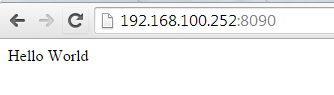
spawned uWSGI worker  (and the only) (pid: , cores: )

[pid: |app: |req: /] 192.168.100.30 () { vars in  bytes} [Thu Jan  :: ] GET / => generated  bytes in  msecs (HTTP/1.1 )  headers in  bytes ( switches on core )
3.2 再用uwsgi重新启动项目Kikyou_web,下面的Kikyou_web.wsgi不用存在
root@192.168.100.252:/data/forilen/Kikyou/Kikyou_web# uwsgi --http : --module Kikyou_web.wsgi

*** Starting uWSGI 2.0. (64bit) on [Thu Jan  :: ] ***

compiled with version: 4.8. on  January  ::

os: Linux-2.6.-131.0..el6.x86_64 # SMP Tue May  :: EDT

nodename: wiki
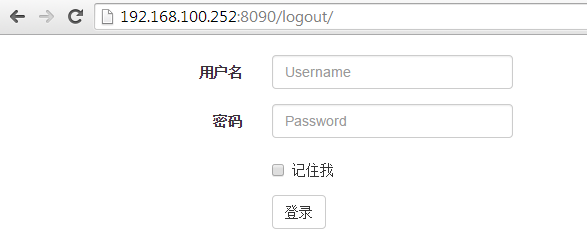
浏览器访问
3.3 配置/usr/local/nginx/conf/nginx.conf,添加django资源处理配置部分
    server {

        # the port your site will be served on

        listen 8090;

        server_name localhost;

        charset     utf-8;

        # max upload size

        client_max_body_size 75M;   # adjust to taste

        # Django media

        location /media  {

            alias /data/forilen/Kikyou/Kikyou_web/media;  # your Django project's media files - amend as required

        }

        location /static {

            alias /usr/lib/python2.6/site-packages/django/contrib/admin/static; # your Django project's static files - amend as required

        }

        # Finally, send all non-media requests to the Django server.

        location / {

            uwsgi_pass  django;

            include     /usr/local/nginx/conf/uwsgi_params; # the uwsgi_params file you installed

        }

    }
reload nginx配置,浏览器访问请求资源

3.4 修改nginx.conf
    upstream django {

        server unix:///usr/local/nginx/uwsgi.sock; # for a file socket

        #server 127.0.0.1:8001; # for a web port socket (we'll use this first)

    }
启动项目:root@192.168.100.252:/usr/local/nginx# uwsgi --socket /usr/local/nginx/uwsgi.sock --module Kikyou_web.wsgi --chmod-socket=664
此时只有静态页面可以访问 >_<
3.5 添加文件/usr/local/nginx/conf/uwsgi.ini
# uwsgi.ini file

[uwsgi]

# Django-related settings

# the base directory (full path)

chdir           = /data/forilen/Kikyou/Kikyou_web

# Django's wsgi file

module          = Kikyou_web.wsgi

# the virtualenv (full path)

# home            = /path/to/virtualenv

# process-related settings

# master

master          = true

# maximum number of worker processes

processes       = 2

# the socket (use the full path to be safe

socket          = /usr/local/nginx/uwsgi.sock

# ... with appropriate permissions - may be needed

# chmod-socket    = 664

# clear environment on exit

vacuum          = true
root@192.168.100.252:/usr/local/nginx# uwsgi --ini /usr/local/nginx/conf/uwsgi.ini
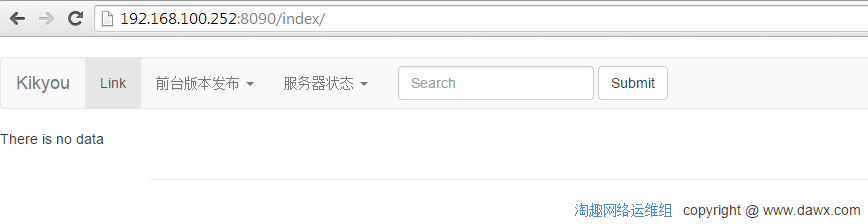
reload nginx,再次访问,此时静态页面和动态页面都能正常访问。。^_^
4. 常见错误积累
4.1 nginx配置错误导致报错
Traceback (most recent call last):

  File "/usr/lib/python2.6/site-packages/django/core/handlers/wsgi.py", line , in __call__

    request = self.request_class(environ)

  File "/usr/lib/python2.6/site-packages/django/core/handlers/wsgi.py", line , in __init__

    self.method = environ['REQUEST_METHOD'].upper()

KeyError: 'REQUEST_METHOD'

[pid: |app: |req: /]  () { vars in  bytes} [Mon Feb   :: ]   => generated  bytes in  msecs ( )  headers in  bytes ( switches on core )

后记:最后sshd服务挂了,起不来了,看来给openssl升级还是那么困难。。。。>_<

4.2 django调用系统脚本,由于超时导致504timeout
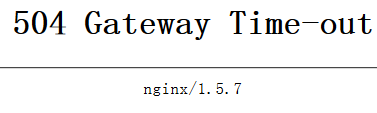
调整nginx.conf配置,添加超时配置如下,完美解决问题。
    #the upstream component nginx needs to connect to

    upstream django {

        server unix:///usr/local/nginx/uwsgi.sock; # for a file socket

        #server 127.0.0.1:8001; # for a web port socket (we'll use this first)

    }

    server {

        # the port your site will be served on

        listen 8090;

        server_name localhost;

        charset     utf-8;

        # max upload size

        client_max_body_size 75M;   # adjust to taste

        access_log /data/release/Kikyou/Kikyou_web/logs/access.log;

        error_log /data/release/Kikyou/Kikyou_web/logs/error.log;

        # Django media

        location /media  {

            alias /data/release/Kikyou/Kikyou_web/media;  # your Django project's media files - amend as required

        }

        location /static {

            alias /usr/lib/python2.6/site-packages/django/contrib/admin/static; # your Django project's static files - amend as required

        }

        # Finally, send all non-media requests to the Django server.

        location / {

            uwsgi_pass  django;

            uwsgi_read_timeout 1800;

            uwsgi_send_timeout 300;

            proxy_read_timeout 300;

            include     /usr/local/nginx/conf/uwsgi_params; # the uwsgi_params file you installed

        }

    }
nignx部署django的更多相关文章
- mac osx 上面部署Django项目 apache+mysql+mod_wsgi
1.安装Xcode command line tools 首先,编译mysql和Homebrew需要用到Xcode command line tools,所以首先安装command line tool ...
- Ubuntu上通过nginx部署Django笔记
Django的部署可以有很多方式,采用nginx+uwsgi的方式是其中比较常见的一种方式.今天在Ubuntu上使用Nginx部署Django服务,虽然不是第一次搞这个了,但是发现还是跳进了好多坑,g ...
- Apache2.4部署django出现403 Forbidden错误解决办法
前言:Apache2.4部署django出现403 Forbidden错误最好要结合apache中的错误日志来观察出现何种错误导致出现403错误 下午百度了一下午没找到解决办法,试了n种方法,简直坑爹 ...
- 五步教你实现使用Nginx+uWSGI+Django方法部署Django程序
Django的部署可以有很多方式,采用nginx+uwsgi的方式是其中比较常见的一种方式. 在这种方式中,我们的通常做法是,将nginx作为服务器最前端,它将接收WEB的所有请求,统一管理请求.ng ...
- Ubuntu16.04 apache2 wsgi 部署django
在Ubuntu16.04上部署django其实还算简单直观,最重要的问题就是路径设置正确,并且保证版本统一,这个测试是在 Apache/2.4.18 (Ubuntu) apt-get install ...
- 通过Nginx部署Django(基于ubuntu)
Django的部署可以有很多方式,采用nginx+uwsgi的方式是其中比较常见的一种方式. 在这种方式中,我们的通常做法是,将nginx作为服务器最前端,它将接收WEB的所有请求,统一管理请求.ng ...
- apache部署django记录
在ubuntu下通过apache部署django 首先需要下载python,django,apache以及wsgi模块 python基本已经自带,我用的是2.7,不是的话可以重新装一个 下载djang ...
- Docker 使用指南 (六)—— 使用 Docker 部署 Django 容器栈
版权声明:本文由田飞雨原创文章,转载请注明出处: 文章原文链接:https://www.qcloud.com/community/article/98 来源:腾云阁 https://www.qclou ...
- Windows下Apache部署Django过程记录
Win7/Apache/Python2.7/Django1.9部署Web 环境: Windows7 Apache httpd-2.4.16-win64-VC14 Python2.7.11 Djan ...
随机推荐
- 2.IsoDep类
IsoDep 类概述: Provides access to ISO-DEP (ISO 14443-4) properties and I/O operations on a Tag. Acquire ...
- alter table锁表,MySQL出现Waiting for table metadata lock的场景浅析及解决方案
在修改/增加表字段的时候,发现很慢, show processlist; 时, Waiting for table metadata lock 能一直锁很久. 官网的一段话,可以理解下 http:// ...
- Nand 的几个名词:oob,bbt,ecc
转:http://blog.csdn.net/lanmanck/article/details/4230904 例如Samsung K9F1208U0B,数据存储容量为64MB,采用块页式存储管理.8 ...
- Oracle ORA-01033: 错误解决办法
转自 Oracle ORA-01033: 错误解决办法
- onWebView检查网页中文
问题:要检查网页中的一段文本: 开始我是这样写的: private final static String SPECIFIED_TEXT = "这个是一段中文"; onWebVie ...
- 【spring boot】【mybatis】spring boot中mybatis打印sql语句
spring boot中mybatis打印sql语句,怎么打印出来?[参考:https://www.cnblogs.com/sxdcgaq8080/p/9100178.html] 在applicati ...
- C# Json格式字符串
转自:http://www.cnblogs.com/unintersky/p/3884712.html 将Json字符串转化成格式化表示的方法: 字符串反序列化为对象-->对象再序列化为字符串 ...
- mysql关于数据量大的时候分页分批处理
前几天遇到一个问题是,数据库一开始有24W是信息,需要取出来,进行下载到excel中.一开始遇到的问题是,excel表格行只有65535条行数,远远不够,有人说了很多其他解决方式,为了快速开发我就直接 ...
- 阿里云ECS服务器IIS和WampServer同时运行
网上下载WampServer安装包 安装完成之后默认的端口是80 但是由于此端口被IIS占用了 点击WampServer的图标->Apache->Service->测试80端口 出现 ...
- CKEditor+SWFUpload实现功能较为强大的编辑器(二)---SWFUpload配置
在前面配置完CKEditor之后,就可以拥有一个功能挺强大的编辑器了 但是现在还不够,还要能够在发表文字中插入自己电脑上的图片 CKEditor自己好像有这个功能,但是实在是...没法说,很难用(这是 ...