
Windows下用python来获取微信撤回消息
转自:https://blog.csdn.net/sunzhibin1/article/details/83348304
娱乐(windows系统)
安装itchat
itchat是一个开源的python微信库,支持发送消息、图片、视频、地图、名片、文件等,还可以实现自动回复等多种功能。
看到的一个文档还不错 https://segmentfault.com/a/1190000009420701
1.安装python3.6
2.安装成功之后,进入pip3.exe所在的目录
一般在安装目录的script目录下:C:\Users\Administrator\AppData\Local\Programs\Python\Python37\Scripts
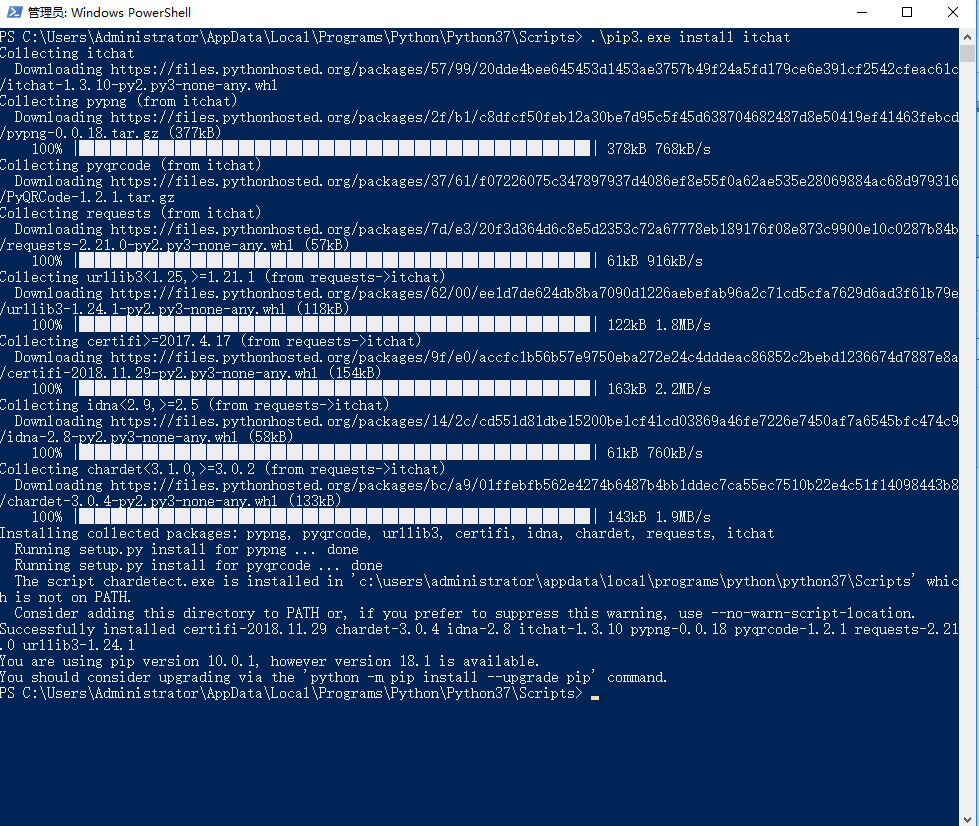
安装itchat:pip3.exe install itchat 下图我的已经安装过了(注意:使用3以及以上版本执行)。
代码
新建一个wx.py,编辑以下内容
# -*-encoding:utf--*-

import os

import re

import shutil

import time

import itchat

from itchat.content import *

# 说明:可以撤回的有文本文字、语音、视频、图片、位置、名片、分享、附件

# {msg_id:(msg_from,msg_to,msg_time,msg_time_rec,msg_type,msg_content,msg_share_url)}

msg_dict = {}

# 文件存储临时目录

rev_tmp_dir = "/RevDir/"

if not os.path.exists(rev_tmp_dir): os.mkdir(rev_tmp_dir)

# 表情有一个问题 | 接受信息和接受note的msg_id不一致 巧合解决方案

face_bug = None

# 将接收到的消息存放在字典中,当接收到新消息时对字典中超时的消息进行清理 | 不接受不具有撤回功能的信息

# [TEXT, PICTURE, MAP, CARD, SHARING, RECORDING, ATTACHMENT, VIDEO, FRIENDS, NOTE]

@itchat.msg_register([TEXT, PICTURE, MAP, CARD, SHARING, RECORDING, ATTACHMENT, VIDEO])

def handler_receive_msg(msg):

    global face_bug

    # 获取的是本地时间戳并格式化本地时间戳 e: -- ::

    msg_time_rec = time.strftime("%Y-%m-%d %H:%M:%S", time.localtime())

    # 消息ID

    msg_id = msg['MsgId']

    # 消息时间

    msg_time = msg['CreateTime']

    # 消息发送人昵称 | 这里也可以使用RemarkName备注 但是自己或者没有备注的人为None

    msg_from = (itchat.search_friends(userName=msg['FromUserName']))["NickName"]

    # 消息内容

    msg_content = None

    # 分享的链接

    msg_share_url = None

    if msg['Type'] == 'Text' \

            or msg['Type'] == 'Friends':

        msg_content = msg['Text']

    elif msg['Type'] == 'Recording' \

            or msg['Type'] == 'Attachment' \

            or msg['Type'] == 'Video' \

            or msg['Type'] == 'Picture':

        msg_content = r"" + msg['FileName']

        # 保存文件

        msg['Text'](rev_tmp_dir + msg['FileName'])

    elif msg['Type'] == 'Card':

        msg_content = msg['RecommendInfo']['NickName'] + r" 的名片"

    elif msg['Type'] == 'Map':

        x, y, location = re.search(

            "<location x=\"(.*?)\" y=\"(.*?)\".*label=\"(.*?)\".*", msg['OriContent']).group(, , )

        if location is None:

            msg_content = r"纬度->" + x.__str__() + " 经度->" + y.__str__()

        else:

            msg_content = r"" + location

    elif msg['Type'] == 'Sharing':

        msg_content = msg['Text']

        msg_share_url = msg['Url']

    face_bug = msg_content

    # 更新字典

    msg_dict.update(

        {

            msg_id: {

                "msg_from": msg_from, "msg_time": msg_time, "msg_time_rec": msg_time_rec,

                "msg_type": msg["Type"],

                "msg_content": msg_content, "msg_share_url": msg_share_url

            }

        }

    )

# 收到note通知类消息,判断是不是撤回并进行相应操作

@itchat.msg_register([NOTE])

def send_msg_helper(msg):

    global face_bug

    if re.search(r"\<\!\[CDATA\[.*撤回了一条消息\]\]\>", msg['Content']) is not None:

        # 获取消息的id

        old_msg_id = re.search("\<msgid\>(.*?)\<\/msgid\>", msg['Content']).group()

        old_msg = msg_dict.get(old_msg_id, {})

        if len(old_msg_id) < :

            itchat.send_file(rev_tmp_dir + face_bug, toUserName='filehelper')

            os.remove(rev_tmp_dir + face_bug)

        else:

            msg_body = "告诉你一个秘密: ⇣" + "\n" \

                       + old_msg.get('msg_from') + " 撤回了 " + old_msg.get("msg_type") + " 消息" + "\n" \

                       + old_msg.get('msg_time_rec') + "\n" \

                       + "内容 ⇣" + "\n" \

                       + r"" + old_msg.get('msg_content')

            # 如果是分享存在链接

            if old_msg['msg_type'] == "Sharing": msg_body += "\n就是这个链接➣ " + old_msg.get('msg_share_url')

            # 将撤回消息发送到文件助手

            itchat.send(msg_body, toUserName='filehelper')

            # 有文件的话也要将文件发送回去

            if old_msg["msg_type"] == "Picture" \

                    or old_msg["msg_type"] == "Recording" \

                    or old_msg["msg_type"] == "Video" \

                    or old_msg["msg_type"] == "Attachment":

                file = '@fil@%s' % (rev_tmp_dir + old_msg['msg_content'])

                itchat.send(msg=file, toUserName='filehelper')

                os.remove(rev_tmp_dir + old_msg['msg_content'])

            # 删除字典旧消息

            msg_dict.pop(old_msg_id)

if __name__ == '__main__':

    itchat.auto_login(hotReload=True,enableCmdQR=)

    itchat.run()
执行
扫码登录
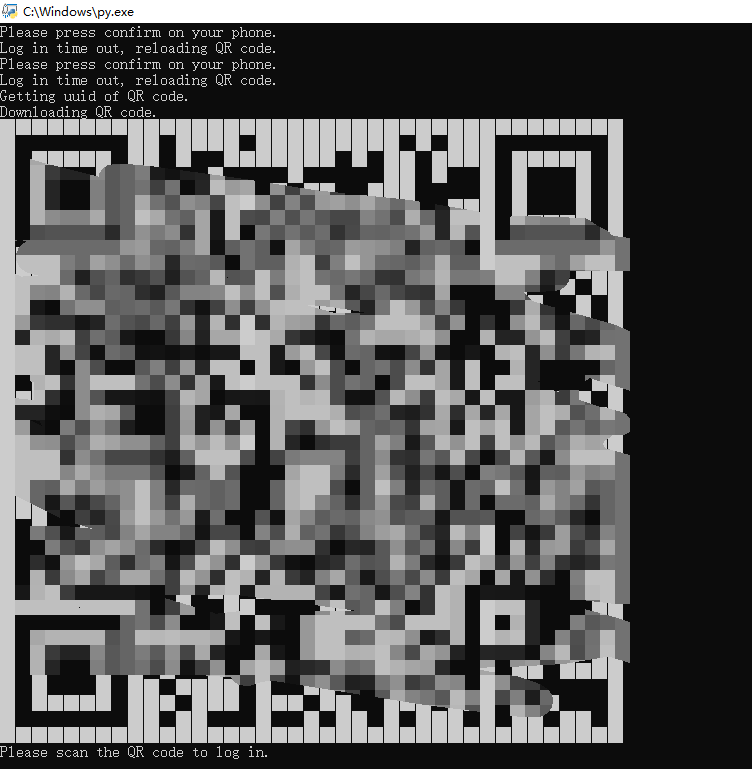
你就可以在文件传输助手中查看到撤回的微信了
Windows下用python来获取微信撤回消息的更多相关文章
- Windows下使用python库 curses遇到错误消息的解决方案
在Windows系统下执行python应用时,有时会遇到错误信息: ModuleNotFoundError: No module named '_curses'. 然而查看Windows系统里pyth ...
- 【转】linux和windows下安装python集成开发环境及其python包
本系列分为两篇: 1.[转]windows和linux中搭建python集成开发环境IDE 2.[转]linux和windows下安装python集成开发环境及其python包 3.windows和l ...
- windows下安装python模块
如何在windows下安装python模块 1. 官网下载安装包,比如(pip : https://pypi.python.org/pypi/pip#downloads) pip-9.0.1.tar. ...
- windows下安装python和依赖包的利器——Anaconda
在windows下安装python和很多依赖包,安装起来略为痛苦,可以使用python的大整合包——Anaconda Anaconda下载地址: http://continuum.io/downloa ...
- 详细介绍windows下使用python pylot进行网站压力测试
windows下使用python进行网站压力测试,有两个必不可少的程序需要安装,一个是python,另一个是pylot.python是一个安装软件,用来运行python程序,而pylot则是pytho ...
- windows下创建Python虚拟环境
windows下创建Python虚拟环境 说明 由于Python的版本众多,还有Python2和Python3的争论,因此有些软件包或第三方库就容易出现版本不兼容的问题. 通过 virtualenv ...
- Windows下的Python安装与环境变量的配置
Windows下的Python安装与环境变量的配置 第一步:python下载: Python安装包下载地址:http://www.python.org/ 第二步:python安装: 双击下载包,进入P ...
- Windows下安装Python虚拟环境
Windows下安装Python虚拟环境 虚拟环境安装 需求概要 "虚拟环境"是从电脑独立开辟出来的环境.就好比我们生活中的橱柜中,会把酱油放在一个瓶子里,把醋放在另外一个瓶子里, ...
- Windows下安装python的scipy等科学计算包(转)
如果要使用python进行科学计算.数据分析等,一定要安装scipy.seaborn.numpy等等包. 但Windows下安装python的第三方库经常会出现问题.此前,已介绍过Windows下如何 ...
随机推荐
- Ext Js 6+ 如何引入dashboard模版
最近很多人问我在ext js 6+的版本中怎么引入官方的dashboard模版,正好我好久没写博客了,这里我写一篇博客来说明一下. 在这里以ext js 6.2.1版本为例(注:需要安装Sencha ...
- XML文档中的xmlns、xmlns:xsi和xsi:schemaLocation
文章转载自:https://yq.aliyun.com/articles/40353 相信很多人和我一样,在编写Spring或者Maven或者其他需要用到XML文档的程序时,通常都是将这些XML文档头 ...
- [转] - Weiflow——微博机器学习框架
Weiflow--微博机器学习框架 本文从开发效率(易用性).可扩展性.执行效率三个方面,介绍了微博机器学习框架Weiflow在微博的应用和最佳实践. 在上期<基于Spark的大规模机器学习在微 ...
- Linux上配置http上网代理
有些局域网环境上网需要使用代理上网,图形界面的很好解决就设置一下浏览器的代理就好了,但是Linux纯命令行的界面就需要手动配置了. 如果要全局用户使用应用于所有的Shell,就需要修改 /etc/pr ...
- 利用docker搭建ubuntu+nginx+PHP容器
环境:操作系统(Ubuntu 16.04 64位); php7.1; nginx/1.14.0 基础环境准备: 整体思路:docker pull一个ubuntu镜像,然后在容器中安装ngi ...
- spfa最短路径
C++代码 #include <iostream> #include <deque> #include <stack> #include <vector> ...
- day21 二十一、垃圾回收机制、re正则
一.内存管理 1.垃圾回收机制:不能被程序访问到的数据称之为垃圾 2.引用计数:引用计数是用来记录值的内存地址被记录的次数 每一次对值地址的引用都可以使该值的引用计数 +1 每一次对值地址的释放都可以 ...
- Code Generation => Table -> Class for DataGridView use
Generate a class from table defintion and simplify databinding process.
- Hyper-v带宽限制以及验证工具
最近在做项目的性能测试时,需要模拟网络的带宽来控制文件的上传速度.按照以前的方式方法,我们一般会使用工具 softperfect bandwidth manager 来模拟上下行的带宽. 官网地址 h ...
- you-get模块
You-Get是一个基于 Python 3 的下载工具.使用 You-Get 可以很轻松的下载到网络上的视频.图片及音乐. 转载https://www.cnblogs.com/wangchuanyan ...