
【Layui】13 轮播 Carousel
文档地址:
https://www.layui.com/demo/carousel.html
基础轮播:
    <style>

        /* 为了区分效果 */

        div[carousel-item]>*{text-align: center; line-height: 280px; color: #fff;}

        div[carousel-item]>*:nth-child(2n){background-color: #009688;}

        div[carousel-item]>*:nth-child(2n+1){background-color: #5FB878;}

        #test2 div[carousel-item]>*{line-height: 120px;}

    </style>

<fieldset class="layui-elem-field layui-field-title" style="margin-top: 30px;">

    <legend>常规轮播</legend>

</fieldset>

<div class="layui-carousel" id="test1" lay-filter="test1">

    <div carousel-item="">

        <div>条目1</div>

        <div>条目2</div>

        <div>条目3</div>

        <div>条目4</div>

        <div>条目5</div>

    </div>

</div>

<div class="layui-carousel" id="test2" style="margin-top: 15px;">

    <div carousel-item="">

        <div>条目1</div>

        <div>条目2</div>

    </div>

</div>

<script type="text/javascript">

    layui.use(['carousel', 'form'], function(){

        let form = layui.form;

        let carousel = layui.carousel;

        //常规轮播

        carousel.render({

            elem: '#test1'

            ,arrow: 'always'

        });

        //改变下时间间隔、动画类型、高度

        carousel.render({

            elem: '#test2'

            ,interval: 1800

            ,anim: 'fade'

            ,height: '120px'

        });

    });

</script>
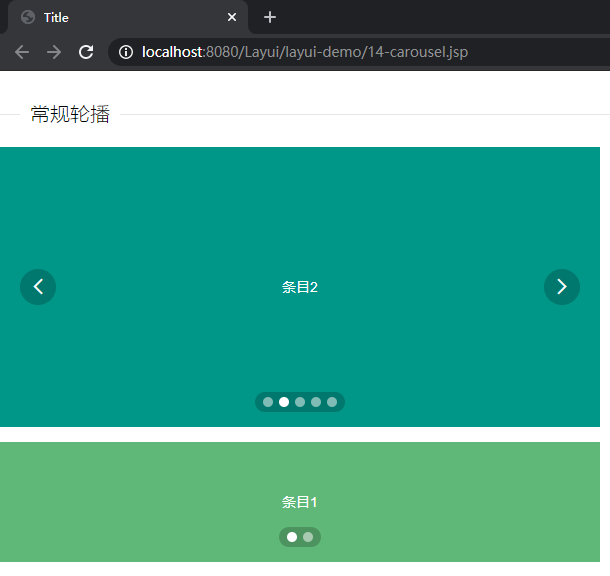
设置轮播图的容器标签:
id属性用于定位渲染
<div class="layui-carousel" id="test1" lay-filter="test1">
设置轮播图的轮播项的容器标签:
<div carousel-item="">
里面的一个一个即轮播项:
        <div>条目1</div>

        <div>条目2</div>

        <div>条目3</div>

        <div>条目4</div>

        <div>条目5</div>
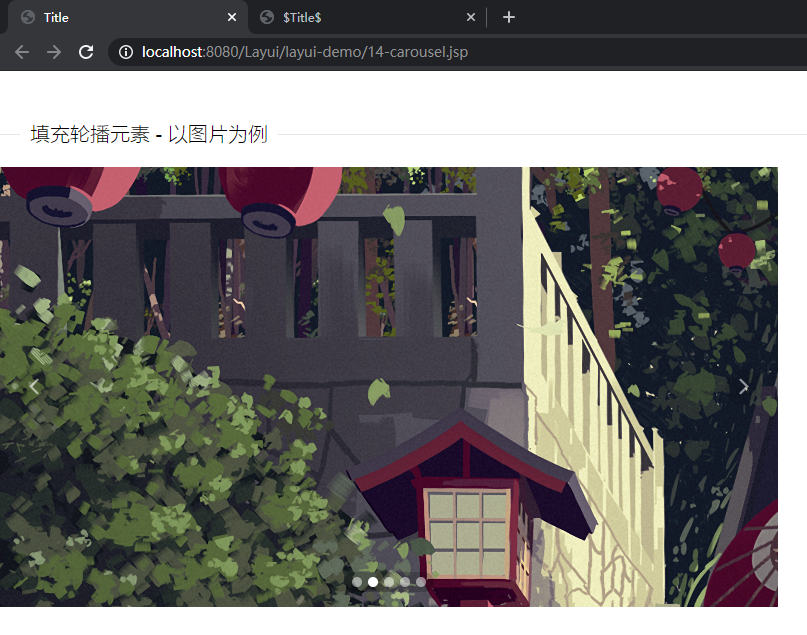
图片轮播图:
<fieldset class="layui-elem-field layui-field-title" style="margin-top: 50px;">

    <legend>填充轮播元素 - 以图片为例</legend>

</fieldset>

<div class="layui-carousel" id="test10">

    <div carousel-item="">

        <div><img src="${pageContext.request.contextPath}/resource/img/37864.jpg"></div>

        <div><img src="${pageContext.request.contextPath}/resource/img/884938.png"></div>

        <div><img src="${pageContext.request.contextPath}/resource/img/1083612.png"></div>

        <div><img src="${pageContext.request.contextPath}/resource/img/1083878.png"></div>

        <div><img src="${pageContext.request.contextPath}/resource/img/1084102.jpg"></div>

    </div>

</div>

<script type="text/javascript">

    layui.use(['carousel', 'form'], function(){

        let form = layui.form;

        let carousel = layui.carousel;

        //图片轮播

        carousel.render({

            elem: '#test10'

            ,width: '778px'

            ,height: '440px'

            ,interval: 5000

        });

    });

</script>
【Layui】13 轮播 Carousel的更多相关文章
- thinkphp标签实现bootsrtap轮播carousel实例
thinkphp标签实现bootsrtap轮播carousel实例由于轮播carousel第一个div需要设置active样式才能正常显示,上面的圆点也同样需要数字,使用volist标签在循环的同时可 ...
- Bootstrap历练实例:轮播(carousel)
<!DOCTYPE html><html><head><meta http-equiv="Content-Type" content=&q ...
- Bootstrap 历练实例-轮播(carousel)插件的事件
事件 下表列出了轮播(Carousel)插件中要用到的事件.这些事件可在函数中当钩子使用. 事件 描述 实例 slide.bs.carousel 当调用 slide 实例方法时立即触发该事件. $(' ...
- Bootstrap 历练实例-轮播(carousel)插件方法
方法 下面是一些轮播(Carousel)插件中有用的方法: 方法 描述 实例 .carousel(options) 初始化轮播为可选的 options 对象,并开始循环项目. $('#identifi ...
- Bootstrap 轮播(Carousel)插件
轮播插件是一种灵活的响应式的向站点添加滑块的方式.除此之外,内容也是非常灵活的.可是图像,内嵌框架,视频或者其它您想的放置任何内容的类型. 下面是一个简单的幻灯片,使用轮播(carousel)插件显示 ...
- layui(八)——轮播图常见用法总结
carousel 是 layui 2.0 版本中新增的全新模块,主要适用于跑马灯/轮播等交互场景.它可以满足任何类型内容的轮播式切换操作,更可以胜任 FullPage (全屏上下轮播)的需求,简洁而不 ...
- Bootstrap的js插件之轮播(carousel)
轮播请查看下面演示样例.基本已经涵盖最经常使用的一个轮播 <!DOCTYPE html> <html lang="en"> <head> < ...
- BootStrap 轮播 Carousel
参考 http://wrongwaycn.github.io/bootstrap/docs/javascript.html#collapse 同样 启动方式有2种 一种是在div的class中加 另 ...
- 关于Layui 响应式移动端轮播图的问题
用layui做轮播图,在手机上宽度异常, 可通过以下方法解决, 不喜欢layui的同学可以选择Swiper // 轮播图 layui.use('carousel', function () { var ...
- layui常用插件(一) 轮播图
轮播图 <html lang="en"> <head> <meta charset="UTF-8"> <meta ht ...
随机推荐
- golang sync.Once 保证某个动作仅执行一次的机制
type Once struct { done atomic.Uint32 m Mutex } 这段代码是 Go 语言标准库中 sync 包的一部分,定义了一个 Once 类型.Once 类型用于确保 ...
- k8s数据持久化
前面的学习,我们已经基本完成了在k8s中部署一个web服务,运行pod.创建service.创建ingress对外提供域名的七层代理. 下一个环境就得去关注应用部署后的数据存储问题,容器化如何管理,k ...
- base64图片文件上传OSS,下载OSS图片转换为InputStream,文件转base64,base64转文件工具类
base64图片文件上传OSS,下载OSS图片转换为InputStream,文件转base64,base64转文件工具类 OSSUtils.java public class OSSUtils { p ...
- Java8统计金额demo
Java8统计金额demo package com.example.core.mydemo.java8; public class GoodsPriceDTO { private String goo ...
- idea导入maven项目发现有jar或插件无法下载检查idea中的maven配置,maven配置文件中需配置阿里云的镜像地址
D:\apache-maven-3.2.3\conf\settings.xml <mirrors> <mirror> <id>nexus-public-snapsh ...
- Linux 提权-Capabilities
本文通过 Google 翻译 Capabilities – Linux Privilege Escalation - Juggernaut-Sec 这篇文章所产生,本人仅是对机器翻译中部分表达别扭的字 ...
- Java跳动爱心代码
1.计算爱心曲线上的点的公式 计算爱心曲线上的点的公式通常基于参数方程.以下是两种常见的参数方程表示方法,用于绘制爱心曲线: 1.1基于 (x, y) 坐标的参数方程 x = a * (2 * cos ...
- Shell脚本实现Linux回收站
前言 到目前为止,非图形化的Linux还没有回收站的命令. 那么,我们如果不小心将某一个文件删掉了,那就只能数据恢复了.如果这也不行,那就等着哭吧. 最新代码在我的github:https://git ...
- 关于Android开机动画调试的一点小小的经验
格式要求: 开机动画图片既可以是jpg文件,也可以是png文件,只是一定要按顺序命名.文件名命名的国际惯例是五位数,即:00000.00001. 00002--也可以是文件夹名称+下划线+序数,即:p ...
- Meilisearch 安装和使用教程
如今搜索功能已成为几乎所有应用不可或缺的一部分.无论是电商平台.内容管理系统,还是企业内部知识库,用户都期待能够快速.准确地找到他们需要的信息.然而,传统的搜索解决方案往往面临着诸多挑战:响应速度慢. ...