
Typora 主题,设置代码块Mac风格三个小圆点
打造Typora主题
Typora 编辑器让人们能更简单地用Markdown语言书写文字,解决了使用传统的Markdown编辑器写文的痛点,并且界面简洁优美,实现了实时预览等功能。
1 typoa样式修改步骤
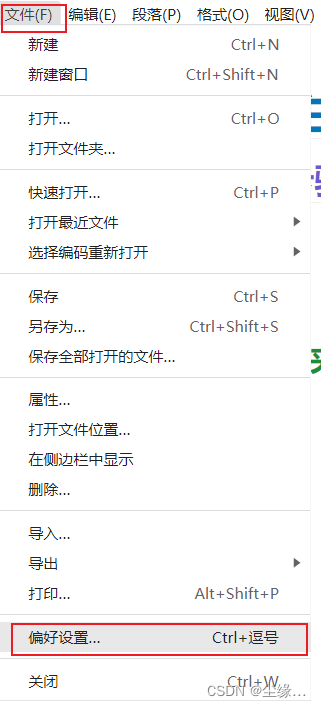
1.1 第一步打开偏好设置
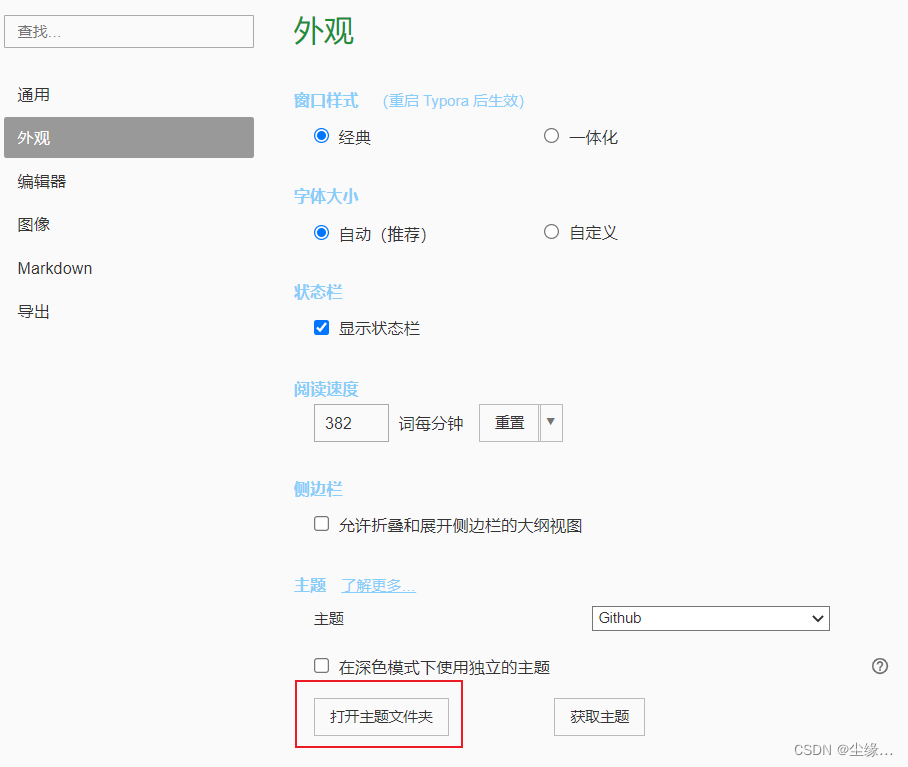
1.2 第二步打开主题文件夹
2 标题添加颜色
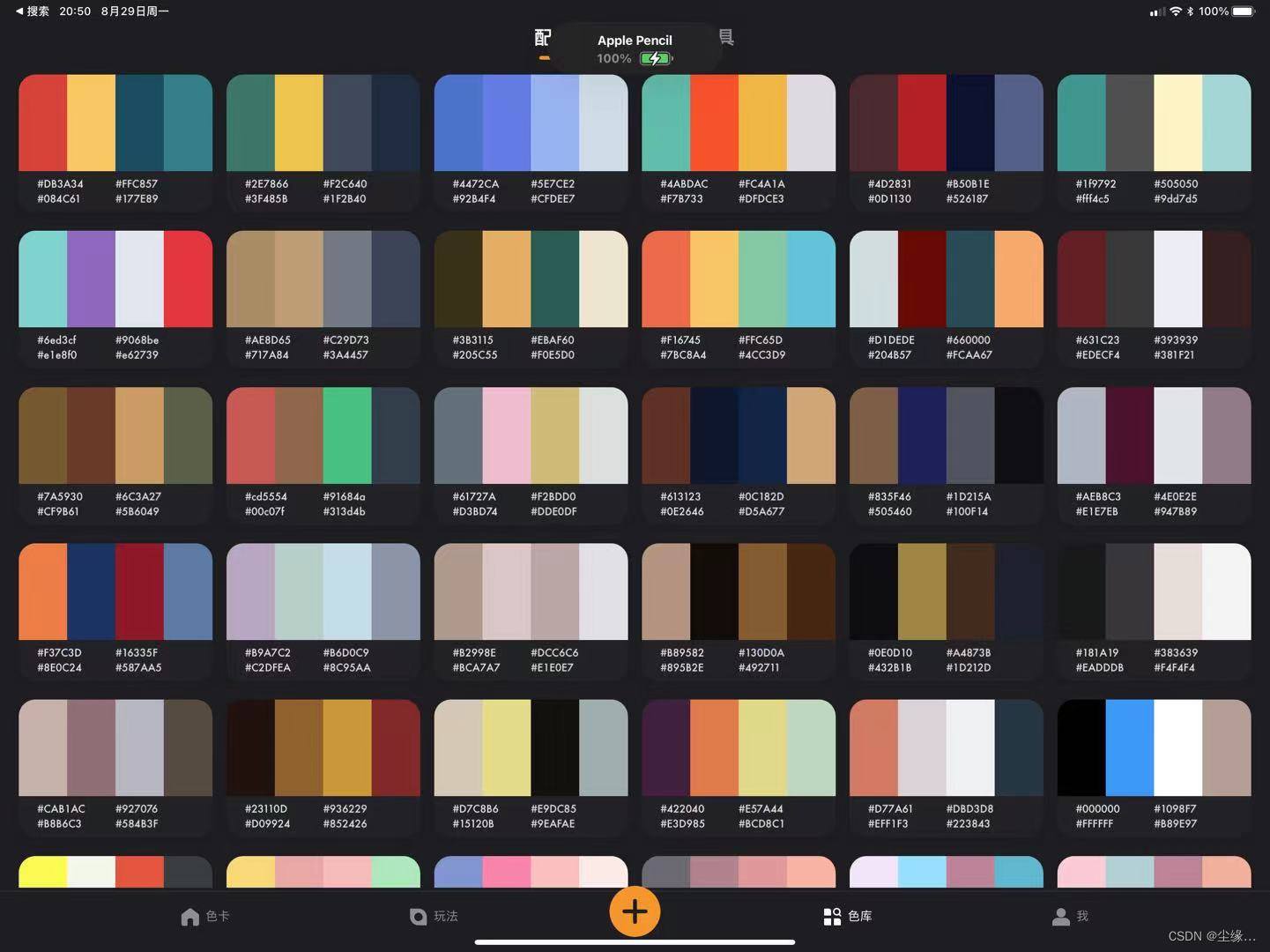
可通过色卡app自行搭配一套笔记搭的颜色
h1 {

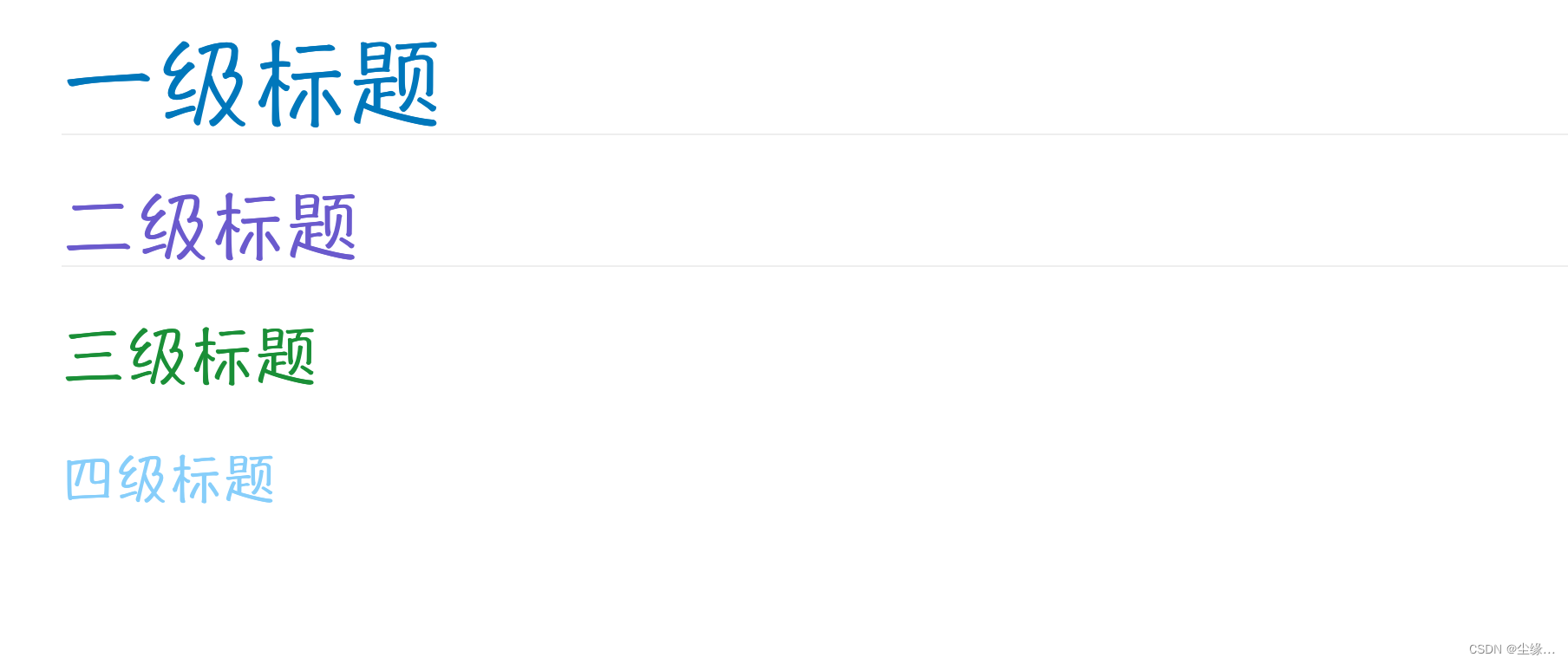
color: #0077bb; /* 将标题改为蓝色 */

}

h2{

color:#6A5ACD

}

h3{

color: rgb(26, 143, 55)

}

h4{

color: #87CEFA

}

h5{

color:#87CEFA

}

strong {

color:#40E0D0

}
3 表格优化
表格各行变色,宽度设置为100%(个人喜欢,可以根据个人喜好留白),表头不换行,默认样式表头很长会自动换行很丑,普通行文字自动换行,这里设置了每行不一样的颜色,如果不喜欢花里胡哨,可以简单设置几个颜色即可。

tbody tr:nth-child(even){background-color:#effaff;}

tbody tr:nth-child(odd){background-color:#fff1f6;}

tbody tr:nth-child(1){background-color:#8AE1FC;}

tbody tr:nth-child(2){background-color:#EFA7A7;}

tbody tr:nth-child(3){background-color:#FFD972;}

tbody tr:nth-child(4){background-color:#FCF5FC;}

tbody tr:nth-child(5){background-color:#F3F1EC;}

tbody tr:nth-child(6){background-color:#CCECD6;}

tbody tr:nth-child(7){background-color:#C2DDA6;}

tbody tr:nth-child(8){background-color:#c9af98;}

tbody tr:nth-child(9){background-color:#F5E5FC;}

tbody tr:nth-child(10){background-color:#ed8a63;}

table thead{

white-space:nowrap;

}

table {

width:100%;

table-layout:fixed !important;

word-break:break-word !important;

}
4 代码块Mac风格三个圆点
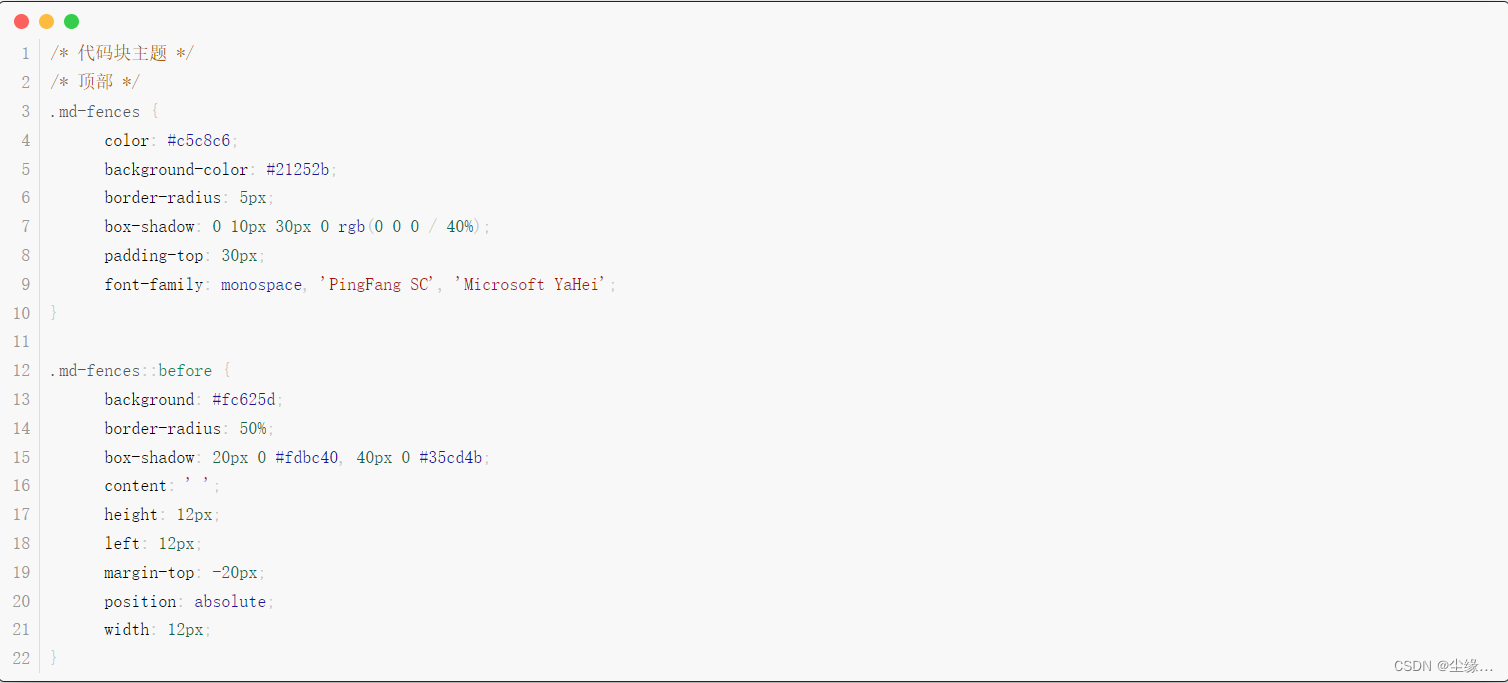
/* 代码块主题 */

/* 顶部 */

.md-fences {

    color: #c5c8c6;

    background-color: #21252b;

    border-radius: 5px;

    box-shadow: 0 10px 30px 0 rgb(0 0 0 / 40%);

    padding-top: 30px;

    font-family: monospace, 'PingFang SC', 'Microsoft YaHei';

}

.md-fences::before {

    background: #fc625d;

    border-radius: 50%;

    box-shadow: 20px 0 #fdbc40, 40px 0 #35cd4b;

    content: ' ';

    height: 12px;

    left: 12px;

    margin-top: -20px;

    position: absolute;

    width: 12px;

}
5 主题总代码如下:
:root {

    --side-bar-bg-color: #fafafa;

    --control-text-color: #777;

}

@include-when-export url(https://fonts.loli.net/css?family=Open+Sans:400italic,700italic,700,400&subset=latin,latin-ext);

/* open-sans-regular - latin-ext_latin */

@font-face {

    font-family: 'Open Sans';

    font-style: normal;

    font-weight: normal;

    src: local('Open Sans Regular'), local('OpenSans-Regular'), url('./github/open-sans-v17-latin-ext_latin-regular.woff2') format('woff2');

    unicode-range: U+0000-00FF, U+0131, U+0152-0153, U+02BB-02BC, U+02C6, U+02DA, U+02DC, U+2000-206F, U+2074, U+20AC, U+2122, U+2191, U+2193, U+2212, U+2215, U+FEFF, U+FFFD, U+0100-024F, U+0259, U+1E00-1EFF, U+2020, U+20A0-20AB, U+20AD-20CF, U+2113, U+2C60-2C7F, U+A720-A7FF;

}

/* open-sans-italic - latin-ext_latin */

@font-face {

    font-family: 'Open Sans';

    font-style: italic;

    font-weight: normal;

    src: local('Open Sans Italic'), local('OpenSans-Italic'), url('./github/open-sans-v17-latin-ext_latin-italic.woff2') format('woff2');

    unicode-range: U+0000-00FF, U+0131, U+0152-0153, U+02BB-02BC, U+02C6, U+02DA, U+02DC, U+2000-206F, U+2074, U+20AC, U+2122, U+2191, U+2193, U+2212, U+2215, U+FEFF, U+FFFD, U+0100-024F, U+0259, U+1E00-1EFF, U+2020, U+20A0-20AB, U+20AD-20CF, U+2113, U+2C60-2C7F, U+A720-A7FF;

}

/* open-sans-700 - latin-ext_latin */

@font-face {

    font-family: 'Open Sans';

    font-style: normal;

    font-weight: bold;

    src: local('Open Sans Bold'), local('OpenSans-Bold'), url('./github/open-sans-v17-latin-ext_latin-700.woff2') format('woff2');

    unicode-range: U+0000-00FF, U+0131, U+0152-0153, U+02BB-02BC, U+02C6, U+02DA, U+02DC, U+2000-206F, U+2074, U+20AC, U+2122, U+2191, U+2193, U+2212, U+2215, U+FEFF, U+FFFD, U+0100-024F, U+0259, U+1E00-1EFF, U+2020, U+20A0-20AB, U+20AD-20CF, U+2113, U+2C60-2C7F, U+A720-A7FF;

}

/* open-sans-700italic - latin-ext_latin */

@font-face {

    font-family: 'Open Sans';

    font-style: italic;

    font-weight: bold;

    src: local('Open Sans Bold Italic'), local('OpenSans-BoldItalic'), url('./github/open-sans-v17-latin-ext_latin-700italic.woff2') format('woff2');

    unicode-range: U+0000-00FF, U+0131, U+0152-0153, U+02BB-02BC, U+02C6, U+02DA, U+02DC, U+2000-206F, U+2074, U+20AC, U+2122, U+2191, U+2193, U+2212, U+2215, U+FEFF, U+FFFD, U+0100-024F, U+0259, U+1E00-1EFF, U+2020, U+20A0-20AB, U+20AD-20CF, U+2113, U+2C60-2C7F, U+A720-A7FF;

}

html {

    font-size: 16px;

}

body {

    font-family: "Hannotate SC", "Open Sans", "Clear Sans", "Helvetica Neue", Helvetica, Arial, sans-serif;

    color: rgb(51, 51, 51);

    line-height: 1.6;

}

#write {

    max-width: 99%;

    margin: 0 auto;

    padding: 30px;

    padding-bottom: 100px;

}

@media only screen and (min-width: 1400px) {

    #write {

        max-width: 99%;

    }

}

@media only screen and (min-width: 1800px) {

    #write {

        max-width: 99%;

    }

}

#write>ul:first-child,

#write>ol:first-child {

    margin-top: 30px;

}

a {

    color: #4183C4;

}

h1,

h2,

h3,

h4,

h5,

h6 {

    position: relative;

    color: rgb(26, 143, 55);

    margin-top: 1rem;

    margin-bottom: 1rem;

    font-weight: bold;

    line-height: 1.4;

    cursor: text;

}

h1:hover a.anchor,

h2:hover a.anchor,

h3:hover a.anchor,

h4:hover a.anchor,

h5:hover a.anchor,

h6:hover a.anchor {

    text-decoration: none;

}

h1 tt,

h1 code {

    font-size: inherit;

}

h2 tt,

h2 code {

    font-size: inherit;

}

h3 tt,

h3 code {

    font-size: inherit;

}

h4 tt,

h4 code {

    font-size: inherit;

}

h5 tt,

h5 code {

    font-size: inherit;

}

h6 tt,

h6 code {

    font-size: inherit;

}

h1 {

    font-size: 2.25em;

    line-height: 1.2;

    border-bottom: 1px solid #eee;

}

h2 {

    font-size: 1.75em;

    line-height: 1.225;

    border-bottom: 1px solid #eee;

}

/*@media print {

    .typora-export h1,

    .typora-export h2 {

        border-bottom: none;

        padding-bottom: initial;

    }

    .typora-export h1::after,

    .typora-export h2::after {

        content: "";

        display: block;

        height: 100px;

        margin-top: -96px;

        border-top: 1px solid #eee;

    }

}*/

h3 {

    font-size: 1.5em;

    line-height: 1.43;

}

h4 {

    font-size: 1.25em;

}

h5 {

    font-size: 1em;

}

h6 {

    font-size: 1em;

    color: #777;

}

p,

blockquote,

ul,

ol,

dl,

table {

    margin: 0.8em 0;

}

li>ol,

li>ul {

    margin: 0 0;

}

hr {

    height: 2px;

    padding: 0;

    margin: 16px 0;

    background-color: #e7e7e7;

    border: 0 none;

    overflow: hidden;

    box-sizing: content-box;

}

li p.first {

    display: inline-block;

}

ul,

ol {

    padding-left: 30px;

}

ul:first-child,

ol:first-child {

    margin-top: 0;

}

ul:last-child,

ol:last-child {

    margin-bottom: 0;

}

blockquote {

    border-left: 4px solid #dfe2e5;

    padding: 0 15px;

    color: #777777;

}

blockquote blockquote {

    padding-right: 0;

}

table {

    padding: 0;

    word-break: initial;

}

table tr {

    border: 1px solid #dfe2e5;

    margin: 0;

    padding: 0;

}

table tr:nth-child(2n),

thead {

    background-color: #f8f8f8;

}

table th {

    font-weight: bold;

    border: 1px solid #dfe2e5;

    border-bottom: 0;

    margin: 0;

    padding: 6px 13px;

}

table td {

    border: 1px solid #dfe2e5;

    margin: 0;

    padding: 6px 13px;

}

table th:first-child,

table td:first-child {

    margin-top: 0;

}

table th:last-child,

table td:last-child {

    margin-bottom: 0;

}

.CodeMirror-lines {

    padding-left: 4px;

}

.code-tooltip {

    box-shadow: 0 1px 1px 0 rgba(0, 28, 36, .3);

    border-top: 1px solid #eef2f2;

}

.md-fences,

code,

tt {

    border: 1px solid #21252b;

    background-color: #f8f8f8;

    border-radius: 3px;

    padding: 0;

    padding: 2px 4px 0px 4px;

    font-size: 0.9em;

}

code {

    background-color: #f8f8f8;

    padding: 0 2px 0 2px;

}

.md-fences {

    margin-bottom: 15px;

    margin-top: 15px;

    padding-top: 8px;

    padding-bottom: 6px;

}

/* 代码块主题 */

/* 顶部 */

.md-fences {

    color: #c5c8c6;

    background-color: #21252b;

    border-radius: 5px;

    box-shadow: 0 10px 30px 0 rgb(0 0 0 / 40%);

    padding-top: 30px;

    font-family: monospace, 'PingFang SC', 'Microsoft YaHei';

}

.md-fences::before {

    background: #fc625d;

    border-radius: 50%;

    box-shadow: 20px 0 #fdbc40, 40px 0 #35cd4b;

    content: ' ';

    height: 12px;

    left: 12px;

    margin-top: -20px;

    position: absolute;

    width: 12px;

}

.md-task-list-item>input {

    margin-left: -1.3em;

}

@media print {

    html {

        font-size: 13px;

    }

    table,

    pre {

        page-break-inside: avoid;

    }

    pre {

        word-wrap: break-word;

    }

}

.md-fences {

    background-color: #f8f8f8;

}

#write pre.md-meta-block {

    padding: 1rem;

    font-size: 85%;

    line-height: 1.45;

    background-color: #f7f7f7;

    border: 0;

    border-radius: 3px;

    color: #777777;

    margin-top: 0 !important;

}

.mathjax-block>.code-tooltip {

    bottom: .375rem;

}

.md-mathjax-midline {

    background: #fafafa;

}

#write>h3.md-focus:before {

    left: -1.5625rem;

    top: .375rem;

}

#write>h4.md-focus:before {

    left: -1.5625rem;

    top: .285714286rem;

}

#write>h5.md-focus:before {

    left: -1.5625rem;

    top: .285714286rem;

}

#write>h6.md-focus:before {

    left: -1.5625rem;

    top: .285714286rem;

}

.md-image>.md-meta {

    /*border: 1px solid #ddd;*/

    border-radius: 3px;

    padding: 2px 0px 0px 4px;

    font-size: 0.9em;

    color: inherit;

}

.md-tag {

    color: #a7a7a7;

    opacity: 1;

}

.md-toc {

    margin-top: 20px;

    padding-bottom: 20px;

}

.sidebar-tabs {

    border-bottom: none;

}

#typora-quick-open {

    border: 1px solid #ddd;

    background-color: #f8f8f8;

}

#typora-quick-open-item {

    background-color: #FAFAFA;

    border-color: #FEFEFE #e5e5e5 #e5e5e5 #eee;

    border-style: solid;

    border-width: 1px;

}

/** focus mode */

.on-focus-mode blockquote {

    border-left-color: rgba(85, 85, 85, 0.12);

}

header,

.context-menu,

.megamenu-content,

footer {

    font-family: "Segoe UI", "Arial", sans-serif;

}

.file-node-content:hover .file-node-icon,

.file-node-content:hover .file-node-open-state {

    visibility: visible;

}

.mac-seamless-mode #typora-sidebar {

    background-color: #fafafa;

    background-color: var(--side-bar-bg-color);

}

.md-lang {

    color: #b4654d;

}

/*.html-for-mac {

    --item-hover-bg-color: #E6F0FE;

}*/

#md-notification .btn {

    border: 0;

}

.dropdown-menu .divider {

    border-color: #e5e5e5;

    opacity: 0.4;

}

.ty-preferences .window-content {

    background-color: #fafafa;

}

.ty-preferences .nav-group-item.active {

    color: white;

    background: #999;

}

.menu-item-container a.menu-style-btn {

    background-color: #f5f8fa;

    background-image: linear-gradient(180deg, hsla(0, 0%, 100%, 0.8), hsla(0, 0%, 100%, 0));

}

/*==背景高亮==*/

mark {

    background: #ffffff;

    color: #db3f1e;

    font-weight: bold;

    border-bottom: 0px solid #ffffff;

    padding: 0.0px;

    margin: 0 0px;

}

::selection {

    background-color: #d1ff79;

}

h1 {

    color: #0077bb;

    /* 将标题改为蓝色 */

}

h2 {

    color: #6A5ACD

}

h3 {

    color: rgb(26, 143, 55)

}

h4 {

    color: #87CEFA

}

h5 {

    color: #87CEFA

}

strong {

    color: #40E0D0

}

tbody tr:nth-child(even) {

    background-color: #effaff;

}

tbody tr:nth-child(odd) {

    background-color: #fff1f6;

}

tbody tr:nth-child(1) {

    background-color: #8AE1FC;

}

tbody tr:nth-child(2) {

    background-color: #EFA7A7;

}

tbody tr:nth-child(3) {

    background-color: #FFD972;

}

tbody tr:nth-child(4) {

    background-color: #FCF5FC;

}

tbody tr:nth-child(5) {

    background-color: #F3F1EC;

}

tbody tr:nth-child(6) {

    background-color: #CCECD6;

}

tbody tr:nth-child(7) {

    background-color: #C2DDA6;

}

tbody tr:nth-child(8) {

    background-color: #c9af98;

}

tbody tr:nth-child(9) {

    background-color: #F5E5FC;

}

tbody tr:nth-child(10) {

    background-color: #ed8a63;

}

table thead {

    white-space: nowrap;

}

table {

    width: 100%;

    table-layout: fixed !important;

    word-break: break-word !important;

}

/* 修改checkbox样式 */

.task-list-item p {

    font-size: 32px !important;

    color: #1E90FF;

}

.task-list-item input[type=checkbox] {

    display: inline-block !important;

    zoom: 140%;

}

.md-task-list-item>input {

    margin-left: -0.8em !important;

}

.md-task-list-item>li .mathjax-block,

li p {

    margin: 0.0rem 0px;

}
Typora 主题,设置代码块Mac风格三个小圆点的更多相关文章
- Typora设置代码块Mac风格三个圆点
写作不停,美化不止! mac小圆点效果 原本代码块样式就挺....干净的,光秃秃的,太单调了: 是吧很丑,于是自己发挥改成了这样: 好吧还是太单调,也没好看到哪里去,于是隔了两天又重新改,DuangD ...
- idea设置代码块
转:https://blog.csdn.net/boy_Kenny/article/details/55223078?utm_source=blogxgwz4 idea设置代码块 1.代码模板场景介绍 ...
- HTML横向滚动条和文本超出显示三个小圆点
我们这次要说的就是:现在有很多的公司以及很多的app软件经常使用的两个方法横向滚动条和文本超出三个小圆点 横向滚动条:顾名思义嘛,就是能够一块内容可以横着滑动. 文本超出三个小圆点:文本超出就是当文本 ...
- Typora中给代码块设置快捷键
Tpyore中大部分的操作都是有快捷键的.但是有那么几个常用的却没有快捷键.就比如代码块,这个常用的操作,还有有序无需列表. 下边教会你怎么设置快捷键,打开设置,Preferences[偏好设置],然 ...
- VS code 修改主题设置代码对其齐线
用VS Code 写代码的时候有时候缩进太多就不知道对应的是哪一个标签了,那么可不可以让它显示缩进参考线,这样就清楚的多了.答案是肯定的,方法如下: 找到 文件-->首选项——>设置→搜索 ...
- Android Studio 中设置代码块自动补齐
AS中很多提示键,并不如Eclipse中做的好,需要我们自己去自定义.这里以switch...case为例,讲解一下如何设置代码自动补全. 1.进入settings --> Editor -- ...
- ios开发xcode中设置代码块
在开发中有很多重复的代码,很多开发者把常用的代码做成代码块提高开发效率. 在xcode里选中代码块的时候总是很不容易,点击选中的代码(文字),不要移动和松开鼠标左键,当竖线变成像拉长了的x(我也不知道 ...
- 太白老师day6 1.代码块 2.is==id 3.小数据池
1.代码块: 一个模块一个函数一个类,一个文件都是代码块 在交互模式下, 每一行都是一个代码块 2. is == 内存地址 就是id门牌号 在内存中id是唯一,如果两个变量指向的id相同,那么他们在内 ...
- MyEclipse中设置代码块快捷键
如果想用快捷键生成一段自定义代码,可以通过下面方式设置: Java->Editor->Templates->New 如果要设置或者更改某个快捷键,如要设置保存全部文档的快捷键(系统默 ...
- 问题008:java 中代码块的风格有几种?单行注释可否嵌套?多行注释可否嵌套?
有两种:一种是次行风格,英文称为next-line 一种是是行尾风格,英文称为 end-of-line 举例 行尾风格 public class HelloWorld{ public static v ...
随机推荐
- 面试精灵:Java后端靠谱、强大的面试题网站(稳拿offer)
面试精灵:一个给力的Java后端面试题网站. 网址:https://offer.skyofit.com 这套题真实.高频.全面.有详细答案.保你稳过面试,让你成为offer收割机.题目包括:Java ...
- I2C总线 | I2C总线介绍
I2C总线 | I2C总线介绍 目录 I2C总线 | I2C总线介绍 I2C总线介绍 I2C有如下特点: I2C总线术语 I2C总线位传输 IIC总线数据传输 1.字节格式 2.应答响应 IIC总线寻 ...
- 2020-08-20:GO语言中的协程与Python中的协程的区别?
福哥答案2020-08-20: 1.golang的协程是基于gpm机制,是可以多核多线程的.Python的协程是eventloop模型(IO多路复用技术)实现,协程是严格的 1:N 关系,也就是一个线 ...
- 2022-02-07:k8s安装mysql,yaml如何写?(非面试题)
2022-02-07:k8s安装mysql,yaml如何写?(非面试题) 答案2022-02-07: yaml如下: apiVersion: apps/v1 kind: Deployment meta ...
- 2022-01-02:给定两个数组A和B,长度都是N, A[i]不可以在A中和其他数交换,只可以选择和B[i]交换(0<=i<n), 你的目的是让A有序,返回你能不能做到。
2022-01-02:给定两个数组A和B,长度都是N, A[i]不可以在A中和其他数交换,只可以选择和B[i]交换(0<=i<n), 你的目的是让A有序,返回你能不能做到. 答案2022- ...
- ET框架6.0分析三、网络通信
概述 ET框架的消息机制贯彻始终,包含Entity消息(Awake,Update ...),自定义(Customer)消息,网络消息等.而ET系统的进程包含了客户端.Gate等各种类型的服务器,进程包 ...
- group_concat 自定义聚合查询
group_concat
- 图解VirtualBox安装CentOS 7
VirtualBox简介 VirtualBox是由德国InnoTek软件公司出品的虚拟机软件,现在则由甲骨文公司进行开发,是甲骨文公司xVM虚拟化平台技术的一部分. VirtualBox提供用户在32 ...
- NOIP2021游记
前言: 今年我是以初中生的身份参加的 NOIP,不计奖,不排名,就去试试水. 考得也不好,幸好没计奖. 正文: 早上 7 点: 到LNBS,在旁边吃了早饭,很好吃. 早上 8 点: 校门口照相,然后进 ...
- C++程序开发技巧
引言 类(class)的使用分为两种--基于对象(object Based)和面向对象(object oriented) 基于对象是指,程序设计中单一的类,和其他类没有任何关系 单一的类又分为:不带指 ...