
ApiGen4.1 windows安装教程
一. ApiGen4.1版本介绍
1.ApiGen介绍

ApiGen是自动生成PHP项目的阅读文档工具。 用于从PHP源代码创建专业的API文档,类似于phpDocumentor/phpDoc。
ApiGen4.1需要PHP 5.4+的版本支持
2.ApiGen官网地址
(1).OSCHINA地址www.oschina.net/p/apigen
(2).官网地址www.apigen.org
(3).github地址https://github.com/apigen/apigen#options
3.知名案例:
- Amazaon Web Services
- Doctrine
- Nette
- CakePHP
4.ApiGen风格样式
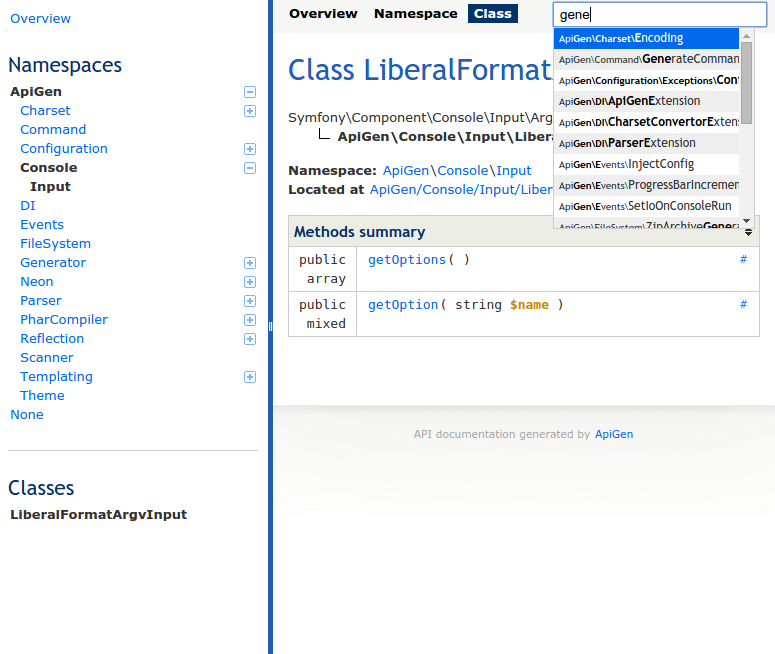
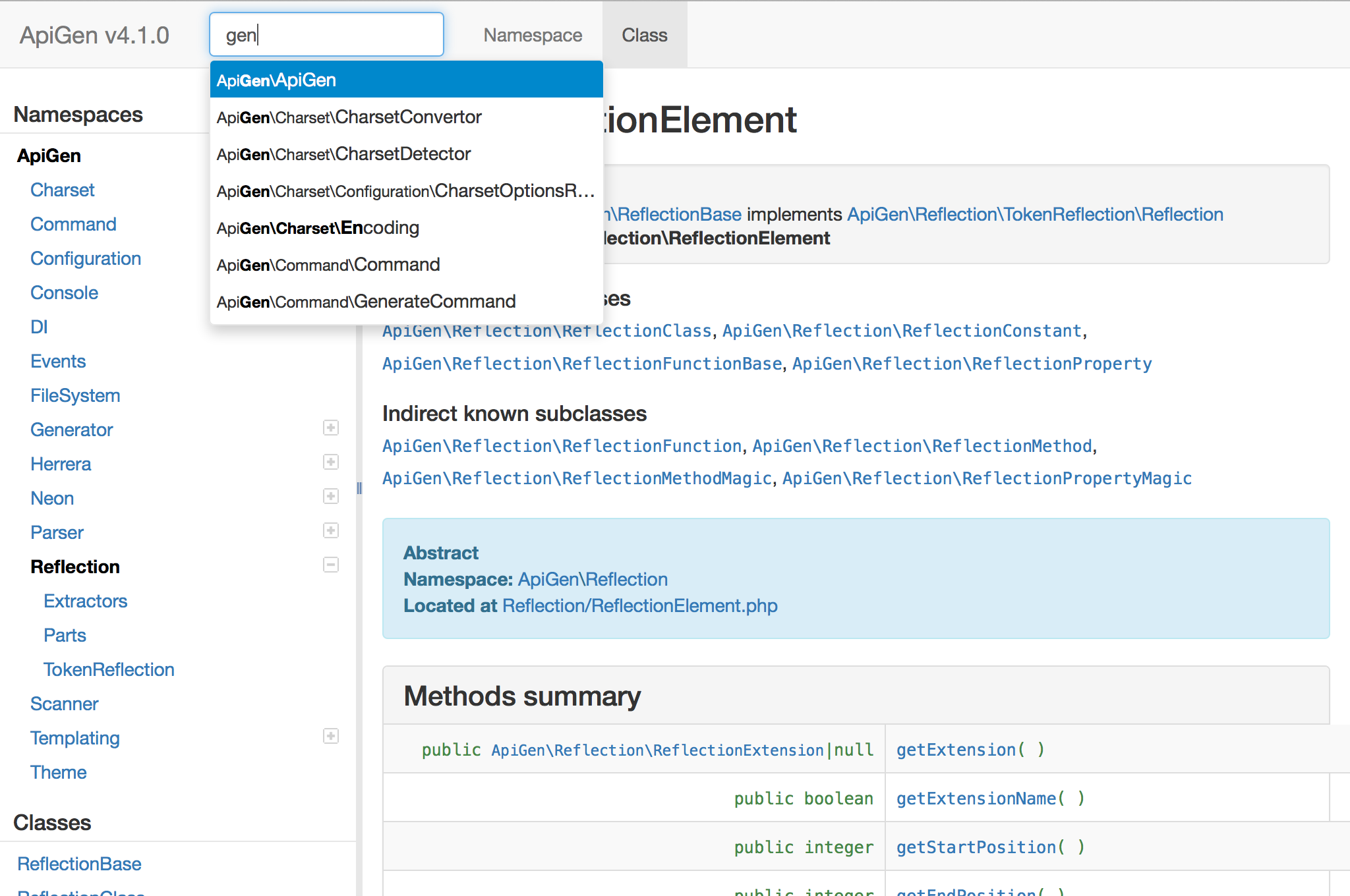
官方推荐有默认和Twitter Bootstrap两套风格样式。
- ApiGen官方默认风格
- ApiGen官方Bootstrap风格
二.ApiGen windows安装步骤
1. 下载ApiGen。
官网下载地址http://apigen.org/apigen.phar
2.编写windows可执行bat文件
打开记事本写入以下相关信息,并另存为apigen.bat文件。
> @(PHP.exe执行文件地址) "%~dp0apigen.phar" %*
例如
@D:\xampp\php\php.exe "%~dp0apigen.phar" %*
另存为apigen.bat
3.将apigen.phar及apigen.bat文件复制或移动到环境变量PATH任一目录中。
windows7 对应目录为 C:\Windows\System32
4.在命令行中执行apigen出现版本及相关命令信息则证明安装成功。
c:\>apigen

ApiGen version 4.1.

Usage:

 command [options] [arguments]

Options:

 --help (-h)    Display this help message.

 --quiet (-q)   Do not output any message.

 --version (-V) Display this application version.

Available commands:

 generate      Generate API documentation

 help          Displays help for a command

 list          Lists commands

 self-update   Updates apigen.phar to the latest available version

 selfupdate    Updates apigen.phar to the latest available version
5.执行生成apigen文档命令。
apigen generate --source "php项目地址" --destination "文档导出地址"
完整示例
apigen generate --source "D:\web\ruionline" --destination "D:\web\ruionline\doc"
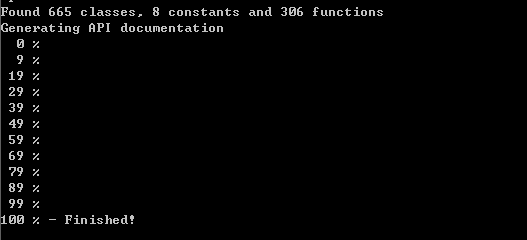
导出生成过程
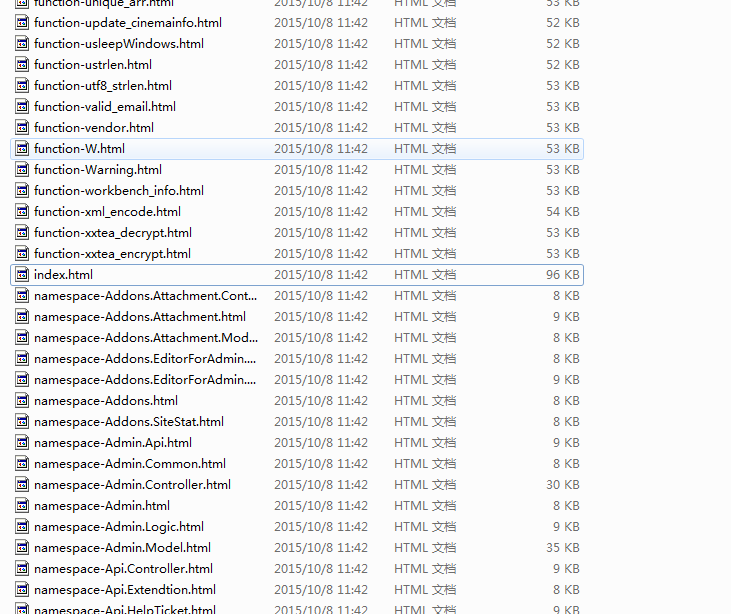
最终生成目录结构
web展示效果
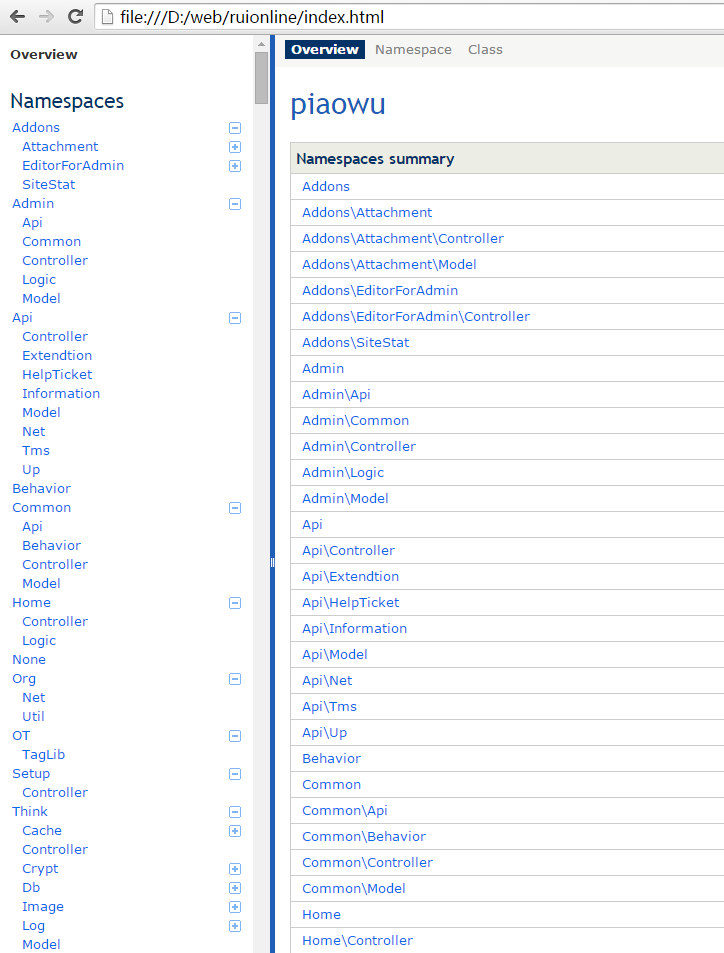
三.apigen命令参数详细说明
--source <path>需要编译成文档的 Project 目录, --source <path> 同时可以指定多个

--destination <path>  编译后存放的目录路径

--title <Name>  文档首页的标题

--exclude <path> 排除的目录(如 'views/*' 表示视图目录下的不生成文档)

Options:

 --source (-s)        Dirs or files documentation is generated for. (multiple va

lues allowed)

 --destination (-d)   Target dir for documentation.

 --access-levels      Access levels of included method and properties. (default:

 ["public","protected"]) (multiple values allowed)

 --annotation-groups  Generate page with elements with specific annotation.

 --base-url           Base url used for sitemap (useful for public doc).

 --config             Custom path to apigen.neon config file. (default: "E:\\ide

/apigen.neon")

 --google-cse-id      Custom google search engine id (for search box).

 --google-analytics   Google Analytics tracking code.

 --debug              Turn on debug mode.

 --deprecated         Generate documentation for elements marked as @deprecated

 --download           Add link to ZIP archive of documentation.

 --extensions         Scanned file extensions. (default: ["php"]) (multiple valu

es allowed)

 --exclude            Directories and files matching this mask will not be parse

d (e.g. */tests/*). (multiple values allowed)

 --groups             The way elements are grouped in menu. (default: "auto")

 --charset            Charset of scanned files. (multiple values allowed)

 --main               Elements with this name prefix will be first in tree.

 --internal           Include elements marked as @internal.

 --php                Generate documentation for PHP internal classes.

 --skip-doc-path      Files matching this mask will be included in class tree, b

ut will not create a link to their documentation. (multiple values allowed)

 --no-source-code     Do not generate highlighted source code for elements.

 --template-theme     ApiGen template theme name. (default: "default")

 --template-config    Your own template config, has higher priority templateThem

e.

 --title              Title of generated documentation.

 --todo               Generate documentation for elements marked as @todo.

 --tree               Generate tree view of classes, interfaces, traits and exce

ptions.

 --help (-h)          Display this help message.

 --quiet (-q)         Do not output any message.

 --version (-V)       Display this application version.
四.apigen支持php注释详解
支持官方PSR-5标准
1.Custom
@deprecated

package

subpackage

copyright

license

author

version

since

see

uses

internal

todo

Standard
2.param
return

throws

{@inheritdoc}

Magic methods and properties
3.property
property-read

property-write

method
ApiGen4.1 windows安装教程的更多相关文章
- MySQL 8.0.12 基于Windows 安装教程(超级详细)
MySQL 8.0.12 基于Windows 安装教程(超级详细) (一步一步来,装不了你找我!) 本教程仅适用Windows系统,如果你原本装了没装上,一定要先删除原本的数据库,执行:mysqld ...
- JAVA(windows)安装教程
JAVA(windows)安装教程 一.下载: https://www.oracle.com/technetwork/java/javase/downloads/jdk8-downloads-2133 ...
- Nginx Linux和Windows安装教程
前言 本篇文章主要介绍的是Nginx Linux环境和Windows的安装教程. Nginx 介绍 Nginx("engine x")是一款是由俄罗斯的程序设计师Igor Syso ...
- scrapy系列(一)——Python 爬虫框架 Scrapy1.2 Windows 安装教程
scrapy作为一个成熟的爬虫框架,网上有大量的相关教程供大家选择,尤其是关于其的安装步骤更是丰富的很.在这里我想记录下自己的相关经验,希望能给大家带来点帮助. 在scrapy0.24版之前,安装sc ...
- sqlmap Windows 安装教程
第一步:下载 python :https://www.python.org/downloads/ (这里有python各种版本,但是一般建议安装3和2.7) sqlmap:https://git ...
- Git for Windows安装教程
1.国内直接从官网(http://git-scm.com/download/win)下载比较困难,速度极慢,需要翻墙. 这里提供一个国内的下载站,方便网友下载(https://npm.taobao.o ...
- endnote x9.3.3 for windows安装教程
EndNote X9.3.3 是一款非常nice的实用型文献管理软件,EndNote X9功能极其强劲,便捷好用.本文提供EndNote X9.3.3安装破解激活教程.方法,内附EndNote x9. ...
- Git+windows安装教程(一)
一:Git是什么? Git是目前世界上最先进的分布式版本控制系统. 二:SVN与Git的最主要的区别? SVN是集中式版本控制系统,版本库是集中放在中央服务器的,而干活的时候,用的都是自己的电脑,所以 ...
- MySQL 8.0.12 基于Windows 安装教程
第一步:到MySQL官网下载安装包:https://dev.mysql.com/downloads/mysql/ 第二步:将下载好的安装包(mysql-8.0.12-winx64 .zip)解压到相应 ...
随机推荐
- servlet 之 返回json数据并显示
//实体类import java.util.ArrayList; public class ObjectType { private String type; private ArrayList< ...
- thinkPHP入门 一
简介 ThinkPHP是一个快速.简单的基于MVC和面向对象的轻量级PHP开发框架,遵循Apache2开源协议发布,从诞生以来一直秉承简洁实用的设计原则,在保持出色的性能和至简的代码的同时,尤其注重开 ...
- HDU 5806 - NanoApe Loves Sequence Ⅱ (BestCoder Round #86)
若 [i, j] 满足, 则 [i, j+1], [i, j+2]...[i,n]均满足 故设当前区间里个数为size, 对于每个 i ,找到刚满足 size == k 的 [i, j], ans + ...
- CSS display:table属性用法- 轻松实现了三栏等高布局
display:table:此元素会作为块级表格来显示(类似 <table>); display:table-cell属性指让标签元素以表格单元格的形式呈现,类似于td标签.目前IE8+以 ...
- JS三元运算符
语法是 条件 ? 结果1 : 结果2; 问号(?)的前面是条件:后面跟着用冒号(:)分隔的结果1和结果2;满足条件时结果1否则结果2. 例子: var a=1; a>2?a:a=3; alert ...
- jQuery插件jqplot的详细配置说明和渲染器
jQuery插件jqplot的详细配置说明和渲染器 (2012-08-23 08:57:42) 转载▼ 标签: jqplot 详细配置 渲染器 it 分类: 技术类 jQuery.jqplot插件的官 ...
- TCP连接状态详解及TIME_WAIT过多的解决方法
上图对排除和定位网络或系统故障时大有帮助,但是怎样牢牢地将这张图刻在脑中呢?那么你就一定要对这张图的每一个状态,及转换的过程有深刻地认识,不能只停留在一知半解之中.下面对这张图的11种状态详细解释一下 ...
- Dynamics CRM 2013 初体验(3):新增加的功能
新系统除了修补系统历史漏洞外当然还会添加些比较有意思的新功能,至于这些新功能是否好用那就得看它是否能经过咱们这些使用者的考验了.Dynamics CRM 2013系统将不再支持Dynamics CRM ...
- EasyUI两种动态添加tab Iframe页面的方法
/** 动态添加tab-----方式一 **/ function addIframeTab(titleTxt,href,icon) { $('#mytabs').tabs('addIframeTab' ...
- Eclipse setting Java code style and codetemplate
1.open the eclipse tool window First click the Window menu,then check the children's menu which name ...