
ApiGen4.1 windows安装教程
一. ApiGen4.1版本介绍
1.ApiGen介绍

ApiGen是自动生成PHP项目的阅读文档工具。 用于从PHP源代码创建专业的API文档,类似于phpDocumentor/phpDoc。
ApiGen4.1需要PHP 5.4+的版本支持
2.ApiGen官网地址
(1).OSCHINA地址www.oschina.net/p/apigen
(2).官网地址www.apigen.org
(3).github地址https://github.com/apigen/apigen#options
3.知名案例:
- Amazaon Web Services
- Doctrine
- Nette
- CakePHP
4.ApiGen风格样式
官方推荐有默认和Twitter Bootstrap两套风格样式。
- ApiGen官方默认风格
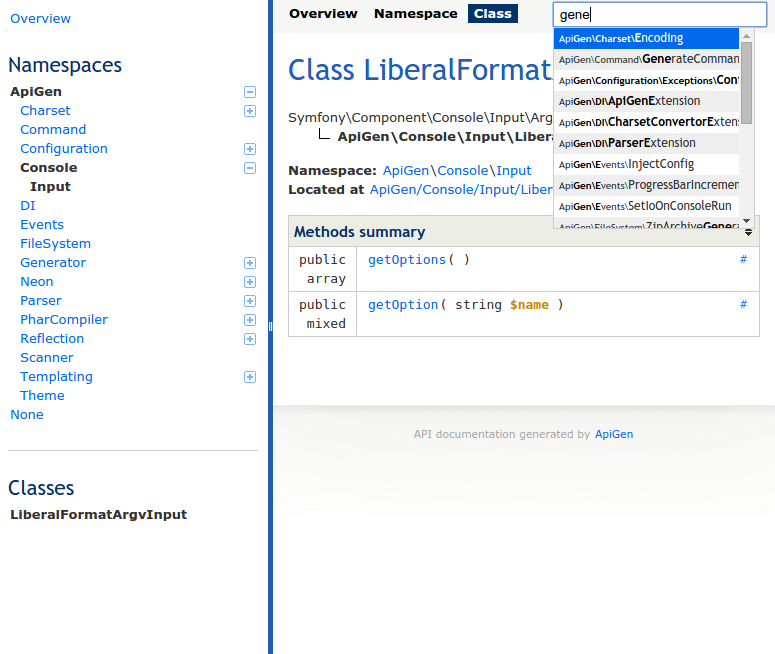
- ApiGen官方Bootstrap风格
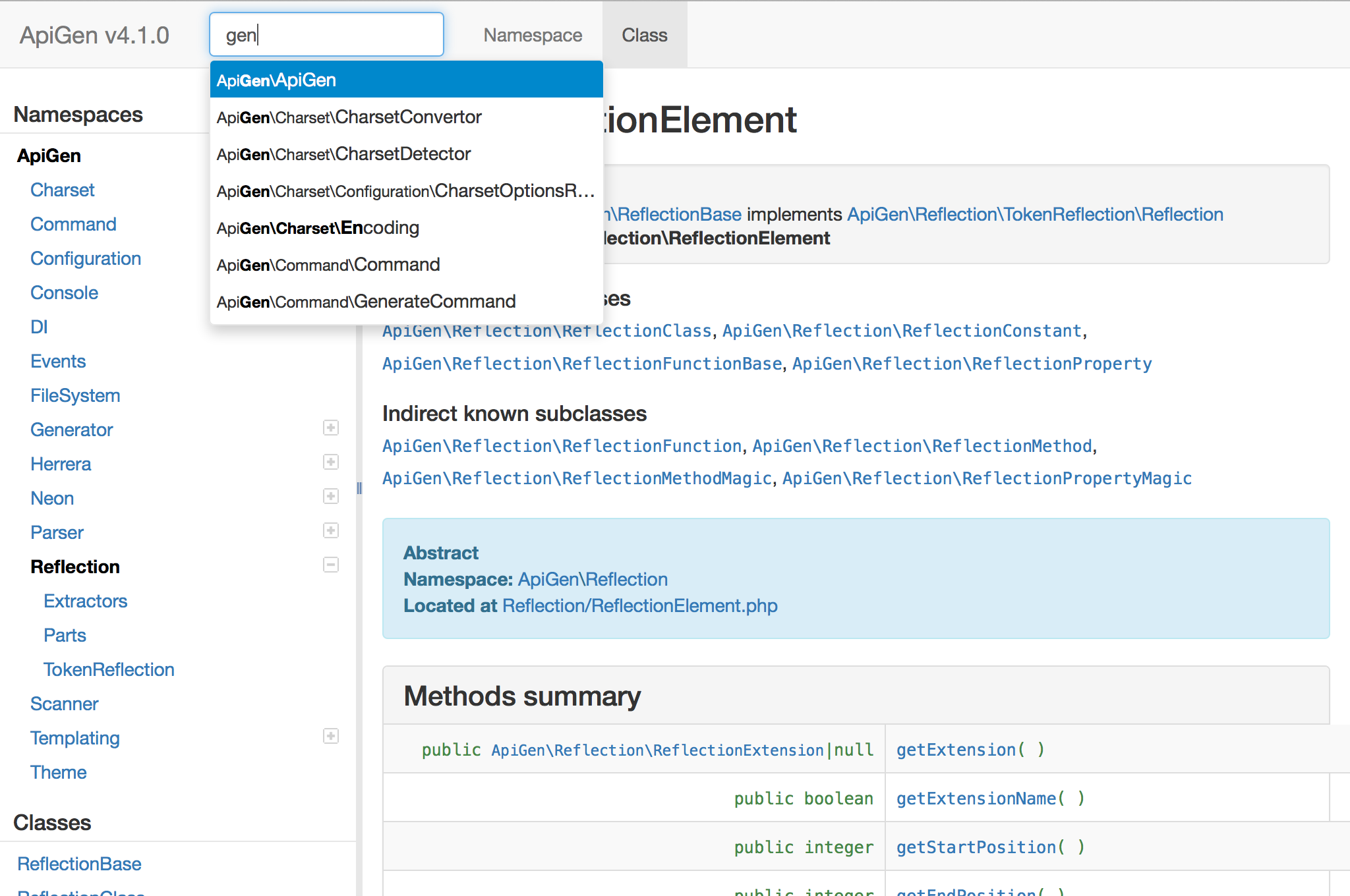
二.ApiGen windows安装步骤
1. 下载ApiGen。
官网下载地址http://apigen.org/apigen.phar
2.编写windows可执行bat文件
打开记事本写入以下相关信息,并另存为apigen.bat文件。
> @(PHP.exe执行文件地址) "%~dp0apigen.phar" %*
例如
@D:\xampp\php\php.exe "%~dp0apigen.phar" %*
另存为apigen.bat
3.将apigen.phar及apigen.bat文件复制或移动到环境变量PATH任一目录中。
windows7 对应目录为 C:\Windows\System32
4.在命令行中执行apigen出现版本及相关命令信息则证明安装成功。
c:\>apigen

ApiGen version 4.1.

Usage:

 command [options] [arguments]

Options:

 --help (-h)    Display this help message.

 --quiet (-q)   Do not output any message.

 --version (-V) Display this application version.

Available commands:

 generate      Generate API documentation

 help          Displays help for a command

 list          Lists commands

 self-update   Updates apigen.phar to the latest available version

 selfupdate    Updates apigen.phar to the latest available version
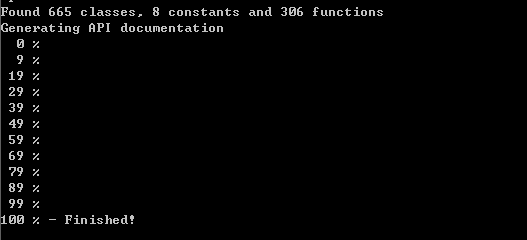
5.执行生成apigen文档命令。
apigen generate --source "php项目地址" --destination "文档导出地址"
完整示例
apigen generate --source "D:\web\ruionline" --destination "D:\web\ruionline\doc"
导出生成过程
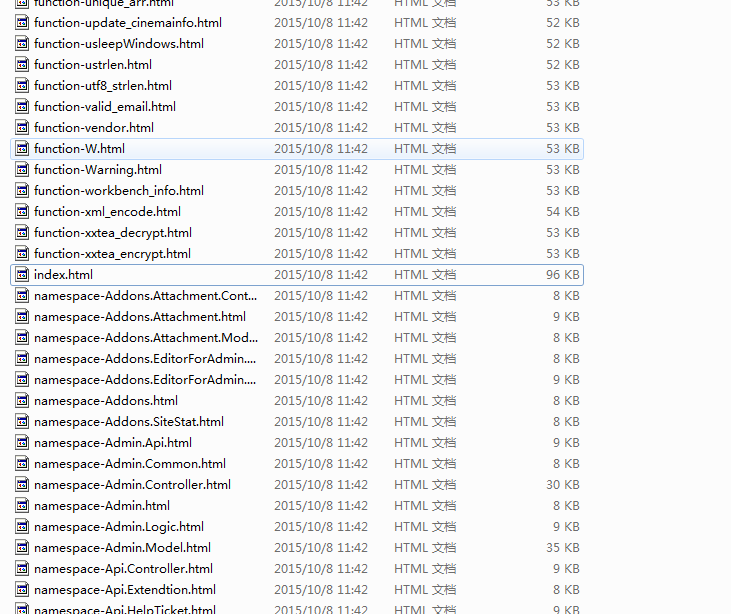
最终生成目录结构
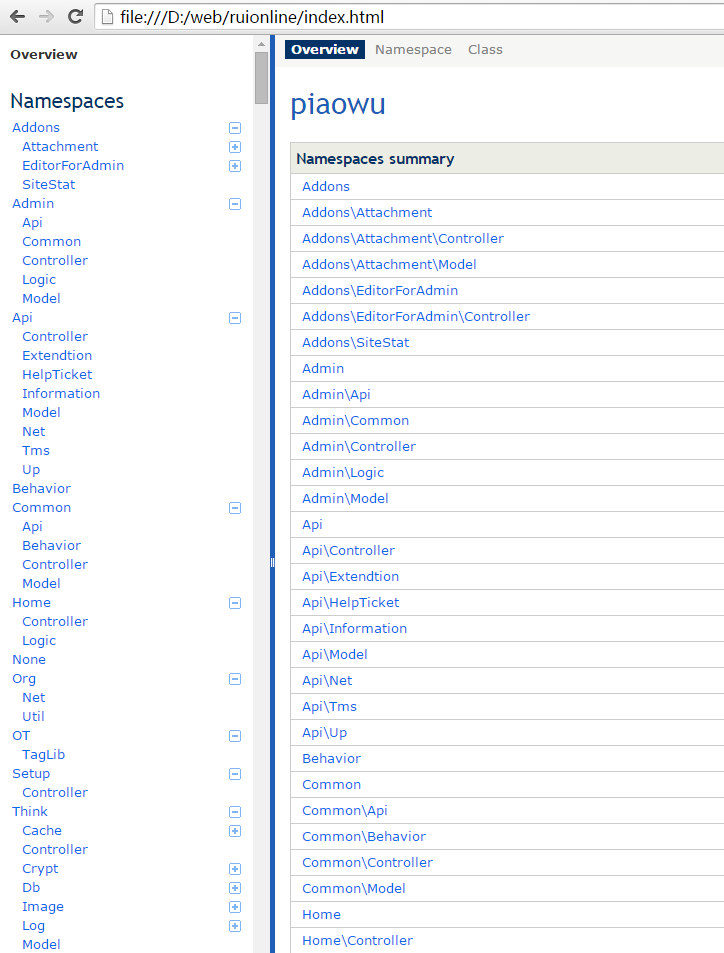
web展示效果
三.apigen命令参数详细说明
--source <path>需要编译成文档的 Project 目录, --source <path> 同时可以指定多个

--destination <path>  编译后存放的目录路径

--title <Name>  文档首页的标题

--exclude <path> 排除的目录(如 'views/*' 表示视图目录下的不生成文档)

Options:

 --source (-s)        Dirs or files documentation is generated for. (multiple va

lues allowed)

 --destination (-d)   Target dir for documentation.

 --access-levels      Access levels of included method and properties. (default:

 ["public","protected"]) (multiple values allowed)

 --annotation-groups  Generate page with elements with specific annotation.

 --base-url           Base url used for sitemap (useful for public doc).

 --config             Custom path to apigen.neon config file. (default: "E:\\ide

/apigen.neon")

 --google-cse-id      Custom google search engine id (for search box).

 --google-analytics   Google Analytics tracking code.

 --debug              Turn on debug mode.

 --deprecated         Generate documentation for elements marked as @deprecated

 --download           Add link to ZIP archive of documentation.

 --extensions         Scanned file extensions. (default: ["php"]) (multiple valu

es allowed)

 --exclude            Directories and files matching this mask will not be parse

d (e.g. */tests/*). (multiple values allowed)

 --groups             The way elements are grouped in menu. (default: "auto")

 --charset            Charset of scanned files. (multiple values allowed)

 --main               Elements with this name prefix will be first in tree.

 --internal           Include elements marked as @internal.

 --php                Generate documentation for PHP internal classes.

 --skip-doc-path      Files matching this mask will be included in class tree, b

ut will not create a link to their documentation. (multiple values allowed)

 --no-source-code     Do not generate highlighted source code for elements.

 --template-theme     ApiGen template theme name. (default: "default")

 --template-config    Your own template config, has higher priority templateThem

e.

 --title              Title of generated documentation.

 --todo               Generate documentation for elements marked as @todo.

 --tree               Generate tree view of classes, interfaces, traits and exce

ptions.

 --help (-h)          Display this help message.

 --quiet (-q)         Do not output any message.

 --version (-V)       Display this application version.
四.apigen支持php注释详解
支持官方PSR-5标准
1.Custom
@deprecated

package

subpackage

copyright

license

author

version

since

see

uses

internal

todo

Standard
2.param
return

throws

{@inheritdoc}

Magic methods and properties
3.property
property-read

property-write

method
ApiGen4.1 windows安装教程的更多相关文章
- MySQL 8.0.12 基于Windows 安装教程(超级详细)
MySQL 8.0.12 基于Windows 安装教程(超级详细) (一步一步来,装不了你找我!) 本教程仅适用Windows系统,如果你原本装了没装上,一定要先删除原本的数据库,执行:mysqld ...
- JAVA(windows)安装教程
JAVA(windows)安装教程 一.下载: https://www.oracle.com/technetwork/java/javase/downloads/jdk8-downloads-2133 ...
- Nginx Linux和Windows安装教程
前言 本篇文章主要介绍的是Nginx Linux环境和Windows的安装教程. Nginx 介绍 Nginx("engine x")是一款是由俄罗斯的程序设计师Igor Syso ...
- scrapy系列(一)——Python 爬虫框架 Scrapy1.2 Windows 安装教程
scrapy作为一个成熟的爬虫框架,网上有大量的相关教程供大家选择,尤其是关于其的安装步骤更是丰富的很.在这里我想记录下自己的相关经验,希望能给大家带来点帮助. 在scrapy0.24版之前,安装sc ...
- sqlmap Windows 安装教程
第一步:下载 python :https://www.python.org/downloads/ (这里有python各种版本,但是一般建议安装3和2.7) sqlmap:https://git ...
- Git for Windows安装教程
1.国内直接从官网(http://git-scm.com/download/win)下载比较困难,速度极慢,需要翻墙. 这里提供一个国内的下载站,方便网友下载(https://npm.taobao.o ...
- endnote x9.3.3 for windows安装教程
EndNote X9.3.3 是一款非常nice的实用型文献管理软件,EndNote X9功能极其强劲,便捷好用.本文提供EndNote X9.3.3安装破解激活教程.方法,内附EndNote x9. ...
- Git+windows安装教程(一)
一:Git是什么? Git是目前世界上最先进的分布式版本控制系统. 二:SVN与Git的最主要的区别? SVN是集中式版本控制系统,版本库是集中放在中央服务器的,而干活的时候,用的都是自己的电脑,所以 ...
- MySQL 8.0.12 基于Windows 安装教程
第一步:到MySQL官网下载安装包:https://dev.mysql.com/downloads/mysql/ 第二步:将下载好的安装包(mysql-8.0.12-winx64 .zip)解压到相应 ...
随机推荐
- hdu2399GPA
Problem Description Each course grade is one of the following five letters: A, B, C, D, and F. (Note ...
- 菜鸟的jQuery源码学习笔记(一)
整个jQuery是一个自调用的匿名函数: (function(global, factory) { if (typeof module === "object" && ...
- 关于淘宝的数据来源,针对做淘宝客网站的淘宝api调用方法
上次写了个淘宝返利模式的博客,直接被移除首页,不知道何故啊.可能是真的跟技术不太刮边. 众所周知,能够支撑一个网站运营的最基础不是程序写的多么好.也不是有多么牛X的运营人员,最主要的是数据,如果没有数 ...
- MYSQL insert
准备: create table T4(X int ,Y int); 方法 1. insert [low_priority][high_priority][delayed] into table_na ...
- 【stm32】用TIM1产生6路ADC,用CCR4触发ADC1的注入通道采样
这几天一直在使用STM32来写sensorless BLDC的驱动框架,那么必须会用到TIM1的CCR1/CCR2/CCR3产生的六路互补PWM,以及用CCR4来产生一个中断,用来在PWM-ON的时候 ...
- [分享]源代码&开发手记:SAE应用“车百科” (Python + SAE + Bottle + Bootstrap) - Bottle - Python4cn(news, jobs)
[分享]源代码&开发手记:SAE应用"车百科" (Python + SAE + Bottle + Bootstrap) - Bottle - Python4cn(news, ...
- gcc选项-g与-rdynamic的异同
摘自http://www.tuicool.com/articles/EvIzUn gcc选项-g与-rdynamic的异同 gcc 的 -g ,应该没有人不知道它是一个调试选项,因此在一般需要进行程序 ...
- E6全部刷机包
此版本号基于R533_G_11.11.10P_GSZMCAUT679DA01B_LP064DA_T679DA_S005_E001_P002_R001_G004_1FF.sbf制作耳机接听或挂机正常内置 ...
- Java程序员应该知道的10个面向对象理论
英文原文:10-object-oriented-design-principles 面向对象理论是面向对象编程的核心,但是我发现大部分 Java 程序员热衷于像单例模式.装饰者模式或观察者模式这样的设 ...
- VIM 中 查看{}是否闭合,按%跳转到下个闭合
VIM 中 查看{}是否闭合,按%跳转到下个闭合