
ActiveMQ:Exception occurred while processing this request, check the log for more information!
出现上面错误的原因有以下两种
1 jdk的版本和activemq的版本不符
安装完ActiveMQ之后,通过http://IP:8161登陆到控制台。
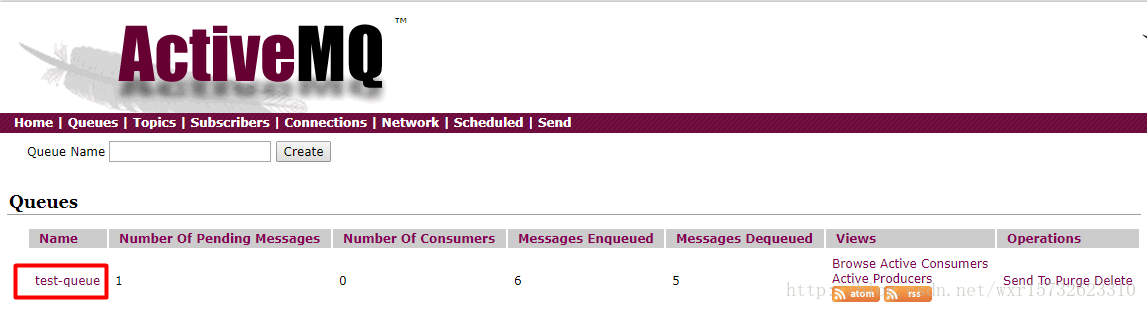
通过测试代码给服务端发送队列消息,在控制台点击queue可以看到如下消息:
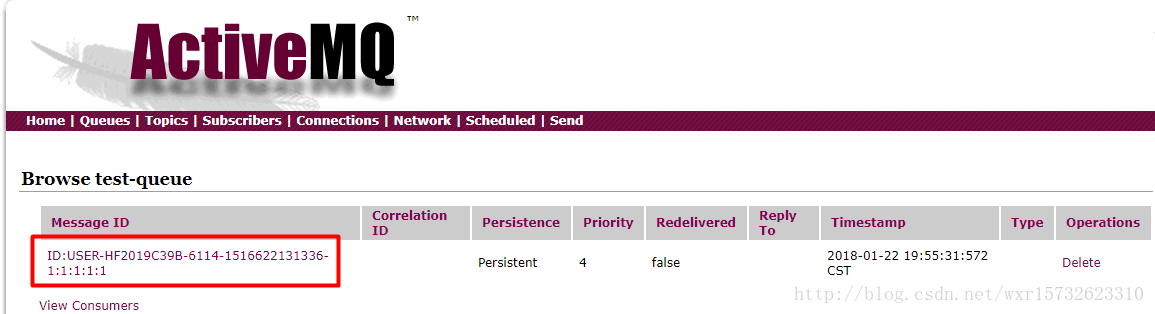
然后点击队列名称test-queue,出现如下页面:
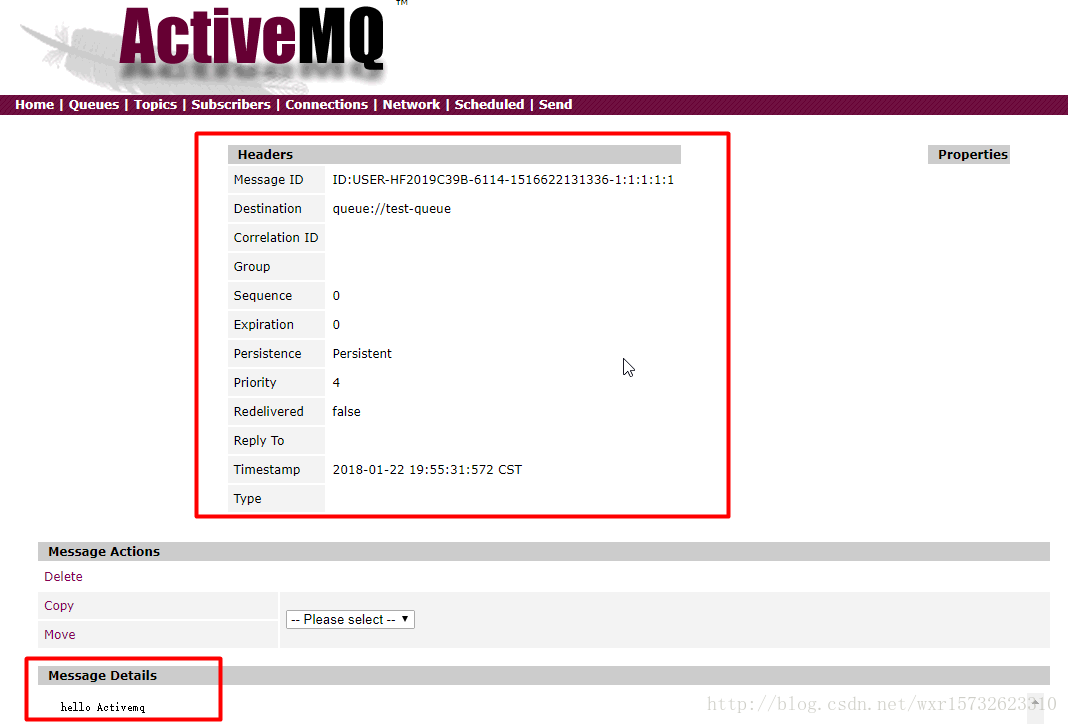
然后点击MessageID,应该出现以下页面:
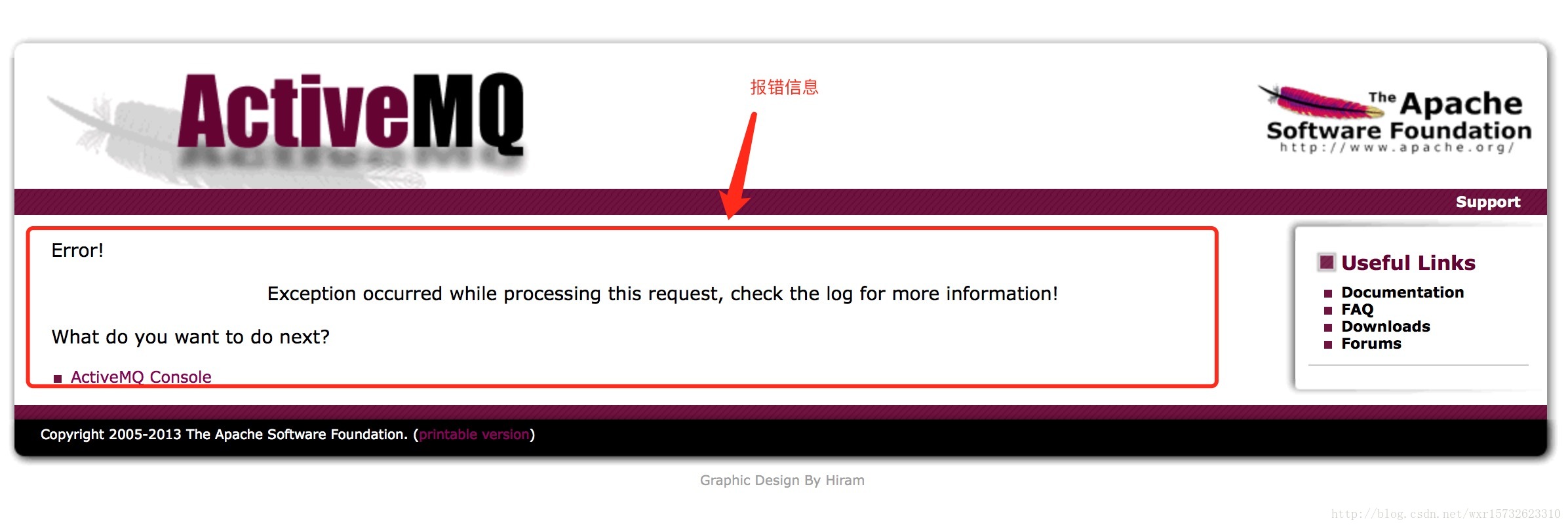
但是我的却报错了,出现了一下错误:
Exception occurred while processing this request, check the log for more information!
查看MQ的错误日志(data路径下的activemq)
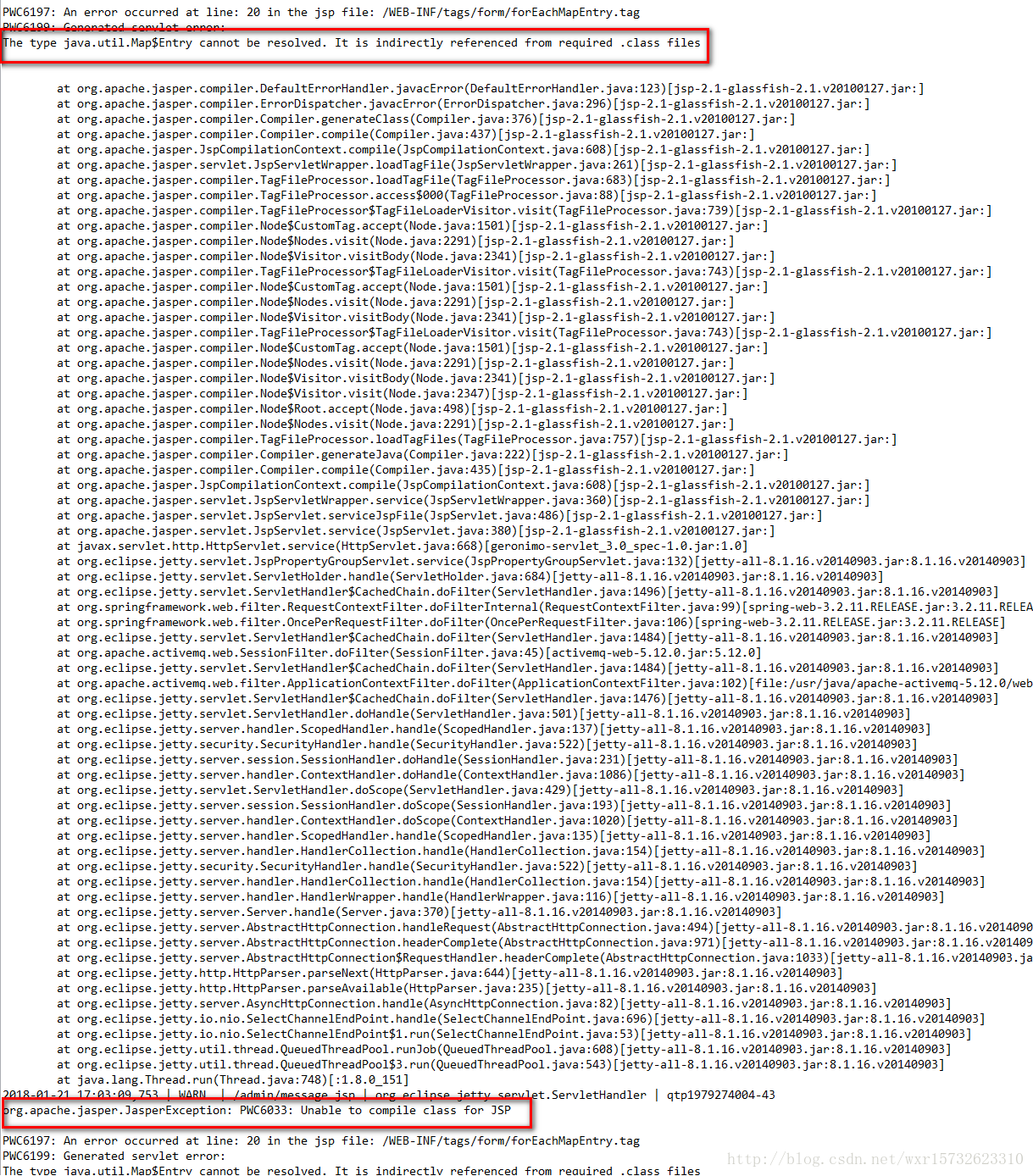
错误原因:jsp渲染的时候报错了。根本原因在于jdk版本和activemq版本的问题。
小编的activeMQ的版本为5.12,jdk的版本为1.8,然而mq5.12的版本需要依赖于jdk1.7.
两种解决方案:
1、把jdk版本改为jdk1.7
2、activeMQ采用5.15,它依赖于jdk1.8
2 权限不足
安装ActiveMq-5.14.1 并配置了安全验证成功后,客户端也连接成功了。服务端也能通过http://IP:8161登录到控制台。
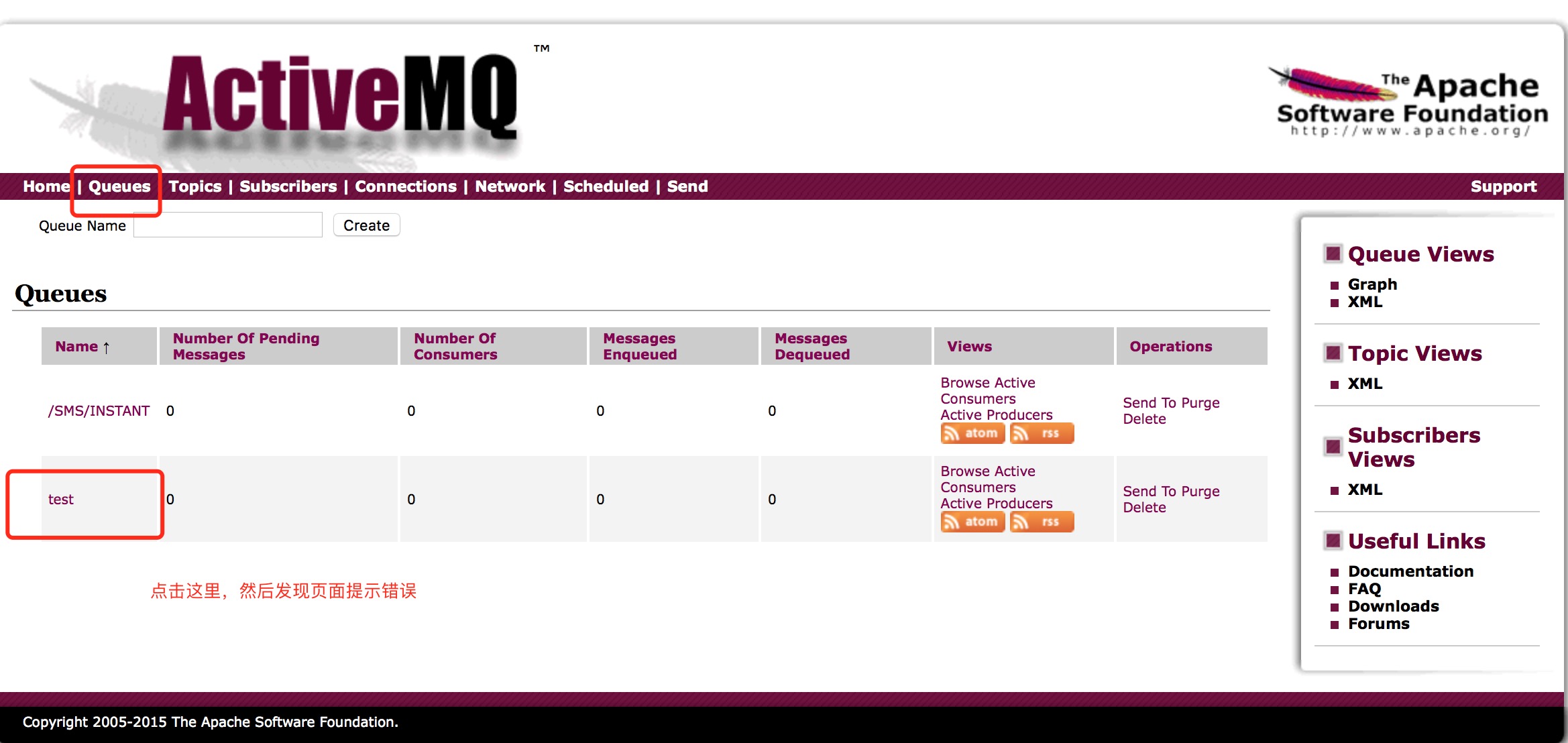
但是在点击队列,想要查看队列视图时报错,如下图:

查看日志发现有如下报错:
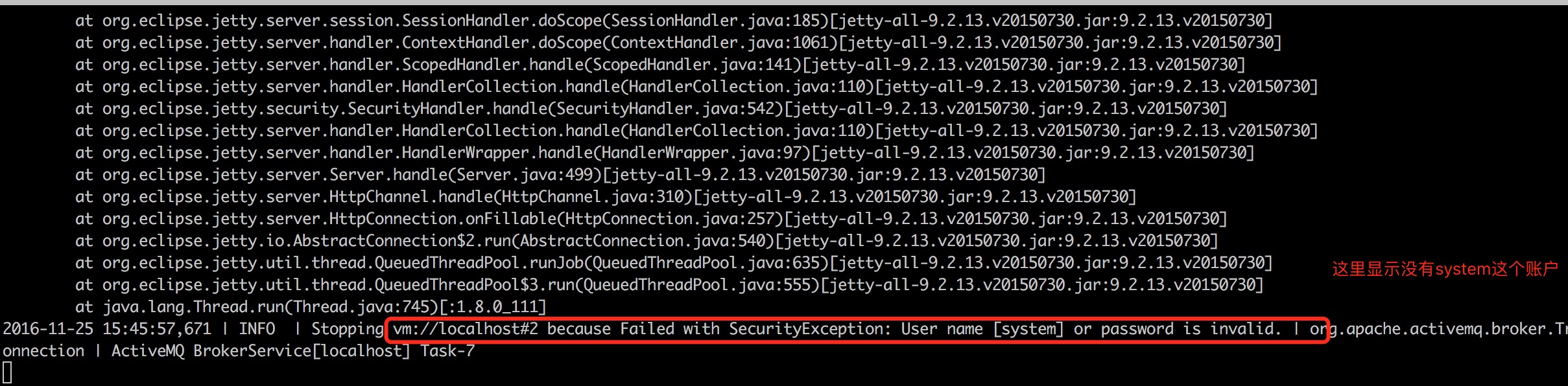
那么我就开始找配置这个用户的地方,发下时conf目录下的credentials.properties文件中。
内容如下:
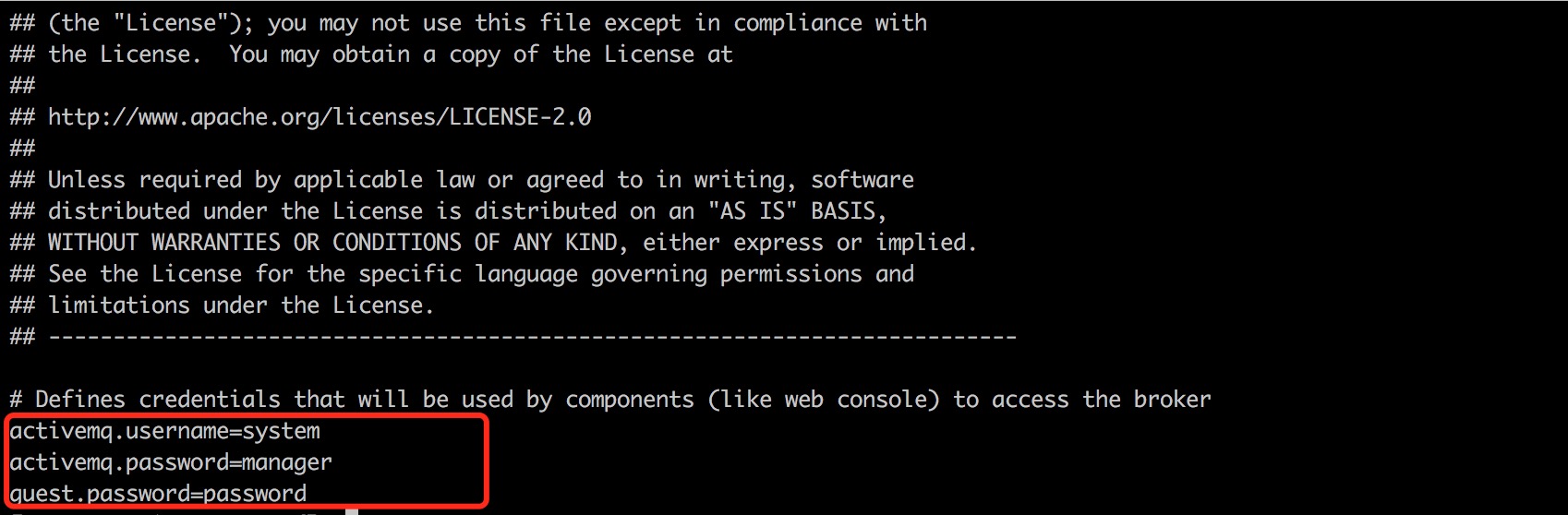
这里有这个账户的配置,那么是哪里引用这个配置文件呢?
在主配置文件 activemq.xml 查看,发现如下:
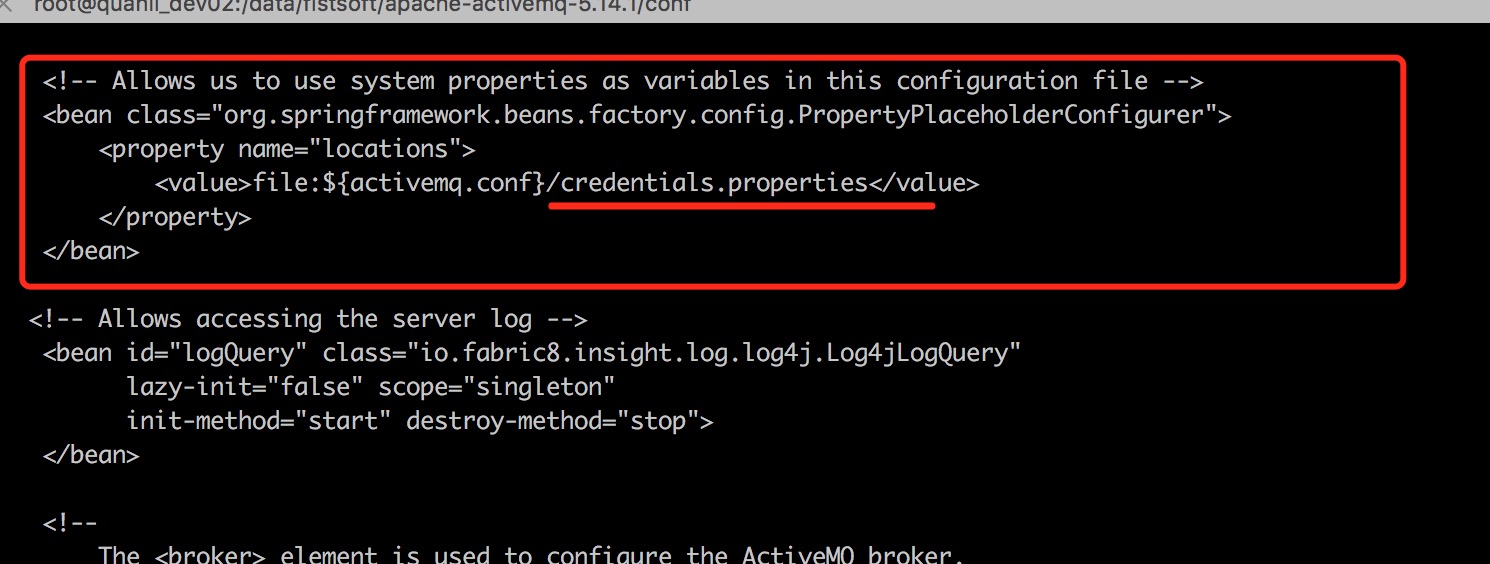
大概了解了下,这段配置的作用,是在控制台中查看,删除、发送消息到指定队列或主题的使用的账户。前面我们登录管理控制台仅是控制台的验证。要操作队列当然要用队列授权的用户。于是我想既然credentials.properties中配置了账户为system,那么我可以在user.properties中创建一个system用户。于是编辑
vim user.properties
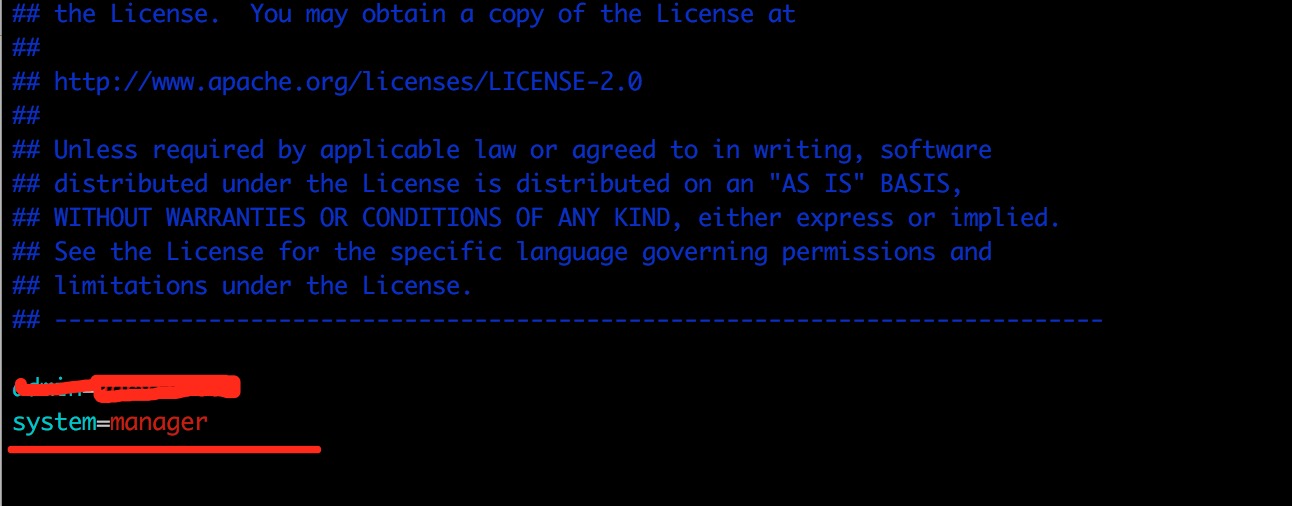
这样这个用户就有了
然后我们再次访问发现前端依然报错,错误日志有所改变,错误日志信息如下:
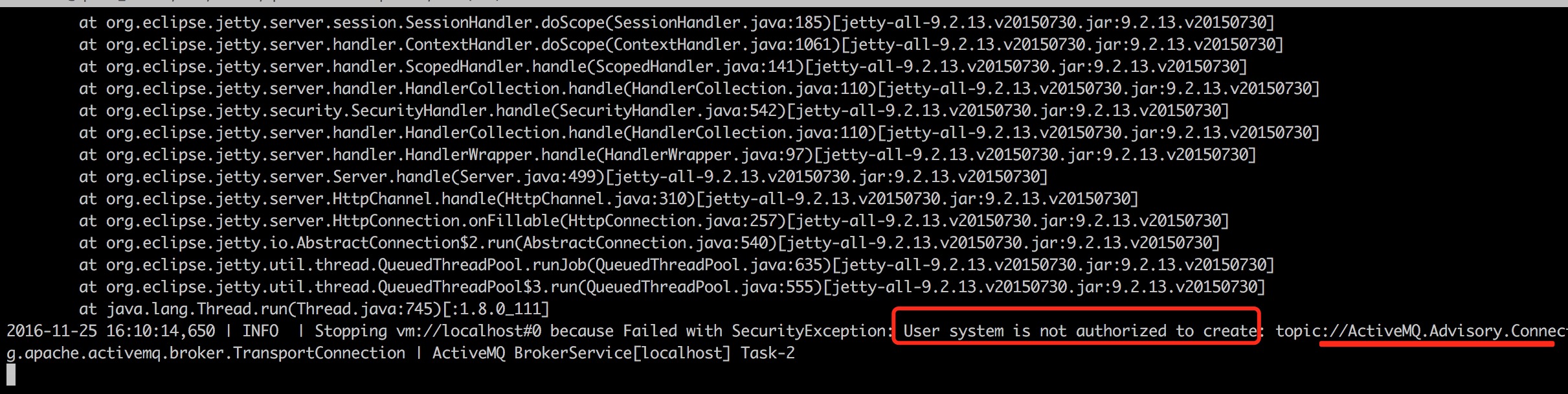
这个报错大概就是没有权限的原因,这时候我想到虽然用户创建了,但是还没做授权。于是最简单就是把system账户加入到admins组中。
于是vim groups.properties
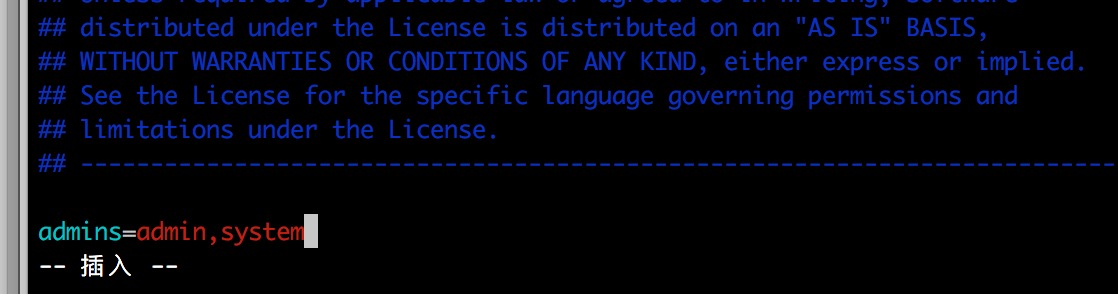
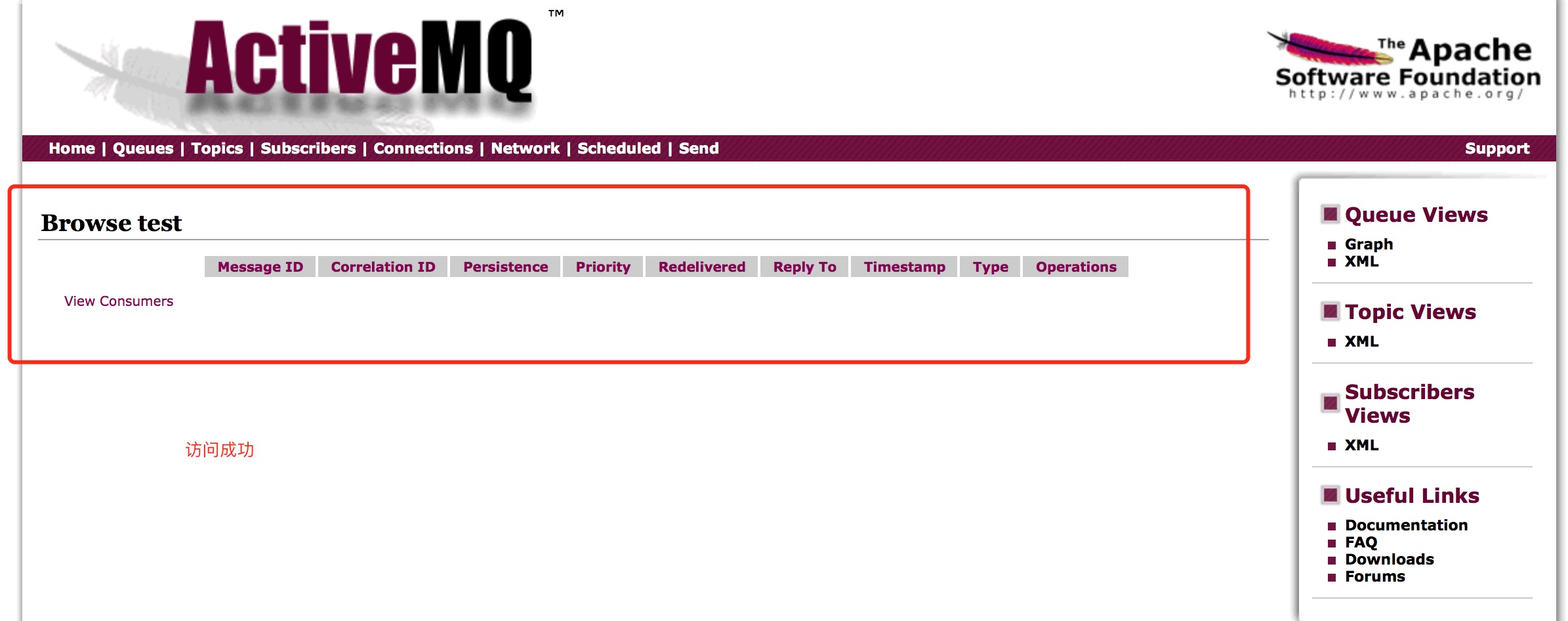
保存退出,然后在重启activemq,测试成功,如图:
备注:
如果你想改配置文件的地址,可以更改conf/log4j.propertiesd配置文件
文章来源:
https://blog.csdn.net/wxr15732623310/article/details/79132976
https://www.cnblogs.com/zhming26/p/6101916.html
ActiveMQ:Exception occurred while processing this request, check the log for more information!的更多相关文章
- 关于ActiveMq的Exception occurred while processing this request, check the log for more information!问题
错误原因:jsp渲染的时候报错了.根本原因在于jdk版本和activemq版本的问题. 两种解决方案: 1.把jdk版本改为jdk1.7 2.activeMQ采用5.15,它依赖于jdk1.8
- Exception occurred while processing this request, check the log for more information!安装ActiveMq-5.14.1 配置安全验证报错解决
安装ActiveMq-5.14.1 并配置了安全验证成功后,客户端也连接成功了.服务端也能通过http://IP:8161登录到控制台. 但是在点击队列,想要查看队列视图时报错,如下图: 查看日志发 ...
- [已解决]An unhandled exception occurred while processing the request.
An unhandled exception occurred while processing the request. InvalidOperationException: The layout ...
- struts2与struts1整合,java.lang.InstantiationException, Exception occurred during processing request: null
做了2个action,其中一个运行没有问题,另一个报错,看下面的报错信息,再看了看struts.xml,因为没有给GetBooks这个action配置actionform,所以就导致报null.下面是 ...
- SSH中使用延迟加载报错Exception occurred during processing request: could not initialize proxy - no Session
17:40:17,249 ERROR DefaultDispatcherErrorHandler:42 - Exception occurred during processing request: ...
- Exception occurred during processing request: id to load is required for loading
ERROR Dispatcher:38 - Exception occurred during processing request: id to load is required for loadi ...
- An exception occurred during a WebClient request
System.Net.WebException was caught HResult=-2146233079 Message=An exception occurred during a WebCli ...
- PHP: configure: error: mysql configure failed. Please check config.log for more information.
为php增加mysql模块时报错 configure: error: mysql configure failed. Please check config.log for more informat ...
- configure: error: mysql configure failed. Please check config.log for more information.
为php添加mysql模块时报错 configure: error: mysql configure failed. Please check config.log for more informat ...
随机推荐
- 开源WebGIS实施方案(五):基于SLD实现图层符号化及其应用
SLD概述 SLD(OpenGIS® Styled Layer Descriptor):图层样式注记.其当前版本是1.1.0.SLD是一种描述地图图层样式的标准,一般用于WMS中的图层符号化. 说白了 ...
- solr特点二:Facet
返回查询集合中指定field的统计情况,例如找到city一样的文档数目: 加入文档 <add> <doc> <field name="id">1 ...
- PyQt4 QListWidget 使用教程
转自:http://blog.csdn.net/seeground/article/details/49177387?locationNum=3&fps=1 listWidget = QLis ...
- web api 请求结果中页面显示的json字符串与json对象结果不一致
我在前端调用这个api的时候也是百思不得其解,明明看到页面上的结果ID是不一样的,但是在js中使用的时候,却一直有重复ID的情况 后来才发现原来是long这个类型的原因,JavaScript中Numb ...
- IIS服务器添加网站
1.添加IIS服务:对“我的电脑”右键,管理,点击服务和应用程序,如果下面没有”Internet Information Services(IIS)管理器“,打开控制面板,点击程序,启用或者关闭Win ...
- spring的父子上下文容器及配置
本文由作者张远道授权网易云社区发布. spring父子容器 spring总的上下文容器有父子之分.父容器和子容器.父容器对子容器可见,子容器对父容器不可见. 对于传统的spring mvc来说,spr ...
- iOS 错误:… is being deallocated while key value observing are still registered with it
这个错误从字面上来看就是有一个实例由于被observing而无法被释放. 具体原因可能是该对象添加了一个oberver.所以释放的时候要先取消observer. 具体方法是在 dealloc 方法中: ...
- 前端基础--css基本语法,选择器
一.css概述 CSS(Cascading Style Sheet)层叠样式表,定义如何显示HTML元素,给HTML设置样式,让它更加美观.当浏览器读到一个样式表,它就会按照这个样式表来对文档进行格式 ...
- 【ocp-12c】最新Oracle OCP-071考试题库(38题)
38.choose the best answer View the Exhibit and examine the data in the PROMOTIONS table. PROMO_BEGIN ...
- 【OCP-12c】CUUG 071题库考试原题及答案解析(22)
5.choose the best answer Evaluate the following CREATE SEQUENCE statement: CREATE SEQUENCE seq1 STAR ...