
GALV_maptravel研究分析(1)
强大的地图传送式插件~~
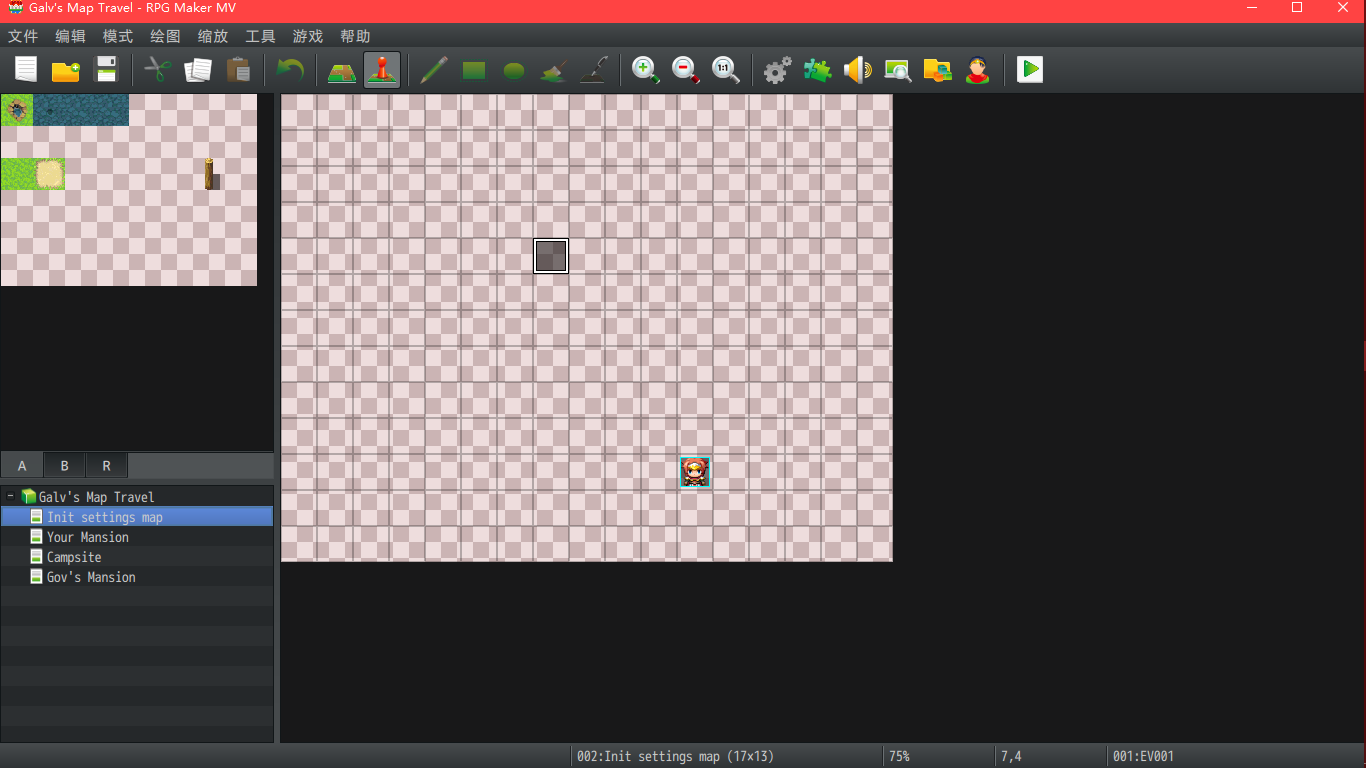
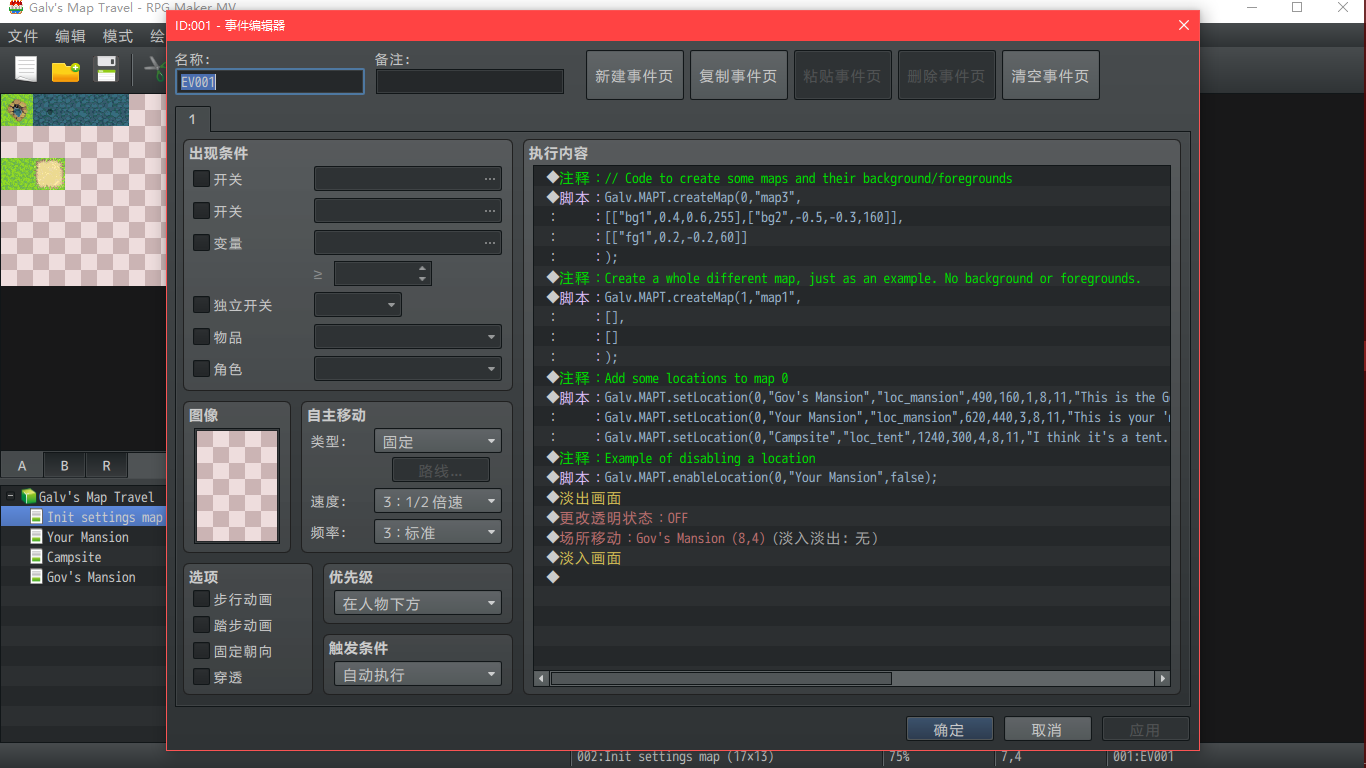
我以自带demo进行分析,本篇地图Init setting map
1.----------------------------------
实例 创建地图
Galv.MAPT.createMap(0,"map3",
[["bg1",0.4,0.6,255],["bg2",-0.5,-0.3,160]],
[["fg1",0.2,-0.2,60]]
);
语法
Galv.MAPT.createMap(id,"mapImage",[[bg],[bg]],[[fg],[fg]]);
INFO:
id = a unique number to identify the map you created 创建的地图编号
"mapImage" = the name of the map graphic to use from /img/maptravel/ 背景图名称(注意路径)
this image will determine the size of your map in the scene 此图片会影响你的地图尺寸
[bg] = an array to set up a background graphic behind the map image 一个数组,用于在地图图像后面设置背景图形
You can have as many bg arrays as desired each should have: 可以设置多个
["bgimage",xmove,ymove,opacity]
[fg] = works the same as bg arrays but instead for foreground images 原理与bg相同,但用于代替前景图
["fgimage",xmove,ymove,opacity]
注意,这里是两个大数组,内包含小数组
+++++++++++++++++++++++++++++++++华丽分割线+++++++++++++++++++++++++++++++++++++++++++++++++++
2.-----------------------------------
实例
Galv.MAPT.setLocation(0,"Gov's Mansion","loc_mansion",490,160,1,8,11,"This is the Governor's Mansion|It's just a test map with no actual mansion here");
Galv.MAPT.setLocation(0,"Your Mansion","loc_mansion",620,440,3,8,11,"This is your 'mansion' but you lost the key!|You can't get in!");
Galv.MAPT.setLocation(0,"Campsite","loc_tent",1240,300,4,8,11,"I think it's a tent. It looks like a tent|Yeah it's a tent.",1);
语法
Galv.MAPT.setLocation(id,"name","image",mx,my,tmid,tx,ty,"desc",f);
INFO:
id = the unique number identifying the map you created above 上级地图,上级地图!的ID,或者说包含地图
"name" = the name of the location (also used to reference it)
"image" = the name of the location graphic to use from /img/maptravel/ 显示在大地图上的图标
this graphic requires 3 rows in the spritesheet for:
top = normal, middle = active, bottom = disabled
mx = the x postion on your map graphic for the location
my = the y postion on your map graphic for the location
tmid = transfer map id - the in-game map id to transfer to 跳转目标地图的ID
tx = the in-game map x co-ordinate to transfer to 跳转后的的位置
ty = the in-game map y co-ordinate to transfer to
"desc" = a short description displayed when location is selected. 下方描述
Use the | symbol to specify a new line.
f = frames of animation in your location image. Don't include
this attribute to use the plugin setting default frames 动画针
Note that you can use this setLocation to overwrite a previously set one
using the same name if you want to change it to something else.
In addition to locations, you can add 'objects' that work in a similar
way but only have one row of graphics in the spritesheet and will not
appear in the location list.
+++++++++++++++++++++++++++++++++华丽分割线+++++++++++++++++++++++++++++++++++++++++++++++++++
3-----------------------------------
实例
Galv.MAPT.enableLocation(0,"Your Mansion",false);
语法
Galv.MAPT.enableLocation(id,"name",s); // s can be true or false to
// set the location "name" in the
// map id to enabled or disabled
GALV_maptravel研究分析(1)的更多相关文章
- GALV_maptravel研究分析(2)
本节地图:Gov's Mansion,Campsite,Yourmansion ++++++++++++++++++++华丽丽的分割线+++++++++++++++++++++++++++++++++ ...
- opencv的实用研究--分析轮廓并寻找边界点
opencv的实用研究--分析轮廓并寻找边界点 轮廓是图像处理中非常常见的.对现实中的图像进行采样.色彩变化.灰度变化之后,能够处理得到的是“轮廓”.它直接地反应你了需要分析对象的边界特 ...
- SQL中的Null深入研究分析
SQL中的Null深入研究分析 虽然熟练掌握SQL的人对于Null不会有什么疑问,但总结得很全的文章还是很难找,看到一篇英文版的, 感觉还不错. Tony Hoare 在1965年发明了 null 引 ...
- TCP异常关闭研究分析
版权声明:本文由谢代斌原创文章,转载请注明出处: 文章原文链接:https://www.qcloud.com/community/article/108 来源:腾云阁 https://www.qclo ...
- JVM虚拟机Class类文件研究分析
前言 为了研究Class文件,先编写一个最简单的代码: package com.courage; public class T0100_ByteCode01 { } 之所以说最简单,是因为这个类里面任 ...
- oracle AWR深入研究分析,如何使用
AWR的前身是statspack,当然现在还在,只不过大家都在使用AWR,因为它方便,简单,直观,形象. AWR是oracle内置工具,安装oracle时已经自动安装完毕,无需额外安装了. SELEC ...
- keystone 认证深度研究分析
一.Keystone Token深度概述 Keystone作为OpenStack项目基础认证模块,目前支持的token类型分别是uuid.pkiz.pki.fernet. 首先,简要叙述一下这四种类型 ...
- S5PV210的内存分配研究分析
S5PV210内存一般会使用SDRAM和DDR2 (DDR SDRAM),SDRAM的uboot启动网络已经有很多资料的,对于DDR2还有有很多疑惑,如果有错误的地方,请大家一定指出,醍醐灌顶,不胜感 ...
- 常用移动web开发框架研究分析
纯粹的总结一下移动web开发框架,移动web开发框架有jQuery Mobile .Sencha Touch等等,他们都来源于web开发,是成熟的框架,jQuery Mobile出自于jQuery家族 ...
随机推荐
- TDD学习笔记【六】一Unit Test - Stub, Mock, Fake 简介
这篇文章简介一下,如何通过 mock framework,来辅助我们更便利地模拟目标对象的依赖对象,而不必手工敲堆只为了这次测试而存在的辅助类型. 而模拟目标对象的部分,常见的有 stub objec ...
- Gin框架初识
一.安装 使用go下载gin库,命令行输入:go get github.com/gin-gonic/gin ,一般使用需要的依赖: import "github.com/gin-gonic/ ...
- github 搜索
1.明确搜索仓库标题.仓库描述.README GitHub 提供了便捷的搜索方式,可以限定只搜索仓库的标题.或者描述.README等. 以Spring Cloud 为例,一般一个仓库,大概是这样的 其 ...
- 让织梦内容页arclist标签的当前文章标题加亮显示
很多人在用织梦做站的时候,会用到在当前栏目页面,给当前栏目标题使用指定样式如标题加亮,或者放个背景图.这是一个很常用和实用的功能,比如在导航页面,标识当前在浏览哪个栏目.如下图: 但是有些时候,我们在 ...
- chrome自动填表会遮挡input中背景图的问题解决方法
在做某项目登录界面时,发现用户密码框在Chrome自动填充时,input中的背景框会被遮住.网上也搜了一下,没有一个有效的解决方法. 来看csdn的登录界面,也有这个问题. 后来在浏览网页时,无意中发 ...
- Fiddler 会话过滤功能
我们访问任何网址都会被 Fiddler 捕获,但有时我们只想捕获某个地址,可以使用 Fiddler 的会话过滤,如下我们只过滤出百度的域名 如下,切换到 Filters --- 把 Use Filte ...
- 获取当前目录绝对路径,参考canal run.sh里面的方式
case "`uname`" in Darwin) bin_abs_path=`cd $(dirname $0); pwd` ;; Linux) bin_abs_path=$(re ...
- HTTP 错误 500.19 - Internal Server Error 无法读取配置节 system.serviceModel 因为它缺少节声明
服务器环境:Windows Server2008 R2 Enterprise 配置 IIS 的时候报错. 错误信息: HTTP 错误 500.19 - Internal Server Error无法访 ...
- vue重要项目的参考
https://github.com/PanJiaChen/vue-element-admin vue项目参考 重点 https://github.com/opendigg/awesome-gith ...
- Broadcast
静态注册广播接收器 1. 活动中创建内部类继承BroadcastReceiver实现 onReceive函数 2. new 一个内部类的对象 3. registerReceiver注册内部类 4. 在 ...