
JAX-RS -- Java API for RESTful Web Services
1、安装tomcat
2、安装CXF
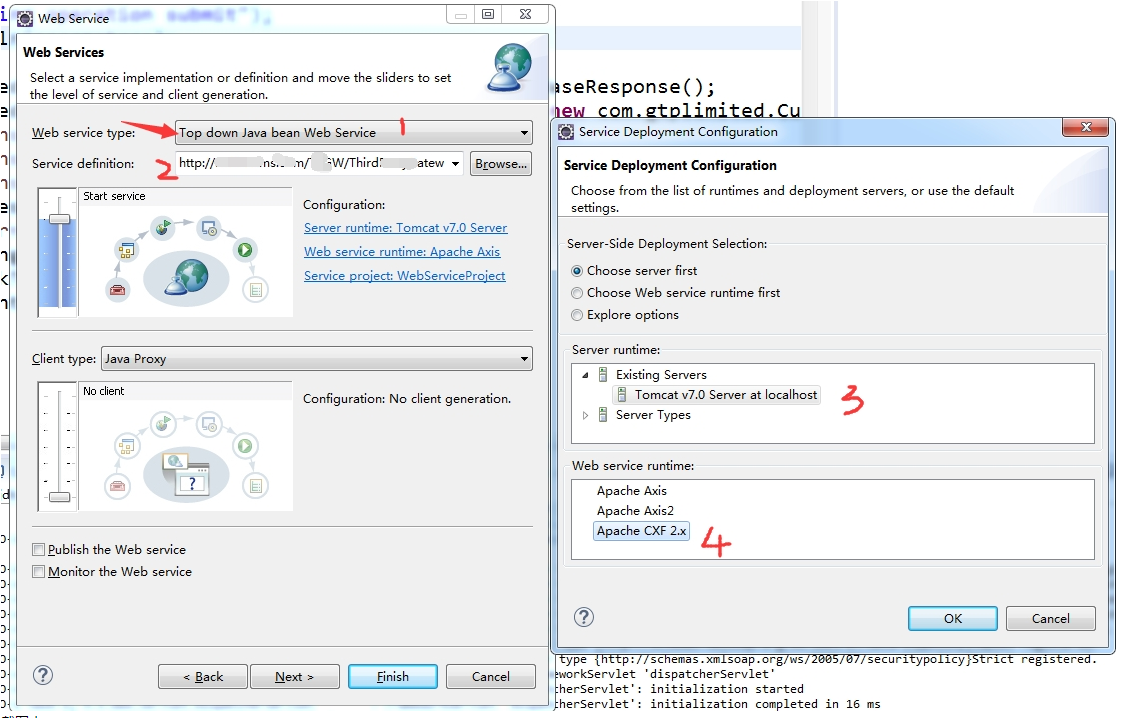
.jpg)
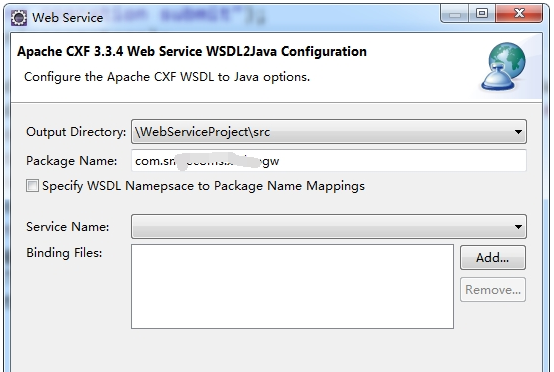
.jpg)
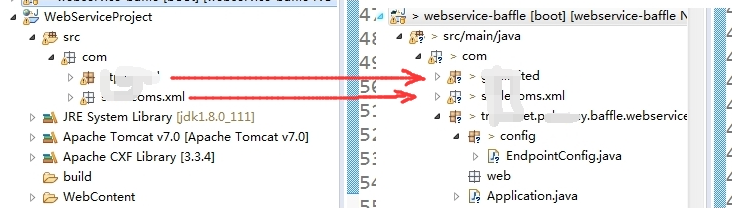
.jpg)
@Configuration

public class CxfConfig {

    @Autowired

    private Bus bus;   //private SpringBus bus;

    @Autowired

    private CommonService commonService;

    //  配置CXF服务发布,默认服务是在host:port/services/发布地址

    // 访问地址 http://127.0.0.1:8080/Service/common?wsdl

    @Bean

    public Endpoint another_endpoint() {

        EndpointImpl endpoint = new EndpointImpl(bus, commonService);

        endpoint.publish("/common");   //发布地址

        return endpoint;

    }

    // 访问地址 http://127.0.0.1:8080/Service/hello?wsdl

    @Bean

    public Endpoint endpoint() {

        EndpointImpl endpoint = new EndpointImpl(bus,  new HelloServiceImpl());

        endpoint.publish("/hello");    //发布地址

        return endpoint;

    }
.jpg)
问题:
1、与Spring整合问题
Caused by: org.apache.cxf.ws.policy.PolicyException: These policy alternatives can not be satisfied:
{http://docs.oasis-open.org/ws-sx/ws-securitypolicy/200702}SupportingTokens
{http://docs.oasis-open.org/ws-sx/ws-securitypolicy/200702}UsernameToken
at org.apache.cxf.ws.policy.AssertionInfoMap.checkEffectivePolicy(AssertionInfoMap.java:166)
at org.apache.cxf.ws.policy.PolicyVerificationInInterceptor.handle(PolicyVerificationInInterceptor.java:101)
解决方法
esb-server.xml配置增加
<cxf:bus>
<cxf:properties>
<entry key="org.apache.cxf.message.Message.ENCODING" value="UTF-8"/>
</cxf:properties>
<cxf:features>
<cxf:logging/>
<p:policies enabled="false" />
</cxf:features>
</cxf:bus>
    @Bean(name = Bus.DEFAULT_BUS_ID)

    public SpringBus springBus() {

        SpringBus springBus = new SpringBus();

        WSPolicyFeature wpf = new WSPolicyFeature();

        wpf.setEnabled(false);

        Collection<Feature> features = springBus.getFeatures();

        features.add(wpf);

        return springBus;

    }
JAX-RS -- Java API for RESTful Web Services的更多相关文章
- jboss7 Java API for RESTful Web Services (JAX-RS) 官方文档
原文:https://docs.jboss.org/author/display/AS7/Java+API+for+RESTful+Web+Services+(JAX-RS) Content Tuto ...
- Jersey the RESTful Web Services in Java
Jersey 是一个JAX-RS的实现, JAX-RS即Java API for RESTful Web Services, 支持按照表述性状态转移(REST)架构风格创建Web服务. REST 中最 ...
- 使用 Spring 3 来创建 RESTful Web Services
来源于:https://www.ibm.com/developerworks/cn/web/wa-spring3webserv/ 在 Java™ 中,您可以使用以下几种方法来创建 RESTful We ...
- cxf开发Restful Web Services
一.restful web services rest全称是Representation State Transfer(表述性状态转移).它是一种软件架构风格,只是提供了一组设计原则和约束条件.在re ...
- RESTful Web Services测试工具推荐
命令行控的最爱:cURL cURL是一个很强大的支持各种协议的文件传输工具,用它来进行RESTful Web Services的测试简直是小菜一碟.这个工具基本上类Unix操作系统(各种Linux.M ...
- 使用 Spring 3 来创建 RESTful Web Services(转)
使用 Spring 3 来创建 RESTful Web Services 在 Java™ 中,您可以使用以下几种方法来创建 RESTful Web Service:使用 JSR 311(311)及其参 ...
- 基于Spring设计并实现RESTful Web Services(转)
基于Spring设计并实现RESTful Web Services 在本教程中,你将会使用Spring来创建一个具有生产力的RESTful网络服务. 为什么用RESTful网络服务? 从和Amazon ...
- Spring 3 来创建 RESTful Web Services
Spring 3 创建 RESTful Web Services 在 Java™ 中,您可以使用以下几种方法来创建 RESTful Web Service:使用 JSR 311(311)及其参考实现 ...
- RESTful Web Services: A Tutorial--reference
As REST has become the default for most Web and mobile apps, it's imperative to have the basics at y ...
随机推荐
- 在Window IIS中安装运行node.js应用—你疯了吗
[原文发表地址]Installing and Running node.js applications within IIS on Windows - Are you mad? [原文发表时间]201 ...
- JDBC-ODBC桥接访问SQLServer2008数据库
来源:十二随风博客 将对JDBC API的调用,转换为对另一组数据库连接API的调用优点:可以访问所有ODBC可以访问的数据库缺点:执行效率低.功能不够强大 (1)建立数据源,注意系统DNS才行,用户 ...
- C# Activex开发、打包、签名、发布
一.前言 最近有这样一个需求,需要在网页上面启动客户端的软件,软件之间的通信.调用,单单依靠HTML是无法实现了,因此必须借用Activex来实现.由于本人主要擅长C#,自然本文给出了用C# ...
- asp.net上传Excel文件到服务端进行读取
1.我们IIS是使用7.5,由于在网站中上传Excel文件到服务端进行数据读取时候出现读取失败情况.一开始以为是没有按照office软件问题,其实不然,因为server是64位操作系统,如果我们要使用 ...
- MIT 2012分布式课程基础源码解析一-源码概述
课程主页 课程介绍:本课程会在给出的源码的基础上要求完成8个lab Lab overviewLab 1 - Lock ServerLab 2 - Basic File ServerLab 3 - MK ...
- php中 __autoload函数 自动加载类文件机制
魔术函数,自动加载机制function __autoload($class_name) { //自动传递的是类名$path = str_replace('_', '/', $class_name) ...
- 【10】了解Bootstrap栅格系统基础案例(5)
这次我们来说下列排序: 通过使用 .col-md-push-* 和 .col-md-pull-* 类就可以很容易的改变列(column)的顺序. <!DOCTYPE html> <h ...
- python特性property
通常,访问类和实例属性的时候,将返回所存储的相关值,也就是直接和类(实例的)的__dict__打交道.若果要规范这些访问和设值方式的话, 一种方法是数据描述符,另一种就是python内置的数据描述符协 ...
- Hadoop Datanode节点无法启动(All directories in dfs.data.dir are invalid)
Hadoop Datanode节点无法启动(All directories in dfs.data.dir are invalid) java.io.IOException: All director ...
- NGUI 的使用教程与实例(入门)(1 )
NGUI教程:步骤1-Scene 1.创建一个新的场景(New Scene).2.选择并删除场景里的MainCamera.3.在NGUI菜单下选择Create a New UI,会打开UI创建向导. ...