
windows下修复Linux引导 and linux下几个常用软件
Ubuntu 软件包地址
一. 字体
不管是雅黑还是宋体,从windows cp过来后, 直接双击打开并安装
二. Meld 可视的diff和合并工具
Meld是一个可视的diff和合并工具。Meld是Linux软件,用户使用它可以比较2至3个文件并进行编辑,也可以比较2至3个文件夹并同时进行文件对比。

三. RapidSVN

windows 下的svn我们使用subversion,subversion是基于windows资源管理器打开,并显示图标。
在Linux下我使用RapidSVN,RapidSVN也是图像化用户界面,但相比subversion没有在资源管理器中集成。
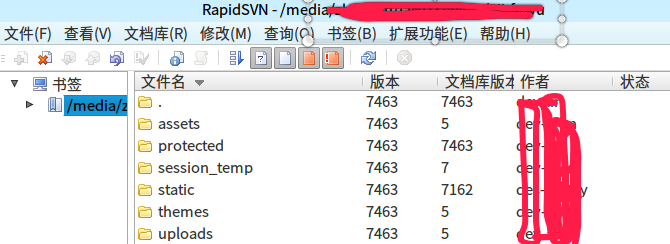
四. FTP
不用多介绍FileZilla,免费又好用。
软件库下载

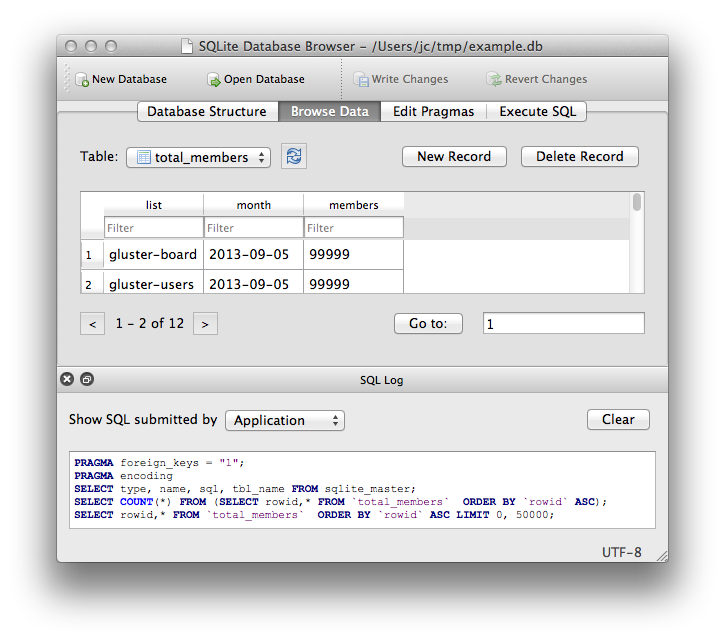
五. SQLLite 查看工具
DB Browser for SQLite
六. 下拉式终端tilda
安装:
sudo apt-get install tilda
F12 呼出呼入


七. 远程连接Remmina

Remmina 是一个远程连接软件可以支持多种连接 RDP、SFTP、 SSH、 VNC 等
八.安装Last Release of wine
牛逼的wine大家都知道,可以在linux下执行Windows程序
如果是64位系统,先执行
sudo dpkg --add-architecture i386
因为个别软件需要32的库
然后执行
wget  https://dl.winehq.org/wine-builds/Release.key

sudo  apt-key add Release.key

sudo  apt-add-repository  https://dl.winehq.org/wine-builds/ubuntu/

sudo  apt-get  update
update后执行
sudo apt-get install --install-recommends winehq-stable
参考: https://imcn.me/html/y2019/34840.html
通过
wine –version
就能看到Last Release 版本的wine了
wine-3.0 # --
八.【一】安装deepin-wine-for-Ubuntu
原生自带wine有时有兼容问题,高大上的deepin团队做了更高级的linux的wine兼容移植,兼容性更好。
下载:https://gitee.com/wszqkzqk/deepin-wine-for-ubuntu
容器镜像:http://mirrors.aliyun.com/deepin/pool/non-free/d/
git clone https://gitee.com/wszqkzqk/deepin-wine-for-ubuntu.git

./install.sh
记得使用dpkg 安装,因为用GDebi安装会报错: 错误:依赖关系不满足 deepin-win32-preloader
例如:
sudo dpkg -i deepin.com.qq.im_8..19983deepin23_i386.deb
查看版本:
deepin-wine --version
wine-2.18
九. 屏幕录像
simplescreenrecorder
sudo apt-get install simplescreenrecorder // 最后更新时间2017.4

支持mp4,mkv等多种格式
Peek

下载地址: https://github.com/phw/peek (V1.3.1 2018-08-29)
https://files.cnblogs.com/files/dcb3688/peek-1.3.1-0-x86_64.AppImage.7z (Ubuntu18.04)
或PPA
sudo add-apt-repository ppa:peek-developers/stable

sudo apt update

sudo apt install peek
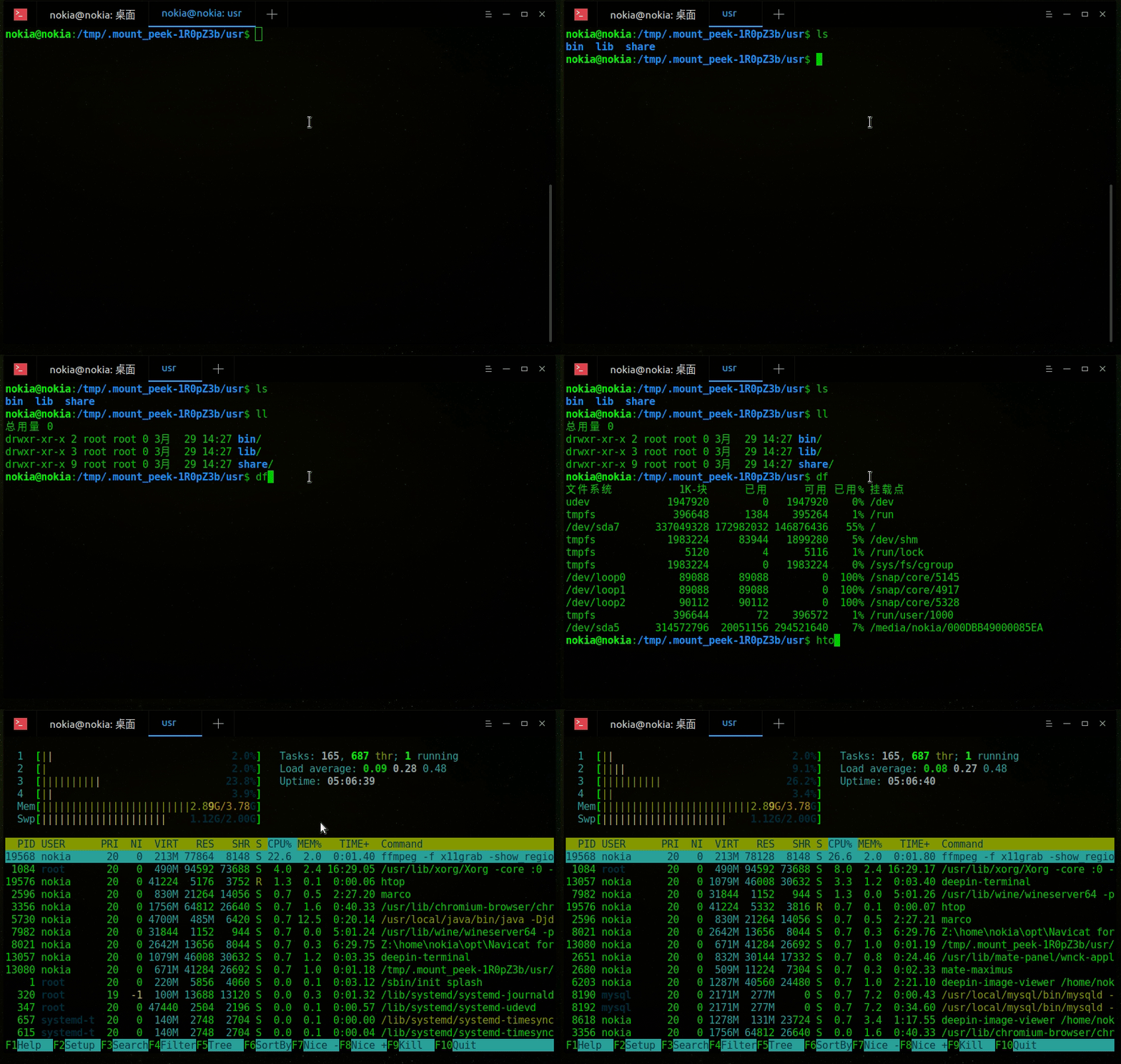
支持GIF,mp4,webM等格式
十.Fiddler抓包
下载mono
sudo apt-get install mono-complete
下载一个最新的版本:
http://fiddler.wikidot.com/mono
启动命令:
mono Fiddler.exe
十一.截图工具
推荐三个软件: Shutter deepin-screenshot flameshot
终端输入 软件+ -h 查看使用帮助
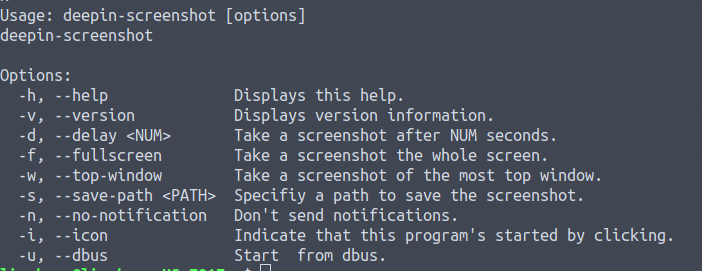
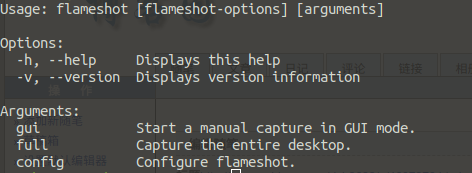
之前一直使用的shutter系统升级ubuntu18.04后一直提示svg失败,目前未找到原因.
flameshot下载地址: https://files.cnblogs.com/files/dcb3688/flameshot_0.5.1-2_amd64.zip
deepin-screenshot下载地址: https://files.cnblogs.com/files/dcb3688/deepin-screenshot_4.0.11-1_amd64.zip
十二.geany 强大的文本编辑器

下载地址:https://www.geany.org/Download/Releases
geany的主题配色
themes下载地址:https://github.com/codebrainz/geany-themes
# 解压安装主题

./install.sh
打开geany-查看-更改配色方案
十三.Flash player

用来玩GameSWF
sudo apt-get install gnash
SWF文件下右击鼠标,选择gnash打开
十四.ISO Master

下载地址: http://littlesvr.ca/isomaster/ (2008年 V1.3.13)
ISO Master 是一个易用的光盘镜像文件(ISO)编辑器,通过它可以从ISO中提取文件、添加文件到ISO、创建可引导的ISO文件等等。
十五.看图工具
推荐深度看图

sudo apt install deepin-image-viewer
deb包下载:
https://files.cnblogs.com/files/dcb3688/deepin-image-viewer_1.2.19-2_amd64.zip
十六.Terminal

deepin-terminal
下载地址:https://packages.ubuntu.com/bionic/amd64/deepin-terminal/download
https://files.cnblogs.com/files/dcb3688/deepin-terminal.7z
十七.Redshift

Redshift 是一个支持Windows/linux 的护眼软件,通过调整色温/亮度/GRB伽马等达到去蓝光延缓眼镜疲劳的作用.
安装:
sudo apt install redshift
配置:
4000K到5500k的色温是比较适合眼睛的,(默认6500k),所以尽力设置在这个色温的区间.配置参考官网: http://jonls.dk/redshift/
创建: ~/.config/redshift.conf
; Global settings for redshift

[redshift]

; Set the day and night screen temperatures

temp-day=

temp-night=

; Enable/Disable a smooth transition between day and night

;  will cause a direct change from day to night screen temperature.

;  will gradually increase or decrease the screen temperature.

transition=

; Set the screen brightness. Default is 1.0.

brightness=0.9

; It is also possible to use different settings for day and night

; since version 1.8.

;brightness-day=0.7

;brightness-night=0.4

; Set the screen gamma (for all colors, or each color channel

; individually)

gamma=0.9

;gamma=0.8:0.7:0.8

; This can also be set individually for day and night since

; version 1.10.

;gamma-day=0.8:0.7:0.8

;gamma-night=0.6

; Set the location-provider: 'geoclue', 'geoclue2', 'manual'

; type 'redshift -l list' to see possible values.

; The location provider settings are in a different section.

location-provider=manual

; Set the adjustment-method: 'randr', 'vidmode'

; type 'redshift -m list' to see all possible values.

; 'randr' is the preferred method, 'vidmode' is an older API.

; but works in some cases when 'randr' does not.

; The adjustment method settings are in a different section.

adjustment-method=randr

; Configuration of the location-provider:

; type 'redshift -l PROVIDER:help' to see the settings.

; ex: 'redshift -l manual:help'

; Keep in mind that longitudes west of Greenwich (e.g. the Americas)

; are negative numbers.

[manual]

lat=

lon=

; Configuration of the adjustment-method

; type 'redshift -m METHOD:help' to see the settings.

; ex: 'redshift -m randr:help'

; In this example, randr is configured to adjust screen .

; Note that the numbering starts from , so this is actually the

; second screen. If this option is not specified, Redshift will try

; to adjust _all_ screens.

[randr]

;screen=
十八.HTTP 协议文件共享服务
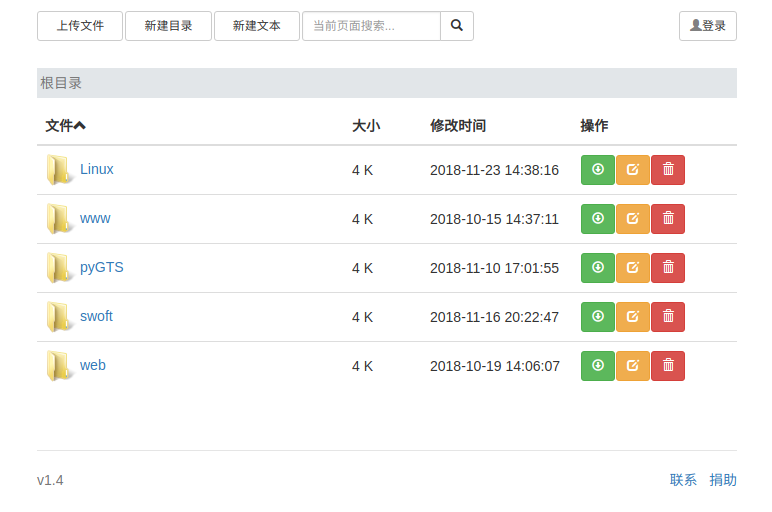
Chfs是一个免费的、支持Windows/Linux、HTTP 协议的文件共享服务器,使用浏览器可以快速访问。与其它常用文件共享方式(如 FTP、飞秋、网盘、自己建站)相比,具有使用简单、适用场景更多的优点,在个人使用以及共享给他人的场景中非常方便快捷 。
官网地址:http://iscute.cn/chfs
下载: https://files.cnblogs.com/files/dcb3688/chfs-linux-amd64-1.4.zip
./chfs --port --path /home/wwwroot/ # chfs --help 更多帮助
十九.局域网端口探测工具Zenmap
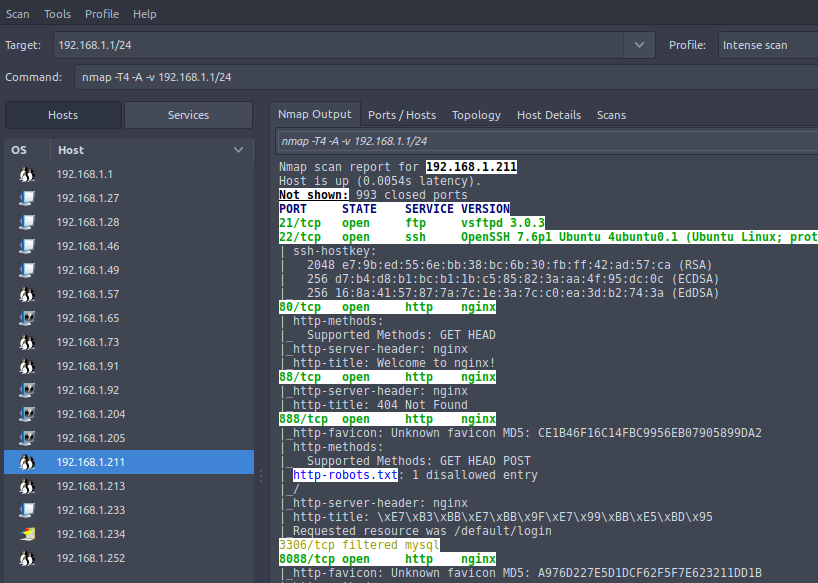
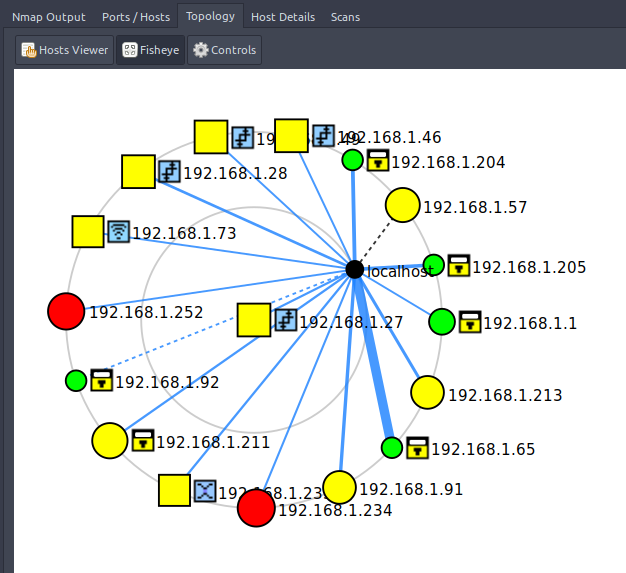
ZenMap是安全扫描工具nmap的一个官方的图形 用户界面,是一个跨平台的开源应用 。
官网:https://nmap.org/ 最新版本:Zenmap 7.70 (2018-05)
安装: 会自动安装nmap
sudo apt install zenmap
记得在Zenmap (as root) 下运行,部分高级功能必须要获取root权限。输入要扫码的局域网网段,例如:
192.168.1.1/
20.epiphany-browser
 一个Very 轻便的浏览器,一般情况安装系统也会自带(通过linuxdeploy安装到手机linux无自带),也可自行下载。
sudo apt install epiphany-browser
windows下修复Linux引导 and linux下几个常用软件的更多相关文章
- 使用 Linux Mint 作为主要操作系统的一些个人常用软件
本篇文章讲一下一些 Linux 上的应用,多数为日常生活娱乐用的软件,同时也会讲一点开发工具,对于有兴趣继续研究 Linux 的可以参考一下. 目录 软件的安装方式 1.Software Manage ...
- Windows failed to start.界面下修复win8引导
首先要保证 系统本身是没有问题的 不是在装机的时候出现这种情况 那么可以按照以下方法来进行 首先要在另外一台电脑上将win8刻进u盘 启动时以u盘为第一启动项启动 进入win8装机界面 点击左下角的修 ...
- Linux学习总结(九)—— CentOS常用软件安装:中文输入法、Chrome
中文输入法 切换到root用户,运行以下命令: yum install "@Chinese Support" 按照提示,一路Yes等待安装完成.安装完成后点击左上角System - ...
- (五)Linux引导流程解析
目录 Linux引导流程 Linux运行级别 Linux启动服务管理 GRUB配置与应用 启动故障分析与解决 Linux引导流程 Linux系统引导流程如下图: 固件(Firmware)就是写入ERO ...
- linux rescue 修复引导 与linux下修复windows引导
在windows有引导的情况下修复linux引导 插入U盘启动 进入rescue模式 fdisk -l 查看分区情况 chroot /mnt/sysimage/ 进入系统 grub-install / ...
- (win+linux)双系统,删除linux系统的条件下,删除grub引导记录,恢复windows引导
//(hdx,y) (显示查找到的分区号)第一个数字指第几个硬盘,第二个指第几个分区. 一般我们是(hd0,0) \n Linux的分区已经被你从Windows中删除,系统启动后停在“grub&g ...
- Windows 下目录及文件向Linux同步
本文解决的是Windows 下目录及文件向Linux同步的问题,Windows向 Windows同步的请参考:http://www.idcfree.com/article-852-1.html 环境介 ...
- Windows下用WinSCP传输数据到Linux上
Scenario:最近公司做的一个项目,UI部分我是使用python在编译时做localization的,是linux下运行的,但是开发是在windows下进行的每次编译后都要手动通过WinSCP这个 ...
- windows下安装pycharm并连接Linux的python环境
1. 下载安装Pycharm专业版 具体方法略.Pycharm5激活方法参考http://www.cnblogs.com/snsdzjlz320/p/7110186.html 2. 添加配置连接远程服 ...
随机推荐
- 【BZOJ 3642】Phi的反函数
http://www.lydsy.com/JudgeOnline/problem.php?id=3643 因为\[\varphi(n)=\prod_i p_i^{k_i-1}(p_i-1),n=\pr ...
- windows下编译chromium浏览器的15个流程整理
编译chromium 系统为windows, 国内在windows上编译chromium的资料比较少, 我这篇文章只能作为参考, 记录我遇到的一些问题,因为chromium团队也会修改了代码,或者编译 ...
- Ubuntu 14.10安装手记
1. Ubuntu系统安装 按照 www.linuxidc.com/Linux/2014-04/100369.htm 的安装方法即可. 配置文件有两个需要注意的地方.一.搞清楚电脑的分区表,c盘是hd ...
- chkdsk磁盘修复命令工具怎么用,怎样运行chkdsk工具修复?
Chkdsk是系统检查磁盘当前状态的一个命令,启动它可以显示磁盘状态.内存状态和指定路径下指定文件的不连续数目.选择“开始→运行”输入“Chkdsk”回车,即可启动Chkdsk,它会自动校验文件并将丢 ...
- CUDA程序设计(一)
为什么需要GPU 几年前我启动并主导了一个项目,当时还在谷歌,这个项目叫谷歌大脑.该项目利用谷歌的计算基础设施来构建神经网络. 规模大概比之前的神经网络扩大了一百倍,我们的方法是用约一千台电脑.这确实 ...
- Redis模式匹配删除key
Redis keys命令支持模式匹配,但是del命令不支持模式匹配,有时候需要根据一定的模式来模糊删除key,这时只能结合shell命令来完成了. 具体命令是: redis-cli KEYS &quo ...
- 菜鸟的Python学习之路(流水账)
揭开Python的面纱 开始是因为别人说Python简单才开始学的,然后那段时间刚考完研,也没什么事,就多少瞅了瞅,然后发现语法的确简单很多,或者说简洁更合适. 当时看的是简明Python教程,没用多 ...
- JavaScript中的正则表达式(终结篇)
JavaScript中的正则表达式(终结篇) 在之前的几篇文章中,我们了解了正则表达式的基本语法,但那些语法不是针对于某一个特定语言的.这篇博文我们将通过下面几个部分来了解正则表达式在JavaScri ...
- Ajax 应用六个需要注意的事项
接触Ajax,那时候的Ajax支持还不是很好,都要涉及底层,没有现成的框架给你调用.现在把常见的问题列举如下.1.编码问题注意AJAX要取的文件是UTF-8编码的.GB2312编码传回BROWSE后中 ...
- vertx核心类之VertxImpl
在Vert.x中,Vertx接口是最为重要的一个接口,vertx-core的基础功能都在此接口中提供.这篇文章中我们就来分析一下Vertx接口体系的内部实现以及创建流程.本文对应Vert.x的版本为 ...