
iOS 容器控制器 (Container View Controller)
iOS 容器控制器 (Container View Controller)
一个控制器包含其他一个或多个控制器,前者为容器控制器 (Container View Controller),后者为子控制器 (Child View Controller)。UINavigationController、UITabBarController 是常用的容器控制器。本文介绍自定义容器控制器的方法。
自定义容器控制器
添加子控制器
- (void)displayContentController:(UIViewController *)content {

   [self addChildViewController:content];

   content.view.frame = [self frameForContentController];

   [self.view addSubview:self.currentClientView];

   [content didMoveToParentViewController:self];

}
注意,容器控制器的 addChildViewController: 方法会调用子控制器的 willMoveToParentViewController: 方法,因此不需要写子控制器的 willMoveToParentViewController: 方法。
移除子控制器
- (void)hideContentController:(UIViewController *)content {

   [content willMoveToParentViewController:nil];

   [content.view removeFromSuperview];

   [content removeFromParentViewController];

}
注意,子控制器的 removeFromParentViewController 方法会调用 didMoveToParentViewController: 方法,不用写 didMoveToParentViewController: 方法。
子控制器之间的转变
- (void)cycleFromViewController:(UIViewController *)oldVC

               toViewController:(UIViewController *)newVC {

   // Prepare the two view controllers for the change.

   [oldVC willMoveToParentViewController:nil];

   [self addChildViewController:newVC];

   // Get the start frame of the new view controller and the end frame

   // for the old view controller. Both rectangles are offscreen.

   newVC.view.frame = [self newViewStartFrame];

   CGRect endFrame = [self oldViewEndFrame];

   // Queue up the transition animation.

   [self transitionFromViewController:oldVC toViewController:newVC

        duration:0.25 options:0

        animations:^{

            // Animate the views to their final positions.

            newVC.view.frame = oldVC.view.frame;

            oldVC.view.frame = endFrame;

        }

        completion:^(BOOL finished) {

           // Remove the old view controller and send the final

           // notification to the new view controller.

           [oldVC removeFromParentViewController];

           [newVC didMoveToParentViewController:self];

        }];

}
容器控制器的 transitionFromViewController:toViewController:duration:options:animations:completion: 方法将 newVC 的 view 添加进来,执行动画 animations block,动画结束就移除 oldVC 的 view。
通知子控制器的出现和消失
- (BOOL)shouldAutomaticallyForwardAppearanceMethods {

    return NO;

}
如果加上这一句,容器控制器就要在子控制出现和消失时通知子控制器,分别通过调用子控制器的 beginAppearanceTransition:animated: 方法和 endAppearanceTransition() 方法实现,不要直接调用子控制器的 viewWillAppear:、viewDidAppear:、viewWillDisappear:、viewDidDisappear: 方法。
委托子控制器
重载 childViewControllerForStatusBarStyle 属性,返回相应的子控制器,让子控制器决定状态栏样式。当这个属性发生变化,调用 setNeedsStatusBarAppearanceUpdate() 方法更新状态栏样式。
容器控制器可以用子控制器的 preferredContentSize 属性决定子控制器 view 的大小。
第三方容器控制器
ViewDeck
https://github.com/ViewDeck/ViewDeck
左右侧滑视图,实现侧滑菜单功能。
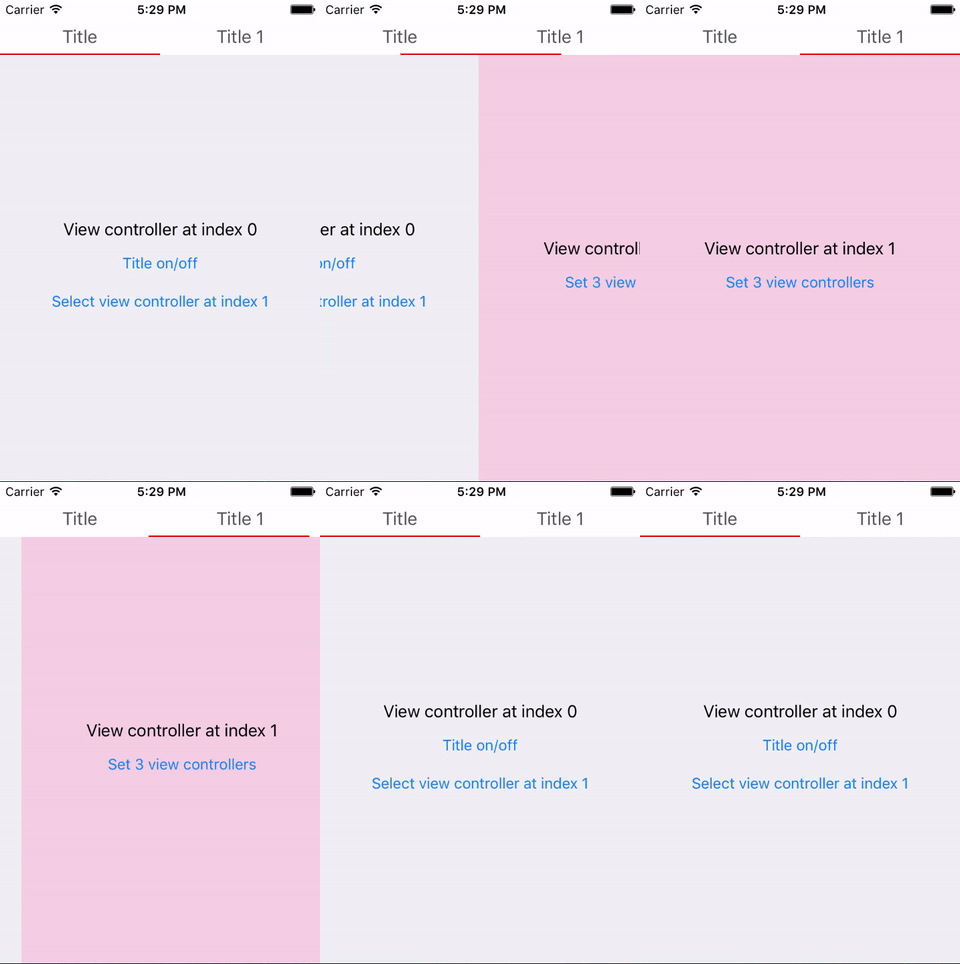
SWScrollViewController
https://github.com/Silence-GitHub/SWScrollViewController
Scroll view 里加入子控制器的视图,能左右滑动切换子控制器。
SWSegmentedController
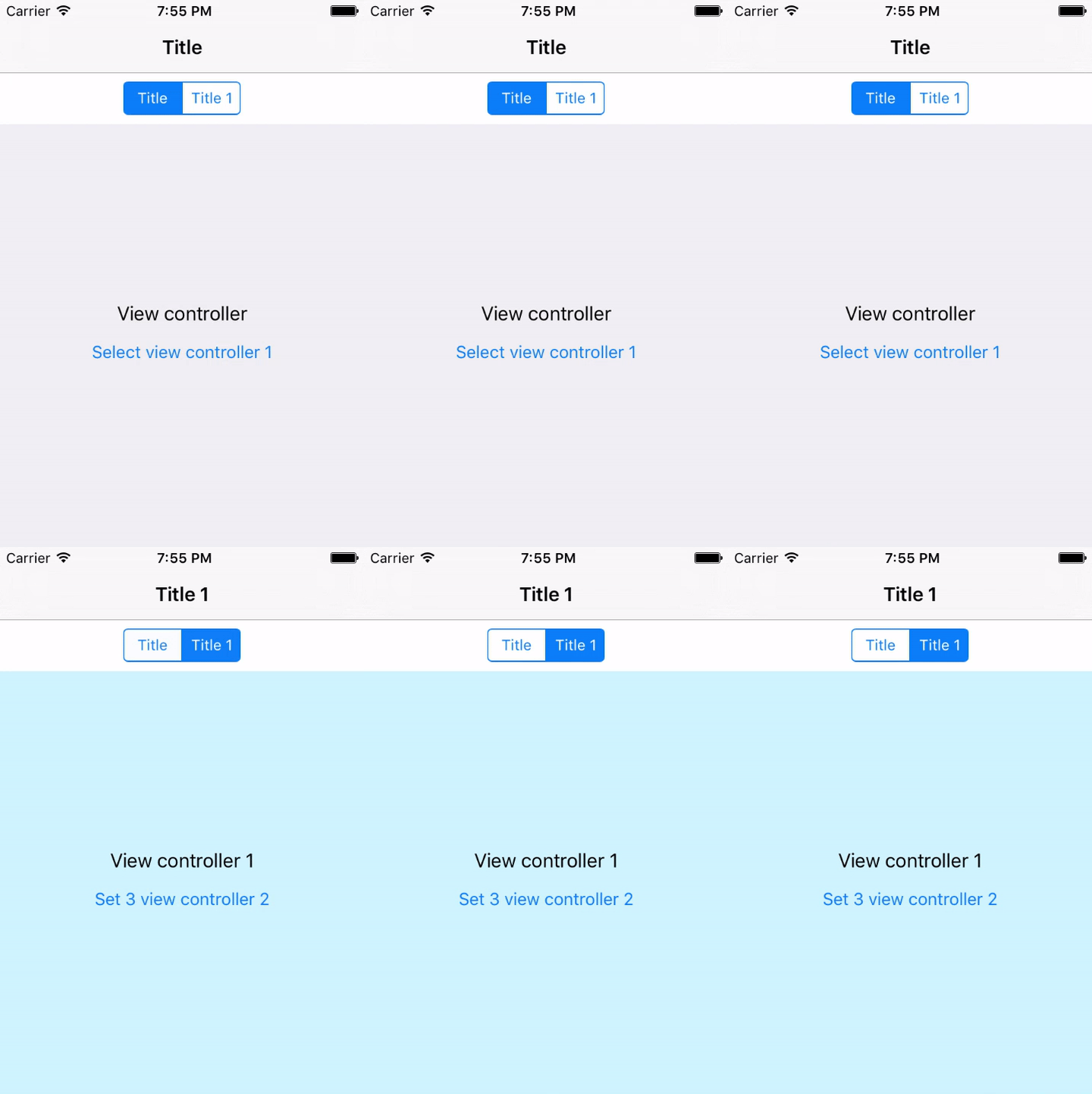
https://github.com/Silence-GitHub/SWSegmentedController
通过 UISegmentedControl 切换子控制器。
转载请注明出处:http://www.cnblogs.com/silence-cnblogs/p/6370049.html
iOS 容器控制器 (Container View Controller)的更多相关文章
- iOS Container View Controller
一.UIViewController 做iOS开发的经常会和UIViewController打交道,从类名可知UIViewController属于MVC模型中的C(Controller),说的更具体点 ...
- Swift - iOS中各种视图控制器(View Controller)的介绍
在iOS中,不同的视图控制器负责不同的功能,采用不同的风格向用户呈现信息.下面对各个视图控制器做个总结: 1,标准视图控制器 - View Controller 这个控制器只是用来呈现内容.通常会用来 ...
- 关于报错:'sharedApplication' is unavailable: not available on iOS (App Extension) - Use view controller based
最近在看Extension相关知识的时候,自己写了个小demo 发现[UIApplication sharedApplication]这个方法敲不出来了, 总是报错:'sharedApplicatio ...
- iOS9中找不到XXX.dylib 与 is unavailable no availabel on ios (app extension) - use view controller 的解决办法
在 iOS9 中现在找不到 XXX.dylib 了,比如libz.tbd 如果要用到 libz.dylib,可以用下面的办法,来自 Stack Overflow. Go to Build Phase ...
- iOS架构师之路:控制器(View Controller)瘦身设计
前言 古老的MVC架构是容易被iOS开发者理解和接受的设计模式,但是由于iOS开发的项目功能越来越负责庞大,项目代码也随之不断壮大,MVC的模糊定义导致我们的业务开发工程师很容易把大量的代码写到视图控 ...
- 《iOS Human Interface Guidelines》——Container View Controller
容器视图控制器 容器视图控制器管理和展示它的子视图集合--或者子控制器集合--以一种自己定义的方式. 系统定义的容器视图控制器的样例有标签栏视图控制器.导航栏视图控制器和分栏视图控制器(查看Tab B ...
- Container View Controller
有时候,我们的Controler中包含有另一个controler view的view时,可以使用这种方式. https://developer.apple.com/library/ios/featur ...
- 【IOS笔记】View Controller Basics
View Controller Basics 视图控制器基础 Apps running on iOS–based devices have a limited amount of screen s ...
- View Controller容器
在 iOS 5 之前,view controller 容器是 Apple 的特权.实际上,在 view controller 编程指南中还有一段申明,指出你不应该使用它们.Apple 对 view c ...
随机推荐
- SDWEBImage和collectionView的组合,以及collectionView的随意间距设置
#import "ViewController.h" #import <ImageIO/ImageIO.h> #import "UIImageView+Web ...
- Dom编程(三)
简单菜单制作,参考代码: var ul = document.getElementById("parent"); var lis = ul.getElementsByTagName ...
- 下标脚本(Swift)
下标脚本 可以定义在类(Class).结构体(structure)和枚举(enumeration)这些目标中,可以认为是访问集合(collection),列表(list)或序列(sequence的快捷 ...
- Unity3d 开发之 ulua 坑的总结
相同的 lua 代码在安卓上能正常运行,但在 IOS 上可能不会正常运行而导致报红,崩溃等,我在使用 lua 编程时遇到的一些坑总结如下: 1. File.ReadAllText, 诸如以下代码在 i ...
- Photoshop 画基本图形
作者:zccst 1,画三角形 按下“U”选择“多边形工具”(是个六边形的图标),在上方的菜单栏中的“边”后面输入“3”,然后在画布中拖动就是三角形了,画好后按下CTRL+ENTER键转化成选区,然后 ...
- Victor 串口 VCL 控件 - 简单实用, 功能强大的 C++ Builder 串口控件!
源:Victor 串口 VCL 控件 - 简单实用, 功能强大的 C++ Builder 串口控件! 2014年02月06日发布控件的重要更新版本: Victor 串口控件 1.5.0.2 版本 (包 ...
- spring 自动化构建项目
STS 3.7.0.RELEASE http://spring.io/tools/sts/legacy
- Vue.js实例
构造器 每个 Vue.js 应用都是通过构造函数 Vue 创建一个 Vue 的根实例 启动的: var vm = new Vue({ // 选项 })
- tp框架实现ajax注册验证
<!DOCTYPE html PUBLIC "-//W3C//DTD XHTML 1.0 Transitional//EN" "http://www.w3.org/ ...
- log4j的用法
1.导入 2.在src下新建log4j.properties,内容如下 log4j.rootLogger=DEBUG, A1 ,R log4j.appender.A1=org.apache.log4j ...