
Spring Boot demo系列(三):Spring Web+MyBatis Plus
2021.2.24 更新
1 概述
Spring Web+MyBatis Plus的一个Demo,内容和上一篇类似,因此重点放在MyBatis Plus这里。
2 dao层
MyBatis Plus相比起MyBaits可以简化不少配置,对于普通的CRUD提供了两个接口实现:
BaseMapper<T>ISerivce<T>
最简单的BaseMapper<T>的CRUD接口如下:
insert(T eneity):插入,返回intdeleteById(Serializable id):删除,返回intupdateById(T entity):更新,返回intselectById(Serializable id):查询,返回T
上面是根据主键进行操作的方法,还有是根据Wrapper进行操作的,其他接口请查看官网。
其中最简单的IService<T>的CRUD接口如下:
save(T entity):插入,返回布尔saveOrUpdate(T entity):插入或更新,返回布尔removeById(Serializable id):删除,返回布尔updateById(Serializable id):更新,返回布尔getById(Serializable id):查询,返回Tlist():查询所有,返回List<T>
同样道理也可以根据Wrapper操作,下面演示分别演示这两种实现方式的Demo。
2.1 BaseMapper<T>
BaseMapper<T>的实现方式比IService<T>要相对简单一点,首先需要一个继承了BaseMapper<T>的接口,其中T一般是实体类:
@Mapper

public interface UserMapper extends BaseMapper<User> {

}
接着在业务层中直接注入并使用:
@Service

@RequiredArgsConstructor(onConstructor = @__(@Autowired))

public class MyBatisPlusMapper {

    private final UserMapper mapper;

    public boolean save(User user)

    {

        if(mapper.selectById(user.getId()) != null)

            return mapper.updateById(user) == 1;

        return mapper.insert(user) == 1;

    }

    public boolean delete(String id)

    {

        return mapper.deleteById(id) == 1;

    }

    public User select(String id)

    {

        return mapper.selectById(id);

    }

    public List<User> selectAll()

    {

        return mapper.selectList(null);

    }

}
由于insert/updateById/deleteById都是返回int,表示SQL语句操作影响的行数,因为都是对单个实体进行操作,所以将返回值与1判断就可以知道是否操作成功。
2.2 IService<T>
同样需要先创建一个接口并继承IService<T>:
public interface UserService extends IService<User> {

}
接着业务类继承ServiceImpl<UserMapper,User>并实现UserService,这个UserMapper是上面的UserMapper:
@Service

@RequiredArgsConstructor(onConstructor = @__(@Autowired))

public class MyBatisPlusIService extends ServiceImpl<UserMapper,User> implements UserService {

    public boolean save(User user)

    {

        return saveOrUpdate(user);

    }

    public boolean delete(String id)

    {

        return removeById(id);

    }

    public User select(String id)

    {

        return getById(id);

    }

    public List<User> selectAll()

    {

        return list();

    }

}
由于remove/saveOrUpdate都是返回布尔值,就不需要像BaseMapper一样将返回值与1判断了。
3 Controller层
两个Controller,分别使用IService<T>以及BaseMapper<T>:
@RestController

@RequestMapping("/mapper")

@RequiredArgsConstructor(onConstructor = @__(@Autowired))

public class MyBatisPlusMapperController {

    private final MyBatisPlusMapper myBatisPlusMapper;

    @GetMapping("select")

    public User select1(@RequestParam String id)

    {

        return myBatisPlusMapper.select(id);

    }

    @GetMapping("select/{id}")

    public User select2(@PathVariable("id") String id)

    {

        return myBatisPlusMapper.select(id);

    }

    @GetMapping("selectAll")

    public List<User> selectAll()

    {

        return myBatisPlusMapper.selectAll();

    }

    @GetMapping("delete")

    public boolean delete1(@RequestParam String id)

    {

        return myBatisPlusMapper.delete(id);

    }

    @GetMapping("delete/{id}")

    public boolean delete2(@PathVariable("id") String id)

    {

        return myBatisPlusMapper.delete(id);

    }

    @PostMapping("save")

    public boolean save(@RequestBody User user)

    {

        return myBatisPlusMapper.save(user);

    }

}
@RestController

@RequestMapping("/iservice")

@RequiredArgsConstructor(onConstructor = @__(@Autowired))

public class MyBatisPlusIServiceController {

    private final MyBatisPlusIService myBatisPlusIService;

    @GetMapping("select")

    public User select1(@RequestParam String id)

    {

        return myBatisPlusIService.select(id);

    }

    @GetMapping("select/{id}")

    public User select2(@PathVariable("id") String id)

    {

        return myBatisPlusIService.select(id);

    }

    @GetMapping("selectAll")

    public List<User> selectAll()

    {

        return myBatisPlusIService.selectAll();

    }

    @GetMapping("delete")

    public boolean delete1(@RequestParam String id)

    {

        return myBatisPlusIService.delete(id);

    }

    @GetMapping("delete/{id}")

    public boolean delete2(@PathVariable("id") String id)

    {

        return myBatisPlusIService.delete(id);

    }

    @PostMapping("save")

    public boolean save(@RequestBody User user)

    {

        return myBatisPlusIService.save(user);

    }

}
4 其他
4.1 实体类
@Getter

@Setter

@AllArgsConstructor

public class User {

    private String id;

    private String username;

    private String password;

    @Override

    public String toString()

    {

        return "id:"+id+"\nusername:"+username+"\npassword:"+password+"\n";

    }

}
4.2 配置类
配置类主要就是加一个@MapperScan:
@Configuration

@MapperScan("com.example.demo.dao")

public class MyBatisPlusConfig {

}
4.3 配置文件
spring:

  datasource:

    url: jdbc:mysql://localhost:3306/test

    username: test

    password: test
按需要修改即可。
4.4 数据库
SQL文件在源码链接中。
5 测试
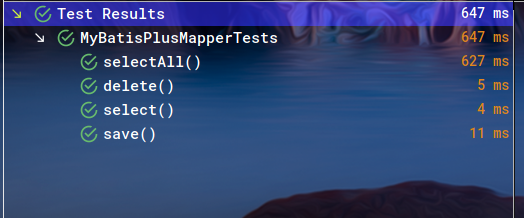
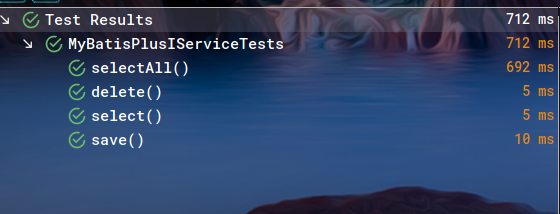
测试就直接运行test目录下的文件即可,笔者简单做了两个测试,上个图:
6 源码
Java版:
Kotlin版:
Spring Boot demo系列(三):Spring Web+MyBatis Plus的更多相关文章
- Spring Boot 项目学习 (三) Spring Boot + Redis 搭建
0 引言 本文主要介绍 Spring Boot 中 Redis 的配置和基本使用. 1 配置 Redis 1. 修改pom.xml,添加Redis依赖 <!-- Spring Boot Redi ...
- Spring Boot demo系列(二):简单三层架构Web应用
2021.2.24 更新 1 概述 这是Spring Boot的第二个Demo,一个只有三层架构的极简Web应用,持久层使用的是MyBatis. 2 架构 一个最简单的Spring Boot Web应 ...
- Spring Boot demo系列(四):Spring Web+Validation
2021.2.24 更新 1 概述 本文主要讲述了如何使用Hibernate Validator以及@Valid/@Validate注解. 2 校验 对于一个普通的Spring Boot应用,经常可以 ...
- Spring Boot 应用系列 2 -- Spring Boot 2 整合MyBatis和Druid
本系列将分别演示单数据源和多数据源的配置和应用,本文先演示单数据源(MySQL)的配置. 1. pom.xml文件配置 需要在dependencies节点添加: <!-- MySQL --> ...
- Spring Boot进阶系列三
Thymeleaf是官方推荐的显示引擎,这篇文章主要介绍怎么让spring boot整合Thymeleaf. 它是一个适用于Web和独立环境的现代服务器端Java模板引擎. Thymeleaf的主要 ...
- Spring Boot 应用系列 3 -- Spring Boot 2 整合MyBatis和Druid,多数据源
本文演示多数据源(MySQL+SQL Server)的配置,并且我引入了分页插件pagehelper. 1. 项目结构 (1)db.properties存储数据源和连接池配置. (2)两个数据源的ma ...
- Spring Boot demo系列(十):Redis缓存
1 概述 本文演示了如何在Spring Boot中将Redis作为缓存使用,具体的内容包括: 环境搭建 项目搭建 测试 2 环境 Redis MySQL MyBatis Plus 3 Redis安装 ...
- Spring Boot demo系列(六):HTTPS
2021.2.24 更新 1 概述 本文演示了如何给Spring Boot应用加上HTTPS的过程. 2 证书 虽然证书能自己生成,使用JDK自带的keytool即可,但是生产环境是不可能使用自己生成 ...
- Spring Boot demo系列(九):Jasypt
2021.2.24 更新 1 概述 Jasypt是一个加密库,Github上有一个集成了Jasypt的Spring Boot库,叫jasypt-spring-boot,本文演示了如何使用该库对配置文件 ...
随机推荐
- C++算法代码——质因数分解[NOIP2012普及组]
题目来自:http://218.5.5.242:9018/JudgeOnline/problem.php?id=1102 题目描述 已知正整数 n 是两个不同的质数的乘积,试求出较大的那个质数. 输入 ...
- Elasticsearch---DSL搜索实践
Domain Specific Language 特定领域语言,基于JSON格式的数据查询,查询更灵活,有利于复杂查询 一.普通url路径参数搜索 数据准备 1.建立名字为 shop 的索引 2.手动 ...
- springboot框架里的pom.xml文件里的m不显示,只有标红和<>符号的解决方法
这是因为没有把pom.xml文件加入到maven工程中,所以需要如图所示 亲测有效,原文链接:https://blog.csdn.net/qq_41026946/article/details/107 ...
- 搭建SSH框架
以下为链接地址:https://www.2cto.com/kf/201606/518341.html
- DRF 视图家族及路由层补充
目录 视图家族 一.views视图类 1.APIView类 2.GenericAPIView类(generics中) 二.mixins类:视图辅助工具 1.RetrieveModelMixin 2.L ...
- 如何用css写一个带斜切角、有边框又有内外阴影的按钮呢?
如果有一天,UI设计师丢过来一张UI稿,上面有这样一个带有斜切角.有边框还有内外阴影的按钮,你会怎么实现呢?第一反应切图?可是按钮内容.大小都是可变的,那得切多少图啊~Canvas?SVG?No,no ...
- 剑指 Offer 14- I. 剪绳子 + 动态规划 + 数论
剑指 Offer 14- I. 剪绳子 题目链接 还是343. 整数拆分的官方题解写的更清楚 本题说的将绳子剪成m段,m是大于1的任意一个正整数,也就是必须剪这个绳子,至于剪成几段,每一段多长,才能使 ...
- Microsoft Teams 2021最新功能发布解读 – 会议篇
正在进行的2021年的Microsoft Ignite大会,发布了一系列跟Microsoft Teams相关的新功能,英文介绍请参考 https://techcommunity.microsoft.c ...
- node.js详解1
1.运行node脚本 新建app.js 写入代码console.log('hello') cmd终端执行 node app.js 2.node读取环境变量 浏览器地址:ht ...
- git的回滚与撤销【reset and revert】
git的工作流程-- 3个区域 工作区:我们可以看到的文件内容 在操作 git add 之前的!! 缓存区:是不可见的 已经git add操作,还没git commit -m "" ...