
手把手使用Python进行语音合成,文字转语音
0. 太长不看系列,直接使用
在1.2官网注册后拿到APISecret和APIKey,直接复制文章2.4demo代码,保存为online_tts.py,在命令行执行
python online_tts.py -client_secret=你的client_secret -client_id=你的client_id -file_save_path=test.wav --text=今天天气不错
使用中有任何问题,欢迎留言提问。
1. Python调用标贝科技语音合成接口,实现文字转语音
1.1 环境准备:
Python 3
1.2 获取权限
标贝科技 https://ai.data-baker.com/#/index
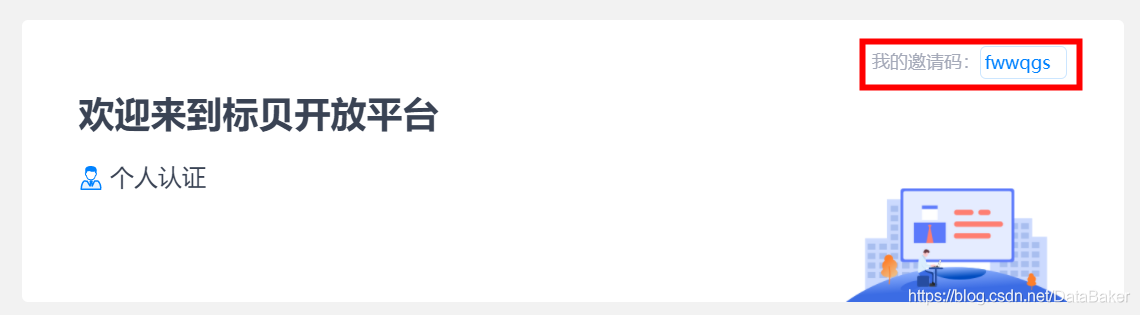
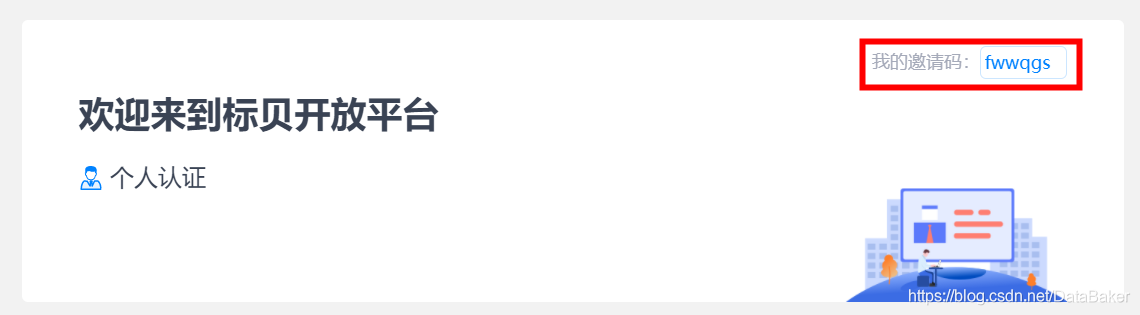
填写邀请码fwwqgs,每日免费调用量还可以翻倍

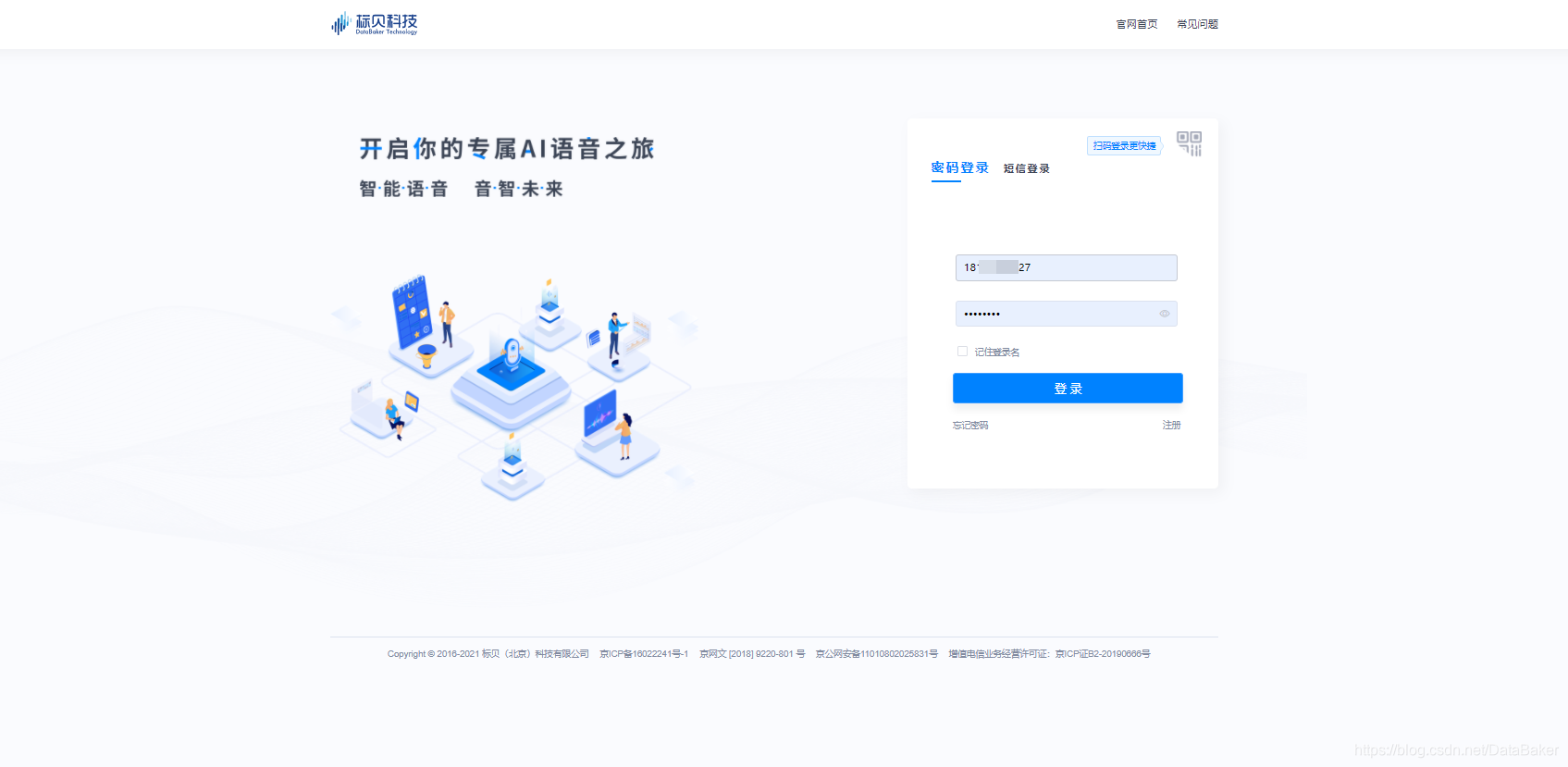
1.2.1 登录
点击产品地址进行登录,支持短信、密码、微信三种方式登录。
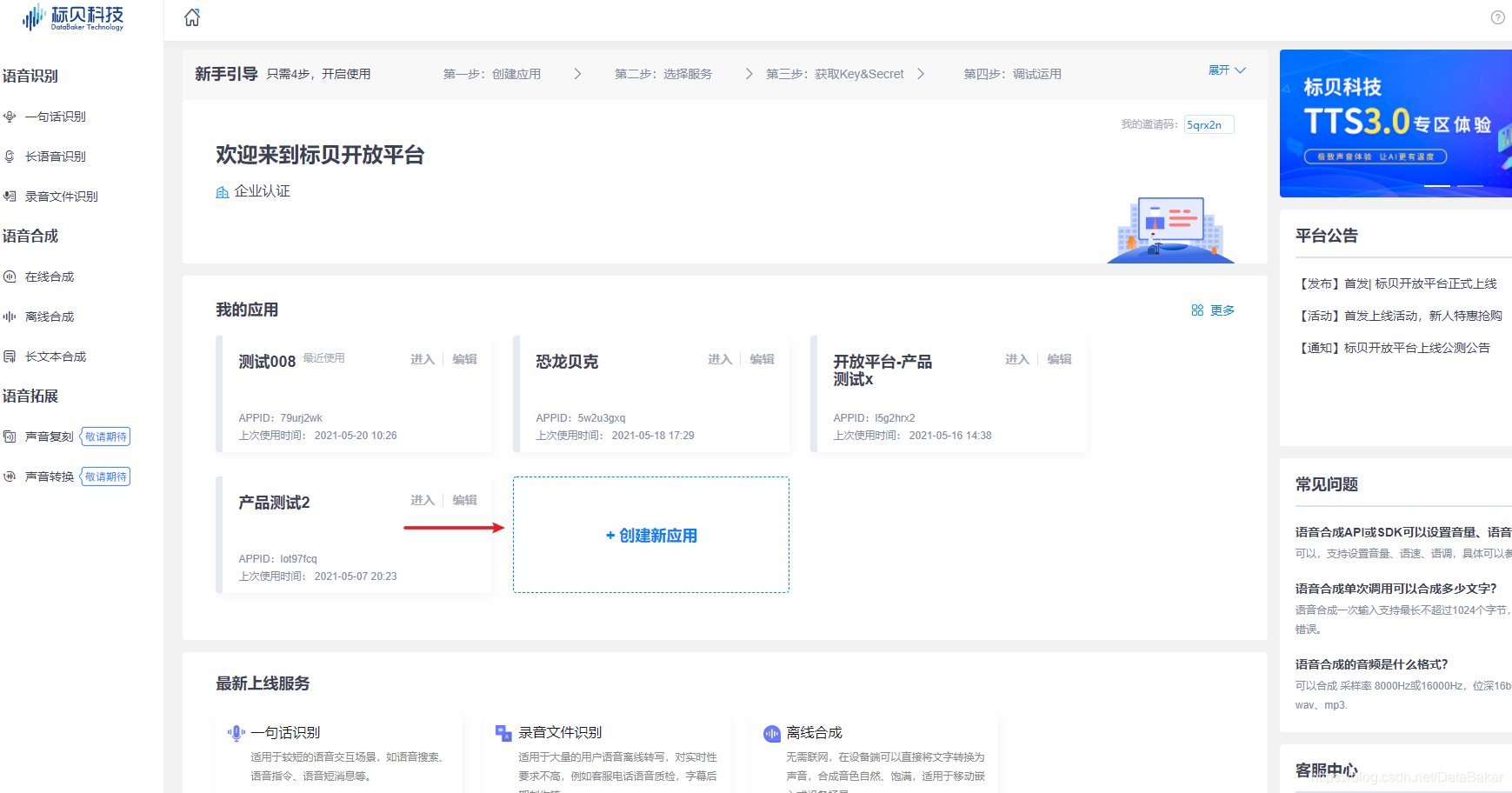
1.2.2 创建新应用
登录后进入【首页概览】,各位开发者可以进行创建多个应用。包括一句话识别、长语音识别、录音文件识别;在线合成、离线合成、长文本合成。
1.2.3 选择服务
进入【已创建的应用】,左侧选择您需调用的AI技术服务,右侧展示对应服务页面概览(您可查询用量、管理套餐、购买服务量、自主获取授权、预警管理)。
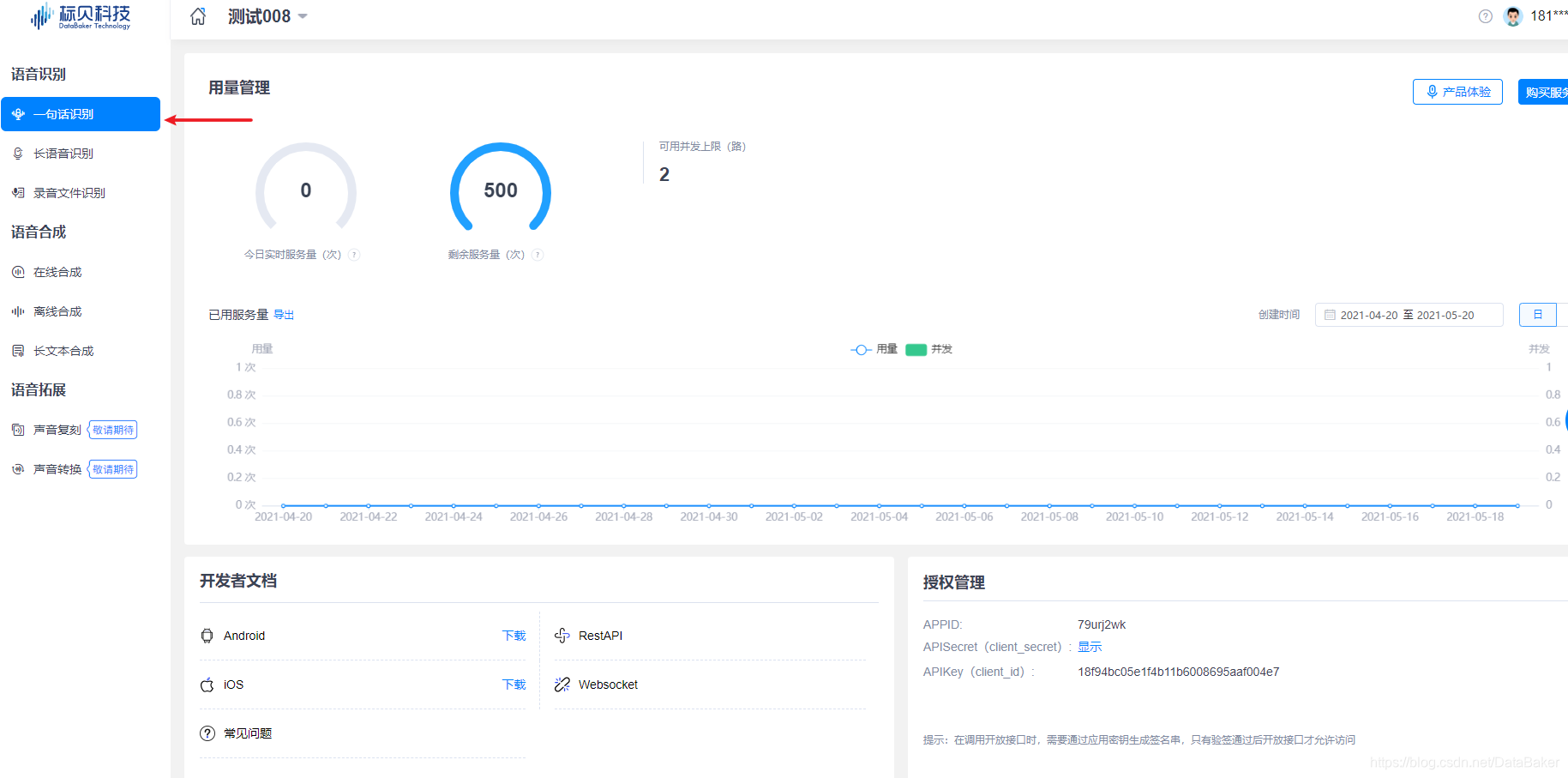
1.2.4 获取Key&Secret
通过服务 / 授权管理,获取对应参数,进行开发配置(获取访问令牌token)
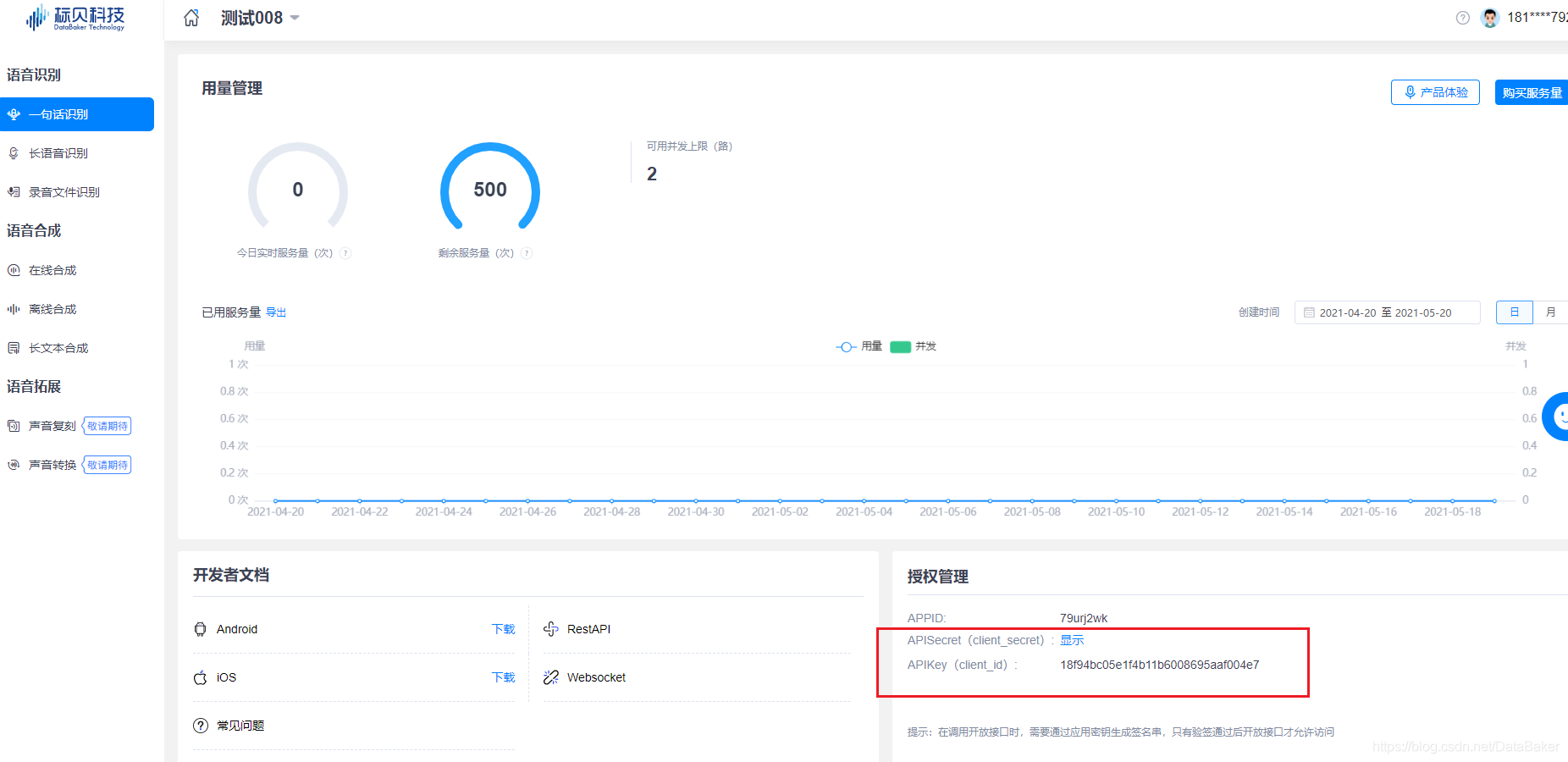
拿到Key和Secret就可以正式使用啦!
2. 代码实现
2.1 获取access_token
在拿到Key和Secret后,我们还需要调用授权接口获取access_token,这个access_token有效时长是24小时。
# 获取access_token用于鉴权

def get_access_token(client_secret, client_id):

    grant_type = "client_credentials"

    url = "https://openapi.data-baker.com/oauth/2.0/token?grant_type={}&client_secret={}&client_id={}".format(grant_type, client_secret, client_id)

    response = requests.post(url)

    access_token = json.loads(response.text).get('access_token')

    return access_token
2.2 获取转换后音频
拿到access_token后,调用语音合成接口,就可以获得生成的音频
# 获取转换后音频

def get_audio(data):

    url = "https://openapi.data-baker.com/tts?access_token={}&domain={}&language={}&voice_name={}&text={}&audiotype={}".format(data['access_domain'], data['domain'], data['language'], data['voice_name'], data['text'], data['audiotype'])

    response = requests.post(url)

    content_type = response.headers['Content-Type']

    if 'audio' not in content_type:

        raise Exception(response.text)

    return response.content
2.3 配置接口参数
client_secret和client_id:在文章1.2的官网获取,必填
file_save_path:文件保存路径,必填
text:需要转换的文本内容
audiotype:音频类型,默认16K采样率wav格式
domain:所属领域,默认1
language:合成后文本语言,默认中文“zh"
voice_name:发音人选择,默认“Lingling",其他发音人详见https://www.data-baker.com/#/specs/file/tts_voice_list
# 获取命令行输入参数

def get_args():

    text = '欢迎使用标贝开发平台。'

    parser = argparse.ArgumentParser(description='ASR')

    parser.add_argument('-client_secret', type=str, required=True)

    parser.add_argument('-client_id', type=str, required=True)

    parser.add_argument('-file_save_path', type=str, required=True)

    parser.add_argument('--text', type=str, default=text)

    parser.add_argument('--audiotype', type=str, default='6')

    parser.add_argument('--domain', type=str, default='1')

    parser.add_argument('--language', type=str, default='zh')

    parser.add_argument('--voice_name', type=str, default='Lingling')

    args = parser.parse_args()

    return args
2.4 完整demo
#!/usr/bin/env python

# coding: utf-8

import requests

import json

import argparse

# 获取access_token用于鉴权

def get_access_token(client_secret, client_id):

    grant_type = "client_credentials"

    url = "https://openapi.data-baker.com/oauth/2.0/token?grant_type={}&client_secret={}&client_id={}".format(grant_type, client_secret, client_id)

    response = requests.post(url)

    access_token = json.loads(response.text).get('access_token')

    return access_token

# 获取转换后音频

def get_audio(data):

    url = "https://openapi.data-baker.com/tts?access_token={}&domain={}&language={}&voice_name={}&text={}&audiotype={}".format(data['access_domain'], data['domain'], data['language'], data['voice_name'], data['text'], data['audiotype'])

    response = requests.post(url)

    content_type = response.headers['Content-Type']

    if 'audio' not in content_type:

        raise Exception(response.text)

    return response.content

# 获取命令行输入参数

def get_args():

    text = '欢迎使用标贝开发平台。'

    parser = argparse.ArgumentParser(description='ASR')

    parser.add_argument('-client_secret', type=str, required=True)

    parser.add_argument('-client_id', type=str, required=True)

    parser.add_argument('-file_save_path', type=str, required=True)

    parser.add_argument('--text', type=str, default=text)

    parser.add_argument('--audiotype', type=str, default='6')

    parser.add_argument('--domain', type=str, default='1')

    parser.add_argument('--language', type=str, default='zh')

    parser.add_argument('--voice_name', type=str, default='Lingling')

    args = parser.parse_args()

    return args

if __name__ == '__main__':

    try:

        args = get_args()

        # 获取access_token

        client_secret = args.client_secret

        client_id = args.client_id

        access_token = get_access_token(client_secret, client_id)

        # 读取参数

        audiotype = args.audiotype

        domain = args.domain

        language = args.language

        voice_name = args.voice_name

        text = args.text

        data = {'access_domain': access_token, 'audiotype': audiotype, 'domain': domain, 'language': language,

                'voice_name': voice_name, 'text': text}

        content = get_audio(data)

        #保存音频文件

        with open('test.wav', 'wb') as audio:

            audio.write(content)

        print("task finished successfully")

    except Exception as e:

        print(e)
2.5 执行
复制所有代码,保存为online_tts.py,在命令行执行
python online_tts.py -client_secret=你的client_secret -client_id=你的client_id -file_save_path=test.wav --text=今天天气不错
填写邀请码fwwqgs,每日免费调用量还可以翻倍

手把手使用Python进行语音合成,文字转语音的更多相关文章
- 人工智能-baidu-aip语音合成(文字转语音)
from aip import AipSpeech APP_ID = ' APP_KEY = 'DhXGtWHYMujMVZZGRI3a7rzb' SECRET_KEY = 'PbyUvTL31fIm ...
- python 利用pyttsx3文字转语音(转)
原文链接作者 # -*- coding: utf-8 -*- import pyttsx3 engine = pyttsx3.init() with open("all.txt", ...
- python 利用pyttsx3文字转语音
# -*- coding: utf-8 -*- import pyttsx3 f = open("all.txt",'r') line = f.readline() engine ...
- Python文字转换语音,让你的文字会「说话」,抠脚大汉秒变撒娇萌妹
作者 | pk 哥 来源公众号 | Python知识圈(ID:PythonCircle) APP 也有文字转换为语音的功能,虽然听起来很别扭,但是基本能解决长辈们看不清文字或者眼睛疲劳,通过文字转换为 ...
- 【python3】Python十行代码搞定文字转语音
前言本文的文字及图片来源于网络,仅供学习.交流使用,不具有任何商业用途,版权归原作者所有,如有问题请及时联系我们以作处理.作者:万能搜吧 都是copy的百度SDK文档,简单说说怎么用. 1.没安装Py ...
- python 文字转语音包pyttsx安装出错解决方法
pyttsx的python的文字转语音的包,但是pyttsx的官方网站上资源只更新2012年,所以在py3中使用pip install pyttsx或者下载安装包进行安装时,虽然可以安装成功,但是im ...
- 文字转语音?我只用十行Python代码就搞定了!
详细使用教程 1.没安装Python的小伙伴需要先安装一下 2.win+r输入cmd打开命令行,输入:pip install baidu-aip,如下安装百度AI的模块. 3.新建文本文档,copy如 ...
- 语音识别(语音转文字)&& 语音合成(文字转语音)
[语音合成API]SpeechSynthesisUtterance是HTML5中新增的API,用于将指定文字合成为对应的语音.也包含一些配置项,指定如何去阅读(语言,音量,音调)等 // 语音播报 s ...
- iOS语音识别,语音播报,文字变语音播报,语音变文字
首先使用的是科大讯飞的sdk 1.语音识别部分 AppDelegate.m #import "AppDelegate.h" #import <iflyMSC/iflyMSC. ...
随机推荐
- 简单使用高德地图开放平台API
需求说明 输入经纬度,得到城市名 挑选API 使用高德逆地理编码API,点击查看文档 demo <?php /** * 根据输入的经纬度返回城市名称 * @param $longitude 终点 ...
- java.lang.NoSuchMethodError: org.springframework.util.Assert.state(ZLjava/util/function/Supplier;)V
更多精彩见微信公众号 at org.springframework.test.context.support.AbstractTestContextBootstrapper.buildMergedCo ...
- SpringBoot+MyBatis练手项目笔记汇总
以下是我在练习SpringBoot+MyBatis训练时候个人一些笔记汇总(可以点击跳转),献丑了,网上很多大佬的文章都比我写的详细,一些好的文章,我会将贴到各个内容中. 1. 插入数据返回id和内部 ...
- TLS是如何保障数据传输安全(中间人攻击)
前言 前段时间和同事讨论HTTPS的工作原理,当时对这块知识原理掌握还是靠以前看了一些博客介绍,深度不够,正好我这位同事是密码学专业毕业的,结合他密码学角度对tls加解密这阐述,让我对这块原理有了更进 ...
- 手把手教你看MySQL官方文档
前言: 在学习和使用MySQL的过程中,难免会遇到各种问题.不知道当你遇到相关问题时会怎么做,我在工作或写文章的过程中,遇到不懂或需要求证的问题时通常会去查阅官方文档.慢慢的,阅读文档也有了一些经验, ...
- Ubuntu 16.04 配置单网卡绑定多IP
Ubuntu 16.04 配置单网卡绑定多IP 操作系统 Ubuntu 16.04 LTS 一.单个网卡配置多个IP //在 /etc/network/ 目录下编辑 interfaces 文件 roo ...
- Python基础 小白[7天]入门笔记
笔记来源 Day-1 基础知识(注释.输入.输出.循环.数据类型.随机数) #-*- codeing = utf-8 -*- #@Time : 2020/7/11 11:38 #@Author : H ...
- docker容器中日志文件过大处理方法
背景 :在日常工作中一个基于centos镜像构建起来的python爬虫程序,日志文件在两个月内到了500G,日志存放在根目录下面,在不扩容的情况下把这个问题给解决掉.通过定时任务和脚本的方法,定期的清 ...
- 6T硬盘分区
6T硬盘分区 1.umount /data1 # 如果正在使用需要此命令卸载. 2.parted /dev/sdb # parted 分区工具,选择要分区的硬件设备 mklabel gp ...
- Java 事务的隔离级别
引言 之前关于事务的文章已介绍了事务的概念以及事务的四个属性(ACID),相信你对事务应该有所认识和了解. 本篇文章是关于事务的隔离性,介绍数据库提供的多种隔离级别. 数据库访问的并发性问题 所谓事务 ...