
JavaScript -- 时光流逝(十一):DOM -- Document 对象
JavaScript -- 知识点回顾篇(十一):DOM -- Document 对象
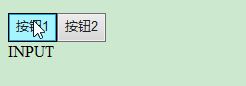
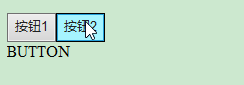
(1) document.activeElement: 返回文档中当前获得焦点的元素。
<!doctype html>

<html>

<head>

<meta charset="UTF-8">

<script type="text/javascript">

    function my_activeElement() {

        var x = document.activeElement.tagName;

        document.getElementById("myInfo").innerHTML = x;

    }

</script>

</head>

<body>

    <div onclick="my_activeElement()">

        <input type="button" value="按钮1">

        <button>按钮2</button>

    </div>

    <div id='myInfo'></div>

</body>

</html>
(2) document.addEventListener(): 用于向文档添加事件句柄。
<!doctype html>

<html>

<head>

<meta charset="UTF-8">

<script type="text/javascript">

    document.addEventListener("click", function(){

        document.getElementById("myInfo").innerHTML = "China";

    });

</script>

</head>

<body>

    <div id='myInfo'>I come from </div>

</body>

</html>


(3) document.baseURI: 返回文档的绝对基础 URI
<!doctype html>

<html>

<head>

<meta charset="UTF-8">

<script type="text/javascript">

    function my_baseURI(){

        var x=document.getElementById("myInfo").innerHTML=document.baseURI;

    }

</script>

</head>

<body>

    <input type="button" value="按钮" onclick="my_baseURI()">

    <div id='myInfo'></div>

</body>

</html>
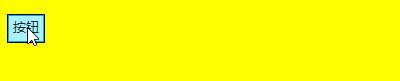
(4) document.body: 返回文档的body元素
<!doctype html>

<html>

<head>

<meta charset="UTF-8">

<script type="text/javascript">

    function my_body() {

        document.body.style.backgroundColor = "yellow";

    }

</script>

</head>

<body>

    <input type="button" value="按钮" onclick="my_body()">

    <div id='myInfo'></div>

</body>

</html>
(5) document.cookie: 设置或返回与当前文档有关的所有 cookie。
<!doctype html>

<html>

<head>

<meta charset="UTF-8">

<script type="text/javascript">

    document.write(document.cookie);

</script>

</head>

<body>

</body>

</html>
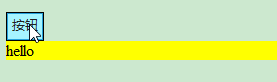
(6) document.createAttribute(): 用于创建一个指定名称的属性,并返回Attr 对象属性
<!doctype html>

<html>

<head>

<meta charset="UTF-8">

<script type="text/javascript">

    function my_createAttribute(){

        var att=document.createAttribute("class");

        att.value="divclass";

        document.getElementById("myInfo").setAttributeNode(att);

    }

</script>

<style type="text/css">

    .divclass{

        background-color:yellow;

    }

</style>

</head>

<body>

    <input type="button" value="按钮" onclick="my_createAttribute()">

    <div id='myInfo'>hello</div>

</body>

</html>
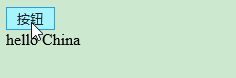
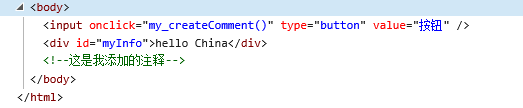
(7) document.createComment(): createComment() 方法可创建注释节点。
<!doctype html>

<html>

<head>

<meta charset="UTF-8">

<script type="text/javascript">

    function my_createComment(){

        var c=document.createComment("这是我添加的注释");

        document.body.appendChild(c);

    }

</script>

</head>

<body>

    <input type="button" value="按钮" onclick="my_createComment()">

    <div id='myInfo'>hello China</div>

</body>

</html>
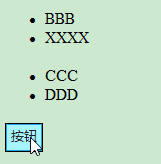
(8) document.createDocumentFragment(): 创建空的 DocumentFragment 对象,并返回此对象。
<!doctype html>

<html>

<head>

<meta charset="UTF-8">

<script type="text/javascript">

    function my_createDocumentFragment(){

        var d=document.createDocumentFragment();

        d.appendChild(document.getElementsByTagName("LI")[0]);

        d.childNodes[0].childNodes[0].nodeValue="XXXX";

        document.getElementsByTagName("UL")[0].appendChild(d);

    }

</script>

</head>

<body>

    <ul><li>AAA</li><li>BBB</li></ul>

    <ul><li>CCC</li><li>DDD</li></ul>

    <input type="button" value="按钮" onclick="my_createDocumentFragment()">

</body>

</html>


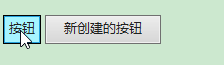
(9) document.createElement(): 通过指定名称创建一个元素。
document.createTextNode(): 创建文本节点。
<!doctype html>

<html>

<head>

<meta charset="UTF-8">

<script type="text/javascript">

    function my_create(){

        var btn=document.createElement("BUTTON");

        var t=document.createTextNode("新创建的按钮");

        btn.appendChild(t);

        document.body.appendChild(btn);

    }

</script>

</head>

<body>

    <input type="button" value="按钮" onclick=" my_create()">

</body>

</html>

(10) document.doctype: 返回与文档相关的文档类型声明 (DTD)。
document.documentElement: 返回文档的根节点
document.documentMode: 返回用于通过浏览器渲染文档的模式
document.documentURI: 设置或返回文档的位置
document.domain: 返回当前文档的域名。
<!doctype html>

<html>

<head>

<meta charset="UTF-8">

<script type="text/javascript">

    function my_Test(){

        document.getElementById('myInfo').innerHTML='doctype.name的值是: '+document.doctype.name+'<br/>';

        document.getElementById('myInfo').innerHTML+='documentElement.nodeName的值是: '+document.documentElement.nodeName+'<br/>';

        document.getElementById('myInfo').innerHTML+='document.documentMode的值是: '+document.documentMode+'<br/>';

        document.getElementById('myInfo').innerHTML+='document.documentURI的值是: '+document.documentURI+'<br/>';

        document.getElementById('myInfo').innerHTML+='document.domain的值是: '+document.domain+'<br/>';

    }

</script>

</head>

<body>

    <input type="button" value="按钮" onclick="my_Test()">

    <div id='myInfo'></div>

</body>

</html>
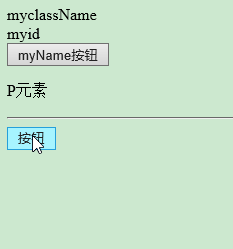
(11) document.getElementsByClassName(): 返回文档中所有指定类名的元素集合,作为 NodeList 对象。
document.getElementById(): 返回对拥有指定 id 的第一个对象的引用。
document.getElementsByName(): 返回带有指定名称的对象集合。
document.getElementsByTagName(): 返回带有指定标签名的对象集合。
<!doctype html>

<html>

<head>

<meta charset="UTF-8">

<script type="text/javascript">

    function my_Test(){

        document.getElementById('myInfo').innerHTML=document.getElementsByClassName("myclassName")[0].innerHTML+'<br/>';

        document.getElementById('myInfo').innerHTML+=document.getElementById('myid').innerHTML+'<br/>';

        document.getElementById('myInfo').innerHTML+=document.getElementsByName("myName")[0].value+'<br/>';

        document.getElementById('myInfo').innerHTML+=document.getElementsByTagName("P")[0].innerHTML+'<br/>';

    }

</script>

</head>

<body>

    <div class="myclassName">myclassName</div>

    <div id='myid'>myid</div>

    <input type="button" name="myName" value="myName按钮" >

    <p>P元素</p>

    <hr/>

    <input type="button" value="按钮" onclick="my_Test()">

    <div id='myInfo' style="background-color:yellow"></div>

</body>

</html>

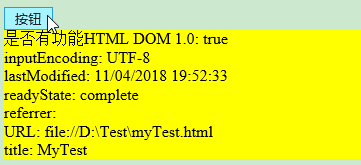
(12) document.implementation: 返回处理该文档的 DOMImplementation 对象。
document.inputEncoding: 返回用于文档的编码方式(在解析时)。
document.lastModified: 返回文档被最后修改的日期和时间。
document.title: 返回当前文档的标题。
document.URL: 返回文档完整的URL
document.readyState: 返回文档状态
document.referrer: 返回载入当前文档的文档的 URL。
<!doctype html>

<html>

<head>

<title>MyTest</title>

<meta charset="UTF-8">

<script type="text/javascript">

    function MyTest(){

        document.getElementById("myInfo").innerHTML='是否有功能HTML DOM 1.0: '+document.implementation.hasFeature("HTML","1.0");

        document.getElementById("myInfo").innerHTML+='<br/>inputEncoding: '+document.inputEncoding;

        document.getElementById("myInfo").innerHTML+='<br/>lastModified: '+document.lastModified;

        document.getElementById("myInfo").innerHTML+='<br/>readyState: '+document.readyState;

        document.getElementById("myInfo").innerHTML+='<br/>referrer: '+document.referrer;

        document.getElementById("myInfo").innerHTML+='<br/>URL: '+document.URL;

        document.getElementById("myInfo").innerHTML+='<br/>title: '+document.title;

    }

</script>

</head>

<body>

    <input type="button" value="按钮" onclick="MyTest()">

    <div id='myInfo' style="background-color:yellow"></div>

</body>

</html>
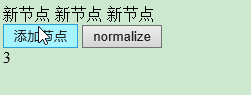
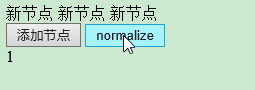
(13) document.normalize(): 删除空文本节点,并连接相邻节点
<!doctype html>

<html>

<head>

<meta charset="UTF-8">

<script type="text/javascript">

    function my_addTextNode(){

        var y=document.createTextNode("新节点 ");

        document.getElementById("a").appendChild(y);

        document.getElementById("c").innerHTML=document.getElementById("a").childNodes.length;

    }

    function my_normalize(){

        document.normalize();

        document.getElementById("c").innerHTML=document.getElementById("a").childNodes.length;

    }

</script>

</head>

<body>

    <div id='a'></div>

    <input type="button" value="添加节点" onclick="my_addTextNode()">

    <input type="button" value="normalize" onclick="my_normalize()">

    <div id='c'></div>

</body>

</html>
(14) document.querySelector(): 返回文档中匹配指定的CSS选择器的第一元素
document.querySelectorAll(): 返回文档中匹配的CSS选择器的所有元素节点列表
<!doctype html>

<html>

<head>

<meta charset="UTF-8">

<script type="text/javascript">

    function my_Test(){

        document.querySelector("#a").innerHTML = "Hello World!";

        document.querySelectorAll(".b")[0].style.backgroundColor = "red";

    }

</script>

</head>

<body>

    <input type="button" value="点我" onclick="my_Test()"/>

    <div id='a'>Hello</div>

    <div class='b'>XXX</div>

    <div class='b'>XXXXXX</div>

</body>

</html>


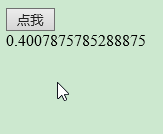
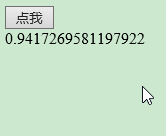
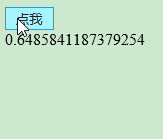
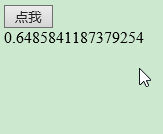
(15) document.removeEventListener(): 移除文档中的事件句柄(由 addEventListener() 方法添加)
<!doctype html>

<html>

<head>

<meta charset="UTF-8">

<script type="text/javascript">

    document.addEventListener("mousemove", myTest);

    function myTest() {

        document.getElementById("a").innerHTML = Math.random();

    }

    function my_removeEventListener() {

        document.removeEventListener("mousemove", myTest);

    }

</script>

</head>

<body>

    <input type="button" value="点我" onclick="my_removeEventListener()"/>

    <div id='a'>Hello</div>

</body>

</html>


JavaScript -- 时光流逝(十一):DOM -- Document 对象的更多相关文章
- HTML DOM Document 对象
HTML DOM Document 对象 HTML DOM 节点 在 HTML DOM (Document Object Model) 中 , 每一个元素都是 节点: 文档是一个文档. 所有的HTML ...
- 浏览器端-W3School-JavaScript-HTML DOM:HTML DOM Document 对象
ylbtech-浏览器端-W3School-JavaScript-HTML DOM:HTML DOM Document 对象 1.返回顶部 1. HTML DOM Document 对象 Docume ...
- HTML DOM Document对象 元素对象 属性对象 事件对象
DOM Document对象 DOM 元素 对象 DOM 属性 对象 DOM 事件 菜鸟教程上 总结挺全的,就不多废话,链接点进去即可.. 后期对经常用到的会在此更新一些总结..... 开学了...自 ...
- JavaScript -- 时光流逝(十三):DOM -- Console 对象
JavaScript -- 知识点回顾篇(十三):DOM -- Console 对象 (1) assert() : 如果断言为 false,则在信息到控制台输出错误信息.(2) clear() : 清 ...
- JavaScript -- 时光流逝(十二):DOM -- Element 对象
JavaScript -- 知识点回顾篇(十二):DOM -- Element 对象 (1) element.accessKey: 设置或返回accesskey一个元素,使用 Alt + 指定快捷键 ...
- javascript DOM document对象
document对象代表整个html文档 用来访问页面所有元素最复杂的一个dom对象 也是window对象的一个子对象. 对于dom编程中,一个html就会当成一个dom树dom会把所有的html元素 ...
- JavaScript -- 时光流逝(九):Window 对象、Navigator 对象
JavaScript -- 知识点回顾篇(九):Window 对象.Navigator 对象 1. Window 对象 1.1 Window 对象的属性 (1) closed: 返回窗口是否已被关闭. ...
- JavaScript -- 时光流逝(四):js中的 Math 对象的属性和方法
JavaScript -- 知识点回顾篇(四):js中的 Math 对象的属性和方法 1. Math 对象的属性 (1) E :返回算术常量 e,即自然对数的底数(约等于2.718). (2) LN2 ...
- JavaScript -- 时光流逝(三):js中的 String 对象的方法
JavaScript -- 知识点回顾篇(三):js中的 String 对象的方法 (1) anchor(): 创建 HTML 锚. <script type="text/javasc ...
随机推荐
- uniq命令
bash&shell系列文章:http://www.cnblogs.com/f-ck-need-u/p/7048359.html uniq是去重,不相邻的行不算重复值. uniq [OPTIO ...
- Go基础系列:常量和变量
常量(Constants)和iota 常量包含不会发生更改的数据.常量的数据类型只能是boolean.number(int/float/complex)或string. 定义方式: const NAM ...
- 分享一个用QT实现的Mjpeg-streamer客户端(简易版)
mainWindow代码如下(由于篇幅问题,子窗口代码不贴出了,有需要源码的可以留下邮箱): /* * Author : 博客园 Lance# */ #include "mainwindow ...
- Spring Cloud Stream如何消费自己生产的消息?
在上一篇<Spring Cloud Stream如何处理消息重复消费>中,我们通过消费组的配置解决了多实例部署情况下消息重复消费这一入门时的常见问题.本文将继续说说在另外一个被经常问到的问 ...
- 匿名函数python内置高阶函数以及递归
匿名函数 python定义一个函数通常使用def关键词,后面跟函数名,然后是注释.代码块等. def func(): '''注释''' print('from func') 这样就在全局命名空间定义了 ...
- Docker虚拟机理论
Docker虚拟机架构 ◆ Docker架构 Docker创建的所有虚拟实例共用同一个Linux内核,对硬件占用较小,属于轻量级虚拟机 Docker镜像与容 ...
- Font Awesome 供更精准的图标搜索
https://www.thinkcmf.com/font/font_awesome/icon/address-book
- c# 如果一个对象的值为null,那么它调用扩展方法时为甚么不报错
如果一个对象的值为null,那么它调用扩展方法时会报错吗? Person p = null ; p.ExtendMethod(); 上述代码出现的情况不会报错,刚开始遇到这种情况时很纳闷,就去问了大牛 ...
- mysql5.7 datetime 默认值为‘0000-00-00 00:00:00'值无法创建问题解决
mysql5.7 datetime 默认值为‘0000-00-00 00:00:00'值无法创建问题解决
- 前端入门2-HTML标签
本篇文章已授权微信公众号 dasu_Android(大苏)独家发布 声明 本系列文章内容全部梳理自以下四个来源: <HTML5权威指南> <JavaScript权威指南> MD ...