
JavaScript -- 时光流逝(十一):DOM -- Document 对象
JavaScript -- 知识点回顾篇(十一):DOM -- Document 对象
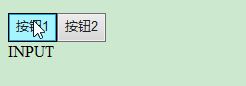
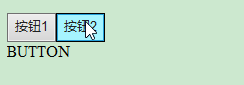
(1) document.activeElement: 返回文档中当前获得焦点的元素。
<!doctype html>

<html>

<head>

<meta charset="UTF-8">

<script type="text/javascript">

    function my_activeElement() {

        var x = document.activeElement.tagName;

        document.getElementById("myInfo").innerHTML = x;

    }

</script>

</head>

<body>

    <div onclick="my_activeElement()">

        <input type="button" value="按钮1">

        <button>按钮2</button>

    </div>

    <div id='myInfo'></div>

</body>

</html>
(2) document.addEventListener(): 用于向文档添加事件句柄。
<!doctype html>

<html>

<head>

<meta charset="UTF-8">

<script type="text/javascript">

    document.addEventListener("click", function(){

        document.getElementById("myInfo").innerHTML = "China";

    });

</script>

</head>

<body>

    <div id='myInfo'>I come from </div>

</body>

</html>


(3) document.baseURI: 返回文档的绝对基础 URI
<!doctype html>

<html>

<head>

<meta charset="UTF-8">

<script type="text/javascript">

    function my_baseURI(){

        var x=document.getElementById("myInfo").innerHTML=document.baseURI;

    }

</script>

</head>

<body>

    <input type="button" value="按钮" onclick="my_baseURI()">

    <div id='myInfo'></div>

</body>

</html>
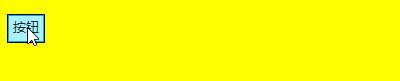
(4) document.body: 返回文档的body元素
<!doctype html>

<html>

<head>

<meta charset="UTF-8">

<script type="text/javascript">

    function my_body() {

        document.body.style.backgroundColor = "yellow";

    }

</script>

</head>

<body>

    <input type="button" value="按钮" onclick="my_body()">

    <div id='myInfo'></div>

</body>

</html>
(5) document.cookie: 设置或返回与当前文档有关的所有 cookie。
<!doctype html>

<html>

<head>

<meta charset="UTF-8">

<script type="text/javascript">

    document.write(document.cookie);

</script>

</head>

<body>

</body>

</html>
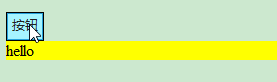
(6) document.createAttribute(): 用于创建一个指定名称的属性,并返回Attr 对象属性
<!doctype html>

<html>

<head>

<meta charset="UTF-8">

<script type="text/javascript">

    function my_createAttribute(){

        var att=document.createAttribute("class");

        att.value="divclass";

        document.getElementById("myInfo").setAttributeNode(att);

    }

</script>

<style type="text/css">

    .divclass{

        background-color:yellow;

    }

</style>

</head>

<body>

    <input type="button" value="按钮" onclick="my_createAttribute()">

    <div id='myInfo'>hello</div>

</body>

</html>
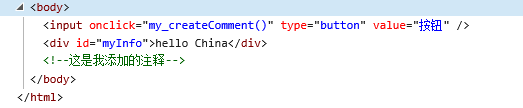
(7) document.createComment(): createComment() 方法可创建注释节点。
<!doctype html>

<html>

<head>

<meta charset="UTF-8">

<script type="text/javascript">

    function my_createComment(){

        var c=document.createComment("这是我添加的注释");

        document.body.appendChild(c);

    }

</script>

</head>

<body>

    <input type="button" value="按钮" onclick="my_createComment()">

    <div id='myInfo'>hello China</div>

</body>

</html>
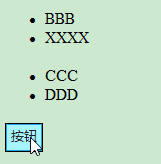
(8) document.createDocumentFragment(): 创建空的 DocumentFragment 对象,并返回此对象。
<!doctype html>

<html>

<head>

<meta charset="UTF-8">

<script type="text/javascript">

    function my_createDocumentFragment(){

        var d=document.createDocumentFragment();

        d.appendChild(document.getElementsByTagName("LI")[0]);

        d.childNodes[0].childNodes[0].nodeValue="XXXX";

        document.getElementsByTagName("UL")[0].appendChild(d);

    }

</script>

</head>

<body>

    <ul><li>AAA</li><li>BBB</li></ul>

    <ul><li>CCC</li><li>DDD</li></ul>

    <input type="button" value="按钮" onclick="my_createDocumentFragment()">

</body>

</html>


(9) document.createElement(): 通过指定名称创建一个元素。
document.createTextNode(): 创建文本节点。
<!doctype html>

<html>

<head>

<meta charset="UTF-8">

<script type="text/javascript">

    function my_create(){

        var btn=document.createElement("BUTTON");

        var t=document.createTextNode("新创建的按钮");

        btn.appendChild(t);

        document.body.appendChild(btn);

    }

</script>

</head>

<body>

    <input type="button" value="按钮" onclick=" my_create()">

</body>

</html>

(10) document.doctype: 返回与文档相关的文档类型声明 (DTD)。
document.documentElement: 返回文档的根节点
document.documentMode: 返回用于通过浏览器渲染文档的模式
document.documentURI: 设置或返回文档的位置
document.domain: 返回当前文档的域名。
<!doctype html>

<html>

<head>

<meta charset="UTF-8">

<script type="text/javascript">

    function my_Test(){

        document.getElementById('myInfo').innerHTML='doctype.name的值是: '+document.doctype.name+'<br/>';

        document.getElementById('myInfo').innerHTML+='documentElement.nodeName的值是: '+document.documentElement.nodeName+'<br/>';

        document.getElementById('myInfo').innerHTML+='document.documentMode的值是: '+document.documentMode+'<br/>';

        document.getElementById('myInfo').innerHTML+='document.documentURI的值是: '+document.documentURI+'<br/>';

        document.getElementById('myInfo').innerHTML+='document.domain的值是: '+document.domain+'<br/>';

    }

</script>

</head>

<body>

    <input type="button" value="按钮" onclick="my_Test()">

    <div id='myInfo'></div>

</body>

</html>
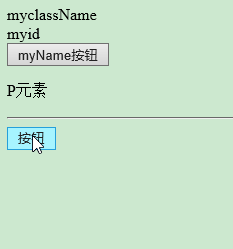
(11) document.getElementsByClassName(): 返回文档中所有指定类名的元素集合,作为 NodeList 对象。
document.getElementById(): 返回对拥有指定 id 的第一个对象的引用。
document.getElementsByName(): 返回带有指定名称的对象集合。
document.getElementsByTagName(): 返回带有指定标签名的对象集合。
<!doctype html>

<html>

<head>

<meta charset="UTF-8">

<script type="text/javascript">

    function my_Test(){

        document.getElementById('myInfo').innerHTML=document.getElementsByClassName("myclassName")[0].innerHTML+'<br/>';

        document.getElementById('myInfo').innerHTML+=document.getElementById('myid').innerHTML+'<br/>';

        document.getElementById('myInfo').innerHTML+=document.getElementsByName("myName")[0].value+'<br/>';

        document.getElementById('myInfo').innerHTML+=document.getElementsByTagName("P")[0].innerHTML+'<br/>';

    }

</script>

</head>

<body>

    <div class="myclassName">myclassName</div>

    <div id='myid'>myid</div>

    <input type="button" name="myName" value="myName按钮" >

    <p>P元素</p>

    <hr/>

    <input type="button" value="按钮" onclick="my_Test()">

    <div id='myInfo' style="background-color:yellow"></div>

</body>

</html>

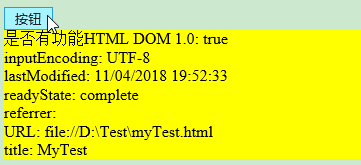
(12) document.implementation: 返回处理该文档的 DOMImplementation 对象。
document.inputEncoding: 返回用于文档的编码方式(在解析时)。
document.lastModified: 返回文档被最后修改的日期和时间。
document.title: 返回当前文档的标题。
document.URL: 返回文档完整的URL
document.readyState: 返回文档状态
document.referrer: 返回载入当前文档的文档的 URL。
<!doctype html>

<html>

<head>

<title>MyTest</title>

<meta charset="UTF-8">

<script type="text/javascript">

    function MyTest(){

        document.getElementById("myInfo").innerHTML='是否有功能HTML DOM 1.0: '+document.implementation.hasFeature("HTML","1.0");

        document.getElementById("myInfo").innerHTML+='<br/>inputEncoding: '+document.inputEncoding;

        document.getElementById("myInfo").innerHTML+='<br/>lastModified: '+document.lastModified;

        document.getElementById("myInfo").innerHTML+='<br/>readyState: '+document.readyState;

        document.getElementById("myInfo").innerHTML+='<br/>referrer: '+document.referrer;

        document.getElementById("myInfo").innerHTML+='<br/>URL: '+document.URL;

        document.getElementById("myInfo").innerHTML+='<br/>title: '+document.title;

    }

</script>

</head>

<body>

    <input type="button" value="按钮" onclick="MyTest()">

    <div id='myInfo' style="background-color:yellow"></div>

</body>

</html>
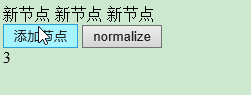
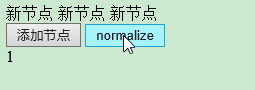
(13) document.normalize(): 删除空文本节点,并连接相邻节点
<!doctype html>

<html>

<head>

<meta charset="UTF-8">

<script type="text/javascript">

    function my_addTextNode(){

        var y=document.createTextNode("新节点 ");

        document.getElementById("a").appendChild(y);

        document.getElementById("c").innerHTML=document.getElementById("a").childNodes.length;

    }

    function my_normalize(){

        document.normalize();

        document.getElementById("c").innerHTML=document.getElementById("a").childNodes.length;

    }

</script>

</head>

<body>

    <div id='a'></div>

    <input type="button" value="添加节点" onclick="my_addTextNode()">

    <input type="button" value="normalize" onclick="my_normalize()">

    <div id='c'></div>

</body>

</html>
(14) document.querySelector(): 返回文档中匹配指定的CSS选择器的第一元素
document.querySelectorAll(): 返回文档中匹配的CSS选择器的所有元素节点列表
<!doctype html>

<html>

<head>

<meta charset="UTF-8">

<script type="text/javascript">

    function my_Test(){

        document.querySelector("#a").innerHTML = "Hello World!";

        document.querySelectorAll(".b")[0].style.backgroundColor = "red";

    }

</script>

</head>

<body>

    <input type="button" value="点我" onclick="my_Test()"/>

    <div id='a'>Hello</div>

    <div class='b'>XXX</div>

    <div class='b'>XXXXXX</div>

</body>

</html>


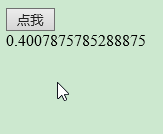
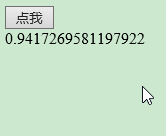
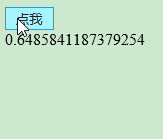
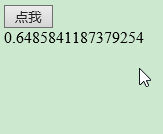
(15) document.removeEventListener(): 移除文档中的事件句柄(由 addEventListener() 方法添加)
<!doctype html>

<html>

<head>

<meta charset="UTF-8">

<script type="text/javascript">

    document.addEventListener("mousemove", myTest);

    function myTest() {

        document.getElementById("a").innerHTML = Math.random();

    }

    function my_removeEventListener() {

        document.removeEventListener("mousemove", myTest);

    }

</script>

</head>

<body>

    <input type="button" value="点我" onclick="my_removeEventListener()"/>

    <div id='a'>Hello</div>

</body>

</html>


JavaScript -- 时光流逝(十一):DOM -- Document 对象的更多相关文章
- HTML DOM Document 对象
HTML DOM Document 对象 HTML DOM 节点 在 HTML DOM (Document Object Model) 中 , 每一个元素都是 节点: 文档是一个文档. 所有的HTML ...
- 浏览器端-W3School-JavaScript-HTML DOM:HTML DOM Document 对象
ylbtech-浏览器端-W3School-JavaScript-HTML DOM:HTML DOM Document 对象 1.返回顶部 1. HTML DOM Document 对象 Docume ...
- HTML DOM Document对象 元素对象 属性对象 事件对象
DOM Document对象 DOM 元素 对象 DOM 属性 对象 DOM 事件 菜鸟教程上 总结挺全的,就不多废话,链接点进去即可.. 后期对经常用到的会在此更新一些总结..... 开学了...自 ...
- JavaScript -- 时光流逝(十三):DOM -- Console 对象
JavaScript -- 知识点回顾篇(十三):DOM -- Console 对象 (1) assert() : 如果断言为 false,则在信息到控制台输出错误信息.(2) clear() : 清 ...
- JavaScript -- 时光流逝(十二):DOM -- Element 对象
JavaScript -- 知识点回顾篇(十二):DOM -- Element 对象 (1) element.accessKey: 设置或返回accesskey一个元素,使用 Alt + 指定快捷键 ...
- javascript DOM document对象
document对象代表整个html文档 用来访问页面所有元素最复杂的一个dom对象 也是window对象的一个子对象. 对于dom编程中,一个html就会当成一个dom树dom会把所有的html元素 ...
- JavaScript -- 时光流逝(九):Window 对象、Navigator 对象
JavaScript -- 知识点回顾篇(九):Window 对象.Navigator 对象 1. Window 对象 1.1 Window 对象的属性 (1) closed: 返回窗口是否已被关闭. ...
- JavaScript -- 时光流逝(四):js中的 Math 对象的属性和方法
JavaScript -- 知识点回顾篇(四):js中的 Math 对象的属性和方法 1. Math 对象的属性 (1) E :返回算术常量 e,即自然对数的底数(约等于2.718). (2) LN2 ...
- JavaScript -- 时光流逝(三):js中的 String 对象的方法
JavaScript -- 知识点回顾篇(三):js中的 String 对象的方法 (1) anchor(): 创建 HTML 锚. <script type="text/javasc ...
随机推荐
- Docker容器Tomcat部署war包
在docker容器中使用tomcat部署war包主要包括四个步骤,创建tomcat容器.上传war包到容器.重启容器.访问应用. 1.创建tomcat容器 使用docker run -d --nam ...
- vue_drf之实现短信验证码
一.需求 1,需求 我们在做网站开发时,登录页面很多情况下是可以用手机号接收短信验证码,然后实现登录的,那我们今天就来做一做这一功能. 伪代码: 进入登录页面,点击短信登录 输入手机号码,点击获取验证 ...
- js引用值传递改变问题(使用深拷贝)
//当我们定义一个全局变量,然后页面加载时进行一次赋值. //后面对加载的对象进行push后全局变量改变了,这是由于引用类型的问题,此时使用深拷贝进行保存原来的数据 //深拷贝 function de ...
- SpringBoot系列——WebSocket
关于websocket的介绍与实现,我之前写过一篇博客,记录了用springboot-websocket实现了私聊.群聊的简单实例,这里就只提供一个入口,不再重复的写了,WebSocket+Java ...
- 【原】KMeans与深度学习自编码AutoEncoder结合提高聚类效果
这几天在做用户画像,特征是用户的消费商品的消费金额,原始数据(部分)是这样的: id goods_name goods_amount 男士手袋 1882.0 淑女装 2491.0 女士手袋 345.0 ...
- YTKNetwork源码详解
本篇是第三篇关于网络请求的,将讲述YTKNetwork源码,上述两篇分别讲述AFNetworking源码解析以及结合自己项目封装AFNetworking. AFNetworking源码解析:https ...
- [转]Raw Queries in Laravel
本文转自:https://fideloper.com/laravel-raw-queries Business logic is often complicated. Because of this, ...
- .NET 中的序列化 & 反序列化
序列化:将对象的状态信息及类型信息,转换为一种易于传输或存储形式(流,即字节序列)的过程. 下图为序列化过程图示,图片来自微软官方文档: 反序列化:与序列化相反,将流转换为对象的过程. 常用的有二进制 ...
- struts2_Action的三种实现方式
1.普通java类 package com.ahd.action; public class HelloAction{ public String execute() throws Exception ...
- Advanced redirection features
here are three types of I/O, which each have their own identifier, called a file descriptor: standar ...