
camunda
Camunda BPM
用途: 流程管理、流程解决方案
支持语言: java ,nodejs
入门指导:1.https://docs.camunda.org/get-started/quick-start/ 看官网可以快速构建一个可用的工程;
2.https://docs.camunda.org/manual/7.11/
3.https://github.com/camunda/
4.前端流程图 https://github.com/bpmn-io
1、Spring boot 快速构建一个 web工程,https://start.spring.io/
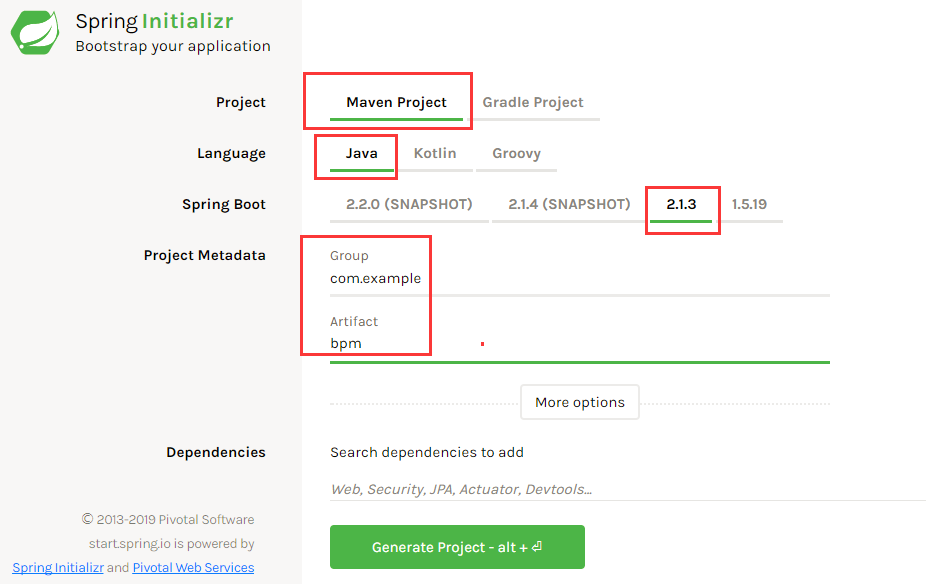
2、把生成的工程导入到idea 或者eclipse里面;
2.1 修改pom.xml文件的依赖如下:
<dependencies>
   <dependency>
      <groupId>org.camunda.bpm.springboot</groupId>
      <artifactId>camunda-bpm-spring-boot-starter-webapp</artifactId>
      <version>3.2.0</version>
   </dependency>
   <dependency>
      <groupId>com.h2database</groupId>
      <artifactId>h2</artifactId>
   </dependency>

   <dependency>
      <groupId>org.springframework.boot</groupId>
      <artifactId>spring-boot-starter-test</artifactId>
      <scope>test</scope>
   </dependency>
</dependencies>
其中org.camunda.bpm.springboot这个依赖继承了 camunda bpm和 spring boot starter
<dependency>
   <groupId>org.camunda.bpm.springboot</groupId>
   <artifactId>camunda-bpm-spring-boot-starter-webapp</artifactId>
   <version>3.2.0</version>
</dependency>

2.2 修改spring boot 主入口程序,加入注解@EnableProcessApplication;
@SpringBootApplication
@EnableProcessApplication
public class CamundabpmApplication {
   public static void main(String[] args) {
      SpringApplication.run(CamundabpmApplication.class, args);
   }

}
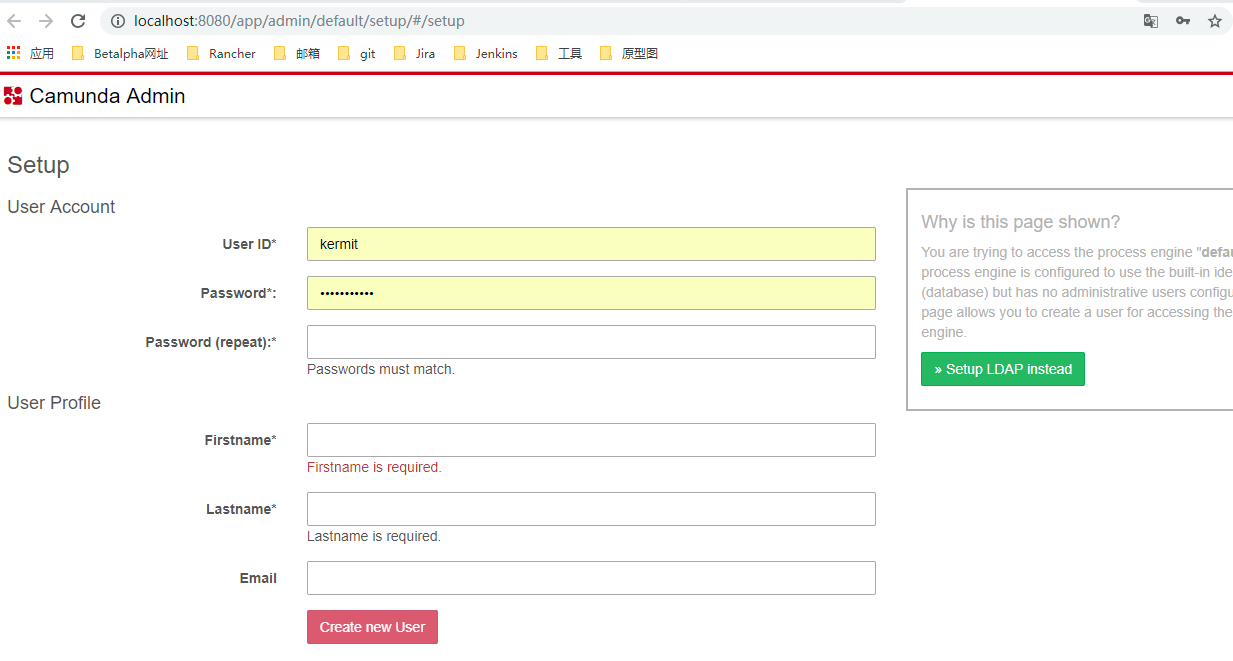
2.3 启动程序;浏览器访问localhost:8080
页面如下:
3、官网下载
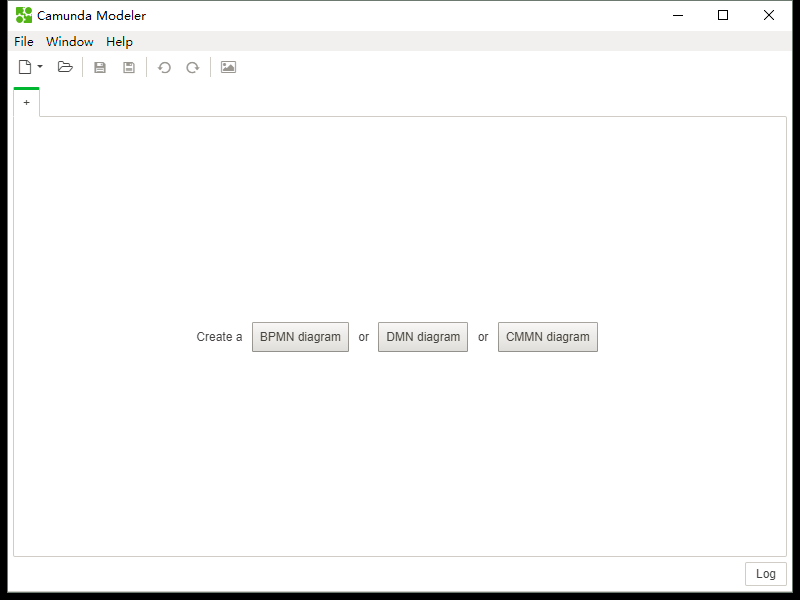
camunda bpm 画流程图的工具:Camunda Modeler下载链接:https://camunda.com/download/modeler/?__hstc=12929896.ac03a515a45a7a10726115b3f850d7c2.1551935385801.1551935385801.1551935385801.1&__hssc=12929896.2.1551955519686&__hsfp=100025305
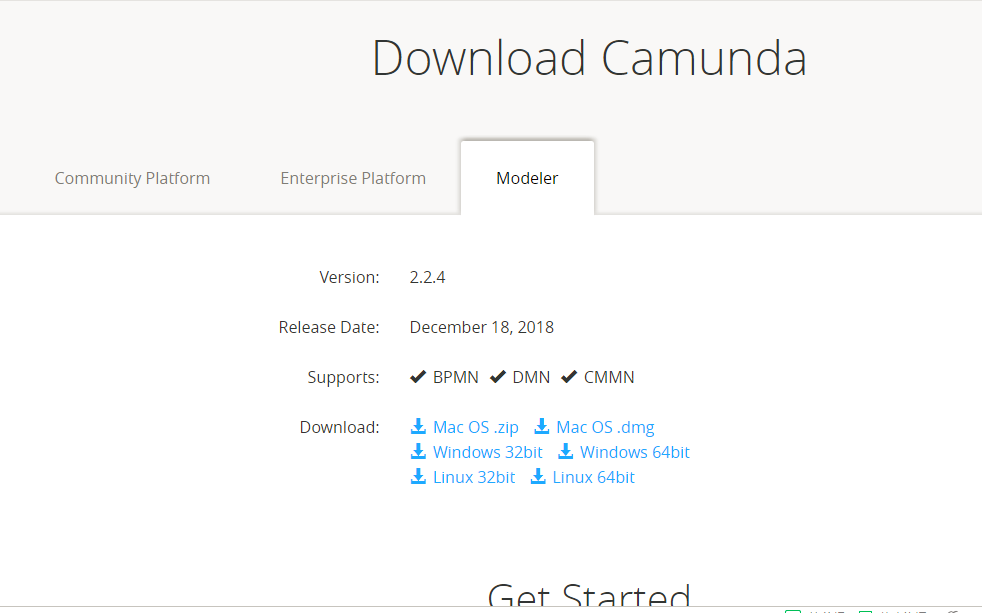
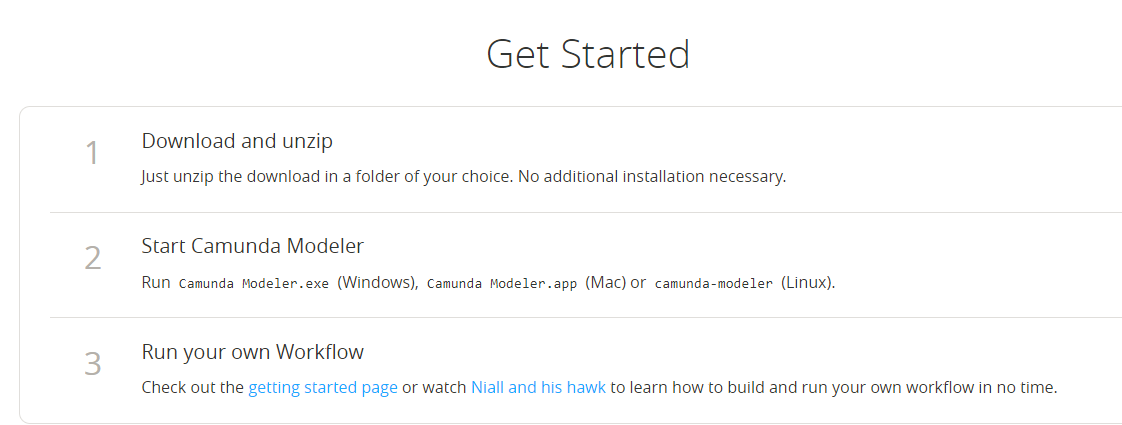
解压后,直接打开exe文件,可以打开工作界面;
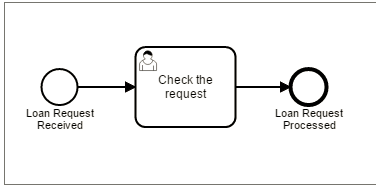
4、画图如下,注意第二个方框上有一个人
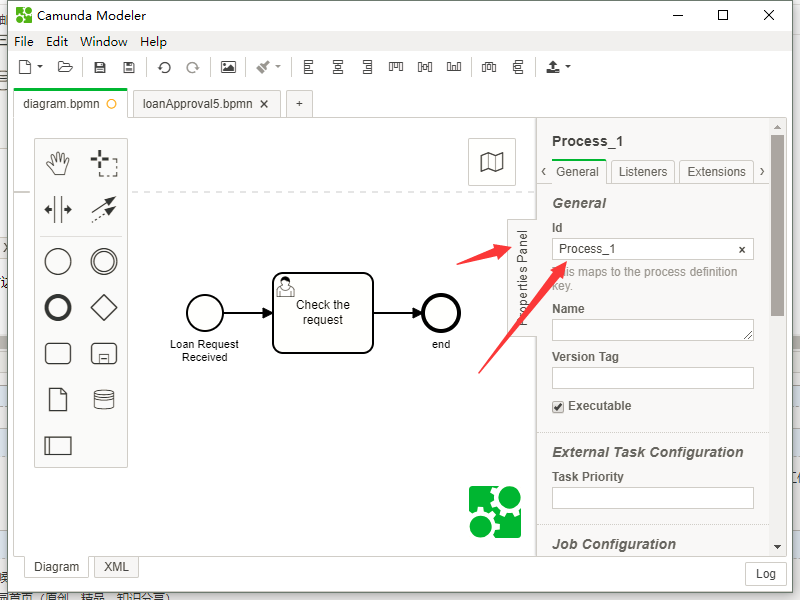
画好后,点击右侧,查看id;这个id是流程图的唯一标志id;
保存文件为taskflow.bpmn
5、在 main/resources下面加入 META-INF 文件,在META-INF 下加入processes.xml文件,内容为空;
6、在main/resources下面加入application.yaml; 内容如下:
camunda.bpm:
  admin-user:
    id: kermit
    password: superSecret
    firstName: Kermit
  filter:
    create: All tasks

说明:不加这个文件也可以启动,但是访问页面时没有登录

7、启动spring boot ;访问localhost:8080
可以看到登录界面,登录
账号
Kermit
密码:
superSecret
可以进入系统
8、把文件 taskflow.bpmn 复制到项目中,放在 main/resources下面;
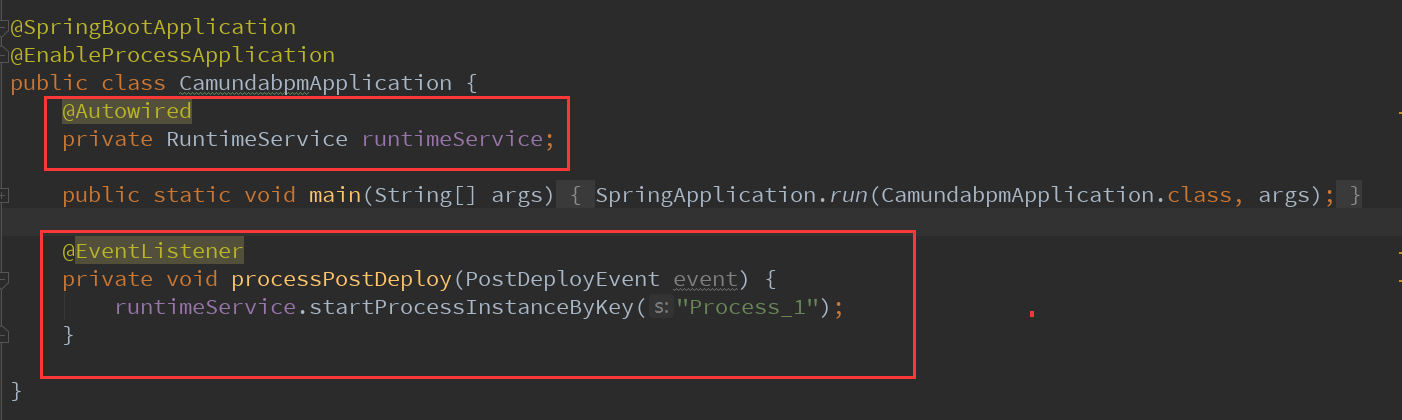
修改主程序入口:
由于taskflow.bpmn 的流程id为Process_1,所以这里填写Process_1
9、重启spring boot;
访问 localhost:8080
登录后可以查看到新增了一个task

camunda的更多相关文章
- camunda 开源的bpm系统
看到camunda 是在zeebe 的介绍中,实际上camunda 是一个很完整的bpm 平台,包含了很多在bpm 系统中需要的组件,以下为一张参考图 从上图可以看出,组件还是比较多的,对于完整的bp ...
- 工作流和过程自动化框架 Camunda BPM
Camunda BPM 是一个灵活的工作流和过程自动化框架,它的核心是一个在Java虚拟机内部运行的原生BPMN 2.0流程引擎,因此它可以嵌入到任何Java应用程序或运行时容器中.Camunda B ...
- camunda任务的一些简单操作
public class ZccTaskService { TaskService taskService; @Before public void init(){ ProcessEngineConf ...
- camunda流程实例启动的一些简单操作
public class ZccRuntimeService { RuntimeService runtimeService; RepositoryService repositoryService; ...
- camunda流程部署的一些简单操作
act_re_deployment:(流程部署对象表)存放流程部署的显示名和部署时间 act_re_procdef:(流程定义表)存放流程定义的属性信息 act_ge_bytearray:(资源文件表 ...
- camunda授权的一些简单操作
/** * 授权操作 */public class ZccAuthorizationService { AuthorizationService authorizationService; @Befo ...
- camunda用户的一些简单操作
act_id_group:存放组信息act_id_membership:存放用户与组的相关信息act_id_user:存放用户act_id_info:存放用户个人信息act_id_tenant:存放租 ...
- spring boot 整合 Camunda
官网:https://camunda.com/ 论坛:https://forum.camunda.org/ 一. 创建 spring boot 项目,添加项目依赖 <?xml version=& ...
- Camunda 流程引擎的一种 Adapter 层实现
上一篇说明了选择 Camunda 的理由.这一篇说明如何实现适配层. 当前还没有专门写一篇对 Camunda 各个功能的详细介绍.如果要获得比较直观的感受,可以下载 Modeler 或者使用在线版的 ...
随机推荐
- selenium和phantomjs,完成豆瓣音乐排行榜的内容爬取
代码要多敲 注释要清晰 哪怕再简单 #使用selenium和phantomjs,完成豆瓣音乐排行榜的内容爬取 #地址:https://music.douban.com/chart #导入需要的模块 f ...
- PAT甲级【2019年3月考题】——A1156 SexyPrimes【20】
Sexy primes are pairs of primes of the form (p, p+6), so-named since “sex” is the Latin word for “si ...
- shell脚本对代码执行时间的计时
时间秒: $(date +%s) 算数表达式: $(($cost_time/60)) $(($cost_time%60)) #!/bin/bash # ccache is from epel mirr ...
- BZOJ 2122 [分块+单调栈+二分](有详解)
题面 传送门 给定序列d和lim.假设有一个初始价值\(x_0\),则经历第i天后价值变为\(min(x_0+d[i],lim[i])\),记\(f(i,j,x_0)\)表示以初始代价x0依次经过第i ...
- Java Console/控制台 打印表格
功能:控制台打印表格,支持字段动态长度,左对齐,右对齐,居中,设置最大列长,设置列间隔符,设置最多打印多少行. 类下载地址:http://download.csdn.net/download/j506 ...
- SqlServer表名称定义
每一个数据表 添加一个 扩展 属性:Description 填写表描述. 查看是否所有表都添加的Sql如下: SELECT a.name AS name, g.[value] FROM sys.ta ...
- (转)收集 Spring Boot 相关的学习资料,Spring Cloud点这里 重点推荐:Spring Boot 中文索引
推荐博客 纯洁的微笑-Spring Boot系列文章 林祥纤-从零开始学Spring Boot Mkyong-Spring Boot教程(国外) baeldung-Spring Boot教程(国外) ...
- JS异步事件顺序:setTimeout,async,promise
为什么最近更新那么频繁,还不是因为笔试的时候瞎了? 先说异步事件执行顺序的规则: 1. 定时器异步队列和promise队列不是同一队列,promise优先级高于setTimeout; 2. 创建pro ...
- spring 事物(二)—— 编程式事物实现与扩展
简介 使用TransactionTemplate 不需要显式地开始事务,甚至不需要显式地提交事务.这些步骤都由模板完成.但出现异常时,应通过TransactionStatus 的setRollback ...
- 笔记78 HttpStatus
HttpStatus = { //Informational 1xx 信息 '100' : 'Continue', //继续 '101' : 'Switching Protocols', //交换协议 ...