
Microsoft Deployment Toolkit build 8456
MDT build 8456的重大变化摘要。
支持的配置更新
- Windows ADK for Windows 10,版本1809
- Windows 10,版本1809
- Configuration Manager,版本1810
主要变化
以下列表是此版本中主要更改的摘要:
- LTI场景的嵌套任务序列支持
- 现代语言包支持
- 支持Configuration Manager版本1810
- IsVM在Parallels VM上评估为False
- 当VMware VM配置EFI引导固件时,IsVM = False
- Gather无法识别All-in-One机箱类型
- MDT不会在Windows Server 2016上自动安装BitLocker
- BDEDisablePreProvisioning ZTIGather.xml中的拼写错误
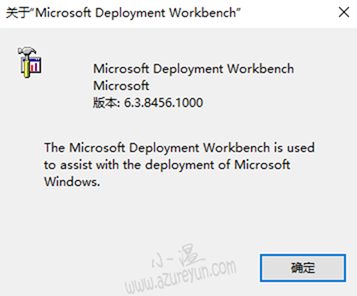
支持的平台
MDT版本不再标记为年份或更新版本。为了更好地与Windows 10和Configuration Manager的当前分支对齐,并简化品牌和发布过程,它现在只是Microsoft Deployment Toolkit。内部版本号用于区分每个版本。例如,可供下载的最新版本是8456。
与具有预定发布计划的Configuration Manager不同,MDT仅根据需要发布,以支持新版本的Windows 10,Windows ADK或Configuration Manager当前分支。必要时,本文将记录这些组件的任何已知问题。
使用MDT部署支持以下操作系统版本:
- Windows 10,版本1809
- Windows 10,版本1803
- Windows 10,版本1709
- 其他受支持的Windows 10 版本
- Windows 8.1
- Windows 7的
- Windows Server 2019
- Windows Server 2016
- Windows Server 2012 R2
- Windows Server 2012
- Windows Server 2008 R2
先决条件
MDT需要以下组件,这些组件包含在Windows中:
- Microsoft .NET Framework 4.0
- Windows PowerShell 3.0版
MDT需要最新的Windows ADK for Windows 10。MDT还需要Windows ADK 的Windows PE插件。
注意
Windows建议使用与您正在部署的Windows版本匹配的Windows ADK。例如,在部署Windows 10版本1809时,请使用Windows ADK for Windows 10版本1809.
在将MDT与Configuration Manager集成用于ZTI和UDI方案时,请使用最新版本的Configuration Manager当前分支。
升级MDT
MDT安装过程会删除同一台计算机上安装的所有MDT实例。在此过程中将保留现有部署共享,分发点和数据库。安装完成后必须升级它们。
MDT的当前版本支持从以下版本的MDT升级:
- MDT build 8450
备注:在尝试升级之前,请创建现有MDT基础结构的备份。
LTI
安装MDT后,通过从Deployment Workbench中的Deployment Shares节点运行Open Deployment Share向导来升级现有部署共享。指定现有部署共享目录的路径,然后选择“ 升级”复选框。此过程还会升级现有网络部署共享和媒体部署共享,因此应该可以访问这些共享。不要使用活动部署进行升级,因为正在使用的文件可能会导致升级问题。
ZTI
在MDT的安装过程中,不会修改Configuration Manager中存在的现有MDT任务序列。他们应该继续工作,没有任何问题。没有提供升级这些任务序列的机制。如果要使用任何新的MDT功能,请在Configuration Manager中创建新的MDT集成任务序列。
升级过程完成后:
升级后运行Configure ConfigMgr Integration Wizard。它注册新组件并安装更新的ZTI任务序列模板。
为您创建的任何新ZTI任务序列创建新的Microsoft Deployment Toolkit Files包。您可以将现有MDT Files包用于升级之前创建的任何ZTI任务序列。为新的ZTI任务序列创建新的MDT Files包。
已知的问题
现代语言包支持
从Windows 10版本1809开始,语言界面包(LIP)作为本地体验包(LXP)提供。LXP是AppX捆绑包。在unattend.xml文件中指定时,不会自动选择它们,并且部署失败。不要将LXP设置为默认值。用户应从Windows设置中选择应用的LXP。
Microsoft Deployment Toolkit build 8456的更多相关文章
- Microsoft Deployment Toolkit 2013 Preview Release Now Available
MDT 2013 provides a common console with comprehensive tools and guidance for every organizational ro ...
- building 'twisted.test.raiser' extension error: Microsoft Visual C++ 14.0 is required. Get it with "Microsoft Visual C++ Build Tools": http://landinghub.visualstudio.com/visual-cpp-build-tools
Error msg: building 'twisted.test.raiser' extension error: Microsoft Visual C++ 14.0 is required. Ge ...
- pycrypto 安装 Crypto 报错 error: Microsoft Visual C++ 14.0 is required. Get it with "Microsoft Visual C++ Build Tools": http://landinghub.visualstudio.com/visual-cpp-build-tools
error: Microsoft Visual C++ 14.0 is required. Get it with "Microsoft Visual C++ Build Tools&quo ...
- python3 pip 安装Scrapy在win10 安装报错error: Microsoft Visual C++ 14.0 is required. Get it with "Microsoft Visual C++ Build Tools": http://landinghub.visualstudio.com/visual-cpp-build-tools
问题描述 当前环境win10,python_3.6.1,64位. 在windows下,在dos中运行pip install Scrapy报错: building 'twisted.test.raise ...
- 【Python】安装error: Microsoft Visual C++ 14.0 is required. Get it with "Microsoft Visual C++ Build Tools"
pip install Scrapy --> error: Microsoft Visual C++ 14.0 is required. Get it with "Microsoft ...
- 安装scrapy 出现error: Microsoft Visual C++ 14.0 is required. Get it with "Microsoft Visual C++ Build Tools": http://landinghub.visualstudio.com/visual-cpp-build-tools 错误
安装scrapy 出现以下 错误: error: Microsoft Visual C++ 14.0 is required. Get it with "Microsoft Visual C ...
- 安装scrapy报错 error: Microsoft Visual C++ 14.0 is required. Get it with "Microsoft Visual C++ Build Tools": http://landinghub.visualstudio.com/visual-cpp-build-tools
报错内容:Microsoft Visual C++ 14.0 is required. Get it with "Microsoft Visual C++ Build Tools" ...
- 未能从程序集 C:\Program Files (x86)\MSBuild\14.0\bin\Microsoft.Data.Entity.Build.Tasks.dll 加载任务“EntityClean”
问题: 未能从程序集 C:\Program Files (x86)\MSBuild\14.0\bin\Microsoft.Data.Entity.Build.Tasks.dll 加载任务“Entity ...
- python -- Microsoft Visual C++ 14.0 is required. Get it with "Microsoft Visual C++ Build Tools": http://landinghub.visualstudio.com/visual-cpp-build-tools
用python读取hive数据,引用下面包. #!/usr/bin/env python import pyhs2 as hive 先按照它 pip install pyhs2 出现错误 Collec ...
随机推荐
- git 版本库基础知识学习
什么是版本库?什么是版本库呢?版本库又名仓库,英文名repository,你可以简单理解成一个目录,这个目录里面的所有文件都可以被Git管理起来,每个文件的修改.删除,Git都能跟踪,以便任何时刻都可 ...
- HDP 2.6 requires libtirpc-devel
HDP 2.6 requires libtirpc-devel 个问题,截止 Mustafa Kemal MAYUK 2017年06月30日 06:30 hadoopPowerSystems Hell ...
- C#异步编程----Thread
一.问题由来 多线程能实现的基础: 1.CPU运行速度太快,硬件处理速度跟不上,所以操作系统进行分时间片管理.这样,宏观角度来说是多线程并发 ,看起来是同一时刻执行了不同的操作.但是从微观角度来讲,同 ...
- MVC详解:mvc是什么?为什么要用MVC?MVC工作原理以及MVC优缺点
一.什么是MVC Model:模型层 View:视图层 Controller:控制层 MVC (Modal View Controler)本来是存在于Desktop程序中的,M是指数据模型,V是指用户 ...
- Java 枚举类详解
1. 枚举类定义 在某些情况下,一个类的对象是有限而且固定的,比如季节类,它只有4个对象,这种实例有限而且固定的类,在Java里被称为枚举类. 2. 早期实现枚举的方式 public static f ...
- 新更新kb4493472导致无法正常开机
昨天陆续接到电话,说是系统更新后电脑不能正常使用,症状基本是开机到欢迎界面就出现各种各样的状况,比如鼠标能动,其他无反应;欢迎界面结束后黑屏,只有鼠标能动:开机后正常,但电脑使用很卡等等状况.因为昨天 ...
- Java原子类操作原理剖析
◆CAS的概念◆ 对于并发控制来说,使用锁是一种悲观的策略.它总是假设每次请求都会产生冲突,如果多个线程请求同一个资源,则使用锁宁可牺牲性能也要保证线程安全.而无锁则是比较乐观的看待这个问题,它会假设 ...
- 在macos上基于python2.7安装PyQt5
在python3上面安装PyQt5是十分简单的,可是,在python2.7上安装这个东西,着实让人折腾了一把.要总结一下,年纪大了,记性不好. 首先要安装最新版的Qt和python2,命令如下: br ...
- 部署tomcat环境
1.安装java jdk Java环境变量配置 2.下载64位tomcat https://tomcat.apache.org/download-70.cgi 3.配置service 打开cmd,执行 ...
- numpy操作
python中使用了numpy的一些操作,特此记录下来: 生成矩阵,替换值 import numpy as np # 生成一行10列的矩阵 dataset = np.zeros((1, 10)) # ...