
关于play!的attachments.path配置、以及关于Form表单上传请求的认识
相关链接
form表单提交multipart/form-data的请求分析:http://blog.csdn.net/five3/article/details/7181521、http://blog.csdn.net/MSPinyin/article/details/6141638

stack overflow上的某菌对Blob的发文(启发的我):http://stackoverflow.com/questions/8760133/how-can-i-specify-a-different-attachments-path-under-play-framework

w3对form提交post请求的demo:http://www.w3.org/TR/html401/interact/forms.html#h-17.13.4

4种常见的post提交数据的方式:https://www.imququ.com/post/four-ways-to-post-data-in-http.html

在MDN文档上解释的Blob:https://developer.mozilla.org/en-US/docs/Web/API/Blob
play!默认的application.conf文件中提供了这么一个配置项,今天稍微研究了下这个字段的用法。
# Store path for Blob content

attachments.path=data/attachments
1. Blob概念
简单理解下:Blob是一类像文件一样不可改变的原始数据。它不是JavaScript的基本数据类型。File接口是基于并扩展Blob实现的。
2. play!中的使用
play!中有这么一个play.db.jpa.Blob的数据类型。里面封装了一些基本的操作,其中有个getStore方法。
如果想要自定义attachments.path,推荐自己写一个类继承play.db.jpa.Blob,并重写(Overriding)getStore方法。
    public static File getStore() {

        String name = Play.configuration.getProperty("attachments.path", "attachments");

        File store = null;

        if(new File(name).isAbsolute()) {

            store = new File(name);

        } else {

            store = Play.getFile(name);

        }

        if(!store.exists()) {

            store.mkdirs();

        }

        return store;

    }
3. 结合下面的例子,讲下使用方法。
1) 前台
<form enctype="multipart/form-data" method="post" action="@{AdminController.upload()}">

     <input type="file" name="file1”/>

     <input type="text" name="file1Name"/>

     <input type="submit" value="send"/>

</form>

2) 后台
public static void upload(Blob file1, String file1Name) {// 当然,一般情况下我们使用的是File类型

     System.err.println(file1.getFile().getPath());

}
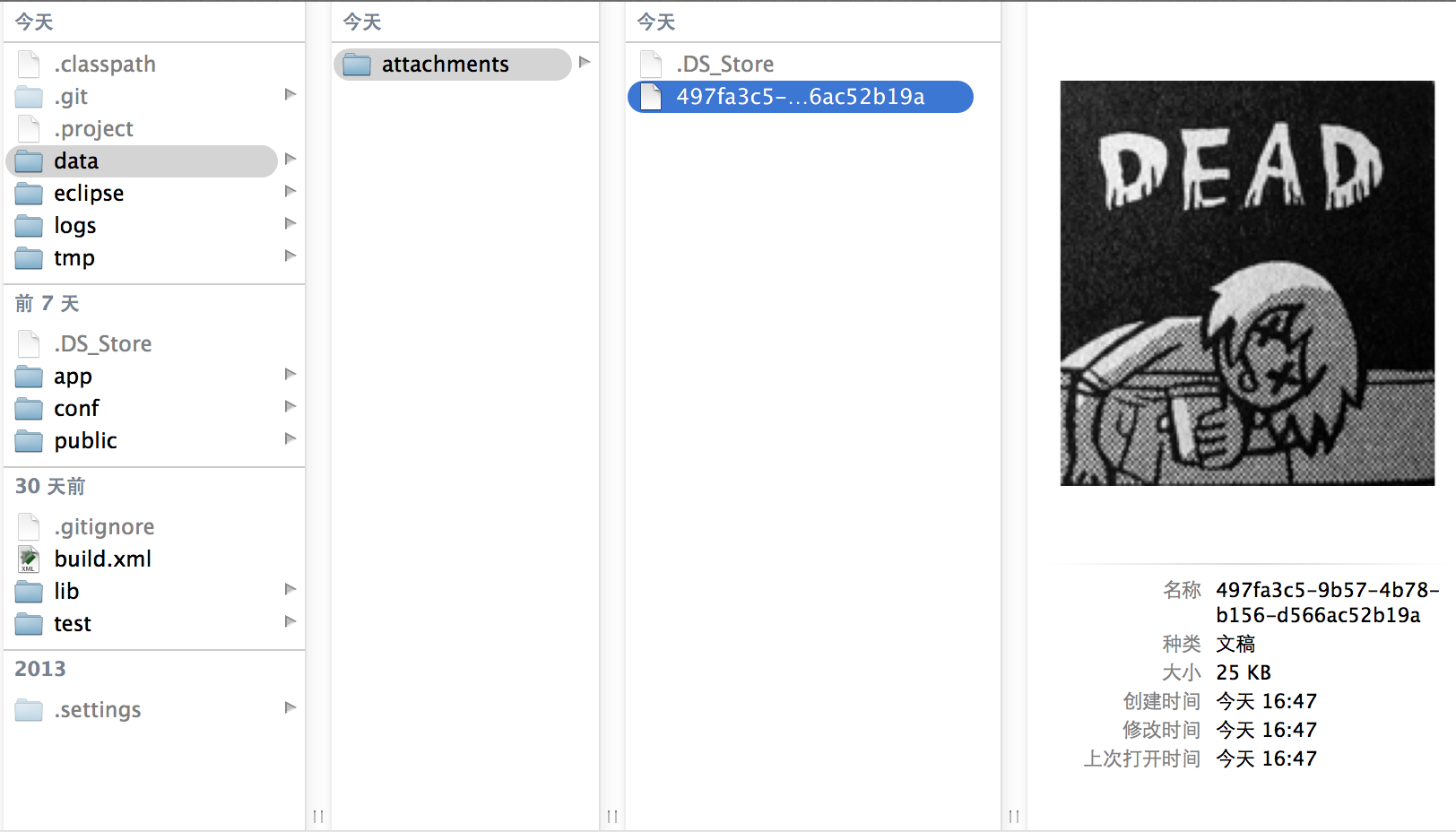
3) 运行,控制台输出如下。Finder里的确生成了这么个文件
/Users/apple/dev/workspace/workspace_git/weshop/data/attachments/497fa3c5-9b57-4b78-b156-d566ac52b19a
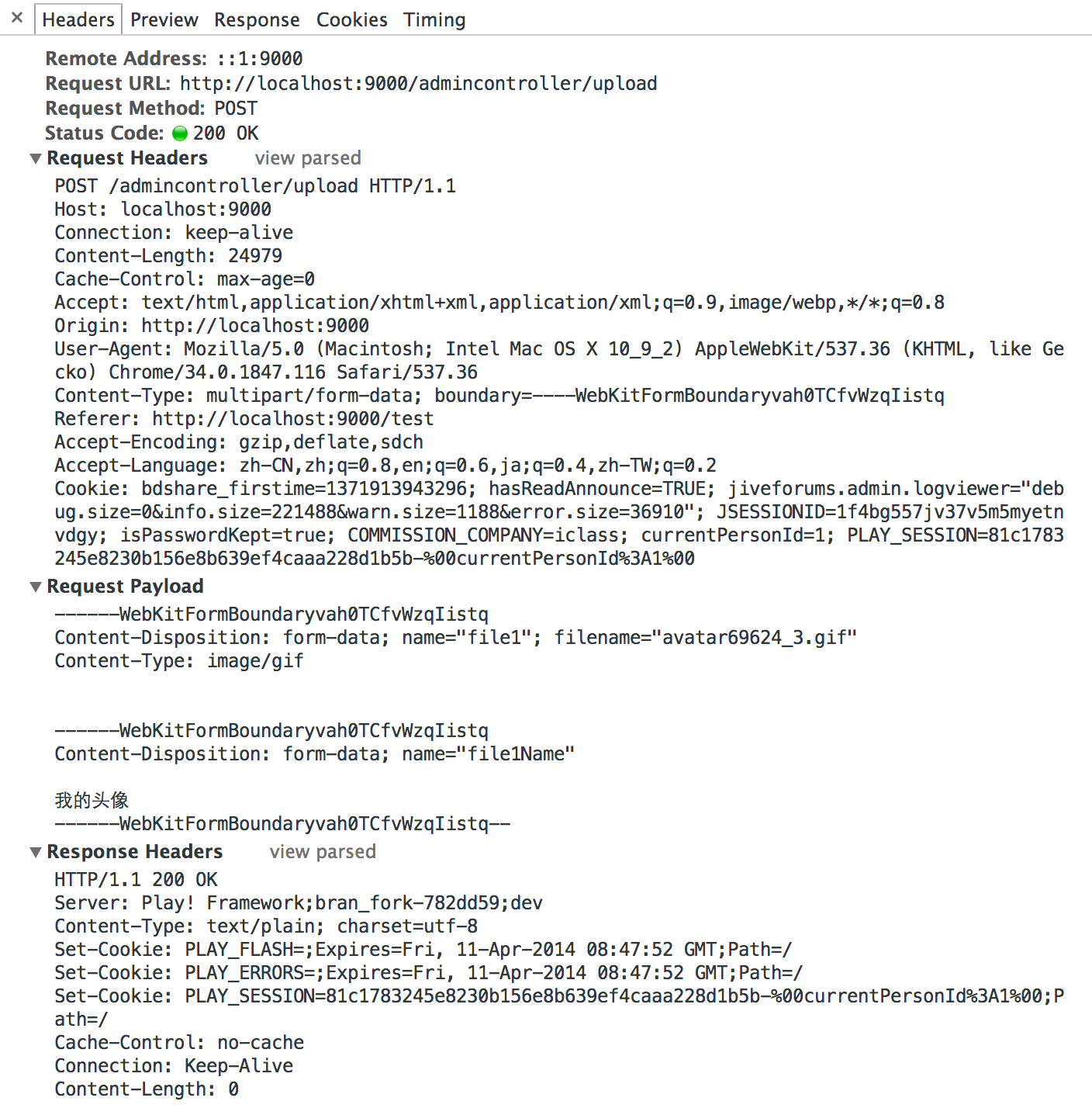
4) Chrome调试模式的Network请求分析如下(截图见文章最后)。主要看下面2个部分:
a) 请求头:定义请求的Content-Type以及请求体中的分隔符boundary
Content-Type: multipart/form-data; boundary=----WebKitFormBoundaryvah0TCfvWzqIistq
b) 请求体:以自定义的boundary来分隔form中定义的一个个参数,以此形式来构造请求体(每次都是—${boundary}+换行+数据描述+最后用—${boundary}--结束)
------WebKitFormBoundaryvah0TCfvWzqIistq

Content-Disposition: form-data; name="file1"; filename="avatar69624_3.gif"

Content-Type: image/gif

------WebKitFormBoundaryvah0TCfvWzqIistq

Content-Disposition: form-data; name="file1Name"

我的头像

------WebKitFormBoundaryvah0TCfvWzqIistq———
本地Finder中上传成功的文件路径(我的配置文件中定义attachments.path=data/attachments):
关于play!的attachments.path配置、以及关于Form表单上传请求的认识的更多相关文章
- PHP 后台程序配置config文件,及form表单上传文件
一,配置config文件 1获取config.php文件数组, 2获取form 表单提交的值 3保存更新config.php文件,代码如下: $color=$_POST['color']; $back ...
- Django框架之第二篇--app注册、静态文件配置、form表单提交、pycharm连接数据库、django使用mysql数据库、表字段的增删改查、表数据的增删改查
本节知识点大致为:静态文件配置.form表单提交数据后端如何获取.request方法.pycharm连接数据库,django使用mysql数据库.表字段的增删改查.表数据的增删改查 一.创建app,创 ...
- [转]ExtJs入门之filefield:文件上传的配置+结合Ajax完美实现文件上传的asp.net示例
原文地址:http://www.stepday.com/topic/?459 作文一个ExtJs的入门汉子,学习起来的确是比较费劲的事情,不过如今在这样一个网络资源如此丰富的时代,依然不是那么难了的. ...
- 配置php.ini实现PHP文件上传功能
本文介绍了如何配置php.ini实现PHP文件上传功能.其中涉及到php.ini配置文件中的upload_tmp_dir.upload_max_filesize.post_max_size等选项,这些 ...
- Maven配置jar(war)包自动打包上传Maven服务器的配置
Maven配置jar(war)包自动打包上传Maven服务器的配置 创建jar(war)包工程 创建一个maven工程 在工程中穿件一个测试类 配置pom.xml <distributionMa ...
- Android Studio如何配置CURL指令一键打包apk上传至蒲公英
Android Studio如何配置CURL指令一键打包apk上传至蒲公英 第一步:在所需要打包的模块build.gradle文件中加入如下代码: android{ buildTypes { //配置 ...
- vue3 element-plus 配置json快速生成form表单组件,提升生产力近600%(已在公司使用,持续优化中)
️本文为博客园社区首发文章,未获授权禁止转载 大家好,我是aehyok,一个住在深圳城市的佛系码农♀️,如果你喜欢我的文章,可以通过点赞帮我聚集灵力️. 个人github仓库地址: https:gi ...
- springmvc笔记(基本配置,核心文件,路径,参数,文件上传,json整合)
首先导入jar包 大家注意一下我的springmvc,jackson,common-up的jar包版本.其他版本有可能出现不兼容. src文件: webroot目录: web.xml <?xml ...
- 移动商城第四篇【Controller配置、添加品牌之文件上传和数据校验】
Controller层配置 编写SpringMVC的配置文件 springmvc.xml <?xml version="1.0" encoding="UTF-8&q ...
随机推荐
- SQL Server 中WITH (NOLOCK)浅析(转)
概念介绍 开发人员喜欢在SQL脚本中使用WITH(NOLOCK), WITH(NOLOCK)其实是表提示(table_hint)中的一种.它等同于 READUNCOMMITTED . 具体的功能作用 ...
- 打包的时候遇上找不到dll文件错误
1.保证dll文件和EXE文件处于同级目录下 我是在EXE同级文件目录下建立了一个Plugins文件并把dll文件夹放在这里面 2.但是因为建立的目录是x86_64,所以如果打包成windows平台选 ...
- memset函数用法及注意事项
头文件 #include<cstring>// or #include<memory.h> ------------------------------------------ ...
- c++primer 第三章编程练习答案
3.7.1 #include<iostream> int main() { using namespace std; ; int height,inch,foot; cout <&l ...
- LeetCode OJ:Combinations (排列组合)
Given two integers n and k, return all possible combinations of k numbers out of 1 ... n. For exampl ...
- @angular/cli项目构建--组件
环境:nodeJS,git,angular/cli npm install -g cnpm --registry=https://registry.npm.taobao.org cnpm instal ...
- HTML实用案例(1)—— 左侧菜单,右侧内容的布局(带左侧菜单点击隐藏显示效果)
效果图 代码部分 <!DOCTYPE html> <html> <head> <meta http-equiv="Content-Type" ...
- php操作EXCLE(通过phpExcle实现读excel数据)
<?phprequire_once('/PHPExcel/Reader/Excel2007.php');$objReader = new PHPExcel_Reader_Excel2007;$P ...
- Reinforcement Learning Q-learning 算法学习-2
在阅读了Q-learning 算法学习-1文章之后. 我分析了这个算法的本质. 算法本质个人分析. 1.算法的初始状态是随机的,所以每个初始状态都是随机的,所以每个初始状态出现的概率都一样的.如果训练 ...
- PageRank算法原理及实现
PageRank算法原理介绍 PageRank算法是google的网页排序算法,在<The Top Ten Algorithms in Data Mining>一书中第6章有介绍.大致原理 ...