
针对 Ocelot 网关的性能测试
一、背景
目前我们项目是采用的 Ocelot 作为 API 网关,并且在其基础上结合 IdentityServer4 开发了一套 API 开放平台。由于部分项目是基于 ABP 框架进行开发的,接口的平均 QPS 基本是在 2K~3K /S 左右 (E3 1231 16G)。采用 Ocelot 进行请求转发之后,前端反馈接口调用速度变慢了,也没有太过在意,以为是项目接口的问题,一直在接口上面尝试进行优化。
极限优化接口后仍然没有显著改善,故针对 Ocelot 的性能进行压力测试,得到的结果也是让我比较惊讶。
二、准备工作
2.1 测试项目准备
首先新建了一个解决方案,其名字为 OcelotStudy ,其下面有三个项目,分别是两个 API 项目和一个网关项目。

网关项目编写:
为 OcelotStudy 项目引入 Ocelot 的 NuGet 包。

在 OcelotStudy 项目的 Program.cs 文件当中显式指定我们网关的监听端口。
using Microsoft.AspNetCore.Hosting;

using Microsoft.Extensions.Hosting;

namespace OcelotStudy

{

    public class Program

    {

        public static void Main(string[] args)

        {

            CreateHostBuilder(args).Build().Run();

        }

        public static IHostBuilder CreateHostBuilder(string[] args) =>

            Host.CreateDefaultBuilder(args)

                .ConfigureWebHostDefaults(webBuilder =>

                {

                    // 指定监听端口为 5000

                    webBuilder.UseStartup<Startup>()

                        .UseKestrel(x=>x.ListenAnyIP(5000));

                });

    }

}
在 Startup.cs 类当中注入 Ocelot 的服务,并应用 Ocelot 的中间件。
using Microsoft.AspNetCore.Builder;

using Microsoft.AspNetCore.Hosting;

using Microsoft.Extensions.Configuration;

using Microsoft.Extensions.DependencyInjection;

using Microsoft.Extensions.Logging;

using Ocelot.DependencyInjection;

using Ocelot.Middleware;

namespace OcelotStudy

{

    public class Startup

    {

        public void ConfigureServices(IServiceCollection services)

        {

            // 禁用日志的控制台输出,防止由于线程同步造成的性能损失

            services.AddLogging(op => op.ClearProviders());

            services.AddMvc();

            services.AddOcelot(new ConfigurationBuilder().AddJsonFile("Ocelot.json").Build());

        }

        public async void Configure(IApplicationBuilder app, IHostingEnvironment env)

        {

            await app.UseOcelot();

            app.UseMvc();

        }

    }

}
在 OcelotStudy 项目下建立 Ocelot.json 文件,内容如下。
{

  "ReRoutes": [

    {

      "DownstreamPathTemplate": "/api/{everything}",

      "DownstreamScheme": "http",

      "DownstreamHostAndPorts": [

        {

          "Host": "API 1 服务器IP",

          "Port": 6000

        },

        {

          "Host": "API 2 服务器IP",

          "Port": 7000

        }

      ],

      "UpstreamPathTemplate": "/{everything}",

      "UpstreamHttpMethod": [ "Get", "Post" ],

      "LoadBalancerOptions": {

        "Type": "RoundRobin"

      }

    }

  ],

  "GlobalConfiguration": {

  }

}
测试项目的编写:
两个测试项目的监听端口分别为 6000 与 7000 ,都建立一个 ValuesController 控制器,返回一个字符串用于输出当前请求的 API 服务器信息。
ApiService01 的文件信息:
using Microsoft.AspNetCore.Mvc;

namespace ApiService01.Controllers

{

    [Route("api/[controller]")]

    [ApiController]

    public class ValuesController : ControllerBase

    {

        // GET api/values

        [HttpGet]

        public ActionResult<string> Get()

        {

            return "当前请求的 API 接口是 1 号服务器。";

        }

        // GET api/values/5

        [HttpGet("{id}")]

        public ActionResult<string> Get(int id)

        {

            return "value";

        }

        // POST api/values

        [HttpPost]

        public void Post([FromBody] string value)

        {

        }

        // PUT api/values/5

        [HttpPut("{id}")]

        public void Put(int id, [FromBody] string value)

        {

        }

        // DELETE api/values/5

        [HttpDelete("{id}")]

        public void Delete(int id)

        {

        }

    }

}
ApiService02 的文件信息:
using Microsoft.AspNetCore.Mvc;

namespace ApiService02.Controllers

{

    [Route("api/[controller]")]

    [ApiController]

    public class ValuesController : ControllerBase

    {

        // GET api/values

        [HttpGet]

        public ActionResult<string> Get()

        {

            return "当前请求的 API 接口是 2 号服务器。";

        }

        // GET api/values/5

        [HttpGet("{id}")]

        public ActionResult<string> Get(int id)

        {

            return "value";

        }

        // POST api/values

        [HttpPost]

        public void Post([FromBody] string value)

        {

        }

        // PUT api/values/5

        [HttpPut("{id}")]

        public void Put(int id, [FromBody] string value)

        {

        }

        // DELETE api/values/5

        [HttpDelete("{id}")]

        public void Delete(int id)

        {

        }

    }

}
他们两个的 Startup.cs 与 Program.cs 文件内容基本一致,区别只是监听的端口分别是 6000 和 7000 而已。
using Microsoft.AspNetCore.Hosting;

using Microsoft.Extensions.Hosting;

namespace ApiService02

{

    public class Program

    {

        public static void Main(string[] args)

        {

            CreateHostBuilder(args).Build().Run();

        }

        public static IHostBuilder CreateHostBuilder(string[] args) =>

            Host.CreateDefaultBuilder(args)

                .ConfigureWebHostDefaults(webBuilder =>

                {

                    webBuilder.UseStartup<Startup>();

                    webBuilder.UseKestrel(x => x.ListenAnyIP(6000)); // 或者 7000

                });

    }

}
using Microsoft.AspNetCore.Builder;

using Microsoft.AspNetCore.Hosting;

using Microsoft.Extensions.Configuration;

using Microsoft.Extensions.DependencyInjection;

using Microsoft.Extensions.Logging;

namespace ApiService02

{

    public class Startup

    {

        public Startup(IConfiguration configuration)

        {

            Configuration = configuration;

        }

        public IConfiguration Configuration { get; }

        // This method gets called by the runtime. Use this method to add services to the container.

        public void ConfigureServices(IServiceCollection services)

        {

            // 禁用日志的控制台输出,防止由于线程同步造成的性能损失

            services.AddLogging(op => op.ClearProviders());

            services.AddMvc();

        }

        // This method gets called by the runtime. Use this method to configure the HTTP request pipeline.

        public void Configure(IApplicationBuilder app, IHostingEnvironment env)

        {

            app.UseRouting(routes => { routes.MapApplication(); });

        }

    }

}
以上三个项目都采用 Release 版本进行发布。
dotnet publish -c Release
ApiService01 部署在单独的 E3 1231 v3 16G DDR3 服务器。
ApiService02 部署在单独的 i3-7100 16G DDR4 服务器。
OcelotStudy 部署在单独的 E3 1231 v3 16G DDR3 服务器。
三、开始测试
这里我使用的是 WRK 来进行压力测试,OcelotStudy 网关项目的 IP 地址为 172.31.61.41:5000 ,故使用以下命令进行测试。
./wrk -t 10 -c 10000 -d 20s --latency --timeout 3s "http://172.31.61.41:5000/values"
测试结果:
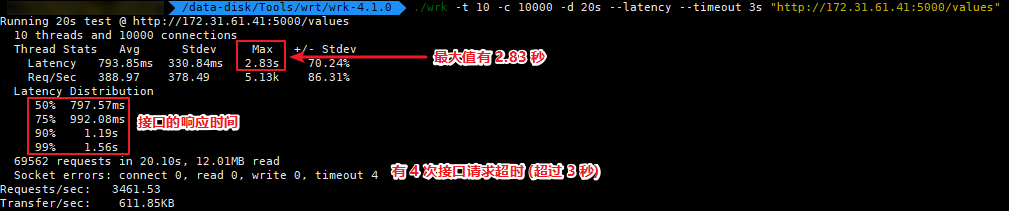
我将 ApiService01 项目放在网关的服务器,直接调用 ApiService01 的接口,其压力测试情况。

四、结语
最后 Ocelot 的 QPS 结果为:3461.53
直接请求 API 接口的 QPS 结果为:38874.50
这样的结果让我感到很意外,不知道是由于 Ocelot 实现机制的原因,还是我的使用方法不对。这样的性能测试结果数据对于 API 网关来说确实不太好看,但也希望今后 Ocelot 能够继续努力。
如果大家对于我的测试方式有疑问的话,可以在评论区指出,我将按照你所提供的方法再次进行测试。(PS: 我也不想换啊,多希望是我测错了)
五、原生 API、Ocelot、Kong API 性能比较
针对于评论区各位朋友所提出的建议,以及我最近针对 Ocelot 的再次测试,整理出来一份测试结果的表格。以下结果均是单节点进行部署,如果使用 LB + API 集群的话是可以有效提升吞吐量。
| 使用的网关 | 测试时间 | 并发数 | 总请求 | QPS | 超时数量 | 平均响应 |
|---|---|---|---|---|---|---|
| 没有使用网关 | 1 分钟 | 15000 | 2495541 | 41518.07 | 1592 | 115.98 ms |
| Kong API | 1 分钟 | 15000 | 690141 | 11478.06 | 43997 | 860.31 ms |
| Ocelot | 1 分钟 | 15000 | 277627 | 4618.98 | 1795 | 1.7 s |
| 没有使用网关 | 1 分钟 | 5000 | 2530107 | 42111.44 | 0 | 115.48 ms |
| Kong API | 1 分钟 | 5000 | 866449 | 14418.25 | 3090 | 383.75 ms |
| Ocelot | 1 分钟 | 5000 | 307226 | 5113.09 | 78 | 932.19 ms |
| 没有使用网关 | 10 分钟 | 8000 | 13080964 | 21797.98 | 103 | 364.97 ms |
| Kong API | 10 分钟 | 8000 | 4809613 | 8014.7 | 305503 | 636.41 ms |
| Ocelot | 10 分钟 | 8000 | 2558431 | 4263.34 | 2137 | 1.84 s |
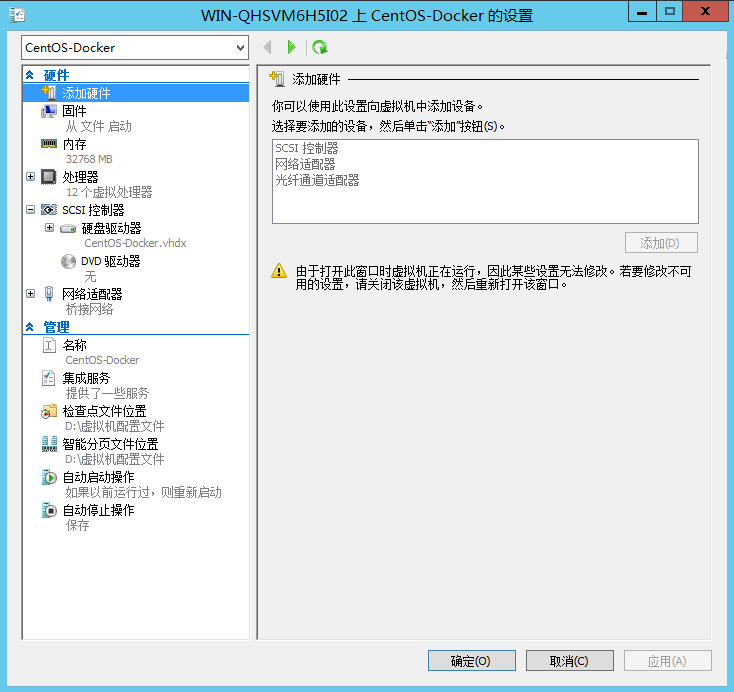
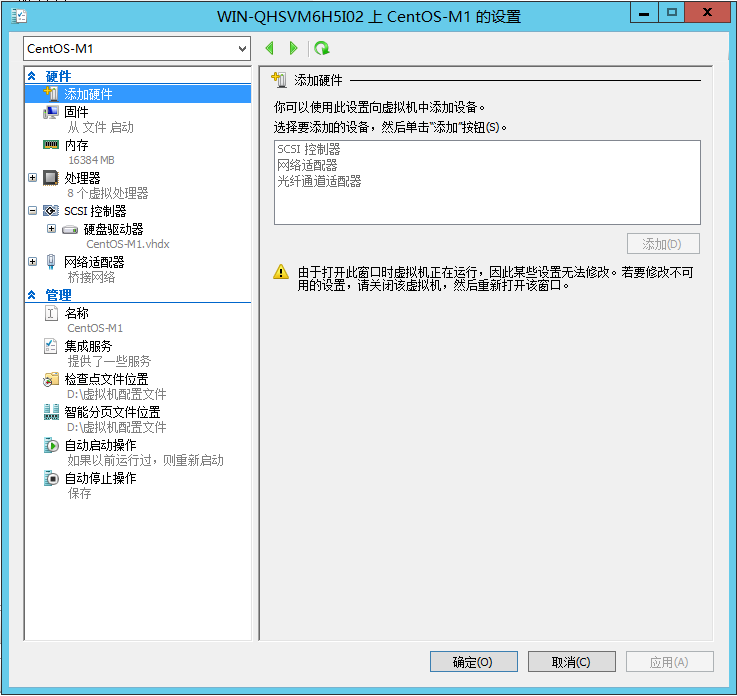
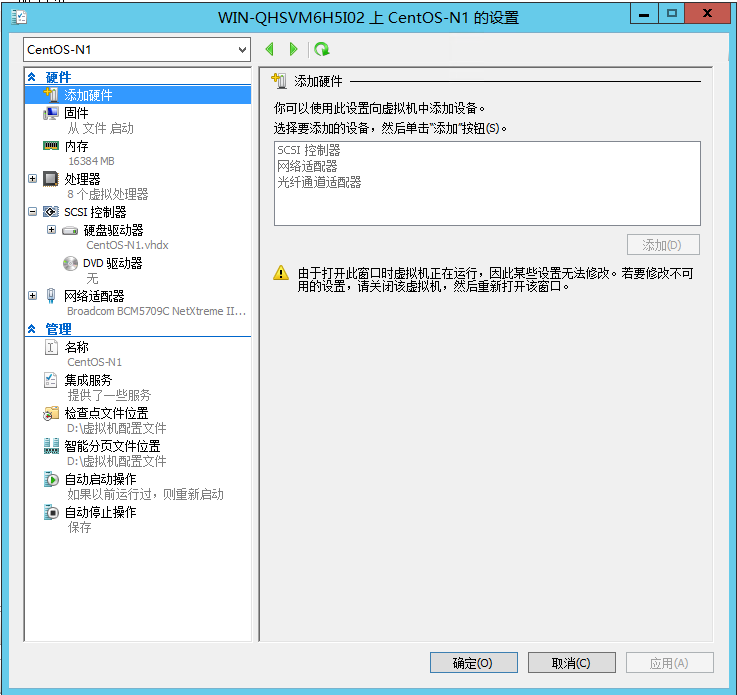
Ocelot 与 Kong 均部署在一台 32G 12C 3.0Ghz 的 CentOS 服务器上,API 1 与 API 2 部署在 8C 16G 3.0 Ghz 的服务器上,所有环境都是基于 Docker CE 进行部署。
另外针对于 Kong API 不知道是我使用方式不对还是什么情况,其网络吞吐量经常波动,如下图,还请不吝赐教。

网关服务器:
API 1 与 API 2 服务器:
针对 Ocelot 网关的性能测试的更多相关文章
- .net core下,Ocelot网关与Spring Cloud Gateway网关的对比测试
有感于 myzony 发布的 针对 Ocelot 网关的性能测试 ,并且公司下一步也需要对.net和java的应用做一定的整合,于是对Ocelot网关.Spring Cloud Gateway网关做个 ...
- 庐山真面目之六微服务架构Consul集群、Ocelot网关集群和Nginx版本实现
庐山真面目之六微服务架构Consul集群.Ocelot网关集群和Nginx版本实现 一.简介 在上一篇文章<庐山真面目之五微服务架构Consul集群.Ocelot网关和Nginx版本实 ...
- .Net Core 商城微服务项目系列(三):Ocelot网关接入Grafana监控
使用网关之后我们面临的一个问题就是监控,我们需要知道网关的实时状态,比如当前的请求吞吐量.请求耗费的时间.请求峰值甚至需要知道具体哪个服务的哪个方法花费了多少时间.网关作为请求的中转点是监控品牌的要塞 ...
- Ocelot网关+IdentityServer4实现API权限认证
Ocelot是一个用.NET Core实现并且开源的API网关,它功能强大,包括了:路由.请求聚合.服务发现.认证.鉴权.限流熔断.并内置了负载均衡器与Service Fabric.Butterfly ...
- 庐山真面目之七微服务架构Consul集群、Ocelot网关集群和IdentityServer4版本实现
庐山真面目之七微服务架构Consul集群.Ocelot网关集群和IdentityServer4版本实现 一.简介 在上一篇文章<庐山真面目之六微服务架构Consul集群.Ocelot网 ...
- 庐山真面目之十二微服务架构基于Docker搭建Consul集群、Ocelot网关集群和IdentityServer版本实现
庐山真面目之十二微服务架构基于Docker搭建Consul集群.Ocelot网关集群和IdentityServer版本实现 一.简介 在第七篇文章<庐山真面目之七微服务架构Consul ...
- 微服务之十四如何在 Ocelot 网关中配置多实例 Swagger 访问
一.介绍 当我们开发基于微服务的应用程序的时候,有一个环节总是跳不过去的,那就是要创建 WebApi,然后,我们的应用程序基于 WebApi 接口去访问.在没有 Swagger 以前,我们开发好了 W ...
- 针对C#程序做性能测试的一些基本准则
博客搬到了fresky.github.io - Dawei XU,请各位看官挪步.最新的一篇是:针对C#程序做性能测试的一些基本准则.
- 基于.NET平台的Ocelot网关框架教程汇总
Ocelot 框架是基于.NET 开发的 API 网关,API网关是系统内部服务暴露在外部的一个访问入口,类似于代理服务器,就像一个公司的门卫承担着寻址.限制进入.安全检查.位置引导等工作,我们可以形 ...
随机推荐
- arcgis js 鼠标点和绘制的点位有偏移
问题描述:鼠标点和绘制的点位有偏移 问题原因:地图DIV中包含了一个面板DIV,停靠在了地图页面的左边,隐藏掉就是正确了 解决方法:重写DIV样式,让左边DIV与地图DIV平级排列.
- DS博客作业01—日期抽象数据类型设计与实现
1.本章学习总结 1.1 思维导图 1.2学习体会 开学就来了个大作业,还要求用的是c++语法,作为一个只听过没学过的未知语法,靠着CSDN和寝室大佬的帮助下渐渐地了解了一些c++的使用,现在也可以使 ...
- 【java】-- 多线程之间实现通讯
1.多线程之间如何实现通讯 1.1.什么是多线程之间通讯? 多线程之间通讯,其实就是多个线程在操作同一个资源,但是操作的动作不同. 画图演示 1.2.多线程之间通讯需求 需求:第一个线程写入(inpu ...
- 关于JQ中,新生成的节点on绑定事件失效的解决
老旧的JQ库在做新生成DIV的click事件绑定,需要先绑定其现有的父元素,在追踪到需要事件绑定的子节点上 如以下这段代码$(".t_in").on("click&quo ...
- ABAQUS/CAE——Context
Part(部分) 用户在Part单元内生成单个部件,可以直接在ABAQUS/CAE环境下用图形工具生成部件的几何形状,也可以从其他的图形软件输入部件.详细可参考ABAQUS/CAE用户手册第15章. ...
- 基础java中的package的命名规则和import的使用
包的命名一般用公司域名但是注意域名后辍要放前面如下 package com.cnblogs.i.Cat//对应地址是com/cnblos/i/cat.class也就是Cat.class的地址 如果想将 ...
- EXCLE 导入 或 导出
首先要引用 NPOI.dll (可在网上下载!)//导入public void OnSubmit() { string path = Server.MapPat ...
- mysql远程访问以及权限设置
前几天看见有人问数据库怎么远程访问,当时想不是很简单么,以前就用Navicat连接过服务器数据库,一连就连上了.然后自己试了试...不行.什么情况??!!!报的错误是100061,网上一搜,是权限问题 ...
- windows系统dos窗口全屏
第一次进入博客园 2017年12月7日 之前使用dos窗口时都输入的是简短的指令,今天突然感觉小框看着不舒服,就找了一下度娘,在这里感谢万能的百度,一鞠躬. 1.win+r打开dos命令窗口 2.cm ...
- rest_framework之认证源码剖析
如果我们写API有人能访问,有人不能访问,则需要些认证. 如何知道该用户是否已登入? 如果用户登入成功,则给用户一个随机字符串,去访问另一个页面. 以前写session的时候,都是把session写c ...