
shell for 循环实践
for循环语法结构如下
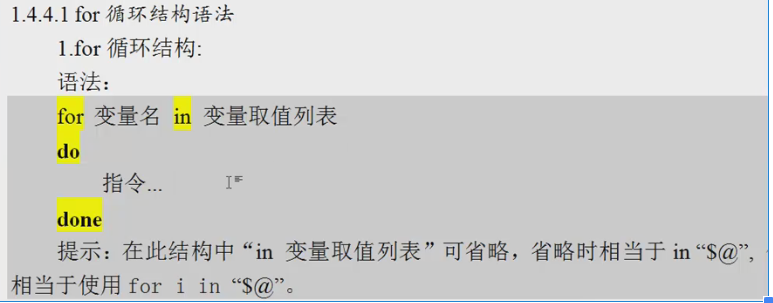
[root@backup tmp]# cat .sh

#!/bin/bash

for i in `seq `

do

    echo $i

done

[root@backup tmp]# sh .sh

3

批量修改文件名
[root@backup tmp]# ll *.txt
-rw-r--r-- 1 root root 0 May 11 21:34 1.txt
-rw-r--r-- 1 root root 0 May 11 21:34 2.txt
-rw-r--r-- 1 root root 0 May 11 21:34 3.txt
-rw-r--r-- 1 root root 0 May 11 21:34 4.txt
-rw-r--r-- 1 root root 0 May 11 21:34 5.txt
[root@backup tmp]#
[root@backup tmp]# cat 2.sh
#!/bin/bash
cd /tmp
for filename in `ls|grep "txt$"`
do
mv $filename `echo $filename |cut -d . -f1`.gif
done
[root@backup tmp]# sh 2.sh
[root@backup tmp]# ll
total 8
-rw-r--r-- 1 root root 0 May 11 21:34 1.gif
-rw-r--r-- 1 root root 49 May 11 21:33 1.sh
-rw-r--r-- 1 root root 0 May 11 21:34 2.gif
-rw-r--r-- 1 root root 115 May 11 21:39 2.sh
-rw-r--r-- 1 root root 0 May 11 21:34 3.gif
-rw-r--r-- 1 root root 0 May 11 21:34 4.gif
-rw-r--r-- 1 root root 0 May 11 21:34 5.gif
create table t1 (id int(4),name varchar(10));
insert into t1(id,name) values (1,'martin');
分库备份mysql数据库
[root@lnmp01 ~]# cat 1.sh
#!/bin/bash
PATH="application/mysql/bin:$PATH"
DBPATH=/server/backup
MYSQLROOT=root
MYPASS=hello123
SOCKET=/tmp/mysql.sock
MYCMD="mysql -u$MYSQLROOT -p$MYPASS -S $SOCKET"
MYDUMP="mysqldump -u$MYSQLROOT -p$MYPASS -S $SOCKET"
[ ! -d $DBPATH ]&& mkdir -p $DBPATH
for dbname in `$MYCMD -e "show databases;"|sed '1,2d'|egrep -v "mysql|schema"` #获取数据库名
do
$MYDUMP $dbname |gzip >$DBPATH/${dbname}_$(date +%F).sql.gz
done
[root@lnmp01 ~]#
[root@lnmp01 ~]# sh 1.sh
[root@lnmp01 ~]# ll /server/backup/
total 12
-rw-r--r-- 1 root root 680 Sep 20 12:16 discusz_2017-09-20.sql.gz
-rw-r--r-- 1 root root 7693 Sep 20 12:16 wordpress_2017-09-20.sql.gz
shell for 循环实践的更多相关文章
- Linux 之Shell for循环
@代表所有参数所以如果后面跟上echo $v你会发现他会一次显示user userdebug eng $poo -le ${#prodlist[@]} 这句话是说 $poo小于等于prodlist中的 ...
- Shell脚本最佳实践
Shell脚本最佳实践 0. 编码.缩进.文件命名和权限设置等 使用utf-8编码: 统一使用tab缩进或空格缩进,不要混用: 文件名以.sh结尾,并且统一风格: 添加可执行权限: chmod +x ...
- Linux Shell系列教程之(十二)Shell until循环
本文是Linux Shell系列教程的第(十二)篇,更多Linux Shell教程请看:Linux Shell系列教程 在上两篇文章Linux Shell系列教程之(十)Shell for循环和Lin ...
- shell for循环+case的脚本(监控程序状态)
分享一个shell for循环+case的脚本(监控程序状态) 分享一个for循环+case的脚本(监控程序状态并执行相关操作) ,供大家学习参考. 复制代码代码如下: #/bin/bash set ...
- shell 各种循环判断
shell支持的循环有 Shell if else Shell case esac Shell for循环 Shell while循环 Shell until循环
- shell脚本--循环结构
shell的循环结构有while和for两种 for循环 #!/bin/bash #文件名:test.sh i=4 for i in 2 4 6 8 10 do echo $i done echo $ ...
- Linux Shell系列教程之(十一)Shell while循环
本文是Linux Shell系列教程的第(十一)篇,更多Linux Shell教程请看:Linux Shell系列教程 在上一篇Linux Shell系列教程之(十)Shell for循环中,我们已经 ...
- Linux Shell系列教程之(十)Shell for循环
本文是Linux Shell系列教程的第(十)篇,更多Linux Shell教程请看:Linux Shell系列教程 基本任何语言都有自己的循环语句,Shell当然也不例外,今天就为大家介绍下Shel ...
- shell脚本-循环选择语句
shell脚本-循环选择语句 过程式编程语言: 顺序执行 选择执行 循环执行 注:条件中的变量,可以在执行语句中使用,不用在加上"$". if语句 根据命令的退出状态来执行命令 单 ...
随机推荐
- Oracle小知识_长期总结
更新时间:2018年7月16日 11:22:28 一. 系统 1. 打开防火墙后 Oracle 无法链接 新建1521端口规则. 二.知识 A. 序列 1. nextval ------------- ...
- ipynb-->pdf
ipython nbconvert notebookname.ipynb --to latex --post pdf
- STL之deque用法
deque:双端队列 底层是一个双向链表. 常用的有队列的尾部入队.首部出队. 普通队列:queuequeue 模板类的定义在<queue>头文件中.与stack 模板类很相似,queue ...
- innobackup 参数
innobackupex [--compress] [--compress-threads=NUMBER-OF-THREADS] [--compress-chunk-size=CHUNK-SIZE] ...
- k8s的储存方式简述
pod中的存储卷类型:1.emptyDir:用于临时储存空间,无持久性储存功能,生命周期同pod容器,pod删除后,数据不再存在.2.gitRepo:pod创建时,自动将云端仓库中的文件克隆到pod挂 ...
- Shell脚本使用汇总整理——达梦数据库备份脚本
Shell脚本使用汇总整理——达梦数据库备份脚本 Shell脚本使用的基本知识点汇总详情见连接: https://www.cnblogs.com/lsy-blogs/p/9223477.html 脚本 ...
- Linux时区修改
Linux修改时区的正确方法 CentOS和Ubuntu的时区文件是/etc/localtime,但是在CentOS7以后localtime以及变成了一个链接文件 [root@centos7 ~]# ...
- 无线Web开发
http://am-team.github.io/amg/dev-exp-doc.html
- C语言的位运算的优势 !
位运算加速技巧1. 如果乘上一个2的倍数数值,可以改用左移运算(Left Shift) 加速 300% x = x * 2; x = x * 64; //改为: x = x << 1; / ...
- Compiler Error Message: CS0016: Could not write to output
打开网页是报错: Server Error in '/' Application. Compilation Error Description: An error occurred during th ...