
beego 框架基本使用 && 知识点整理
beego 官网的教程已经整理的非常详细了,但作为一个刚接触的学习者,还是有必要做一下整理,这样在后面使用的时候遇到了不太熟悉的地方,还能反过头来看下自己整理的内容,快速的把知识再捞回来,下面是对官网的一个精简整理,同时结合一些例子,更好的理解和使用 beego 这个框架去做一些 web 开发
beego 官网地址:https://beego.me
beego 与 bee 的安装
//beego 框架

go get github.com/astaxie/beego

//bee工具

go get github.com/beego/bee
bee 工具是一个为了协助快速开发 beego 项目而创建的项目工具,通过 bee 可以很容易的进行 beego 项目的创建,热编译,开发,测试和部署。
当我们安装好 bee 工具后,bee 命令默认是放在 GOPATH/bin 目录下
bee 常用命令
1)bee new <项目名>
创建一个项目,这样的项目一般是 web 项目
bee new MyWeb
需要注意的是,这个命令会在 $GOPATH/src 目录下生成框架代码,目录结构是:
├── conf

│   └── app.conf

├── controllers

│   └── default.go

├── main.go

├── models

├── routers

│   └── router.go

├── static

│   ├── css

│   ├── img

│   └── js

│       └── reload.min.js

├── tests

│   └── default_test.go

└── views

    └── index.tpl
2)bee api <api项目名>
bee api MyAPI
创建一个 api 项目,目录结构是:
├── conf

│   └── app.conf

├── controllers

│   ├── object.go

│   └── user.go

├── main.go

├── models

│   ├── object.go

│   └── user.go

├── routers

│   └── router.go

└── tests

    └── default_test.go
3)bee run
这个命令是监控 beego 的项目,通过 fsnotify 监控文件系统,但是注意该命令必须在 $GOPATH/src/appname 目录下执行,否则提示:Failed to build the application
这样当我们在开发过程中,beego 可以实时监测我们的代码文件发生变化,这样我们就不用重新编译运行,非常方便调试
通过 bee run 运行上面创建的 MyWeb 项目:
D:\golang_workspace\project\src\MyWeb>bee run

______

| ___ \

| |_/ /  ___   ___

| ___ \ / _ \ / _ \

| |_/ /|  __/|  __/

\____/  \___| \___| v1.10.0

2019/07/15 22:43:59 INFO     ▶ 0001 Using 'MyWeb' as 'appname'

2019/07/15 22:43:59 INFO     ▶ 0002 Initializing watcher...

github.com/shiena/ansicolor

github.com/astaxie/beego/config

github.com/astaxie/beego/vendor/gopkg.in/yaml.v2

github.com/astaxie/beego/toolbox

github.com/astaxie/beego/utils

github.com/astaxie/beego/grace

github.com/astaxie/beego/vendor/golang.org/x/crypto/acme

github.com/astaxie/beego/logs

github.com/astaxie/beego/session

github.com/astaxie/beego/vendor/golang.org/x/crypto/acme/autocert

github.com/astaxie/beego/context

github.com/astaxie/beego/context/param

github.com/astaxie/beego

MyWeb/controllers

MyWeb/routers

MyWeb

2019/07/15 22:44:02 SUCCESS  ▶ 0003 Built Successfully!

2019/07/15 22:44:02 INFO     ▶ 0004 Restarting 'MyWeb.exe'...

2019/07/15 22:44:02 SUCCESS  ▶ 0005 './MyWeb.exe' is running...

2019/07/15 22:44:02.644 [I] [asm_amd64.s:1337]  http server Running on http://:8080
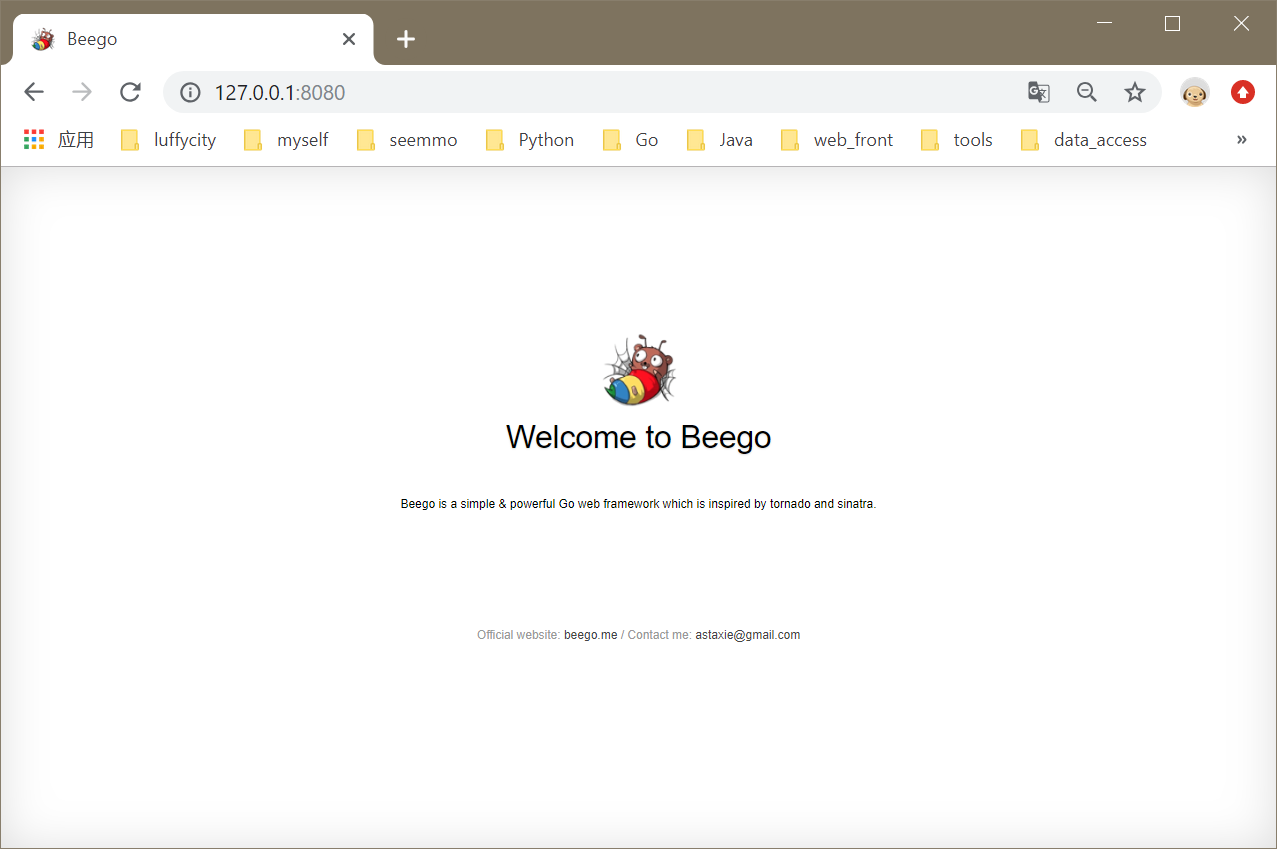
通过浏览器访问:http:127.0.0.1:8080,可以看到下图所示:
beego 架构
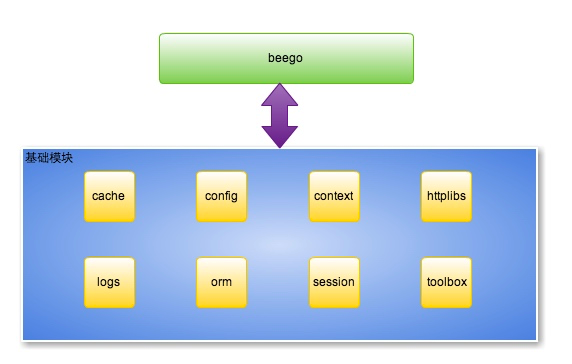
1)beego 架构图
这是 beego 的 8 个独立的模块:
2)beego 执行逻辑
由图可知,beego 是一个典型的 MVC 架构,
从上面的 MyWeb 的目录接口也可以看出来,M(models)、V(views)和 C(controllers)的结构

beego 路由设置
1)beego main
package main

import (

	_ "MyWeb/routers"

	"github.com/astaxie/beego"

)

func main() {

	beego.Run()

}
引入了一个包 "MyWeb/routers",下面看一下这个包的内容
2)routers
这里仅仅做了一个优化,路由包里面我们看到了 beego.Router() 方法执行了路由注册,这个方法是映射 url 到 controller
第一个参数是 url(用户的请求地址),这里注册的是 "/",也就是我们访问的根路由,第二个参数是对应的 controller,也就是即将把请求分发到哪个控制器来执行相应的逻辑
package routers

import (

	"MyWeb/controllers"

	"github.com/astaxie/beego"

)

func init() {

    beego.Router("/", &controllers.MainController{})

}
对路由设置的一个小结:
- Router() 方法设置 url 和 controller
- 程序启动时,路由配置加载好,保存在 map 中
- 请求处理时,通过请求的 url 进行查找对应的 controller,把请求分发到 controller 执行
- 我们的要做的是在 controller 中编写业务代码即可
3)controller
对下面代码进行简单分析:
- 用户的 controller 嵌套 beego.Controller,继承 beego.Controller 所有属性和方法
- Controller 默认使用 restful 的风格,Get 请求对应 Get() 方法
- 通过对应的业务处理之后,把数据赋值给 Controller.Data 这个 map 即可
c.TplName = "index.tpl" 会默认到 views 目录下查找模板文件
package controllers

import (

	"github.com/astaxie/beego"

)

type MainController struct {

	beego.Controller  //这里可以看做是继承

}

func (c *MainController) Get() {

	c.Data["Website"] = "beego.me"

	c.Data["Email"] = "astaxie@gmail.com"

	c.TplName = "index.tpl"

}
除了上面的 c.Data 这种方法之外,还有其它方法返回响应数据,如常用的 c.ServerJson() 方法,这样就会去 c.Data 中寻找 key 为 json 的值
用户设置了模板之后系统会自动调用 Render() 函数(这个函数是在 beego.Controller 中实现的),所以无需用户自己来调用渲染
当然也可以不使用模板,直接用 c.Ctx.WriteString() 方法输出字符串,如:
func (c *MainController) Get() {

        c.Ctx.WriteString("hello")

}
4)正则路由
beego.Router("/api/?:id", &controllers.RController{}) 默认匹配 //匹配 /api/123 :id = 123 可以匹配 /api/ 这个URL
beego.Router("/api/:id", &controllers.RController{}) 默认匹配 //匹配 /api/123 :id = 123 不可以匹配 /api/ 这个URL
beego.Router("/api/:id([0-9]+)", &controllers.RController{}) 自定义正则匹配 //匹配 /api/123 :id = 123
beego.Router("/user/:username([\w]+)", &controllers.RController{}) 正则字符串匹配 //匹配 /user/astaxie :username = astaxie
beego.Router("/download/*.*", &controllers.RController{}) *匹配方式 //匹配 /download/file/api.xml :path= file/api :ext=xml
beego.Router("/download/ceshi/*", &controllers.RController{}) *全匹配方式 //匹配 /download/ceshi/file/api.json :splat=file/api.json
beego.Router("/:id:int", &controllers.RController{}) int 类型设置方式,匹配 :id为int 类型,框架帮你实现了正则 ([0-9]+)
beego.Router("/:hi:string", &controllers.RController{}) string 类型设置方式,匹配 :hi 为 string 类型。框架帮你实现了正则 ([\w]+)
beego.Router("/cms_:id([0-9]+).html", &controllers.CmsController{}) 带有前缀的自定义正则 //匹配 :id 为正则类型。匹配 cms_123.html 这样的 url :id = 123
可以在 Controller 中通过如下方式获取上面的变量:
this.Ctx.Input.Param(":id")
this.Ctx.Input.Param(":username")
this.Ctx.Input.Param(":splat")
this.Ctx.Input.Param(":path")
this.Ctx.Input.Param(":ext")
自定义方法及 RESTful 规则:
beego.Router("/", &IndexController{}, "*:Index")
使用第三个参数,第三个参数就是用来设置对应 method 到函数名,定义如下
- *表示任意的 method 都执行该函数
- 使用 httpmethod:funcname 格式来展示
- 多个不同的格式使用 ; 分割
- 多个 method 对应同一个 funcname,method 之间通过 , 来分割
beego.Router("/api",&RestController{},"get,post:ApiFunc")
可用的 HTTP Method:
- *: 包含以下所有的函数
- get: GET 请求
- post: POST 请求
- put: PUT 请求
- delete: DELETE 请求
- patch: PATCH 请求
- options: OPTIONS 请求
- head: HEAD 请求
如果同时存在 * 和对应的 HTTP Method,那么优先执行 HTTP Method 的方法
beego model
web 应用中用的最多的就是数据库操作,而 model 层一般用来做这些操作,bee new 例子不存在 model 的演示,但是 bee api 应用中存在 model 的应用,说的简单一点,如果你的应用足够简单,那么 Controller 可以处理一切的逻辑,如果你的逻辑里面存在着可以复用的东西,那么就抽取出来变成一个模块,因此 model 是逐步抽象的过程
beego views
beego 模板默认支持 .tpl 和 .html 两种后缀
beego.AddTemplateExt() 方法增加新的模板后缀
beego 模板用的就是 Go 官网自带的模板
beego static
beego 默认注册了 static 目录为静态处理的目录
注册样式:url 前缀和映射的目录(在 /main.go 文件中 beego.Run() 之前加入)
StaticDir["/static"] = "static"
beego 默认使用 static 目录作为静态文件目录
beego.SetStaticPath() 方法增加新的静态文件目录
beego conf(配置文件)
默认的配置文件内容:
appname = MyWeb

httpport = 8080

runmode = dev
增加配置文件内容:
appname = MyWeb

httpport = 8080

runmode = dev

mysqlhost = 127.0.0.1

mysqlport = 3308

username = root

passwd = 123
获取配置文件中变量的值:
beego.AppConfig.String("mysqlhost")

beego.AppConfig.String("mysqlport")
可以通过 [命名] 的方式将配置文件进行分组,然后在获取变量时,可以通过下面的方式获取
设置变量的值:
appname = MyWeb

httpport = 8080

runmode = dev

[dbconfig]

mysqlhost = 127.0.0.1

mysqlport = 3308

username = root

passwd = 123
获取变量的值:
beego.AppConfig.String("dbconfig::mysqlhost")

beego.AppConfig.String("dbconfig::mysqlport")
Appconfig 的方法如下:
Set(key, val string) error

String(key string) string

Strings(key string) []string

Int(key string) (int, error)

Int64(key string) (int64, error)

Bool(key string) (bool, error)

Float(key string) (float64, error)

DefaultString(key string, defaultVal string) string

DefaultStrings(key string, defaultVal []string)

DefaultInt(key string, defaultVal int) int

DefaultInt64(key string, defaultVal int64) int64

DefaultBool(key string, defaultVal bool) bool

DefaultFloat(key string, defaultVal float64) float64

DIY(key string) (interface{}, error)

GetSection(section string) (map[string]string, error)

SaveConfigFile(filename string) error
获取用户请求参数
Controller 中的方法获取(不论是 post 还是 get 的请求方式,都可以通过上面的方式获取)
- GetString(key string) string
- GetStrings(key string) []string
- GetInt(key string) (int64, error)
- GetBool(key string) (bool, error)
- GetFloat(key string) (float64, error)
如果在平常开发中肯定涉及到 json 格式的数据,那么获取 json 格式的数据可以通过下面的方法:
Ctx.Input.RequestBody //获取原始数据
配置文件里设置 copyrequestbody = true,这样就可以通过 c.Ctx.Input.RequestBody 获取了
参考链接:https://www.cnblogs.com/zhaof/p/8620635.html
ending ~
beego 框架基本使用 && 知识点整理的更多相关文章
- Beego 框架学习(一)
Beego官网本身已经整理的非常详细了,但是作为一个学习者,我还是决定自己好好整理一下,这样在后面使用的时候自己对每部分才能非常熟悉,及时忘记了,也可以迅速定位自己要用的知识在哪里.当然也是对官网的一 ...
- vue前端面试题知识点整理
vue前端面试题知识点整理 1. 说一下Vue的双向绑定数据的原理 vue 实现数据双向绑定主要是:采用数据劫持结合发布者-订阅者模式的方式,通过 Object.defineProperty() 来劫 ...
- 【Android 面试基础知识点整理】
针对Android面试中常见的一些知识点整理,Max 仅仅是个搬运工.感谢本文中引用文章的各位作者,给大家分享了这么多优秀文章.对于当中的解析,是原作者个人见解,有错误和不准确的地方,也请大家积极指正 ...
- web前端面试知识点整理
一.HTML5新特性 本地存储 webStorage websocket webworkers新增地理位置等API对css3的支持canvas多媒体标签新增表单元素类型结构标签:header nav ...
- golang学习之beego框架配合easyui实现增删改查及图片上传
golang学习之beego框架配合easyui实现增删改查及图片上传 demo目录: upload文件夹主要放置上传的头像文件,main是主文件,所有效果如下: 主页面: 具体代码: <!DO ...
- ACM个人零散知识点整理
ACM个人零散知识点整理 杂项: 1.输入输出外挂 //读入优化 int 整数 inline int read(){ int x=0,f=1; char ch=getchar(); while(ch& ...
- Android 零散知识点整理
Android 零散知识点整理 为什么Android的更新试图操作必须在主线程中进行? 这是因为Android系统中的视图组件并不是线程安全的.通常应该让主线程负责创建.显示和更新UI,启动子线程,停 ...
- 初次使用beego框架
安装beego框架以及bee工具 go get -u github.com/astaxie/beego go get github.com/beego/bee 创建一个新项目 bee new weba ...
- Golang通过git clone beego框架报错 error: while accessing https://github.com/astaxie/beego/info/refs fatal: HTTP request failed package github.com/astaxie/beego: exit status 128
在Centos6.4尝试搭建beego框架,使用git命令clone时报错 # cd .; git clone https://github.com/astaxie/beego /www/projec ...
随机推荐
- INotifyPropertyChanged PropertyChangedEventArgs获取变更属性
INotifyPropertyChanged: 该接口包含一个事件, 针对属性发生变更时, 执行该事件发生. // // 摘要: // 通知客户端属性值已更改. public interface IN ...
- Java基础 import 要在所有的class前面
JDK :OpenJDK-11 OS :CentOS 7.6.1810 IDE :Eclipse 2019‑03 typesetting :Markdown code ...
- springboot mybatis的pagehelper分页
maven repositary里,分页组件常用的有两个 com.github.pagehelper » pagehelper-spring-boot-starter com.github.page ...
- ISO/IEC 9899:2011 条款6.2——概念
6.2 概念 6.2.1 标识符的作用域 6.2.2 标识符的连接 6.2.3 标识符的名字空间 6.2.4 对象的存储持久性 6.2.5 类型 6.2.6 类型的表示 6.2.7 兼容类型与组合类型 ...
- Qt编写气体安全管理系统10-数据导出
一.前言 数据导出一般指导出到excel表格,可能有部分用户还需要导出到pdf,因为pdf基本上不可编辑,防止用户重新编辑导出的数据,excel可能绝大部分用过电脑的人都知道,广为流行,主要就是微软的 ...
- Linux记录-shell 100例(转载)
1.编写hello world脚本 #!/bin/bash # 编写hello world脚本 echo "Hello World!" 2.通过位置变量创建 Linux 系统账户及 ...
- python文件之间变量和函数的 获取/调用 的方法
- LeetCode_371. Sum of Two Integers
371. Sum of Two Integers Easy Calculate the sum of two integers a and b, but you are not allowed to ...
- Go micro 开发微服务步骤
1.写 proto文件,定义接口和服务 2.实现 接口,注册 handle 3.调用服务:直接用rpc 客户端调用,或者用 api http web等调用 api http web 等服务可以对客户端 ...
- 微信小程序技巧记录
1.直接在app.json中添加pages,会自动按照路径生成page目录文件: 2.动态修改样式: /** * 页面的初始数据 */ data: { authorInfo: [], article: ...