
Welcome to LED Control Wiki
About this project
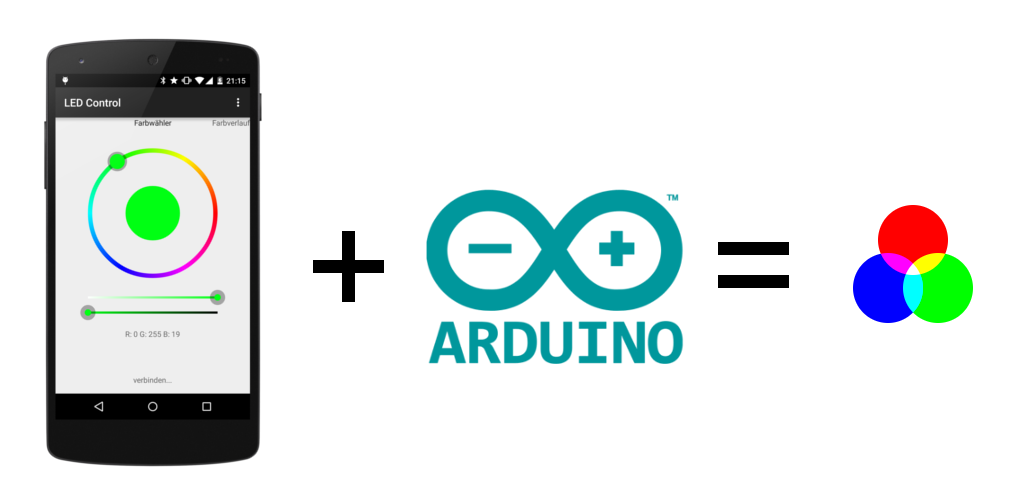
This project was developed after I had to find out that controlling my RGB ambient light with the normal infrared remote control was complicated and not reliable. Within a few months I build this solution that enabled controlling my LEDs with a Bluetooth-enabled Android Device running a self programmed app. On the hardware side an Arduino is receiving the commands and controlling three PWM signals.
The app is available at Google Play for free (but closed source), the Arduino sketch is released under Apache License. The used protocol is also documented in this wiki and open for usage by others.
If you like this project I would be pleased with recommendations or a good rating at Google Play. Let me also know when you find some bugs.
Requirements
You need a few things to get started:
- Arduino Uno
- Android powered Phone/Tablet with bluetooth running Android 4.0 or above
- RGB-LED-Stripes with common anode (one common '+' and a seperate '-/GND' for each color) (you can also use stripes with common cathodes, but the showed circuit diagramm will not work (in particular the output stage). A solution therefore is also available.)
- External Power Supply (to power Arduino and LEDs)
- USART capable bluetooth module (for example HC-06, available on ebay for < 10$)
- 3x 220 Ohm resistors (gate current limiter)
- 3x 10 kOhm resistors (gate pull-down)
- 3x N-Channel Power-MOSFETs (enhancement mode) (for example IRF1404)
optional voltage divider
- 1x 4,7 kOhm resistor
- 1x 10 kOhm resistor
Assembly
Connect the Arduino and the others parts as showed below. Be sure that you do not change the RX pin with the TX pin of the bluetooth module. In General: RX of the bluetooth module has to be connected to TX of Arduino and vice versa.
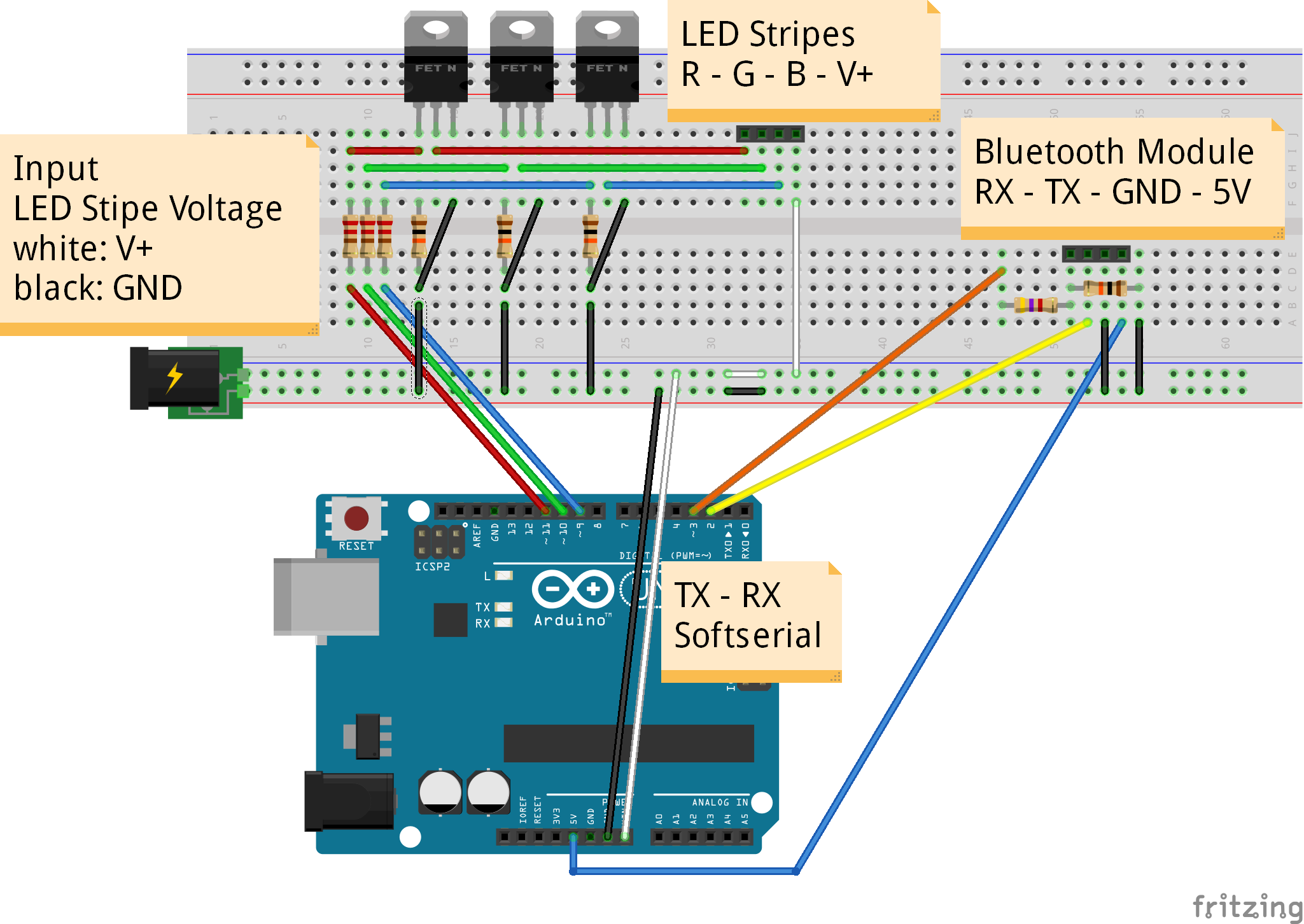
Caution: The HC-06 bluetooth module I bought works with 3,3V. You can power it with 5V because there is a built-in voltage regulator (make sure that yours has also one or power it with 3,3V), but RX and TX are not 5V tolerant. To avoid permanent damage the Arduino output-voltage is reduced to 3,3V by a voltage divider (therefore the 4k7 and 10k resistors). On the other hand a special step-up circuit is not necessary because the Arduino recognizes 3,3V of the bluetooth module as HIGH-Level.
Note: For permanent installations you should consider soldering your circuit on a Arduino Proto Shield (bought or home made). I personally soldered everything on a stripboard and put the whole thing in a small case.
Note: You don't need the connection from TX (pin 3) on Arduino to RX of the bluetooth module, because currently nothing will be send back to the Android device. Just remove the connection from pin 3 (Arduino) to RX (bluetooth module) and the voltage divider. It may be possible that a bidirectional communication will be used in future releases.
Installing the software
You're almost done. Now you need to install the software and select the target device.
- Upload the Arduino Sketch (https://github.com/fennel-labs/LED-control/blob/master/LEDControlArduino.ino)
- Install the Android app on your phone (https://play.google.com/store/apps/details?id=com.fennel.ledcontrol)
- Start a new bluetooth device discovery (Android -> Settings -> Bluetooth -> Add)
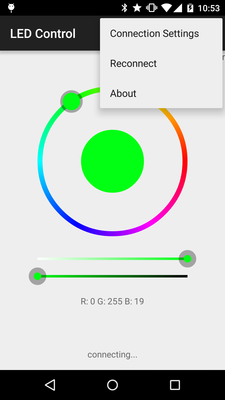
- Start the LED Control app and select your receiver (LED Control -> Connection Settings -> your device)
Troubleshooting
There are several reasons why your circuit may not work as intended. Here are some possibilities:
- Check if the LED voltage is high enough and your stripes have the right polarity by connecting them directly to your power source.
- Are RX and TX connected in the right way? Read also the notes above.
- By default, the Arduino sends some debug data to the PC via the hardware serial. If the Software in Arduino behaves abnormal check the console log.
- In case you are not sure whether your bluetooth module works properly or not, connect it directly to your Arduino (still keeping the voltage levels in mind, see note above). Therefore you have to remove the 328P chip temporary from your Uno.
- To check the output stage, you can try pulling the gate of each channel to ground or +5V.
thanks:https://github.com/fennel-labs
Welcome to LED Control Wiki的更多相关文章
- Matlab安装记录 - LED Control Activex控件安装
Matlab安装记录-LED Control Activex控件安装 2013-12-01 22:06:36 最近在研究Matlab GUI技术,准备用于制作上位机程序:在Matlab GUI的技术 ...
- 针对Windows 64位系统中Matlab没有LED Control Activex控件的解决方法
Win 10 64bits系统中Matlab 64位软件没有LED Control Activex控件,LED ActiveX Control控件位于Gauges Blockset模块中,而Gauge ...
- WPF自定义LED风格数字显示控件
原文:WPF自定义LED风格数字显示控件 版权声明:本文为博主原创文章,转载请注明作者和出处 https://blog.csdn.net/ZZZWWWPPP11199988899/article/de ...
- 【openwrt】再设置
https://wiki.openwrt.org/zh-cn/doc/uci/network https://wiki.openwrt.org/zh-cn/doc/uci/wireless https ...
- 剖析ironic
关键技术 在安装操作系统时需要存储介质来存储系统镜像.需要控制物理机开关机,在网络部署环境中还需要预启动环境. PXE (预启动环境) IPMI(电源管理) iSCSI(存储) 什么是PXE PXE( ...
- DIY PIXHAWK APM等飞控用的PPM转接板
需要的硬件 一块arduino pro mini(推荐这个,比较小,当然如果你没有USB转转口的烧写工具买个ardunio nano板也是不错的,直接用USB线连接电脑就可以,用nano板要注意.它的 ...
- 【网络——Linux】——IPMI详细介绍【转】
一.IPMI含义 智能平台管理接口(IPMI:Intelligent Platform Management Interface)是一项应用于服务器管理系统设计的标准,由Intel.HP.Dell和N ...
- AIX 常用命令和知识
BOOTLIST:#bootlist -m normal -o (查看bootlist)#bootlist -m normal (设置bootlist为空,谁要在我机器上执行我就要哭了)#boot ...
- arduino pro mini不能下载
刚毕业时就知道arduino,但当时崇拜技术极致,喜欢把单片机的性能用到尽,觉得操作寄存器运行效率高,对arduino 这种高效模式贬为投机取巧,不过其中也一直对arduino 有关注. 随着芯片技术 ...
随机推荐
- Linux下内存占用和CPU占用的计算
->使用free命令查看内存使用情况: 1.echo 3 > /proc/sys/vm/drop_caches 2.free 或者使用cat /proc/yourpid/status 来查 ...
- CSS3之尖角标签
如图所示,Tag标签的制作通常使用背景图片,现在用CSS3代码就能实现尖角效果(需浏览器支持CSS3属性). 运用CSS3样式实现尖角标签,只需要写简单的HTML结构和CSS样式. <p> ...
- 关于oracle的准备
作者:Steven Feuerstein 提高编写PL/SQL代码数量及质量的四个简单易行指导方针 我从1990年就开始编写PL/SQL代码.这意味着我已经编写了几万行的软件代码,但我确信,其中的绝大 ...
- MFC编程入门之十二(对话框:非模态对话框的创建及显示)
上一节讲了模态对话框及其弹出过程,本节接着讲另一种对话框--非模态对话框的创建及显示. 非模态对话框显示后,程序其他窗口仍然能正常运行,可以响应用户输入,还可以相互切换.上一讲中创建的Tip模态对话框 ...
- Security » Authorization » 基于声明的授权
Claims-Based Authorization¶ 基于声明的授权 142 of 162 people found this helpful When an identity is created ...
- Django1.9开发博客(8)- 继续完善
到现在为止我们已经完成的差不多了,并且基本的东西都已经学到了,是时候用起来了. 我们的博客还有很多功能需要完善,下面抛砖引玉新增几个功能,还有其他功能等你自己去发现和实现. 草稿箱 之前我们新建文章的 ...
- mysql 配置 utf8 依然乱码
mysql 乱码问题排除方案: 1.检查数据库及数据表是不是utf8字符集 2.查看一下jdbc.properties配置的数据库url 是否配置了characterEncoding=UTF-8或者在 ...
- C#窗体 WinForm 文件操作
文件及文件夹操作 C/S:WinForm可以操作客户端文件 Client ServerB/S:浏览器服务 Brower Server 命名空间:using system .IO; 1. File类:文 ...
- 关于strcpy和memcpy
strcpy和memcpy都是标准C库函数,它们有下面的特点. strcpy提供了字符串的复制.即strcpy只用于字符串复制,并且它不仅复制字符串内容之外,还会复制字符串的结束符.已知strcpy函 ...
- JPA用myeclipse生成bean