
js鼠标轨迹特效
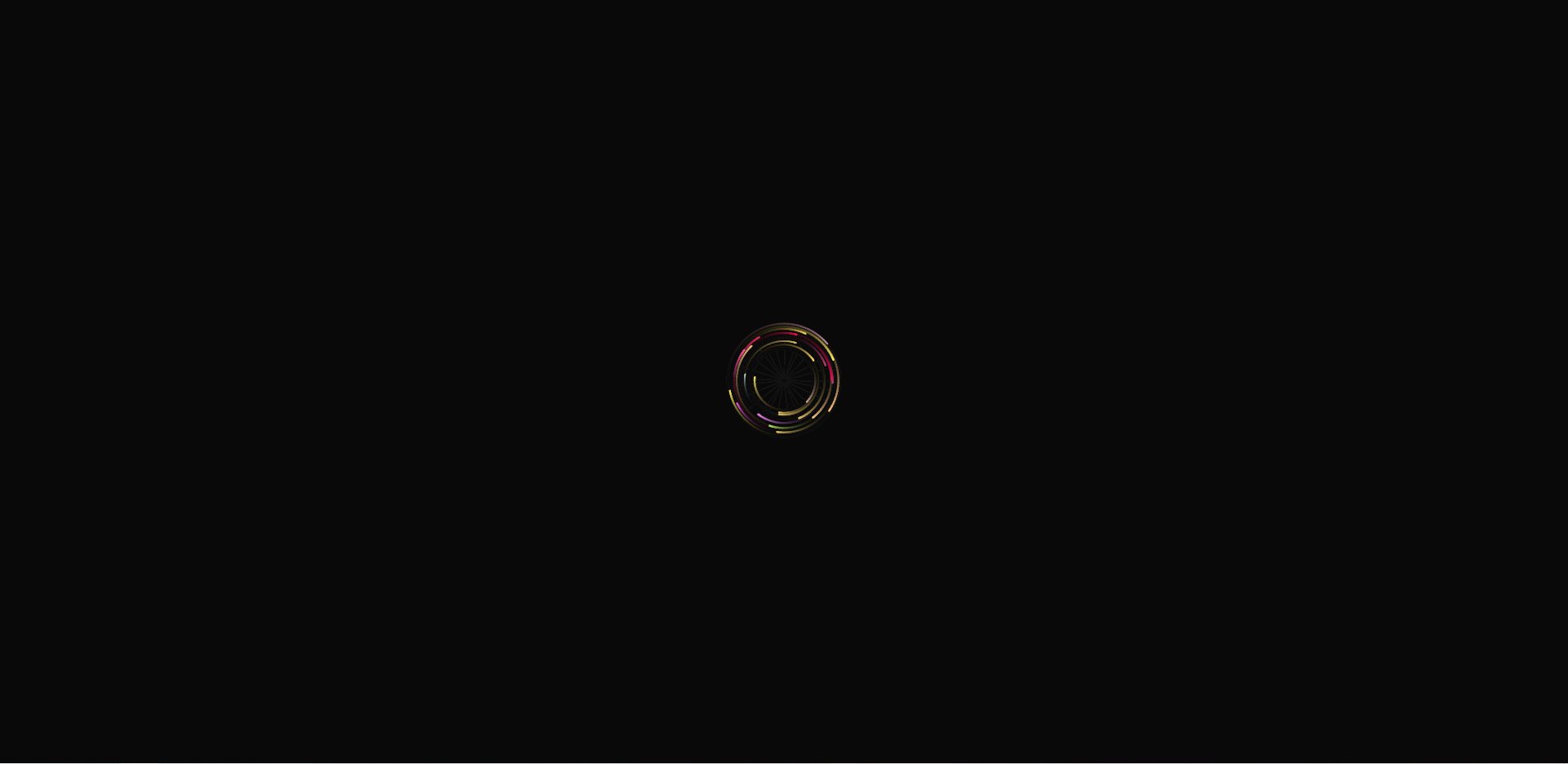
今天无意中访问到了开源社区 (apiopen.top)的主界面,发现鼠标跟随的特效不错(残留轨迹),弄下来玩玩
上代码
整合后只需要两部分,导入JS依赖后,在html 添加 id 为 mouseCanvas 的 Canvas标签就行
1、HTML
<!DOCTYPE HTML>

<html>

    <head>

        <meta charset="utf-8">

        <title>测试</title>

        <!-- 引入依赖js -->

        <script src="./mouseCanvas.js"></script>

    </head>

    <body>

        <!-- 只需要一个Id为 mouseCanvas 的canvas标签 -->

        <canvas id="mouseCanvas"></canvas>

    </body>

</html>
2、js
var SCREEN_WIDTH=window.innerWidth;var SCREEN_HEIGHT=window.innerHeight;var RADIUS=70;var QUANTITY=25;var RADIUS_SCALE=1;var RADIUS_SCALE_MIN=1;var RADIUS_SCALE_MAX=1.5;var canvas;var context;var particles;var mouseX=SCREEN_WIDTH*0.5;var mouseY=SCREEN_HEIGHT*0.5;var mouseIsDown=false;function init(){canvas=document.getElementById('mouseCanvas');if(canvas&&canvas.getContext){context=canvas.getContext('2d');window.addEventListener('mousemove',documentMouseMoveHandler,false);window.addEventListener('mousedown',documentMouseDownHandler,false);window.addEventListener('mouseup',documentMouseUpHandler,false);document.addEventListener('touchstart',documentTouchStartHandler,false);document.addEventListener('touchmove',documentTouchMoveHandler,false);window.addEventListener('resize',windowResizeHandler,false);createParticles();windowResizeHandler();setInterval(loop,1000/60)}}function createParticles(){particles=[];for(var i=0;i<QUANTITY;i++){var particle={size:1,position:{x:mouseX,y:mouseY},offset:{x:0,y:0},shift:{x:mouseX,y:mouseY},speed:0.01+Math.random()*0.04,targetSize:1,fillColor:'#'+(Math.random()*0x904040+0xaaaaaa|0).toString(16),orbit:RADIUS*.5+(RADIUS*.5*Math.random())};particles.push(particle)}}function documentMouseMoveHandler(event){mouseX=event.clientX-(window.innerWidth-SCREEN_WIDTH)*.5;mouseY=event.clientY-(window.innerHeight-SCREEN_HEIGHT)*.5}function documentMouseDownHandler(event){mouseIsDown=true}function documentMouseUpHandler(event){mouseIsDown=false}function documentTouchStartHandler(event){if(event.touches.length==1){event.preventDefault();mouseX=event.touches[0].pageX-(window.innerWidth-SCREEN_WIDTH)*.5;mouseY=event.touches[0].pageY-(window.innerHeight-SCREEN_HEIGHT)*.5}}function documentTouchMoveHandler(event){if(event.touches.length==1){event.preventDefault();mouseX=event.touches[0].pageX-(window.innerWidth-SCREEN_WIDTH)*.5;mouseY=event.touches[0].pageY-(window.innerHeight-SCREEN_HEIGHT)*.5}}function windowResizeHandler(){SCREEN_WIDTH=window.innerWidth;SCREEN_HEIGHT=window.innerHeight;canvas.width=SCREEN_WIDTH;canvas.height=SCREEN_HEIGHT}function loop(){if(mouseIsDown){RADIUS_SCALE+=(RADIUS_SCALE_MAX-RADIUS_SCALE)*(0.02)}else{RADIUS_SCALE-=(RADIUS_SCALE-RADIUS_SCALE_MIN)*(0.02)}RADIUS_SCALE=Math.min(RADIUS_SCALE,RADIUS_SCALE_MAX);context.fillStyle='rgba(0,0,0,0.05)';context.fillRect(0,0,context.canvas.width,context.canvas.height);for(i=0,len=particles.length;i<len;i++){var particle=particles[i];var lp={x:particle.position.x,y:particle.position.y};particle.offset.x+=particle.speed;particle.offset.y+=particle.speed;particle.shift.x+=(mouseX-particle.shift.x)*(particle.speed);particle.shift.y+=(mouseY-particle.shift.y)*(particle.speed);particle.position.x=particle.shift.x+Math.cos(i+particle.offset.x)*(particle.orbit*RADIUS_SCALE);particle.position.y=particle.shift.y+Math.sin(i+particle.offset.y)*(particle.orbit*RADIUS_SCALE);particle.position.x=Math.max(Math.min(particle.position.x,SCREEN_WIDTH),0);particle.position.y=Math.max(Math.min(particle.position.y,SCREEN_HEIGHT),0);particle.size+=(particle.targetSize-particle.size)*0.01;if(Math.round(particle.size)==Math.round(particle.targetSize)){particle.targetSize=1+Math.random()*2}context.beginPath();context.fillStyle=particle.fillColor;context.strokeStyle=particle.fillColor;context.lineWidth=particle.size;context.moveTo(lp.x,lp.y);context.lineTo(particle.position.x,particle.position.y);context.stroke();context.arc(particle.position.x,particle.position.y,particle.size/2,0,Math.PI*2,true);context.fill()}}window.onload=function(){document.getElementById('mouseCanvas').style="width:100%;height:100%;position: fixed;top: 0;left: 0;z-index: -999;";document.getElementsByTagName('html')[0].style='margin:0;width:100%;height:100%;';document.getElementsByTagName('body')[0].style='margin:0;width:100%;height:100%;';init()};
效果:

js鼠标轨迹特效的更多相关文章
- Vue使用js鼠标蜘蛛特效
1. 在src下新建文件夹utils,里面新建文件canvas-nest.js,将代码复制进去.(可以自己定义存放路径) !function() { function n(n, e, t) { ret ...
- Qt 鼠标样式特效探索样例(一)——利用时间器调用QWidget.move()函数
Qt 鼠标样式特效探索样例(一) 心血来潮,突然想在Qt里玩一把鼠标样式,想到在浏览网页时,经常看到漂亮的鼠标动画,于是今天摸索着乱写个粗糙的demo,来满足自己的好奇心. 效果图 方案要 ...
- 前端小插件之手写js循环滚动特效
很多前端都离不开滚动的特效,调用插件繁琐,后期更改麻烦,考虑到这些因素,自己写了一套无限循环滚动的小特效. 首先滚动特效很好写,用css就可以完成,下面写一个基础css向上循环滚动特效 html &l ...
- SQL Server 游标运用:鼠标轨迹字符串分割
一.本文所涉及的内容(Contents) 本文所涉及的内容(Contents) 背景(Contexts) 游标模板(Cursor Template) 鼠标轨迹字符串分割SQL脚本实现(SQL Code ...
- js鼠标滚轮滚动图片切换效果
效果体验网址:http://keleyi.com/keleyi/phtml/image/12.htm HTML文件代码: <!DOCTYPE html PUBLIC "-//W3C// ...
- js 鼠标事件的抓取代码
js 鼠标事件的抓取代码,分享给大家. 1.通过ele.setCapture();设置鼠标事件的抓取. 2,应用可以通过单.双击文字来获取时间. <html> <head> & ...
- js鼠标及对象坐标控制属性详细解析
对js鼠标及对象坐标控制属性进行了详细的分析介绍. offsetTop获取对象相对于版面或由 offsetParent 属性指定的父坐标的计算顶端位置. offsetLeft获取对象相对于版面或由 ...
- 案例:用JS实现放大镜特效
案例:用JS实现放大镜特效 案例:用JS实现放大镜特效
- js鼠标移入移出效果【原】
<HTML> <HEAD> <!-- meta 解释 : http://www.haorooms.com/post/html_meta_ds --> <met ...
- JS鼠标滚动插件scrollpath使用介绍
JS鼠标滚动插件scrollpath:在这个插件中首先要引人的JS是jQuery,因为后面的JS都是基于它的.再者需要引入的是jquery.scrollpath.js.scrollpath.css还有 ...
随机推荐
- 1.2.2 musl pwn
1.2.2 musl pwn 几个结构 __malloc_context(与glibc中的main_arena类似) struct malloc_context { uint64_t secret; ...
- 刷完一千道java笔试题的常见题目分析
java基础刷题遇到的最常见问题 可以先看一下这位博主整理的java面试题(很详细,我看了好几遍了):https://blog.csdn.net/ThinkWon/article/details/10 ...
- 齐博x2模型里边钩子的创建与使用
在模型里边的钩子创建与使用方法跟在控制器里边的钩子创建及使用方法是有所区别的在模型里边创建的钩子,你可以理解为执行一个函数,是无法调用模型里边的类的方法及属性的.比如系统文件\application\ ...
- golang中的nil接收器
索引:https://waterflow.link/articles/1666534616841 我们先看一个简单的例子,我们自定义一个错误,用来把多个错误放在一起输出: type CustomErr ...
- Spring源码知识
bean的生命周期: 实例化:在堆空间中申请内存,使用反射来实现:(createBeanInstance) 自定义属性赋值(setter).容器对象属性赋值(invokeAwareMethods) 前 ...
- day05-JavaScript02
JavaScript02 8.JavaScript函数 JavaScript函数介绍 函数是由事件驱动的,或者当它被调用时,执行的可重复使用的代码 例子 <!DOCTYPE html> & ...
- String基础: String两种创建对象方式的比较
字符串常量 在一般的语言中常量一旦声明则不可改变,在java中的字符串常量是以匿名对象来表示的 javaz中字符串两种定义方法: String strA= new String("hello ...
- JIRA操作之JQL
搜索功能 Jira的搜索功能非常强大,有专用的搜索语言JQL(Jira Query Language).Jira的Python库是基于JQL语法搜索的,返回的是搜索到的问题列表. jira.searc ...
- WPF之XAML
XAML是WPF技术中专门用于设计UI的语言.优点在于: (1)XAML可以设计出专业的UI和动画--好用. (2)简单易懂,易学. (3)设计师可以直接参与软件设计,随时沟通,无须二次转化--高效. ...
- 深入理解Golang 闭包,直通面试
大家好 今天为大家讲解的面试专题是: 闭包. 定义 闭包在计算机科学中的定义是:在函数内部引用了函数内部变量的函数. 看完定义后,我陷入了沉思...确实,如果之前没有接触过闭包或者对闭包不理解的话,这 ...