
nginx启动失败(bind() to 0.0.0.0:80 failed (10013: An attempt was made to access a socket...permissions)
nginx启动失败
nginx启动失败(bind() to 0.0.0.0:80 failed (10013: An attempt was made to access a socket in a way forbidden by its access permissions))
文章目录
在Windows安装了下nginx启动失败,报错nginx: [emerg] bind() to 0.0.0.0:80 failed (10013: An attempt was made to access a socket in a way forbidden by its access permissions)

原来是nginx listen的80端口被占用
1、cmd输入命令netstat -aon|findstr “80”
打开cmd
输入命令: netstat -aon|findstr "80" 查询谁占了80端口
C:\Users\x1c>netstat -aon|findstr "80"

  TCP    0.0.0.0:80             0.0.0.0:0              LISTENING       7532

  TCP    0.0.0.0:902            0.0.0.0:0              LISTENING       4780

  TCP    0.0.0.0:912            0.0.0.0:0              LISTENING       4780

  TCP    0.0.0.0:6800           0.0.0.0:0              LISTENING       10844

  TCP    0.0.0.0:8082           0.0.0.0:0              LISTENING       12892

  TCP    127.0.0.1:10808        0.0.0.0:0              LISTENING       13880
2.、查看80端口 7532对应的任务
输入命令: tasklist|findstr "7532"
C:\Users\x1c>tasklist|findstr "7532"

nginx.exe                     7532 Console                    1      7,440 K
原来是我之前打开过nginx程序占用了80端口,那就去关掉
3、结束对应任务
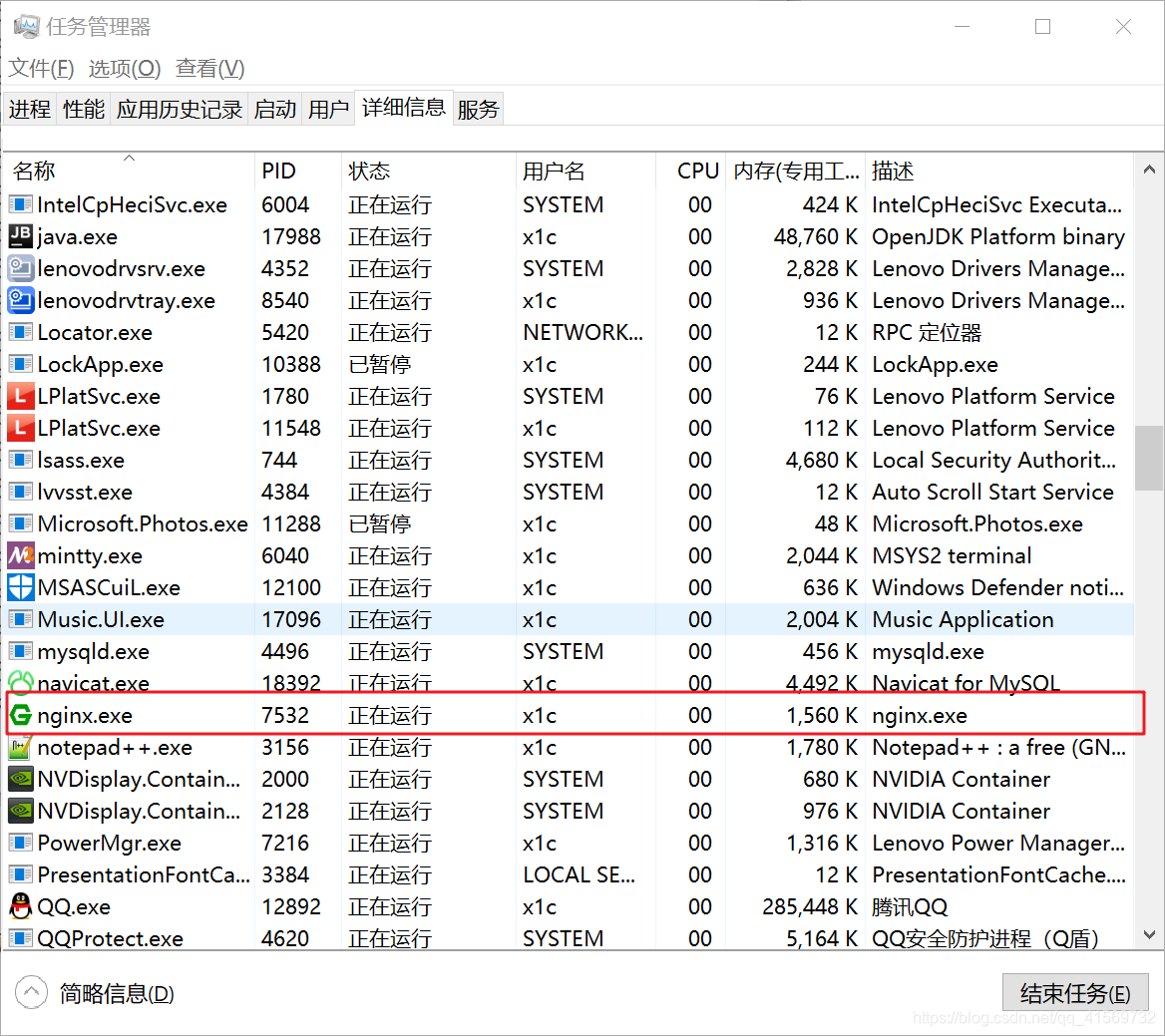
结束任务7532.
4、去启动nginx
打开cmd,去对应的nginx目录,启动nginx

浏览器输入localhost
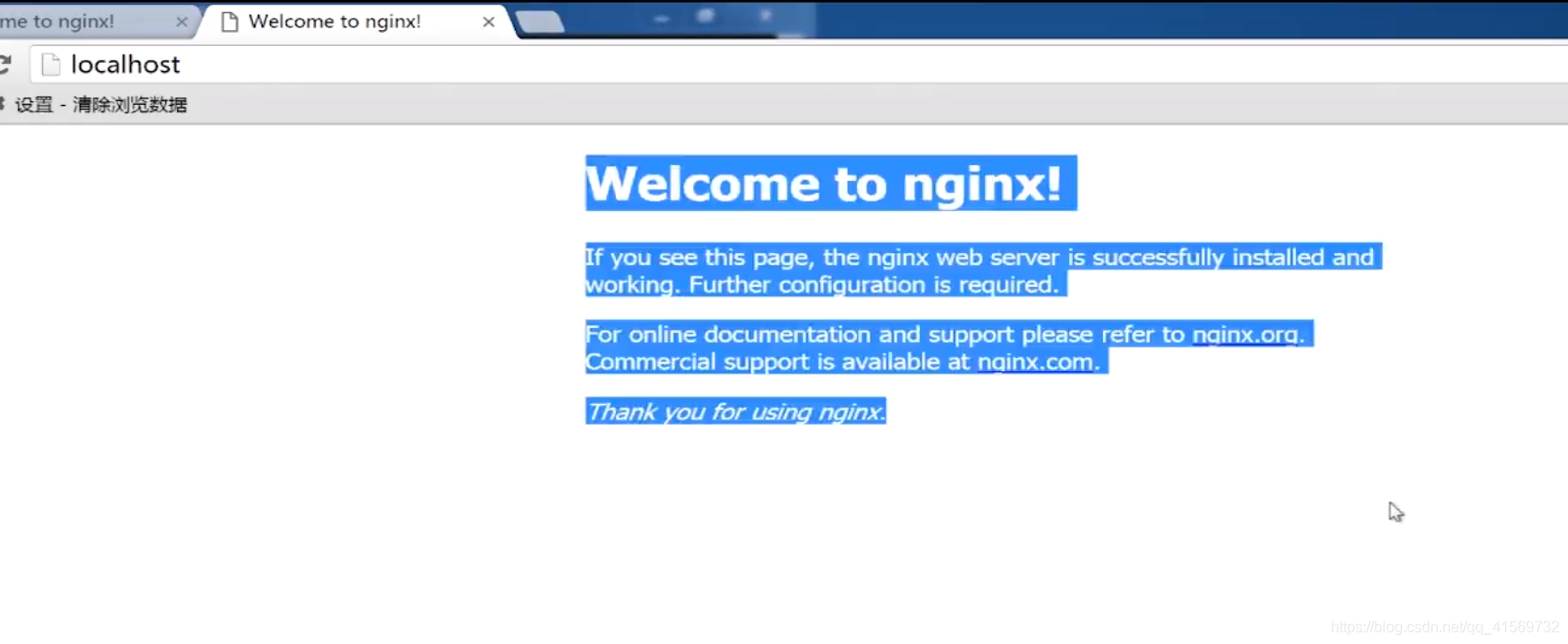
启动成功
或者是 System 占用的80端口
C:\Users\x1c>netstat -aon|findstr "80"

  TCP    0.0.0.0:80             0.0.0.0:0              LISTENING       4

  TCP    0.0.0.0:902            0.0.0.0:0              LISTENING       4780

  TCP    0.0.0.0:912            0.0.0.0:0              LISTENING       4780

  TCP    0.0.0.0:6800           0.0.0.0:0              LISTENING       10844

  TCP    0.0.0.0:8082           0.0.0.0:0              LISTENING       12892

  TCP    127.0.0.1:6804         127.0.0.1:3462         TIME_WAIT       0

  TCP    127.0.0.1:10808        0.0.0.0:0              LISTENING       13880

  TCP    192.168.124.12:6135    221.181.72.102:80      CLOSE_WAIT      15692
C:\Users\x1c>tasklist|findstr "80"

smss.exe                       380 Services                   0        708 K

csrss.exe                      580 Services                   0      3,508 K

svchost.exe                    888 Services                   0     32,580 K

winlogon.exe                   880 Console                    1      7,164 K

LPlatSvc.exe                  1780 Services                   0      4,236 K

ibmpmsvc.exe                  1796 Services                   0      4,080 K

igfxCUIService.exe            2300 Services                   0      5,380 K

svchost.exe                   2800 Services                   0      7,188 K

svchost.exe                   3284 Console                    1     16,808 K

vmware-authd.exe              4780 Services                   0      8,056 K
这个有可能是 IIS服务 占用80端口 ,那就去尝试关闭IIS服务。
启动IIS服务 net start w3svc
关闭IIS服务 net start w3svc
以管理员身份运行cmd,
输入命令net start w3svc
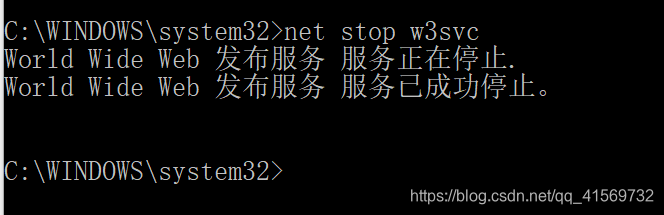
关闭IIS服务了,那就可以去尝试启动下nginx,看是否是IIS占用了80端口
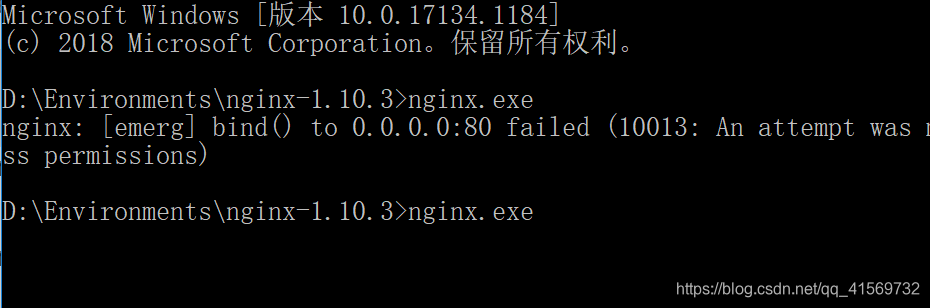
可以执行nginx.exe 那就是IIS占用了80端口。
nginx启动失败(bind() to 0.0.0.0:80 failed (10013: An attempt was made to access a socket...permissions)的更多相关文章
- nginx启动失败/报错(bind() to 0.0.0.0:80 failed (10013: An attempt was made to access a socket...permissions) nginx启动失败
出现这个问题是因为80端口被占用了 1.cmd输入命令netstat -aon|findstr "80" 2..查看80端口 16356对应的任务 输入命令 tasklist|fi ...
- nginx.exe启动错误:bind() to 0.0.0.0:80 failed (10013: An attempt was made to access a socket in a way forbidden by its access permissions)
启动nginx.ese之后 nginx: [emerg] bind() to 0.0.0.0:80 failed (10013: An attempt was made to access a soc ...
- Nginx系列(5)- nginx: [emerg] bind() to 0.0.0.0:80 failed (10013: An attempt was made to access a socket in a way forbidden by its access permissions)
启动Windows版本的Nginx时候,cmd报错,报错信息为[emerg] 4276#4280: bind() to 0.0.0.0:80 failed(10013: An attempt was ...
- window下运行nginx出现nginx: [emerg] bind() to 0.0.0.0:80 failed (10013: An attempt was made to access a socket in a way forbidden by its access permissions)
做谷粒学院项目,用nginx出现nginx: [emerg] bind() to 0.0.0.0:80 failed (10013: An attempt was made to access a s ...
- Nginx启动报错:10013: An attempt was made to access a socket in a way forbidden
Nginx在win7,win2008下启动报错:bind() to 0.0.0.0:80 failed (10013: An attempt was made to access a socket i ...
- 解决Nginx启动失败
一.Nginx下载http://nginx.org/en/download.html 二.Nginx启动失败原因1.本人下载的是nginx-1.12.1(稳定版),下载完解压后,进入路径中,start ...
- Starting nginx: nginx: [emerg] bind() to 0.0.0.0:8088 failed (13: Permission denied) nginx 启动失败
Starting nginx: nginx: [emerg] bind() to 0.0.0.0:8088 failed (13: Permission denied) nginx 启动失败 ...
- Win7 Nginx启动失败 cmd命令失败
Win7 Nginx启动失败 cmd命令失败 Nginx ("engine x") 是一个高性能的 HTTP 和 反向代理 服务器,也是一个 IMAP/POP3/SMTP 代理服 ...
- 解决GitLab的Forbidden和Nginx启动失败
通过宝塔安装的GitLab突然出现Forbidden,原因居然是IP并发过大,IP被禁 解决方法: 登录服务器,编辑文件 /etc/gitlab/gitlab.rb ,将下面的截图内容放开注释(默认 ...
随机推荐
- Idea+Git+GitHub图文教程,一篇教程帮你搞定
导语 该文章主要记录如何在GitHub上创建远程仓库.如何创建本地仓库并把代码提交到GitHub.如何创建分支以及分支合并到主干的操作. 一.在GitHub上创建远程仓库 (前提:已经注册过githu ...
- Linux下设置定时任务删除归档日志
1.编辑删除归档日志的脚本----/home/oracle/clearlog.sh #! /bin/bash source ~/profile_orcl#记录归档删除的日志exec >> ...
- 22期老男孩Ptython全栈架构师视频教程
老男孩Ptython全栈架构师视频教程 Python最新整理完整版22期视频教程 超60G课程容量<ignore_js_op> <ignore_js_op> <ignor ...
- Git的使用上传与下载github
下载git 下载git工具是第一步 Git的使用上传与下载 创建本地仓库 在选择的文件夹中鼠标右键打开git Bash here ,在命令行输入git init创建该文件夹的本地仓库 将文件夹文件提交 ...
- Vue - 与后端交互
零:与后端交互 - ajax 版本1 - 出现了跨域问题 前端:index.html <!DOCTYPE html> <html lang="en"> &l ...
- Selenium Web元素定位方法
Selenium是用于Web应用测试的自动化测试框架,可以实现跨浏览器和跨平台的Web自动化测试.Selenium通过使用WebDriver API来控制web浏览器,每个浏览器都都有一个特定的Web ...
- C# 多态virtual标记重写 以及EF6 查询性能AsNoTracking
首先你如果不用baivirtual重写的话,系统默认会为du你加new关键字,他zhi的作用是覆盖,而virtual的关键作用在dao于实现多态 virtual 代表在继承了这个类的子类里面可以使用o ...
- C# 两个时间相减 计算两个时间差(年月日时分秒)
DateTime dt1; DateTime dt2; int days=(dt2.Date-dt1.Date).Days; 或者 TimeSpan ts = dt2 -dt1; ...
- 使用IDE练习插件【廖雪峰】
使用廖雪峰大神的插件,安装过程中,一直出现问题,然后在他的Java教程下面看大家的评论也有点晕了(很多人说的是jar包,结果其实是下的依旧是zip包) 最终解决方法: 将zip包解压到同名文件夹中,再 ...
- CentOS7下常用安装软件服务rpm方式的介绍
简介:介绍rpm软件包的管理 rpm安装:安装别人编译好的软件包,rpm即Redhat Package Manager,是Redhat的软件包管理方式 rpm安装优点: 软件已经编译打包,所以传输 ...