
openresty/1.11.2.1性能测试
测试数据
ab -n -c -k http://127.0.0.1/get_cache_value
nginx.conf
 lua_shared_dict cache_ngx 128m;

    server {

        listen       ;

        server_name  localhost;

        #charset koi8-r;

        #access_log  logs/host.access.log  main;

        location / {

            root   html;

            index  index.html index.htm;

        }

        lua_code_cache on;

        location /get_cache_value {

            #root   html;

            content_by_lua_file /opt/openresty/nginx/conf/Lua/get_cache_value.lua;

        }

}
get_cache_value.lua
local json = require("cjson")

local redis = require("resty.redis")

local red = redis:new()

red:set_timeout()

local ip = "127.0.0.1"

local port =

local ok, err = red:connect(ip, port)

if not ok then

        ngx.say("connect to redis error : ", err)

        return ngx.exit()

end

-- set Cache cache_ngx

function set_to_cache(key,value,exptime)

    if not exptime then

        exptime =

    end

    local cache_ngx = ngx.shared.cache_ngx

    local succ, err, forcible = cache_ngx:set(key,value,exptime)

    return succ

end

--get Cache cache_ngx

function get_from_cache(key)

    local cache_ngx = ngx.shared.cache_ngx

    local value = cache_ngx:get(key)

    if not value then

        value = ngx.time()

        set_to_cache(key, value)

    end

    return value

end

function get_from_redis(key)

    local res, err = red:get("dog")

    if res then

        return res

    else

        return nil

    end

end

local res = get_from_cache('dog')

ngx.say(res)
一、默认配置AB压力测试
ab -n -c -k http://127.0.0.1/
官方nginx/1.10.3 测试结果:
Server Software:        nginx/1.10.

Server Hostname:        127.0.0.1

Server Port:

Document Path:          /

Document Length:         bytes

Concurrency Level:

Time taken for tests:   4.226 seconds    -- 表示所有这些请求被处理完成所花费的总时间

Complete requests:

Failed requests:

Keep-Alive requests:

Total transferred:       bytes

HTML transferred:        bytes

Requests per second:    23665.05 [#/sec] (mean)    -- 吞吐率,大家最关心的指标之一,相当于 LR 中的每秒事务数,后面括号中的 mean 表示这是一个平均值

Time per request:       4.226 [ms] (mean)        -- 用户平均请求等待时间,大家最关心的指标之二,相当于 LR 中的平均事务响应时间,后面括号中的 mean 表示这是一个平均值

Time per request:       0.042 [ms] (mean, across all concurrent requests)    --服务器平均请求处理时间,大家最关心的指标之三

Transfer rate:          19642.69 [Kbytes/sec] received
openresty/1.11.2.1测试结果:
Server Software:        openresty/1.11.2.1

Server Hostname:        127.0.0.1

Server Port:

Document Path:          /

Document Length:         bytes

Concurrency Level:

Time taken for tests:   1.158 seconds

Complete requests:

Failed requests:

Keep-Alive requests:

Total transferred:       bytes

HTML transferred:        bytes

Requests per second:    86321.79 [#/sec] (mean)

Time per request:       1.158 [ms] (mean)

Time per request:       0.012 [ms] (mean, across all concurrent requests)

Transfer rate:          67603.49 [Kbytes/sec] received
二、缓存测试(openresty/1.11.2.1):
ab -n -c -k http://127.0.0.1/get_cache_value
1、lua_shared_dict cache_ngx 128m 缓存测试
Server Software:        openresty/1.11.2.1

Server Hostname:        127.0.0.1

Server Port:

Document Path:          /get_cache_value

Document Length:         bytes

Concurrency Level:

Time taken for tests:   87.087 seconds

Complete requests:

Failed requests:

   (Connect: , Receive: , Length: , Exceptions: )

Keep-Alive requests:

Total transferred:       bytes

HTML transferred:        bytes

Requests per second:    1148.27 [#/sec] (mean)

Time per request:       87.087 [ms] (mean)

Time per request:       0.871 [ms] (mean, across all concurrent requests)

Transfer rate:          223.01 [Kbytes/sec] received
2、Redis 缓存结果
Server Software:        openresty/1.11.2.1

Server Hostname:        127.0.0.1

Server Port:

Document Path:          /get_cache_value

Document Length:         bytes

Concurrency Level:

Time taken for tests:   74.190 seconds

Complete requests:

Failed requests:

   (Connect: , Receive: , Length: , Exceptions: )

Keep-Alive requests:

Total transferred:       bytes

HTML transferred:        bytes

Requests per second:    1347.89 [#/sec] (mean)

Time per request:       74.190 [ms] (mean)

Time per request:       0.742 [ms] (mean, across all concurrent requests)

Transfer rate:          268.61 [Kbytes/sec] received
===============================默认单个服务器和负载均衡服务器测试
CPU (cat /proc/cpuinfo | grep name | cut -f2 -d: | uniq -c)8
Intel(R) Xeon(R) CPU E5- v4 @ .70GHz
内存:(cat /proc/meminfo) 16GB
MemTotal:        kB

MemFree:           kB

Buffers:           kB

Cached:          kB
ab 服务器,阿里云云主机:ab -n 100000 -c 100 http://127.7.7.7:8081/
默认单个服务器
ocument Path:          /

Document Length:         bytes

Concurrency Level:

Time taken for tests:   14.389 seconds

Complete requests:

Failed requests:

Total transferred:       bytes

HTML transferred:        bytes

Requests per second:    6949.80 [#/sec] (mean)

Time per request:       14.389 [ms] (mean)

Time per request:       0.144 [ms] (mean, across all concurrent requests)

Transfer rate:          5409.17 [Kbytes/sec] received

Connection Times (ms)

              min  mean[+/-sd] median   max

Connect:             91.0

Processing:           20.5

Waiting:              20.5

Total:               93.3

Percentage of the requests served within a certain time (ms)

  %

  %

  %

  %

  %

  %

  %

  %

 %    (longest request)
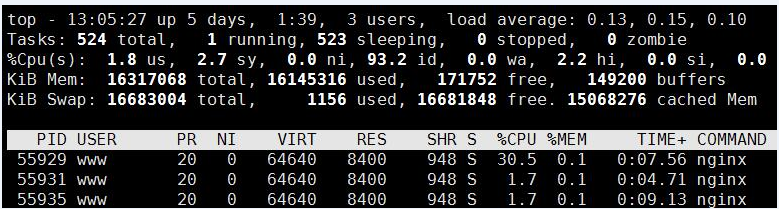
负载均衡:
Document Path:          /

Document Length:         bytes

Concurrency Level:

Time taken for tests:   13.720 seconds

Complete requests:

Failed requests:

   (Connect: , Receive: , Length: , Exceptions: )

Total transferred:       bytes

HTML transferred:        bytes

Requests per second:    7288.44 [#/sec] (mean)

Time per request:       13.720 [ms] (mean)

Time per request:       0.137 [ms] (mean, across all concurrent requests)

Transfer rate:          5774.76 [Kbytes/sec] received

Connection Times (ms)

              min  mean[+/-sd] median   max

Connect:              86.5

Processing:           19.0

Waiting:              19.0

Total:               88.6

Percentage of the requests served within a certain time (ms)

  %

  %

  %

  %

  %

  %

  %

  %

 %    (longest request)
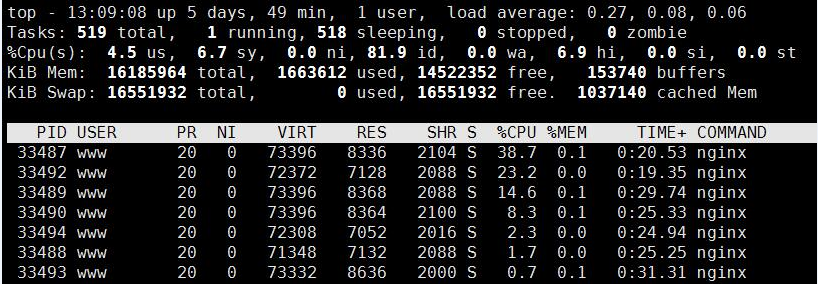
m3u8 文件
Document Path:          /live/tinywan123.m3u8

Document Length:         bytes

Concurrency Level:

Time taken for tests:   13.345 seconds

Complete requests:

Failed requests:

Total transferred:       bytes

HTML transferred:        bytes

Requests per second:    7493.47 [#/sec] (mean)

Time per request:       13.345 [ms] (mean)

Time per request:       0.133 [ms] (mean, across all concurrent requests)

Transfer rate:          4324.84 [Kbytes/sec] received

Connection Times (ms)

              min  mean[+/-sd] median   max

Connect:              83.4

Processing:           19.2

Waiting:              19.2

Total:               85.7

Percentage of the requests served within a certain time (ms)

  %

  %

  %

  %

  %

  %

  %

  %

 %    (longest request)
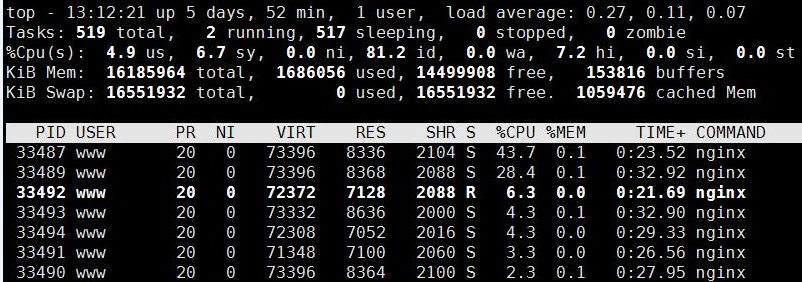
Openresty提供了lua-resty-limit-traffic模块进行限流,模块实现了limit.conn和limit.req的功能和算法
local limit_req = require "resty.limit.req"

local rate =  --固定平均速率2r/s

local burst =  --桶容量

local error_status =

local nodelay = false --是否需要不延迟处理

--ngx.say('1111111111111111')

-- my_limit_req_store

local lim, err = limit_req.new("my_limit_req_store", rate, burst)

if not lim then --申请limit_req对象失败

    ngx.log(ngx.ERR,

            "failed to instantiate a resty.limit.req object: ", err)

    return ngx.exit()

end

--ngx.say("local lim")

local key = ngx.var.binary_remote_addr

local delay, err = lim:incoming(key, true)

if not delay then

    if err == "rejected" then

        return ngx.exit()

    end

    ngx.log(ngx.ERR, "failed to limit req: ", err)

    return ngx.exit()

end

--ngx.log(ngx.ERR, "failed to limit req_test: ")

if delay >  then

    -- 第二个参数(err)保存着超过请求速率的请求数

    -- 例如err等于31,意味着当前速率是231 req/sec

    local excess = err

    -- 当前请求超过200 req/sec 但小于 300 req/sec

    -- 因此我们sleep一下,保证速率是200 req/sec,请求延迟处理

    ngx.sleep(delay) --非阻塞sleep(秒)

end
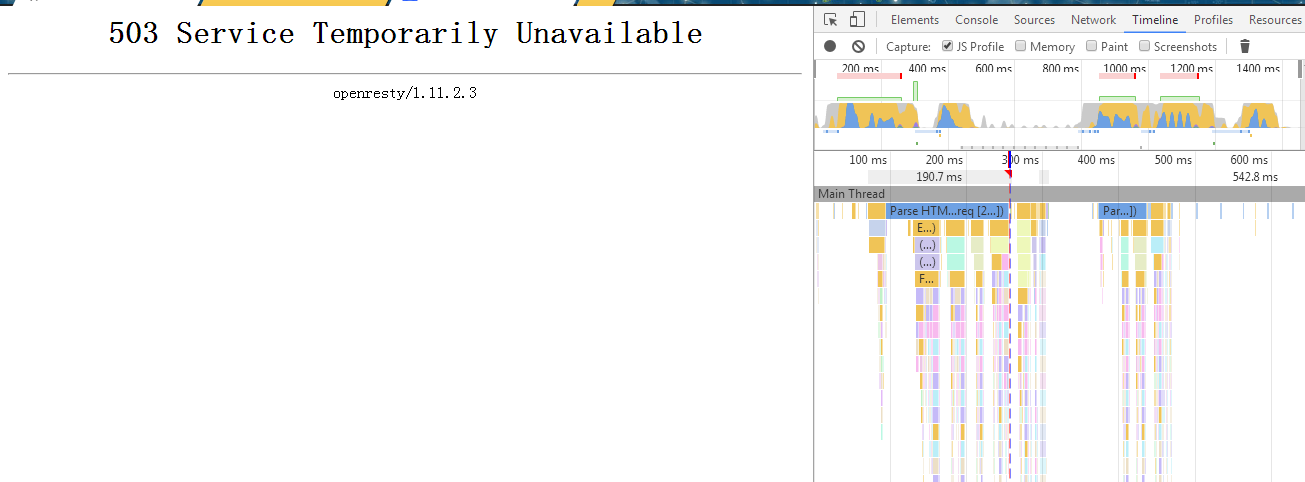

apr_socket_recv: Connection reset by peer (104)
详解地址:http://www.cnblogs.com/archoncap/p/5883723.html
openresty/1.11.2.1性能测试的更多相关文章
- 阿里云Tengine和Openresty/1.11.2.3 数据对比
HLS播放延迟测试:阿里云48s ,openresy 31s Cache-Control: max-age=300 NGINX下配置CACHE-CONTROL Content-Length:637 ...
- LoadRunner性能测试巧匠训练营
<LoadRunner性能测试巧匠训练营>基本信息作者: 赵强 邹伟伟 任健勇 丛书名: 实战出版社:机械工业出版社ISBN:9787111487005上架时间:2015-1-7出版日期: ...
- centos6安装openresty
1.安装依赖库 yum install readline-devel pcre-devel openssl-devel gcc 2.下载openresty wget --no-check-certif ...
- openresty + lua 1、openresty 连接 mysql,实现 crud
最近开发一个项目,公司使用的是 openresty + lua,所以就研究了 openresty + lua.介绍的话,我就不多说了,网上太多了. 写这个博客主要是记录一下,在学习的过程中遇到的一些坑 ...
- 基于openresty的https配置实践
最近机器人项目的子项目,由于和BAT中的一家进行合作,人家要求用HTTPS连接,于是乎,我们要改造我们的nginx的配置,加添HTTPS的支持. 当然了,HTTPS需要的证书,必须是认证机构颁发的,这 ...
- openresty + lua 4、openresty kafka
kafka 官网: https://kafka.apache.org/quickstart zookeeper 官网:https://zookeeper.apache.org/ kafka 运行需要 ...
- 【精选】Nginx负载均衡学习笔记(一)实现HTTP负载均衡和TCP负载均衡(官方和OpenResty两种负载配置)
说明:很简单一个在HTTP模块中,而另外一个和HTTP 是并列的Stream模块(Nginx 1.9.0 支持) 一.两个模块的最简单配置如下 1.HTTP负载均衡: http { include m ...
- Openresty最佳案例 | 第9篇:Openresty实现的网关权限控制
转载请标明出处: http://blog.csdn.net/forezp/article/details/78616779 本文出自方志朋的博客 简介 采用openresty 开发出的api网关有很多 ...
- Openresty最佳案例 | 第4篇:OpenResty常见的api
转载请标明出处: http://blog.csdn.net/forezp/article/details/78616660 本文出自方志朋的博客 获取请求参数 vim /usr/example/exa ...
随机推荐
- mac下使用marsedit写博客
在Windows习惯了使用Windows live write写好博客,然后发布上去,到了mac下,发现了一个很好的替代品 MarseEdit 下载安装后,打开出现如下解码,选择 I already ...
- mac下面安装redis
本文只记录了在homebrew下面安装redis的过程,过程比较简单,作为自己以后翻阅用吧, 首先安装homebrew,打开终端,在终端下面允许下面的命令(不要用root用户): /usr/bin/r ...
- windows多线程(四) 关键段 CriticalSection
一.问题回顾 我们上一篇文章最后的程序的输出 g_Count 的值不是每次都正确,原因是没有对全局资源 g_Count 进行互斥访问(就是同一时刻只能由一个线程访问),接下来我们就来说一下使用关键段来 ...
- 增加kms计数
@echo offset skms=10.15.68.62for %%i in (. . . . . . . . . . . . . . . . . . . . . . . . . .) do cal ...
- ASP.NET Core 2 学习笔记
之前的ASP.NET网站,只要把*.html.*.css.*.jpg.*.png.*.js等静态文件放在项目根目录,默认都可以直接被浏览:但ASP.NET Core 小改了浏览静态文件的方式,默认根目 ...
- vyos User Guide
vyos User Guide 来源 https://wiki.vyos.net/wiki/User_Guide The VyOS User Guide is focused on providing ...
- hbase 原子操作cas
在高并发的情况下,对数据row1 column=cf1:qual1, timestamp=1, value=val1的插入或者更新可能会导致非预期的情况, 例如:原本客户端A需要在value=val ...
- DPHARD
此篇收集各类DP题. <1D1D动态规划优化初步>的3个模型 1. f[x] = min(f[i]+w[i, x]), i < x且w[i, x]满足单调性(即w[i, j]+w[i ...
- BZOJ 1031 [JSOI2007]字符加密Cipher | 后缀数组模板题
BZOJ 1031 [JSOI2007]字符加密Cipher | 后缀数组模板题 将字符串复制一遍接在原串后面,然后后缀排序即可. #include <cmath> #include &l ...
- Luogu 3373 又乘又加的线段树
Luogu 3373 又乘又加的线段树 当给一个节点加上一个加法标记时,直接把加法标记 += 新值: 当给一个节点加上一个乘法标记时,把乘法标记和加法标记同时 *= 新值.(注意pushdown函数中 ...