
(原)ubuntu14及ubuntu16中安装docker
转载请注明出处:
http://www.cnblogs.com/darkknightzh/p/5653739.html
参考网址:
http://blog.csdn.net/yangzhenping/article/details/43671843
https://docs.docker.com/engine/installation/linux/ubuntulinux/
http://blog.csdn.net/xundh/article/details/46441403
1. 由于老版本的docker支持的命令很少,因而需要卸载老版本的docker。
(http://blog.csdn.net/yangzhenping/article/details/43671843)
sudo docker -v

sudo apt-get remove docker
老版本的docker支持的命令: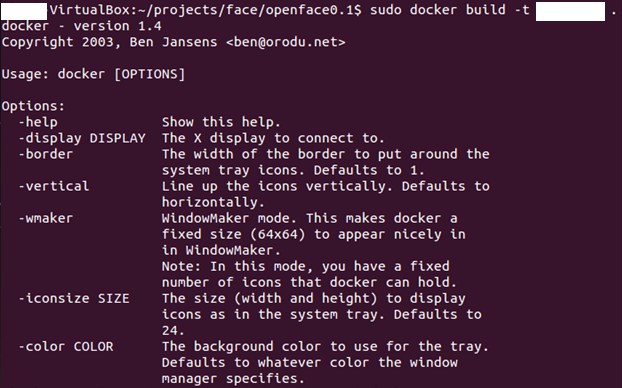
2. 在ubuntu14上面重新安装新版本的docker
(http://blog.csdn.net/xundh/article/details/46441403)
直接使用如下命令即可
wget -qO- https://get.docker.com/ | sh
q后面是大写字母O
说明:有时候赋值上面这句话,就是提示有问题,去上面的网址复制,就可以执行。。。
3. 在ubuntu16上面重新安装新版本的docker
参考docker官方文档(https://docs.docker.com/engine/installation/linux/ubuntulinux/)
说明:a. 上面网址有16.04,15.10,14.04,12.04的安装步骤。接下来只说在ubuntu16上怎么安装。
b. ubuntu内核最低为3.10.使用如下命令查看内核版本:
uname -r
1)更新apt源:
① ensure that APT works with the https method, and that CA certificates are installed
终端中输入如下命令:
sudo apt-get update

sudo apt-get install apt-transport-https ca-certificates
② 增加新的GPG key
sudo apt-key adv --keyserver hkp://p80.pool.sks-keyservers.net:80 --recv-keys 58118E89F3A912897C070ADBF76221572C52609D
③ 打开/etc/apt/sources.list.d/docker.list文件,删除里面的所有内容(需要超级管理员权限);如果不存在,创建。
④ 在③中的文件中增加 entry,并保存该文件:
deb https://apt.dockerproject.org/repo ubuntu-xenial main
注意:其他版本中的请查看上面的网址。Docker does not provide packages for all architectures. You can find nightly built binaries in https://master.dockerproject.org. To install docker on a multi-architecture system, add an [arch=...] clause to the entry. Refer to the Debian Multiarch wiki for details.
说明:之前安装docker时,只能安装到1.10,后来打开该文件,发现源不对。更改了之后,后面安装的就是最新的了。
⑤ 更新apt
sudo apt-get update
⑥ 如果有的话,清除老的repo
sudo apt-get purge lxc-docker
⑦ Verify that APT is pulling from the right repository.
apt-cache policy docker-engine
2)安装docker
① 终端中输入:
sudo apt-get update
② 安装docker:
sudo apt-get install docker-engine
③ Start the docker daemon:
sudo service docker start
④ 验证docker成功安装:
sudo docker run hello-world
结果如下:
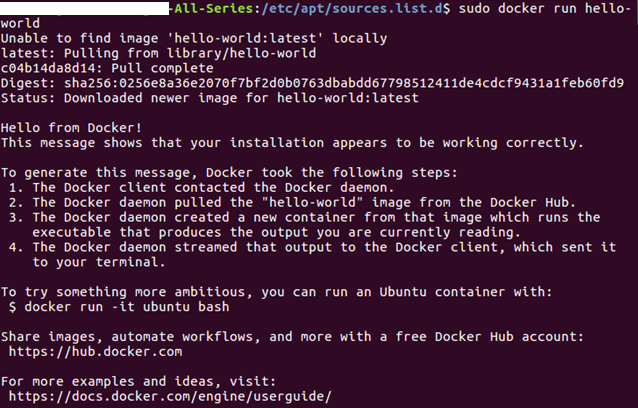
可选的配置:见参考网址。
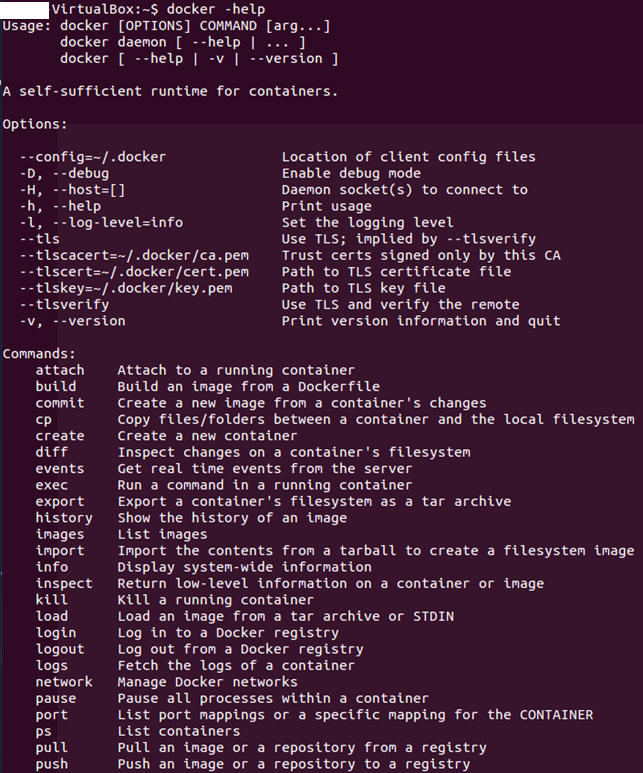
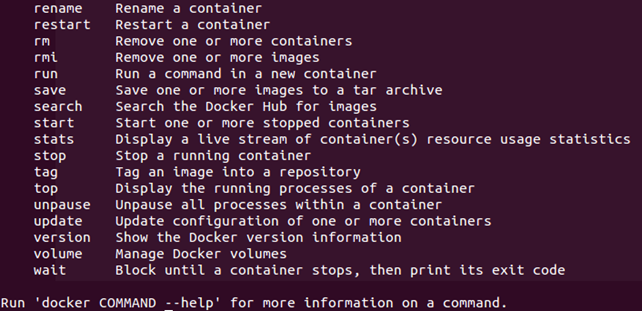
4. 新版本的docker:

新版本docker支持的命令:
(原)ubuntu14及ubuntu16中安装docker的更多相关文章
- (原+转)ubuntu16中安装opencv2.4.11
转载请注明出处: http://www.cnblogs.com/darkknightzh/p/5638117.html 参考网址: http://www.cnblogs.com/jeakon/arch ...
- (原+转)ubuntu16中安装opencv2.4.11(2.4.13)
转载请注明出处: http://www.cnblogs.com/darkknightzh/p/5638117.html 参考网址: http://www.cnblogs.com/jeakon/arch ...
- ubuntu16.04安装docker CE
如需开始在 Ubuntu 上使用 Docker CE,请确保您满足先决条件,然后再安装 Docker. 如需安装 Docker 企业版 (Docker EE),请转至获取适用于 Ubuntu 的 Do ...
- Docker - 在CentOS 7中安装Docker
1-确认系统信息 # cat /etc/redhat-release CentOS Linux release 7.2.1511 (Core) # uname -a Linux CentOS-7 3. ...
- ubuntu中安装Docker
系统要求: 必须时64位的系统,内核最低要求是3.10 查看系统内核: $ uname -r 3.11.0-15-generic 获取最新版本打Docker: $ wget -qO- https:// ...
- 在deepin中安装docker
用往常方法安装 一般在Linux中安装docker的时候都会使用这条命令 wget -qO- https://get.docker.com/ | sh 而在deepin这么做缺不行 打开网址即可发现支 ...
- 在Ubuntu中安装Docker和docker的使用
1.在Ubuntu中安装Docker 更新ubuntu的apt源索引 sudo apt-get update 安装包允许apt通过HTTPS使用仓库 sudo apt-get install \ ap ...
- mac下idea中安装docker插件
idea中安装docker插件: 点击Intellij IDEA->Preferences...->Plugins->Browse repositories...如下: 点击Inst ...
- Ubuntu16.04安装Docker、nvidia-docker
Ubuntu16.04安装Docker.nvidia-docker Docker安装 1.更换国内软件源,推荐中国科技大学的源,稳定速度快(可选) sudo cp /etc/apt/sources.l ...
随机推荐
- socket网络编程中的同步,异步,阻塞式,非阻塞式,有何联系与区别?
一.举个打电话的例子: 阻塞 block 是指,你拨通某人的电话,但是此人不在,于是你拿着电话等他回来,其间不能再用电话.同步大概和阻塞差不多. 非阻塞 nonblock 是指,你拨通 ...
- 条形码/二维码之开源利器ZXing图文介绍
全文目录: 基本介绍 二维码(比如:QRCode)的编码和解码演示 条形码(比如:EAN-13)的编码和解码演示 [一]. 基本介绍 : 1-1. ZXing是一个开源Java类库用于解析多种格式的条 ...
- php+mssql 已经写好的万能函数
<?php /****************************************************************************************** ...
- MooTools 异步请求验证
http://www.chinamootools.com/ 问题 MooTools 异步请求例子 <{foreach from=array('0','1','2','3','4') item=c ...
- Python学习笔记九-文件读写
1,读取文件: f=open('目录','读写模式',encoding='gbk,error='egiong') 后三项可以不写但是默认是' r'读模式:open函数打开的文件对象会自动加上read( ...
- UIAppearance使用详解-备
iOS5及其以后提供了一个比较强大的工具UIAppearance,我们通过UIAppearance设置一些UI的全局效果,这样就可以很方便的实现UI的自定义效果又能最简单的实现统一界面风格,它提供如下 ...
- QWidget: Must construct a QApplication before a QPaintDevice的问题
卧槽,无意中编译自己基于Qt创建的Debug工程的时候运行时发生了标题中的错误,原来是把Qt Release的库也放到additional dependencies里面了,同时链接了Debug和Rel ...
- 屌炸天实战 MySQL 系列教程(二) 史上最屌、你不知道的数据库操作
此篇写MySQL中最基础,也是最重要的操作! 第一篇:屌炸天实战 MySQL 系列教程(一) 生产标准线上环境安装配置案例及棘手问题解决 第二篇:屌炸天实战 MySQL 系列教程(二) 史上最屌.你不 ...
- 读论文系列:Nearest Keyword Search in XML Documents中使用的数据结构(CT、ECT)
Reference: [1]Y. Tao, S. Papadopoulos, C. Sheng, K. Stefanidis. Nearest Keyword Search in XML Docume ...
- 理解 Linux 配置文件分类和使用
理解 Linux 配置文件分类和使用 本文说明了 Linux 系统的配置文件,在多用户.多任务环境中,配置文件控制用户权限.系统应用程序.守护进程.服务和其它管理任务.这些任务包括管理用户帐号.分配磁 ...